What does Meta Muse actually do for a recruiter?
I build AI agents at eesel, and most of my week goes into the unglamorous part: deciding what an agent may do alone, what it has to ask about, and what it must never touch. Recruiting is the clearest case of that split I know. So I read Meta Muse's help center, terms and connector list with one question in mind: which recruiting jobs is it actually allowed to do?
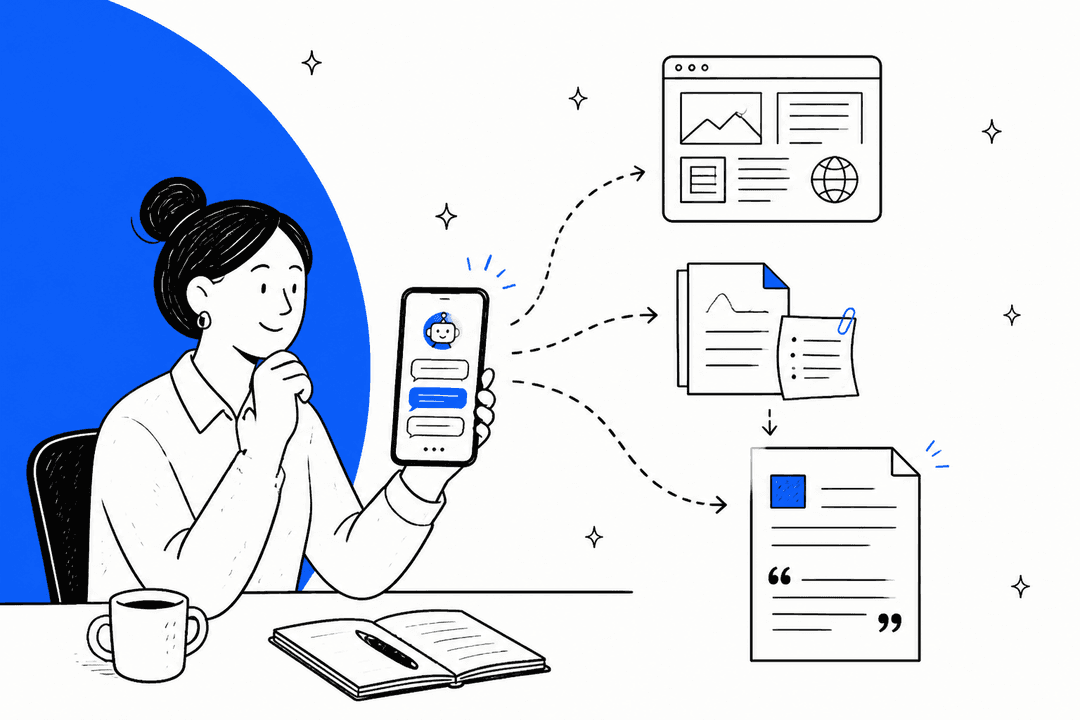
Muse is Meta's personal AI agent, launched on September 8, 2026. It runs on its own cloud computer with its own browser, keeps working after you close the app, and comes back "when it needs approval, like before it sends an email." It runs on Muse Spark 1.3, and you talk to it in the Muse app, on Mac or inside WhatsApp.
Meta never mentions recruiting. Even its customer-facing agent, Business Agent, is built for sales and support chats, not candidates. I checked muse.ai, the Muse for Small Business page, both launch posts and my own notes from writing about Muse for sales. The closest Meta gets is a business owner who wears every hat:
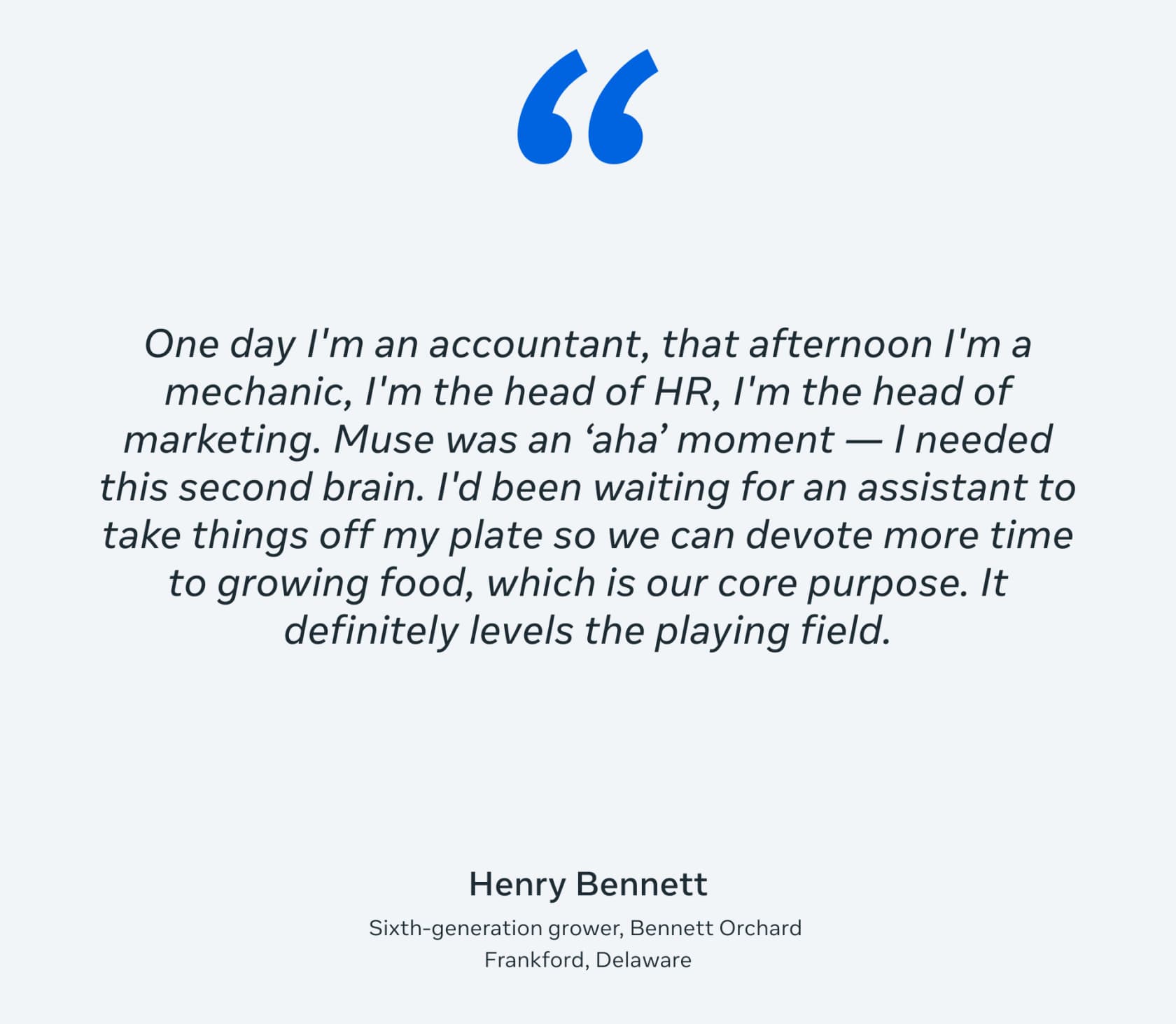
That's the honest frame for "Muse for recruiting." It's an assistant for the person doing the hiring, whether that's an in-house recruiter, an agency recruiter or a founder hiring their fifth employee. It's not a recruiting platform. Muse for Small Business is pitched at owners, not talent teams, and Meta's own hiring product, Local Jobs on Facebook, is a separate thing entirely.
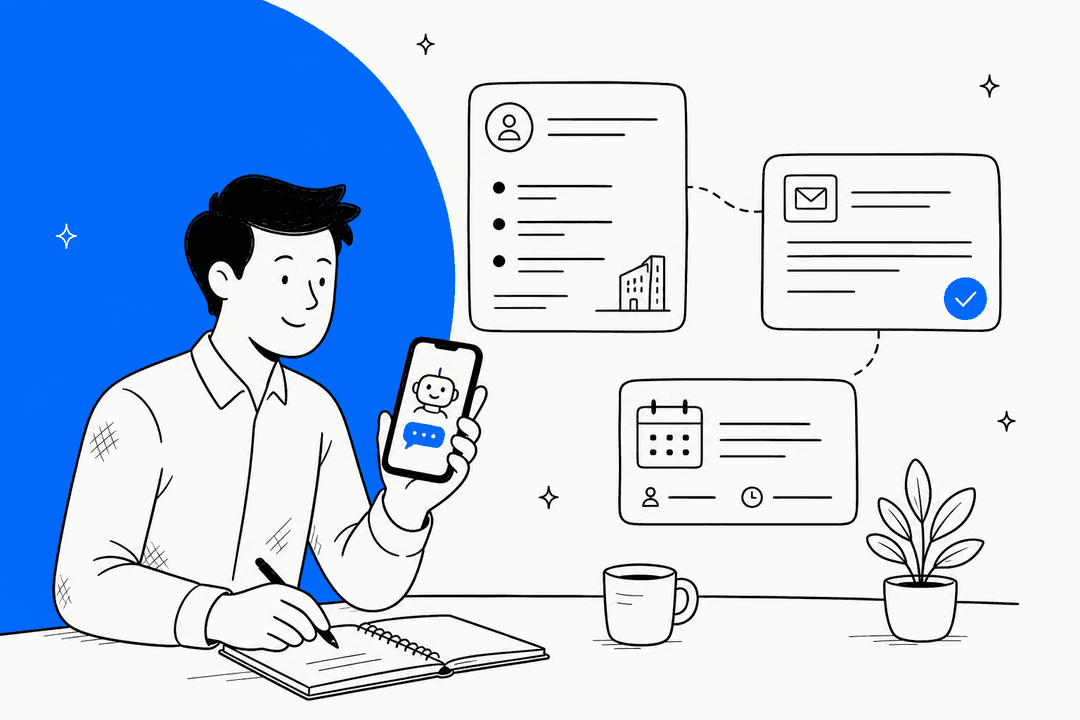
A recruiter's day is mostly coordination: reading threads, chasing interviewers for feedback, rebuilding the same brief for the third panel this week. That's the part Muse can take. In practice it sits closer to an AI email assistant with a browser than to an applicant tracking system.
Where is the line between helping and deciding?
This is the section most "AI for recruiting" posts skip, and it's the one that matters most. Muse's Supplemental Terms (dated September 8, 2026) list what you can't use it for. Item 7 in the Restrictions section is written almost as if Meta had recruiters in mind. You may not use Muse in a way that would:
"Decide, or serve as a substantial factor in deciding, without meaningful human review, whether another person receives or keeps employment, credit or other financial services, housing, insurance, an educational placement, healthcare, or a legal right or benefit"
Read that against a real workflow. Drafting an outreach email isn't deciding. Booking an interview slot isn't deciding. Asking Muse to read 200 applications and tell you which 20 to call, then calling those 20, starts to look a lot like "a substantial factor in deciding."
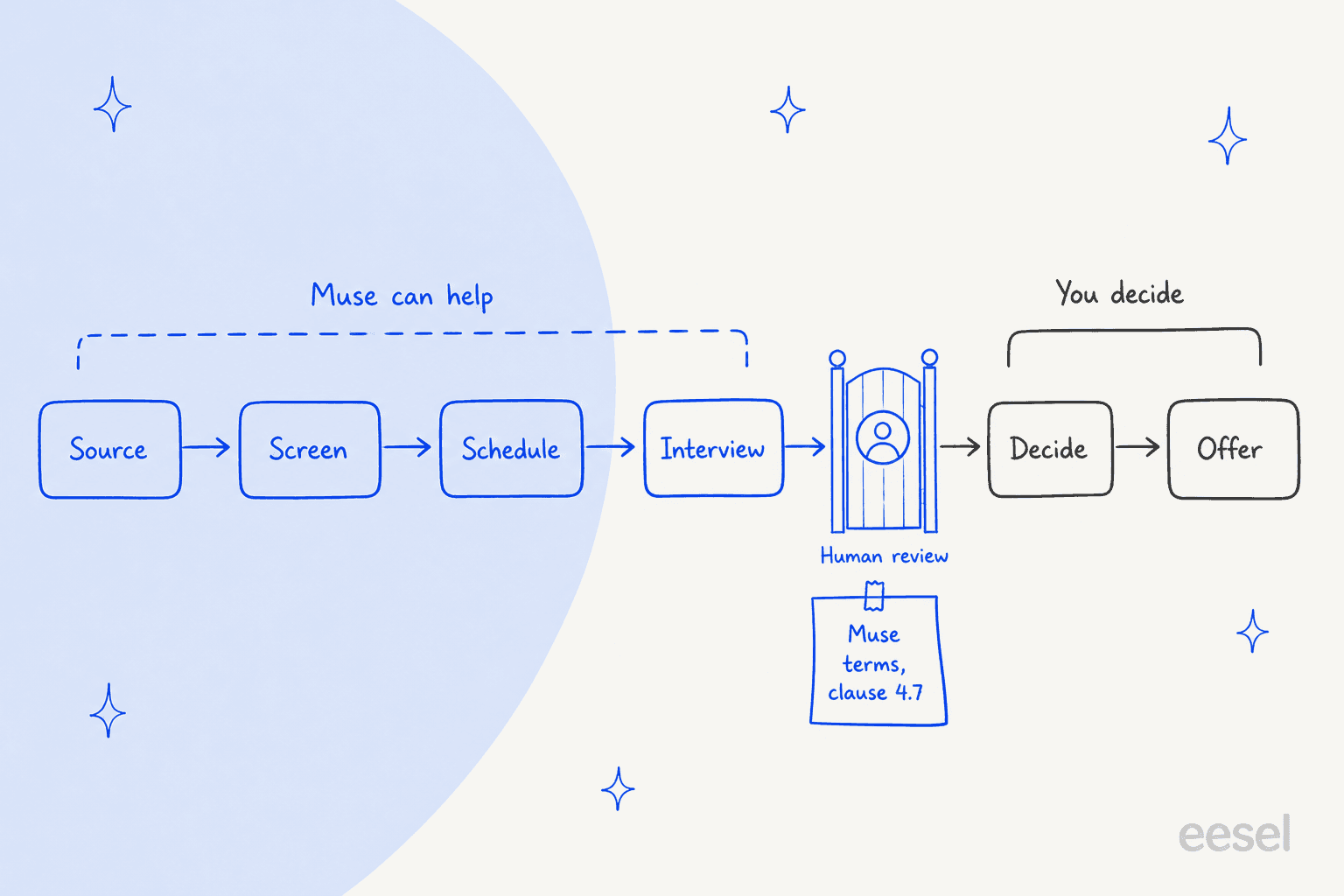
The same Restrictions list adds two more that touch hiring. Item 5 bans "unlawful discrimination on the basis of protected characteristics." Item 11 bans processing biometric data "without express consent," which rules out casually asking an agent to read faces or voices in recorded interviews.
The law points the same way, and it's specific:
- New York City. Local Law 144 bars employers from using an automated employment decision tool unless it "has been subject to a bias audit within one year." Candidates must get notice 10 business days before use, and penalties run up to $1,500 per violation, with each day counted separately (law text).
- Illinois. Since January 1, 2026, Public Act 103-0804 makes it a civil-rights violation to use AI in "recruitment, hiring, promotion" in a way that discriminates, or to use it without telling employees. Its definition says AI "includes generative artificial intelligence."
- The EU. The AI Act lists AI used "to analyse and filter job applications, and to evaluate candidates" as high-risk. Muse is only available in the US and Canada, but multinational recruiters will run into this one.
NYC's FAQ defines the tool by whether it "substantially assists or replaces discretionary decision-making." A personal agent ranking your applicants can meet that bar even though nobody bought it as a hiring tool. That's the shift I'd want every recruiter to walk away with: the risk isn't the agent you bought for hiring, it's the general agent you quietly started using for it.
Which recruiting tasks should you hand to Muse?
Sort tasks by what happens if Muse gets one wrong. A brief with a wrong job title costs you a minute. A rejection email sent to the wrong candidate costs you a person, and maybe a complaint.
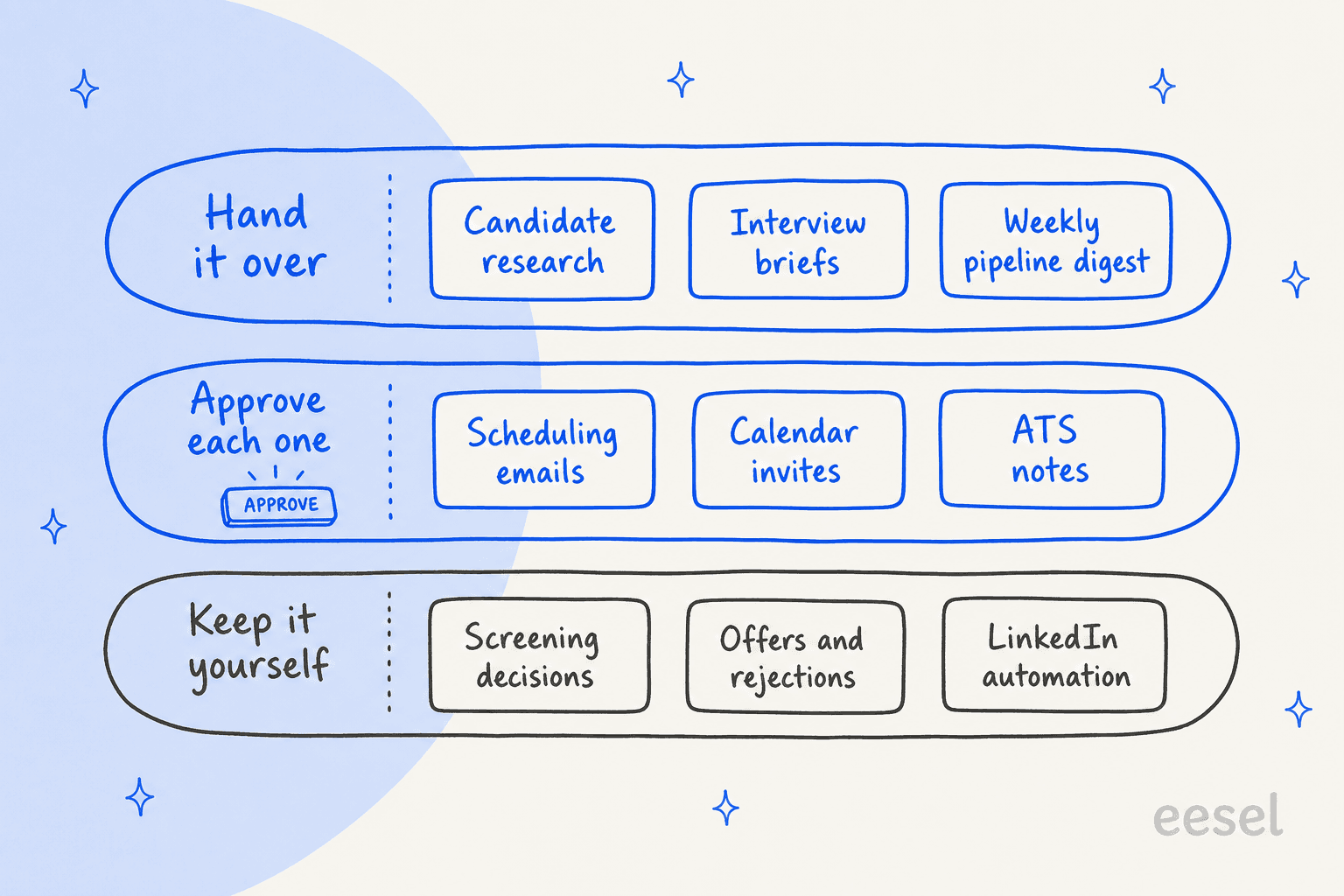
Hand it over. Research on a candidate's public work or a target company, interview briefs built from the thread and the calendar invite, and recurring digests. Muse can "run recurring tasks on a schedule, like daily check-ins or weekly summaries," per its scheduled tasks page, and it can produce the brief as a PDF, DOCX or spreadsheet. Pair it with a meeting notes app like Granola and the debrief starts from what was actually said.
Recruiters who've tried agents say the same thing about where they work:
"The admin stuff is where it shines. Parsing resumes into the ATS, generating rough first drafts of outreach, summarizing interview feedback from multiple sources. But the moment you let it start making judgement calls on candidates you get into messy territory fast."

Approve each one. Scheduling emails, calendar invites and notes that land in your ATS. Muse's approval settings split read actions from write actions, and "Ask for some actions" makes it ask before every write. You can grant "Allow once," "Allow for this task" or "Always allow." For anything a candidate sees, I'd never pick "Always allow."
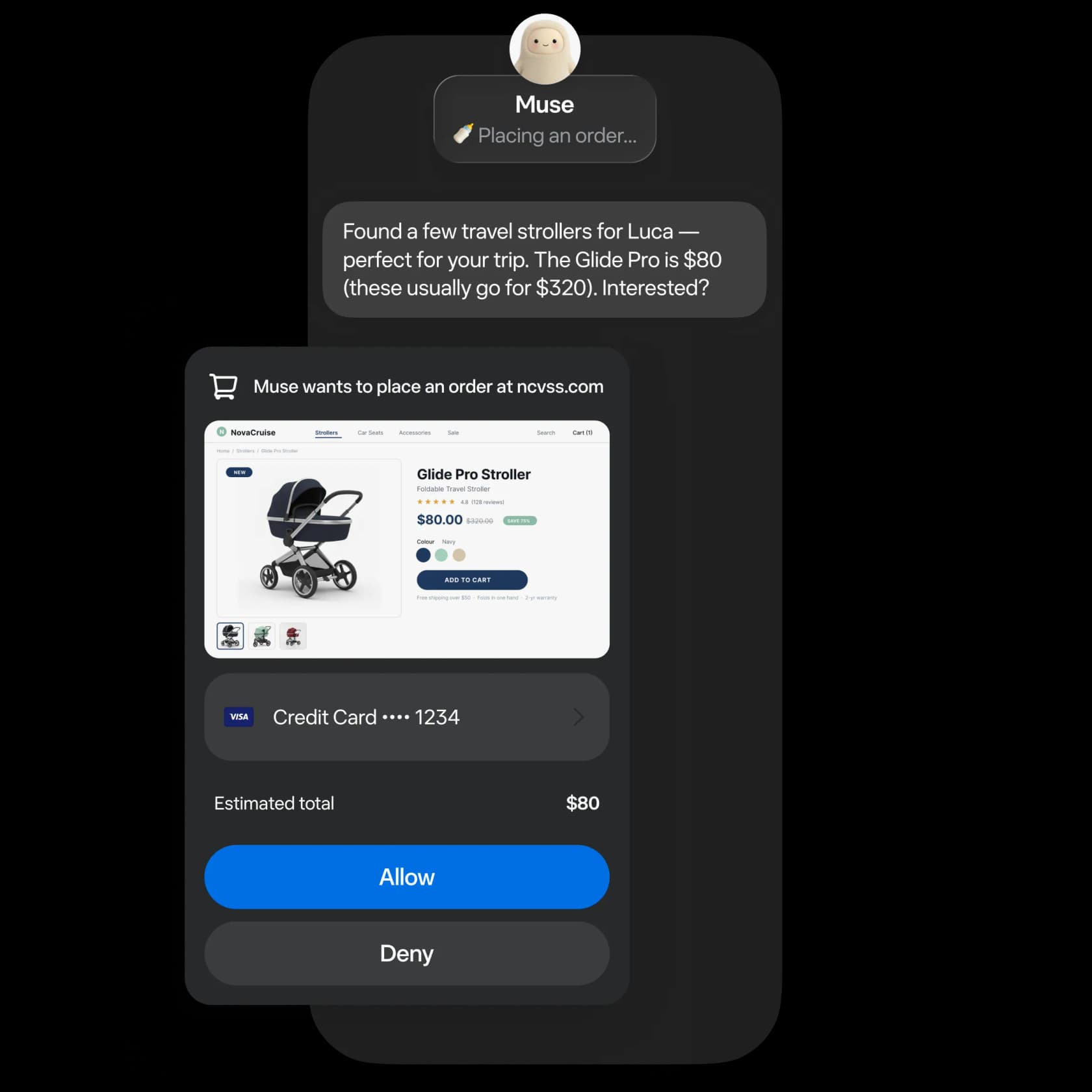
One limit worth knowing: approval is a yes or no. If a draft is 90% right, you're editing it yourself. I hear this one constantly at eesel. A Freshdesk customer handling 50 to 70 tickets a day told me a binary approve-or-reject flow pushed them into copy-paste workarounds, because what they actually needed was to fix a draft and then send it. Recruiting email is the same. Plan on editing, not just tapping, and keep a short style guide in Muse's memory, the same way HR writing tools keep templates.
Keep it yourself. Screening decisions, offers and rejections, and anything that automates LinkedIn. The first two are the terms section above. The last one gets its own section below.
Also decide once whether candidates should know an agent wrote the email. Muse lets you "ask your Muse to add a note that it was generated by your AI agent," per the getting started guide, but it isn't automatic. Muse's terms separately ban hiding its non-human identity "where disclosure... is required by applicable law." Write your choice into Muse's memory so it's consistent.
Can Muse schedule interviews?
Yes, for your own calendar. Muse can watch your Google Calendar ("calendar Connectors can update Muse automatically when there are changes in your schedule," per the connectors help page), find a slot, draft the email and send the invite once you approve.
It gets harder with panels. Muse sees what your account can see, so other interviewers' calendars need to be shared with you, and there's no team workspace where a coordinator and four interviewers share one agent. And the hard part of scheduling isn't the first slot. It's the reschedule:
"The AI would grab a time slot and then the candidate would email back asking to shift it by 15 minutes and the whole thing crumbled. We ended up just keeping a human in the loop for anything that wasnt a clean yes/no decision"
Muse's background mode is a real help here, because it keeps watching the thread after you close the app. Still, I'd let it propose the new slot and keep the send on approval. If panel scheduling is most of your job, a dedicated AI scheduling assistant built for multi-person calendars will do it better.
Can Muse work with your ATS and LinkedIn?
Connectors decide what Muse can see and do. Meta's business list names "Asana, Box, Canva, Dropbox, Figma, Granola, HighLevel, Intuit QuickBooks, Klaviyo, Lovable, Notion, Shopify, Slack, Stripe, Zoom and more" (muse.ai/business). No applicant tracking system is on it.
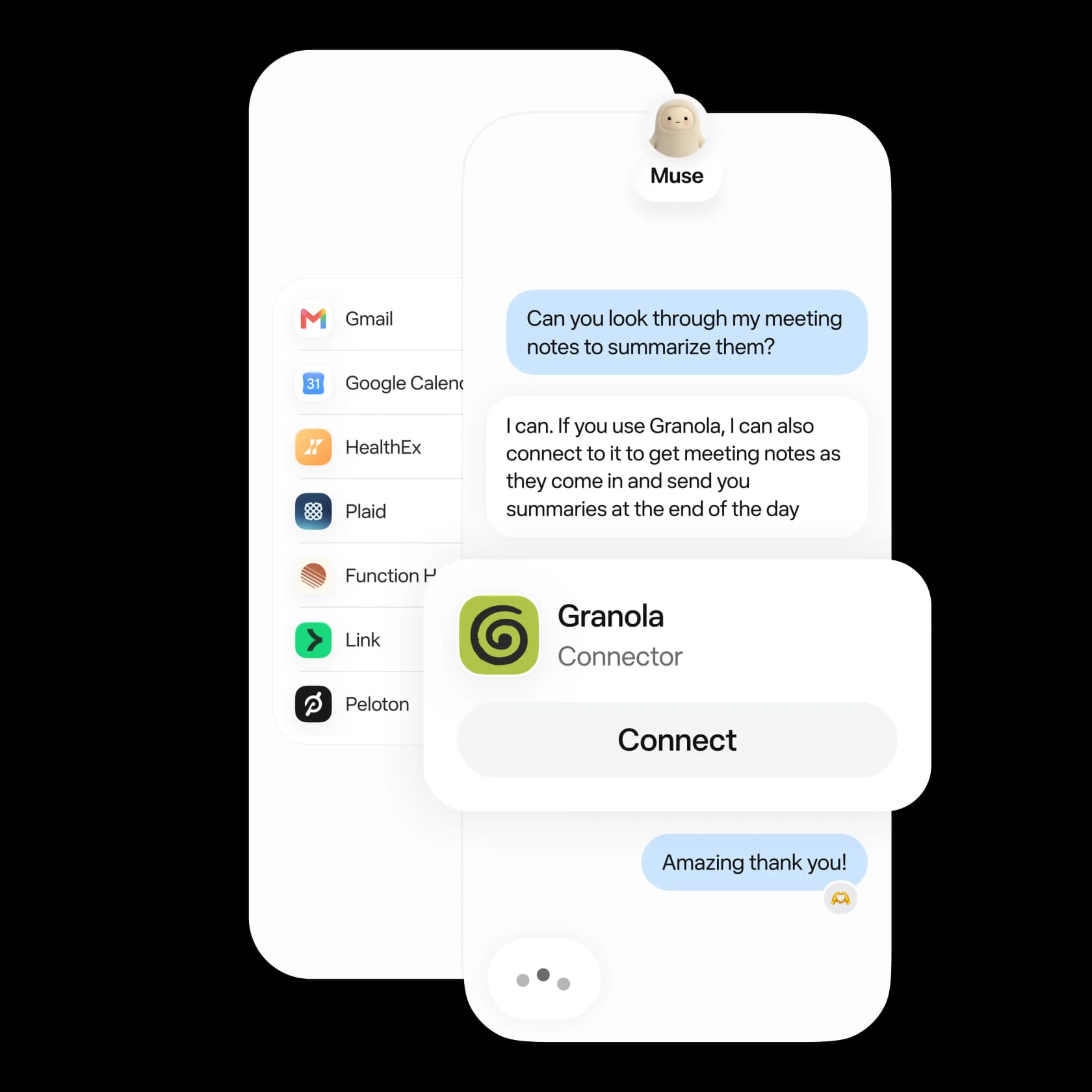
Here's how that maps to recruiting:
| Recruiting job | What Muse connects to | Status |
|---|---|---|
| Candidate email | Gmail, Google Workspace | Listed |
| Interview scheduling | Google Calendar | Listed |
| Interview notes | Zoom, Granola | Listed |
| Hiring team chat | Slack, Notion, Box, Dropbox | Listed |
| Applicant tracking | Greenhouse, Ashby, Lever, Workday | Not listed |
| Sourcing and InMail | Not listed | |
| Microsoft email | Outlook, Microsoft 365 | Not listed (Mac app can read the local Mail app) |
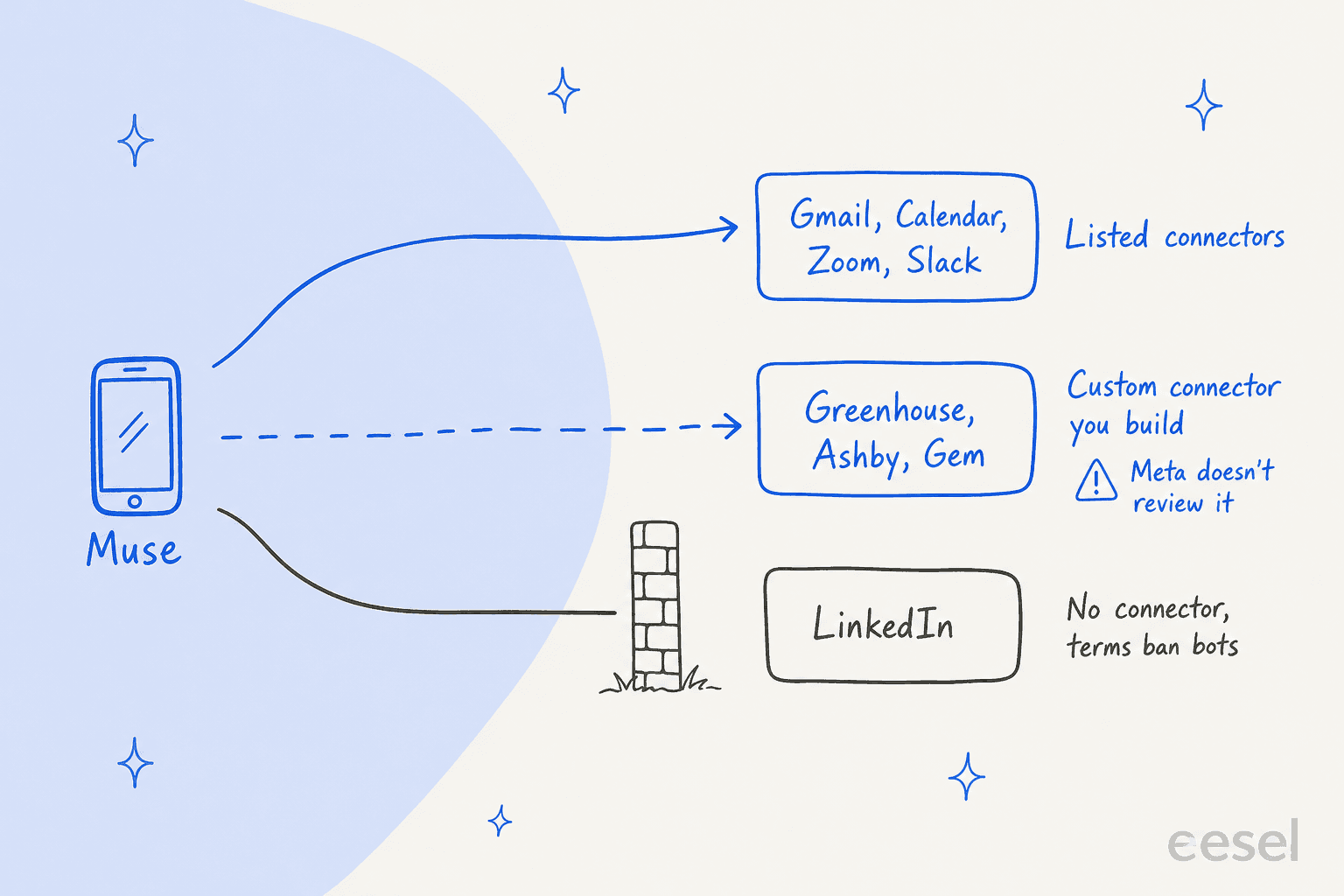
Greenhouse, Ashby and Lever
The ATS vendors have moved faster than Meta here. Greenhouse MCP is in open beta on the Core, Plus and Pro plans, and works with "any AI tool that supports OAuth 2.0 with PKCE authentication and Dynamic Client Registration." Ashby launched its MCP server on all plans in June, with actions like "adding candidate notes, moving candidates between interview stages." Lever's connector page now returns a 404.
Neither vendor names Muse. To reach them, you'd ask Muse to build a custom connector, and Meta's help page is blunt: "Meta doesn't review custom connectors or how they use your information, so grant access with caution." I couldn't confirm that a Muse custom connector completes Greenhouse's sign-in flow, so treat this as a project for whoever runs your recruiting ops, not a five-minute setup. Greenhouse also makes a Site Admin add any unlisted tool's redirect URL in Dev Center first (setup guide).
Teams that have wired an agent into their ATS through a supported route report it working well:
"We have our CRM MCP tool connected to our ATS, combined with Enterprise Gemini so it draws on internal and external information and use it for a lot of things successfully"
If ATS access is the deciding factor, OpenAI Dots for recruiting is the closer fit today, since Ashby ships as a listed plugin there.
There's no LinkedIn connector, and the obvious workaround, letting Muse's browser log into LinkedIn Recruiter, runs into two sets of terms. LinkedIn's User Agreement, section 8.2, bans using "bots or other unauthorized automated methods to access the Services, add or download contacts, send or redirect messages." Its help center says members who use such tools "risk having their accounts restricted or shut down."
Muse's own terms then ban using it to "violate, bypass or circumvent any third party's terms of service." People have noticed Muse's browser anyway:
"Every time a new tool launches there's a good window where it can act as a scraping proxy. Back in the 2010s I used Google Translate for years to scrape hard targets like LinkedIn but these windows are much shorter these days as scraping is so much bigger."

For a recruiter, your LinkedIn seat is the business. I wouldn't risk it for a sourcing shortcut. Have Muse draft the InMail from a profile you're reading, then paste and send it yourself.
Is Muse any good at finding candidates?
Not as a sourcing engine, and neither is Grok Bot or any other personal agent I've read up on. Muse has a browser and good research skills, but it can't search LinkedIn's network, and recruiters who've tested agents on sourcing aren't impressed:
"my experience is that it's great for generating target lists of companies that I want to go after – but lousy at generating candidate names for anything that is at all complicated."
That matches where I'd point it: target company lists, competitor org research, background on a candidate you already found, and a sanity check on whether someone's public work backs up their title. Eric Siu put the evidence-check idea well:
"A candidate can look good from a title while the evidence behind a requirement is thin. In the walkthrough, the agent reports a case where the initial grading overstated the relevant experience. That is exactly the sort of claim I want questioned before outreach."
Notice the direction. The agent questions a claim, and a person still decides whether to reach out. Funnily enough, the most detailed Muse-for-hiring story I found is from the other side of the table: a job seeker who has Muse fill in applications and holds the final submit for themselves (/u/jut754, Reddit). Expect more agent-written applications in your pipeline, too.
What about candidate data and privacy?
Resumes, interview notes and offer details are some of the most sensitive data a company holds. Before connecting a work inbox, know how Muse handles it. A shared internal knowledge base is a safer home for process docs than one person's agent memory:
- Training. You can opt out of your content being used to improve Meta's AI in Settings under "Data Controls," per the terms.
- Memory sticks around. Disconnecting a connector doesn't wipe what Muse learned: "Information that Muse previously used to perform tasks with that Connector might still remain in Muse's memories," per the connectors page.
- Third parties show up. Meta's page for non-users says attendee names and event details "could be included in the request and response" when Muse reads a calendar.
- No admin layer. There's no SSO, shared workspace or admin console, so IT can't see or control a recruiter's personal Muse.
- Liability is yours. The terms make you "solely responsible" for Muse's actions and cap Meta's liability at the greater of $250 or 12 months of fees.
Check your company's AI and data policy before you connect anything. Meta's new Enterprise Platform names Muse in its business stack but hasn't published admin controls for it. My Meta Muse review covers the security model in more depth.
How much does Meta Muse cost for a recruiter?
Muse itself is cheap, and every plan is individual. Prices are from Meta's subscriptions help page:
| Plan | Price | Weekly usage | Team features |
|---|---|---|---|
| Free | $0 | Usage limit that refreshes (100M tokens/week, per Zuckerberg) | None |
| Power | $20/month | 500M Muse tokens | None |
| Maximum | $100/month | 3B Muse tokens | None |
Like Instinct AI for work, it's built for one person. Muse is available to people 18 and over in the US and Canada, and Meta says subscriptions are still "in limited testing." A head of talent can't buy it for a team in any managed way. The full meter is in my Meta Muse pricing breakdown, and the small-business angle is in Muse for Small Business pricing.
If you're comparing personal agents, Instinct AI and Dots for work sit in the same category, and the Meta Muse alternatives list covers the rest.
Who answers the candidates while you're busy?
Here's the gap no personal agent covers. Every open role creates a second queue: candidates asking "any update on my application?", people asking how many rounds there are, new hires asking when payroll runs and how to get laptop access. That work belongs to the recruiting team, not to one recruiter's agent that stops being useful the day that recruiter goes on holiday.
That's the job eesel is built for. eesel is an AI teammate platform, and the AI helpdesk teammate joins a shared queue rather than one person's accounts. It isn't a generalist AI employee either; it's hired for one defined job. For recruiting, that can be the careers inbox in Gmail or your helpdesk, answering from your process docs and internal knowledge base. After the offer, the same teammate answers new-hire questions in Slack, as an HR helpdesk AI for employee support.
The guardrails match the line in Muse's terms. A helpdesk teammate answers process questions, like what the stages are, when to expect feedback or how to reschedule. It hands anything about a specific decision to a person, which is the same rule I'd hold any HR chatbot to. My notes on AI agent handoff cover how to set that rule. For the new-hire side, see AI for onboarding questions.
To be fair to Muse: if the job is your own inbox, calendar and prep, you don't need eesel for that. Muse is a good fit. The line is ownership. If the work still needs doing when you're out, it belongs to a teammate, not your personal agent.
Try eesel for your recruiting inbox
Let Muse prep your briefs and draft your scheduling emails, and give your candidates a teammate built for the team's queue. eesel's AI helpdesk teammate plugs into Gmail in a few minutes, learns from the replies your team has already sent, and drafts or sends answers to candidate questions. Before it answers a single real candidate, you can test it in a simulation and see its answers first.
Try eesel free, or see how teams use it in the best AI teammates roundup.
Frequently Asked Questions
Can Meta Muse be used for recruiting?
Can Meta Muse screen or rank candidates?
Does Meta Muse connect to Greenhouse, Ashby or Lever?
Can Meta Muse send LinkedIn messages to candidates?
Can Meta Muse schedule interviews?
How much does Meta Muse cost for a recruiter?
What are the best Meta Muse alternatives for recruiting?


Article by
Kira
Kira is a writer at eesel AI with a Computer Science background and over a year of hands-on experience evaluating AI-powered customer service tools. She focuses on breaking down how helpdesk platforms and AI agents actually work so that support teams can make better buying decisions.