HR teams write more than almost any other department. A single hiring cycle produces job descriptions, screening emails, offer letters, rejection templates, onboarding checklists, and policy amendments. Then there's the day-to-day: PTO policy updates, handbook revisions, all-hands announcements, and the hundred small replies to employee questions that never feel quite right when they go out inconsistently worded.
Most HR teams use general-purpose AI in the same way they used to copy-paste from Google Docs: quickly, without much governance, and with results that often sound like they came from a different company than the one on your careers page. The writing is fine. The voice is wrong. The inclusive language check didn't happen. The style guide is somewhere no one reads.
The tools below take a more structured approach. Some enforce your brand voice and style guide as employees type. Some govern the knowledge your AI pulls from, so answers to employee policy questions don't come from a two-year-old version of your handbook. One automates the HR helpdesk entirely so queries that shouldn't require a human never reach a human.
Whether you're a solo HR manager at a 50-person startup or a team of 20 running recruiting and people ops for an enterprise, there's a meaningful difference between "AI that writes" and "AI that writes consistently, accurately, and in your voice." The six tools below are the ones that make that distinction.
How we selected these tools
The shortlist required tools that addressed at least one of the core HR writing problems: creating content (JDs, policies, comms), enforcing consistency (style guides, brand voice), governing knowledge (accurate, current answers), or automating the helpdesk layer (employee self-service). We excluded Intercom/Fin due to its acquisition relationship with eesel. Copy.ai was considered but excluded -- its pricing ($1,000/month for the Growth plan) and recent pivot toward GTM/sales automation make it a poor fit for most HR teams.
Grammarly Business
Grammarly Business is the writing governance layer that HR teams can deploy across the entire company without changing how anyone works. It runs as a browser extension and native integration inside 1 million+ apps -- Gmail, Outlook, Google Docs, Word, Slack, LinkedIn, Salesforce, Zendesk -- and activates wherever your team writes.
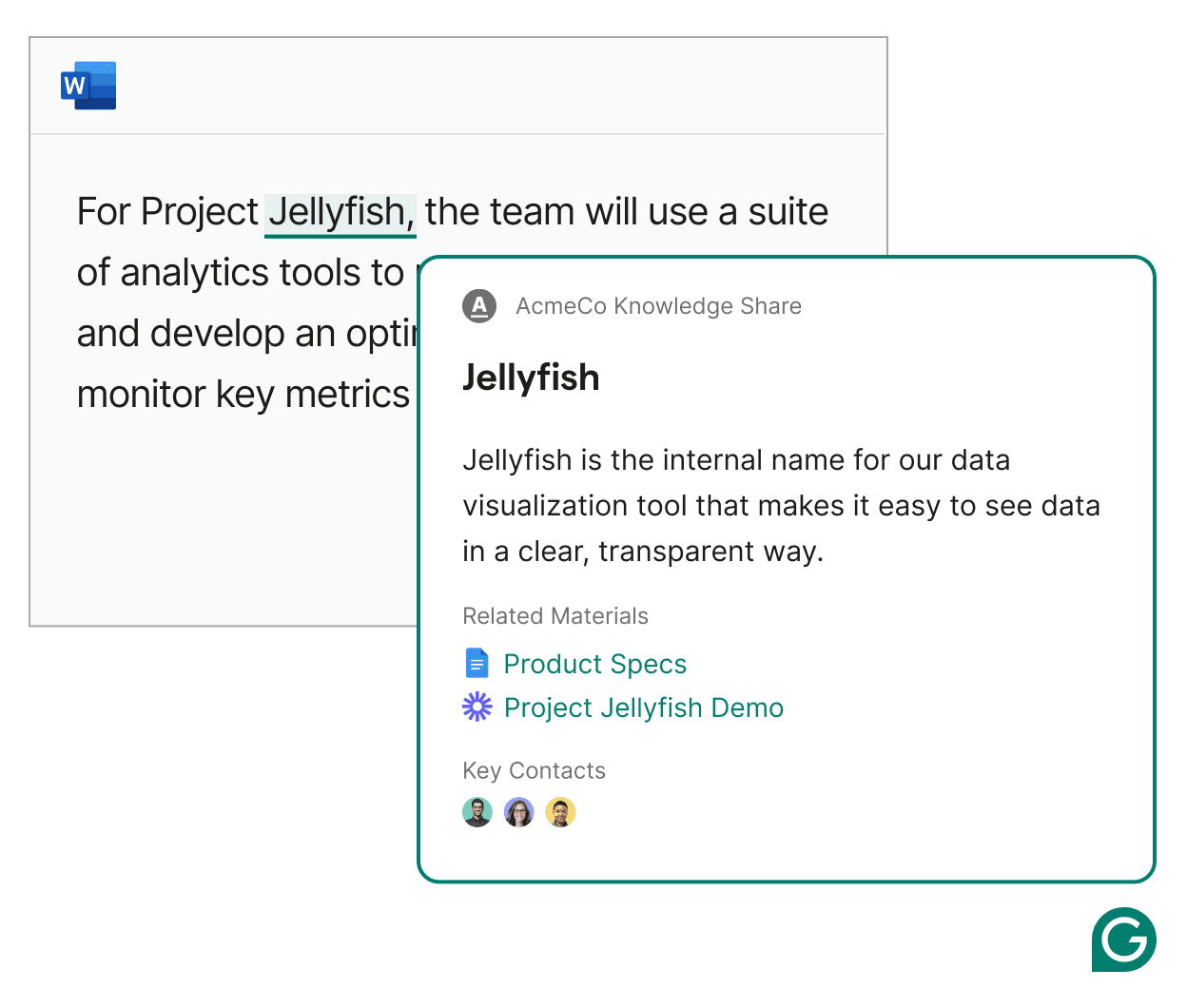
For HR specifically, the most relevant features are inclusive language enforcement (proactively flags gendered terms, biased phrasing, non-inclusive job description language as you type), style guide upload (paste in your company's writing standards; Grammarly flags violations in real time), and Knowledge Share (when an employee types a company acronym, Grammarly surfaces the definition and a link to the relevant doc without them having to search).
The generative AI side handles first drafts of job descriptions, onboarding communications, and policy summaries. The tone adjustment feature is particularly useful for HR, where the same message needs to land very differently depending on whether it's an offer letter, a performance review, or a policy notice. Grammarly scores every message's tone before it goes out and suggests adjustments.
The platform's HR-specific page cites a stat from Grammarly's own research: more than half of candidates say the quality of a job description had a major impact on their decision to apply. Companies like Atlassian, Zoom, Databricks, and Upwork use Grammarly Business at scale; Databricks reports saving $1.4M annually and 20 days per user per year.
Pricing
| Plan | Price | Key features |
|---|---|---|
| Free | $0/month | Grammar and spelling, tone detection, 100 AI prompts/month |
| Pro | $12/user/month (annual) | Full rewrites, inclusive language, 1 style guide, 1 brand tone, Knowledge Share, Snippets, 2,000 AI prompts/month/member, 7-day trial |
| Enterprise | Contact sales | Unlimited style guides and brand tones, SAML SSO, SCIM, BYOK encryption, DLP, ROI reporting, dedicated CSM |
Best for: HR teams who want writing governance deployed across the whole company -- not just the HR function. The inclusive language enforcement and style guide features make it the most purpose-built tool on this list for job descriptions.
Watch out for: Tone suggestions can feel generic even with a custom brand tone set up. Technical or scientific writing teams report over-flagging. Enterprise features (SCIM, BYOK, individual-level analytics) require the Enterprise plan -- Pro's governance is relatively basic.
Writer
Writer is an enterprise AI platform built for teams that need more than grammar checking -- specifically, teams that want a fleet of AI agents running content workflows, governed by a Knowledge Graph that enforces accuracy from verified company data. It's positioned as "agentic AI" rather than a writing assistant: the goal isn't to improve individual documents, it's to run end-to-end content operations at scale.
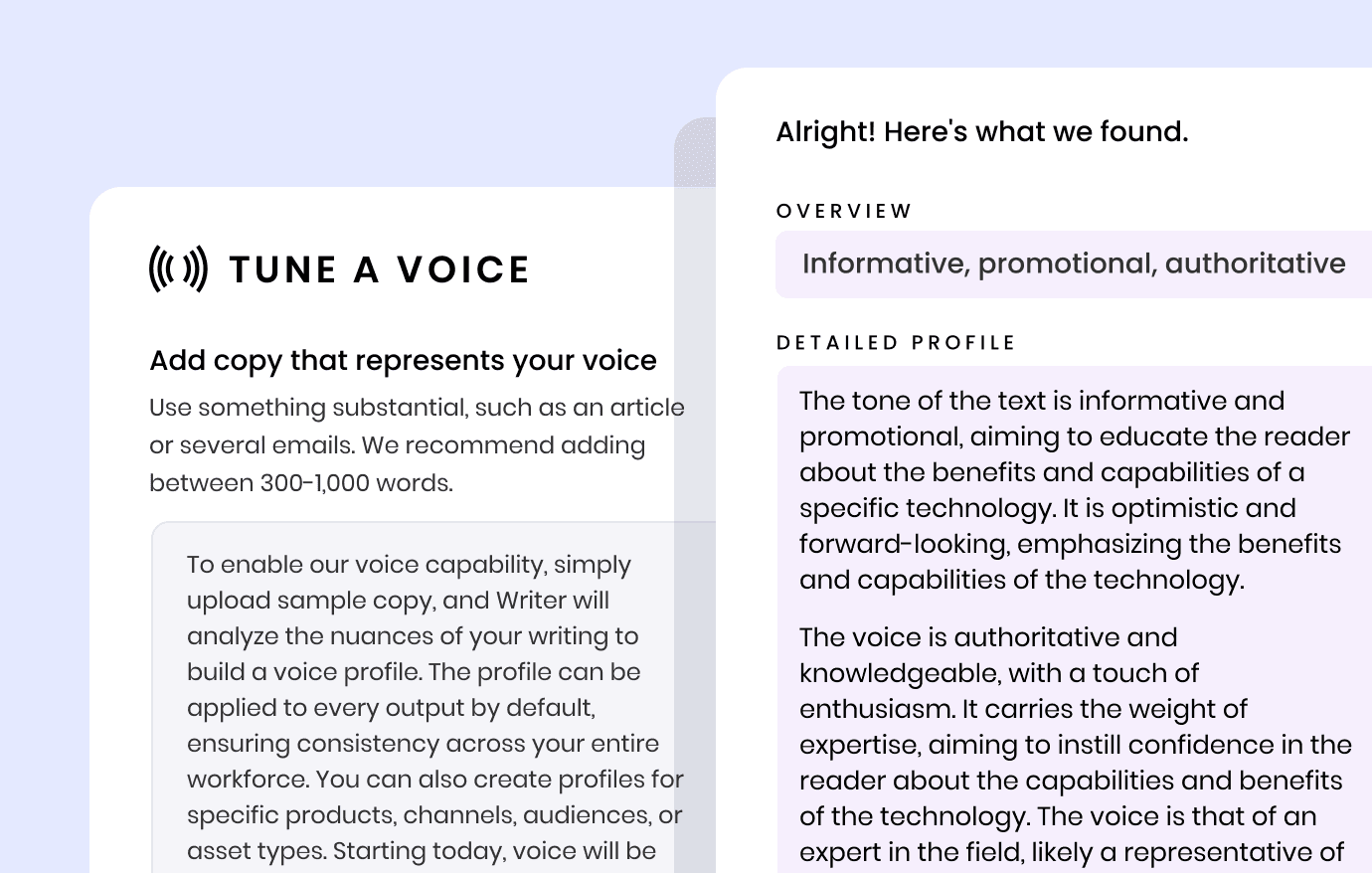
For HR, the most relevant capability is the Voice Profile. Writer's LLMs analyze a sample of your existing company content and extract a precise tone fingerprint -- not just "formal vs. casual" but granular nuances around vocabulary choice, sentence structure, and subject handling. Every piece of AI-generated content -- JDs, offer letters, policy docs, employee comms -- then inherits that voice rather than Writer's default neutral tone. Users describe it as "not a generic style guide" -- the level of customization goes well beyond what standard grammar tools provide.
The governance layer matters for larger HR teams. Writer's Supervision Suite lets admins monitor what the AI is producing, set rate limits, and require approval before content is deployed across the organization. The Knowledge Graph stores HR policies, handbooks, and compliance docs in a graph-based RAG system -- when employees or the AI query it, the answers come from your verified documents, not from training data or last year's handbook.
Writer holds SOC 2 Type II, and Enterprise plans include HIPAA compliance via BAA -- relevant for HR teams handling medical leave documentation, benefits administration, or any health-related employee data.
Pricing
| Plan | Price | Key features |
|---|---|---|
| Starter | Not publicly listed (14-day free trial, no credit card) | 1 Voice Profile, 1 Knowledge Graph (1 GB), up to 5 users, 5 Playbooks, 3 Scheduled Routines, 3 basic connectors |
| Enterprise | Custom (contact sales) | Unlimited users, unlimited Knowledge Graphs (50 GB/graph), unlimited Playbooks, HIPAA BAA, SSO/SCIM, audit logs, third-party LLM support |
Best for: Mid-market and enterprise HR teams with a strong brand voice requirement, compliance needs (HIPAA), or complex content workflows that need agent-based automation rather than a single-doc assistant.
Watch out for: The Starter plan doesn't publish a price, so budget-conscious teams can't self-serve. Enterprise contracts typically range from $10K to $500K+ annually depending on scale. Setup requires meaningful upfront investment in knowledge base architecture and voice profile configuration.
Notion AI
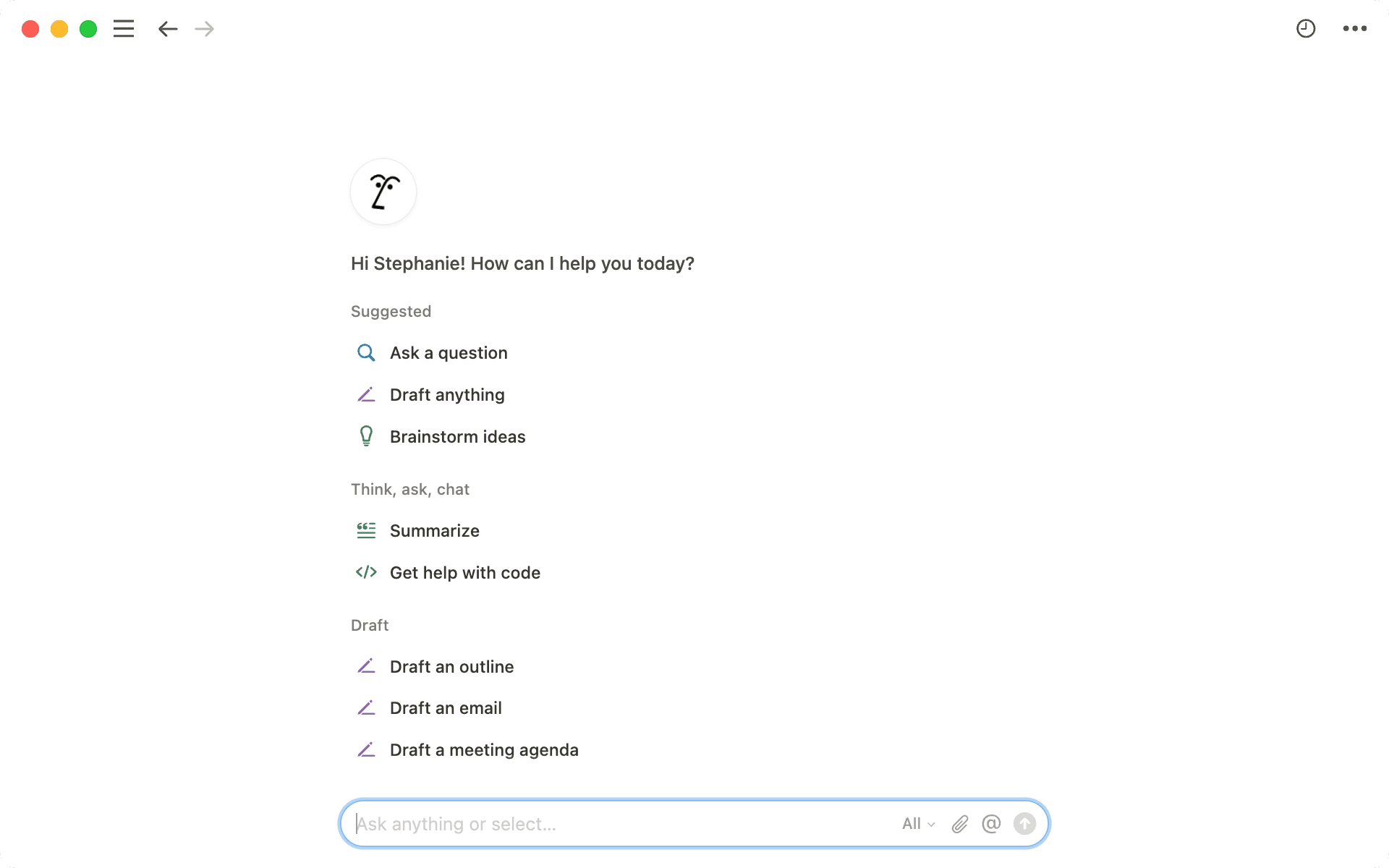
Notion AI is the right choice for HR teams that already live in Notion for wikis, projects, and docs. Rather than a standalone writing tool, it's an AI layer built directly into the workspace HR teams already use to maintain their employee handbook, track hiring pipelines, and run onboarding processes.
The writing capabilities cover the basics well: drafting, summarizing, translating, reformatting, and generating first-draft content from prompts or existing docs. What distinguishes Notion AI for HR is the workspace context. When you ask Notion AI to "draft an offer letter for the senior engineer role in the Berlin office," it can pull from the job description page, the compensation band database, and the offer letter template you already have in Notion -- without you providing any of that context manually.
The Notion Agent takes this further. It can execute multi-step workflows up to 20 minutes: for example, "review all job descriptions posted in the last six months, identify which ones use gendered language, and generate a suggested replacement for each" runs as an autonomous task. Custom Agents can be configured to run on a schedule or trigger on a Slack mention -- an HR team could have an agent that auto-drafts a welcome message every time a new hire is added to the onboarding database.
Enterprise Search spans across Notion, Slack, Google Drive, and GitHub -- so HR teams using multiple tools can search across their full knowledge base without switching contexts.
Pricing
| Plan | Price | Key features |
|---|---|---|
| Free | $0 | Limited AI trial, basic docs and databases |
| Plus | $10/member/month (annual) + $8-10/member/month AI add-on | Unlimited pages, file uploads, basic AI features |
| Business | $20/member/month (annual) + $8-10/member/month AI add-on | Notion Agent, row-level permissions, enterprise search, SAML SSO |
| Enterprise | Custom | Full agent access, advanced AI analytics, custom security controls |
Best for: HR teams that already use Notion as their primary workspace -- wikis, hiring trackers, onboarding docs. The value compounds the more you already have in Notion. For teams starting fresh or using separate HRIS and helpdesk tools, the switching cost may not be worth it.
Watch out for: AI is an add-on on every paid tier, not included. At Business + AI, you're spending $28-30/user/month before Enterprise negotiation. Pricing frustration is the most common theme in user reviews. The agent features require Business tier or above.
Jasper AI
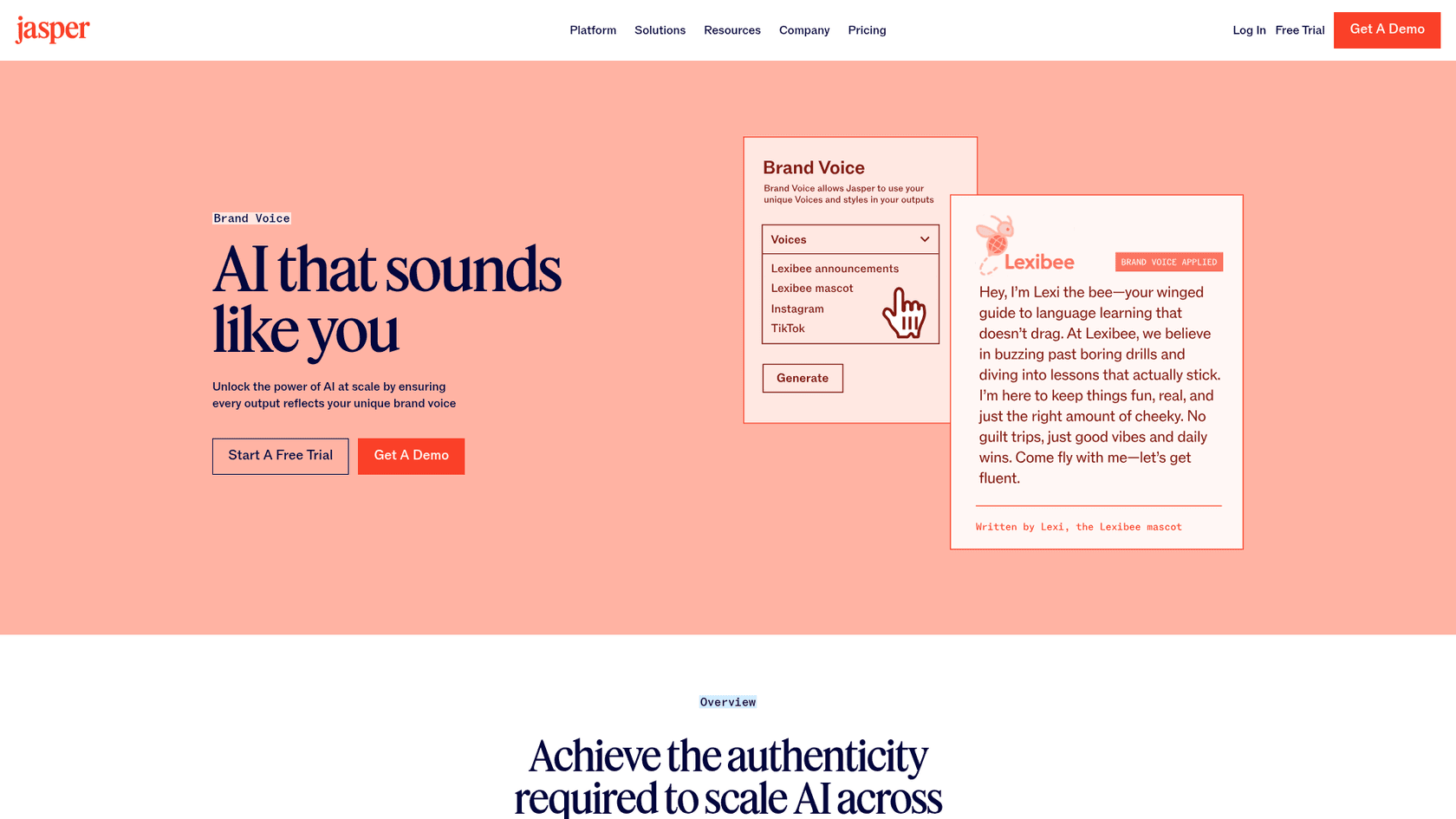
Jasper AI is a content generation platform built specifically for marketing teams, but its Brand Voice and Knowledge Asset features transfer directly to HR writing needs. The pitch for HR: rather than editing every AI draft back to your company's voice manually, Jasper extracts your brand voice from existing copy samples and enforces it across every output automatically.
The Brand IQ system combines Brand Voices (tone and personality), Style Guides (terminology and formatting rules), Knowledge Assets (company-specific facts and policies), and Audience profiles (adjust tone by audience: candidates vs. employees vs. executives). An HR team could configure a "candidate-facing" voice for job descriptions and a "policy-internal" voice for handbook entries, and Jasper would automatically apply the right one.
Templates and the Jasper Canvas editor are useful for HR workflows that repeat at volume: batch-generating job descriptions for a hiring surge, producing variations of the same policy announcement for different seniority levels, or creating a complete set of onboarding email sequences from a single brief. The 100+ specialized agents include SEO optimization (useful for careers page JDs), personalization, and research.
The Agent workspace can run content pipelines end-to-end: from brief to first draft to brand-voice-edited final version, without a human in the loop for the production step.
Pricing
| Plan | Price | Key features |
|---|---|---|
| Pro | $59/month (annual) or $69/month (monthly) | 1 seat, 2 Brand Voices, 5 Knowledge Assets, 3 Audiences, 7-day free trial |
| Business | Custom pricing | Unlimited Brand Voices, Knowledge Assets, and Audiences, AI App Builder, Jasper Grid for bulk automation, API access, SSO/SCIM, dedicated CSM |
Best for: HR teams managing high-volume content creation -- a company running 50+ job descriptions at once, producing regional variations of the same announcement, or building out a full onboarding content library. The value scales with content volume.
Watch out for: Pro is limited to one seat and two brand voices, which is too restrictive for most HR teams. Business requires a custom contract. Reviewers note the initial setup investment is significant -- Voice extraction, Knowledge Assets, and Audience profiles all need to be configured before the brand voice benefits kick in.
Guru
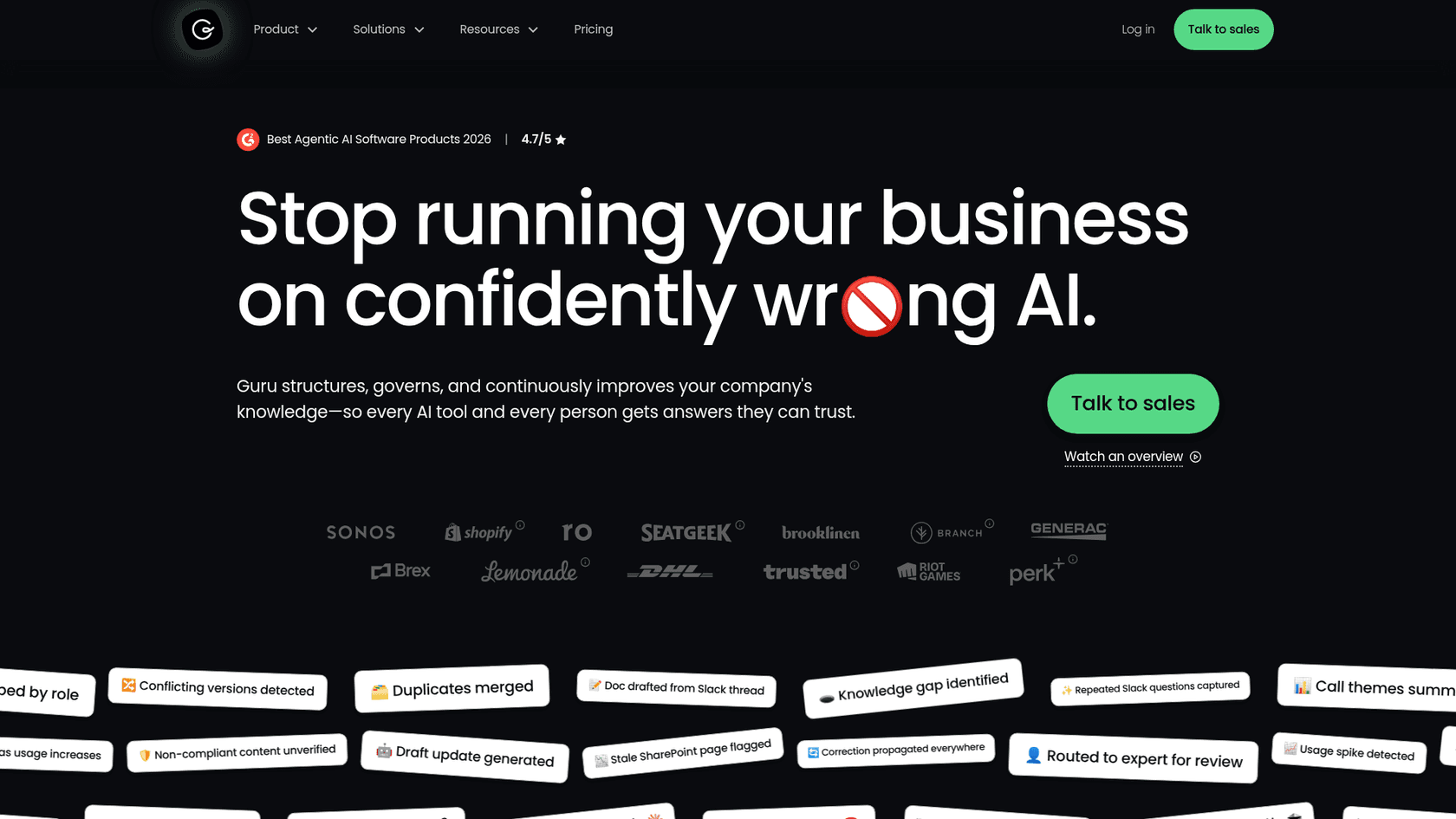
Guru takes a different angle from the writing tools above. Rather than helping HR teams produce content, Guru governs the knowledge that content produces -- and makes sure the AI drawing from that knowledge is drawing from verified, current information rather than confidently wrong outdated docs.
The platform's tagline captures the problem it solves: "Stop running your business on confidently wrong AI." When employees ask AI tools questions about HR policy, they often get answers drawn from stale docs, duplicated policy versions, or training data that has no relationship to your actual company rules. Guru's Knowledge Agent answers questions from a single governed source of truth -- every piece of content is verified, has an owner, and auto-archives when stale.
The automated verification workflow is the standout feature for HR: every knowledge card has a verification schedule, and when a policy changes (a new PTO policy, a salary band update, a benefits change), Guru automatically flags the affected cards for review and propagates the correction everywhere those cards are referenced. The case study from Cartwheel Care shows this in practice: the team went from 60% of knowledge assessed and verified to 100% using Guru's quality automations.
Guru's 100+ connectors ingest from Slack, Confluence, SharePoint, Salesforce, Zendesk, Google Drive, and other enterprise tools -- so the knowledge base is built from the systems HR already uses, not a separate data migration. The MCP integration means Guru can power external AI tools (including Claude or custom agents) from the same governed knowledge layer.
Pricing
| Plan | Price | Key features |
|---|---|---|
| Enterprise | Contact sales (no self-serve) | AI Knowledge Agent, 100+ integrations, automated verification, Knowledge Gap detection, MCP delivery, SOC 2 Type 2, HIPAA, SSO/SCIM, DLP, dedicated onboarding |
Best for: HR teams at mid-market and enterprise companies where the main risk is employees (or AI tools) pulling from outdated, duplicated, or contradictory policy versions. If your company has 20 copies of the PTO policy floating across Confluence, SharePoint, and email attachments, Guru's governance layer is designed for exactly that problem.
Watch out for: Fully enterprise and contact-sales only -- there's no self-serve or trial option as of 2026. The setup and knowledge architecture work is sold as part of the package (via their "AI and KM Strategy Team"), which is both a feature and a cost. For small HR teams or early-stage companies, this is likely overkill.
eesel AI
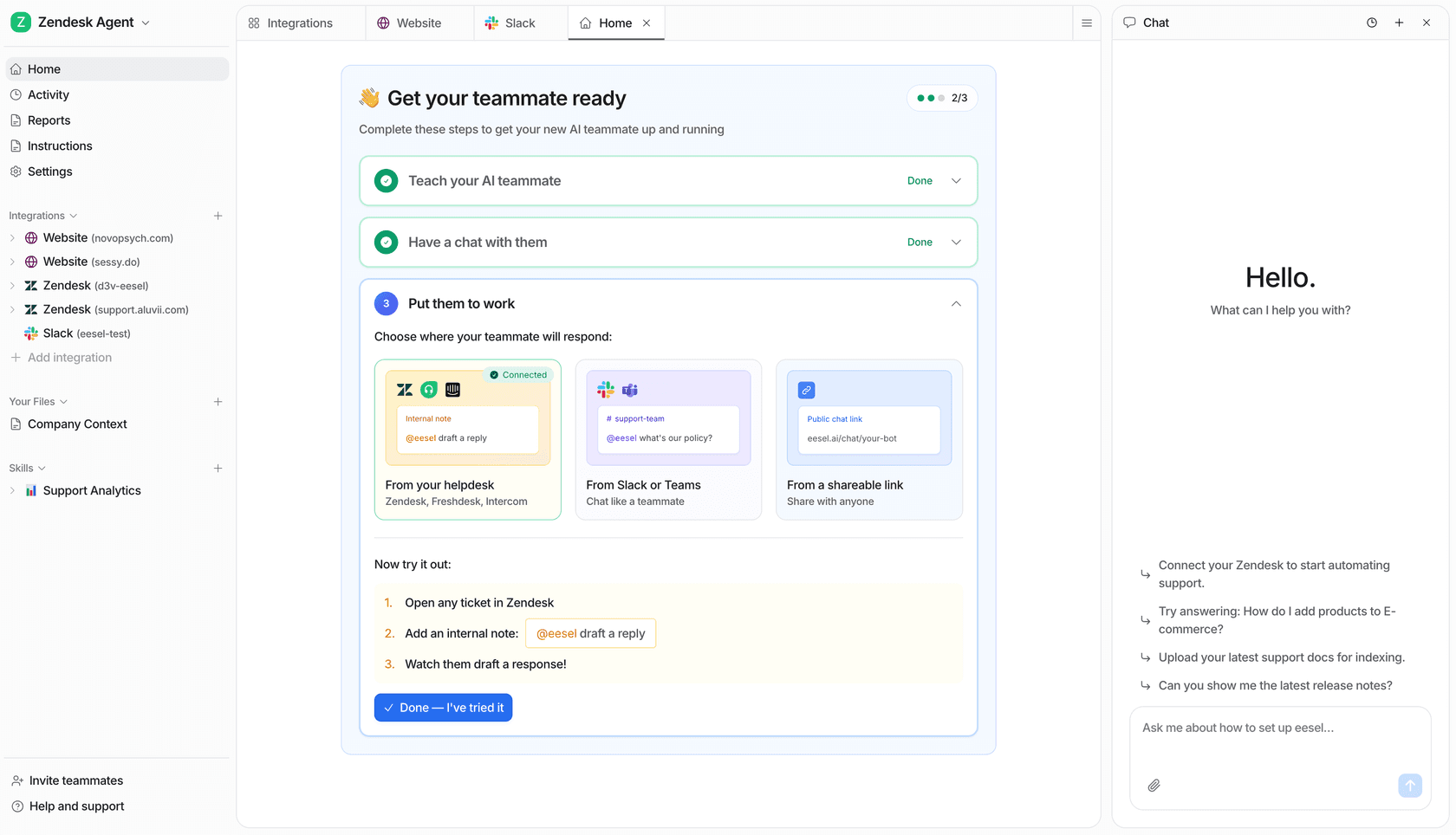
eesel AI addresses the part of HR writing that the tools above don't cover: the downstream volume of employee questions that HR documents generate. Once you've written a great onboarding guide, an updated PTO policy, and a clear benefits FAQ, employees will still ask HR about all of it -- individually, repeatedly, often outside business hours.
eesel AI sits on top of your existing HR helpdesk or Slack/Teams and answers those questions automatically. It ingests your existing knowledge -- Google Drive, Notion, Confluence, SharePoint, your help center, past tickets -- and deploys as an AI teammate that handles routine queries ("how many PTO days do I have left?", "where do I submit expenses?", "what's the parental leave policy?") without a human in the loop.
The setup is different from the writing tools above: you're not using eesel to draft HR documents. You're deploying it to answer questions about documents you've already written. The eesel AI approach to HR support positions this as the last mile of HR documentation -- the system that ensures employees actually get answers from the policies you spent time writing, rather than clogging HR's inbox with queries.
The confidence-based routing is the operational feature that makes this work at scale. High-confidence answers go out automatically. Low-confidence answers are queued as drafts for an HR rep to review before sending. This means employee onboarding questions at 10pm on a Sunday get handled, while edge cases that need human judgment don't go out wrong.
The Knowledge Base Auto-updater skill surfaces recurring question patterns from ticket history and auto-drafts new KB articles to fill gaps -- so the writing loop closes back on itself. Customer Gridwise resolved 73% of tier-1 requests in the first month. Smava handles 100,000+ tickets per month fully automated in German, which shows how the multilingual support (80+ languages) works in practice.
For HR teams evaluating AI writing software more broadly, eesel slots in as the answer-delivery layer: writing tools create the policies, eesel AI makes sure employees can find and get answers from them.
Pricing
| Plan | Price | Key features |
|---|---|---|
| Pay-per-task | $0.40/helpdesk task | Ticket resolution, draft mode, confidence-based routing, 80+ language support, connects to Zendesk, Freshdesk, Intercom, Gorgias, and more |
| Pay-per-task | $4.00/heavy task | Blog post drafts, complex research tasks |
| Annual commitment | 25% discount | Commit to $300+/month for the year |
| Enterprise add-on | $1,000/month | Dedicated solutions engineer, SSO, HIPAA, BAA |
Free trial: $50 in free credits on signup, no credit card required.
Best for: HR teams fielding a high volume of repetitive employee queries -- PTO, benefits, expense policies, onboarding steps. If HR reps spend meaningful time each week answering the same 10 questions, eesel AI's ROI is immediate. Also valuable for companies with multilingual workforces where answering in each employee's language would otherwise require translation overhead.
Watch out for: eesel AI is an answer-delivery tool, not a writing tool. It doesn't help you draft job descriptions or enforce a style guide. It also layers on top of an existing helpdesk or Slack workspace -- it's not a standalone system, so you need one of those already in place.
Quick comparison
| Tool | Best for | Pricing from |
|---|---|---|
| Grammarly Business | Company-wide writing governance, inclusive language, JD editing | $12/user/month (annual) |
| Writer | Enterprise brand voice, compliance, agentic content workflows | Custom (contact sales) |
| Notion AI | Teams already in Notion for wikis and HR docs | $28-30/user/month (Business + AI add-on) |
| Jasper AI | High-volume content creation with brand voice templates | $59/month (1 seat, annual) |
| Guru | HR knowledge governance, verified single source of truth | Contact sales |
| eesel AI | Automated HR helpdesk, employee policy Q&A at scale | $0.40/helpdesk task |
How to choose
The tools above address different layers of the HR writing problem. A useful way to decide:
If your main problem is writing quality and consistency across the team: Grammarly Business handles this at the lowest friction -- it activates wherever your people already write, with no workflow change required.
If you need enterprise brand governance with compliance controls: Writer is built for this, though the investment is significant.
If you already run everything in Notion: Notion AI's workspace context makes it the obvious choice -- the AI already knows your docs.
If you produce content at high volume (dozens of JDs, regional comms variants, full onboarding libraries): Jasper AI's bulk automation and brand voice templates pay off at scale.
If your main risk is employees getting wrong answers from outdated policy docs: Guru's verification-first architecture addresses this directly.
If HR's time is being consumed by repetitive employee questions: eesel AI handles the answer-delivery layer so HR reps focus on work that actually needs human judgment.
Most HR teams end up with two or three of these tools rather than one -- a writing tool for content creation, a knowledge tool for governance, and optionally an automation tool for employee query volume. The eesel AI guide to HR helpdesk automation and the overview of AI for employee onboarding both have more detail on how the layers interact in practice.