The tools at a glance
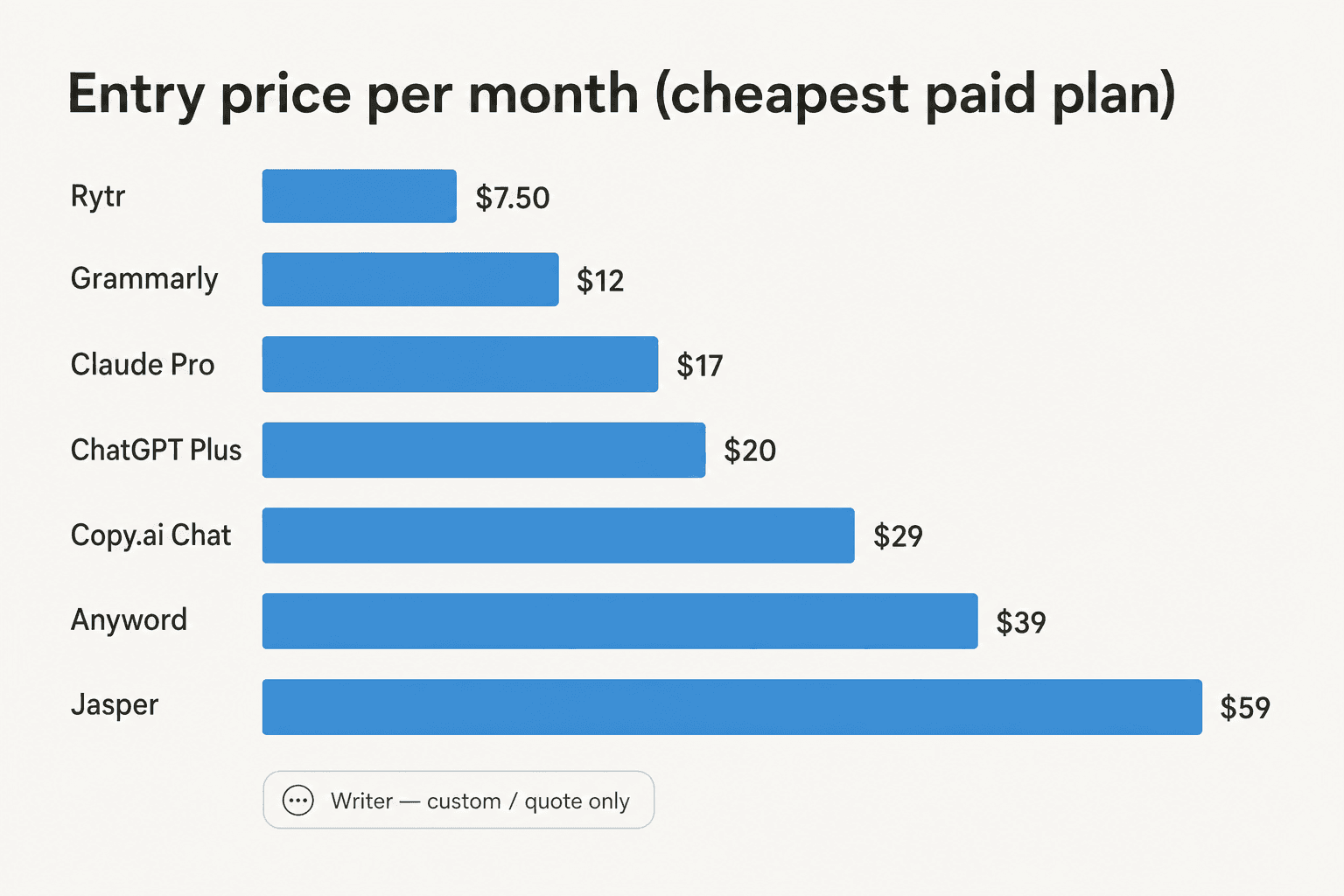
Here's the whole lineup in one table before we get into each one. Prices are the cheapest paid plan, since every free tier is too capped for a regular send.
| Tool | Best for | Entry price | Billable unit | Brand voice | Real free tier | Standout feature |
|---|---|---|---|---|---|---|
| ChatGPT | All-purpose drafting | $20/mo (Plus) | Per user / month | Custom instructions | Yes (capped) | Canvas + deep research |
| Claude | Natural voice, long-form | $17/mo (Pro) | Per user / month | Projects | Yes (capped) | 1M-token context |
| Jasper | Marketing teams | $59/mo (yearly) | Per seat / month | 2 to unlimited | No (7-day trial) | Brand Voice + Audiences |
| Copy.ai | GTM teams at scale | $29/mo (Chat) | Workflow credits | Yes | No | Workflows + Tables |
| Anyword | Performance copy | $39/mo (yearly) | Predictions / month | Yes | No (7-day trial) | Predictive scoring |
| Writer | Enterprise governance | Custom | Per seat | Voice profiles | No (14-day trial) | Knowledge Graph |
| Rytr | Solo / budget | $7.50/mo | Characters / month | Paid only | Yes (10k chars) | Cheapest unlimited |
| Grammarly | Editing + polish | $12/mo (Pro) | Per member | Brand Tones | Yes (capped) | Inline everywhere |
If you just want to be pointed at one, the picker below does that. Click what matters most for your newsletter.
How I picked, and what actually matters
A newsletter is a strange writing job. It has to sound like a person, land in an inbox without tripping spam filters, stay consistent issue after issue, and be correct about whatever you're announcing. (If you're newer to this, our notes on briefing AI for better content cover the prompting side.) So I weighed each tool on five things:
- Draft quality and voice. Does the first draft sound like a human, or like every other AI blog?
- Brand voice control. Can you store a tone and reuse it, so issue 40 sounds like issue 1?
- Repurposing. Most newsletters start life as a blog post, a transcript, or a product update. Turning that into an issue is half the job.
- Price and the billable unit. Per seat, per credit, per prediction, and per character are all different traps.
- Grounding. Can it pull from your real facts, or does it improvise? This is the one most roundups skip, and it's the one that bites.
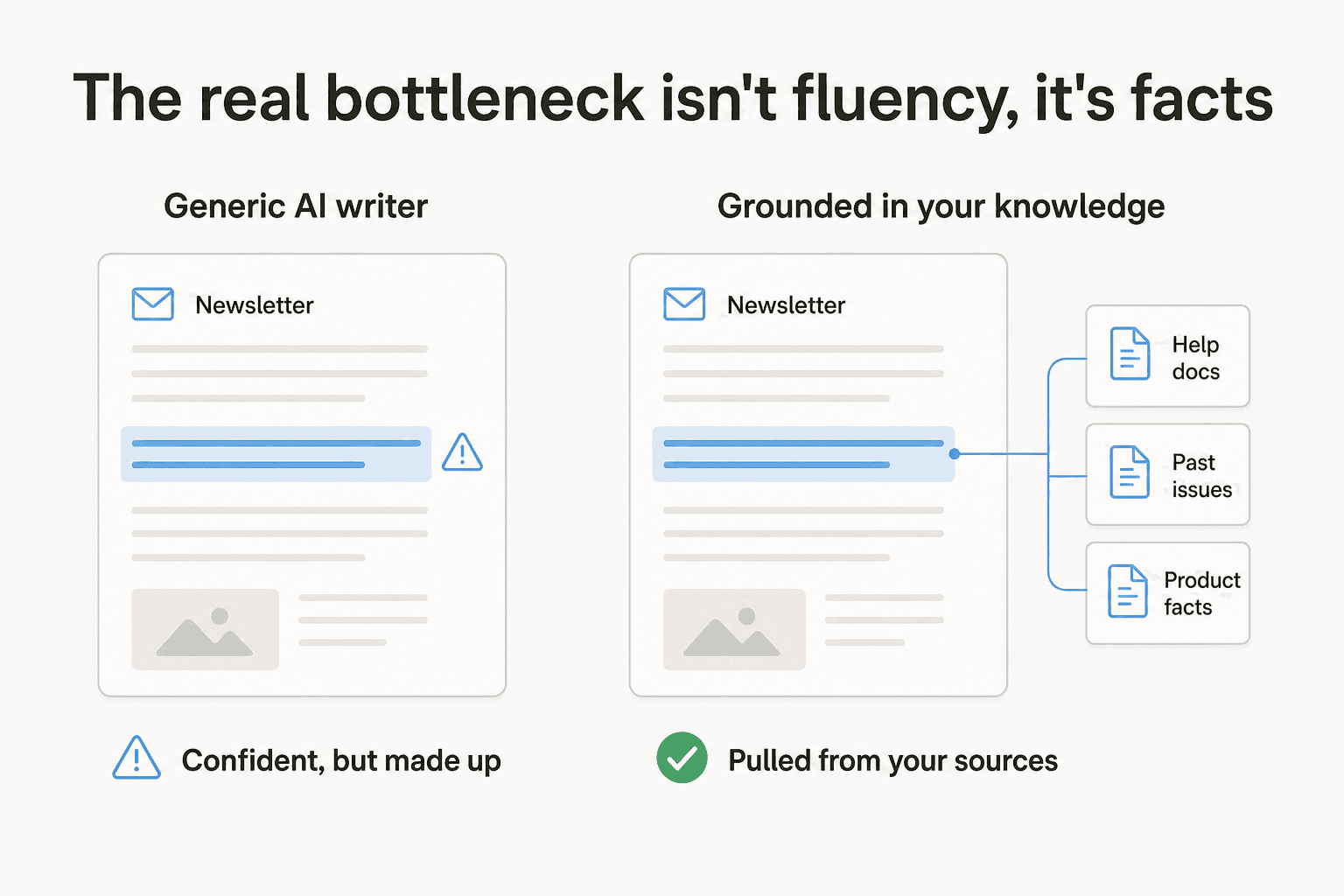
That last point deserves a picture, because it's the difference between a newsletter you can send and one you have to fact-check line by line.
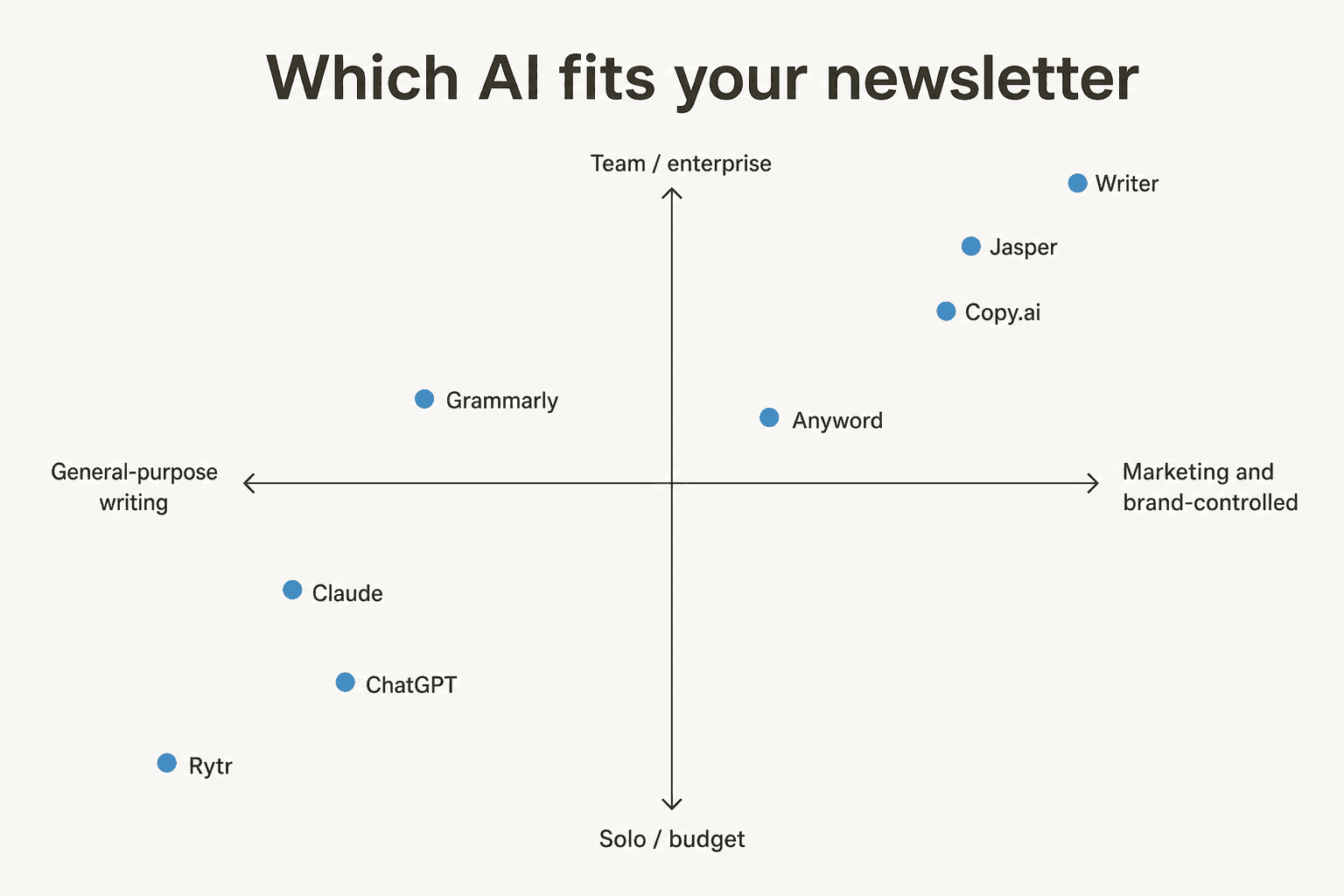
And here's roughly how the eight tools fall out once you map general-purpose against marketing-specialised, and solo against team. Use it to find your corner before reading the deep dives.
1. ChatGPT, the all-purpose workhorse
Best for: writers who want one flexible tool to draft, repurpose, and edit a whole newsletter in a single chat.
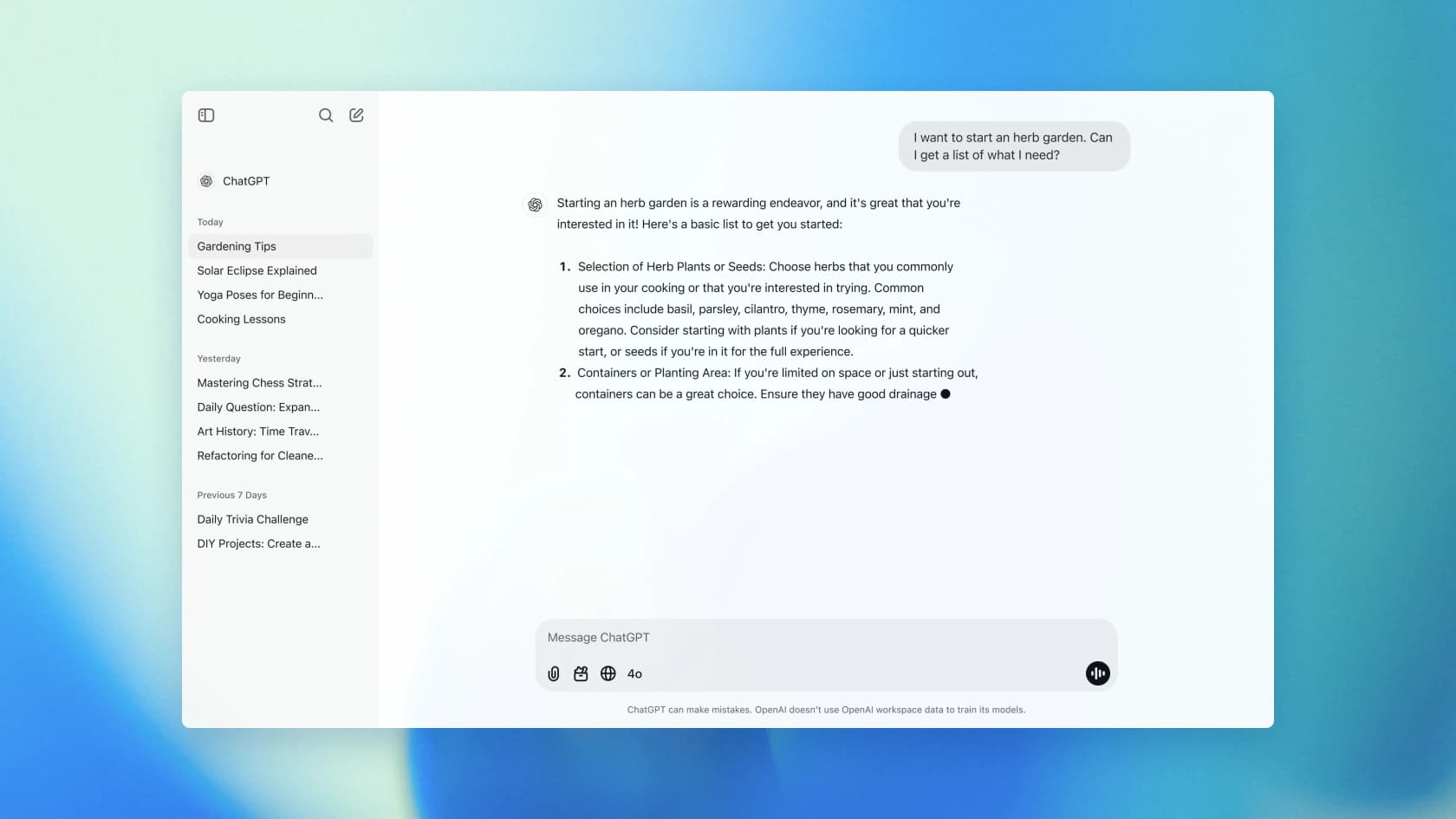
ChatGPT is the default for a reason. It's the fastest path from rough notes to a structured draft, and for a newsletter it quietly does three jobs at once: it drafts from a brief ("turn these three bullets into a 400-word intro"), it repurposes a blog post or transcript into an issue, and it spins out ten subject-line variants you can A/B. On Plus and above, deep research can pull a multi-source roundup issue together with citations, which G2 reviewers describe as turning a two-day task into a twenty-minute one.
The underrated feature for newsletters is Canvas, ChatGPT's in-place editor. Instead of re-prompting in chat, you edit the draft like a document, with shortcuts to shorten, lengthen, change reading level, or add a final polish. That maps perfectly to the way you actually tighten a newsletter.

Pricing: ChatGPT's plans run Free ($0), Go ($8/mo, may show ads), Plus ($20/mo), and Pro (from $100/mo), billed per user. The free tier is too capped (community reports around 10 messages a day) for a regular cadence, so realistically you're on $20/mo Plus.
Pros: one tool for drafting, repurposing, and editing; Canvas makes iteration feel like a doc; deep research compresses research-heavy issues.
Cons: the default "AI voice" is heavy on tells like delve and unleash, so you have to steer tone explicitly; the free tier is too thin for real work; it trains on your content by default unless you opt out.
"It's better at restructuring messy thoughts than generating from scratch. Prompt quality matters way more than I expected."
u/Grand_County_7054, r/chatgptplus

Our take: ChatGPT is the right first pick if you want one flexible tool and you'll pay for Plus. Pair it with an editor if you need a voice that doesn't read as AI out of the box.
2. Claude, the most natural writer
Best for: writers who care most about prose quality and matching an existing voice.
I reach for Claude when the draft has to sound like a human wrote it. It's consistently described by users as the least "AI-smelly" of the big models, and that matters more for a newsletter than almost any other format, because the whole thing lives on a personal voice. Feed it three or four past issues and it continues the same tone surprisingly well.
Two features carry the newsletter use case. Projects are persistent workspaces that hold your style guide, audience notes, and prior issues, so every draft starts from the same context. Artifacts render the draft in a side panel you can iterate on inline, rather than re-prompting. The big models here (the Claude 4.x family and the newer Fable 5) also carry up to a 1M-token context window, so you can paste an entire archive of past sends and research in one go without truncation.
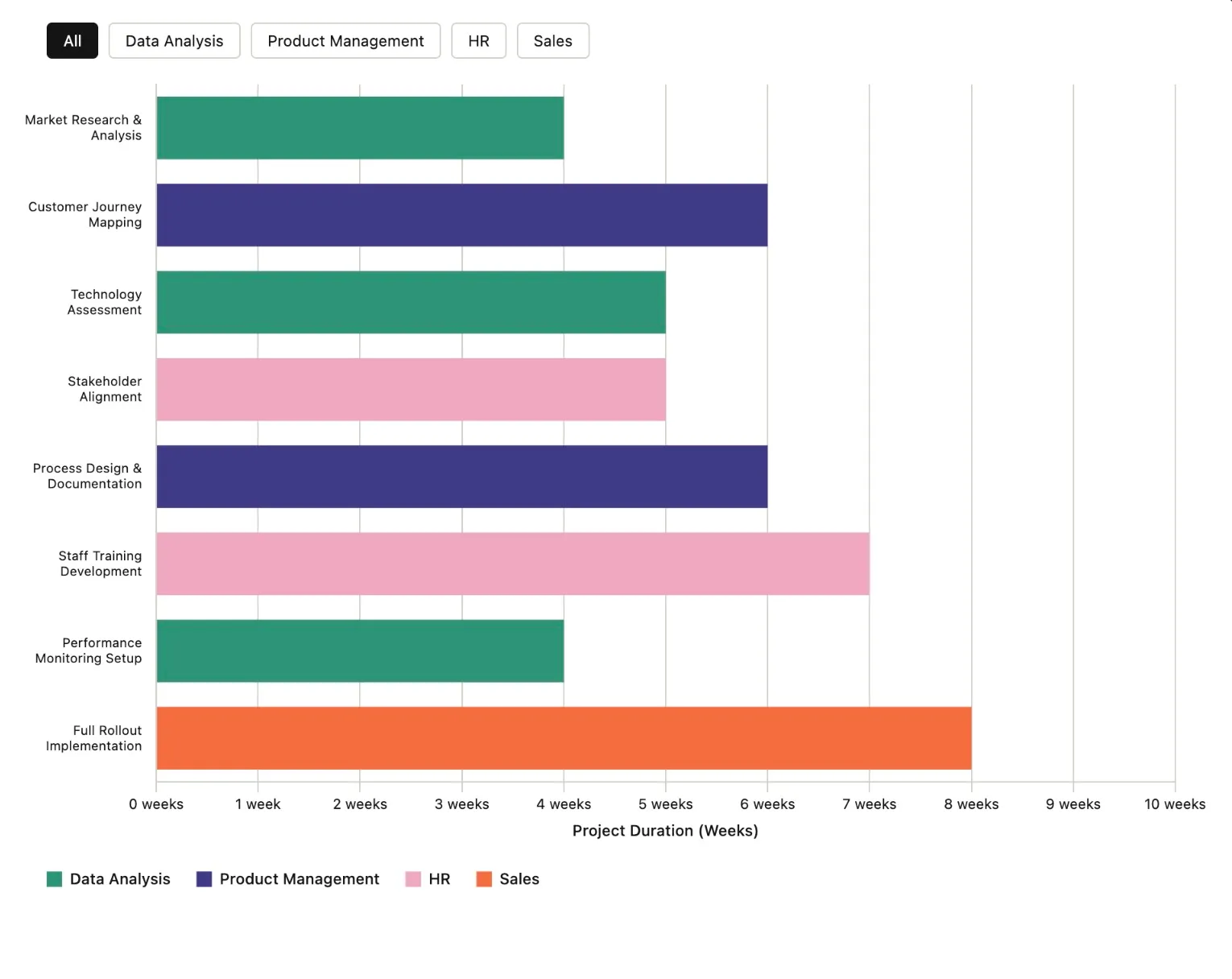
Pricing: Claude's plans are Free ($0), Pro ($17/mo on annual, $20 monthly), and Max (from $100/mo for 5x or 20x more usage). It's a flat subscription gated by usage limits rather than a per-token consumer charge.
Pros: best-in-class prose and voice matching; huge context handles a full archive in one draft; Projects and Artifacts make iterating on an issue fast.
Cons: no native image or video generation, so you need a second tool for a header image; usage caps bite on Pro during a heavy writing session; serious volume pushes you to the $100+ Max tier.
"For writing and analysis, Claude still wins for me. But if you need images or video, ChatGPT is the only option."
u/Bubbly_Ad_2071, r/ArtificialInteligence
Our take: Claude is the best AI for newsletter writing when voice quality beats everything, as long as you can live with the usage caps and bring your own images.
3. Jasper, for marketing teams
Best for: in-house marketing teams that need on-brand output at scale across a recurring send.
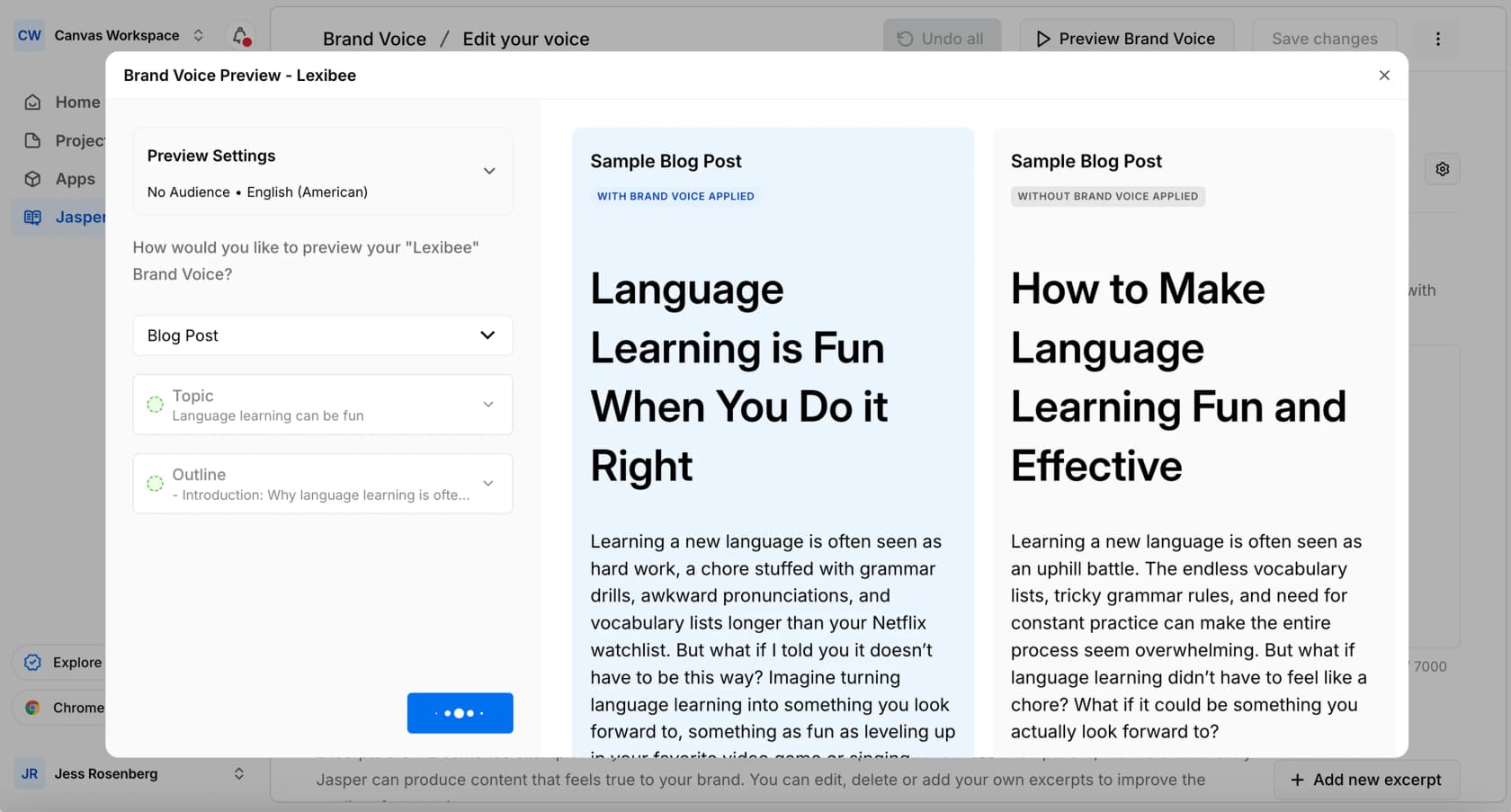
Jasper isn't a general chatbot, it's a platform built for marketing teams, with names like Wayfair, L'Oréal, and Accenture on the wall. For newsletters, the hook is Brand Voice: you store tone, style, and vocabulary once, then every issue sounds the same. Jasper even previews a sample with brand voice applied next to one without it, so you can see the difference.
Around that sit Audiences (reusable personas, so you can retarget one issue per segment), Multi-Modal Company Knowledge (ground copy in your own assets), and 1-click rewrites to spin a newsletter into social and email variants. On Pro you get 2 brand voices, 5 knowledge assets, and 3 audiences; Business unlocks unlimited versions of each plus Jasper Studio and the API.
Pricing: Jasper's pricing is Pro at $69/mo per seat ($59 billed yearly, single seat) and Business at custom pricing. There's a 7-day trial but no free-forever tier.
Pros: the strongest brand-voice tooling of any general writer; built for repeatable team production; easy multi-channel repurposing.
Cons: output still runs generic (the dominant complaint on G2 and Reddit); pricey single-seat entry; teams usually pair it with other tools rather than using it alone.
"I had the same experience with Jasper - quick drafts are okay, but structure and tone for blogs often felt off."
r/SaaS, My experience using Jasper
Our take: Jasper earns its keep only if you're a marketing team that will actually use its brand-voice and governance layer. For everyone else, $59 to $69 a seat buys output reviewers still call generic.
4. Copy.ai, for GTM teams at scale
Best for: go-to-market teams that treat the newsletter as one channel in a larger automation stack.
Copy.ai has openly pivoted. It now brands itself as a go-to-market platform built on Workflows, Tables, Agents, and Brand Voice, rather than the simple copywriting assistant it started as. For a newsletter, that means two modes: the self-serve Chat product (a prompt box with access to OpenAI, Anthropic, and Gemini models) for one-off drafts, and Workflows + Tables for generating the same issue across many rows of data at scale.
The catch is the gap between those modes. The $29 Chat plan is just a (good) prompt box. True bulk and API access live on the Workflow tiers, and those start at $1,000 a month, the steepest jump in this lineup.

Pricing: Copy.ai's plans are Chat ($29/mo, $24 yearly, 5 seats, no workflow credits), then Growth ($1,000/mo), Expansion ($2,000/mo), Scale ($3,000/mo), and custom Enterprise. The billable unit on the higher tiers is workflow credits.
Pros: strong brand-voice retention; beats the blank page reliably; multi-model access on the cheap Chat plan.
Cons: newsletters are now a buried sub-use-case after the GTM pivot; automation is locked behind $1,000/mo+ tiers; the credit meter isn't transparently priced.
"On paper it looks good. They seem to remember brand voice and tone. I am hoping to write consistent copies for various marketing purposes."
r/AskMarketing, "How is copy.ai?"
Our take: Copy.ai writes a perfectly on-brand draft, but it's a GTM platform where newsletters are a side feature. Fine on the $29 Chat plan for solo drafting, overkill the moment you want it automated.
5. Anyword, for copy that converts
Best for: growth and lifecycle marketers who treat the newsletter as a conversion asset.
Anyword has a different pitch from everyone else here: it scores your copy before you send it. Its Predictive Performance Score gives each variation a 0-100 number predicting which will convert best for a given audience and channel. For a newsletter, that means you pick the subject line and body the data favours, not the one you happen to like.
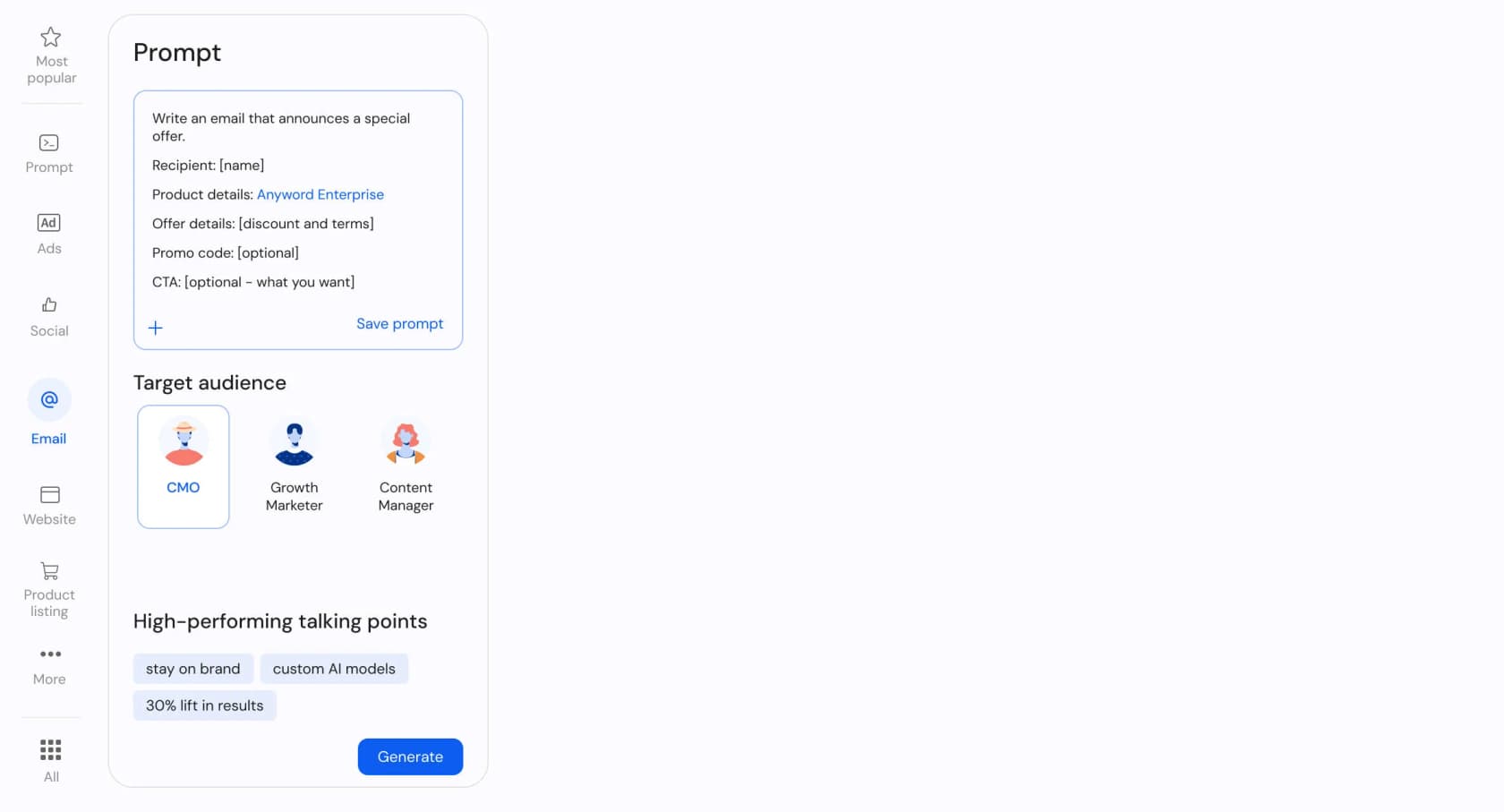
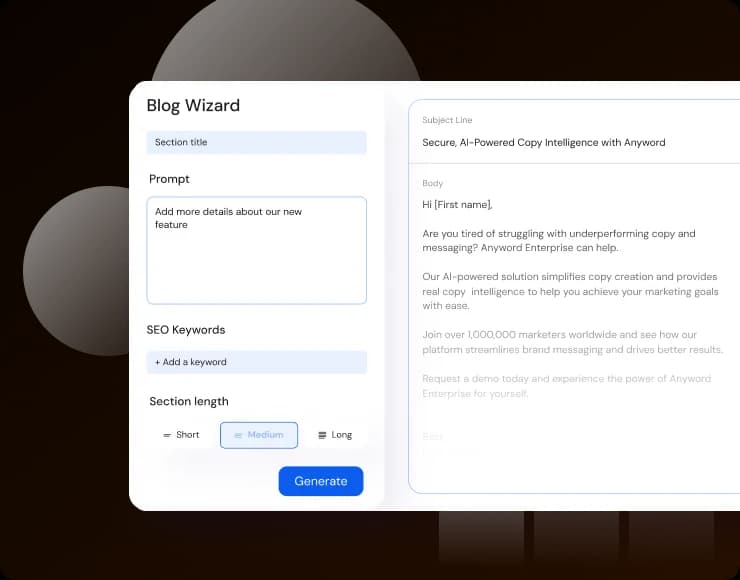
It's genuinely built for this use case. There's a dedicated Email tab with prompts like "write an email that announces a special offer," structured fields for recipient, offer, promo code, and CTA, and persona cards (CMO, Growth Marketer) to rewrite the same issue per segment. The Blog Wizard also produces email bodies with a subject line and CTA.
Pricing: Anyword's plans are Starter ($49/mo, $39 yearly, 50 to 100 predictions), Data-Driven ($99/mo, $79 yearly, 100 predictions), then custom Business and Enterprise. Copy generation is unlimited; the metered unit is performance predictions.
Pros: predictive scoring de-risks the send; purpose-built email templates and personas map straight to newsletters; brand voice keeps issues consistent.
Cons: prediction quotas are stingy (50 to 100 a month) for a high-cadence send; pricey versus general writers for plain drafting; the smartest features (content intelligence, custom models) are paywalled to custom Business tiers.
No verifiable Reddit, G2, or X quote about Anyword for newsletter writing surfaced in research, though it holds a 4.8-star average across 1,226+ G2 reviews.
Our take: Anyword is the tool to reach for when you'd rather ship the copy your data says converts than the copy that merely reads well, as long as you can live with the per-prediction metering.
6. Writer, for enterprise governance
Best for: large, regulated brands that put brand governance and consistency above self-serve ease.
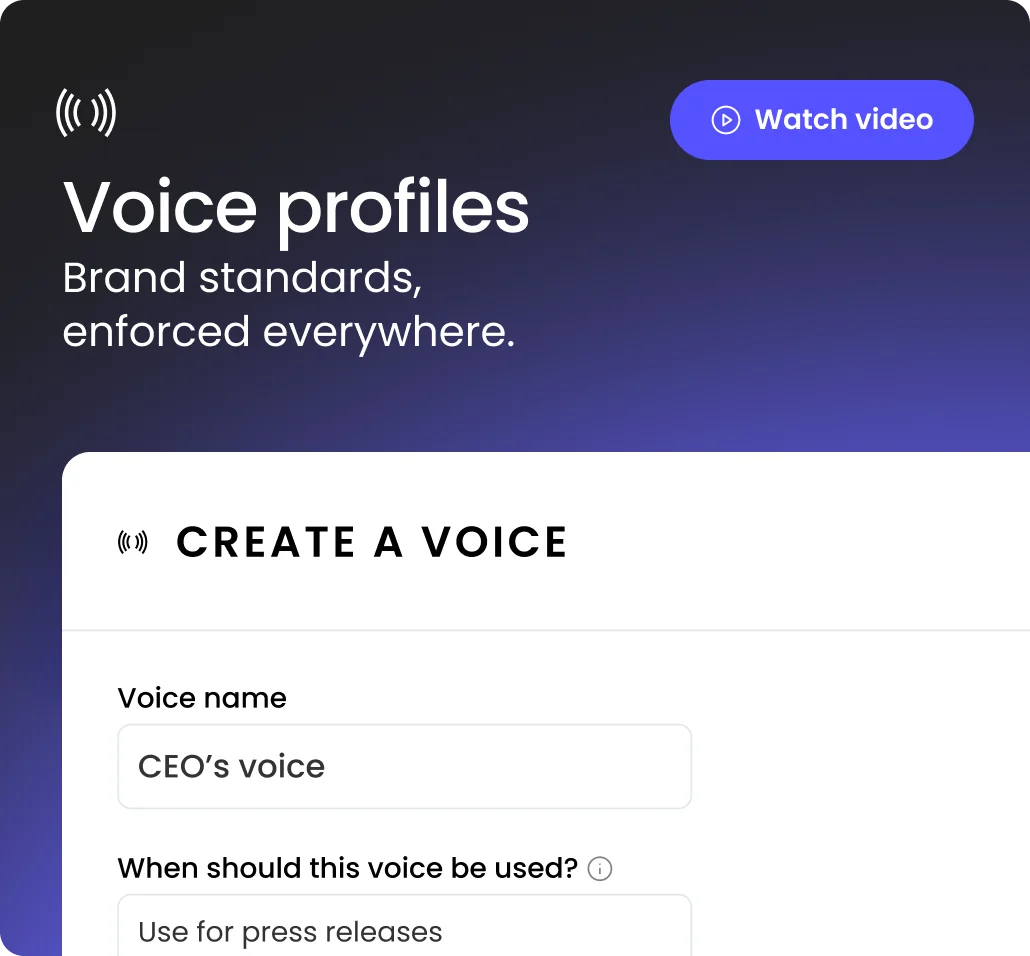
Writer is a full enterprise platform, not a consumer assistant, with Vanguard, Salesforce, and Hilton among its customers. The wedge for newsletters is brand guideline enforcement: it flags off-voice copy as you write, "almost as if an editor were over your shoulder," as one TrustRadius reviewer put it. You can store named voice profiles ("CEO's voice," "use for press releases") so an issue is drafted in a specific tone.
Underneath sits the Knowledge Graph, Writer's proprietary RAG layer over your own data, which grounds newsletter content in approved internal facts rather than open-web guesses. That's the lever reviewers credit for its low hallucination rate, and it's the closest any tool here comes to solving the grounding problem natively.
Pricing: Writer's pricing is effectively quote-only. Starter has a 14-day trial with per-seat plans and fixed credit limits (no public number), and Enterprise is contact-sales. Budget around a demo, not a checkout.
Pros: strongest brand and terminology enforcement on the market; Knowledge Graph grounding keeps facts accurate; full governance (RBAC, audit logs, BAA) for regulated sends.
Cons: no published pricing and demo-gated, so impossible to budget or self-serve; reviewers report slow performance on large documents; the best newsletter features are Enterprise-only.
"Writer applies our writing style to copy I'm working on in browser tabs, ensuring I stay true to our voice."
Rachel Moore, PSPDFKit, via TrustRadius
Our take: Writer is the enterprise brand-governance pick, the safest way to keep every send on-voice and on-policy at scale, but overkill for anyone who isn't a large, compliance-conscious org.
7. Rytr, the budget pick
Best for: cost-sensitive solo creators who paste drafts into their own email tool.
Rytr is the answer when the budget is tiny. It has a true free-forever tier (no card), and the cheapest unlimited plan in this whole roundup at $7.50 a month. For a one-person newsletter, that's hard to argue with. Email is a first-class content type in the "choose content type" dropdown, sitting alongside blog ideas, outlines, and SEO titles, and there are 20+ preset tones on every tier.
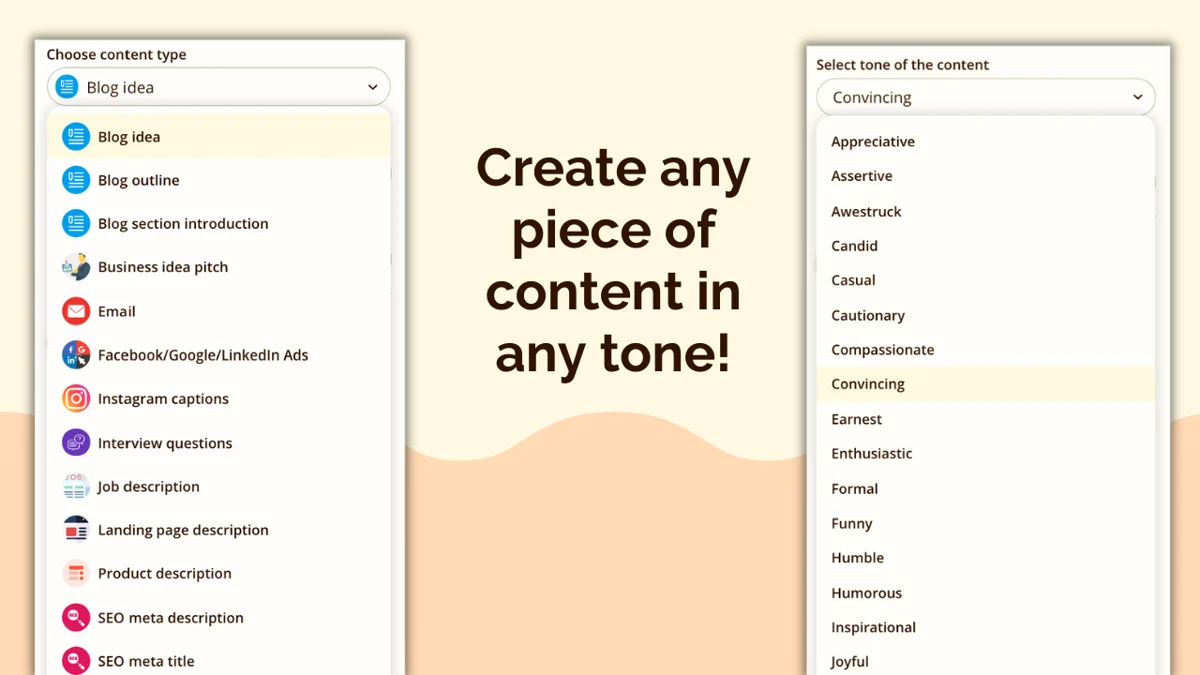
The catch is that the features that make a newsletter feel personal are paywalled. Custom tone-of-voice cloning (mirror your own writing sample) is paid-only, and the free tier's 10,000-character cap is thin for regular sends.
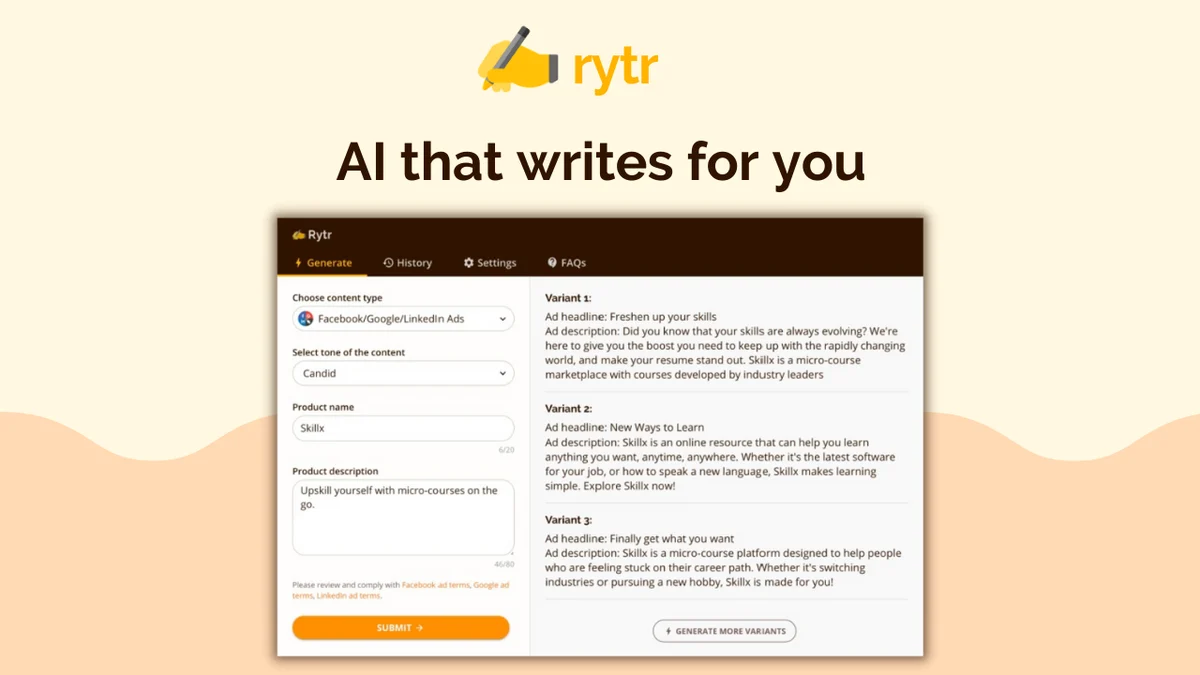
Pricing: Rytr's plans are Free ($0, 10,000 characters/month), Unlimited ($7.50/mo, unlimited characters, 1 custom tone), and Premium ($24.16/mo, up to 5 tones, 40+ languages). The billable unit is characters of generated content.
Pros: genuinely usable free entry point; dedicated email and blog templates with 20+ tones; cheapest paid unlimited tier in its class.
Cons: the free 10k-character cap is too thin for regular production; tone matching is paywalled, so free output reads generic; no newsletter-platform integrations, so you copy-paste into your ESP.
"Finally, an intuitively designed AI tool without the usual upfront learning curve friction... Usage cap could be more generous."
David L., Co-founder, G2 review

Our take: Rytr is the cheapest credible way for a solo creator to draft and tone-match, but it's a drafting helper you paste into your newsletter tool, not a newsletter platform.
8. Grammarly, the best editor
Best for: writers who already draft their newsletter and want it polished and kept on-brand.
Grammarly is the odd one out here, because it isn't really a from-scratch generator, it's an editor, and the best one in the lineup. Its real advantage for newsletters is that it works inline inside the tools you already write in, Gmail, Outlook, your ESP composer, Google Docs, across a million-plus apps, so there's no copy-paste-into-ChatGPT loop.
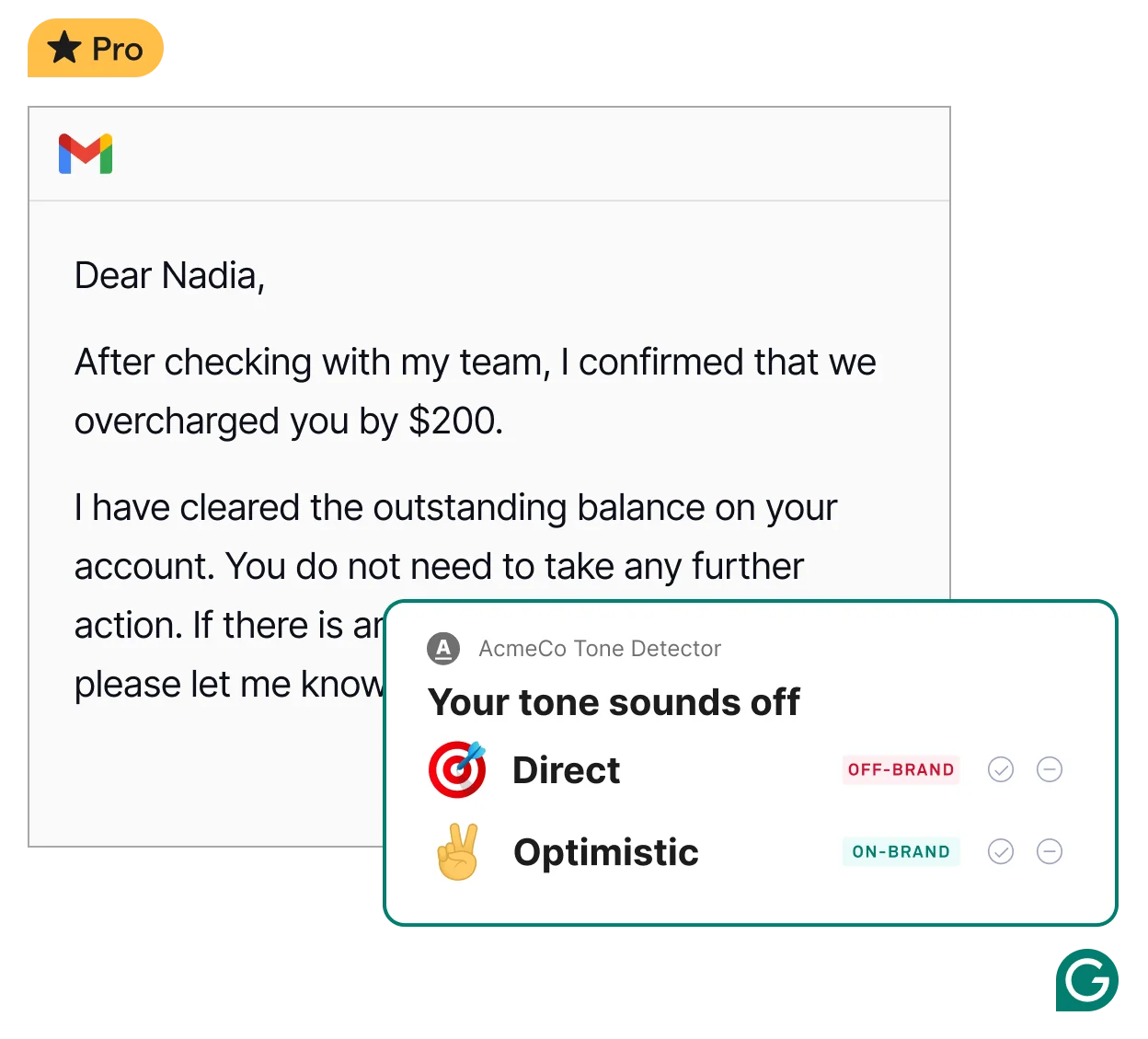
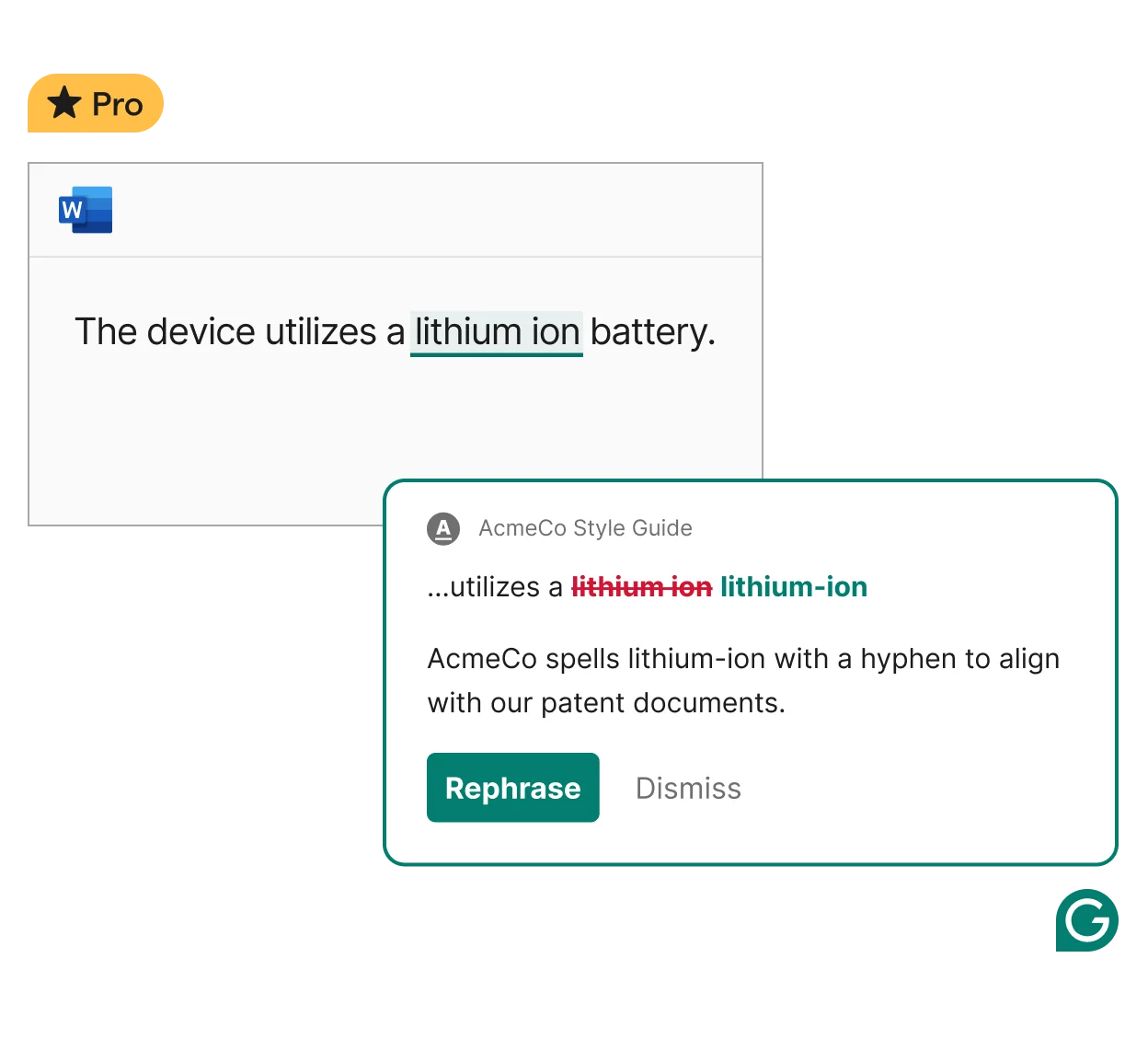
For consistency, Brand Tones push on-brand versus off-brand suggestions to everyone writing for the brand, and the Style Guide flags deviations from your house terminology in real time (it'll catch that you spell "lithium-ion" with a hyphen). There's generative AI too, but it's capped and not the reason to buy it.
Pricing: Grammarly's plans are Free ($0, 100 AI prompts/month), Pro ($12, 2,000 AI prompts/member/month, 1 style guide, 1 brand tone), and Enterprise (contact sales, unlimited everything plus SSO and governance).
Pros: works inline everywhere you compose; Brand Tones and Style Guide enforce one voice across writers; best-in-class proofreading, especially for non-native writers.
Cons: not a true from-scratch drafting tool, and AI prompts are capped; the unlimited brand features really live in Enterprise; it won't lay out or send the newsletter, so it's an add-on, not an end-to-end tool.
Our take: Grammarly is the right pick when your newsletter is already written and you want it proofed, clarified, and locked to one brand voice. Don't expect it to draft the issue or replace your ESP.
The thing every tool on this list shares
Here's the uncomfortable pattern. Every tool above is excellent at producing fluent words. Not one of them, by default, knows your facts. Ask a general AI writer to announce your new pricing or summarise last month's product changes and it will write something confident, well-structured, and occasionally wrong, because it's improvising from a prompt rather than reading your source of truth.
I keep coming back to this because it's the same lesson I've learned the hard way running AI on live support queues for years: a confident-sounding bot that gives a wrong answer is worse than no bot. We now simulate every rollout against real historical tickets before it goes live for exactly that reason. The fix is never a better turn of phrase, it's grounding the model in your actual knowledge.
The tools that handle this best (Writer's Knowledge Graph, Jasper's Company Knowledge) charge enterprise money for it. If your newsletter is really an extension of your product, your docs, or your support knowledge, that grounding is the feature to weight above everything else, including the writing quality you came here for. It's the same reason so much AI content reads as generic: a model with nothing real to say falls back on filler.
Try eesel for grounded, on-brand content
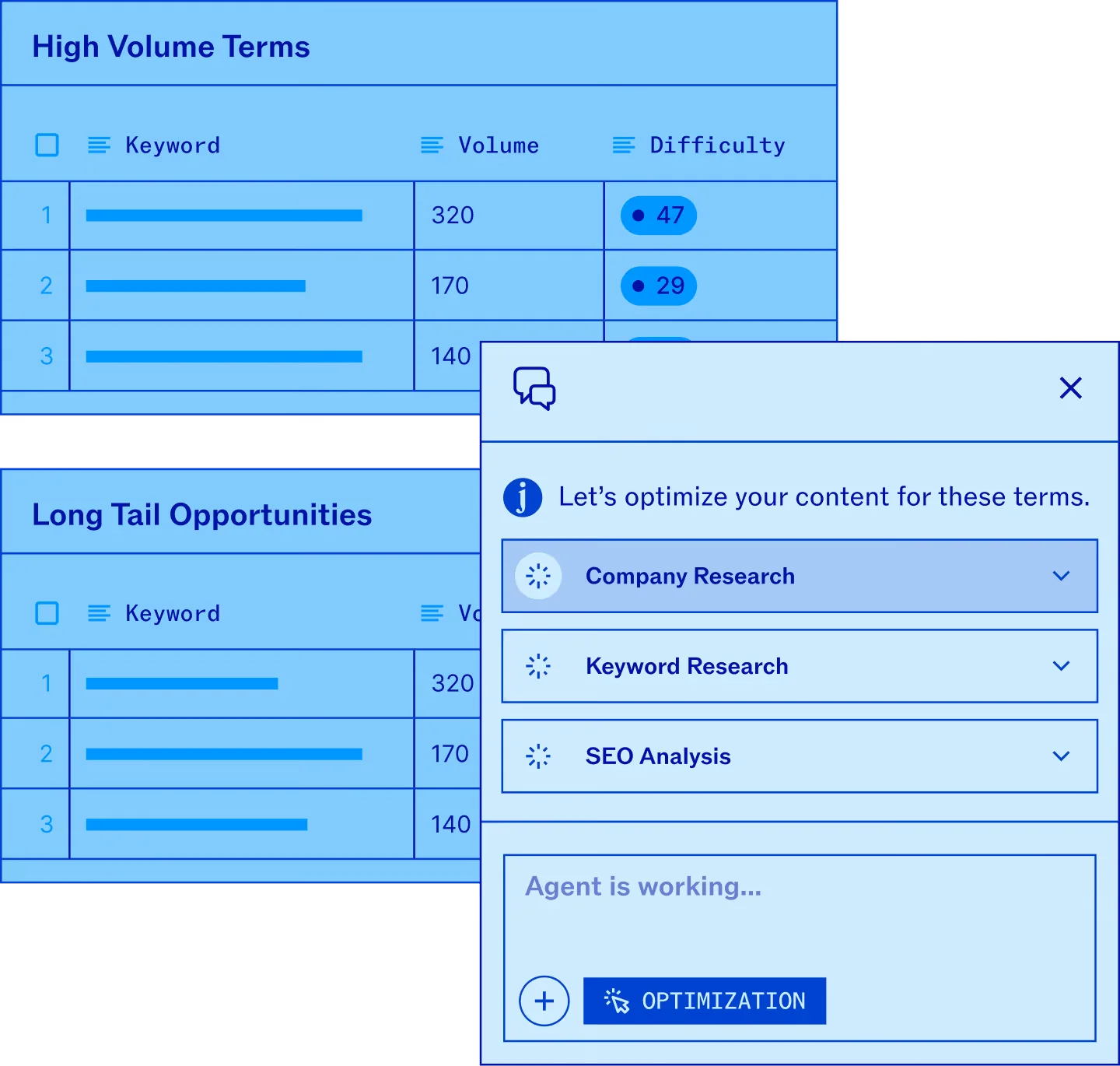
eesel AI comes at this from the support side, and the overlap with newsletters is exactly the grounding problem. eesel is an AI you train on your own knowledge, your help docs, past tickets, Confluence, Google Docs, product facts, and then put to work drafting content and answering questions in your voice. Its AI content writer role produces AEO and SEO-optimised drafts from those same sources, so what it writes is anchored to what's actually true about your product, not invented to fill a prompt.

What makes it different from the writers above is the same thing that makes its support agent work: it learns from your material rather than the open web, and you can simulate and review before anything ships. Pricing is usage-based, starting at $0.40 per support interaction with no per-seat fees, and the free trial includes free credit plus two free content generations, no card required. If your "newsletter" is really product comms that have to be correct, that's the gap eesel is built to close. For the wider category, our roundup of AI newsletter writers for SaaS and the guide to the best AI for blog writing are good next reads.
Frequently Asked Questions


Article by
Kurnia Kharisma
Kurnia is a software engineer and writer at eesel AI with two years of SEO experience, writing about AI tools, helpdesk software, and customer support. He pairs a developer's understanding of how these products are built with search-driven research into what actually ranks and resonates with the people searching for them.