What is Meta Muse for Small Business?
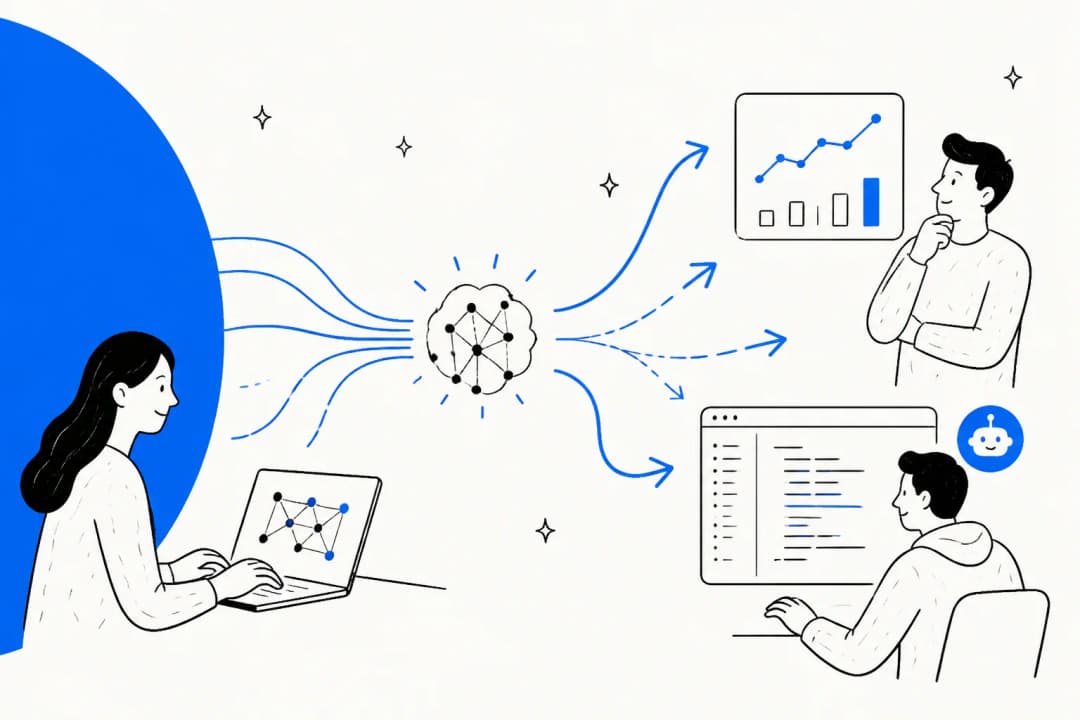
Muse is the personal AI agent Meta launched on September 8, running on Muse Spark 1.3. Three weeks later Meta added a business layer. In Meta's launch post, Muse for Small Business is "a collection of new skills and connectors inside Muse" to help people run their businesses.
So there's nothing new to buy or install. You open the same app at muse.ai/business, connect your business tools, and Muse starts out knowing your shop. If you've used Meta AI inside Instagram or WhatsApp, Muse is the step up that can act across other apps, not just chat.
What arrived on September 29:
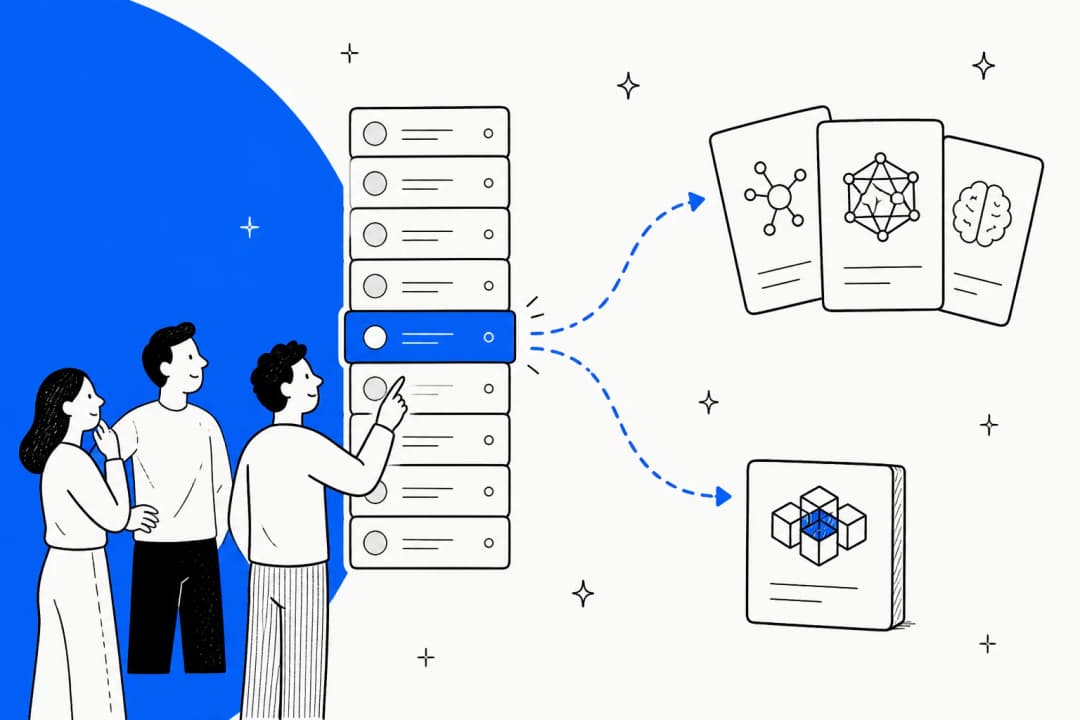
- 15 named connectors: Asana, Box, Canva, Dropbox, Figma, Granola, HighLevel, Intuit QuickBooks, Klaviyo, Lovable, Notion, Shopify, Slack, Stripe and Zoom, per the Meta newsroom post.
- Your Meta business data in a few clicks: Instagram professional analytics, Facebook Pages and Meta ad accounts. Facebook, Instagram and Threads link automatically if they share an Accounts Center.
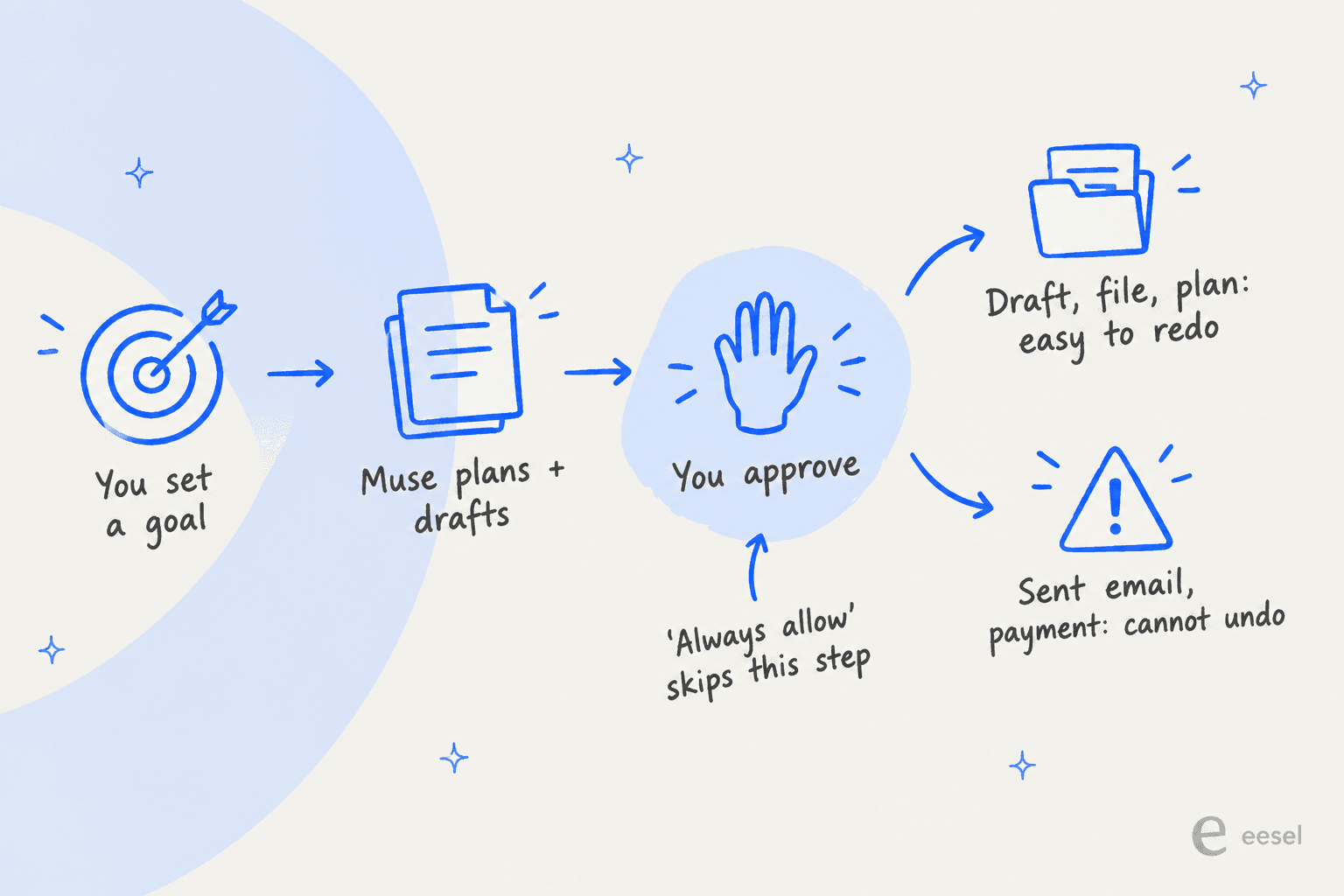
- Goals and an Ideas tab: set a goal and Muse turns it into a plan, then pitches ideas as it learns your business.
- Scheduled work: a weekly summary or a daily check of your messages, per the setup guide.

If a tool isn't on the list, you can ask Muse to build a custom connector. Meta's connectors help page adds a line worth reading twice: "Meta doesn't review custom connectors or how they use your information."
What can Muse for Small Business actually do?
Meta's launch post leads with four example prompts, and they map cleanly onto the jobs an owner does after closing time:
| Job | Meta's example prompt | Connectors it leans on |
|---|---|---|
| Growth planning | "Analyze this year's sales, campaigns, and social and make me a growth plan" | Shopify, Meta ads, Instagram |
| Inbox and admin | "I'm underwater. What do I need to pay attention to from my email, calendar, news?" | Email, calendar, Slack |
| Ads and content | "How do I improve my ads and content? ... draft a campaign for next week" | Meta ads, Canva, Klaviyo |
| Books | "How was my business's financial performance this month? Find any expenses that look off." | QuickBooks, Stripe |
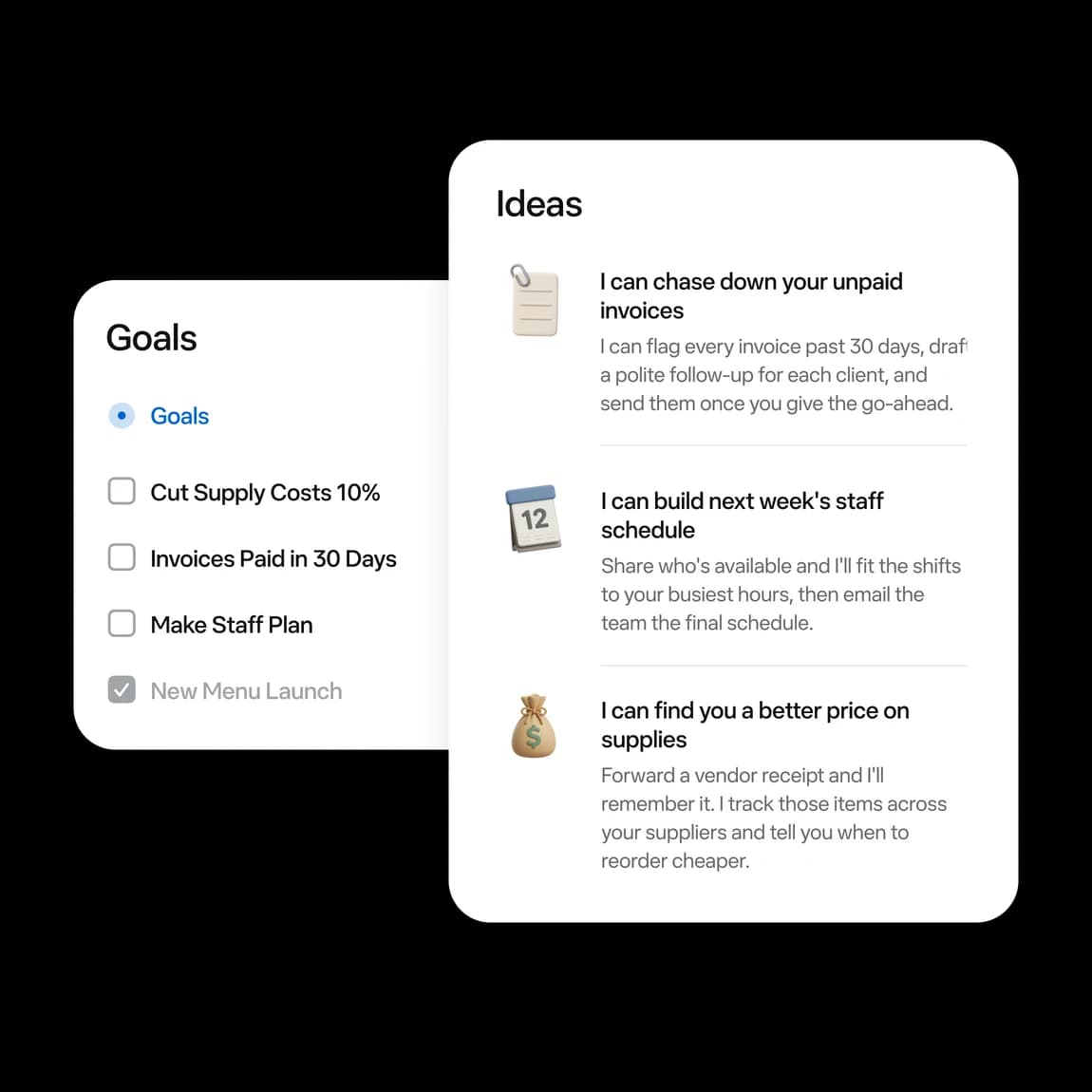
Meta also published five small-business testers. These are Meta-picked quotes for a launch post, so read them as the best case, not an average. Two stood out to me because they are concrete. Tom Mulholland of Mulholland Grocery told Meta that Muse added up photographed employee time cards, "cutting at least 15 minutes from payroll." April Polk of JaeLuxe Shoetique said it found and shut down duplicate Klaviyo flows that were double-emailing customers.
The connector partners describe their slice too. Stripe says you can "send invoices and payment links, manage products and prices," and QuickBooks pitches cash flow and invoicing. Notice what's missing from all of it: nobody is pitching Muse as the thing that talks to your customers. For marketing-side work like this, it competes with the AI marketing tools you may already pay for.
Which Meta AI answers your customers?
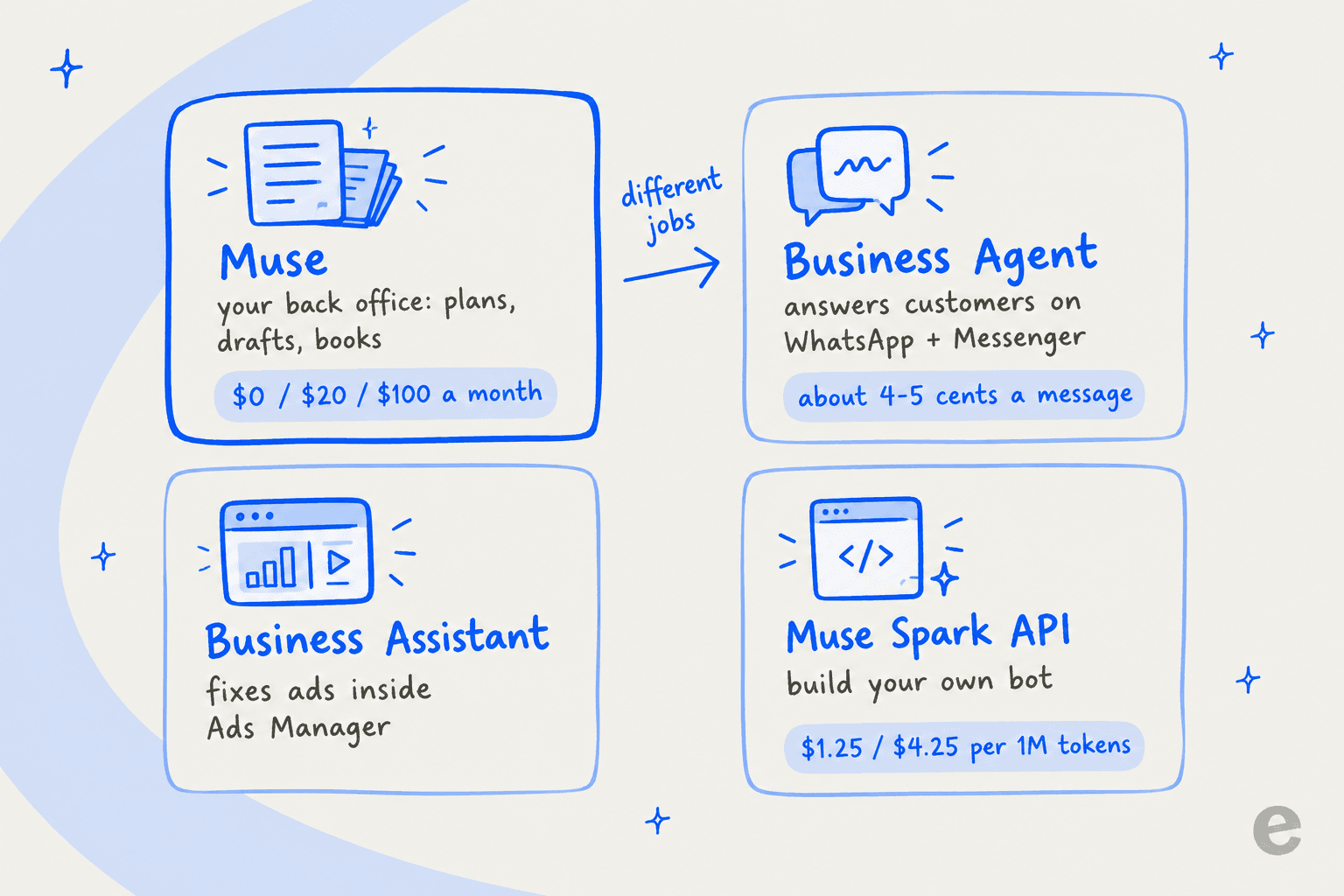
This is where most small business owners will get tripped up, because Meta now sells four AI tools with overlapping names. Meta's own help center comparison splits them by job and says "you may use more than one."
| Meta tool | Its job, per Meta | How it's priced |
|---|---|---|
| Muse (with the small business connectors) | Plans, ideas and multi-step work across apps you connect | Free, $20 or $100 a month (subscriptions) |
| Meta Business Agent | "Message customers, capture leads, book appointments and support sales" on WhatsApp, Messenger and Instagram Direct (coming soon) | About 4 to 5 cents per WhatsApp message on the Platform (pricing) |
| Meta AI Business Assistant | Analyze ad campaigns and fix account issues inside Ads Manager | No price published |
| Muse Spark API | Build your own bot on Meta's model | $1.25 in / $4.25 out per 1M tokens (Meta docs) |
So when a customer messages your shop on WhatsApp asking where their order is, Muse isn't the one replying. It can draft outreach for you to approve, but the inbound conversation belongs to Business Agent.
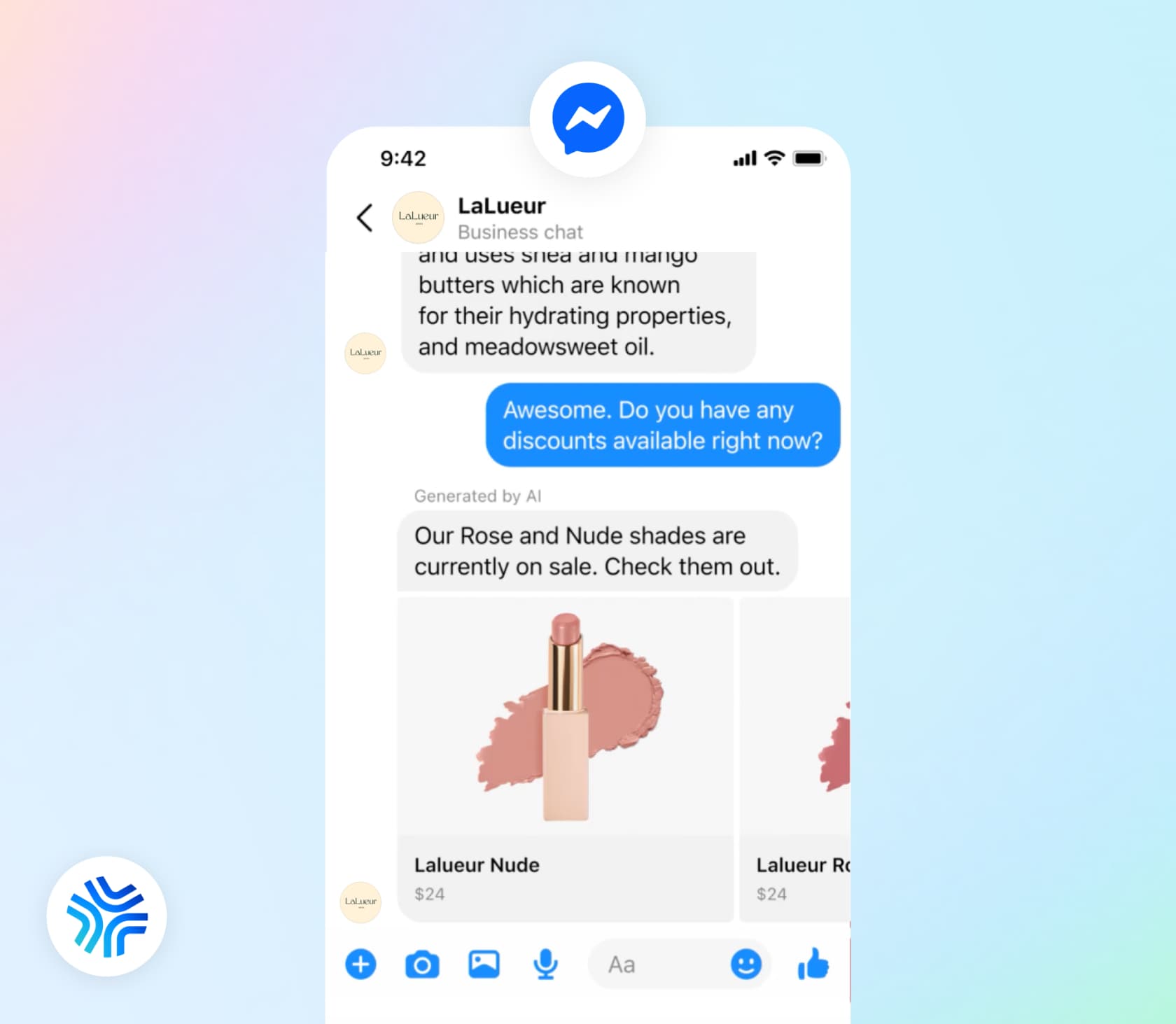
Business Agent comes with its own rules. A WhatsApp number can run only one AI agent, it excludes finance, health, government, alcohol and gambling businesses on the Platform, and it only works inside Meta's apps, so email and your helpdesk sit outside it. I went deeper on this in my best AI for WhatsApp support roundup, and on Meta's earlier WhatsApp AI policy changes that set this up.
How much does Meta Muse cost a small business?
The sticker price is simple. The real bill depends on which of the four tools you end up using.
| Muse plan | Price | Weekly usage | Notes |
|---|---|---|---|
| Free | $0 | A refreshing usage limit | Meta's help pages give no number; Zuckerberg's post put it at 100M tokens a week |
| Power | $20/month | 500M tokens | Per Meta account, auto-renews monthly |
| Maximum | $100/month | 3B tokens | Per Meta account, auto-renews monthly |
All three come from Meta's Muse subscriptions page. There is no team plan, no per-seat price, no annual option and no invoice billing described anywhere. The Muse terms also reserve the right to sell extra usage on top, with credits that "are not redeemable, refundable, or exchangeable." My Muse pricing post walks through what a token allowance means in practice.
Three costs sit outside the Muse plan: your existing subscriptions to Shopify, QuickBooks and the rest, anything Muse buys for you (Meta's payments page says "You're responsible for all transactions your Muse makes"), and your ad spend.
Then there's the customer side, which changed today. From October 1, 2026, WhatsApp charges for service replies written by a person or a third-party AI, which had been free since November 2024. In North America that's $0.0034 per message after 1,000 free per number per month, with no rollover, per Meta's Platform pricing. Business Agent stays on its own token rate of $2.00 per 1M tokens, which Meta pegs at about 4 to 5 cents a message.
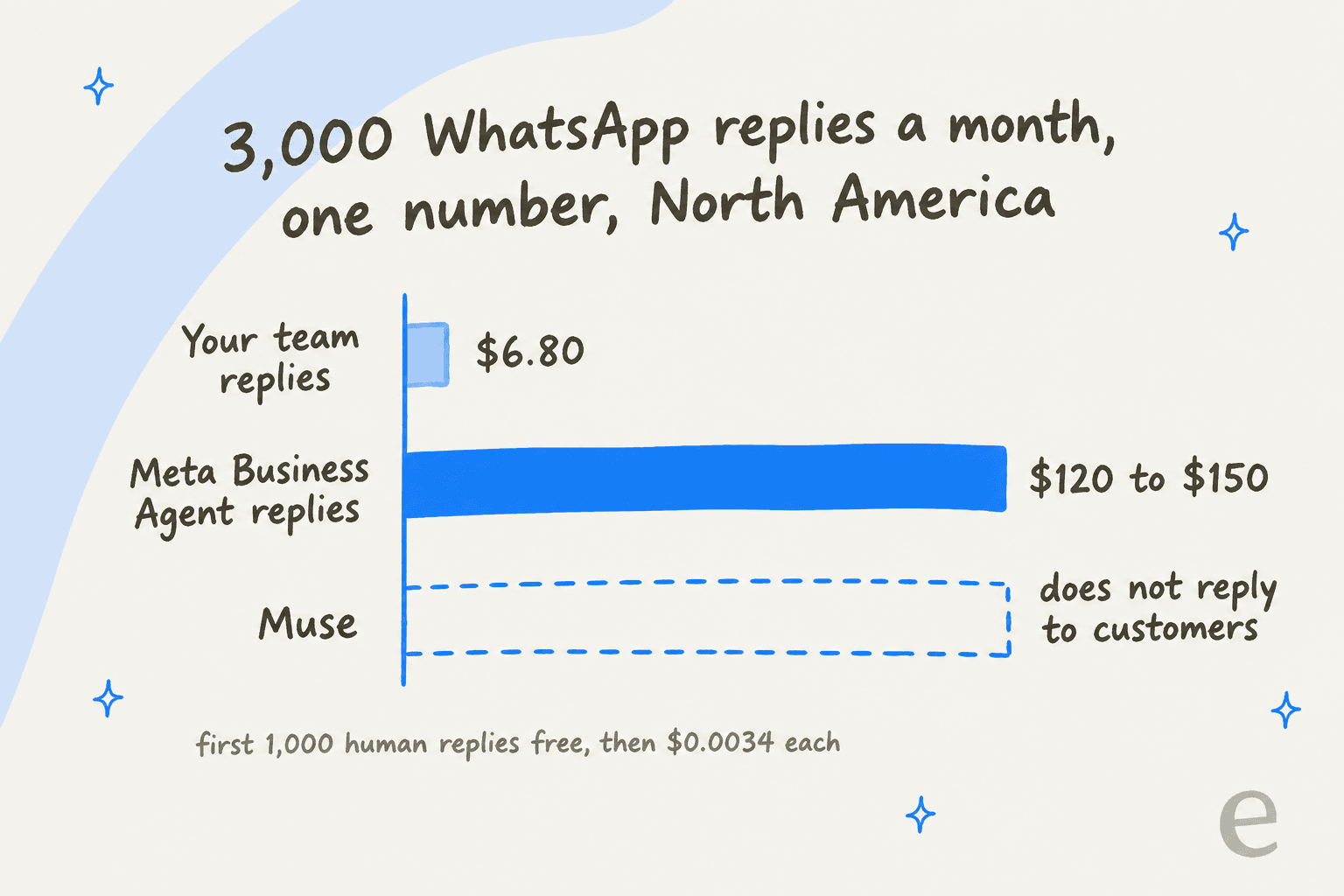
That gap is the number to sit with. At 3,000 replies a month, human-written WhatsApp messages cost about $6.80 in Meta fees, while the same volume through Business Agent runs roughly $120 to $150. Plug in your own volume:
Business Agent has one real advantage in that comparison: it writes the reply, and the $6.80 assumes someone on your team wrote 3,000 messages. The fair comparison is Business Agent against your staff's hours, or against another AI agent's fee plus the $0.0034 per message. I break that math down further in my AI customer service cost guide, and in my AI vs human cost comparison.
What does "nothing sends without your approval" really mean?
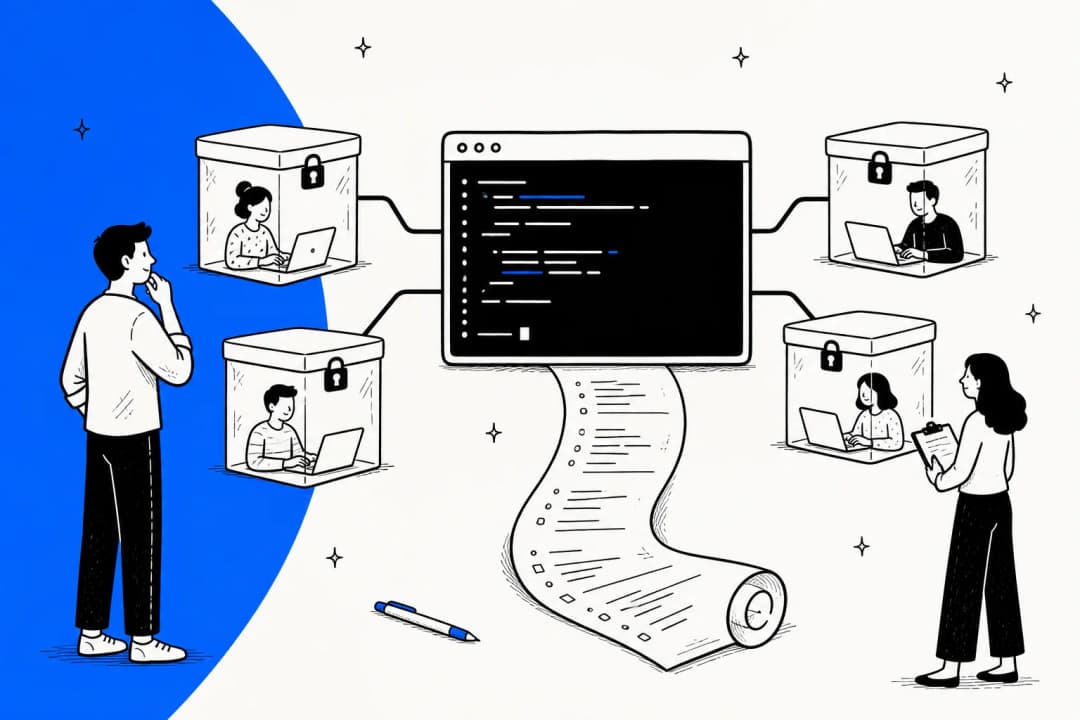
Meta's headline promise is that "nothing publishes, sends, or spends without your approval." That's a good default, and it's backed by real plumbing: purchases go through one-time Link by Stripe cards, and the Secure VM design keeps your real credentials away from the agent.
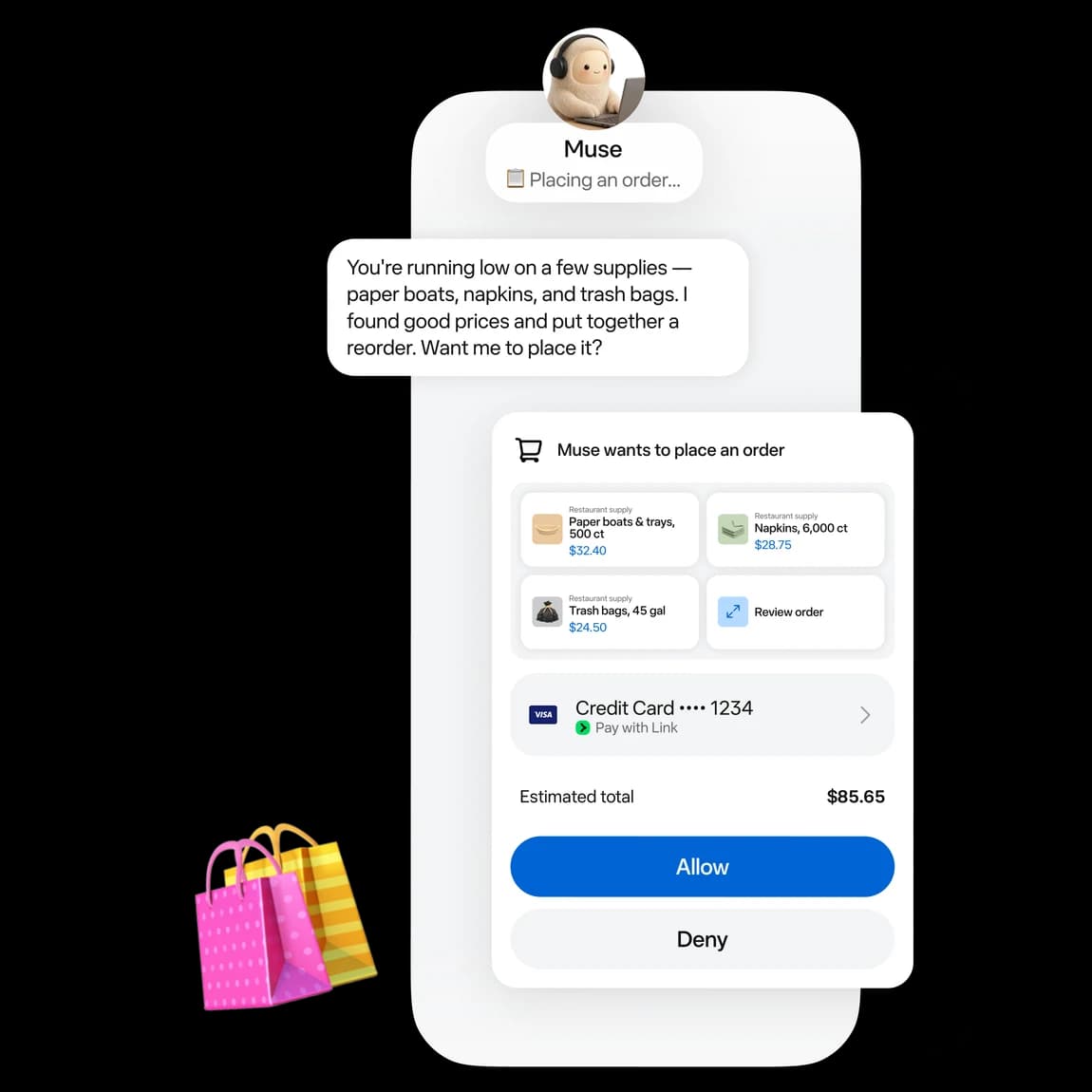
Three details narrow the promise, and they all come from Meta's own pages:
- Some actions can't be undone. The landing page FAQ says "you can undo it," but Meta's approvals help page says "sending an email, cannot be reversed." Go with the help center.
- Approval can be switched off. Owners can pick "Allow for this task," "Allow for this site" or "Always allow" on the same page.
- The action is yours. The terms, section 7.4, make you "solely responsible for the actions Muse takes," including contracts, messages and transactions.
Here's the bit that comes from my side of the queue. Approval sounds free, but it's work. In a real-traffic trial eesel ran with a German jewelry e-commerce brand (~1,000 tickets a month, 8 languages, Zendesk and Shopify), agents sent only 12% of AI drafts as-is. The common pattern was "glance and rewrite," turning an 8 to 15 sentence draft into 1 to 3 sentences. Only about 5% of the edits were the AI being factually wrong; most were length and tone. That's why I now train an agent on a team's own sent replies before anyone approves anything. An owner approving Muse's drafts between deliveries will hit the same rewrite tax unless the drafts already sound like them.
What are the first users saying?
The launch is two days old, so treat this as early signal. The most useful thread so far is on r/FacebookAds, where the draw is clearly cross-channel data:
"The limit I keep hitting is that the connector only reads Klaviyo, so when I ask whether a campaign drove sales it has no clue what Meta was doing that same week. That's the part of Muse I'm curious about, since it'd be looking at the ad account and the email data together."

The same thread also shows owners want to stay in the loop. One reply in that thread said they'd "still want to review anything it recommends before letting it make changes."
On Hacker News, one user reported something every Marketplace seller should note. It's a single report with no screenshot, so it's an anecdote, not a pattern:
"Using muse.ai to generate marketplace ads and modify existing ads to make them more attractive. Marketplace account suspended with the following message: 'You can't use Marketplace We've suspended your access to Marketplace because you didn't follow our Commerce Policies.'"

And on X, the question I'd expect from most of the world's small businesses:
"Which tools does it connect to right now? A lot of small businesses in India run on WhatsApp and Excel."
Where does Muse for Small Business stop?
None of these are dealbreakers on their own, but they decide who it fits:
- US and Canada only, 18+. The Muse business page says Meta has "no additional timing to share" on other markets.
- One person, one account. No team seats, shared workspace or admin roles are documented. Plans attach to one Meta account.
- Training is on by default. Meta's data help page says the setting "is on when you first use Muse," and for a business that covers customer data flowing in through connectors. You can switch it off.
- No helpdesk connector. Zendesk, Freshdesk, Gorgias and Help Scout aren't among the 15 named connectors. Slack and HighLevel are the closest, so a small business help desk stays a separate tool.
- No published security paperwork. I found no SOC 2, ISO 27001, DPA or data residency option on any Muse page.
- Consumer-style terms. Business use isn't banned, but there's no business addendum, and you must not send bulk messages without the consent TCPA and CAN-SPAM require.
Should your small business use Meta Muse?
Here's how I'd decide, by situation:
- You're a US or Canadian owner-operator on Shopify, QuickBooks and Meta ads. Try Muse on the free plan for planning, books review and ad drafts. Keep approvals on for anything that sends or spends. This is the sweet spot Meta built for. Shopify sellers can read my Meta Muse for Shopify support guide next.
- Your customers mostly message you on WhatsApp or Messenger. Muse won't reply to them. Compare Business Agent against a WhatsApp chatbot for business that also covers email, and price it with today's per-message fees.
- You have two or more people answering customers across email, chat and a helpdesk. That's a queue, not an errand. You want an agent built for it, with seats for the whole team, as covered in my small business AI agents list. If you're still on the fence, my AI customer service ROI post runs the numbers.
- You're outside North America. Muse isn't available yet, so look at AI for small businesses more broadly instead.
If you're comparing Muse with other personal agents for the owner's own work, my Meta Muse alternatives post covers ChatGPT Work and the rest. Instinct is the other texting-style option worth a look.
Try eesel for the customer side of your business
Muse is pitched as the owner's back-office helper, and that's the right frame. The job it leaves open is the one that eats a small team's day: answering customers. eesel's AI helpdesk teammate joins your existing inbox, answers email, chat and your helpdesk from your help center and past tickets, and with the Shopify integration it looks up live orders, checks tracking and starts returns.
Before it replies to anyone, it runs against hundreds of your past tickets so you can see how it would have answered, which is exactly the rewrite tax I described above, caught before launch. Every seat is included, there's a free plan with 100 credits, and paid plans start at $299 a month for 500 tickets or chats on the pricing page. If you also need content, the same roster includes an AI blog writer.

Try eesel free and point it at last month's tickets first.
Frequently Asked Questions
What is Meta Muse for Small Business?
How much does Meta Muse for Small Business cost?
Can Meta Muse answer my customers on WhatsApp or Instagram?
Is Meta Muse for Small Business available outside the US?
Can my whole team use one Meta Muse business account?
Is it safe to connect QuickBooks and Stripe to Muse?
What changed for WhatsApp business replies on October 1, 2026?



Article by
Riellvriany Indriawan
Riell is a designer and writer at eesel AI with about two years of experience researching CX platforms, AI chatbots, and helpdesk software. She combines her design background with a sharp eye for how these tools actually look and feel in practice — making her comparisons unusually visual and user-focused.