


Gemini for work is Google's AI assistant built into Gmail, Docs, Sheets, Slides, Drive, Meet and Chat, plus the Gemini app, and it comes with every Google Workspace Business plan. Starter ($7 a user a month) gets Gemini in Gmail and the Gemini app; Standard ($14) and Plus ($22) add Gemini in the rest of the apps, a 1 million token context window and up to 10 scheduled actions. For tools outside Google, like Zendesk or Slack, you need Gemini Enterprise, with a Business edition from $21 a seat.
It's a great assistant for one person's day. It drafts the email, summarizes the thread, takes Meet notes and finds the file. Everything it does runs from each person's own context and permissions, and Google doesn't describe it working a shared queue on its own. Google's answer to that, coworker agents, was announced on 8 October 2026 and parts of it are still in early access.
A team's shared work needs a Gemini the whole team shares. That's what eesel is, an AI teammate whose permissions change with who is asking: your team gets one set of rules, the people you name approve what's held, and customers on a ticket or visitors in your website chat get a narrower set. It works natively in Google Chat, Gmail, Slack, your helpdesk and Shopify, answers from your Google Drive, and arrives with the skills and context for the job. You can even have Claude Code or Codex set it up through the eesel CLI, uploading approved knowledge, tuning its instructions and asking it test questions before your team relies on it.
What does Gemini for work actually do today?
I'm on eesel's support team, so most of my day is answering people who are halfway through setting up an AI tool and wondering why it isn't doing what they pictured. Gemini comes up a lot, usually phrased as "we already pay for Google Workspace, doesn't Gemini do this?" Fair question. Here's what it does in a normal workday.
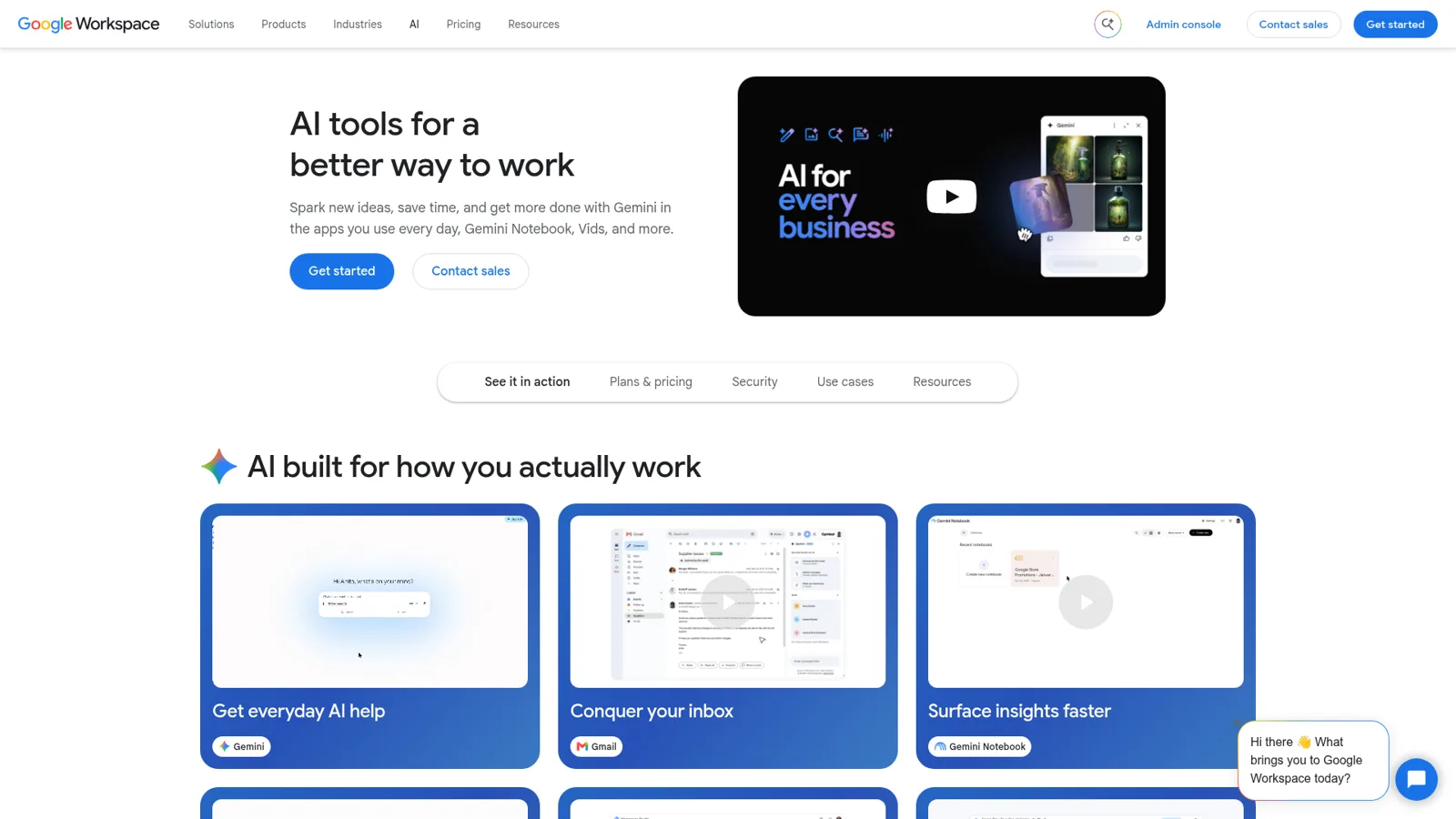
Inside the apps. In Gmail, Google lists Help me write, Suggested replies, Proofread, AI Overviews for threads and search, and Help me schedule (Workspace with Gemini features). In Docs it creates "fully formatted first drafts in moments", and in Sheets it can build whole spreadsheets from plain-language prompts (Workspace AI). If you mostly live in your inbox, my post on Ask Gemini in Gmail goes deeper.
In meetings. Meet's "Take notes for me" writes notes into a Google Doc, gives late joiners a "Summary so far", and emails the organizer a recap link. It handles one spoken language at a time across eight languages (Take notes for me).
In Google Chat. "Ask Gemini" in Chat "finds quick answers from scattered information across your Google Workspace data" and summarizes updates across spaces. It's English only for now, and an admin has to switch on Gemini in Chat and Workspace Intelligence first (Ask Gemini in Google Chat).
In the Gemini app. On a qualifying Workspace plan the Gemini app is a core service with enterprise data protections, and admins decide who gets it (Gemini app admin settings). If your admin hasn't turned it on yet, this walkthrough shows where the switch lives.
Gemini Notebook. What used to be NotebookLM is now "Gemini Notebook", included in all Workspace plans, with answers grounded in your sources and citations (Gemini Notebook). Google's own example use is onboarding from training manuals and FAQs. I covered how it connects to Gemini in this NotebookLM post.
Gems, turning into skills. Gems are saved instructions plus knowledge files, and a Gem made on the web shows up in the Gemini side panel in Workspace (Use Gems). Google says Gems become skills for personal accounts from November 2026 and "in 2027, for work and school accounts" (Gems to skills). More on that in Gemini skills.
Scheduled actions and Workspace Studio. You can schedule up to 10 recurring actions, like a daily digest of your calendar and email (Schedules in Gemini Apps). For multi-step flows, Workspace Studio builds an automation from a plain-language description, with templates like "label emails with action items".
That's a lot of useful help, and it's all already inside the apps your team opens every morning.
Which Workspace plan gets which Gemini?
The plan decides most of what Gemini can do for you. Here's how Google's pricing page splits it, on annual billing, per user per month.
| Plan | Price | Gemini in this plan |
|---|---|---|
| Business Starter | $7 | Gemini in Gmail, the Gemini app (company data not used to train models), Gemini Notebook basic access. Workspace apps "Limited" |
| Business Standard | $14 | Gemini in Gmail, Docs, Sheets, Slides, Drive, Meet and Chat, Gemini Notebook with expanded access |
| Business Plus | $22 | Everything in Standard, plus Vault and advanced endpoint management |
| Enterprise | Contact sales | Adds DLP, data regions and AI Classification for Google Drive |
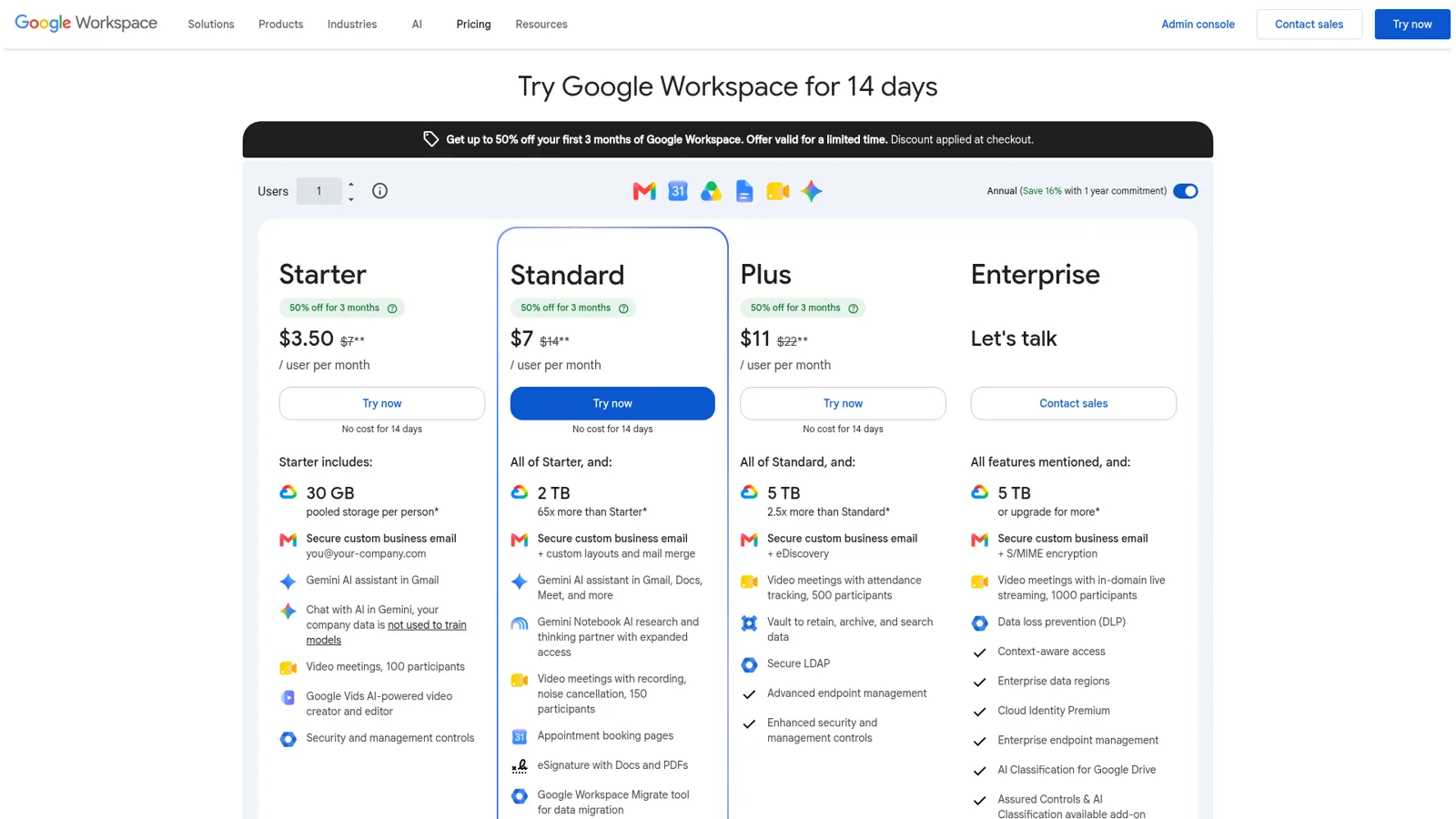
The Gemini app limits matter more than the headline features. On Business Standard and Plus you get a 1 million token context window (versus 32 thousand without a qualifying edition), Deep Research at 5 reports per 4 hours, and up to 10 active scheduled actions. Scheduled actions aren't on Starter at all (work account limits).
Two notes from the fine print. The intro discount applies to the first 20 users for new customers, and Starter, Standard and Plus top out at 300 users. For the full plan-by-plan math, see Gemini Workspace pricing and my broader Gemini pricing guide.
What does Gemini Enterprise add for work?
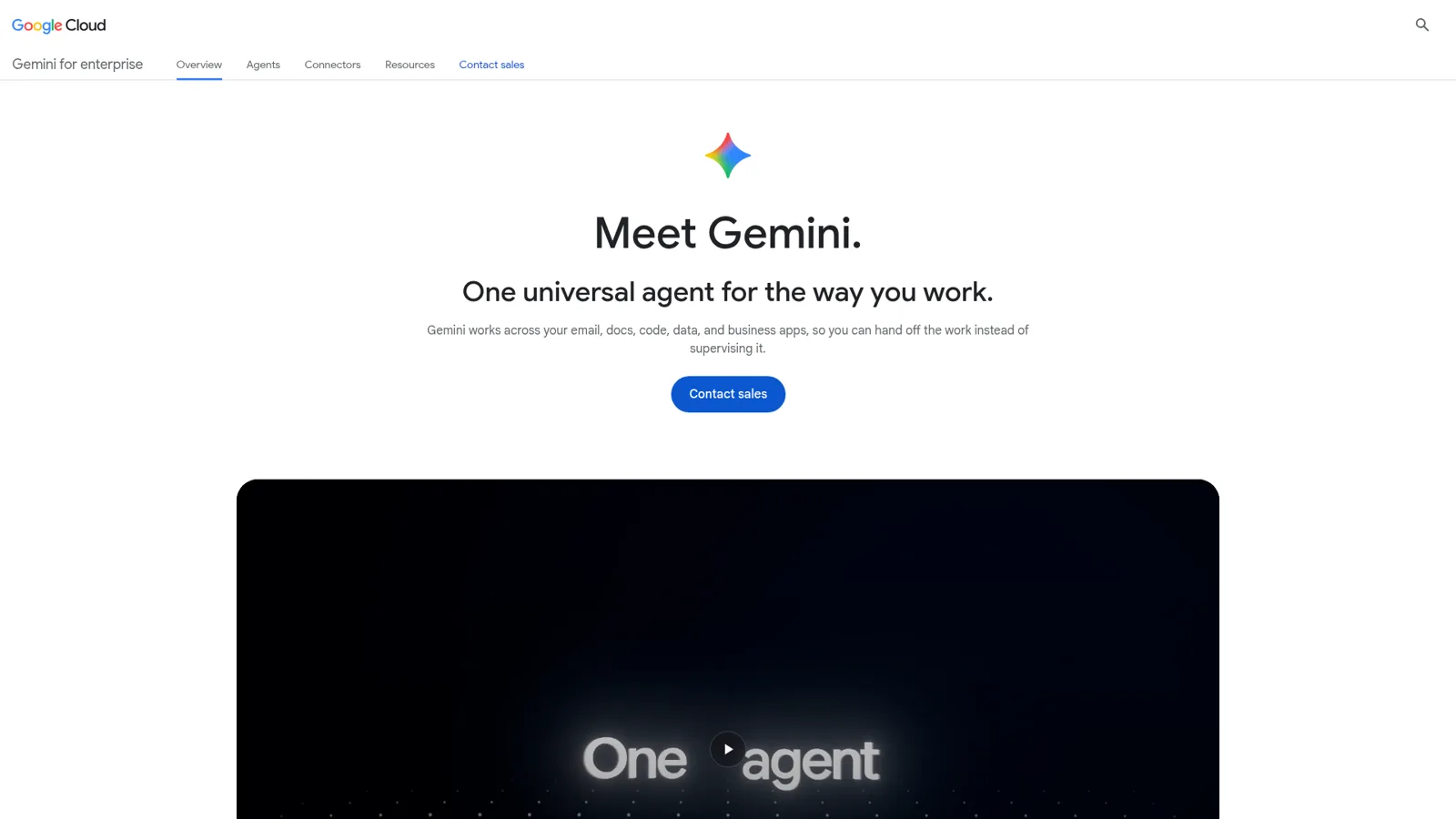
Gemini Enterprise is Google Cloud's product for taking Gemini outside Google's own apps. It's sold separately from Workspace, and the Business edition starts "at $21 per seat per month" for 1 to 500 users. The Standard and Plus editions have no public price; the landing page offers "Contact sales" or a 30-day Plus trial.
Connectors. Google counts over 100 supported integrations, including Microsoft 365, Slack, Confluence, Jira, Salesforce, HubSpot and Notion. The connector catalog puts Zendesk ("create, update, and manage support tickets") and Slack in the Business edition, while Shopify, Salesforce and ServiceNow sit in Standard and Plus. The editions page confirms the full connector ecosystem and Agent Marketplace start at Standard.
How a connector acts. This is the detail I'd read twice. The Zendesk connector can create and update tickets, merge them and add comments, and Google describes it this way: "end users can use natural language commands in Gemini Enterprise to perform the following actions." A person asks, Gemini does it.
Coworker agents, announced. At Gemini at Work 2026 on 8 October, Google described a "single, universal agent for work" that you can assign work, schedule, or have "respond to events". The headline idea is a coworker agent that "receives its own Workspace account, including an email address, calendar, Drive, and presence in your company directory", and colleagues work with it "by adding it to a Chat space or @mentioning it". Sundar Pichai called it an agent "with a defined role and its own dedicated identity."
It's a real step toward a shared teammate, and I like the design. But treat it as announced. Google's own landing page says "Not every feature shown on this page is available right now", with delegating multi-step background tasks still in early access, and the keynote gives no date for coworker agents. My Gemini agent explainer walks through everything Google showed that day.
Is Gemini safe to use with company data?
Google's data story for Workspace is one of the strongest parts of the pitch. Its Privacy Hub says "your interactions with Gemini stay within your organization" and your content isn't "used for Generative AI model training outside your domain without permission."
Access follows the person. Gemini "only retrieves relevant content in Workspace that the user has access to", and session data is kept "private between users within an organization." Cross-app grounding is off by default for files shared with outside collaborators, and admins set retention (90 days to indefinite for Gemini in the apps, up to 36 months for the Gemini app).
Gemini Enterprise goes further for agents. Google says each agent gets its own identity with least-privilege permissions and every action goes to an audit trail (Gemini at Work 2026), and projects can carry budget caps so "your agent pauses instead of overspending" (Gemini Enterprise). One catch worth knowing: people signed in without a qualifying edition fall under consumer terms, where "their chats may be reviewed by human reviewers" (Gemini app admin settings). That's a plan question for your admin, not a Gemini flaw.
What do people say about using Gemini at work?
Reviews are mixed, and they split along a clear line. People who live in Google's apps like having it there. People who reach outside them find the edges.
"Ironically, Gemini (with Workspace subscription) is the only model that explicitly states it doesn't use your inputs to train their models right under the chat box."

"Kinda wild that ChatGPT + GMail integration works better than using Gemini in GMail web interface (it only has access to the mails on your front page and can't work through the mailbox). Google, what are you doing?"
"Right now I think the main beneficiaries Gemini are Google power users."

The pattern on G2 backs that up, where "Google Workspace Integration" is the most-tagged pro (357 mentions) and "Confidently Incorrect Answers" is close behind as a con (353).
If you're weighing it against other assistants, I've put it head to head with ChatGPT, with Claude and with Copilot.
Where does Gemini for work stop?
Gemini works from each person's context, inside Google's apps. That's the design, and Google is open about it. To be clear, it isn't short on controls: admins decide who gets the Gemini app and which features run, set retention, and can require consent before Meet notes. The difference is who it works for. Gemini acts for the person using it, under that person's access, and it doesn't change how it behaves based on who a request comes from.
Look at where the work comes from. Gemini retrieves what you can open. Your scheduled actions arrive as a notification and an unread chat for you, and they're prepared "within the hour leading up to your delivery time", so Google warns that "rapidly changing data... won't be the latest" (Schedules). Google's own customer-service example is "draft personalized replies to customer inquiries in seconds", and the customer quote beside it describes a team drafting faster and then personalizing (Workspace AI). In Google's own examples, a person holds the pen.
That's perfect for one person's day. It leaves a gap for the work nobody owns individually:
- The ops question that lands in a Google Chat space at 8am and sits until someone with the answer wakes up.
- The overnight tickets that need a check before the day starts.
- The customer email that needs the right order looked up before anyone can reply.
Google doesn't describe Gemini working a shared queue on its own. Its helpdesk connectors act on a person's natural-language command, there's no listed Gorgias or Freshdesk connector (a custom MCP server is an option), and the coworker agent that would change this is announced, early access, and lives in Google's surfaces like Chat spaces and Doc comments. Google also doesn't pitch Gemini as something that faces your customers in your own channels, like a helpdesk ticket or your website chat.
If your team's work lives in Google Chat, Zendesk, Slack and Shopify all at once, you need a Gemini-like teammate the whole team shares, sitting in all of those places.
What does a team's shared Gemini need?
I'd judge any "team AI" on four things, and the first one matters most. These are the questions people ask me once an assistant stops being one person's experiment.
1. It changes what it does based on who is asking. A teammate in Google Chat, a manager who signs off on refunds, and a customer on a ticket shouldn't get the same assistant. eesel draws those lines for you (Actions and approvals):
- Your team. Actions with a Team only tag (writing scripts against an app's API, admin-only tools, changing its own instructions) only run when someone on your team asks, in the dashboard, in Slack or Google Chat, or in an internal note. "Your team" includes the users in your Google Workspace.
- The people you name. Only Editors can approve a held action, and you choose which members or channels the approval requests go to. In Google Chat, anyone who isn't an Editor and clicks Approve gets a private message explaining why it didn't run (Google Chat).
- Customers and visitors. A customer on a helpdesk ticket or a visitor in your website chat never triggers a Team only action. Files follow the same line: a file set to On can inform an answer to anyone, but eesel never sends the file itself, or a link to it, outside your team.
2. Every action has a setting. Answering a question is low risk. Sending a refund isn't. In eesel, every action runs on its own (On), waits for a person (Ask first), or never runs (Off), set per agent and per action and changeable any time. You can also just say it in chat, like "look things up on your own, but ask me before any refund." Even on On, eesel's safety check can still hold a risky call.
3. It works natively where the team already is. eesel works deeply with Google Chat, Gmail, Slack, Microsoft Teams, your helpdesk and Shopify, out of 3,000+ integrations. The team asks it in a Chat space, forwards it an email or mentions it on a ticket, and it does the work in that app. Editors build and adjust agents; Viewers chat with them and review activity but can't change anything (Account and roles).
4. It arrives ready for the job. eesel learns from your docs, past tickets and Slack history, follows your instructions reliably, and acts on its own when there's work to do instead of waiting to be asked. Correct it once and the fix sticks in every app it works in (Instructions and memory).
Here's how the three options line up.
| Gemini in Workspace | Gemini Enterprise coworker agent | eesel | |
|---|---|---|---|
| Who it works for | Each signed-in person | A team, through its own identity (announced) | The whole team, as one shared teammate |
| Changes by who is asking | Acts for the person using it, under their access | Acts as itself; sees what you share with it | Team, named approvers, and customers or visitors each get different rules |
| Faces your customers | Not how Google pitches it | Not how Google pitches it | Yes, on helpdesk tickets and in your website chat |
| Where you talk to it | Gmail, Docs, Sheets, Meet, Chat, Gemini app | Chat spaces, Doc comments, @mentions | Google Chat, Slack, Teams, its own email address, your helpdesk, the dashboard |
| What it acts on | Google apps, as you | Google apps plus 100+ connectors | Your helpdesk, Shopify, Gmail, Drive and other connected apps |
| What starts it | You ask, or one of your scheduled actions | Assigned work, schedules, events (early access) | A mention, a new ticket, a schedule or a webhook |
| Controls | Admin controls per app and feature, retention, data protections | Agent identity, audit trail, spend caps | On / Ask first / Off per action, Team only, Editor-only approvals |
| Price | In Workspace, from $7 a user | Business edition from $21 a seat; Standard and Plus via sales | From $299 a month for 500 credits, unlimited seats |
Three jobs a shared teammate does that Gemini doesn't describe
These are the kinds of requests I see from teams who already run on Google Workspace and want the next step.
Ops questions in Google Chat, answered from Drive
Every team has a space where the same questions come up weekly. "What's the refund window on annual plans?" "Where's the supplier contact sheet?" eesel joins a Google Chat space as eesel AI Agents for Chat; anyone mentions it, and it answers in the thread from your connected knowledge, with Google Drive linking the exact file it used (Google Chat). Each space connects to one agent, so ops and finance can each have their own.
It can do more than answer. From the same thread it can look up an order in your store or draft a reply on a helpdesk ticket, and when an action needs approval it posts an approval card right in the thread. Only people with edit access can press Approve; anyone else who clicks gets a private message explaining why. People outside your eesel workspace can ask questions, but only workspace members can change its settings.
Cactus Club Cafe uses the same idea for internal IT support on Zendesk, with 1,650 runbook and policy lookups in a month. The broader pattern is in AI for workplace questions and the internal operations guide.
A morning check nobody has to remember
Gemini's scheduled actions are personal: up to 10, delivered to whoever set them up. A team check is different, because it should run whether or not that person is on holiday, and it should read live data.
In eesel, an automation is a trigger (an event in a connected app, a time like every Monday at 9am, or a webhook) plus instructions for that job (Automations and schedules). Every agent also has its own email address and can email your team on its own, for a summary or an alert (Email).

Cape Coffee Beans is my favourite example. Their agent ran 160 scheduled Zendesk and Drive checks in a month, on weekday and Saturday mornings, and emailed the founder a short list of tickets that had slipped. Their team also called it into 23 tickets with an @eesel internal note. Nobody set a reminder; the check just shows up.
Customer drafts that wait for a yes
Gemini can help one person draft faster in Gmail. A shared teammate can prepare the draft before anyone opens the ticket. eesel reads the ticket, looks up the order in Shopify, and leaves the draft as an internal note for a person to send, with "Send ticket reply" set to Ask first until you trust it.
Stil Classics works this way on Gorgias: 230 Shopify orders looked up before drafting and 430 drafts left as internal notes in a month. That's the start eesel's own docs recommend. Put replies and anything irreversible on Ask first, switch the routine ones On once the drafts are consistently right, and keep refunds and cancellations behind an approval for good.
Which one should do this job?
Here's a quick chooser for the jobs I hear about most. Open the one closest to yours.
Which assistant should take this job?
Write my email, summarize my thread, take my Meet notes
Gemini in Workspace. It's already in the apps, works from your own access, and comes with Business Standard and up.
Research a topic from our docs and build a briefing
Gemini Notebook or Deep Research in the Gemini app. Both cite their sources.
Remind me every Monday what's on my calendar
A Gemini scheduled action. It's personal, up to 10 of them, delivered to you.
Answer the whole team's questions in a Google Chat space
A shared teammate like eesel, answering from your Drive with the file linked, with approval cards in the thread for anything it changes.
Check the helpdesk every morning and email the owner what slipped
A shared teammate on a schedule. It runs whoever is on holiday and reads live tickets.
Draft customer replies with the order already looked up
A shared teammate in your helpdesk and Shopify, with sends on Ask first until you trust it.
Most teams on Google Workspace will end up with both, and that's fine. Gemini is each person's assistant; a teammate like eesel handles the work that belongs to the team. If you want to see how other teams split AI work this way, my guides on AI teammates and the AI coworker idea go further, and Google Drive AI covers the knowledge side.
Try eesel as your team's Gemini
eesel is the Gemini-like teammate your whole team shares, and what it does on its own, what it asks first and what it never does changes with who is asking. It works natively in Google Chat, Slack, Gmail, Zendesk and Shopify, reads Google Drive and Google Docs, and shows up ready to work: proactive, following your instructions, and getting better every time you correct it.

You can start with a free 7-day trial and 100 credits, no card needed, then the Teammate plan is from $299 a month for 500 credits with unlimited seats and agents (pricing). Try eesel and put it in your busiest Google Chat space first.