


Claude for work is Anthropic's Team and Enterprise offering: shared seats from $20 a month that give each person Claude chat and Cowork (now one Claude that can hand off and schedule tasks), shared Projects, 1,137 connectors, and Claude Tag, a team-owned Claude in Slack. It's the assistant a lot of people already love at their desk, and for one person's work it's excellent.
The thing to understand before you roll it out is who Claude acts as. Anthropic's own docs say that in a single-player setup "the agent acts on your behalf", through your own connected accounts. Claude Tag is the exception: it works as itself in Slack channels, but it's Slack-only, in public beta, and its routines run at most once an hour.
A team's shared work (tickets in the helpdesk, questions in Teams, orders in Shopify, the shared inbox, the website chat) needs a Claude-like teammate the whole team shares, where what it does on its own, what it asks first and what it never does depends on who is asking: someone on your team, the specific people you name as approvers, or a customer or visitor outside the team. That's what eesel is: Claude, for your team's work. You can even keep both, by adding eesel as a connector inside Claude. And if you'd rather not click through a setup, Claude Code can set eesel up for you with the eesel CLI: it uploads your approved docs, writes the agent's instructions and asks it test questions so you can check the answers before going live, though connecting the helpdesk itself still needs an admin's approval.
I build eesel's agents, so most of my week goes on the unglamorous parts of an AI teammate: whose credentials it holds, which actions it may take without asking, and what happens when a customer instead of a colleague is on the other end. eesel has run AI on live support queues for years, and I've watched confident bots give wrong answers, which is why every eesel agent gets tested against a team's past tickets before it answers anyone. That's the lens for this post. Claude for work is great; the question is what it's built to act as.
What does Claude for work include?
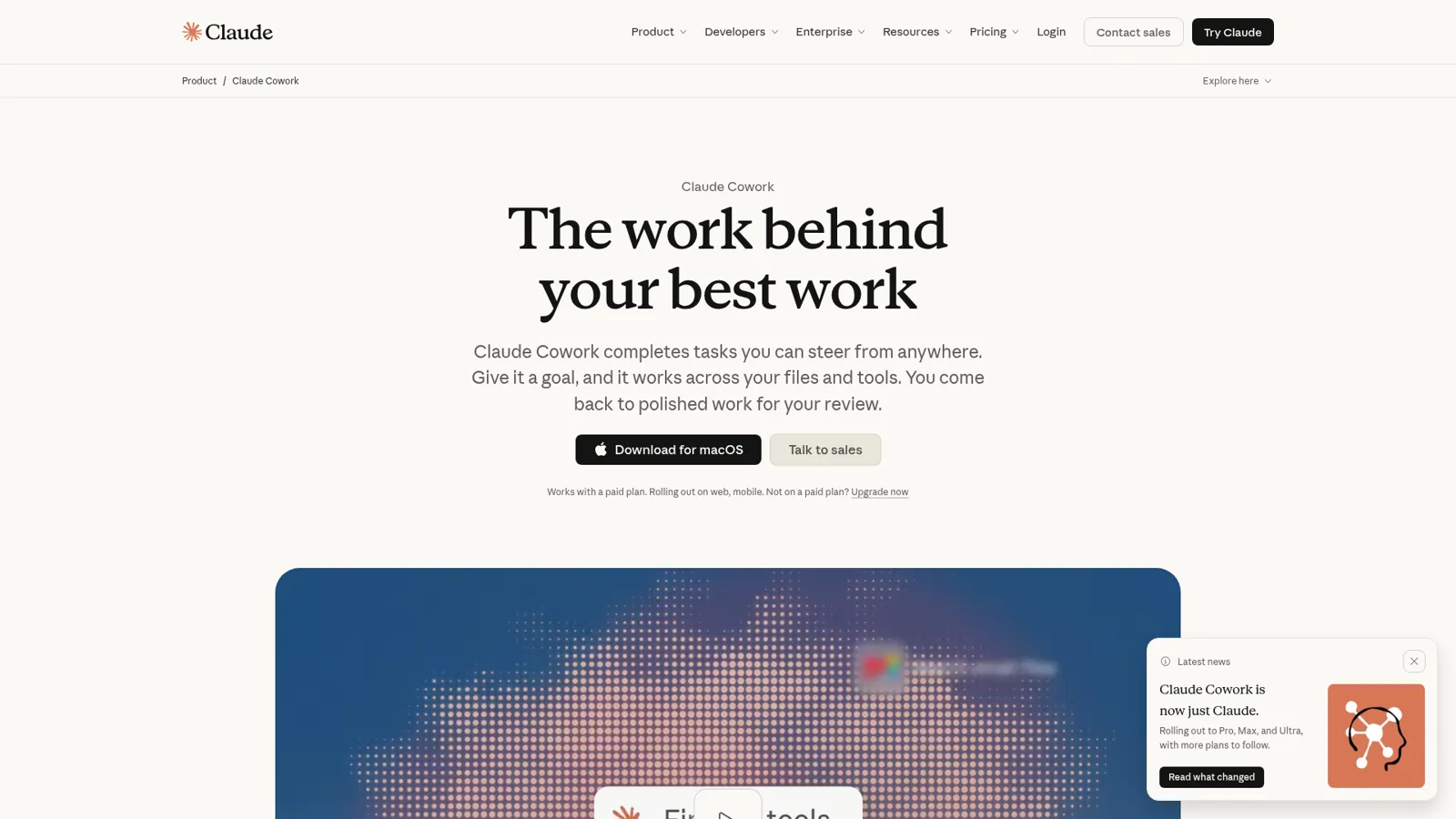
Claude for work includes chat and Cowork merged into one Claude, scheduled tasks, Projects your team can share, memory, connectors to your apps, Claude in Chrome, Claude Code, skills, and Claude Tag in Slack, all under Team or Enterprise seats with admin controls. Anthropic's Enterprise page sums up the pitch as "Give every employee secure access to Chat, Claude Cowork, Claude Code, and your company's connectors."
Here's what each piece does, and the detail most overviews skip, which is whose access it runs on.
| Piece | What it does | Whose access it uses |
|---|---|---|
| Chat and Cowork (one Claude) | Ask a question or hand off a task; it keeps running in the cloud after you close your laptop | Yours: your personal connectors |
| Scheduled tasks | Run a task hourly, daily, weekly, on weekdays or manually | Yours |
| Projects | Workspaces with their own chats and knowledge; shareable as "Can view" or "Can edit" on Team and Enterprise | Yours, with sharing |
| Connectors | 1,137 apps in the directory, such as Google Drive, Gmail, Notion, Microsoft 365, Slack and HubSpot | Yours: an owner adds them, each member connects their own account |
| Claude in Chrome | Reads the page you're signed in to, then clicks, types and fills forms | Yours: your browser session |
| Claude Tag | A Claude in Slack channels that anyone in the channel can hand work to | The channel's: accounts an admin sets |
Chat and Cowork are now one Claude
In November Anthropic finished merging chat and Cowork. The launch post puts it simply: "Bring a quick question, or hand over a report due at noon, and Claude takes it from there, even after you've closed your laptop." The merged experience went generally available for Enterprise on 23 October and for Team on 12 November (Claude blog).
It also has a permission model worth knowing. By default "Claude asks before taking an action", and you can switch on Auto mode, where automated safety checks run before each action. The Help Center still says that "for work with real consequences, like sending messages or changing important files, stay close and review what Claude does" (Help Center). I like that honesty. If you want the deeper tour, my Claude Cowork review and Cowork pricing guide go further.
Projects, memory and connectors
Projects give a team shared context: a workspace with its own knowledge and chats, shared individually or across the organization (Projects). Memory carries context from past chats into new ones, and on Team and Enterprise the owner decides whether it's on (memory). Org-wide Claude skills round it out, so a brand-guidelines skill applies for everyone.
Connectors are where Claude reaches your tools. Anthropic describes a connector as a link that lets Claude "find information there and take actions for you" (connectors). On the Team plan page, they're framed mostly as retrieval: connect Drive, Gmail, Calendar, GitHub, Microsoft 365 and Slack "to search and retrieve context" (Team plan). Some connectors write too, like sending a Slack message, or sending mail through Microsoft 365 once admins turn write actions on.
One HN commenter described a common rollout well:
"At my work we rolled out Cowork to all the non-technical staff. People are using a ton, wired up for read access to M365, Confluence, etc. as sort of a psuedo enterprise RAG + all the document creation/file management it can do. I know my users would actually like Claude Tag, but unfortunately we are in Teams, not Slack, as are most other non-tech companies."

That comment carries both halves of this post. Claude is a hit with individuals, and the team-shaped piece lives in one chat app.
How much does Claude for work cost?
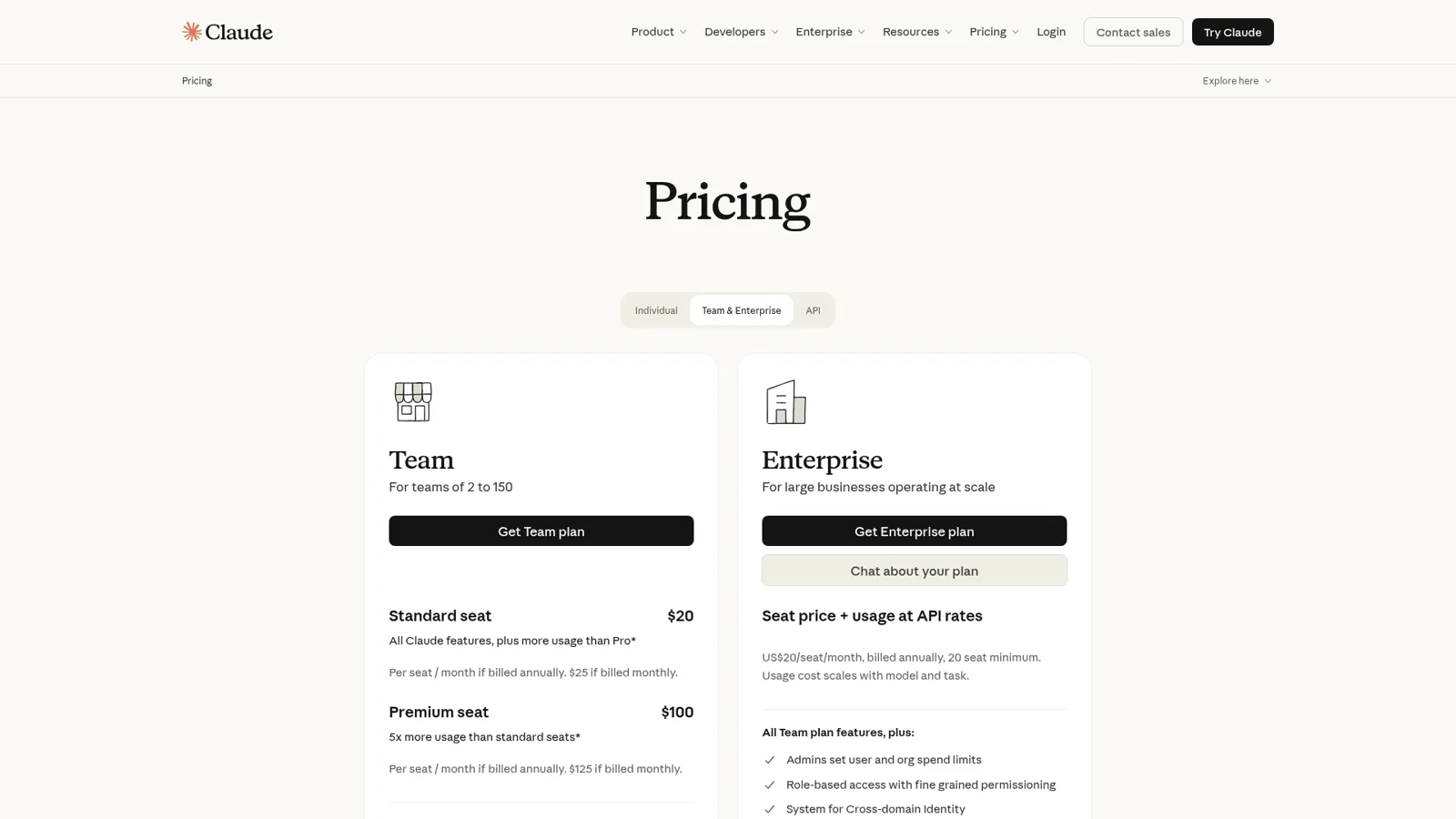
Claude Team costs $20 per standard seat per month billed annually ($25 billed monthly) and $100 per premium seat ($125 monthly), for teams of 2 to 150. Enterprise is "US$20/seat/month, billed annually, 20 seat minimum", plus usage at API rates (Claude pricing).
| Plan | Price | Usage |
|---|---|---|
| Pro (one person) | $17/month billed annually, $20 monthly | More than Free, per 5 hours and per week |
| Team, standard seat | $20/seat/month billed annually, $25 monthly | More usage than Pro, limits per member |
| Team, premium seat | $100/seat/month billed annually, $125 monthly | 5x a standard seat |
| Enterprise | $20/seat/month billed annually, 20-seat minimum | No included usage; billed at API rates |
| Claude Tag | No per-seat charge | Channel work draws from an org usage balance, under a spend limit |
Enterprise works differently from Team: the Enterprise plan seat fee "covers access only, and all usage is billed separately at API rates."
Two details matter for a team budget. Team limits are "per-member, rather than applied to the team as a whole", so one heavy user can't drain anyone else, but nor can a quiet seat lend its allowance (Team plan). And all of Claude's surfaces, from the web app to Claude Code, count toward the same limit (usage limits). For a 10-person team, standard seats come to $200 a month billed annually. Most small teams seem happy with that:
"For smaller companies they can get Claude team plan for $20/month/seat and the plans give a lot of usage. We rarely hit limits."
I break down every plan in my Claude pricing guide and the individual tier in Claude Pro pricing.
Who does Claude act as when it does the work?
In chat, Cowork, scheduled tasks and Chrome, Claude acts as you. This is the under-the-hood detail I'd want every team lead to know before calling Claude a teammate, because it decides what "letting Claude handle it" means.
Anthropic's own agent identity article says that in a "single player" AI experience, where one person chats with one assistant, "you connect your own accounts and the agent acts on your behalf." The connector docs say the same in practice: on Team and Enterprise "an Owner adds a connector for the organization, and members then connect with their own account" (connectors). The Microsoft 365 docs are the plainest: "All access is delegated: Claude acts on your behalf and can read or change only what your Microsoft 365 account can already read or change." (Microsoft 365 connector).
To be clear, Claude for work has real admin controls. Team admins decide which connectors the organization can use, Enterprise adds role-based access with fine grained permissioning, spend limits and audit logs (Claude pricing), Microsoft 365 write actions only run once admins turn them on, and Claude asks before acting by default. Those controls govern what each person and their Claude may do.
Delegated access is the right design for personal work. If I ask Claude to tidy my inbox, it should be able to do what I can do, and nothing more. It gets awkward when the work belongs to the team rather than a person, in three ways.
The first is that the permission belongs to the person, not the job. If your support lead connects Gmail, Claude can do anything she can. A rule like "answer refund emails from the shared inbox, ask before any refund, and never send the internal returns policy to a customer" is about a job and about who is on the other end, and delegated access is built around the person using Claude. Claude also isn't set up to face your customers in your own channels, like a ticket or the website chat.
The second is that one person sees the work. Anthropic's own table lists Cowork's audience as "Just you" (How Claude Tag works). A teammate covering the queue on Monday can't see what Claude did for a colleague on Friday.
The third is timing. It runs when that person asks, or on their schedule. Scheduled tasks run "hourly, daily, weekly, on weekdays, or manually" (scheduled tasks). That's perfect for a Monday briefing. A ticket that lands at 2am isn't on a schedule.
None of this is a flaw. It's what an assistant for one person at a keyboard should do. It just means a team's shared work needs a different shape.
Where Claude Tag fits, and where it stops
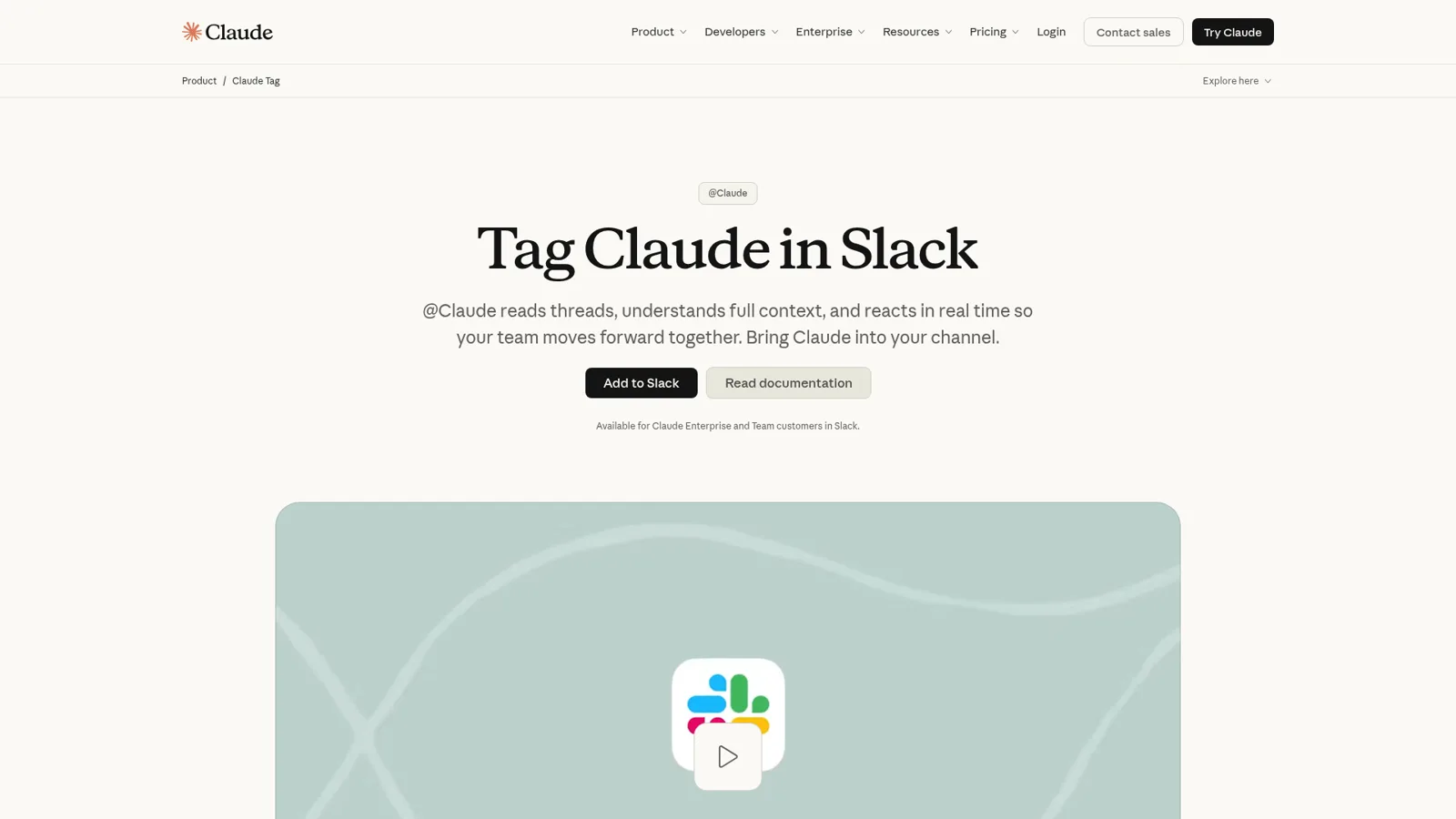
Claude Tag is the part of Claude for work built for that different shape, and it's good. In a Slack channel, Claude "acts with the connections an organization admin set for that channel, and the work is attributed to its own accounts", and everyone in the channel sees the work (How Claude Tag works). Anyone in the channel can hand it work, it posts a checklist in the thread as it goes, and there's no per-seat charge (Claude Tag docs).
Anthropic's own pages show four places it stops today.
- Slack only. It's "Available for Claude Enterprise and Team customers in Slack", with Microsoft Teams "Coming soon" behind a waitlist (Claude Tag). It's labelled "Public Beta" in the docs.
- Routines at most hourly. "You can schedule a job to run at most once an hour, and Claude declines a schedule that runs more often" (routines).
- Other apps' messages are context. When another app or bot posts in the channel, Claude "reads it as context", and replies only if that app includes @Claude (When Claude responds).
- No helpdesk in the connection guides. The guides cover Datadog, Sentry, Linear, Jira, Notion, HubSpot, Salesforce, Stripe and more, plus any custom MCP server, but no helpdesk and no Shopify (Tag connections).
Anthropic's answer for customer support is a build project. Its customer support page is titled "Build AI support agents with a more human touch" and points to the developer platform. Cost is the other thing people watch:
"Claude Tag seems awesome, but a single query can run over a dollar."
If your team lives in Slack and the work is internal (engineering triage, #ask-it, review reminders), Tag is a strong pick, and my Claude Tag review and Claude Tag pricing cover it in depth. If the work arrives from customers in the helpdesk, the store and the website, read on. Teams weighing other options can start with my Claude Tag alternatives.
What does a team's shared work need from an assistant?
A team's shared work needs an assistant that starts when the work arrives (a new ticket, an email to support@, a Monday 9am report), has a setting per action instead of per person, knows a teammate from a customer, and asks for approval where the team already is. Add one memory the whole team corrects, so a fix made in chat on Tuesday still holds in the helpdesk next week. Most teams end up with a mix of personal and shared jobs, so here's how I'd route a typical week.
Which one should do this job? Open the one that sounds like your week.
"Summarise these five PDFs and draft my board update."
Claude chat or Cowork. It's your work, on your files, under your accounts. That's exactly what a personal assistant is for.
"Every Monday, pull last week's numbers into a brief for me."
Claude scheduled tasks. A recurring job for one person runs well on Claude's schedule.
"Triage requests in our engineering channel and link the Linear issue."
Claude Tag, if you're on Slack. It works as itself in the channel with admin-set access.
"Answer new tickets, look up the Shopify order, and ask us before any refund."
A shared teammate like eesel. It runs on every new ticket, with refunds on Ask first and customers kept away from internal files.
"Answer HR and IT questions in Microsoft Teams from Confluence."
eesel in Teams. It answers mentions and DMs with the source linked, and can post a daily summary on its own.
How eesel works as Claude for your team's work
eesel feels like Claude to talk to: you ask, it thinks, it does the work. The difference is that it's one teammate the whole team shares, and it changes what it's allowed to do based on who is talking to it. That's the part I spend most of my time building, so I'll start there.
It knows who is asking
eesel tells three groups apart. Your team is the people on your Team page plus the people your connected apps show are part of your company: full members of your Slack, users in your Microsoft Teams or Google Workspace, and anyone writing an internal note in your helpdesk. The specific people you name are your Editors, the only ones who can approve a held action, and you pick which members or channels get approval requests. Everyone else, like a customer on a helpdesk ticket or a visitor in the website chat, is outside the team (Team only).
That split drives what eesel does. Some actions carry a Team only tag (writing scripts against an app's API, admin-only tools, changing the agent's own instructions or automations), and they only ever run when someone on your team asks, never for a customer. Files work the same way: a file set to On can inform answers to anyone, but eesel never sends the file or a link to it to someone outside the team, and a file set to Team only is for your team's questions alone. So a teammate in Slack can ask about the internal escalation doc, and a customer on a ticket asking the same thing gets an answer that never exposes it.
Every action is On, Ask first or Off
On top of that, every action in every connected app (reply to a ticket, add a tag, refund an order, post to a channel, create a Jira issue) is set to On, Ask first or Off, per agent, and you can change it any time. On means eesel does it on its own, and eesel's safety check can still hold a risky call. Ask first means one of your approvers says yes every time. Off means it never happens.
You don't need a settings page for it either. Say "look things up on your own, but ask me before any refund" in chat, and the agent changes the settings and tells you what it set. The one exception is live chat replies, which are always On, since nobody can pause a live chat to approve a reply. My recommendation is to start supervised, keep refunds, cancellations and anything that costs money behind an approval, and turn routine actions On once the drafts are consistently right.
Approvals where the team already works
When an Ask first action comes up, the agent stops and shows the exact action with its details, such as the reply text, the refund amount or the tag, with Approve and Deny. If the run started in Slack, the card lands in that thread. It can also go by email, wait on the dashboard, or be cleared from a terminal with eesel approvals. Only Editors and the Owner can approve; Viewers can chat with agents and review activity but can't change agents or settings (roles).
It lives in the team's tools
eesel works natively and deeply with the team's tools, from helpdesks, Slack, Teams, Google Chat and email to Shopify and the rest of its 3,000+ integrations:
- Slack: anyone on the team mentions it or DMs it, it answers in the thread with the source linked, it can reply in its channels without a mention and stays silent when it can't help, and it can look up a ticket or an order from the thread and draft a customer reply that isn't sent until you say so (Slack docs).
- Microsoft Teams: it answers mentions and DMs from your connected knowledge, reads screenshots pasted in, and can post a daily summary from a scheduled automation. It follows a thread without being mentioned again (Teams docs).
- Helpdesks and stores: it works inside Zendesk, tags tickets from your own list in Gorgias, and looks up live orders in Shopify before it drafts.
- Email: every agent has its own email address.
It arrives ready for the job. eesel learns from your docs, past tickets and Slack history, follows your instructions reliably, and works proactively: it doesn't wait to be asked. What wakes it up is an automation: an event in a connected app (a customer messages, a teammate @mentions eesel), a time (every Monday at 9am), or a webhook from any other system, plus instructions for that one job. And when you correct it, the fix sticks: a rule goes into its instructions, a situational lesson into memory, and it holds in every app it works in.

What that looks like at real teams
Three eesel customers show the range. At Cape Coffee Beans, eesel ran 160 scheduled Zendesk and Drive checks in a month, on weekday and Saturday mornings, emailing the founder a short list of tickets that slipped, and the team called it into 23 tickets with an @eesel internal note. At Cactus Club Cafe, one agent drafted 790 replies for the internal tech team while a second audited the daily finance extract. And at Question Beauty, eesel looked up 290 Shopify orders and sent 960 replies directly in a month. That's the same teammate shape doing ops, internal IT and customer work.
Claude for work vs a shared teammate, side by side
This is how I'd lay the two out for a team lead. They're different purchases, so the table compares shape rather than declaring a winner.
| Claude Team (chat, Cowork, Projects) | Claude Tag | eesel | |
|---|---|---|---|
| Acts as | You, through your connectors | Itself, with admin-set channel access | Itself, one teammate the team shares |
| Where it works | Claude apps, Chrome | Slack channels | Helpdesk, Slack, Teams, Google Chat, email, website chat |
| What starts work | You, or your schedule (hourly at most frequent) | Mentions, channel messages, routines at most hourly | App events, schedules, webhooks, mentions |
| Controls | Asks before acting by default; admin connector controls; role-based access on Enterprise | Admin-set connections per channel, spend limits | On, Ask first or Off per action; Editors approve |
| Changes with who is asking | No, it works for the person using it | Channel-level access, the same for everyone in it | Yes: team, named approvers, customers and visitors |
| Faces your customers | Not built for your customer channels | Internal Slack channels | Tickets, website chat, email; Team only actions and files never reach customers |
| Price | $20-25 per standard seat a month | Usage from an org balance | From $299 a month for 500 credits, unlimited seats |
Sources: Claude pricing, How Claude Tag works, eesel pricing.
On eesel, a ticket or a chat is one credit however long it runs, extra credits are $0.80 with a cap you set, and the Enterprise add-on ($1,000 a month) adds SSO, EU hosting and a HIPAA BAA. The free trial is 7 days with 100 credits and no card. Security details, including the SOC 2 Type II audit now in progress, are on my security page.
Can you use Claude and eesel together?
Yes, and for most teams that's the setup I'd recommend. Keep Claude as everyone's personal assistant for drafting, research and analysis, and give it a teammate that lives in the team's tools.
Your eesel workspace is an MCP server, so you can add it to Claude as a connector (use eesel from Claude):
- In Claude, open Settings > Connectors and choose Add custom connector.
- Name it eesel and enter
https://oracle.eesel.app/mcp. - Sign in to eesel and approve, once.
From then on you can say "ask eesel what it did today" or "have eesel draft a reply to the refund ticket" in any Claude conversation, and the answer comes from your own eesel agent with its instructions and knowledge. Editors can change things, Viewers get the read side, and anything set to Ask first still asks. An editor can even clear a pending approval without leaving Claude. If you work in Claude Code, it can set eesel up from the terminal too. For the bigger picture on this pattern, see my posts on MCP for customer support and the AI agent MCP server.
Which should your team use?
I'd split it by whose work it is.
- Buy Claude Team for everyone who writes, researches, analyses or codes. At $20 a seat it's hard to beat, and my Claude for teams guide covers the rollout.
- Add Claude Tag if you're on Slack and the shared work is internal and engineering-flavoured. It's the closest Anthropic gets to a team teammate.
- Add eesel when the work arrives from outside (tickets, chats, orders, emails) or lives in Teams or a helpdesk, and you need to decide action by action what happens without a person. It's the AI teammate for work nobody owns personally.
If you're comparing more widely, my best AI teammates roundup and Claude Cowork alternatives cover the field, and OpenAI Frontier vs Claude Cowork covers the other lab's take.
Try eesel as your team's Claude
If you already like how Claude works, eesel will feel familiar: you talk to it, it does the work. The difference is that it sits in your helpdesk, Slack, Teams and Shopify for the whole team, and you decide per action what it does alone, what it asks first and what it never touches. Connect one app, set refunds to Ask first, and watch a week of its work before you hand over more.
