


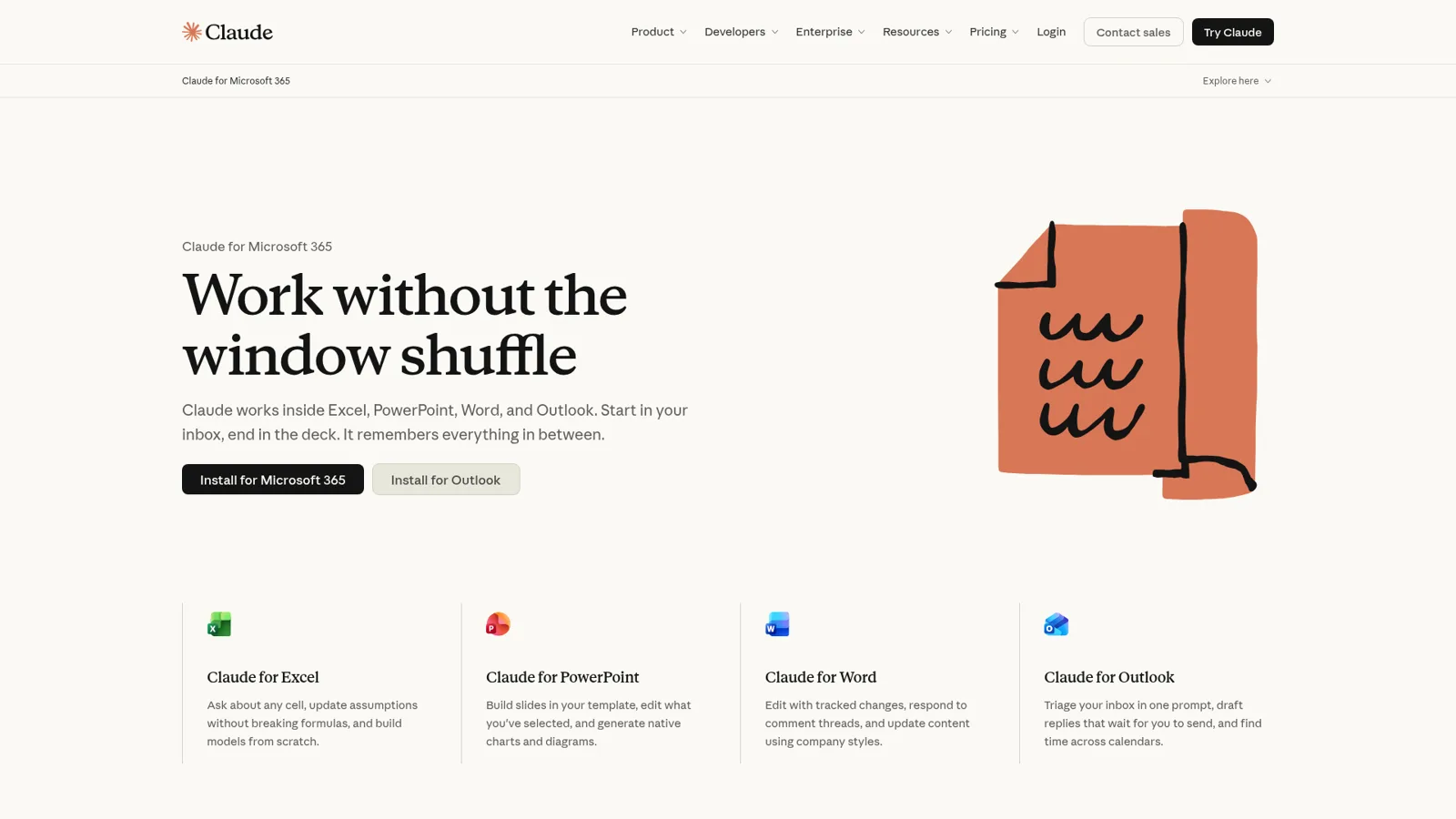
Claude for Excel is Anthropic's own add-in that puts Claude in a sidebar inside Excel, where it reads multi-tab workbooks, explains and fixes formulas, and builds or updates models in the grid, and it's included on every paid Claude plan from Pro at $17 a month billed annually. It now ships as part of one "Claude for Microsoft 365" add-in that also covers PowerPoint, Word and Outlook. If you're one analyst living in models all day, it's one of the best things you can install this year.
What it isn't built for is the workbook the whole team asks about. The add-in works for the person who has the file open, through their Claude account, with their usage limits and their chat history saved locally in their browser. When the questions come from ten people in Slack or Teams, on a schedule, or from someone outside the team, you want a teammate that works for everyone, with permissions that change by who is asking. That's what eesel does: it posts the Monday numbers when the finance lead asks, asks first before a contractor in a shared channel gets the margin breakdown, and never hands the payroll tab to a visitor in the chat bubble.
You can keep Claude for your own modelling and have Claude Code set eesel up for you with the eesel CLI: it connects the apps, uploads the policies behind your reports, and asks the agent test questions so you can check the answers before anyone on the team does.
eesel has spent years letting an AI act inside other teams' tools, so I spend most of my time on the boring questions that decide whether that's safe: what the AI may do on its own, what waits for a person's yes, and what it must never hand to someone outside the team. Claude for Excel is excellent at the grid; the question is who it works for.
What is Claude for Excel?
Claude for Excel is an Excel add-in from Anthropic that lets you ask questions about the open workbook, change assumptions while keeping formulas intact, debug errors, and build or populate models, all without leaving Excel. So say Anthropic's Claude for Excel docs.
So if you searched "claude for excel" wondering whether there's an official way, yes: this is it, made by Anthropic, installed from Microsoft's own store. If you searched "excel claude connector", the honest answer is that the grid work happens in an add-in, not a connector. Claude's connectors show up inside the add-in instead, for pulling in outside data.
Here's what it does in the workbook, with the kind of prompt Anthropic itself suggests for each job.
| What you ask for | Example prompt from Anthropic's docs | What happens |
|---|---|---|
| Understand a model | "Walk me through how the revenue number in cell C42 is calculated." | Answer with cell-level citations you can click |
| Change an input | "Change the discount rate to 8% and update dependent calculations." | Updates values, keeps formula links so downstream cells recompute |
| Build or fill a model | "Build a three-statement model from this trial balance." | Creates tabs and real formulas, or populates your template |
| Fix an error | "Find the source of the #REF! error in the summary tab." | Traces the root cause and suggests a fix |
| Native Excel work | Sort, filter, pivot tables, conditional formatting, dropdowns | Does it with Excel's own features |
A few extras matter more than they look. Claude for Excel shares context with Claude in PowerPoint, Word and Outlook, so a model you build from a Word brief can flow into the deck (work across apps). Skills you've enabled apply automatically, and you can set Excel-only instructions such as "format numbers with thousand separators". Connectors such as S&P Global, LSEG and Daloopa bring outside financial data into the sheet (connectors and skills).
The customer quotes on Anthropic's own page lean hard into finance, and that tracks with what people say in public. One Hacker News commenter put the everyday version well:
"I have a colleague from finance dept that's ecstatic about having a claude plugin for excel. She still reviews the sheets she compiles but she's so happy to have an incredible tool to take care of the menial work."

For broader finance tooling, see my posts on AI for data analytics and conversational AI for finance.
Creating a spreadsheet file from scratch outside Excel is a different feature (Claude's file creation), and Google Workspace teams get Claude Sheets instead.
Who can use Claude for Excel, and what does it cost?
Claude for Excel is generally available on Pro, Max, Team and Enterprise, and the Claude pricing page marks "Claude for Microsoft 365" as No on the Free plan. There's no separate add-in fee. You pay for the Claude plan, and your use of the add-in "is subject to the same usage limits" as the rest of your account (Claude for Excel docs).
| Plan | Price (from Claude's pricing page) | Claude for Excel |
|---|---|---|
| Free | $0 | Not included |
| Pro | $17/month billed annually, $20 monthly | Included |
| Max | $100/month | Included, more usage |
| Ultra | $200/month | Included, more usage |
| Team, standard seat | $20/seat/month billed annually, $25 monthly | Included |
| Team, premium seat | $100/seat/month billed annually, $125 monthly | Included, 5x a standard seat |
| Enterprise | $20/seat/month billed annually, 20-seat minimum, plus usage at API rates | Included |
The line to watch is "same usage limits". Big workbooks are token-hungry, because Claude reads a sheet in chunks of up to 2,000 cells per read (performance and limits). On Enterprise, where usage is billed at API rates, that turns into a real number. One finance user on Hacker News was candid about it:
"Claude for Excel (I work in finance) was one of the absolutely critical reasons we added Anthropic enterprise licenses. But they've turned out to be quite expensive ($100/day for heavy users)."
That's one user's report, not a price, so watch usage analytics before a department-wide rollout. Plan detail is in my Claude pricing breakdown and Claude Pro pricing.
How do you install Claude for Excel?
You install Claude for Excel from the Claude for Microsoft 365 listing in Microsoft Marketplace, then sign in with your Claude account inside Excel. It runs on Excel on the web, Excel for Windows with a Microsoft 365 subscription (build 16.0.13127.20296 or later) and Excel for Mac 16.46 or later.
For yourself, it takes three steps.
- Open the Microsoft Marketplace listing and select Get it now.
- Open Excel and activate the add-in (Home, Add-ins on Windows; Tools, Add-ins on Mac).
- Sign in with your Claude account.
For a whole company, an admin turns on "Let users access the Office Store" in the Microsoft 365 Admin Center, then deploys the add-in from Integrated apps to everyone or to specific groups. If the store is locked down, Anthropic provides a manifest XML file for a custom deployment. Organizations that route AI through Amazon Bedrock, Google Cloud Vertex AI or Azure AI Foundry can deploy it without individual Claude accounts.
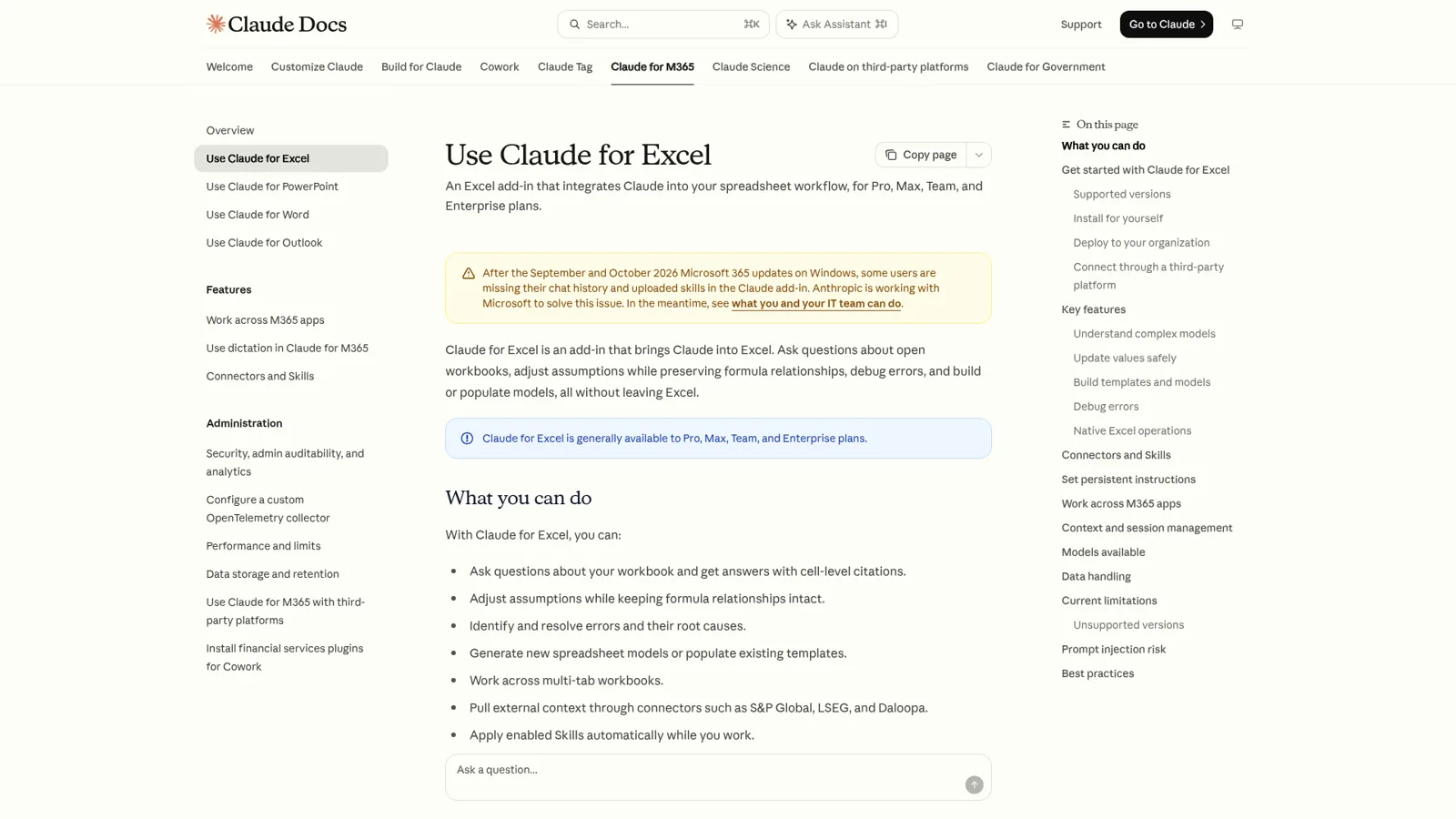
Two gotchas from the same page. The add-in doesn't run on Excel 2016 or 2019 perpetual licenses, iPad or Android. And after the September and October 2026 Microsoft 365 updates on Windows, some users are missing their chat history and uploaded skills, which Anthropic is working on with Microsoft.
What can't Claude for Excel do?
Claude for Excel can't run macros or VBA, can't work with Excel's data tables, and isn't recommended by Anthropic for final client deliverables or audit-critical calculations without a human checking them. Anthropic is unusually direct about this on its own page, which I respect.
These are the limits worth planning around.
| Limit | What Anthropic's docs say |
|---|---|
| Unsupported features | Data tables; macros and VBA operations |
| Workbook size | Works well under 1 million used cells; 1 to 5 million is higher risk; over 5 million is "use at your own risk" (performance) |
| Step timeouts | Claude waits up to 5 minutes for a step on desktop, 2 minutes on the web |
| Chat history | Stored locally in your browser, not synced across devices |
| Compliance | Not in Enterprise audit logs; doesn't inherit custom retention settings; covered by the Compliance API |
| Safety | Use only with trusted spreadsheets; outside files can carry prompt injections |
That last one is the line I'd underline for any team. Anthropic writes that files from outside sources "can contain hidden instructions that manipulate the add-in into extracting data, modifying records, or performing destructive actions", and that "when Claude proposes a risky operation, you are asked to confirm before it runs". Vendor files are exactly what finance teams open all day, so read those confirmations.
Not everyone is sold on the output for serious models.
"I have repeatedly tried using Claude to modify a range of models typical of investment banking / private equity / sellside research contexts, and the results have been generally disastrous. On multiple occasions, the xlsx would no longer open."
My read is that both quotes are true at once. For a careful person who reviews every change, it saves real time; for anything that leaves the building unchecked, it's a junior analyst you still supervise.
How does it compare with Copilot in Excel?
Microsoft's Copilot in Excel does a lot of the same work natively: it edits worksheets, builds charts and PivotTables, imports data from other workbooks in OneDrive or SharePoint, and offers edit, plan and chat modes. If your company already pays for Microsoft 365 Copilot, try both on the same model before you buy more seats, and check Copilot pricing for what you already own.
I compare them in more depth in Claude vs Copilot and my Copilot in Excel overview.
Who is Claude working for when it's in your workbook?
Claude for Excel works for the person with the workbook open. It signs in with that person's Claude account, it's subject to that person's usage limits, and its chat history sits in that person's browser. That's the right design for personal modelling, and it's also the whole reason a team needs something more.
To be fair to Anthropic, there are real admin controls here. Team and Enterprise admins decide which connectors the organization can use, Enterprise adds role-based access, and in the add-in "a model appears here only if your role permits it" (Claude for Excel docs). Those controls decide what each person and their Claude may do, and my guide to Claude for teams covers them in depth. Anthropic's one team-owned surface, Claude Tag, works in Slack channels rather than in Excel.
What they don't change with is who the request is for. Think about how a spreadsheet actually gets used at a 30-person company.
- The ops lead asks in Slack, "what were March refunds by region?" at 9pm, and nobody has the workbook open.
- The founder wants the same five numbers every Monday at 8am without asking.
- A contractor in a shared channel asks for the margin breakdown, which you'd want someone to approve first.
- A customer in your website chat asks about an invoice, and the payroll tab is in the same file.
None of those is a person in Excel with Claude in a sidebar. They're shared work, arriving from many people, some of it on a clock, which is the job of AI teammates. Claude for Excel is built for one person; a team needs a teammate where the questions arrive.
| Claude for Excel | eesel as the team's Excel teammate | |
|---|---|---|
| Who it works for | The person with the workbook open | The whole team, and customers if you allow it |
| Who can ask it | That person, in the Excel sidebar | Anyone who talks to it in Slack, Teams, email, the dashboard or the chat bubble |
| What decides what it may do | That person's account, plan and admin settings | Each action set to On, Ask first or Off, and it changes by who is asking: a teammate, named people, a verified customer or an anonymous visitor |
| Works with nobody at a keyboard | No, it runs while you're in the file | Yes, on a schedule, an event in a connected app or a webhook |
| Edits cells live in the grid | Yes, that's its job | No, it looks things up and takes actions in connected apps |
| Cost | Included in Claude plans from $17/month | Free 7-day trial, then from $299/month for 500 credits, unlimited seats |
What an Excel teammate looks like in eesel
eesel is an AI teammate for the whole team. It works in the apps the team already uses, takes requests from anyone who talks to it there, and does the work inside those tools. Excel is one of the 3,000+ apps it connects to: connect it and it looks things up and takes actions there, with each action set to On, Ask first or Off. It doesn't sit in the grid editing cells while you watch, and I wouldn't pretend it does. Its job is the part around the spreadsheet.
It answers the team where they already ask. People @mention it in Slack or Microsoft Teams, or email its own address, and it answers from the team's numbers and documents, with the source linked. That's the internal operations setup, the most common way teams start.
On Microsoft 365, the natural pair is eesel in Microsoft Teams answering from your SharePoint sites and document libraries; my post on AI in Microsoft Teams shows it day to day.
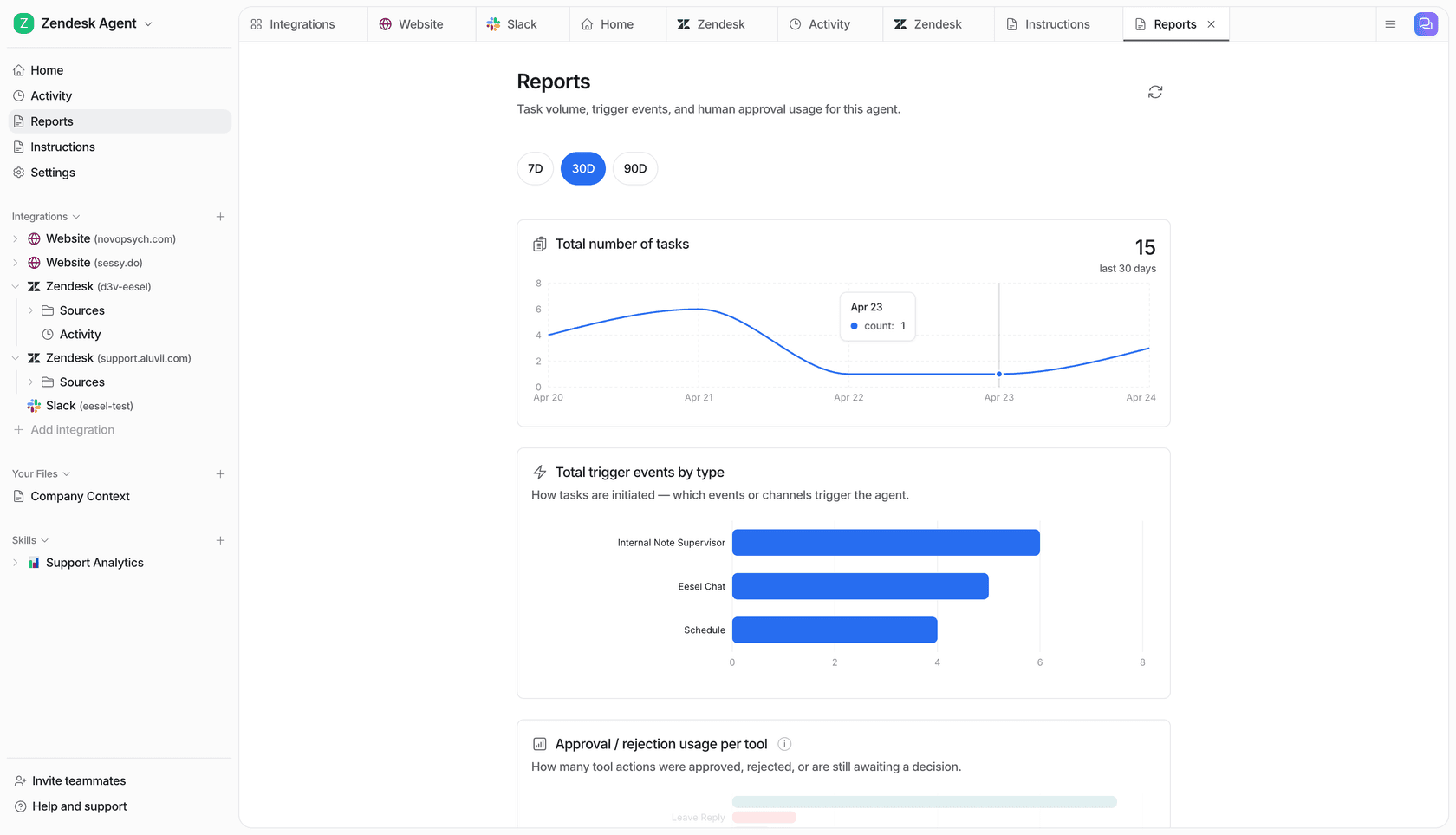
It works when nobody asks. An automation starts work from a schedule, an event in a connected app or a webhook. "Every Monday at 8am, post last week's revenue, refunds and top five SKUs to #leadership" is one sentence in chat, and it sets the schedule and confirms the time zone.

What it may do depends on who is asking. Every action is On, Ask first or Off, per agent and per action, and you can set it in chat, like "look things up on your own, but ask me before you share anything from the margin tab" (actions and approvals). Ask first shows the exact action with Approve and Deny, in the dashboard or as a card in the Slack thread the run started from, and only editors approve. Anything marked Team only never runs for someone outside your team. On top of that, you set what it does for a teammate, specific named people, a verified customer and an anonymous visitor. So the same teammate can send the finance lead the full P&L, ask first when a contractor wants it, and never show it to a visitor.
A real example of the pattern comes from Cactus Club Cafe, which runs two agents, one on IT tickets and a second that audits the daily finance extract. Every morning it files the report, checks each store pulled, compares the grand total debit and credit, and either marks it balanced or flags the imbalance with the store named. That agent ran about 60 times in 30 days (Cactus Club Cafe story). Nobody opened a sidebar for any of it. More of these are on the customer stories page.
It learns from your docs, past work and Slack history, and corrections stick through instructions and memory. Data is never used for training (security), and it keeps its own numbers, so the founder can ask "what did you do this week?"
Keep Claude for your own modelling
You don't have to pick one. Your eesel workspace is an MCP server, so you can add eesel to Claude as a custom connector and ask "what did eesel post to #leadership today?" or "have eesel draft the reply to the board's question". Editors can change things, viewers get the read side, and approvals still apply. Keep Claude for Excel for your own modelling and give the team a teammate for everything that arrives from other people. More in eesel vs Claude and my AI teammates roundup.
For OpenAI's own add-in, see ChatGPT for Excel; for everything Claude's Team plan covers, start with Claude for work.
Try eesel as your team's Excel teammate
Claude for Excel is great when you're the one in the workbook. When the questions come from the whole team, on a schedule, or from people who shouldn't see every tab, eesel answers in Slack and Teams, runs the recurring reports, and changes what it does by who is asking. The trial is free for 7 days with 100 credits and no card, and paid plans start at $299 a month for 500 credits with unlimited seats (pricing).
