


Yes, there is an official Xero Claude connector: Xero builds it, you add it from Claude's connector directory, sign in with your Xero login, and Claude can read your P&L, cash position, aged receivables, invoices, bills and contacts from any Xero business plan. It's free, it works on Claude's free plan too, and it is read-only on purpose. Claude can't create, approve, reconcile or pay anything in Xero through it. If you want writes, Xero also publishes an open-source MCP server for developers.
For an owner or bookkeeper asking their own questions, it's a lovely way to stop exporting reports. It gets awkward when the questions come from everyone else. "Has Harbour & Co paid the deposit?" from an account manager. "Can you resend March's invoice?" from a client. The connector answers whoever signed in, with that person's Xero access, inside their own Claude chat.
That's the gap eesel fills: an AI teammate that connects to Xero once and answers the team in Slack, Teams and email, where what it shares depends on who is asking. Your finance lead gets the whole picture, account managers get payment status, a client gets their own invoice and nothing else, and a website visitor gets nothing from the books. If you'd rather not click through setup, Claude Code can set eesel up for you with the eesel CLI: it can connect your apps, upload your finance policies and ask test questions before anyone in Slack sees an answer.
We've spent years letting an AI act inside other companies' tools, and the rules that take longest to get right are always the money ones: what it may look up alone, what waits for a person, and what it must never show a customer.
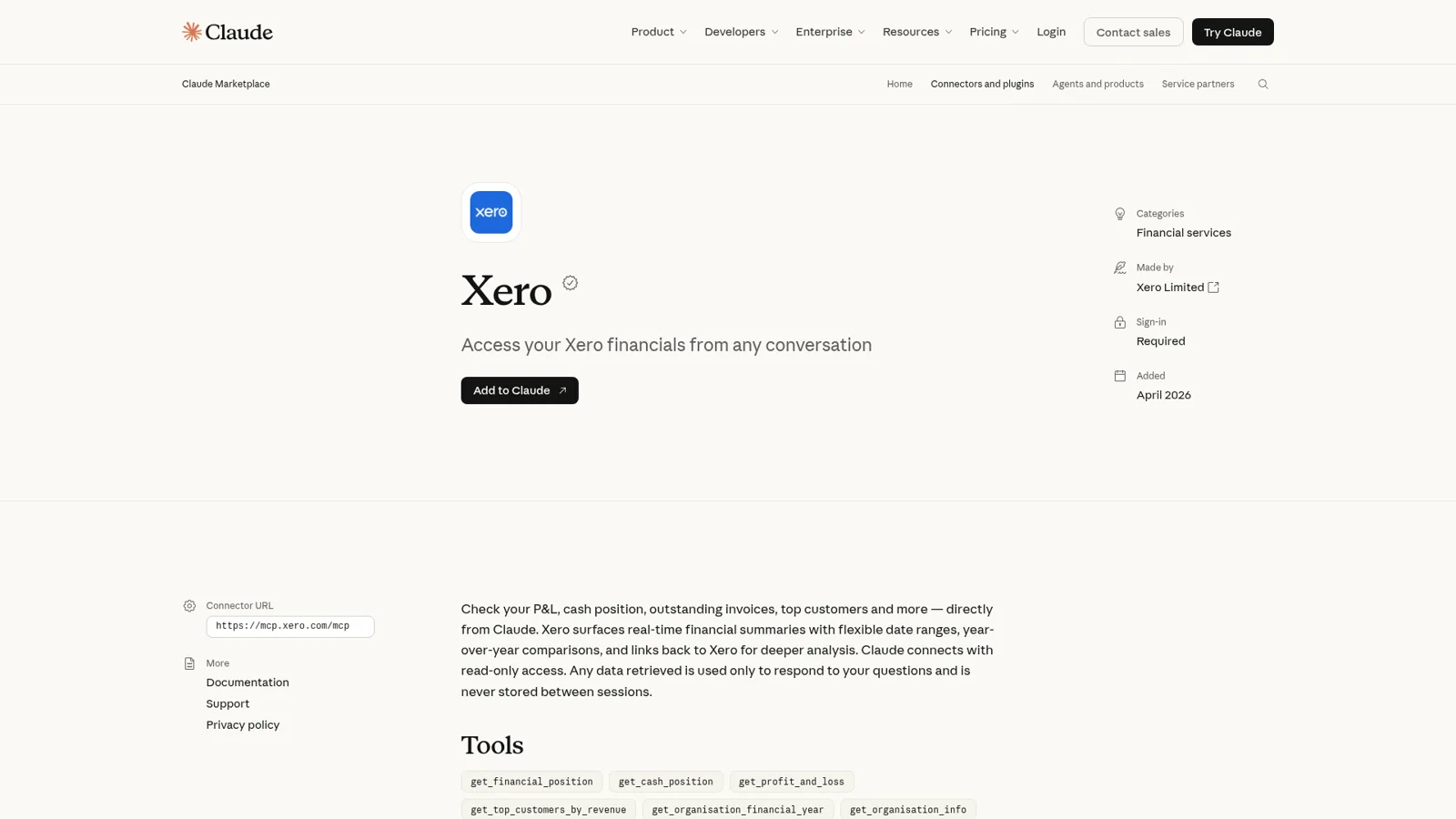
What is the Xero Claude connector?
The Xero Claude connector is Xero's own remote MCP connector that links Claude to one or more Xero organisations so you can ask about your finances in plain English. The listing describes it as a way to "check your P&L, cash position, outstanding invoices, top customers and more" and says plainly that "Claude connects with read-only access."
It came out of a multi-year partnership announced on 27 March 2026 and went live worldwide on 12 May 2026. Xero says it uses "the same foundational capabilities" as JAX, its in-app AI. In September, Xero joined Anthropic's Claude for Small Business plugin, which Anthropic says now has 43 workflows and more than 900,000 installs.
So there are three Xero routes into Claude, and they do different jobs:
| Route | Who makes it | Reads | Writes | Best for |
|---|---|---|---|---|
| Xero connector | Xero | 20 tools: reports, invoices, bills, contacts, bank transactions | No | Owners and advisors asking questions |
| Small Business plugin | Anthropic | Uses the Xero connector | Drafts for your review | Weekly briefs, invoice chasing, month-end prep |
| Xero MCP server | Xero (open source) | Lists, reports, payroll in NZ and UK | Invoices, payments, journals, contacts | Developers on Claude Desktop or Claude Code |
The connector has grown since launch: a May bug report lists seven tools on the hosted server, and the listing now shows 20, adding bank transactions, purchase orders, the chart of accounts and a 1099 summary.
How do I connect Xero to Claude?
You connect Xero to Claude in six steps, per Xero's setup guide:
- In Claude, open the Connector Directory.
- Find and open Xero.
- Click Connect.
- Enter your Xero email and password if prompted.
- Select every organisation you want Claude to see.
- Click Allow.
On Claude Team or Enterprise, an Owner enables the connector for the organisation first, and "each person still needs to authenticate individually before they can use it," per Anthropic's connector guide. No developer account, API keys or Xero app registration is involved.
Two details catch people out. Each answer uses one organisation, so name the one you mean ("What was Studio Ltd's profit last quarter?"). Xero warns that it "doesn't calculate or verify combined figures," so any group total is Claude's arithmetic. And adding an organisation later means disconnecting and reconnecting with the full list ticked.
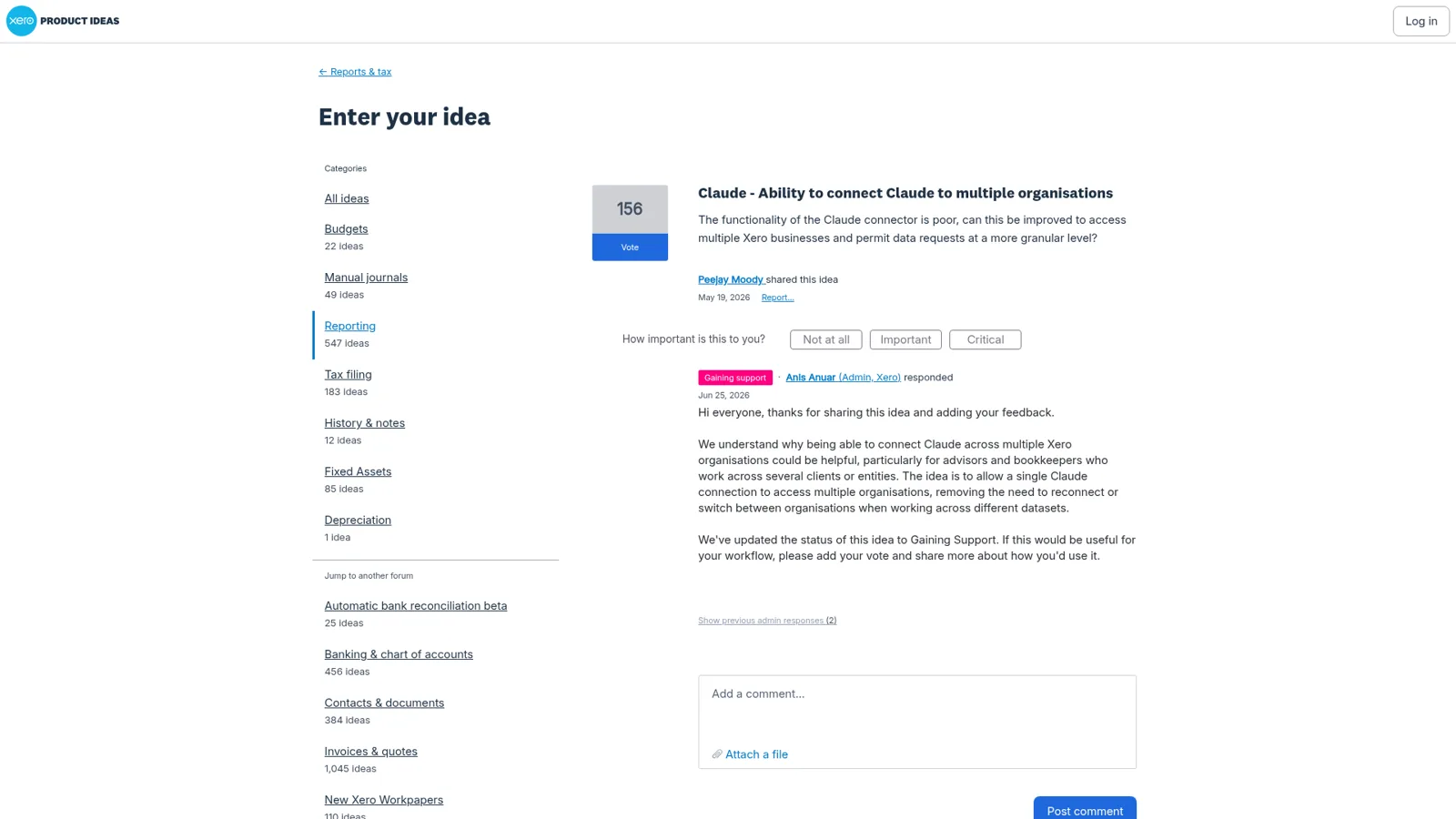
That multi-organisation story has history. In May, a user on Xero's own ideas forum asked for exactly this, and the thread is one of the most-voted Claude requests there:
"The functionality of the Claude connector is poor, can this be improved to access multiple Xero businesses and permit data requests at a more granular level?"
Commenters run 5, 7 and 19 entities. In early November one reported they could now add multiple organisations, which matches today's guide.
What can you ask Claude about Xero?
You can ask about four areas: revenue and profit, receivables and payables, financial and cash position, and invoices. Xero's guide gives sample prompts for each, and the one tip that matters most is to include a time period, because the defaults differ by question type:
| You ask | Claude uses | Example |
|---|---|---|
| A profit or revenue question, no dates | The current calendar month to date | "How much did I make?" |
| A receivables or customer question, no dates | The last 12 months | "Who are my top customers?" |
| A relative period | That period | "Show me my P&L for last quarter." |
| Your financial year | The year set in Xero | "What was revenue in FY26?" |
| A comparison | Adds the prior year | "How does my cash compare to last year?" |
So "how much did I make?" on 3 November gives you three days of profit, a fun way to scare yourself.
Answers come with visual summaries and links into the Xero report, invoice or contact. If a number looks stale, click Explore Xero Analytics in the answer, hit Refresh now, and ask again.
Xero's Claude page also suggests checking the last 60 days for possible duplicate invoices (same customer, same amount, within 14 days) and drafting a note asking the owner which are real.
Why is the Xero connector read-only?
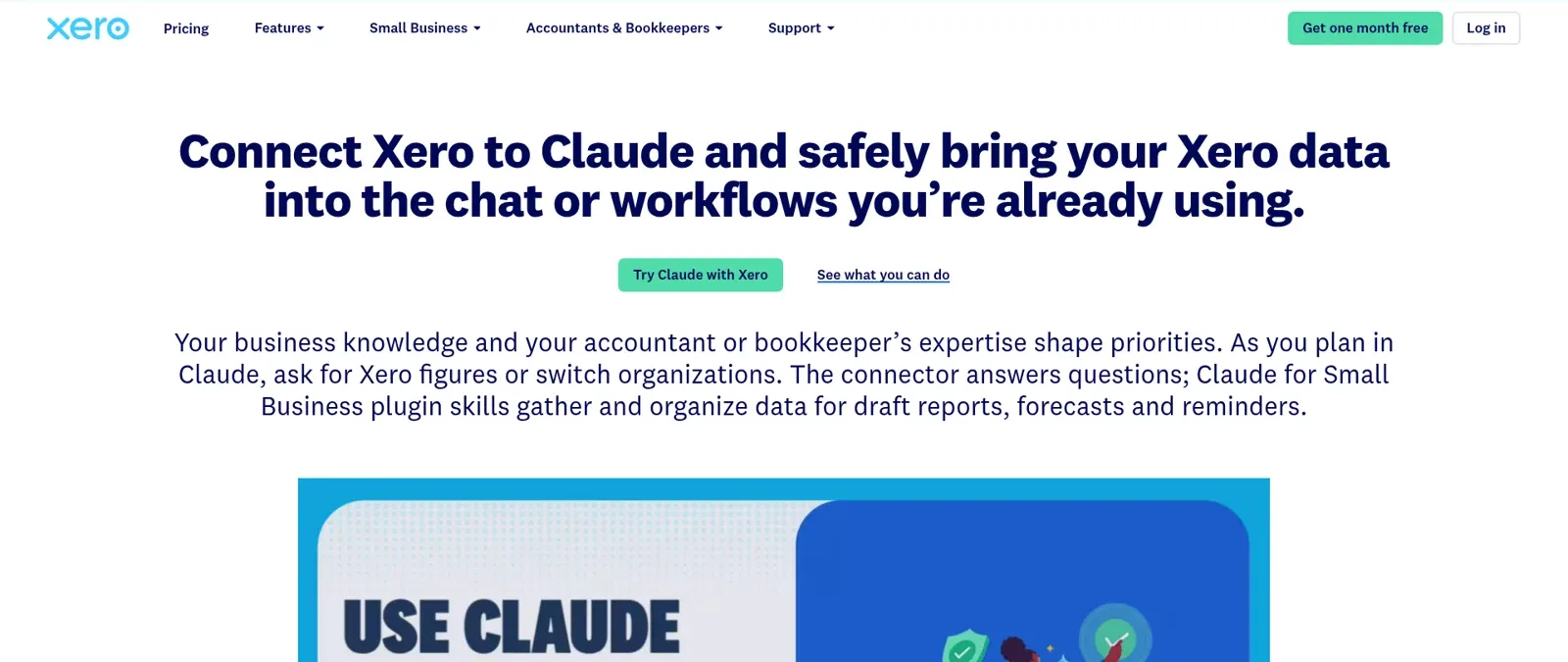
Because Xero decided accounting actions should stay in Xero. Its Claude page puts it bluntly: "Claude can't create, edit, approve, reconcile or pay in Xero. Accounting actions stay in Xero." The connector follows your Xero permissions, data access is limited to your session and the organisation you picked, and connector data isn't used to train Anthropic models.
That's a sensible first version for a ledger, and it shapes the Small Business plugin too. Skills like invoice-chase, cash-flow-snapshot and /close-month read Xero through the connector and hand you drafts: Xero describes invoice chase as drafting reminders "for you to review and send." Anthropic's plugin can run those workflows on a schedule, and by default "waits for your approval before anything sends, posts, or pays." The plugin needs a paid Claude plan.
The MCP server, if you want Claude to write
If you want Claude to create invoices, Xero's open-source MCP server is the route. You run it locally with Node 18 or later, point Claude Desktop or Claude Code at it, and authenticate with a Xero custom connection or a bearer token. It has around 50 tools, including create-invoice, create-payment, create-manual-journal, create-bank-transaction and payroll timesheet tools (payroll works for NZ and UK organisations only). Version 0.0.18 shipped on 10 November 2026.
Owners who wire it up can get a lot done. A gardener on Hacker News described running Claude for quotes, proposals and job scheduling, then:
"I also have the Xero MCP setup so I can ask it to create invoices and contacts etc. I do all of this when getting in and out of my truck."

The issues tab is worth reading before you commit, though. Custom connections aren't offered in Canada, update-invoice can't change an invoice's status, so approving or voiding still happens in Xero, and in September a contributor counted 77 open pull requests waiting on maintainers (issue 315). One Canadian developer summed up the setup:
"Honestly, this is the worst experience of setting up any MCP. It's like they are actively trying to stop you from using it. At every step of the way there's some block. Now this..."
If MCP plumbing isn't your hobby, the Xero n8n route is another way to script writes.
What does it cost, and who can use it?
The Xero connector is free. Xero's guide says it works on "any Xero business pricing plan," and you need a Claude account on any plan, including Free. The Small Business plugin needs Pro, Max, Ultra, Team or Enterprise.
| Piece | Price (list, checked 17 Nov 2026) | Note |
|---|---|---|
| Xero connector | Free | Any Xero business plan |
| Claude Free | $0 | Connector works (Claude pricing) |
| Claude Pro | $17/month billed annually, $20 monthly | Adds the Small Business plugin |
| Claude Team, standard seat | $20/seat/month billed annually, $25 monthly | Owner enables connectors for the org |
| Xero Early (US) | $27/month | 20 invoices, 5 bills (Xero pricing) |
| Xero Growing (US) | $59/month | Unlimited invoices and bills |
| Xero Established (US) | $97/month | Adds multi-currency, projects, KPI analysis |
Xero prices differ by country. Claude usage limits still apply, and Anthropic notes that tools and connectors are token-intensive, so a long Xero session eats into a Pro plan faster than chat does.
Whose Xero access does Claude use?
Claude uses the Xero access of the person who connected it. Xero says the connector and plugin "follow your Xero permissions," the same rule JAX follows inside Xero. That's the right design for a personal assistant: the connector is exactly as useful as the Xero login behind it.
Claude has real controls on top. On Claude Team and Enterprise, Owners can limit what a connector does across the organisation, choosing Always allow, Needs approval or Blocked per permission, and members can't override it (Anthropic). Enterprise adds role-based permissions so different groups get different connectors and tools.
Those controls follow the Claude user and their role. They don't change with who a request is for, and they aren't built to put the connector in front of your clients in your own channels. Picture a week at a 20-person design studio running two Xero organisations, the studio and the company that owns its building:
- The ops lead wants aged receivables for both entities, a cash snapshot before payroll, and a list of clients more than 30 days late.
- Two account managers ask in Slack whether Harbour & Co paid the rebrand deposit before they book the photographer.
- A client emails asking for a copy of the March invoice.
- A stranger in the website chat asks "how much do your clients usually owe you?"
The connector serves the ops lead well. Each account manager needs a Xero login and a Claude seat, and then sees whatever their Xero role sees. The client and the visitor aren't Claude users at all, so someone forwards the email to the ops lead, who asks Claude and pastes the answer back.
The same week with a Xero teammate
eesel is built for that week. It's a general AI teammate that works in the apps your team already uses, takes requests from anyone who talks to it there, and does the work inside those tools, a bit like an AI finance helpdesk pointed at your own colleagues. Xero is one of the 3,000+ apps it connects to: connect Xero and it looks things up and takes actions there, with each action set to On, Ask first or Off.
One connection serves everyone, and you decide per kind of person what happens:
| Who is asking | Where | What eesel does with Xero |
|---|---|---|
| Ops lead (named person) | Dashboard, Slack | Anything: aged receivables for both entities, cash snapshots, drafts of chasers |
| Account managers (team) | Slack or Teams | Payment status and due date for a client; no P&L, no other clients' balances |
| Verified client | A copy of their own invoice, nothing else | |
| Anonymous visitor | Website chat | Nothing from the books |
Every action is On, Ask first or Off, per agent, and you can set it in plain words: "look up invoices on your own, but ask me before anything goes to a client." Ask first shows the exact action and details with Approve and Deny, in the dashboard, as a card in the Slack thread the request came from, by email or in the terminal, and only editors approve. My rule for accounting is short: anything that costs money or changes the books sits behind Ask first, and lookups run on their own.
On top of that, the per-person and per-audience settings are live: named people can get more than the rest of the team, and a verified customer is treated differently from an anonymous visitor. Actions and files tagged Team only never run for someone outside your team, so the P&L can't leak into a client email even if a client asks nicely. Even on On, eesel's safety check can still hold a risky call.
It works when nobody opens a chat
The connector waits for you to ask. eesel can start work on its own through automations, from a schedule, an app event or a webhook: a Monday 8am job that posts both entities' late invoices to #finance, or a webhook from your project tool that checks a deposit before kickoff. Corrections stick through instructions and memory, so "always quote the invoice number" said once in Slack holds next month in email.

That's close to what Cactus Club Cafe does with a second eesel agent. Every morning it audits the daily finance extract: it files the PDF, checks each store pulled, compares grand-total debits and credits, and either closes the ticket as balanced or leaves it open with the imbalance and the store named.
Xero Claude connector vs eesel, side by side
They do different jobs, so compare the shape rather than crown a winner:
| Xero Claude connector | eesel with Xero | |
|---|---|---|
| Works for | The person who connected it | The whole team, from one connection |
| Who can ask it | Claude users with their own Xero login | Teammates in Slack, Teams, email and the dashboard; clients in your channels |
| What decides what it may do | That person's Xero role; Claude owner or role settings | On, Ask first or Off per action, plus who is asking: team, named people, verified customer, visitor |
| Writes to Xero | No (MCP server for developers) | Yes, each action On, Ask first or Off |
| Starts without anyone typing | Plugin workflows on your own schedule | Schedules, app events, webhooks |
| Where answers appear | Claude | Slack, Teams, Google Chat, email, website chat |
| Cost | Free with Xero and Claude | From $299/month for 500 credits, unlimited seats (pricing) |
eesel has a free 7-day trial with 100 credits and no card, and unlimited agents and seats on every plan. Security details are on the security page.
Can you use Claude and eesel together?
Yes, and for most finance teams I'd do both. Keep the Xero connector in Claude, or in Cowork with the Small Business plugin, for the owner's deep work, and give the team a teammate for the shared questions.
Your eesel workspace is itself an MCP server. Add it to Claude as a custom connector and ask "what did eesel do today?" or "have eesel draft a chaser to Harbour & Co" from any Claude chat. Editors can change things, viewers get the read side, and Ask first still asks. It's the same pattern I cover in MCP for customer support.
If you're weighing OpenAI's version too, I compare it in Xero ChatGPT integration. Running QuickBooks instead? Intuit's connector writes where Xero's reads; see the QuickBooks Claude connector guide.
Which should you use?
- Use the Xero Claude connector if you're the owner, bookkeeper or advisor and the questions are yours. It's free, and nothing in your books moves. It's one of the better AI agents for small business owners on Xero.
- Add the Small Business plugin on a paid Claude plan for a weekly brief, invoice-chase drafts and month-end prep.
- Run the MCP server only if you'll maintain a developer tool to have Claude post invoices and payments.
- Add eesel when Xero questions come from the whole team in Slack and from clients, when you want a Monday report nobody has to request, or when the answer depends on who's asking. More on that in my guide to Claude for work and the best AI teammates.
Try eesel as your team's Xero teammate
If the Xero Claude connector already saves you an hour a week, eesel spreads that to everyone else: the account manager in Slack, the ops lead in Teams, the client asking for an invoice copy. Connect Xero once, keep anything that costs money on Ask first, and let it answer "has Harbour & Co paid?" for whoever is allowed to know.
