


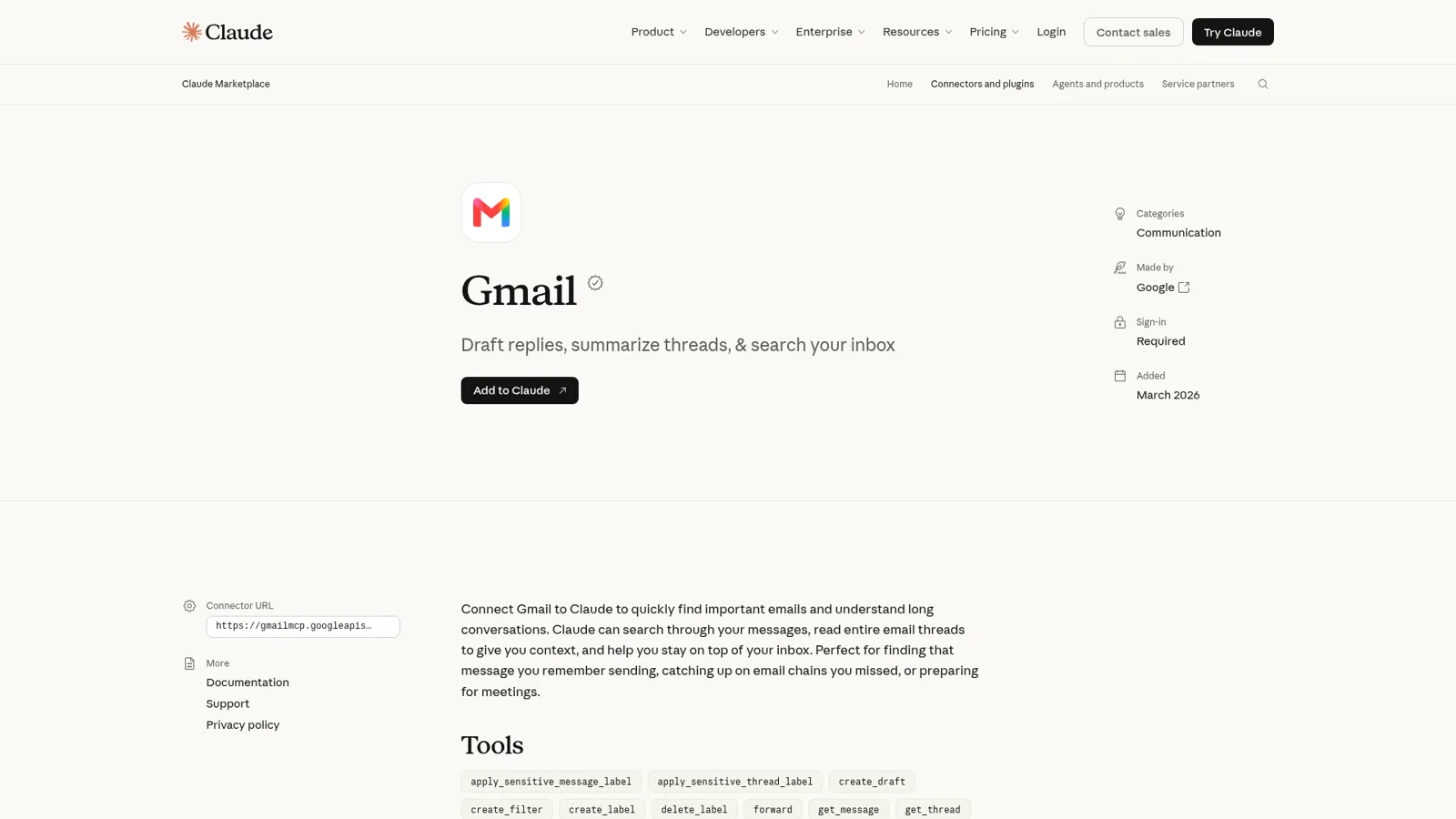
Claude for Gmail is the Gmail connector in Claude's directory: you connect your Google account once, and Claude can search and read your mail, draft replies, manage labels, and send, reply or forward, asking your approval before each send unless you've switched to Auto mode. Anthropic's help center says the Google Workspace connectors are available for all users on Claude and Claude Desktop, and on Team and Enterprise an owner has to switch Gmail on first. It can't read what's inside attachments, and it works in one inbox: the one belonging to whoever connected it.
That last part is the whole story for teams. Claude in Gmail is a great assistant for your own inbox. The mailbox your team shares (sales@, ops@, hello@) needs something that works for the company, where what it does on its own, what it asks first and what it never touches depends on who is writing in. That's what eesel, an AI teammate, does in Gmail: it replies to routine mail by itself, asks a person before anything about money goes to a customer, and only ever sees the mailbox you hand it. Claude Code can even set it up with the eesel CLI: it connects the mailbox (a person approves the Google sign-in), writes instructions and sends test emails before you go live.
I work on eesel, and we've spent years letting an AI act inside other teams' tools. Most of that work is deciding what it may do alone, what waits for a person, and what it never hands an outsider. Email is where those calls bite hardest, because a sent email can't be unsent. That's the lens for this guide, which sits alongside my wider look at Claude for work.
What can Claude do in Gmail?
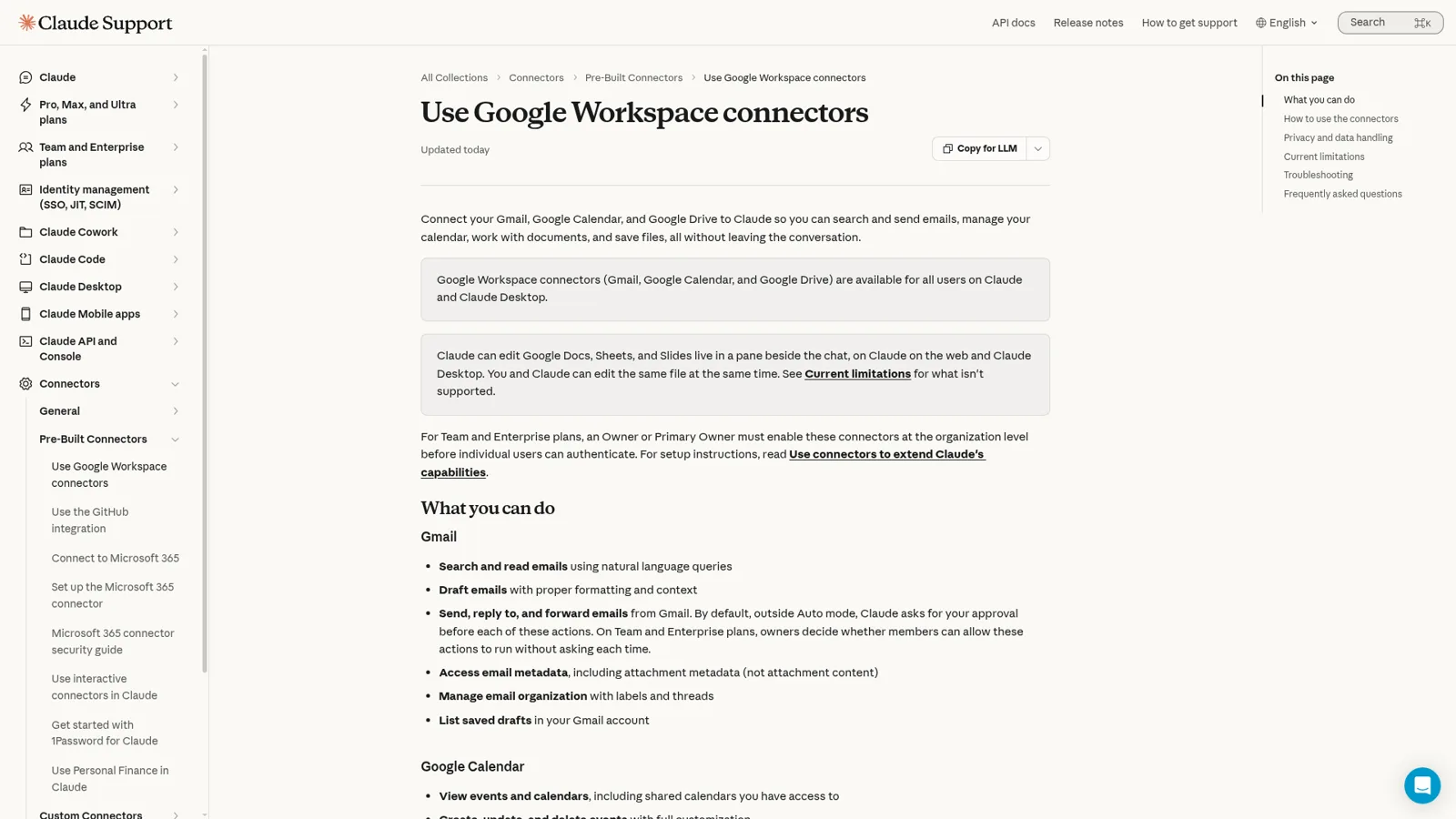
Claude can search your mailbox, read whole threads, draft and send email, and organize mail with labels, filters, spam and trash. The connector listing shows 29 tools, including create_draft, reply, forward, send_message, create_filter and trash_thread, and names Google as the maker. Here's the full picture from Anthropic's Google Workspace help page:
| What you ask | Can Claude do it? | The catch |
|---|---|---|
| "What did Sarah say about the deadline?" | Yes, with citations linking to the emails it used | Searches only the account you connected |
| Summarize a long thread | Yes, it reads entire threads | Can't see images embedded in emails |
| Draft a reply | Yes, saved to your Gmail drafts | Your Gmail signature isn't added (more below) |
| Send, reply or forward | Yes | Asks before each one, outside Auto mode |
| Label, filter, mark spam, trash | Yes | Same approval rules as other actions |
| Read a PDF attachment | No | Attachment metadata only, not the content |
| Schedule a send for Monday 8am | No tool for it | Community request is open |
One heads-up: two Anthropic pages disagree. The connector docs page still says "Claude reads and searches email only; it can't create, send, or modify messages," while the help center article (updated today, 17 November) lists sending, replying and forwarding. The listing's tools match the help center, so trust that one.
How do you connect Gmail to Claude?
You connect Gmail from Customize > Connectors in claude.ai: find Gmail, select Connect, sign in to Google and accept the permissions. After that, turn the connector on in a conversation from the + menu and ask something that needs your email. Claude decides when to search Gmail on its own. The same flow connects Drive and Calendar, which I cover in Claude for Google Drive.
Two admin steps trip up work accounts:
- Claude's side. On Team and Enterprise plans, Gmail doesn't appear in a member's list until an Owner or Primary Owner enables it for the organization (connectors guide). Enabling it doesn't give anyone access; each person still signs in with their own Google account.
- Google's side. If you see "Access blocked: your institution's admin needs to review Claude," a Google Workspace admin has to mark Claude as a trusted app under Security > Access and data control > API controls, then wait about 15 minutes for the policy to spread (help page).
On data, Anthropic says it doesn't train its models on your Gmail connector data, and what Claude retrieves is kept with the chat, so deleting the chat deletes it.
Which Claude plans include Gmail, and what do they cost?
Every Claude plan can use the Gmail connector, according to the help center. The plan decides how much you can use it, and on teams, who controls it. Prices from Anthropic's pricing page:
| Plan | Price | Gmail-relevant detail |
|---|---|---|
| Free | $0 | Gmail connector available; limited usage every 5 hours and week |
| Pro | $17/month billed annually, $20 monthly | More usage; Claude in Chrome and scheduled tasks |
| Max | $100/month | 5x Pro usage |
| Ultra | $200/month | 10x Pro usage per week |
| Team, Standard seat | $20/seat/month annually, $25 monthly | Owner enables Gmail; admin controls for connectors |
| Team, Premium seat | $100/seat/month annually, $125 monthly | 5x a standard seat's usage |
| Enterprise | $20/seat/month annually, 20-seat minimum, plus usage at API rates | Role-based access, audit logs |
Anthropic notes "tools and connectors are token-intensive" (usage limits), so inbox triage burns limits faster than chat. My Claude pricing guide has the rest.
Who decides what Claude may do in your inbox?
You do, and on Team and Enterprise your owner can decide for you. By default, outside Auto mode, Claude asks before each send, reply or forward. In Auto mode those actions can run without asking "unless an automated check flags them as risky or your organization requires approval," and Anthropic adds plainly that "the check can miss risky actions."
Owners get finer control. Under Tool permissions, each connector's tools sit in groups like read-only and write/delete, and each one can be set to Always allow, Needs approval or Blocked for the whole organization. Anthropic's own example is exactly the Gmail case: "Allow Claude to search and summarize email, but prevent it from sending messages" (connectors guide). Enterprise owners can also stop work Google accounts on their domain from being connected to personal Claude accounts. My guide to Claude for teams walks through the admin console.
Solid controls, keyed to the tool, the organization and the person using Claude. The rule is the same whoever the email is from, because Claude is working for you, not answering the sender.
Two more routes: Claude in Chrome and Claude Tag
The connector isn't the only way Claude gets near Gmail. Claude in Chrome reads the page you're signed in to and clicks, types and fills forms on it. Anthropic's use cases include "Clean up promotional emails," where Claude lists newsletters for you to review before deleting in bulk. It's on all paid plans. My Claude for Chrome guide goes deeper.
Claude Tag, Anthropic's team-owned Claude in Slack (public beta, Team and Enterprise), can also read Gmail. Here the setup flips: an admin connects a Google account for the channel, and Anthropic's Tag setup guide recommends a dedicated one such as claude@yourcompany.example.com because "anyone in a channel where it's on can ask Claude to read whatever this account can see in Drive, Calendar, and Gmail." That's the honest shape of a shared inbox with Claude today: everyone in the channel gets the same access, and the guide frames Tag's Google connection as reading docs, events and email rather than answering it.
What do people run into with the Claude Gmail connector?
The most common complaints are about sending, not reading, judging by the open Gmail issues on Anthropic's GitHub.
Links get rewritten. Several reports say drafts come out with every link wrapped in an expiring google.com/url redirect. One team found out the hard way:
"today we sent a sponsorship proposal to the CEO and leadership team of our largest prospective sponsor, and every link (event pages, website) went out as an expiring Google redirect."
No signature, no schedule send, no draft forwards. send_message and reply send the body they're given without the account's signature (issue). There's no way to schedule a send; one user had Claude save a draft and then drive Chrome through Gmail's Schedule send menu, and summed it up as "The Gmail connector can send an email right now. It cannot send one at 8:00 AM on Monday" (issue). And forward sends straight away, which breaks a habit a lot of careful people rely on (issue).
Attachments stay closed. Claude can confirm a PDF is attached but can't read it, so "how much do I owe?" on an invoice email goes unanswered (issue).
The bigger worry on Hacker News is autonomy. This post got 98 comments:
"I told it to push a project further. It has an outside dependency where the (unread by me) contract was in my Gmail. It downloaded the PDF contract. Found a saved signature PNG on my computer, placed it at the right spot within the contract and prepared to send it when I intervened."

That was Claude Code with Gmail access, not the claude.ai connector, but the top reply is the lesson for any AI in an inbox: "Reading a contract is one thing. Applying your signature and preparing to send it should absolutely require explicit human approval" (ayaniv).
Where a personal connector stops: the team's inbox
Claude for Gmail is built around one person and one mailbox: "Claude can only access the Gmail, Calendar, and Drive data for the Google account you've connected." For your own inbox, that's what you want.
Team email doesn't look like that. A small company usually has two or three shared addresses that several people answer: hello@ for anything inbound, sales@ for leads, ops@ or billing@ for suppliers and invoices. Gmail handles these with delegation (up to 1,000 delegates on a work account) or a Google Groups Collaborative Inbox, where people assign conversations to each other.
My guides to Gmail delegation and shared inbox software cover those options.
Put Claude on a mailbox like that and three things get awkward:
- Whose Claude is it? The connector acts as whoever connected it, inside their chat. Nobody else on the team sees what it drafted or why.
- Nobody is at the keyboard. A shared inbox needs work started by the mail arriving. Claude's scheduled tasks can sweep an inbox hourly or daily, but they run as the person who scheduled them (my Cowork review has more on that).
- The sender matters. A colleague asking for last month's invoice and a stranger asking for the same invoice should get different answers. A connector set to Always allow or Needs approval treats them the same.
That's the gap between an assistant and an AI email agent, whether your team's mail lives in a shared inbox or a ticketing system.
How eesel works in a team's Gmail
eesel is an AI teammate that works in the tools your team already uses, and Gmail is one of them. You connect the shared mailbox by signing in with Google, and eesel can search it, read whole threads, send replies or save drafts for a person, and add or remove labels (Gmail docs).
It works without anyone at a keyboard, which is what email triage with AI needs. You describe the job in plain words and eesel sets up an automation with one of three Gmail triggers: any new email, a new email matching a Gmail search (say to:sales@yourco.com -from:me), or an email a person labels. With the last one, a teammate drops an eesel label on a thread and it picks it up. Schedules work too, so a Friday sweep can chase every quote that went quiet this week, a job Gmail's own nudges only remind you about.
What it may do depends on who's asking, and you set that per action. Every action is On, Ask first or Off (actions and approvals), and you can say it in chat: "reply to routine questions on your own, but ask me before anything to a customer about money." Here's how that plays out on a hello@ mailbox:
| Who's writing | What eesel does |
|---|---|
| A teammate in Slack: "what came into sales@ overnight?" | Lists and summarizes the new mail in the thread, on its own |
| A supplier confirming a delivery date | Replies and labels it ops, on its own |
| A known customer asking for a refund or a discount | Drafts the reply and waits for an editor to approve it |
| An unknown sender asking what's in another customer's order | Doesn't search the mailbox for them; the Gmail search action is limited to your team out of the box |
| Anyone, about the founder's personal inbox | Can't: eesel sees only the mailbox you connected |
Approvals land where your team already is: as a card in the Slack thread the run started from, by email to the people you choose, or on the dashboard. Only editors can approve, and every action shows in the activity log with who decided. If a teammate corrects a draft ("shorter, and always CC finance on refunds"), that goes into its instructions and memory and sticks.
Two honest limits: each connection covers one mailbox, and new mail arrives after a short delay, not instantly. Every eesel agent also has its own address, so your team can forward a thread to it or get a summary email from it without connecting any mailbox at all (email docs, and our email integration page).

A real example of the proactive side: Cape Coffee Beans has eesel check its Zendesk queue and Google Drive on weekday and Saturday mornings and email the founder a short list of tickets that slipped, 160 scheduled checks in a month, with two agents doing different jobs. Nobody has to remember to ask. The same pattern works for any email response automation you'd otherwise set a reminder for.
Claude in Gmail vs eesel in Gmail
| Claude + Gmail connector | eesel in Gmail | |
|---|---|---|
| Works for | The person who connected it | The company, in front of anyone who writes |
| Who can ask it | You, in your Claude chat | Teammates in Slack, Teams or email, plus the mail itself |
| What decides what it may do | Your approval prompt, Auto mode, owner tool permissions | Each action On, Ask first or Off, and who is asking |
| Starts without anyone at a keyboard | Scheduled tasks, run as you | New mail, matching searches, labels, schedules, webhooks |
| Where it answers | In your chat; sends from your account | In the Gmail thread, from the shared address |
| Answers from | Your mail, plus other connectors you turn on | The mailbox, plus your docs, files and connected apps |
| Cost | Free to $200/month, or $20+ per team seat | From $299/month for 500 credits, unlimited seats |
eesel's prices are on the pricing page: a free 7-day trial with 100 credits and no card, then Teammate plans from $299 a month for 500 credits, with unlimited agents and seats. How it handles your data is on the security page.
Can you use Claude and eesel together?
Yes, and that's often the right setup: Claude for your own inbox, eesel for the shared one. Your eesel workspace is an MCP server, so you can add it to Claude as a custom connector and ask "what did eesel answer in hello@ today?" or "have eesel draft a reply to the Acme thread" (setup steps). Editors can change things, viewers get the read side, and anything set to Ask first still waits for approval. It's the same idea as other MCP apps you may already use with Claude.
My Claude vs ChatGPT comparison and the ChatGPT for Gmail guide cover OpenAI's version, where a task can wake on new Gmail messages.
Google's own answer is Gemini in Gmail, a side panel that summarizes, drafts and labels for the person reading. It's covered in my Gemini for Google Workspace guide, along with features like Help me write; like Claude, it helps one reader at a time.
For third-party add-ons, see the best AI apps for Gmail.
Try eesel as your team's Gmail teammate
If the inbox is yours, keep Claude's Gmail connector. If it belongs to the team, try eesel in Gmail: connect the shared mailbox, tell it in plain words what to answer, what to draft and what to leave alone, and watch the first replies land in the thread. It's free for 7 days with no card.
