The Figma Claude connector is Figma's own MCP server, plugged into Claude: you add Figma from Claude's connector directory (or install the Figma plugin in Claude Code), sign in to Figma, and Claude can read your frames, components and variables, write code from them, draw FigJam diagrams, and on the remote server, edit the canvas itself. Figma built and maintains it, it's included on every Figma plan, and the real limits are per-seat rate limits: up to 20 tool calls a month on View and Collab seats, up to 200 a day on a Professional Full or Dev seat.
It's a tool for the person at the keyboard. Claude works through your own Figma login and sees only the files you can open, which is exactly right for a designer or a front-end developer. A design team's other job, the steady stream of "where's the latest checkout mock?" and "did anyone answer legal's comment?" from people across the company, needs a teammate that works for everyone and knows who is asking. That's what eesel is, and you can keep Claude next to it. If you live in Claude Code already, it can set eesel up for you through the eesel CLI: connect Slack and your other apps, load your design guidelines, and ask the agent test questions before anyone else sees it.
I work on eesel's agents, so most of my week goes on the unglamorous side of letting an AI act inside a team's tools: whose login it holds, what it may do alone, what waits for approval, and what it must never hand to someone outside the team. That's the lens here.
What is the Figma connector for Claude?
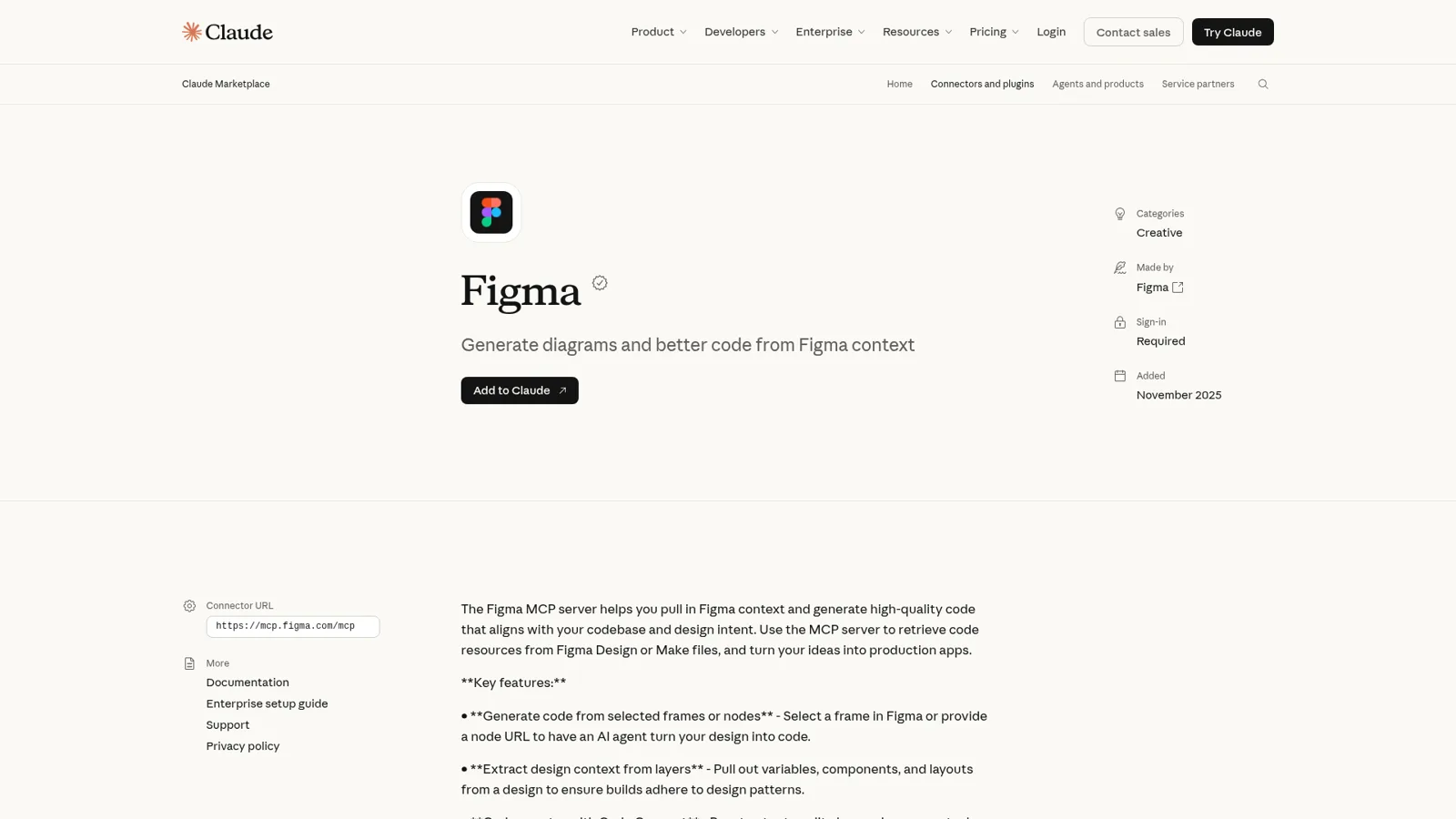
The Figma connector for Claude is Figma's MCP server listed in Claude's directory. MCP (Model Context Protocol) is the open standard an AI assistant uses to call another app's tools (my MCP server explainer has the basics), and Figma's developer docs describe this one plainly: it "gives AI agents the design context they need to generate code from your Figma files, and lets agents write native Figma content back to the canvas."
Claude's Figma listing says it was added in November 2025, needs a sign-in, and points at https://mcp.figma.com/mcp. It lists nine tools: generate_diagram, get_design_context, get_screenshot, get_metadata, create_design_system_rules, get_variable_defs, get_code_connect_map, get_figjam and whoami. That's the read-and-diagram side. Figma's MCP FAQ adds the write side on the remote server, chiefly use_figma, which runs Plugin API code to create and change real components, variables, frames and auto layout.
What you can do with it, per Figma's own guide to the MCP server:
| You want to | Tool or feature | Catch |
|---|---|---|
| Turn a frame into code | get_design_context | Returns a React and Tailwind style description; tell Claude your real stack |
| Pull tokens and styles | get_variable_defs | Only as good as the variables in your file |
| Reuse your own components | Code Connect | You map Figma components to code first |
| Draw a flowchart or Gantt chart | generate_diagram | Lands in FigJam |
| Build or edit designs on the canvas | use_figma (remote only) | Beta; a Full seat to write outside drafts |
| Send a live web page into Figma | generate_figma_design | Remote server and select clients only |
| Read and update specs | figma-spec skill | Figma Specs is in open beta |
Figma's FAQ is honest about what this isn't: "The MCP server isn't a one-click way to turn designs into finished code." If you've been weighing Figma's own in-app assistant against this, my Figma agent explainer covers that side, and Claude Design is Anthropic's own take on design inside Claude.
Claude Code or the Claude app: which route should you use?
Use Claude Code if you're turning designs into code in a repository, and the Claude app (desktop or web) if you want diagrams, design questions or canvas edits from a chat. Both talk to the same Figma server. Figma's MCP catalog lists Claude and Claude Code separately, each with "Remote and local servers" and "Read and write access."
| Claude Code | Claude app (desktop or web) | |
|---|---|---|
| Install | claude plugin install figma@claude-plugins-official | Add to Claude from the connector directory |
| What you also get | Figma's skills and slash commands like /implement-design | Org-wide connector and per-tool permissions |
| Best for | Design to code in your own codebase | FigJam diagrams, quick design lookups, canvas edits |
| Who signs in | You, through a browser OAuth page | You, after an Owner adds it on Team or Enterprise |
Setting it up in Claude Code
Figma's Claude Code setup article recommends the plugin, because it bundles the server settings with Figma's skills. Run claude plugin install figma@claude-plugins-official, restart Claude Code, open /plugin, pick the figma server on the Installed tab and click Allow access in the browser. If your organization blocks plugins, add the server by hand with claude mcp add --transport http figma https://mcp.figma.com/mcp, which skips the skills. Anthropic's own Figma plugin page lists /implement-design, /create-design-system-rules and /code-connect-components as the commands you get.
I go deeper on plugins in my Claude Code plugin guide, and on how skills package workflows in Claude skills explained.
Setting it up in Claude
In the Claude app, open the directory, find Figma, click Add to Claude and sign in to Figma. On Team and Enterprise, Anthropic's connector docs say "an Owner adds a connector for the organization, and members then connect with their own account." The same page explains the controls: Claude can ask before using a tool (Allow once or Always allow), and under tool permissions you choose Always allow, Needs approval or Blocked for each group of tools or a single tool. If your company uses Okta, Figma's FAQ notes enterprise-managed sign-in for Claude through Okta Cross App Access, so members don't sign in twice.
What does Figma with Claude cost?
Figma's MCP server costs nothing extra on any Figma plan, so the bill is your Figma seats plus your Claude plan. My Claude Code MCP guide covers how MCP tools count against your Claude usage. The thing to budget for is the rate limit, which depends on your Figma seat.
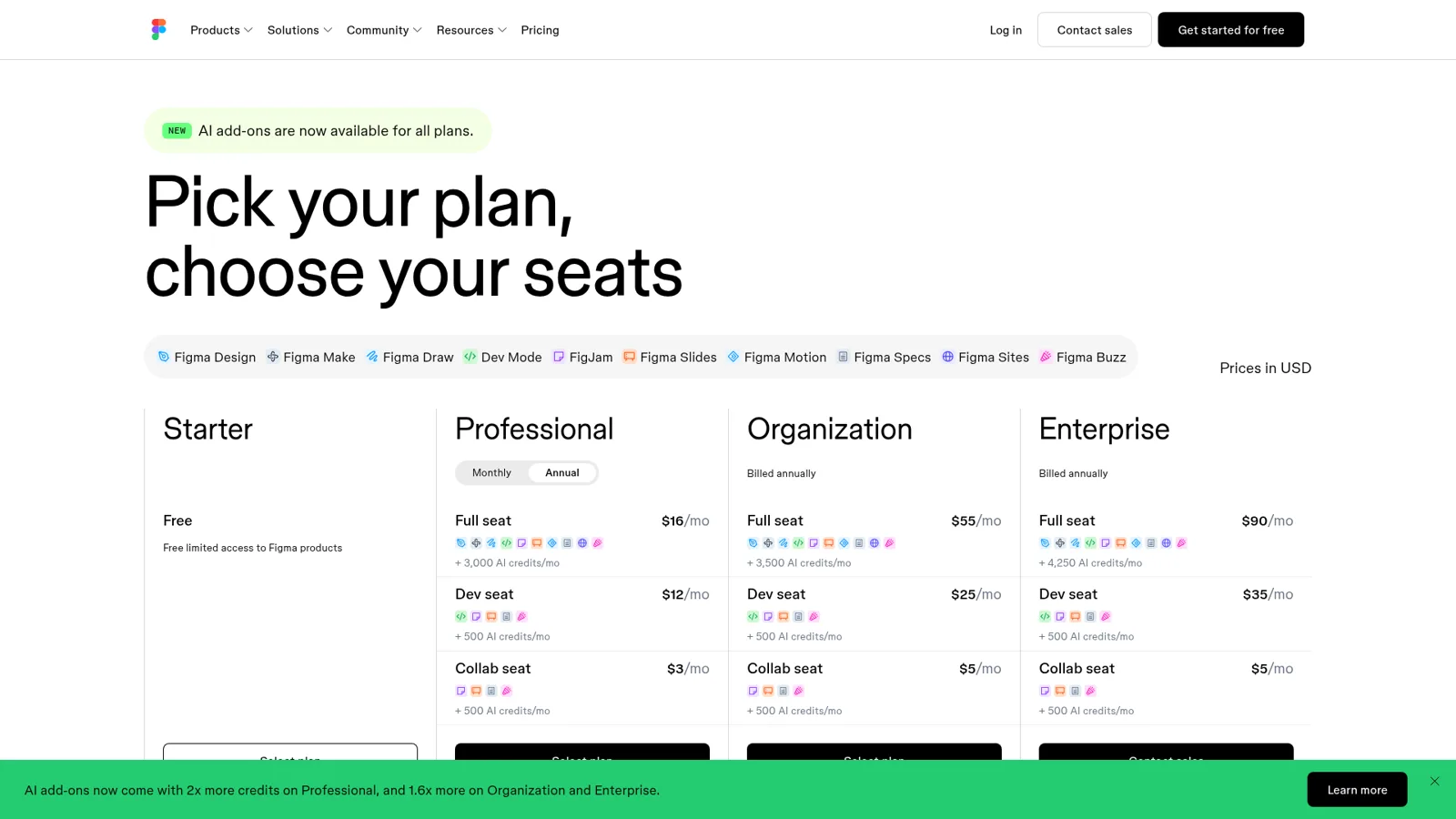
Here are the limits from Figma's MCP FAQ next to the seat prices on Figma's pricing page (annual billing):
| Figma plan | Full seat | Dev seat | Collab seat | MCP limit, Full or Dev | MCP limit, View or Collab |
|---|---|---|---|---|---|
| Starter | Free | n/a | n/a | n/a | Up to 20 a month |
| Professional | $16/mo | $12/mo | $3/mo | 200 a day, 10 a minute | Up to 20 a month |
| Organization | $55/mo | $25/mo | $5/mo | 200 a day, 15 a minute | Up to 20 a month |
| Enterprise | $90/mo | $35/mo | $5/mo | 600 a day, 20 a minute | Up to 20 a month |
Three footnotes matter. Rate limits apply to read tools, not write tools like create_new_file. Writing to the canvas is "free during the beta period and will eventually become a usage-based paid feature." And generate_image and send_prompt spend Figma AI credits instead.
On the Claude side, connectors work on the paid plans. Anthropic's pricing page has Pro at $17 a month billed annually ($20 monthly) and Team standard seats at $20 billed annually ($25 monthly). One note from Anthropic's usage limits article bites Figma users in particular: tools and connectors are token-intensive, and big design selections are the hungriest thing you'll feed Claude. My Claude pricing breakdown covers the plans in full.
What do people run into with Figma and Claude?
The common problems are oversized selections, connector sign-in getting stuck, and output that only matches the design when the Figma file is tidy. Figma's forum and FAQ cover all three, and none is a reason to skip it.
Selections that are too big. Figma's FAQ quotes the exact Claude Code error: get_design_context returned 351,378 tokens against a 25,000 maximum. The fix is a smaller frame, or export MAX_MCP_OUTPUT_TOKENS=50000 before launching Claude Code.
Sign-in that gets stuck. In June, a Windows user on Figma's forum reported clicking Connect in Claude Desktop and getting "Server not found" before Figma was ever contacted (forum thread). Figma's reply: Claude Desktop sometimes lists Figma twice, a local and a remote entry, so remove the duplicate and keep only mcp.figma.com. It matches an earlier Claude Code issue where the connector showed "dev local" and wouldn't uninstall. On the desktop server, another user found the real culprit was a hidden toggle:
"Root cause: The "Enable desktop MCP server" toggle in Figma was never turned on. [...] I had to open Quick Actions (Ctrl+/) and search "MCP" to find "Enable desktop MCP server" as a checkbox item."
Quality that tracks your file hygiene. This is the one I'd plan around. When components, variables and auto layout are clean, results are strong. One engineer at a large company put it well on Hacker News:
"At $LARGE_ENTERPRISE_COMPANY, I've found that if you have: 1) A designer that uses Figma correctly (using well defined components / design systems) 2) A front-end framework as close to HTML / CSS as possible for the visuals (I have success with Web Components / Lit) with Figma MCP. The front-end is usually one-shot using frontier models. However in my experience, designers are all over the place with using Figma correctly."

Native mobile teams should know the design context comes back React-shaped. An iOS developer wrote that the remote MCP "sets tokens on fire and gives Claude the details as React+Tailwind", and got better results having Claude build small lookup tools on Figma's REST API instead (cellularmitosis, Hacker News). Figma's FAQ agrees on the cause and the fix: tell Claude your framework, say "Generate this in SwiftUI."
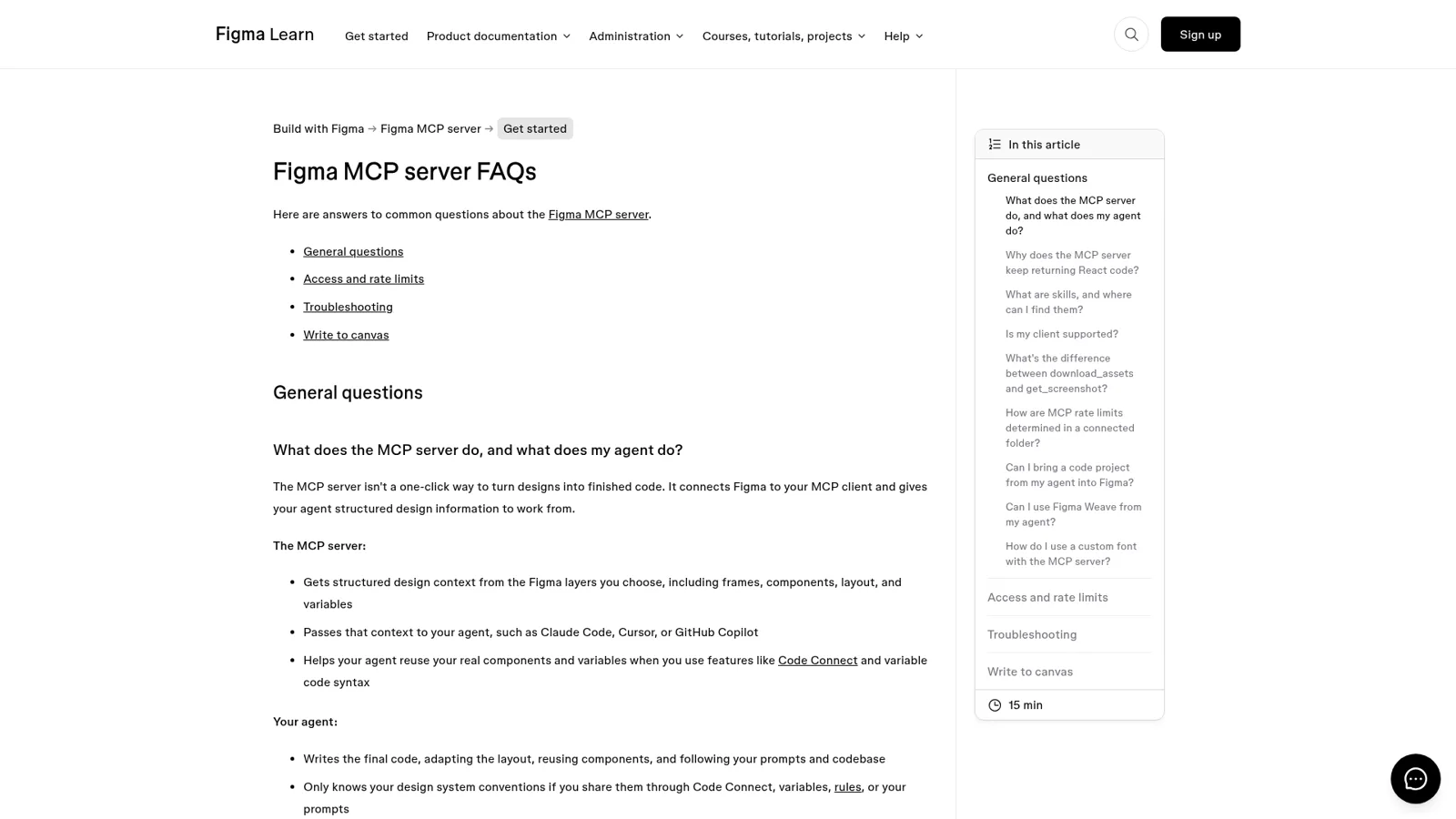
Last, only clients in Figma's catalog can connect, which a Hacker News thread in October noticed. Claude and Claude Code are on the list, so this won't stop you.
Who does Claude work for when it opens your Figma files?
Claude works for you. Figma's FAQ says "You can only use the MCP server with Figma files you already have access to," and Claude's connector docs say each member connects their own account. Your seat sets the rate limit, your file access sets what Claude sees, and whoami reports your email, plans and seats.
That's the right design for a designer or developer. It gets awkward when the work belongs to the design team. Picture a Tuesday in a 40-person company's #design channel:
- A PM asks for the latest link to the onboarding flow.
- Sales wants a PNG of the pricing page for a deck, today.
- A contractor in a shared Slack channel asks to rename a component in the main library.
- Legal left a comment on the checkout file two days ago, and nobody has answered it.
- The head of design wants a Friday list of files that changed and comments still open.
Claude can help with each of those, but only for the person sitting at it. Nobody else in the channel can ask that Claude anything. And the rules a design lead wants depend on who is asking: share links freely with the PM, ask before a contractor touches the library, never paste an internal file link to an outsider. Claude's controls, which are good ones, follow the person using Claude and the tool being called. They don't change with who the request is for. Claude Tag, Anthropic's team-owned Claude in Slack, gets closer, and my Claude Tag review covers where it fits.
| Claude + Figma connector | eesel as a design teammate | |
|---|---|---|
| Who it works for | The person signed in | The whole team, in its own name |
| Who can ask it | That person, in their Claude | Anyone who messages it in Slack, Teams, email or chat |
| What decides what it may do | Your Figma access plus Claude's tool permissions | Each action set On, Ask first or Off, plus who is asking |
| Works with nobody at a keyboard | Scheduled tasks under one person's account | Automations on a schedule, an app event or a webhook |
| Where it answers | Claude or Claude Code | Where the request came in |
| Cost | Figma seats plus Claude plan | From $299/month, unlimited seats |
How eesel works as the design team's teammate
eesel is an AI teammate the whole team shares. It works in the apps your team already uses, takes requests from anyone who talks to it there, and does the work inside those tools. You connect Figma alongside Slack, Notion or whatever else you run, out of 3,000+ apps, and it looks things up and takes actions there, with each action set to On, Ask first or Off.
What it does depends on who is asking
eesel tells your team apart from everyone else: your Team page, plus full members of your connected Slack or Microsoft Teams and your Google Workspace users. On top of that you can set rules for specific named people, verified customers and anonymous visitors. So for design work, the shape is:
- The PM asks for the onboarding file: it looks it up and posts the link, on its own.
- The contractor in a shared channel asks to rename a library component: it prepares the change and asks an editor first.
- A visitor in your website chat asks about an unreleased page: it never shares internal files or links, because files and actions marked Team only only ever run when someone on your team asks.
Under that sits a plain switch per action. Every action in every connected app is On, Ask first or Off, per agent (actions and approvals). Ask first shows the exact action and details with Approve and Deny, as a card in the Slack thread where the request started, in the dashboard, by email or in the terminal. Only editors can approve, and you pick which members or channels get approval requests. You don't need a settings page either: say "look things up on your own, but ask me before changing anything in the library" and it sets that and tells you what it set. Roles are owner, editor and viewer (account roles).

It starts work without being asked
The Friday design digest is an automation, not a reminder in someone's calendar. eesel automations start from a schedule, an event in a connected app, or a webhook. Cape Coffee Beans runs 160 scheduled checks a month on weekday and Saturday mornings, each emailing the founder a short list of what slipped. Swap tickets for open design comments and it's the same shape. It learns from your docs, past work and Slack history, and corrections stick through memory, so "always link the main library, not the archive" holds next month.
Separate jobs can get separate agents. Cactus Club Cafe runs two agents, one on IT tickets and one auditing a daily finance extract; a design team might keep one for #design requests and one for the digest. For the broader picture, my AI teammates guide explains the idea and best AI teammates compares the options.
Keep Claude, and add eesel to it
You don't have to choose. Your eesel workspace is an MCP server, so you can add it to Claude as a custom connector and ask "what did eesel do today" or "have eesel draft the reply to legal's comment" without leaving Claude (how it works). Editors can change things, viewers get the read side, and approvals still apply.
That's the split I'd recommend. Keep the Figma connector for your own design-to-code work in Claude Code, where it shines. Give the team's requests to a teammate that works for everyone. If your org is weighing Claude more broadly, my Claude for work post covers Team, Cowork and Claude Tag, and if half your team uses ChatGPT, the sibling post on Figma's ChatGPT app covers that route.
Try eesel as your design team's teammate
Figma's connector makes Claude a great design partner for one person. eesel is the teammate the rest of the company can ask: it answers in Slack or Teams, looks things up across Figma and your other tools, and asks before it touches anything that matters. Start with a free 7-day trial, no card, and 100 credits, then plans start at $299 a month on the pricing page.