

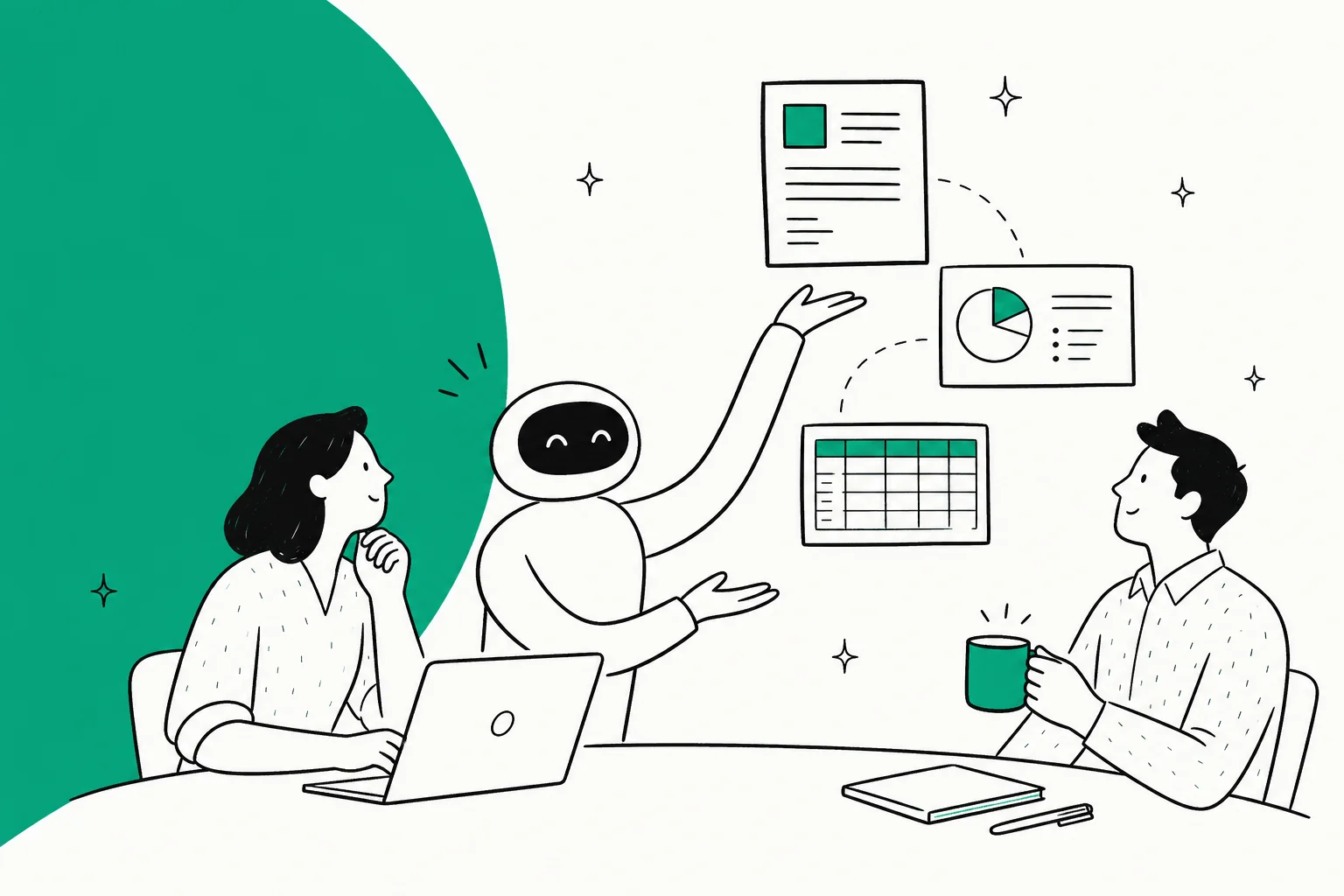
The Figma ChatGPT integration is Figma's own app inside ChatGPT: connect it once, start a prompt with "Figma", and ChatGPT generates an editable FigJam diagram, a Figma Slides deck or a Figma Buzz asset that you open and finish in Figma. It works on every Figma plan, including free Starter, but Figma says it's not available in the EU, and files you don't claim stay public to anyone with the link. For turning existing designs into code, the ChatGPT-family route is Codex plus Figma's MCP server.
So it's a fast way for one person to get from a conversation to a first draft on the canvas. A design team's daily load is different: requests from sales, support and product for the right file, the latest export or an answer to a stale comment, from many people at once. That calls for a teammate that works in Figma and Slack for everyone, with rules that change by who is asking, which is what eesel does. And if you'd rather not click through setup, Codex can configure eesel with the eesel CLI, connecting your apps and asking the agent test questions so you can check its answers first.
Some context on where I'm coming from: eesel has spent years letting an AI act inside teams' own tools, so I think about this from the permissions end. What may it do alone, what waits for a person, and what should it never show someone outside the team. I'll come back to that after the practical part.
What does the Figma app in ChatGPT actually make?
The Figma app makes new, editable files from a prompt: FigJam diagrams, Figma Slides presentations and Figma Buzz marketing assets. It grew in two launches, both on Figma's blog.
| Launched | What it added | Source |
|---|---|---|
| October 6, 2025 | FigJam diagrams: flow charts, sequence diagrams, state diagrams and Gantt charts, from text or an uploaded photo, drawing or PDF | Figma blog |
| December 11, 2025 | Figma Slides decks and Figma Buzz assets like posters and social posts, both in beta | Figma blog |
The October launch was part of OpenAI's apps in ChatGPT debut (my apps in ChatGPT guide explains how they work), where Figma was one of seven pilot partners alongside Booking.com, Canva, Coursera, Expedia, Spotify and Zillow. Business, Enterprise and Edu workspaces got apps in preview on November 13, 2025. Figma's own community listing for "Figma MCP in ChatGPT" shows 2.95 million users (Figma Community).
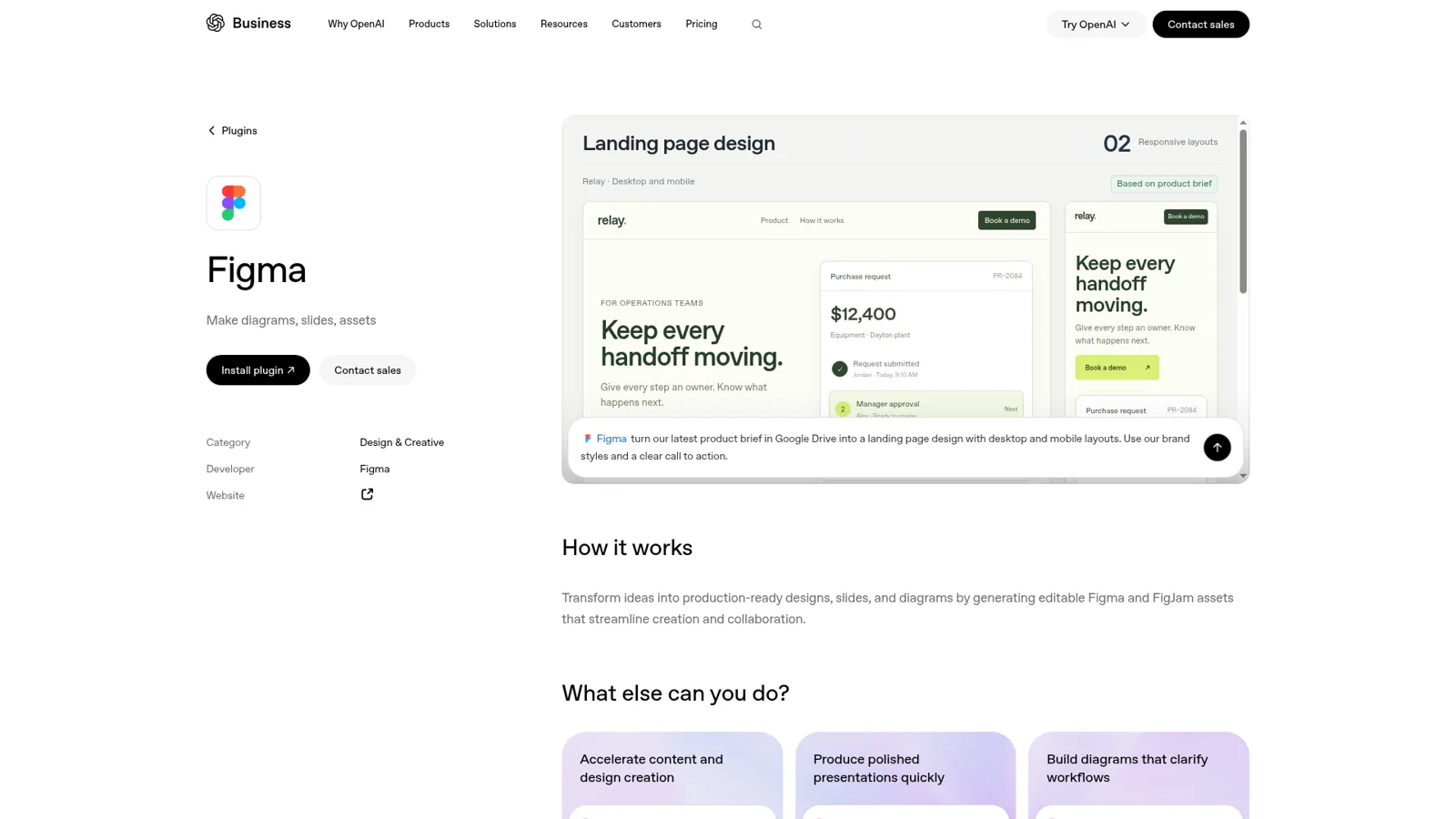
Today OpenAI packages it as a plugin, one of many in its plugin marketplace. Its Figma plugin page says the plugin turns "ideas into production-ready designs, slides, and diagrams by generating editable Figma and FigJam assets", bundles the Figma app with skills such as figma-design-to-code, figma-generate-design and figma-generate-diagram ("8 more"), and shows a landing page design built from a product brief in Google Drive. Figma's help article is more conservative, saying "ChatGPT only supports integrations with FigJam and Figma Slides." I'd plan around Figma's wording for the chat app and treat the design skills as something you'll lean on in ChatGPT Work and Codex.
Figma's advice on what to expect is fair: "ChatGPT is best used to generate a structured starting point you can refine in Figma." Uploaded images and PDFs inform a deck, but ChatGPT "can't always embed uploaded content in file outputs." If you want the broader menu of AI options inside Figma itself, my Figma agent explainer covers it.
How do you connect Figma to ChatGPT?
You connect Figma from ChatGPT's settings and approve access to your Figma account, which takes about a minute. Here's the flow, combining Figma's steps with OpenAI's connected apps article, which now calls the menu Plugins:
- In ChatGPT, open Settings > Plugins (older app versions say Apps & connectors).
- Find Figma and select Install plugin or Connect.
- Sign in to Figma and approve the permissions it asks for.
- Start a chat with "Figma", for example "Figma, make a FigJam flowchart of our refund process." You can also pick it from the + menu.
- Click Edit in Figma (desktop) or Open in Figma (mobile) on the preview, then claim the file into your drafts.
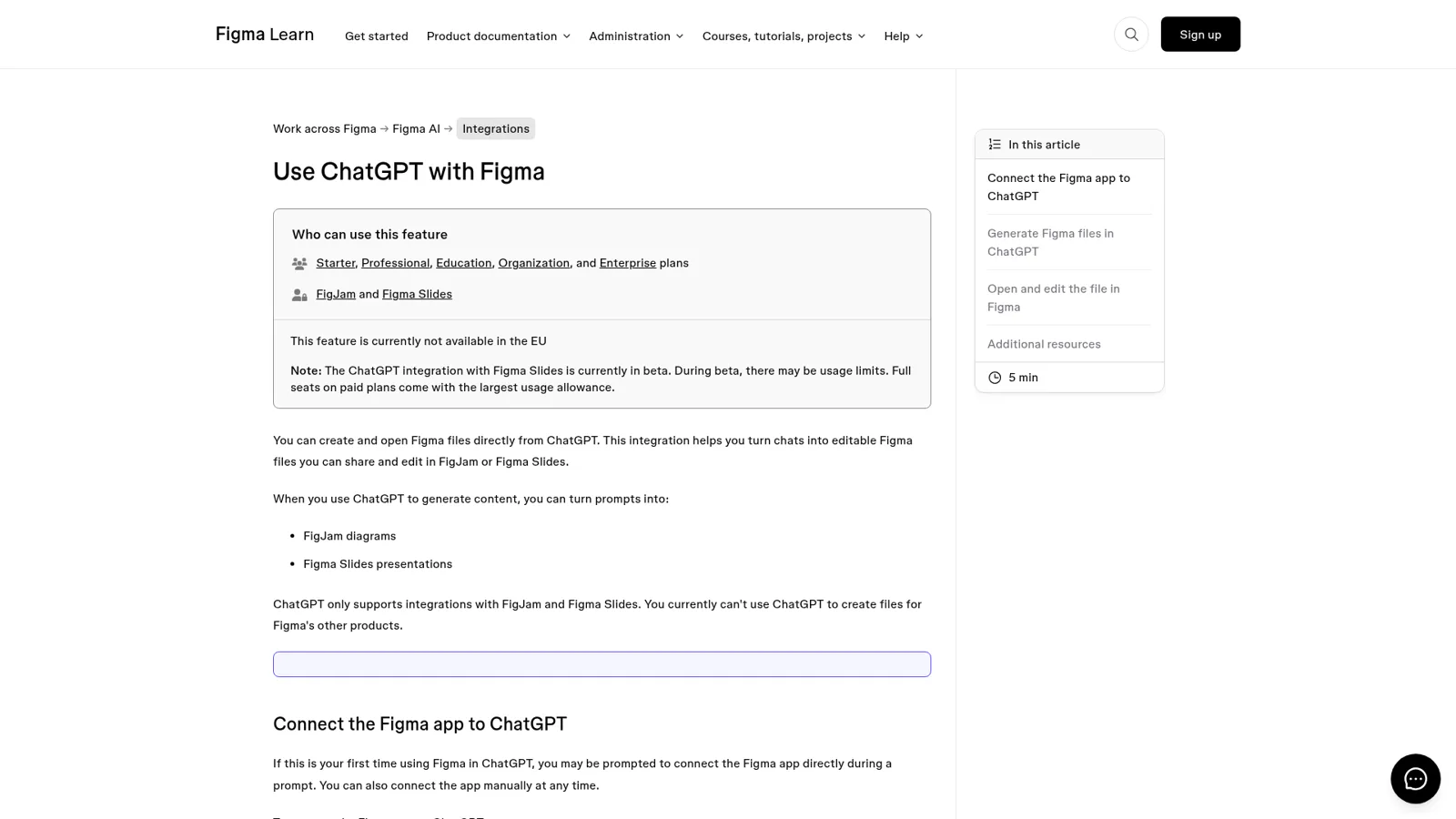
Step 5 matters more than it looks. Figma's article says "Files created from ChatGPT that haven't been claimed are public and viewable by anyone with the link." Once you sign in and add it to your drafts, it becomes private. If you're sketching anything sensitive, like an unannounced product flow, claim it straight away. For a wider walk through apps and plugins, see my ChatGPT apps directory piece.
Who can use it, and what does it cost?
Anyone with a ChatGPT account outside the EU and any Figma account can use the app, and neither side charges extra for it. The costs are the plans you already pay for, plus usage limits on the beta parts.
| What applies | Source | |
|---|---|---|
| Figma plans | Starter (free), Professional, Education, Organization and Enterprise | Figma help |
| Slides usage | Beta usage limits; "Full seats on paid plans come with the largest usage allowance" | Figma help |
| Figma seats | Professional Full $16/mo, Dev $12/mo, Collab $3/mo, billed annually | Figma pricing |
| ChatGPT plans | Free $0, Go $8, Plus $20, Pro from $100 a month | ChatGPT pricing |
| ChatGPT Business | $25 per user monthly or $20 billed annually, 2-seat minimum | OpenAI help |
| Region | Not available in the EU | Figma help |
OpenAI adds that "App use may count toward your ChatGPT plan limits" and that availability depends on "your ChatGPT plan, region, workspace, role, model, and the ChatGPT interface you use." In a Business workspace, "many apps are enabled by default, but administrators can change workspace access", and admins manage it from the Admin Console. Enterprise adds more controls, covered in my ChatGPT Enterprise guide. My ChatGPT pricing guide has the full plan list.
ChatGPT also has proper approval controls for apps. Per OpenAI's connected apps article, you can set an app to Always ask, Allow read actions, Allow low-risk actions or, where eligible, Allow all actions. Those settings decide when ChatGPT pauses for you; they don't give the app more access than your Figma login already has.
Want code from your designs? Use Codex and Figma's MCP server
For design-to-code, skip the chat app and use Codex with Figma's MCP server. MCP (Model Context Protocol) lets an AI tool call another app's tools (see MCP apps for the background), and Figma's server hands Codex the frames, components and variables behind a design instead of a picture of it. Figma's MCP catalog lists both ChatGPT and "Codex by OpenAI" with read and write access, and Figma has a dedicated Codex setup guide.
The server is included on every Figma plan but rate limited by seat: up to 20 tool calls a month on View and Collab seats, up to 200 a day on a Professional Full or Dev seat, and up to 600 a day on Enterprise (Figma MCP FAQ). I break those limits down in the sibling post on the Figma Claude connector, since the server is the same one Claude Code uses. One developer on Hacker News described the payoff on a messy real project:
"Knowing the hell that awaits me in trying to be pixel perfect between about 40 pages, I set up the Figma MCP with my codex, and low and behold... it actually did what I needed, so that's one thing I'm grateful for. For reference, feeding screenshots to the AI didn't do that well of a job at first."

More on the coding side in my Codex and Figma guide and the general OpenAI Codex overview.
What goes wrong, according to Figma's forum?
Most problems are about the app not showing up or a file opening empty, and Figma's forum has the fixes. Three threads worth knowing:
Figma missing from the directory. In September a ChatGPT Plus user reported that Figma "does not appear in the Plugin directory in ChatGPT web or the desktop app" and "Add plugin" failed. Figma's community support team replied that in company workspaces the usual cause is admin settings:
"Third-party plugins are disabled by default in many Business and Enterprise workspaces, which both hides Figma from search and can make 'Add plugin' fail with the exact error you're seeing."
The original poster, on a personal plan, worked around it by installing Figma's skills from the Skills directory instead.
An empty file after "Edit in Figma". An EU user running Figma's MCP through ChatGPT's developer mode, since the native app wasn't available there, found that "Edit in Figma" opened a correctly named but empty file. Two more people reported the same through December 2025 (forum thread). If you're in the EU, expect the unofficial route to be rougher.
A connection that drops overnight. When one user's working connection stopped in October, Figma support's first step was to reconnect under Apps & connectors (forum thread). Try that before anything cleverer.
Who is ChatGPT working for when it uses Figma?
ChatGPT works for the person who connected the app. OpenAI's enterprise privacy page says "each end user is required to authenticate with a connected application before use", and the app acts through that login. It also carries your context: OpenAI's own example is that an enabled app "may access and use relevant context from your ChatGPT conversations" and, with Memory on, your memories. For one person drafting a deck, that's a feature.
It's a different fit for a design team's shared work. Here's how I'd split a typical week between the tools.
Which tool should take this design job? Open the one that sounds like your week.
"Turn my notes from this call into a FigJam journey map."
The Figma app in ChatGPT. One person, a first draft, then polish it in FigJam.
"Build this settings screen from the Figma frame in our React app."
Codex with Figma's MCP server. It reads the real components and variables, not a screenshot.
"Sales keeps asking #design for the current pricing page export."
A shared teammate like eesel in Slack. Anyone can ask, it looks up the file and replies in the thread.
"An agency client in our shared channel wants a frame renamed."
eesel, with that action on Ask first. It prepares the change and an editor approves it in the thread.
"Every Friday, tell the design lead what's still waiting on design."
An eesel automation on a schedule, posting to #design without anyone asking.
ChatGPT does have a shared-agent option: workspace agents on Business and Enterprise can run in Slack and on a schedule, and they ask before write actions by default (OpenAI help). It's a good product, and my ChatGPT at work and ChatGPT agents posts cover it. The difference is that its controls are set once per agent, around the connections it was given. They don't change with who in the channel is asking.
| ChatGPT + Figma app | eesel in your team's tools | |
|---|---|---|
| Who it works for | The person who connected Figma | The whole team |
| Who can ask | That person, in ChatGPT | Anyone in Slack, Teams, email or your chat |
| What it may do | Your Figma access, plus app approval settings | On, Ask first or Off per action, plus who is asking |
| Runs on its own | Scheduled tasks under your account | Automations on a schedule, app event or webhook |
| Typical output | A new FigJam, Slides or Buzz file | A reply, lookup or change where the request came in |
| Cost | Your ChatGPT and Figma plans | From $299/month, unlimited seats |
How eesel handles a design team's requests
eesel is a general AI teammate that works in the apps your team already uses. Connect Figma along with Slack, Microsoft Teams and the rest of your stack, out of 3,000+ apps, and it looks things up and takes actions in each, with every action set to On, Ask first or Off.
The design difference is that permissions follow who is talking. eesel knows your team (your Team page plus full members of your connected Slack, Microsoft Teams or Google Workspace) from everyone else, and you can set rules for specific named people, verified customers and anonymous visitors. So the brand lead in Teams gets the export link on the spot, the agency client in a shared channel gets a held change an editor approves, and a visitor in your website chat never sees an internal file. Files and actions marked Team only only run when someone on your team asks (actions and approvals).

Approvals land where the work is: a card with Approve and Deny in the Slack thread the request came from, in the dashboard, by email or in the terminal, and only editors can decide. You pick who gets the requests. On On, eesel's safety check can still hold a risky call. You can set all of this by saying it: "share links on your own, but ask me before renaming anything." Roles are owner, editor and viewer (roles).
It also starts work on its own. Automations run from a schedule, an event in a connected app or a webhook, which is how the Friday "still waiting on design" note gets written. Cape Coffee Beans uses the same pattern for scheduled morning checks that email the founder a short list of what slipped, 160 of them in a month.
It learns from your docs, past work and Slack history, and a correction you give it once sticks through memory. There's more on the idea in my AI teammates explainer, and a team that runs on Slack might like AI for Slack knowledge too.
Keep ChatGPT for your own work
You don't have to give up the Figma app. Keep it for your own first drafts, keep Codex for design-to-code, and let a teammate handle the requests that belong to everyone. eesel's apps are being listed in ChatGPT's app directory, so you'll be able to ask your eesel agent things from inside ChatGPT, and Codex can already set eesel up through the CLI (eesel from ChatGPT). If you're comparing ChatGPT's own agent options, my ChatGPT Work review is the place to start, and ChatGPT Work pricing covers what it costs.
Try eesel as the teammate behind #design
The Figma app gets one person from a chat to a draft fast. eesel is the teammate for everyone else: it answers design requests in Slack or Teams, looks things up across Figma and your other tools, and asks before it changes anything that matters. Try it free for 7 days, no card, with 100 credits, and see the plans when you're ready.
