

Yes, Airtable integrates with ChatGPT: Airtable builds an official app in ChatGPT that lets you pull records from your bases into a chat, analyze them, and make quick updates back, like changing every deliverable's status from your stand-up notes. You connect it from ChatGPT, sign in with Airtable and pick which bases it may use. Airtable lists it on all plans of both products, free included, with no extra Airtable charge.
It's at its best for one person mixing Airtable data with writing: an exec pre-read from the roadmap base, a landing page from launch content. Early users hit rough edges, mostly around interfaces and the app not getting called, and the official app has lagged the custom route on newer tools like automations. I'll walk through all of it.
The bigger question is the base the whole team shares. ChatGPT works for the person typing, with that person's Airtable access. eesel is an AI teammate that works in Airtable for everyone who asks in Slack or Teams, and what it may do changes with who is asking: your ops lead can have it update records, a contractor gets read-only answers, and a visitor in your website chat gets nothing from that base. If you live in Codex, it can set eesel up through the eesel CLI, connecting apps and asking test questions before the team relies on it.
Some context on me. I've spent years building AI that acts inside teams' own tools. Most of that work is deciding what the AI may do unsupervised, what waits for a person, and what it must refuse. A connector that's lovely for one person can be the wrong shape for a team, and that's the thread through this post.
What is the Airtable ChatGPT integration?
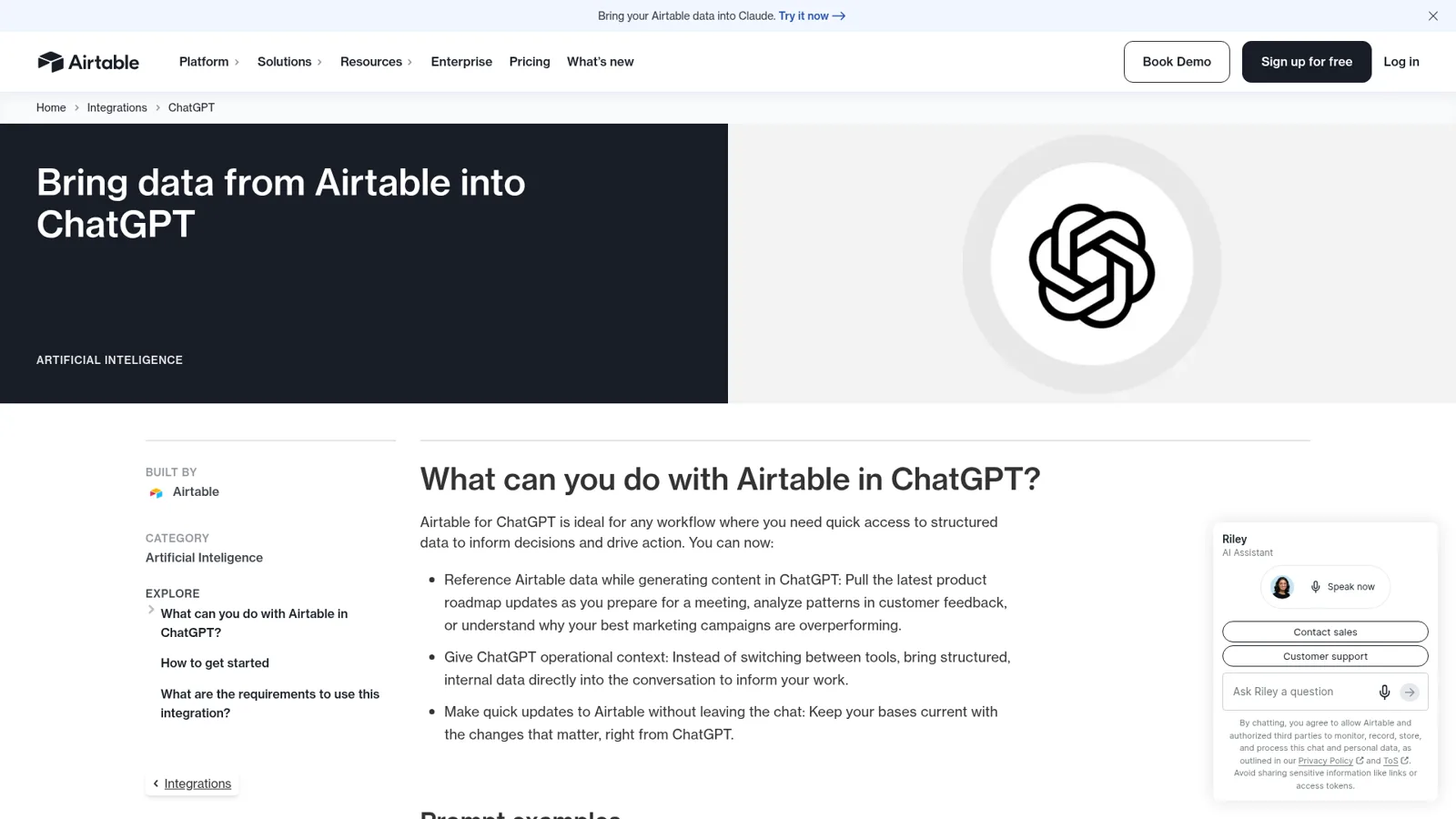
The Airtable ChatGPT integration is the Airtable app in ChatGPT, which Airtable announced on 15 December 2025 as a launch partner for ChatGPT's business-focused app directory (Airtable newsroom). An Airtable employee on the community forum added that "ChatGPT is our first official partnership" and that it's "all built on the MCP standard" (announcement thread). If MCP is new to you, my MCP apps post explains it.
Airtable's integration page lists three jobs:
- Reference Airtable data while generating content, such as roadmap updates before a meeting or patterns in customer feedback.
- Give ChatGPT operational context instead of copying and pasting rows.
- Make quick updates to Airtable without leaving the chat.
The sample prompts are the clearest picture. "Here are my notes from stand up. Update the status of all deliverables tracked in Airtable based on what we discussed." That's a great use: you hold the context, ChatGPT does the clicking. The same server now also powers Airtable's Claude connector, which I cover in my Airtable Claude connector guide. Other work tools have similar apps; compare the Notion ChatGPT integration or monday's ChatGPT app.
How do you set up Airtable in ChatGPT?
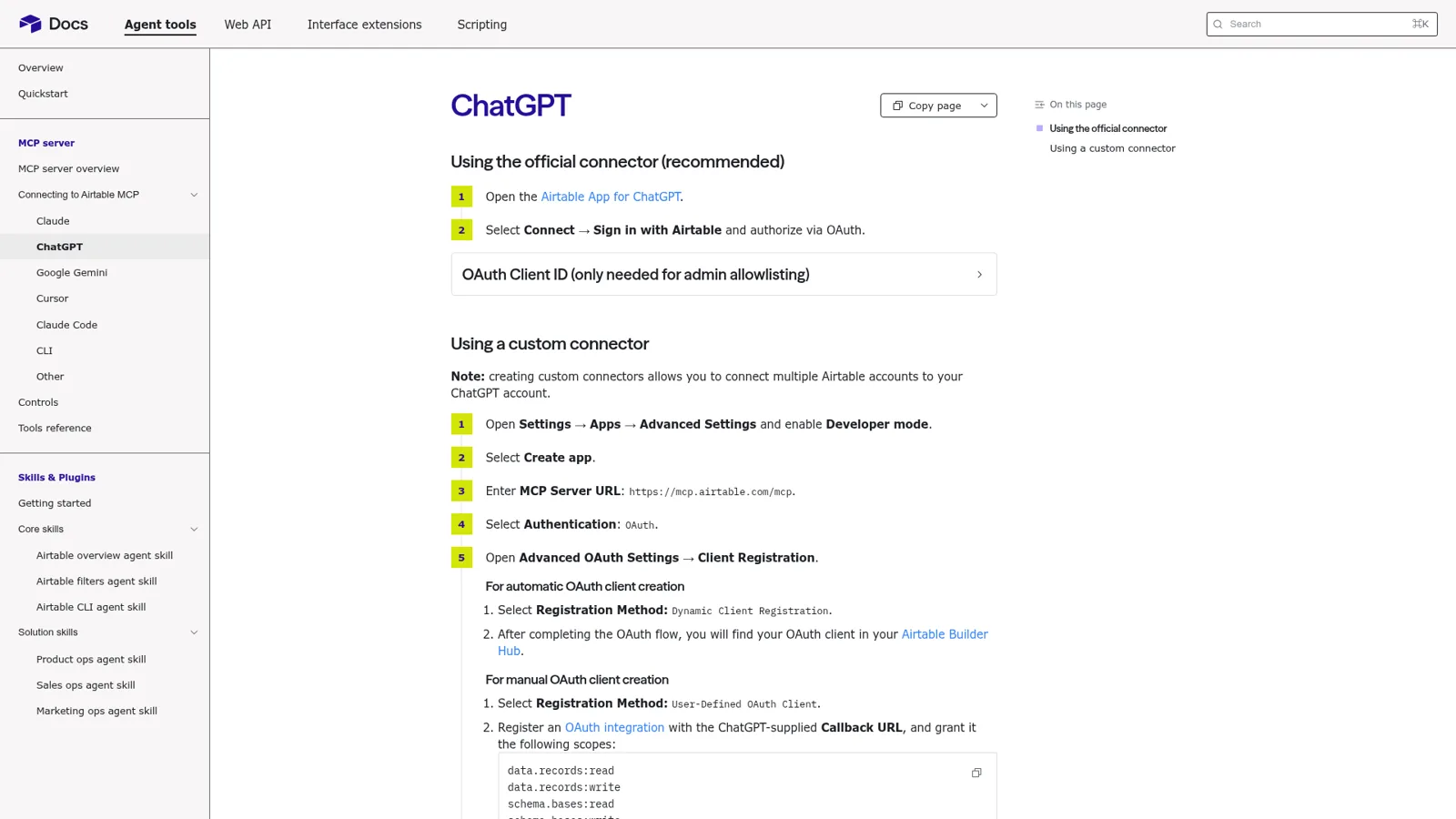
You install it from ChatGPT and approve it in Airtable. Airtable's ChatGPT quickstart is two steps: open the Airtable app for ChatGPT, then select Connect and Sign in with Airtable. In full:
- In ChatGPT, open Settings, then Plugins, and select Airtable. (Very old mobile versions may say Apps instead, per OpenAI's help.)
- Connect and sign in to Airtable.
- Choose which bases or workspaces ChatGPT may use. Airtable's controls page offers "Everything you have access to" or "Custom access" to specific bases.
- In a chat, type /Airtable or pick it from the tools menu.
On the requirements, Airtable's page says this:
| Requirement | What Airtable says |
|---|---|
| Airtable plan | All plans (free and paid) |
| ChatGPT plan | All plans (free and paid) |
| Airtable permissions | "Must have edit access or higher in the base" |
| Native or iPaaS | Native |
That permissions line is from the December launch. Airtable's newer MCP help article says Commenter and Read-only users "Can read data via MCP for bases they have access", so read-only access now gets you read-only answers. On ChatGPT Business, "many apps are enabled by default, but administrators can change workspace access", and an app showing Disabled by admin needs an admin to switch it on under Plugins (OpenAI).
Should you use the official app or a custom connector?
Use the official app unless you need a tool it doesn't show yet. Airtable documents a second route in the same quickstart: a custom connector pointed at https://mcp.airtable.com/mcp, which also "allows you to connect multiple Airtable accounts to your ChatGPT account".
The custom route mattered in August. An Airtable consultant asked ChatGPT to list the automations in a base, and ChatGPT replied that "the currently installed Airtable connector does not expose automation-definition tools". The accepted answer:
"Seems that the Official Airtable plugin is a little behind on the latest capabilities."
They switched to the custom connector, which read and wrote automations and interfaces, and the poster noted the Claude connector didn't have the gap. The catch is plan. OpenAI says custom MCP connections "are available for ChatGPT Business and Enterprise/Edu customers on ChatGPT web", and on Business "Only admins and owners can create and publish" them (OpenAI). On Free or Plus, you wait for the official app to catch up.
What did early users run into?
Early users mostly ran into two things, and one is fixed. The announcement thread reads like a changelog.
Interfaces. In the first week users got "I can't actually see or render an Airtable Interface page". Airtable's top community expert explained it: ChatGPT "only has access to information that is available through the API. That means no access to interfaces nor automations." For teams that only let staff into Airtable through interfaces, that was a blocker:
"This is critical for our workflows since we only let the bulk of our users in via interfaces. Now that we can hook up AI to tooling, folks are clammoring for access to the tool they live in the most, but our governance doesn't allow it."
That's since changed. Airtable's help now says interface-only users can list and read records on supported page layouts, though an unsupported layout can make the assistant "report that no matching records were found rather than that the page type isn't supported" (help).
The app not getting called. In January one user found the connection worked once and then didn't:
"I'm finding this feature to be extremely flaky. Despite all the connection in place, chatgpt most of the time struggles with the connection to my base."
Airtable's staff reply in February called it "a known challenge where ChatGPT is failing to invoke Airtable tools" and suggested typing @Airtable to call the app explicitly. That's still my first fix when ChatGPT claims it can't see a base.
Does ChatGPT ask before it changes your base?
It can, and you choose how often. OpenAI's app permissions offer Always ask, Allow read actions, Allow low-risk actions and, for eligible apps, Allow all actions, which "carries elevated risk because supported actions may run without another confirmation" (OpenAI). Workspace admins decide which apps are on at all.
Airtable adds its own guardrails underneath:
- Your permissions. ChatGPT can't do more than your Airtable account can. A field you can't edit returns an error, "just as the Airtable API would".
- An undo. The tool set includes
revert_action, which "Reverts a previous eligible mutation" (tools reference). - A paper trail. Revision history shows the person who connected the app and the app's name.
- Org-wide blocks. On Enterprise Scale, admins can block MCP clients like ChatGPT entirely, or allow only approved ones (controls).
These controls follow the person. Each user connects their own account, and their ChatGPT settings decide when they're asked. There's no setting for "this request is from a contractor", because in a ChatGPT chat the only person asking is you.
Which Airtable AI should do the job?
Most of the frustration I read on Airtable's forum comes from giving a job to the wrong tool. Here's how I'd sort the common ones. Open the one that sounds like your week.
Who should handle it? Pick a job.
"Write an exec pre-read from the roadmap base."
ChatGPT with the Airtable app. It's your document, the data is read-only for this job, and ChatGPT is a strong writer.
"Update every deliverable's status from my stand-up notes."
ChatGPT with the Airtable app, with app permissions on Always ask the first few times so you see each change.
"Build an interface and a form for this table."
Airtable's own Omni, inside the base. Building with Omni doesn't use AI credits.
"Answer the team's 'who owns this vendor?' questions in Slack."
A shared AI teammate like eesel, where many people ask in one thread and the rules depend on who they are.
"Post overdue renewals to #ops every Monday at 9am."
A scheduled job that posts for the team, such as an eesel schedule or a ChatGPT workspace agent on Business or Enterprise.
How much does the Airtable ChatGPT integration cost?
The app has no separate price. Airtable says MCP is "included with your current Airtable plan" with no additional charges, though "existing API rate limits remain". You pay for the plans you already have.
| Product | Plan | Price |
|---|---|---|
| ChatGPT | Free | $0 |
| ChatGPT | Plus | $20/month |
| ChatGPT Business | Standard seat | $20/user/month billed annually, $25 monthly; minimum 2 seats |
| ChatGPT Business | Premium seat | $100/user/month billed annually, $125 monthly |
| Airtable | Free | $0, up to 5 editors, 1,000 API calls a month |
| Airtable | Team | $20/seat/month billed annually, $24 monthly; 100,000 API calls a month |
| Airtable | Business | $45/seat/month billed annually, $54 monthly; unlimited API calls |
| Airtable | Enterprise Scale | Contact sales |
Two small print items. OpenAI says "App use may count toward your ChatGPT plan limits" (OpenAI). And Airtable bills seats for people with edit permission, not read-only collaborators. My ChatGPT pricing and Airtable pricing posts cover both sides in full.
Airtable's own AI is a separate line. Plans include monthly AI credits (500 per editor on Free, 15,000 per paid user on Team), and extra packs start at $20 a month for 10,000 credits (Airtable AI billing).
What about Airtable's own AI in Slack?
Airtable has a team-shaped option of its own, and it's worth knowing. Its AI assistant (Omni) works in Slack: you @mention Airtable in a channel, and it can "ask questions about your Airtable data, create or update records, and get summaries" (Airtable help). It's on all plan types.
It's still built around one person at a time. "Each person signs in with their own Airtable account", each person picks a default base, and the help page lists this limit:
"Only the person who started a thread can continue that conversation. If someone else tries to respond in the same thread, the app won't process their message."
Replies also cap at 50 records and 10 fields per record. For a personal lookup in Slack, that's fine. For a thread where three teammates and a contractor are sorting out a renewal, it's the wrong shape. My Slack AI guide covers Slack's own assistant, and Airtable AI covers Omni in the base.
What about ChatGPT workspace agents?
Workspace agents are OpenAI's shared option. On Business and Enterprise you can build an agent, connect it to apps, "share it with teammates or your workspace, use it in Slack, run it on a schedule, or trigger it through an API", and by default "write actions for apps are set to Always ask" (OpenAI). Enterprise admins switch them on.
That's a real answer to shared work. My ChatGPT Business agents post goes into it, and ChatGPT agents covers the wider agent features. The approval rules are set once per agent by its builder. They don't change with whether a teammate, a manager or a guest is the one asking.
How eesel runs a shared Airtable base
eesel is an AI teammate that works in your team's apps, and you can connect Airtable alongside 3,000+ others. Connected, it looks things up in your bases and takes actions there, with each action set to On, Ask first or Off. What makes it different is who it works for. Here are three people asking about the same vendor tracker in one afternoon.
The ops lead, in Microsoft Teams. "Mark Northwind as renewed and set the next review for March." eesel updates the record on its own, because the ops lead is on your team and record updates are On for the team. It works the same in Slack and Google Chat.
A contractor, in a shared Slack channel. "What's the status on the Northwind onboarding?" They get a read-only answer. If they ask eesel to change something, that waits: you told it "ask me before anyone outside the team changes a record", so an approval card appears in the thread with the exact change and Approve and Deny, and only an editor can click it (actions and approvals).
A visitor, in your website chat. "Who are your suppliers?" Nothing from the tracker. You switched Airtable off for anonymous visitors, and anything marked Team only never runs for someone outside your team.

You set all of that by saying it, and corrections become instructions that stick across every app. It also starts work on its own: an automation can run from a schedule, an event in a connected app or a webhook, so the Monday renewal list posts itself.
The same shape already runs for eesel customers with internal teams. At Cactus Club Cafe, a restaurant group, eesel handled 750 internal IT tickets in a month with 1,650 runbook and policy lookups, while a second agent audited the daily finance extract. Different tools, same idea: one teammate the whole team leans on, with rules about what it does alone. eesel's internal operations guide shows the pattern for ops teams.
Airtable ChatGPT integration vs the alternatives
Here's how the four options line up for a team lead.
| ChatGPT + Airtable app | Airtable AI in Slack | ChatGPT workspace agent | eesel with Airtable | |
|---|---|---|---|---|
| Who it works for | The person in the chat | The person who started the thread | Whoever the agent is shared with | The whole team |
| Where you ask | ChatGPT | Slack | ChatGPT and Slack | Slack, Teams, Google Chat, email, dashboard |
| What decides what it may do | Your Airtable access; your app permission setting | Your Airtable access | Per-agent settings, writes Always ask by default | On, Ask first or Off per action, plus rules by who is asking |
| Starts without you | Scheduled tasks | When you @mention it | Schedules, API triggers | Schedules, app events, webhooks |
| Best Airtable job | Writing from your base; bulk updates from notes | Quick personal lookups | Repeatable team workflows | Shared base questions, updates and digests |
| Cost | Your ChatGPT and Airtable plans | Airtable AI credits | Business or Enterprise | From $299 a month, unlimited seats |
Sources: Airtable ChatGPT page, Airtable AI in Slack, OpenAI workspace agents.
Can you use ChatGPT and eesel together?
Yes. Keep ChatGPT for writing from your bases and thinking out loud, and let eesel handle the shared Airtable work in your team's chat. eesel's apps for ChatGPT are being listed in ChatGPT's app directory, and once yours is there you'll be able to ask eesel what it did or have it draft something from a ChatGPT conversation (use eesel from ChatGPT). Codex can already set eesel up through the CLI today.
If you're comparing assistants, ChatGPT vs Claude and ChatGPT at work are good next reads, and AI teammates explains the category.
Still deciding on a database? Try my Airtable overview or Airtable vs Coda.
Moving off Airtable? Start with my Airtable alternatives, and best AI teammates for the teammate side.
Try eesel as your team's Airtable teammate
If the Airtable app in ChatGPT is how you work with your own data, eesel is how the rest of the team gets answers from the same base. It answers "who owns this?" in Microsoft Teams and Slack, updates records when the right person asks, posts the Monday list, and keeps contractors read-only and visitors out. The trial is 7 days with 100 credits and no card, and plans start at $299 a month with unlimited seats.