

The Notion ChatGPT integration is the Notion plugin in ChatGPT: open Settings > Plugins, connect Notion, sign in, and ChatGPT can search your pages, create and edit them, build databases, and open a live Notion page right beside the chat. It's Notion's own MCP server under the hood, plugins are included on every ChatGPT plan down to Free, and it only ever sees what your own Notion account can see.
It now runs the other way too. Since October, a Notion Business or Enterprise workspace can pay for Notion Agent with your ChatGPT Plus, Pro, Business or Go plan whenever you pick a GPT model, so you don't pay twice.
Both routes are built for one person and their Notion. When the Notion wiki is what every new hire asks about in Microsoft Teams, you want eesel, an AI teammate that reads only the Notion pages you share, answers in Teams or Slack with the page linked, and decides what to share or change by who is asking: HR edits the onboarding tracker, a contractor needs an editor's yes, and a candidate in your website chat never sees the salary-bands page. Codex can set the whole thing up for you with the eesel CLI, from connecting Notion to asking test questions before anyone relies on the answers.
My angle here comes from building eesel, which has spent years letting AI act inside teams' own tools. Most of that work is deciding what the AI may do on its own, what waits for a person, and what it must never hand to someone outside the team. That's the question I'd ask of any Notion and ChatGPT setup, and it's the one most guides skip.
Four ways ChatGPT and Notion work together
"Notion ChatGPT integration" covers four different things now, and they sit in different places with different bills. If you're new to how apps work in ChatGPT, my ChatGPT apps directory guide is the primer; here's the Notion map.
| Route | Where you work | Who pays | Needs |
|---|---|---|---|
| Notion plugin in ChatGPT | ChatGPT chat | Your ChatGPT plan | Any ChatGPT plan; any Notion plan |
| Notion page panel | A Notion page open beside the ChatGPT chat | Your ChatGPT plan | ChatGPT web or desktop; any Notion plan |
| ChatGPT plan in Notion Agent | Notion | Your ChatGPT plan, when you pick a GPT model | Notion Business or Enterprise; ChatGPT Plus, Pro, Business or Go |
| Codex or a workspace agent with Notion MCP | Terminal, or a shared agent in ChatGPT and Slack | ChatGPT credits | ChatGPT Business or Enterprise for workspace agents |
Sources: Notion pages in ChatGPT, ChatGPT plan in Notion, workspace agents.
How do you set up the Notion plugin in ChatGPT?
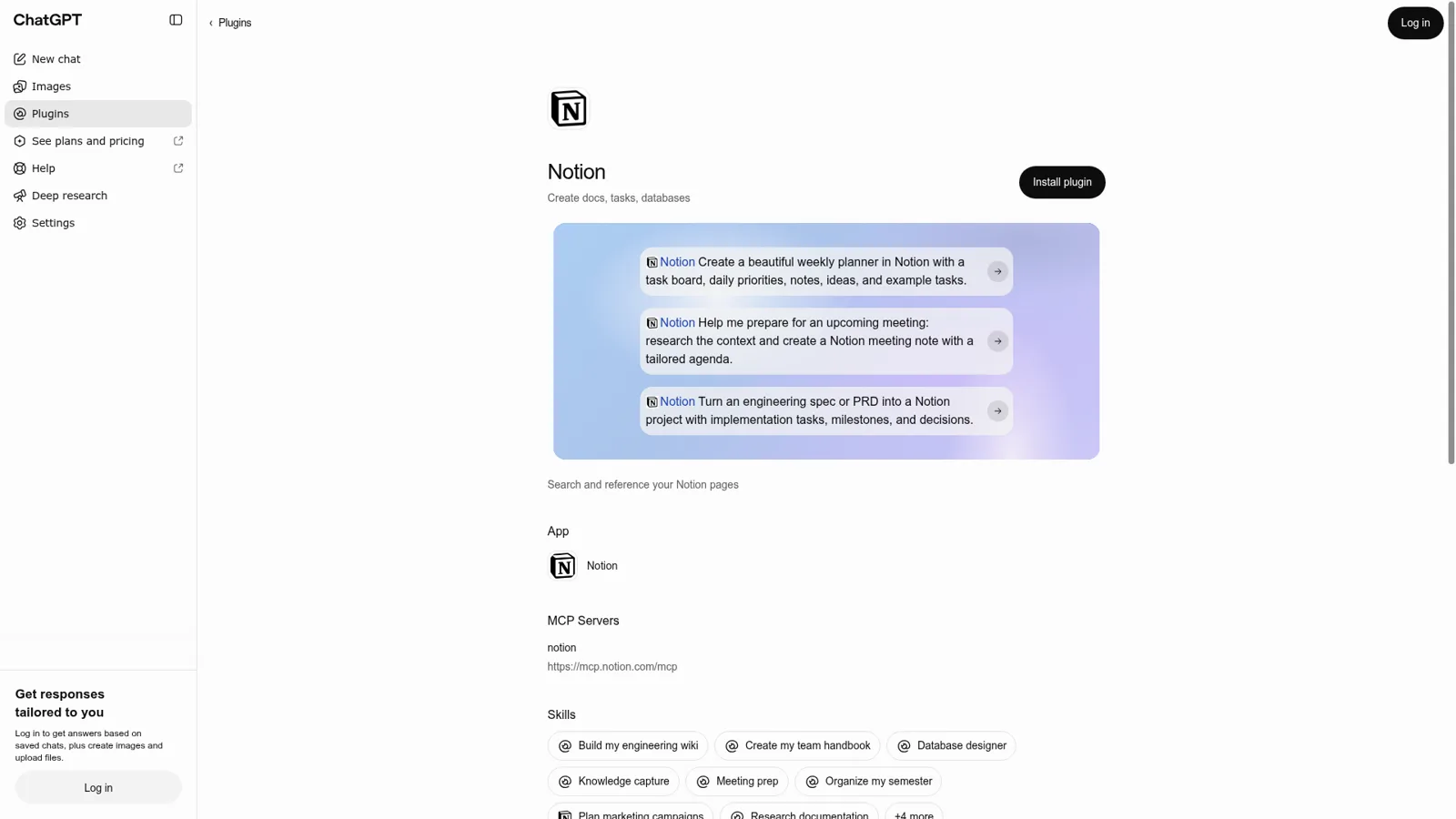
You set it up from ChatGPT's settings in under a minute. OpenAI's Notion setup article lists the steps:
- Open Settings > Plugins.
- Find and select Notion.
- Select Connect, or Install plugin if it's listed as a plugin.
- Sign in to the Notion account you want to use.
- Review the workspace and content in the authorization request, then approve.
Two things trip people up. If you belong to more than one Notion workspace, make sure you approve the one with the pages you need; you can add more later with Connect another account. And the old "individual sync" option is gone: "You do not need to set up individual sync or wait for an initial sync to finish." ChatGPT reads Notion live through Notion's MCP server at https://mcp.notion.com/mcp.
In a managed workspace, check with your admin first (my ChatGPT Teams guide covers the admin side). In ChatGPT Business "many apps are enabled by default", while new Enterprise and Edu workspaces "start with a selected set of enabled apps" (connected apps).
What can ChatGPT do in Notion?
A lot more than it could a few months ago. The plugin listing names capabilities like "Create and edit pages", "Build databases and dashboards", "Leave comments and suggest edits", "Delegate work to Notion Custom Agents" and "Build a CRM for contacts, accounts, and deals", and it bundles skills such as Build my engineering wiki, Create my team handbook, Meeting prep and Weekly project digest (plugin page).
That's a real change. Back in March, writing pages from chat was the missing piece:
"can you look into why the Notion connector in chat doesn't have the capability to write pages but the MCP (which I use via Codex) can? it looks like it's entirely possible, just mostly a missing action in the connector."

The Notion panel beside your chat
The newest piece is the panel. Ask "Open my project planning page in Notion" and the page opens next to the conversation, where you and ChatGPT can both edit it and you watch the changes land (Notion help). You can ask ChatGPT to leave a comment where a plan is thin, and on Notion Business and Enterprise it can suggest wording that stays a suggestion until someone with edit access accepts it.
The panel has edges, which Notion lists honestly. It works with one connected workspace at a time, on ChatGPT web and desktop. You can't change sharing, manage members or use Notion AI from it. And it doesn't save unsaved edits on your device, so "copy any unsaved text before you reload" if the connection drops. Enterprise owners can turn it off for everyone.
Which plans get the Notion ChatGPT integration?
Every plan gets the basic integration. ChatGPT's pricing page lists plugins on Free, Go, Plus and Pro, and Notion says its MCP server "works on every plan" (Notion MCP FAQ). The differences show up in the extras and in data handling.
| ChatGPT side | Notion side | |
|---|---|---|
| Basic plugin and panel | Free, Go ($8), Plus ($20), Pro (from $100) | Any plan, Free included |
| Team setup | Business: apps on by default; Enterprise: admin picks apps, RBAC | Enterprise: approve or block AI apps, see who connected |
| Suggested edits in the panel | Any | Business or Enterprise |
| Search Slack, Drive and other sources through Notion | Any | Business or Enterprise with Notion AI |
| Training on app data | Free, Go, Plus, Pro: possible if "Improve the model for everyone" is on; Business and Enterprise: not by default | Notion AI doesn't train on your data unless you opt in |
Sources: connected apps, Notion MCP, Notion pricing.
The training row is the one I'd act on. On personal ChatGPT plans, OpenAI "may use information accessed from apps to train our models" if that setting is on, so check it before you point ChatGPT at the company wiki. Notion's own seats are $10 on Plus and $20 on Business per seat a month, and my Notion pricing breakdown and ChatGPT pricing guide have the full tables.
Can you use your ChatGPT plan inside Notion?
Yes, and it's the most underrated part of this integration. Notion's October release put it plainly: "Don't pay twice. Use your ChatGPT plan in Notion." (Notion releases).
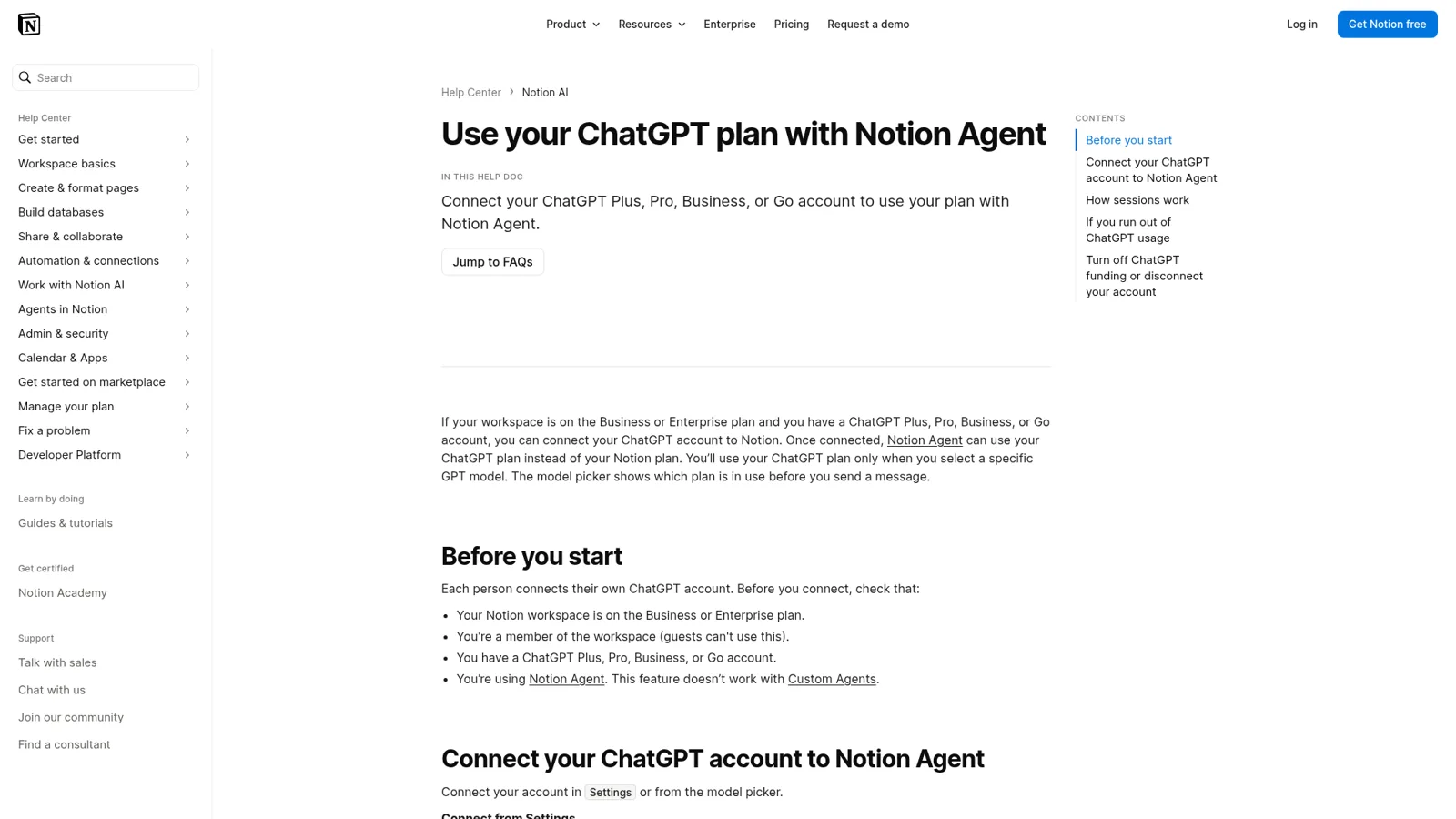
Here's how it works, per Notion's help page:
- Who: Notion Business or Enterprise workspace members (not guests) with ChatGPT Plus, Pro, Business or Go. Each person connects their own ChatGPT account under Settings > Notion AI > Me.
- When it applies: only when you pick a specific GPT model in Notion Agent. Auto or a non-GPT model uses your Notion credits instead.
- What it doesn't cover: Custom Agents. It's Notion Agent only.
- Data: Notion's agreements with its AI providers still apply, and the chats don't show up in your ChatGPT history or memory.
- Running out: Notion Agent asks to switch to Notion credits, then switches back when your ChatGPT usage resets.
Notion AI offers GPT models such as GPT 6.1-Sol and GPT-6 Luna next to other labs' models, per the same release notes. If you're deciding between Notion's assistant and ChatGPT itself, I've covered that already in Notion AI vs ChatGPT, so I won't repeat it here. For the broader overview, see Notion AI and ChatGPT.
Whose Notion access does ChatGPT use?
ChatGPT uses the access of the Notion account you connected, and nothing beyond it. OpenAI's Notion article is clear that a page can be missing because it wasn't shared with that account, sits in another workspace, or the app wasn't authorized for it, and that "A ChatGPT workspace administrator can make the app available, but cannot grant access to a Notion page that your Notion account is not allowed to view."
The flip side is that ChatGPT can reach everything that account can reach. Notion's FAQ on the panel says ChatGPT "can find other pages you can access in the connected workspace, even if they aren't open in the panel." For a founder with access to every page, that's a lot of Notion in one chat. One HN commenter built a narrower tool for exactly that reason:
"My wife wanted some meeting note-taking and task recording assistance and I found that making a Custom GPT with a trivial Notion API that was scoped to one page[0] with structure that was encoded in the API was a quick couple-hour thing that unlocked a lot of utility for her (the default Notion MCP is "too broad")."
Approvals: helpful, then tiring
ChatGPT has real controls on top. Each app's permission can be Always ask, Allow read actions, Allow low-risk actions or, for eligible apps, Allow all actions, and "ChatGPT may ask for approval before reading information or completing an action" (connected apps). Notion, for its part, recommends confirmation before actions that change content.
The trade-off shows up fast in real use. A user who keeps a backlog in Notion asked OpenAI for a lighter touch:
"ChatGPT currently asks for manual confirmation every time it updates Notion page properties. For users who repeatedly approve the same kind of low-risk action, this creates heavy friction."
OpenAI Support replied that the newer permission options "can reduce repeat prompts", and that page-specific controls "go further" than what exists today. So today, approvals are set per app and per person rather than per page or per database.
Workspace agents: the closest thing to a team setup
If you want ChatGPT and Notion working for a team, workspace agents on ChatGPT Business and Enterprise are OpenAI's answer. You build an agent, connect apps such as Notion, share it with teammates, run it on a schedule, trigger it by API, or put it in Slack. Write actions default to Always ask.
The detail that matters is whose Notion it uses. Each app connection is either an End-user account, where each person signs in as themselves, or an Agent-owned account, a shared connection. Slack needs the shared kind: "all app connections for that agent must use shared authentication." And OpenAI's own warning about publishing agents with personal connections is the clearest statement of the problem I've seen: "Anyone who can use the agent may be able to access data or perform actions through those connections as the creator."
That's fair and well documented. It also shows the shape of the gap: the access is set once per agent, then it's the same for everyone who uses it, whether that's your HR lead or a contractor. My ChatGPT business agents and ChatGPT Work review go further into OpenAI's side.
A Notion teammate that knows who is asking
eesel is an AI teammate built for the version of this where the wiki belongs to everyone, the classic internal knowledge base job. It connects natively to Notion and, per its Notion docs, reads the full text of the pages you share, their properties, every page nested under them and each row of a shared database, up to 15,000 pages per connection. Nothing outside the pages you pick is reachable.
Picture the onboarding wiki at a 200-person company. New hires ask the same 30 questions in Microsoft Teams every month: laptop setup, the leave policy, who approves expenses. eesel answers in the Teams thread from the Notion page and links it, follows the thread without another mention, and can post a daily summary to a channel from a scheduled automation (Teams docs). The same agent works in Slack and Google Chat.
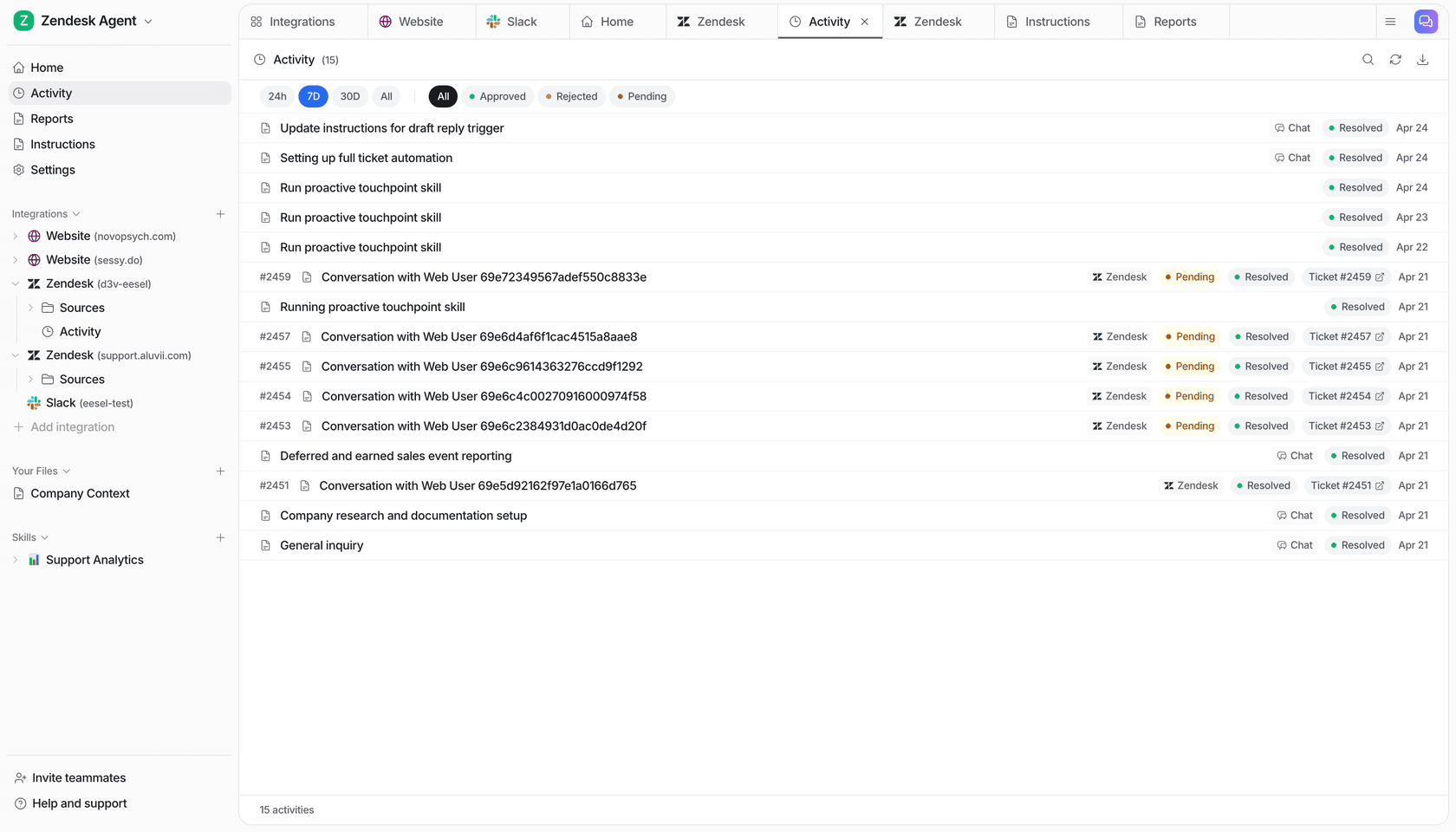
What makes it a teammate is that what it does changes with the person in front of it. You set it for a teammate, specific named people, a verified customer and an anonymous visitor, and for each one every action is On, Ask first or Off.
| Who is asking | Notion request | What eesel does |
|---|---|---|
| HR lead (a named editor) | "Add Priya to the onboarding tracker, starting Monday" | Adds the database row on its own |
| A contractor in a shared channel | "Update the vendor contacts page" | Prepares the edit and asks an editor first |
| A verified customer in your help chat | "How do I export my data?" | Answers from the public product docs pages |
| An anonymous visitor in the website chat | "What do your engineers earn?" | Never touches the salary-bands page, which is Team only |
The Notion actions behind that table are real and listed in eesel's docs: Create Page, Append to Page (it never edits what's already there), Add Database Row and Update Page Properties, each set to On, Ask first or Off, per agent (actions and approvals). Ask first shows the exact change with Approve and Deny, in the thread the request came from, by email, on the dashboard or in a terminal, and only editors can approve. Team only files are used for your team's questions alone, and eesel never sends them, or a link to them, to anyone outside the team.
It also works when nobody's typing. Automations start work on a schedule, an event in another connected app or a webhook, and the Notion write actions work inside them. At Cape Coffee Beans, eesel ran 160 scheduled checks in a month across Zendesk and Google Drive, on weekday and Saturday mornings, emailing the founder a short list of what slipped. Corrections stick through memory, so "always link the HR page, not the old PDF" holds next week too.
ChatGPT with Notion vs eesel with Notion
| ChatGPT + Notion plugin | ChatGPT workspace agent | eesel | |
|---|---|---|---|
| Notion access comes from | Your Notion account | Each user's account, or one shared connection | Only the pages you share with eesel |
| Who can ask | You | People you share the agent with; a Slack channel | Teammates in Teams, Slack, Google Chat; customers in chat or the helpdesk |
| How actions are controlled | Per app: Always ask to Allow all actions | Per agent: write actions Always ask by default | Per action On, Ask first or Off, changing with who is asking |
| Works with nobody at a keyboard | Scheduled tasks | Schedules and API triggers | Schedules, app events and webhooks |
| Answers your customers | Not built for your customer channels | Not built for your customer channels | Yes; Team only pages never reach them |
| Price | Included in any ChatGPT plan | ChatGPT credits on Business or Enterprise | From $299 a month for 500 credits, unlimited seats |
Sources: connected apps, workspace agents, eesel pricing.
Keep ChatGPT for yourself, give the team eesel
You don't have to pick one. I'd keep ChatGPT and the Notion plugin for your own drafting and research (my ChatGPT at work guide covers that side), and let eesel handle the questions the whole team asks. eesel's apps for ChatGPT, which let you talk to your eesel agent from a ChatGPT conversation, are being listed in ChatGPT's app directory (eesel and ChatGPT). In the meantime, Codex can set eesel up with the CLI today, and you can reach your agent from Claude's connector or eesel chat in a terminal.
If Claude is your assistant of choice, the sibling guide on the Notion Claude connector covers Anthropic's route. And if you're still choosing tools, my best AI for Notion roundup and the guide to AI search in Notion are good next reads.
Try eesel on your team's Notion wiki
ChatGPT makes Notion faster for the person typing. eesel makes your Notion wiki answer everyone else, in Teams and Slack, with the source page linked and a clear rule for what each person may see or change. Share one parent page, mark the sensitive pages Team only, and put edits on Ask first for the first week. The free trial is 7 days with 100 credits and no card, and the Notion integration page walks through setup.
