


Yes, Asana integrates with ChatGPT: Asana builds an official app in ChatGPT that turns a brainstorm into an Asana project or tasks, assigns owners and due dates, and pulls status from projects and portfolios, all from inside the chat. You install it from ChatGPT's apps, sign in to Asana and pick a workspace. Asana makes it available on every plan from the free Personal tier up, and there's no separate charge for the app.
The best part is the planning flow. ChatGPT drafts the project, shows it to you as an Asana card (in Gantt view if it's time-bound), and you edit names, owners and dates before anything lands in Asana. The weakest part is anything that has to run without you, because nothing that happens in Asana wakes ChatGPT up.
That's the gap a team feels. The person with ChatGPT gets a great plan; the twelve people asking "is the vendor contract done?" in Slack or Microsoft Teams don't. eesel is an AI teammate for that side of the work, answering anyone from Asana and creating tasks from the thread, with rules that change with who is asking. If you live in Codex, it can set eesel up through the eesel CLI, connecting Asana and asking test questions, while the Asana approval itself stays a human click.
For context on where I'm coming from: I've spent years building AI that acts inside teams' own tools, which mostly means arguing about what it may do unsupervised, what waits for a person, and what it must refuse. A connector that's lovely for one person can be the wrong shape for a team, and that's the question this post keeps coming back to.
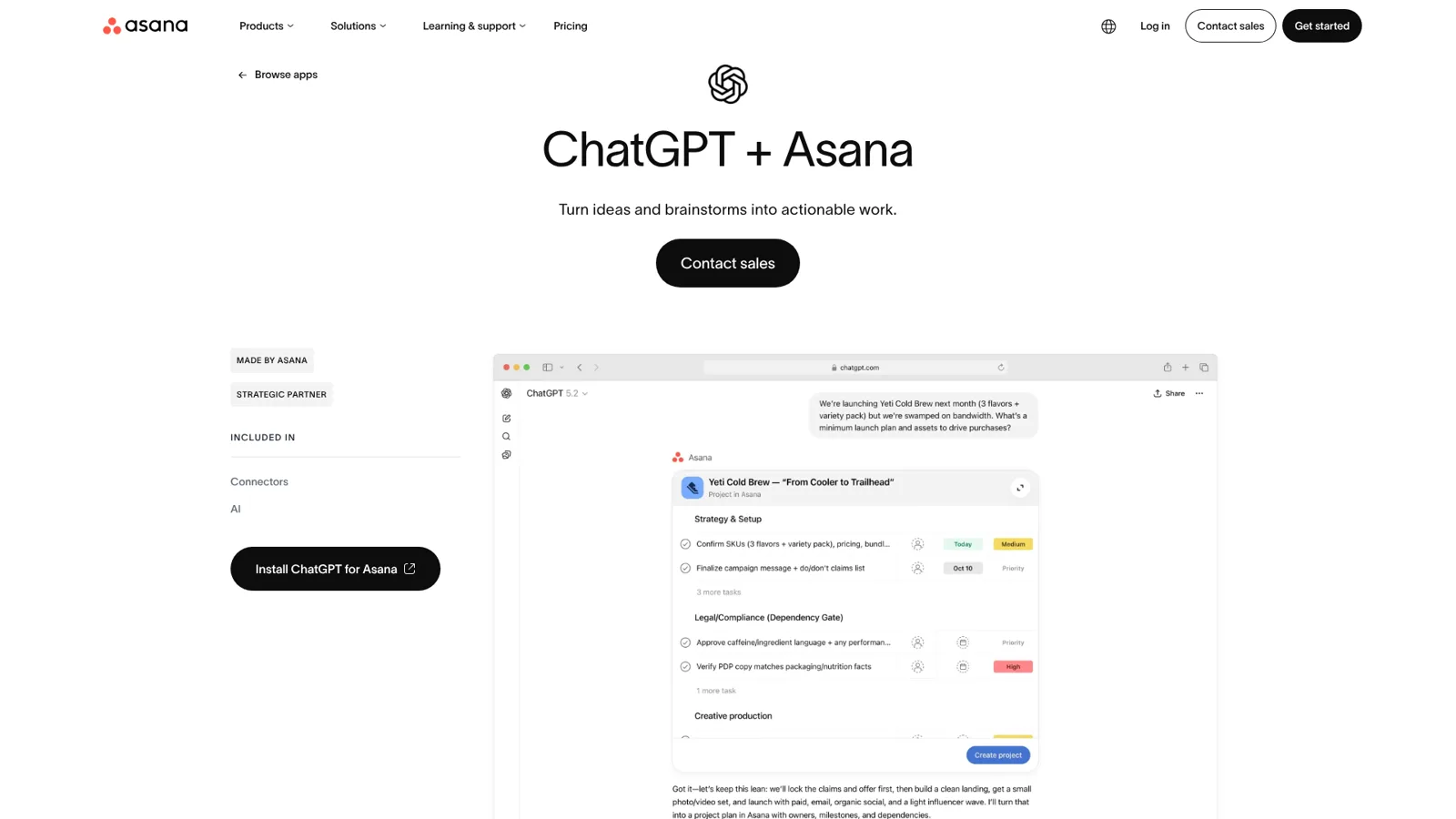
What is the Asana ChatGPT integration?
The Asana ChatGPT integration is the Asana app in ChatGPT, made by Asana and listed on Asana's own ChatGPT app page as "Turn ideas and brainstorms into actionable work". It runs on Asana's MCP server, the same one behind the Claude connector, and it launched on 15 December 2025, according to an Asana forum leader's guide to the app. If MCP is new to you, my MCP apps post explains the idea.
Asana's launch post lists four jobs:
- Turn chats into tasks, with due dates and owners.
- Get instant work updates on portfolios, projects or single tasks.
- Generate projects from scratch, like a launch plan or a hiring workflow.
- Connect documentation to work, for example "Create an Asana project based on the goals in this document" after uploading a PDF.
That last one is the most ChatGPT-shaped job of the four, and probably the one I'd reach for first. Drop in a strategy doc, get a structured project, fix it in the preview, ship it.
How do you add Asana to ChatGPT?
You add it from ChatGPT's settings, or from the install link on Asana's help article. The flow is:
- In ChatGPT, open Settings > Plugins and select Asana (OpenAI's steps).
- Select Connect and sign in to Asana.
- Pick the Asana workspace you want ChatGPT to use and approve the access.
- In any chat, mention Asana with @ or pick it from the + menu, and ask.
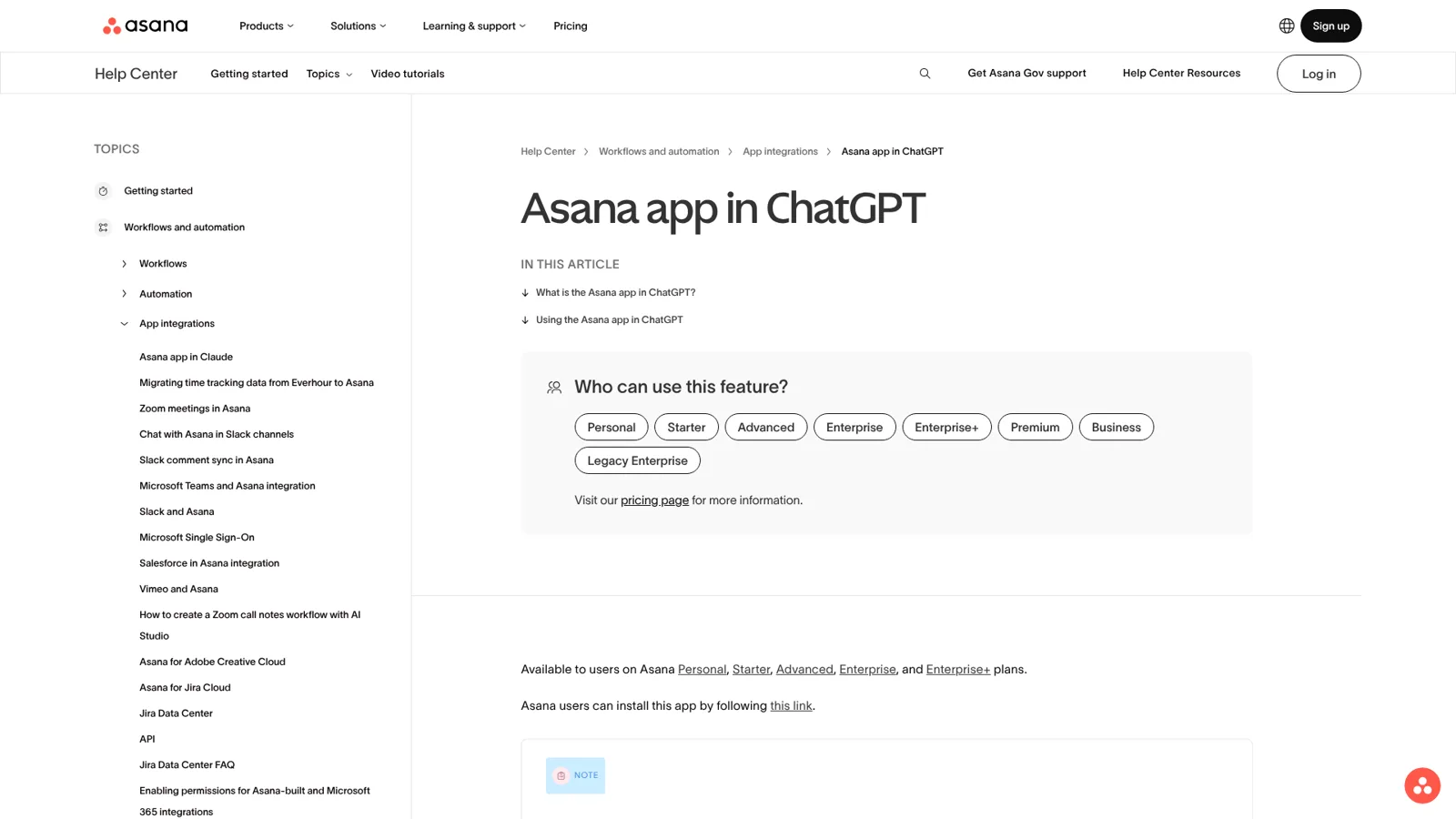
A few things trip up workplace setups:
- ChatGPT Business has "many apps enabled by default, but administrators can change workspace access". If you see Disabled by admin, an admin enables it under Plugins in the Admin Console (OpenAI).
- ChatGPT Enterprise and Edu. Asana's note says if the interactive cards don't appear, "Your ChatGPT admins will need to manually refresh the tools for the Asana app in the ChatGPT admin console."
- Asana's side. Admins with Asana's App Management can allow or block the app; organisations without it "may restrict user access by contacting Asana Support" (Asana).
- One workspace per session. Asana's MCP tokens are workspace-scoped, so "To work across multiple workspaces, you need separate sessions" (tools reference).
What can you do with Asana in ChatGPT?
You can plan, check and assign. Asana's help article shows three flows, and they're good ones:
- Plan tasks and projects. ChatGPT builds the project from your conversation, and "You can edit the task name, assign tasks to team members, and modify due dates before instantiating this project in Asana."
- Gantt view. For time-bound work, "Asana and ChatGPT will automatically create your project in Gantt view."
- Monitor progress. Ask it to "summarize the status or identify blockers for a project", and it returns a list of tasks to drill into.
Underneath, Asana's MCP server exposes read tools (search, task details, comments, status overviews, portfolios, notifications) and write tools (create and update up to 50 tasks per call, comment, post project status updates, delete tasks), per its MCP tools reference. One difference from Claude matters here. Asana's product manager wrote in April that "ChatGPT still requires UI widget for task creation", while Claude got a text-only tool for bulk creation (forum update). So in ChatGPT, expect to click through a preview each time you create.
If you want the Claude side of that story, it's in my post on the Asana Claude connector, and the wider app catalogue is in my ChatGPT apps directory guide.
Should ChatGPT do this Asana job?
Most of the confusion I see on Asana's forum comes from asking ChatGPT to do a job it isn't shaped for. Here's how I'd sort the common ones. Open the one that sounds like your week.
Who should handle it? Pick a job.
"Turn this strategy doc into an Asana project with owners and dates."
ChatGPT with the Asana app. It's your doc and your plan, and the preview card lets you fix it before it's created. This is the app's best job.
"Summarise where the Q3 launch stands and what's blocked."
ChatGPT, for today's picture. It reads the latest status and the tasks. For trends across weeks of status updates, see the limits below.
"Every time a form comes in, copy our template task and fill it in."
Asana's own rules. A forum ambassador solved exactly this with a rule that creates the task, subtasks and fields on each form submission, no AI needed.
"Answer the team's 'is this done yet?' questions in Slack and Teams."
A shared AI teammate like eesel. Many people ask, in chat, and the answer comes from Asana with a link to the task.
"Post overdue and blocked tasks to #ops every Friday at 4pm."
A scheduled job that posts to the team, such as an eesel schedule or a ChatGPT workspace agent on Business or Enterprise.
Does ChatGPT ask before it changes Asana?
It can, and you choose how often. OpenAI's app permissions offer Always ask, Allow read actions, Allow low-risk actions and, for eligible apps, Allow all actions, which "carries elevated risk because supported actions may run without another confirmation" (OpenAI). Workspace admins control which apps are on at all. On the Asana side, new tasks and projects go through the preview card.
That permission model is good enough that an Asana user on the forum asked for Asana's own AI Teammates to copy it:
"it would be useful to have a similar permission gate to how ChatGPT treats integrations? You can choose default behaviour for read/write, high risk/low risk actions, etc."
The gate matters because the usual failure mode for task tools is slow clutter, like this office a Hacker News user described:
"I got one from my office, who at some point decided to use ChatGPT to write Asana tickets that are clearly not vetted."

What these controls follow is the person. Each user connects their own Asana account, the token gets every tool (Asana's MCP apps "do not use permission scopes"), and ChatGPT's settings decide when that person gets asked. There's no setting for "this request came from a contractor", because in a ChatGPT chat the only one asking is you.
Where does the Asana app in ChatGPT stop?
It stops at history, templates and anything that has to start on its own. These come straight from Asana's community forum.
Status history. One ops team uses the app for weekly workload reviews and found it only reads the latest project update:
"At present, the connector can retrieve the latest status update for a project, but it does not appear to expose earlier status updates."
Asana logged it as feedback in August.
Duplicating templates. A team wanted ChatGPT to check a project on a schedule and, for each new form submission, duplicate a template task with its subtasks in order. The thread reports that ChatGPT "attempted to recreate the task and its subtasks individually", which "did not preserve the original subtask order and structure". The fix an Asana Ambassador offered was an Asana rule, and the poster said "it really works". I like that answer, because the right tool for a fixed workflow is often the boring native one.
Starting on its own. ChatGPT can run tasks on a schedule, and in Work it can react to events, but OpenAI lists the supported events as "new Gmail messages, new Slack channel messages, and GitHub pull request activity" (OpenAI). An Asana task changing isn't one of them. An Asana Ambassador put the consequence well:
"Claude and ChatGPT don't natively accept webhooks (currently), so events in Asana can't trigger new sessions in your external AI."
How much does the Asana ChatGPT integration cost?
The app itself has no listed charge. You pay for a ChatGPT plan and an Asana plan that includes it, and Asana lists Personal, Starter, Advanced, Enterprise and Enterprise+.
| Product | Plan | Price |
|---|---|---|
| ChatGPT | Free | $0 |
| ChatGPT | Plus | $20/month |
| ChatGPT Business | Standard seat | $20/user/month billed annually, $25 monthly; minimum 2 seats |
| ChatGPT Business | Premium seat | $100/user/month billed annually, $125 monthly |
| ChatGPT Enterprise | Contracted | Through OpenAI sales |
| Asana | Personal | $0, up to 2 users |
| Asana | Starter | $10.99/user/month billed annually, $13.49 monthly |
| Asana | Advanced | $24.99/user/month billed annually, $30.49 monthly |
| Asana | Enterprise, Enterprise+ | Contact sales |
OpenAI notes that "App use may count toward your ChatGPT plan limits" (OpenAI).
My ChatGPT pricing and Asana pricing posts cover both sides in full, and apps in ChatGPT pricing covers how apps are billed.
Asana's own AI is a separate line. Starter includes AI Studio at 50K credits per billing account a month, Advanced 75K and Enterprise 200K, plus AI Teammates and Asana Dash at 5 requests per user a month. Extra requests cost $0.50 each in prepaid packs or $0.60 on demand (Asana pricing). If you're comparing those agents with ChatGPT's, my AI project management tools roundup is the place to start.
What about ChatGPT workspace agents?
Workspace agents are OpenAI's shared option, and they're worth knowing about. On Business and Enterprise you can build an agent, connect it to apps, "share it with teammates or your workspace, use it in Slack, run it on a schedule", and by default "write actions for apps are set to Always ask" (OpenAI). Enterprise admins switch them on.
That's a real answer to shared work, and my ChatGPT Business agents post goes into it, with the wider rollout in ChatGPT at work. The controls are set once per agent, and the agent works in ChatGPT and Slack. It doesn't change what it does based on whether a teammate, a manager or a guest is the one asking.
How eesel handles a team's Asana work
eesel is a general AI teammate that works in your team's apps, and Asana is one of them. Connected, it reads your projects and tasks and answers where a task stands, who owns it and when it's due, with a link to the task, and it can create and update tasks (eesel Asana docs). The eesel team switches it on for your workspace with you, and then you connect it and choose what it may do.
Here's what a normal week looks like with it in place.
Monday, Microsoft Teams. The finance lead asks in Teams which audit tasks are due this week. eesel looks them up in Asana and answers in the thread, owners and dates included. It works the same in Slack, Google Chat and email, so nobody has to know which assistant has which workspace connected.
Wednesday, a Slack thread. The team agrees to move the vendor review to next sprint. Someone says "@eesel make a task for Priya, due Friday", and it does, on its own, because the person asking is on your team. Later a contractor in a shared channel asks it to reassign the same task. That one waits: you told eesel "ask me before you close or reassign anything", so an approval card appears in the thread with Approve and Deny, and only an editor can click it (actions and approvals). For people outside your team entirely, like a guest in that shared channel, you can switch Asana actions off altogether.
Friday, 4pm. A scheduled automation posts overdue and blocked tasks to #ops. You set it up by asking for it in the dashboard chat.

Every Asana action, from Create task to Delete task, is set to On, Ask first or Off, and you can set it by just saying it in chat. Corrections become instructions that stick across every app. Work starts from a chat message, a schedule (the Monday digest) or a webhook, so the team gets updates without anyone remembering to ask.
The same shape is running for internal teams already. At Cactus Club Cafe, a restaurant group, eesel handled 750 internal IT tickets in a month with 1,650 runbook and policy lookups, while a second agent audited the daily finance extract. Different tools, same idea: one teammate the whole team leans on, with rules about what it does alone. My posts on AI teammates and the best AI teammates cover the category.
Asana ChatGPT integration vs eesel in Asana
Here's how the three options line up for a team lead.
| ChatGPT + Asana app | ChatGPT workspace agent | eesel in Asana | |
|---|---|---|---|
| Who it works for | The person in the chat | Whoever the agent is shared with | The whole team |
| Where you ask | ChatGPT | ChatGPT and Slack | Slack, Teams, Google Chat, email, dashboard |
| What decides what it may do | Your Asana access; your app permission setting | Per-agent settings, write actions Always ask by default | On, Ask first or Off per action, plus rules by who is asking |
| Starts without you | Scheduled tasks; no Asana events | Schedules, API triggers | Schedules, events in other apps, webhooks |
| Best Asana job | Turning a doc or brainstorm into a project | Repeatable team workflows on Business or Enterprise | Status answers, tasks from threads, team digests |
| Cost | Your ChatGPT and Asana plans | Business or Enterprise, credit-based | From $299 a month, unlimited seats |
Sources: Asana help, OpenAI workspace agents, eesel Asana docs.
Can you use ChatGPT and eesel together?
Yes. Keep ChatGPT for drafting plans and thinking out loud, and let eesel handle the shared Asana work in your team's chat. eesel's apps for ChatGPT are being listed in ChatGPT's app directory, and once yours is there you'll be able to ask eesel what it did or have it draft something from a ChatGPT conversation (use eesel from ChatGPT). Codex can already set eesel up through the CLI today. If you're still deciding on a work tool, my Asana vs ClickUp and Asana vs Jira comparisons are a good start.
Try eesel as your team's Asana teammate
If the Asana app in ChatGPT is how you plan, eesel is how the rest of the team stays in the loop. It answers "where is this at?" in Microsoft Teams and Slack, makes tasks from a thread, posts the Friday digest, and asks before it closes or reassigns anything. The trial is 7 days with 100 credits and no card, and plans start at $299 a month with unlimited seats.