


Yes, Webflow has an official ChatGPT integration: the Webflow app, which Webflow launched in ChatGPT on 1 July 2026. You install it from ChatGPT's Plugins page, sign in with Webflow, pick the sites ChatGPT may use, and then mention @Webflow to audit SEO, write and publish CMS items, or analyze traffic. Webflow says it's free for now and doesn't use Webflow AI credits, and ChatGPT asks before taking actions in Webflow by default.
It's personal. The app uses your Webflow account and your role, so it's a great fit for the marketer or freelancer who owns a site and wants to clear an SEO backlog in an afternoon.
Where it stops is the team's Webflow work: sales asking for a landing page tweak, support spotting a typo on the pricing page, an agency contractor asking for a new section. That's where eesel comes in, an AI teammate the whole team asks in Slack or Teams, with rules that change with who is asking. Developers can let Codex or Claude Code set it up through the eesel CLI, connecting apps and running test questions from the terminal.
I've spent years building an AI that acts inside other companies' tools. The lesson that keeps repeating: the model is rarely the risky part. The risky part is who gets to tell it to do what.
Does Webflow have a ChatGPT integration?
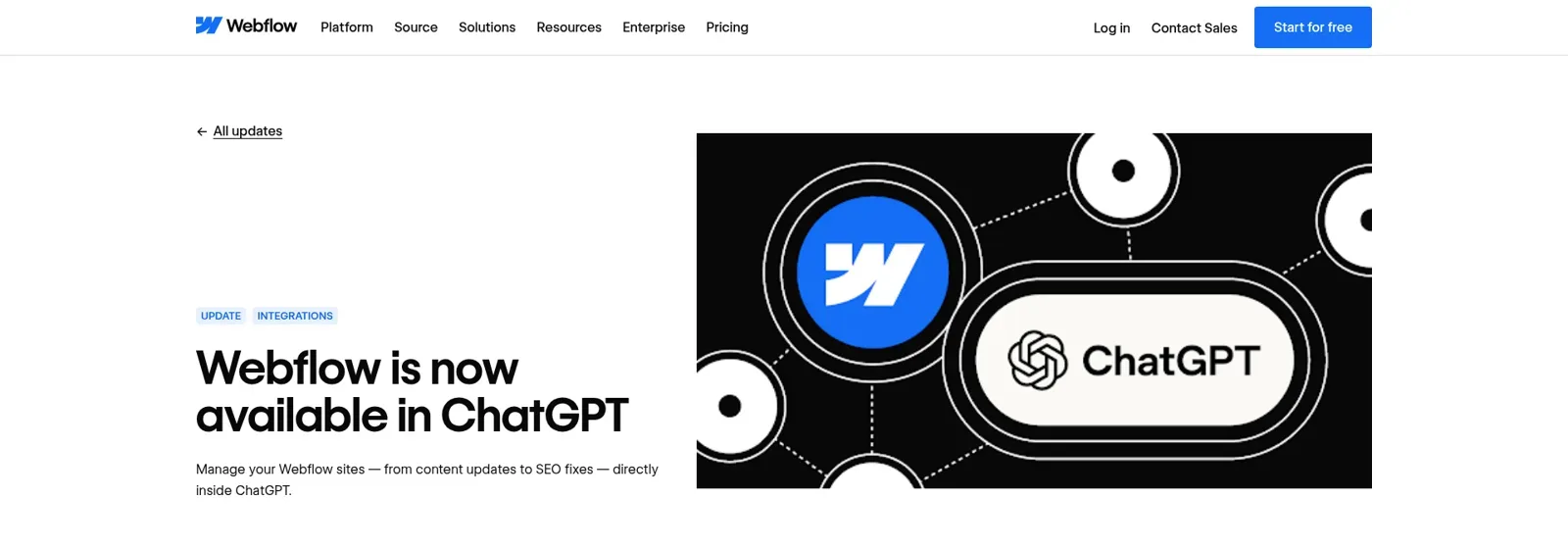
Yes, and Webflow built it. The launch note says that "whether you're optimizing content or managing your site, you can do it without leaving ChatGPT", and lists three headline jobs: audit and fix your site, create and update CMS content, and analyze structure and performance.
Behind the app is the Webflow MCP server (MCP is the standard explained in my MCP apps post), the same one that powers Webflow's Claude connector, Codex setup and Slack agent. So what ChatGPT can do in your site is decided by Webflow's tool list, not by OpenAI.
That matters more than it sounds. Before the app, ChatGPT could only talk about your site. A ChatGPT user on OpenAI's forum described what happened when she asked it for "a published Webflow website" in 2025:
"ChatGPT confirmed that it would deliver these, repeatedly assured me they were almost ready, but after long delays... ultimately admitted it was not technically possible to provide them."
With the app connected, publishing is a real tool call you approve, not a promise.
How to set up the Webflow app in ChatGPT
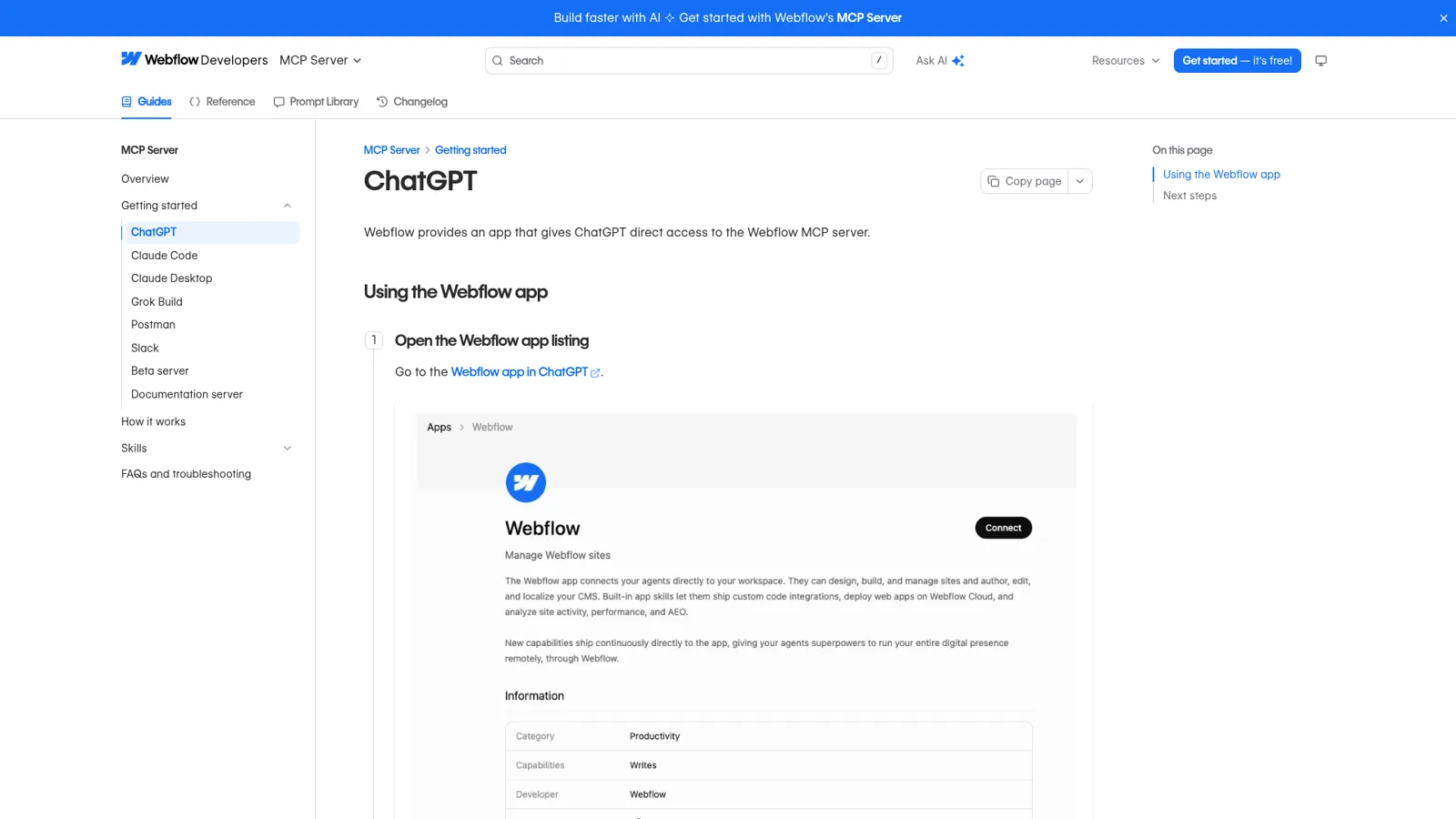
Webflow's help article walks through it, and it takes a few minutes:
- Open ChatGPT and click Plugins in the sidebar.
- Search for Webflow and click it.
- Click Install plugin, then Sign in with Webflow.
- Authorize access and click Continue.
- Choose the sites or Workspaces ChatGPT may use and click Authorize App.
Then start a chat with @Webflow, for example "@Webflow audit my site for broken links, missing alt text, and incomplete meta descriptions" (Webflow's ChatGPT guide).
A few setup facts to know before you start:
- Roles. "Users with any site role except Reviewer can connect", and ChatGPT respects each person's role. Only site owners and admins can authorize a site in the first place (FAQ).
- One Workspace at a time. To switch Workspaces you remove the app and reinstall it.
- Your plan. OpenAI notes that "App availability depends on the app, your ChatGPT plan, region, workspace, role, model, and the ChatGPT interface you use" (OpenAI Help).
- Developers. Codex connects to the same server, and Webflow's help center has a Codex guide.
If plugins are new to you, my guide on installing ChatGPT plugins covers the basics, and the ChatGPT apps directory post covers how apps get listed.
Five Webflow jobs worth giving ChatGPT
Webflow says the app ships with built-in skills for site audits, CMS management, safe publishing and developer workflows, and that "Using skills doesn't require AI credits". Here's where I'd start, in order of payoff:
- The SEO and AEO audit. Ask for every page missing a meta description or with a duplicate title, then let it write fixes. The server can bulk-update titles, slugs, meta and Open Graph for up to 100 pages per call (data tools). Pair it with my ChatGPT prompts for SEO.
- CMS batch work. "Add a 'reading time' field to Blog Posts and fill it for all 140 posts." Items are created and updated as drafts, and publishing is a separate step you approve.
- Landing page copy. Webflow's help article suggests drafting and publishing landing page copy straight from the chat.
- Analytics questions. "Which pages lost the most traffic this month?" works if you pay for the Analyze add-on; Optimize and AEO results need their own add-ons too.
- Performance passes. One agency founder on Webflow's forum pairs Webflow, Codex and a Cloudflare Worker:
"We managed to increase the Performance score from 64 to 100, and Best Practices from 58 to 100."
The common thread is repetitive, checkable work across many pages. A Webflow user summed up the appeal under Webflow's agent presence announcement:
"Using ChatGPT with Webflow has saved me HOURS of editing time!"
How does ChatGPT decide when to ask before changing Webflow?
ChatGPT asks first by default. Webflow's guide says "By default, ChatGPT asks you to approve any actions it wants to take in Webflow", and OpenAI's connected apps article describes the permission levels you can change it to: Allow read actions, Allow low-risk actions, or, for eligible apps, Allow all actions, which OpenAI warns "carries elevated risk because supported actions may run without another confirmation".
What counts as "low-risk" depends partly on hints the app's own tools carry. A developer reviewing public MCP servers flagged on 22 October that Webflow's tools set readOnlyHint but never destructiveHint, and that one CMS tool mixes listing items with publishing and deleting them:
"MCP clients such as Claude and ChatGPT use readOnlyHint / destructiveHint to decide which tools run without asking the user."
Until that's addressed, I'd leave Webflow on the default and approve each write yourself.
On a ChatGPT Business workspace, admins decide which apps the team can use; OpenAI says "In ChatGPT Business, many apps are enabled by default, but administrators can change workspace access". Webflow adds its own guardrails on the site side: agents work inside your role, changes land in the site activity log, and Agent Instructions on the site tell any connected agent how to build. Since October the Designer also shows a live avatar wherever an agent is editing. Not everyone thinks that's enough:
"Cool update, but if we had proper version control this wouldn't be necessary"
Webflow's version of that is page branches, where an agent builds in a private copy of a page, but branches need an Enterprise plan.
What the Webflow ChatGPT app can't do yet
Webflow is upfront about the gaps in its MCP overview:
| Limit | What it means day to day |
|---|---|
| One Workspace per authorization | Agencies with many client Workspaces reinstall to switch |
| No new site projects | Create the site in Webflow first, then point ChatGPT at it |
| No new localized CMS items | It can update existing items in secondary locales |
| GSAP interactions only | Sites still on Classic interactions look empty to the agent |
| Some actions need the Designer open | Snapshots and selection or breakpoint work need the MCP Bridge App running |
| Analytics needs add-ons | Analyze, Optimize and AEO are paid add-ons on Site plans |
None of these is a reason to skip it. They're a reason to try your real jobs on a staging site before you trust it with the live one.
What does it cost?
The Webflow side is simple. Webflow says the app is "currently available at no additional cost and does not consume AI credits", adding that "certain AI-powered actions may require AI credits in the future". The MCP server is on every Webflow Site plan, from the free Starter plan to Basic at $15 a month and Premium from $25 a month, billed yearly.
The ChatGPT side depends on your plan. Plus is $20 a month, and ChatGPT Business is $20 per user per month billed annually or $25 monthly for a Standard seat (OpenAI Help). For a team, see ChatGPT Teams. My ChatGPT pricing guide has every tier.
ChatGPT, Webflow's Slack agent, or a team teammate?
There are now four sensible ways to get AI into a Webflow site, not counting Webflow's built-in assistant (see my Webflow AI guide). Pick the line that sounds like you:
"It's my site, and I want to fix it faster."
Use the Webflow app in ChatGPT. You approve each change, and it acts with your own role.
"I write code and want the agent in my repo."
Connect Codex or Claude Code to Webflow's MCP server. Same tools, from the terminal.
"My team lives in Slack and only needs Webflow."
Try Webflow's own @Webflow agent in Slack, in public beta. Each person connects their own Webflow account, and it posts a review link before publishing.
"Lots of people ask for site changes, and they shouldn't all get the same powers."
That's an AI teammate with rules by who is asking, working across Webflow and the rest of your tools. That's eesel.
OpenAI has a team option too. ChatGPT Business and Enterprise include workspace agents that can run in Slack, on a schedule or from an API call, with write actions set to "Always ask" by default. In Slack, OpenAI notes, "all your agent's apps need to be set up using shared auth connections", so the agent acts with one shared login and the same rules for everyone who talks to it. My ChatGPT agents and ChatGPT Work posts go deeper.
How eesel handles the team's Webflow requests
eesel is an AI teammate for the whole team. It sits in Slack, Microsoft Teams, Google Chat and email, takes requests from anyone who talks to it there, and does the work inside your tools. Connect Webflow, one of the 3,000+ apps it works with, and it looks things up and takes actions there, with each action set to On, Ask first or Off.
One teammate, different rules for different people
Here's how that plays out for a Webflow site, in the order people tend to ask:
- Your marketing lead asks it to publish the approved webinar page. That's on, so it does.
- A sales rep asks it to swap the customer logo on a landing page before a demo. That's Ask first, so an approval card lands in the same Slack thread with the exact change, and an editor taps Approve or Deny.
- A contractor in a shared channel isn't a full member of your Slack, so they're outside your team, and you can keep Webflow actions off for them entirely.
- A visitor on your website chat gets answers from your docs. The site itself is never theirs to change.
The On, Ask first and Off settings, approval cards and Team only actions are on the actions and approvals page, and you can set any of them by saying it in chat: "publish on your own when Priya asks, ask me for anyone else". Rules for named people, verified customers and anonymous visitors sit on top.

It keeps working when nobody's asking
An automation can start work on a schedule, on an event in a connected app, or from a webhook. A useful Webflow one: every Friday, list the CMS items still sitting in draft and post them to #marketing with who wrote each. It learns from your docs and past work, and when someone corrects it, the fix sticks. Teams already doing this in Slack can compare notes in my AI Slack bot guide.
Agencies get the most out of this shape. AMAgency runs 4 brands on one eesel agent, which is the same problem as four client sites with different rules. If your team mostly ships blog posts, eesel's AI blog writer writes them in your brand voice and exports markdown or HTML for your CMS (content writing docs).
Webflow ChatGPT app vs eesel with Webflow
| ChatGPT + Webflow app | ChatGPT workspace agent | eesel with Webflow | |
|---|---|---|---|
| Who it works for | The person in the chat | Anyone who can use the agent | The whole team |
| Where people ask | ChatGPT | ChatGPT and Slack | Slack, Teams, Google Chat, email |
| What decides what it may do | Your Webflow role; ChatGPT app permissions | Agent settings, shared auth in Slack | On, Ask first or Off per action, plus rules by who is asking |
| Starts work on its own | Scheduled tasks you set | Schedules, API trigger | Schedules, events in other apps, webhooks |
| Other tools in the same request | Other ChatGPT apps you connect | Apps on the agent | 3,000+ apps |
| Cost | Your ChatGPT plan; app free for now | Business or Enterprise, credits | From $299 a month, unlimited seats |
Sources: Webflow ChatGPT guide, OpenAI workspace agents, eesel actions and approvals.
Should you keep ChatGPT if you add eesel?
Yes. ChatGPT is a fine personal workbench for Webflow, and eesel takes the requests that belong to the team. eesel's apps for ChatGPT are being listed in ChatGPT's app directory, so you'll be able to ask eesel what it did from inside a ChatGPT chat, and Codex can set eesel up with the CLI today (use eesel from ChatGPT).
Want more context first? eesel vs ChatGPT compares them head to head, and ChatGPT at work covers OpenAI's team plans.
For the Claude side of the same setup, read my Webflow Claude connector guide. If you're new to the idea of an AI coworker, start with AI teammates and the best AI teammates.
Try eesel as your team's Webflow teammate
If the Webflow app in ChatGPT already clears your own backlog, eesel does the same for the rest of the company. It answers site questions in Slack, publishes when the right person asks, holds everyone else's changes for a yes, and runs the weekly checks nobody remembers. Try it free for 7 days with 100 credits and no card; plans start at $299 a month with unlimited seats.