


ChatGPT for Tableau means Tableau's own plugin: install "Tableau" from Settings > Plugins in ChatGPT, sign in to your Tableau Cloud site, and ask questions of your published data sources, workbooks and Pulse metrics in plain English. It runs on Tableau's hosted MCP server, it's included with every Tableau Cloud edition and license type (a $15 Viewer can use it), and ChatGPT only ever sees what your own Tableau account can see. Tableau Server isn't covered by the hosted plugin.
That last part is the whole story for teams. The plugin is a great analyst's sidekick, and a shaky way to share numbers. If you build a ChatGPT workspace agent on your Tableau connection and put it in Slack, OpenAI's own help page warns that others "may be able to access data or perform actions through those connections as the creator." Your finance dashboards, in other words, travel with you.
eesel is built for the shared side: an AI teammate that pulls Tableau numbers for anyone who asks in Slack, Teams or email, and decides what to share by who is asking, so the finance lead gets margins and a partner agency gets nothing. Codex can set it up for you with the eesel CLI: connect Tableau and Slack, write down what "active customer" means at your company, and run test questions before the team sees a single answer.
We've spent years letting an AI work inside other companies' own tools. The lesson that carries over to analytics is simple: the hard part isn't getting the number, it's knowing who should have it.
Is there a Tableau plugin for ChatGPT?
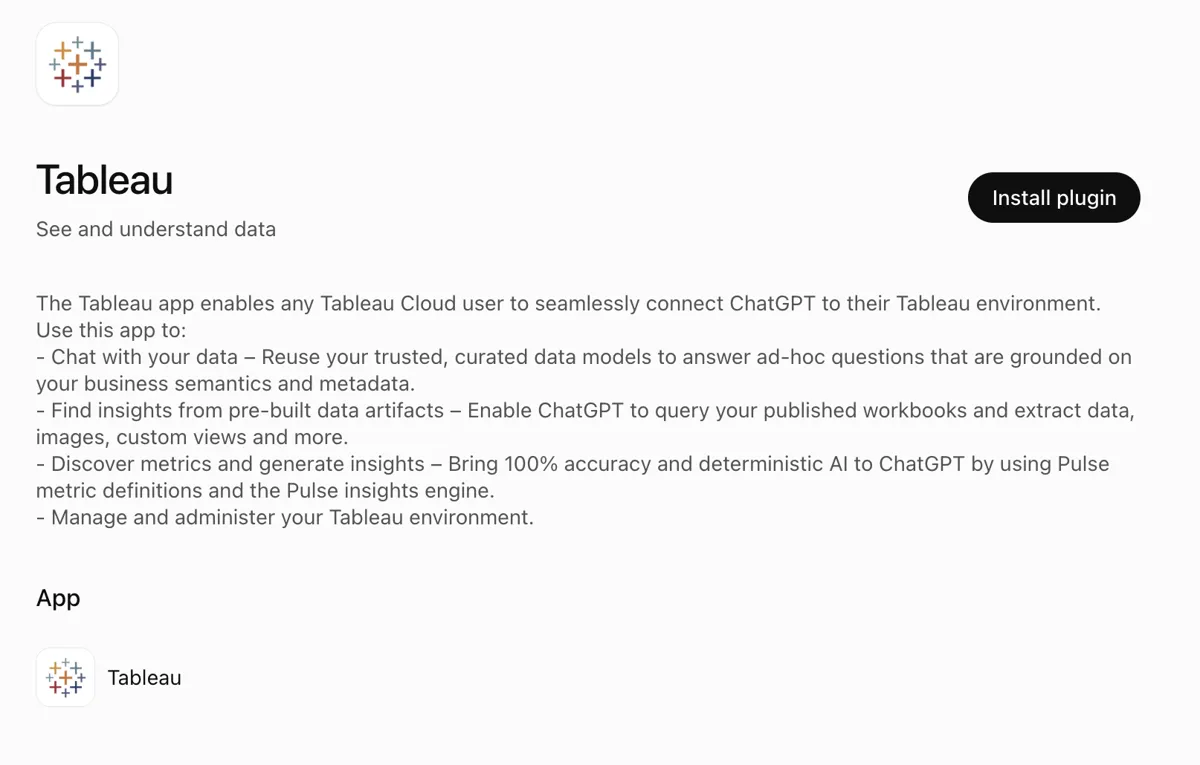
Yes. Tableau's client integration guide says "Tableau MCP is now available as a plugin in the ChatGPT directory", and the Tableau listing, pictured in those docs, describes four jobs: chat with your data, "query your published workbooks and extract data, images, custom views and more", work with Pulse metric definitions, and "Manage and administer your Tableau environment."
If you remember ChatGPT "apps" or "connectors", this is the same idea under a new name. OpenAI's help center now says to "Open Settings > Plugins, and select the app or the plugin that includes it" (Connected apps), and Tableau's own docs shrug at the churn: "names sometimes change (connectors, plugins, etc)". I cover the naming history in ChatGPT apps and the plugin marketplace.
Under the hood, the plugin is a front door to Tableau MCP, Tableau's official open-source MCP server, hosted for you at mcp.tableau.com. It's the same server behind the Tableau Claude connector, so what you learn here carries over if half your team prefers Claude.
How to install the Tableau plugin in ChatGPT
Setup takes about two minutes if you already use Tableau Cloud:
- In ChatGPT, go to Plugins (or Settings > Plugins) and search for Tableau.
- Click the Tableau plugin, then Install plugin. That starts Tableau's sign-in.
- On the Tableau consent page, check the site and username shown, use Switch site if it's wrong, and approve.
- Back in ChatGPT, click Try in chat and ask about a data source you know, or mention the plugin with @ in any chat.
A few workspace rules apply on ChatGPT Business. "In ChatGPT Business, many apps are enabled by default, but administrators can change workspace access", and a plugin marked Disabled by admin has to be switched on in the Admin Console under Plugins (OpenAI Help). Each connection sticks to one site: to switch, go to Settings > Plugins, select Tableau and choose Reconnect (hosted docs).
What should you ask ChatGPT about Tableau first?
Start with questions your dashboards already answer, so you can check the result against something you trust. These map to real tools in Tableau's tool catalog:
| Ask ChatGPT | Tool it reaches for | What you get back |
|---|---|---|
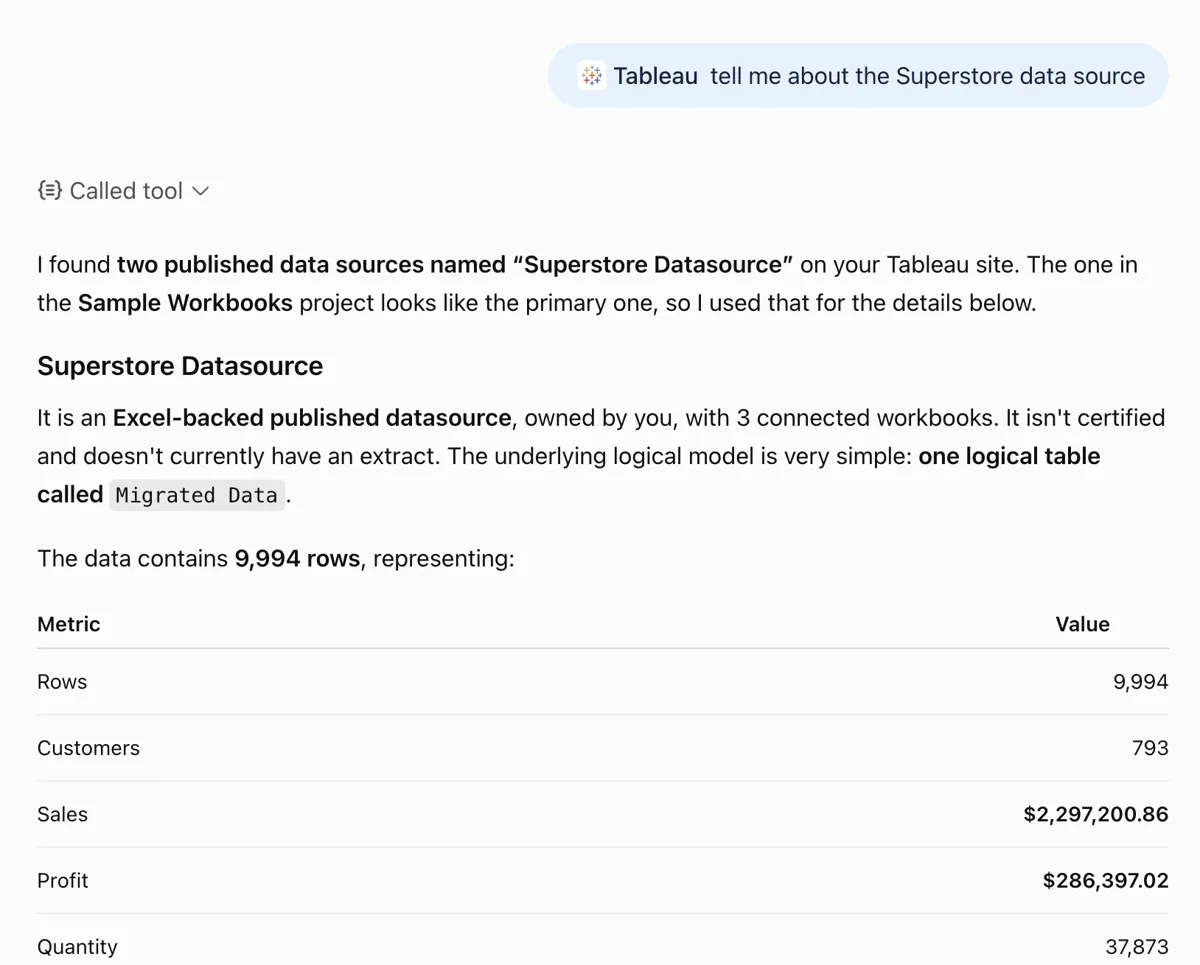
| "Top 5 states by sales in 2025 from the Superstore data source" | query-datasource | A VizQL query against your governed data, with the figures |
| "What fields and calculations are in our Revenue data source?" | get-datasource-metadata | Dimensions, measures and calculated fields |
| "Show me the Economy view in the Finances project" | get-view-image, get-view-data | A picture of the view, or its underlying numbers |
| "Which workbook got the most views last year?" | Content exploration | Owner, project, view count |
| "How is our Pulse metric for net revenue trending?" | Pulse tools | Your governed metric and its insights |
| "Which extract refreshes failed this week?" | list-jobs, extract refresh tools | A to-do list for the data team |
The first and third prompts come straight from Tableau's README, which is a good sign they work. The last one is my favourite for a data team's Monday morning.
Where do people get stuck?
People get stuck on edition limits, quiet result caps and business definitions. None of these are dealbreakers, and all of them are worth knowing before you promise the CFO anything:
- Tableau Server. The hosted plugin is "Not available for Tableau Server." Server shops self-host the open-source server (hosted docs).
- Entitlements. "Pulse Insight Briefs and Tableau Knowledge require Tableau+; the full Metadata API surface requires Data Management", and a missing entitlement only shows up as "an error at call time."
- Publishing. Data apps and workbook publishing need your ChatGPT or Codex environment to reach your pod's S3 host, which is a client setting, not a Tableau one.
- Partial lists. A user on Tableau's GitHub found the Pulse metrics tool returning only the first page of results:
"In the reported inventory, 15 definitions reported 147 individual metrics, but MCP returned 65."
The bigger trap is meaning. Tableau found, rolling AI analytics out inside Salesforce, that without a semantic model "the agent was only 30-45% accurate", and that governed definitions pushed it "above 85%" (Tableau blog). Users notice the same thing in the wild:
"Their only complaint with Claude has been hallucinations when using it for things like remembering business rules, but that's an easy fix since it has no Access to them"

That comment is about Claude, but the lesson is the same for ChatGPT. Point it at certified, published data sources with clear field names, not a raw extract, and write your business rules down somewhere the AI can read them.
ChatGPT plugin or Tableau's own AI?
Tableau ships its own AI too, and the right pick depends on where the person asking already works. Here's how the routes line up, from Tableau's pricing page and product pages:
| Route | Where you ask | Which Tableau edition | Best for |
|---|---|---|---|
| Tableau plugin in ChatGPT | ChatGPT | Any Tableau Cloud edition | People who already live in ChatGPT |
| Tableau Agent | Inside dashboards, Pulse, web authoring, Prep | Cloud+ or Tableau+ Bundle | Analysts building and exploring in Tableau |
| Tableau Next and Tableau Next in Slack | Salesforce and Slack | Tableau+ Bundle | Salesforce-heavy orgs on Agentforce |
| Tableau MCP in Slackbot | Slack | Tableau Cloud | Teams on Slack, each person signing in |
| Tableau app for Microsoft Teams | Teams tabs, chats and meetings | Tableau Cloud or Server | Pinning dashboards in Teams channels |
If your company is deep in Salesforce, Tableau Next is worth a look alongside Agentforce pricing and Salesforce's predictive analytics. If you mostly want answers in a chat window, the ChatGPT plugin is the cheapest door in, because it works on Standard edition.
What does ChatGPT for Tableau cost?
The plugin is free; you pay for ChatGPT and Tableau seats. Tableau lists "Access Hosted Tableau MCP" for Creator, Explorer and Viewer licenses alike (Tableau Cloud pricing).
| Plan | Price (list, checked 17 Nov 2026) | Source |
|---|---|---|
| ChatGPT Plus | $20/month | ChatGPT pricing |
| ChatGPT Business, Standard seat | $20/user/month billed annually, $25 monthly; minimum 2 seats | OpenAI Help |
| Tableau Standard | Creator $75, Explorer $42, Viewer $15 per user/month | Billed annually only |
| Tableau Enterprise | Creator $115, Explorer $70, Viewer $35 per user/month | Billed annually only |
| Tableau Cloud+ and Tableau+ Bundle | Contact sales | Adds Tableau Agent, Knowledge; Tableau+ adds Next |
Here's what that means for a real team. Give 20 account executives a Tableau Standard Viewer seat and a ChatGPT Business Standard seat each, and you're at 20 x ($15 + $20) = $700 a month, billed annually, before anyone builds a dashboard. That's a fair price for 20 people who want to explore. It's a lot for 20 people who want one number on Monday.
Can you share Tableau answers through ChatGPT?
You can, with care. ChatGPT has real controls here. App permissions let you choose Always ask, Allow read actions, Allow low-risk actions or, for eligible apps, Allow all actions (OpenAI Help). Admins pick which plugins a workspace can use. And workspace agents can run on a schedule or sit in a Slack channel, with write actions set to "Always ask" by default (Workspace agents).
The catch is identity. To use an agent in Slack, "all app connections for that agent must use shared authentication." OpenAI recommends a service account and is direct about the alternative: "Using your personal account to set up this connection & making the agent available to others can inadvertently allow access to your app's data to users who invoke the agent."
For Tableau, that means one of two things. Either the agent runs on a service account you scope to "safe" dashboards, and everyone in the channel sees the same thing, or it runs as you, and everyone sees what you see. Neither changes with who is asking, and neither is built to answer someone outside your company in your own channels.
A Tableau teammate that knows who's asking
That's the job eesel does. It's a general AI teammate that works in the apps your team already uses and takes requests from anyone who talks to it there. Tableau is one of the 3,000+ apps it connects to: connect Tableau and it looks things up and takes actions there, with each action set to On, Ask first or Off. What changes is that the rules follow the person asking. Here's a RevOps setup:
| Who asks | Where | What eesel does |
|---|---|---|
| Head of finance (named person) | Slack DM, dashboard | Margin, cash and board-pack views |
| Account executives | #sales in Slack or Teams | Their pipeline and bookings; finance views stay off-limits |
| Leadership | Email, every Monday | A digest nobody had to ask for |
| Partner agency in a shared channel | Slack Connect | Nothing marked Team only |
| Website visitor | Chat bubble | Nothing from Tableau |
Each action is On, Ask first or Off, set per agent or in plain words ("answer revenue questions on your own, but ask me before changing any refresh schedule"). Ask first shows the exact action with Approve and Deny in the dashboard, as a card in the Slack thread, by email or in the terminal with eesel approvals, and only editors approve. Team only files and actions run only when someone on your team asks, never for a customer or visitor. And the per-person and per-audience settings are live, so named people can see more than the rest of the team, and a verified customer is treated differently from an anonymous visitor.
The Monday digest, without the Monday ask
The leadership digest is a schedule. eesel's automations start work on a clock, on an event in a connected app or on a webhook, and a schedule can run as often as every 10 minutes. You ask for it in chat, and it writes the job and confirms the timezone.
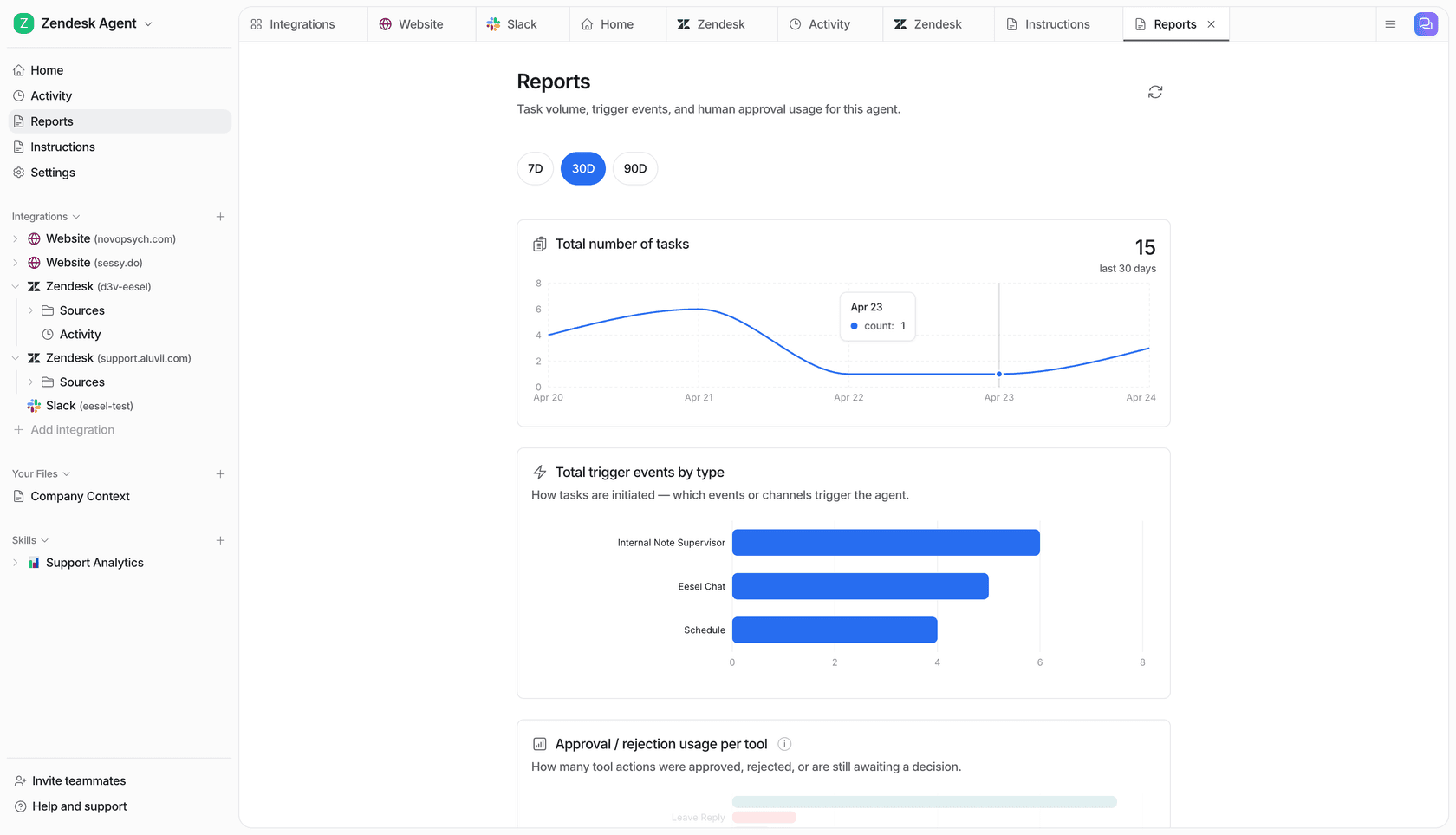
Cape Coffee Beans runs exactly this pattern on its own tools: 160 scheduled checks across Zendesk and Google Drive in a month, on weekday and Saturday mornings, each emailing the founder a short list of what slipped. Two agents, two different jobs, and nobody has to remember to ask.
Definitions stick too. eesel learns from your docs, past work and Slack history, and a correction said once ("active customer means paid in the last 90 days") holds through instructions and memory. That's the same lesson Tableau learned, applied to the person asking in Slack.
ChatGPT with Tableau vs eesel with Tableau
| Tableau plugin in ChatGPT | eesel with Tableau | |
|---|---|---|
| Signs in as | Each person's own Tableau Cloud account | One connection for the team |
| Who it answers | ChatGPT users with a Tableau seat | Anyone you allow, in Slack, Teams, email and chat |
| Sharing rules | Your Tableau role, workspace plugin settings, agent connection type | On, Ask first or Off per action, plus who is asking |
| Runs on a schedule | Your tasks and workspace agents | Schedules, app events and webhooks |
| Business definitions | Tableau's semantic layer, plus your prompts | Your docs, plus corrections remembered through memory |
| Cost | ChatGPT seat plus Tableau seat per person | From $299/month for 500 credits, unlimited seats (pricing) |
eesel has a free 7-day trial with 100 credits and no card, unlimited agents and seats on every plan, and its data handling is on the security page. More teams running it are on the customers page.
Should you keep ChatGPT for Tableau as well?
Yes. The plugin is the right tool for the person doing the analysis: the RevOps lead digging into why win rates dipped, or the analyst checking a new data source. eesel is the right tool for the 30 people who just want the answer in Slack.
You can bring the two together. eesel's apps for ChatGPT are being listed in ChatGPT's app directory, and in the meantime Codex can set eesel up through the CLI. If you also use Claude, the Claude connector lets you ask eesel what it answered today, the pattern behind any AI agent MCP server.
For more, see my guides to ChatGPT at work and ChatGPT Work.
If you'd rather wire Tableau into a workflow than a chat, I covered Tableau with n8n, and the bigger picture is in AI for data analytics.
Try eesel as your team's Tableau teammate
If ChatGPT for Tableau already makes your own analysis faster, eesel does the same for everyone who used to message you for a number. Connect Tableau once, keep finance views for named people, put anything that changes Tableau on Ask first, and let the Monday digest send itself.
