


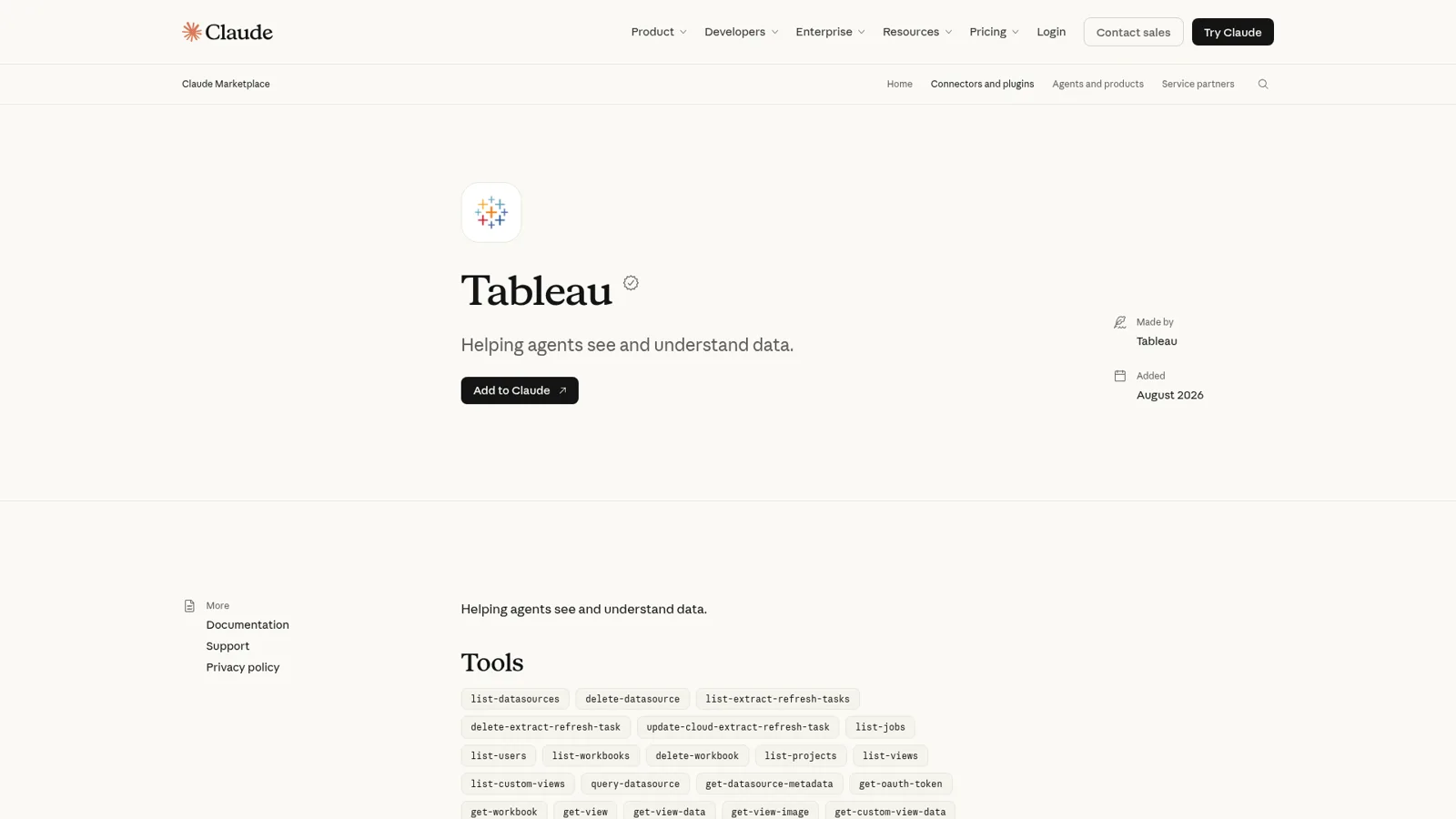
Yes, there is an official Tableau Claude connector: Tableau builds it, you add it from Claude's directory under Customize > Connectors, and it lets Claude query your published data sources, pull view data and images, read Pulse metrics and manage workbooks on your Tableau Cloud site. It runs on Tableau's hosted MCP server at mcp.tableau.com, costs nothing beyond your Claude and Tableau seats, works for every Tableau Cloud edition and license type (Viewers included), and signs in as you, so Claude sees exactly what you can see.
For an analyst at a keyboard, it's excellent. The friction starts when the questions aren't yours. "What's pipeline coverage this quarter?" from the VP of Sales. "Can you send me last month's churn number?" from the CEO. "What were Q3 sales in my region?" from a contractor in a shared Slack channel. The connector works as whoever signed in, so each of those people needs their own Tableau license, their own Claude seat and their own idea of what "pipeline" means.
That's the gap eesel fills: an AI teammate that answers the numbers questions for the whole team in Slack, Teams and email, where what it shares depends on who is asking. Your CFO gets the finance dashboard, a sales rep gets pipeline, and someone outside the company gets nothing from Tableau at all. If you live in Claude Code, it can set eesel up from the terminal with the eesel CLI: connect your apps, write the instructions ("pipeline means qualified opportunities only"), then ask it test questions and check the answers before anyone else sees them.
We've spent years letting an AI act inside other teams' tools, which mostly means deciding what it may do alone, what waits for a person, and what it must never hand to someone outside. Analytics is where the third part bites, because the dangerous answer isn't a wrong one. It's the right number, given to the wrong person.
What is the Tableau Claude connector?
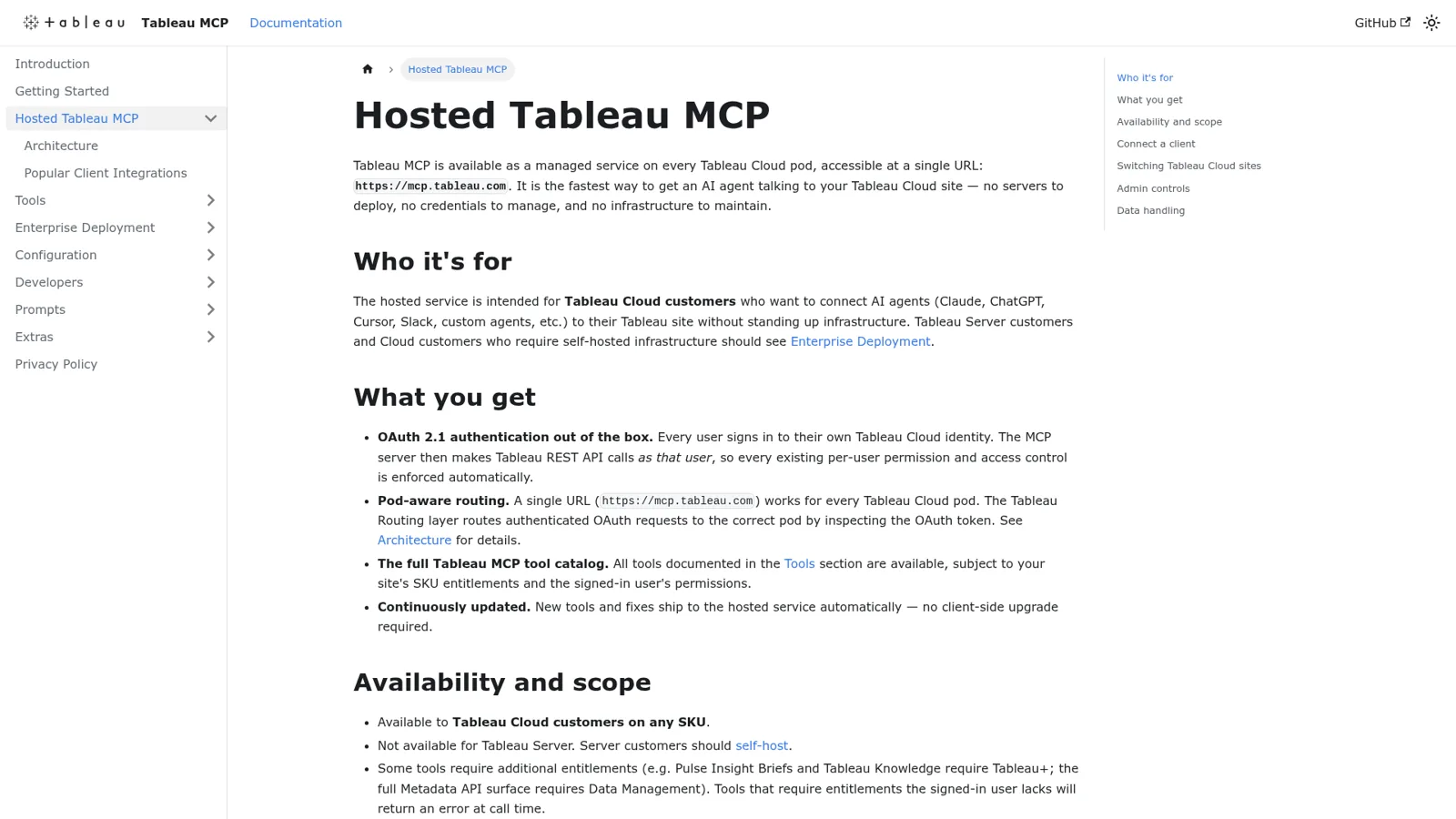
The Tableau Claude connector is Tableau's own MCP server, packaged as a connector in Claude's directory. MCP (Model Context Protocol) is the standard Claude uses to call tools in other apps; if you want the background, I cover it in Claude Code MCP tools. Tableau's GitHub repo calls it "Tableau's official MCP Server", and the README is plain about the recommended path: Tableau MCP "is available as a managed service at https://mcp.tableau.com. It uses OAuth 2.1 so every user signs in with their own Tableau Cloud identity, and all existing per-user permissions are enforced automatically."
Tableau's chief product officer put it in March: "AI can generate charts. Tableau defines the truth those charts are built on." The connector gives Claude your published data sources, calculated fields and Pulse definitions instead of a raw CSV.
There are three ways to put Tableau into Claude today, and they suit different people:
| Route | Runs where | Sign-in | Works with | Best for |
|---|---|---|---|---|
| Tableau connector in Claude | Tableau's hosted server | OAuth, your Tableau Cloud user | Tableau Cloud | Most people, in Claude on web, desktop and Cowork |
Claude Code (claude mcp add) | Tableau's hosted server | OAuth via /mcp | Tableau Cloud | Analysts and engineers in the terminal |
| Claude Desktop extension | Your computer | Personal access token (PAT) | Tableau Cloud or Server | Tableau Server shops, or anyone who must self-host |
If you're on Tableau Server, the hosted route is out. The hosted docs say it's "Not available for Tableau Server. Server customers should self-host." The desktop extension is the easier self-hosted option, though PATs come with a chore: by default they "expire after 15 days of inactivity", per Tableau's client setup guide, so you'll be minting new ones.
How do I connect Tableau to Claude?
You connect Tableau to Claude in four steps, per Tableau's client guide:
- In Claude, open Customize, then Connectors.
- Click Add, then Browse connectors, and search for Tableau.
- Select the Tableau Cloud connector and click Connect to Claude.
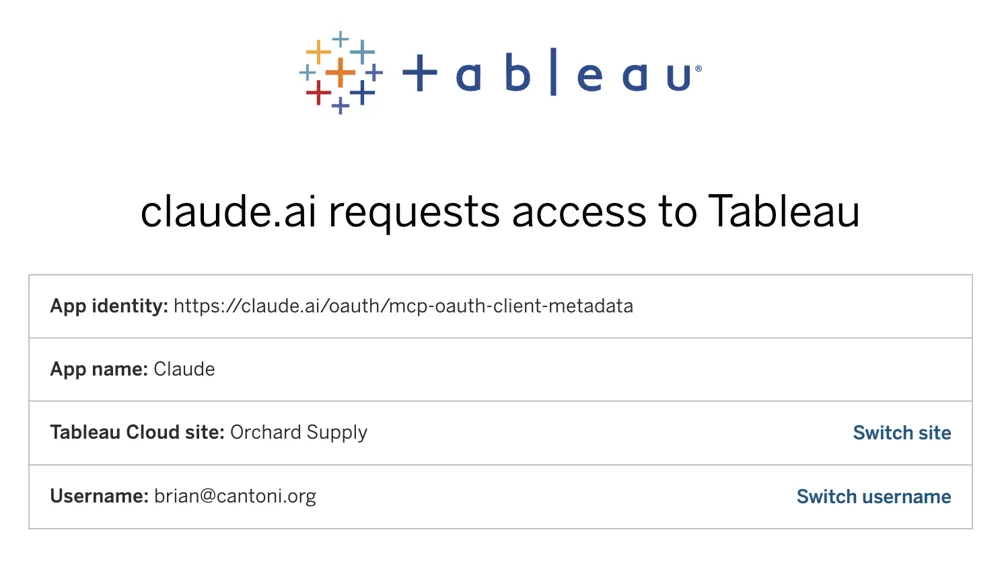
- Approve access on Tableau's sign-in page, then start a new chat and ask about a data source you know, like Superstore.
On a Claude Team or Enterprise plan, an Owner has to enable the connector first, and "Each person still needs to authenticate individually before they can use it" (Claude Help Center). In Claude Code it's one line, claude mcp add --transport http Tableau https://mcp.tableau.com, then /mcp to authenticate.
Three details catch people out:
- One site per connection. "A hosted Tableau MCP connection stays on one Tableau Cloud site: the site you approved at sign-in." To switch, disconnect and sign in again. The consent screen shows the site and username, so check both before you approve.
- Publishing needs a Claude setting. Data apps and workbook publishing need code execution with network egress and your pod's S3 host allowed, which may be "Set by admin" on Team and Enterprise.
- The server is young. Tableau's GitHub issues show a hosted outage on 19 October where sign-in completed but every client refused the connection. Tableau fixed it within hours, but a second company's report shows the stakes:
"Impact: every user in our Tableau Cloud tenant. 100% failure rate via the claude.ai Tableau Cloud connector. No configuration changes on our side."
What can Claude do in Tableau?
Claude can answer questions from your published data and run a fair amount of site housekeeping. The connector listing shows 35 tools, and Tableau's tool docs group them like this:
| Area | Example tools | What it means for you |
|---|---|---|
| Data Q&A | list-datasources, get-datasource-metadata, query-datasource | Ask a question and Claude runs a VizQL query against a published data source |
| Workbooks and views | get-view-data, get-view-image, get-custom-view-data | Pull the numbers or a picture of a dashboard you already trust |
| Pulse | list-all-pulse-metric-definitions and friends | Read your governed metrics and their insights |
| Content and admin | list-users, list-jobs, delete-workbook, delete-datasource | Inventory, clean-up, and yes, deletes |
| Extract refresh tasks | list-extract-refresh-tasks, update-cloud-extract-refresh-task | Check or change refresh schedules |
| Flows and data apps | Prep flow runs, publishing | Newer tools for Prep and vibe-coded data apps |
Two caveats sit in the hosted docs. Tools follow your site's licensing, so "Pulse Insight Briefs and Tableau Knowledge require Tableau+; the full Metadata API surface requires Data Management", and a missing entitlement only shows up as "an error at call time." And the delete tools are real. If your Tableau role can delete a workbook, Claude can too, so decide who's allowed to say "clean up the old drafts" before someone does.
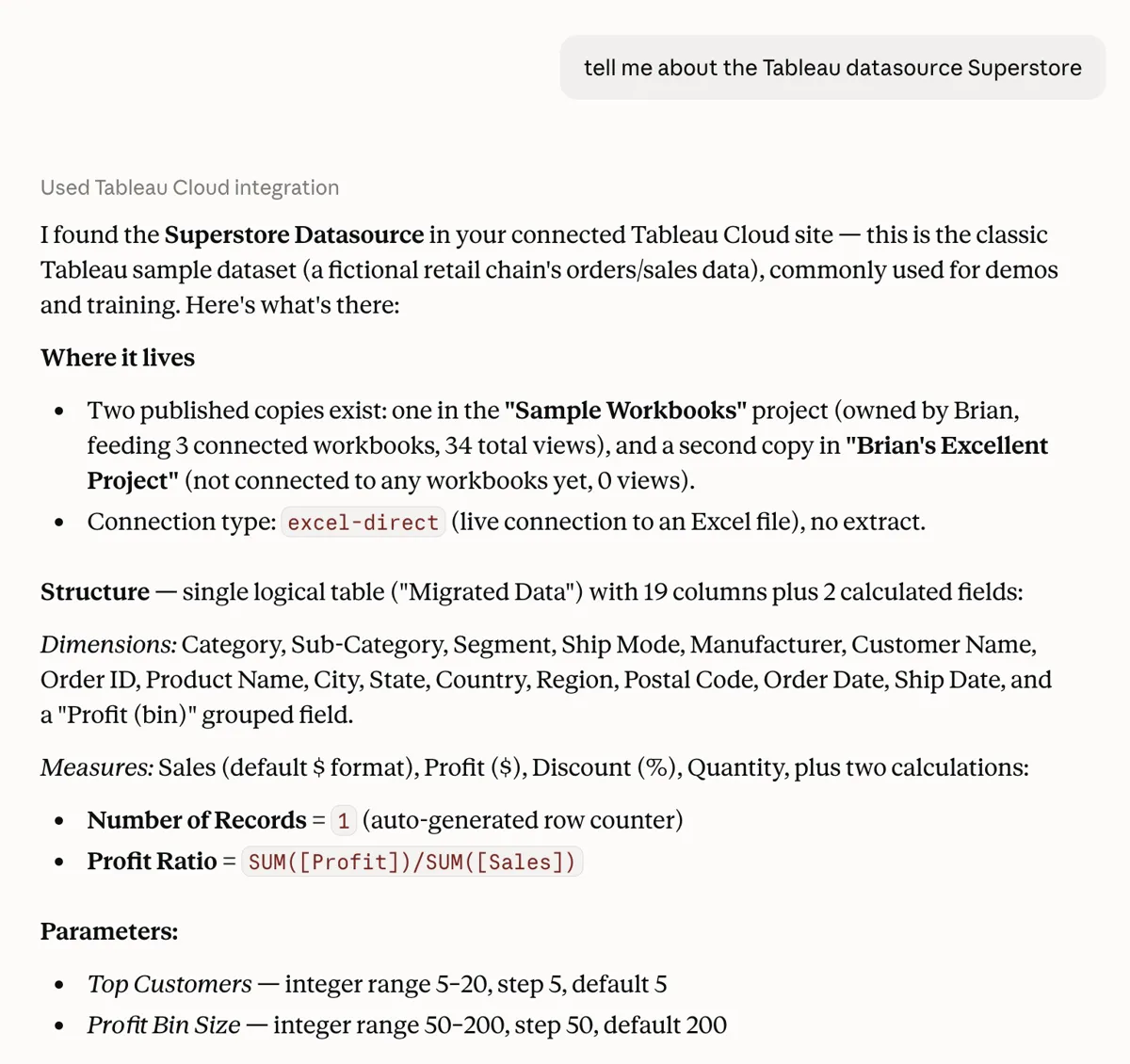
The best argument for this connector comes from Tableau itself. When it rolled agentic analytics out to Salesforce's own sales teams, it found that without a semantic model, "the agent was only 30-45% accurate", and that grounding in governed definitions pushed it "above 85%" (Tableau blog). That's why querying a published data source beats pasting an export into a chat: "pipeline" means what your team decided it means. People are already leaning on this hard:
"AI is pretty amazing for migrating. source: I'm using Claude to replace a large Tableau ecosystem. What would have taken years is now taking months."

What does the Tableau Claude connector cost?
The connector itself is free. Tableau's Cloud pricing page lists Tableau MCP in all four editions, and "Access Hosted Tableau MCP" for Creator, Explorer and Viewer licenses. So the cost is your Claude plan plus your Tableau seats:
| Piece | List price (checked 17 Nov 2026) | Note |
|---|---|---|
| Claude Pro | $17/month billed annually, $20 monthly | One person (Claude pricing) |
| Claude Team, standard seat | $20/seat/month billed annually, $25 monthly | Owner enables connectors for the org |
| Tableau Standard | Creator $75, Explorer $42, Viewer $15 per user/month | Billed annually; up to 3 sites |
| Tableau Enterprise | Creator $115, Explorer $70, Viewer $35 per user/month | Adds Data Management and Advanced Management |
| Tableau Cloud+ and Tableau+ Bundle | Contact sales | Tableau Agent, Tableau Knowledge; Tableau+ adds Tableau Next |
Tableau says "All Tableau Cloud plans require an annual contract", and every deployment needs at least one Creator. The $15 Viewer is the quiet bargain: a Viewer with the connector can ask Claude about any dashboard they can open. It's still one Viewer seat and one Claude seat per person who wants answers.
Whose Tableau permissions does Claude use?
Claude uses the Tableau permissions of whoever connected it. The hosted server "makes Tableau REST API calls as that user, so every existing per-user permission and access control is enforced automatically." That's the right design for a personal assistant.
There are real controls on both sides:
- Tableau side. Site admins "cannot disable the Tableau MCP hosted service", but they can block tool groups with an
EXCLUDE_TOOLSsite setting through the REST API, and sign-ins and tool calls land in Tableau's activity and audit logs (hosted docs). - Claude side. On Claude Team and Enterprise, Owners "can limit which actions a connected service can take across your organization", choosing Always allow, Needs approval or Blocked per permission, and members can't override it (Claude Help Center). Enterprise adds role-based permissions per tool.
- Slack side. Anthropic's Claude Tag puts a team-owned Claude in Slack channels (Team and Enterprise, public beta), acting with the connections an admin set for each channel. Tableau also wires its MCP into Slackbot, where each user connects their own site.
What all of these follow is the person or the channel. None of them changes with who a request is for, and none of them puts Tableau answers in front of people outside your company in your own channels. Picture an ordinary Monday at a 60-person SaaS company on Tableau Cloud:
- The CFO wants last month's gross margin by product line before the board pack goes out.
- A sales rep in #sales asks for her region's pipeline coverage.
- The CEO wants churn and expansion in one message every Monday at 8am, without asking.
- A contractor in a shared Slack Connect channel asks what Q3 revenue was "for the deck".
With the connector, the CFO and the sales rep each need a Tableau seat and a Claude seat, and each sees what their Tableau role sees. The CEO can set a Claude scheduled task for himself. The contractor shouldn't get Q3 revenue at all, and the only thing stopping it is a teammate reading the question first.
The same Monday with a Tableau teammate
eesel is built for that Monday. It's a general AI teammate that works in the apps your team already uses, takes requests from anyone who talks to it there, and does the work inside those tools. Tableau is one of the 3,000+ apps it connects to: connect Tableau and it looks things up and takes actions there, with each action set to On, Ask first or Off. One connection serves everyone, and you decide what happens for each kind of person:
| Who is asking | Where | What eesel does |
|---|---|---|
| CFO and finance lead (named people) | Dashboard, Slack | Finance dashboards and margin numbers; anything that changes Tableau on Ask first |
| Sales rep | Slack or Microsoft Teams | Pipeline and bookings for the team; finance views stay with the named people |
| Contractor in a shared channel | Slack Connect | Nothing marked Team only, so no revenue numbers |
| Anyone outside the company | Email or website chat | Nothing from Tableau |
Every action is set to On, Ask first or Off, per agent, and you can set it in a sentence ("look up numbers on your own, but ask me before touching any refresh schedule"). Ask first shows the exact action with Approve and Deny, in the dashboard, as a card in the Slack thread the request came from, or by email, and only editors can approve. Files and actions marked Team only only ever run when someone on your team asks, and "your team" means full members of your Slack, Teams or Google Workspace, not guests in a shared channel. On top of that, the per-person and per-audience settings are live: named people can get more than the rest of the team, and a verified customer is treated differently from an anonymous visitor.
It sends the Monday numbers on its own
The CEO's 8am message is a schedule. Automations start work on a clock, on an event in a connected app, or on a webhook, and "anything your agent can do on request it can do here." Ask for it in chat ("every Monday at 8am, post churn and expansion to #leadership") and it sets up the job, writes its instructions and confirms the timezone.

It also learns your definitions, which is the lesson Tableau's own rollout taught. eesel reads your docs, past work and Slack history, and a correction said once ("pipeline means qualified opportunities only") sticks through instructions and memory, so the sales rep and the CFO get the same definition next week.
That's the shape of what Cactus Club Cafe, a restaurant group, runs. One eesel agent works their internal IT queue and a second audits the daily finance extract: two agents, two very different jobs, with 750 tickets handled and 1,650 runbook and policy lookups in a month.
Tableau Claude connector vs eesel, side by side
They do different jobs, so compare their shape.
| Tableau Claude connector | eesel with Tableau | |
|---|---|---|
| Works for | The person who connected it | The whole team, from one connection |
| Who can ask it | Claude users with their own Tableau Cloud sign-in | Teammates in Slack, Teams, email and the dashboard; outsiders get only what you allow |
| What decides what it may do | That person's Tableau role, plus owner or role settings per tool | On, Ask first or Off per action, plus who is asking: team, named people, verified customer, visitor |
| Starts without a person typing | As your own scheduled task | Yes, on schedules, app events and webhooks |
| Where answers appear | Claude chat, Cowork, Claude Code | Slack, Teams, Google Chat, email, website chat |
| Cost | Included with Claude and Tableau seats | From $299/month for 500 credits, unlimited seats (pricing) |
eesel has a free 7-day trial with 100 credits and no card, unlimited agents and seats on every plan, and the security details are on the security page.
Can you use Claude and eesel together?
Yes, and it's what I'd recommend to most data teams. Keep the Tableau connector in Claude (or Cowork) for the analyst's deep work, and let eesel take the repeat questions that used to land in the analyst's DMs.
Your eesel workspace is itself an MCP server, so you can add it to Claude as a custom connector and ask "what did eesel answer in #sales today?" from any Claude chat. Editors can change things, viewers get the read side, and Ask first still asks. Claude Code can also set eesel up for you.
If you're weighing OpenAI's version, I compare it in ChatGPT for Tableau.
For the wider picture, see Claude Dashboards, my guide to AI for data analytics, and Claude for work.
Which should you use?
- Use the Tableau Claude connector if you're the analyst, you're on Tableau Cloud, and the questions are yours. It's free with your seats, it reads your governed data sources, and it's one of the better Claude integrations in the directory.
- Set delete tools to Blocked in Claude's organization settings unless you have a reason not to. Nobody needs a chat to delete a workbook by accident.
- Add eesel when the numbers questions come from the whole company in Slack, when you want a Monday digest nobody has to ask for, or when the answer depends on who's asking. It's the same reason teams hire an AI teammate instead of buying another seat.
Try eesel as your team's Tableau teammate
If the Tableau Claude connector already saves you time, eesel gives the same help to everyone who used to DM you for a number: the sales rep in Slack, the CEO who wants Monday's digest, the ops lead in Teams. Connect Tableau once, mark the finance views for named people, put anything that changes Tableau on Ask first, and let it answer "what's our pipeline coverage?" for whoever is allowed to know.
