


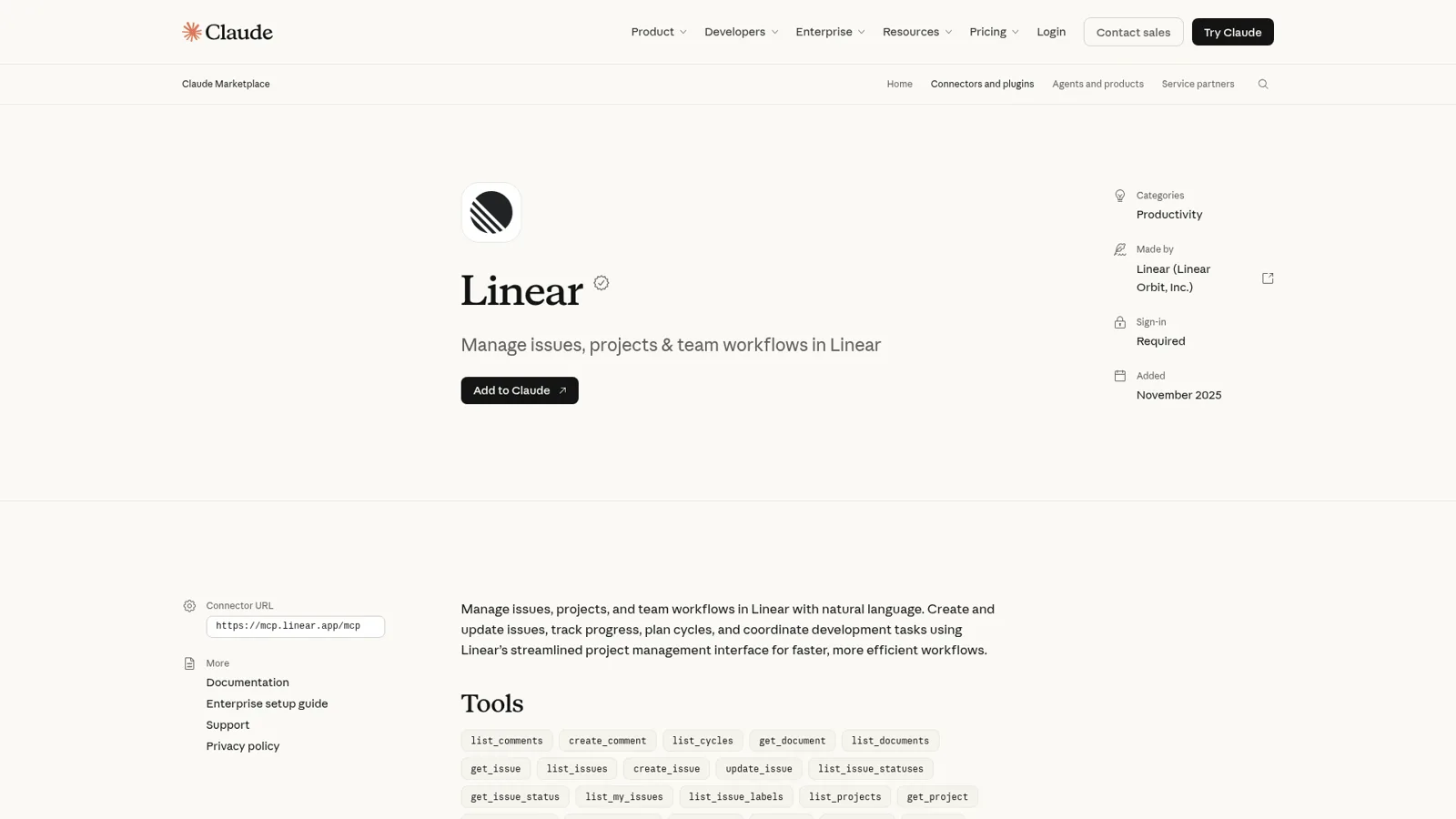
The Linear Claude connector is Linear's own MCP server, listed in Claude's connector directory: you add Linear under Claude's connectors, sign in, and Claude can then search, create and update issues, projects, comments and cycles in plain language. It comes with every Linear plan, connectors are on every Claude plan including Free, and Claude Code gets the same server with one command.
"Linear Claude" also means two things that live inside Linear: Linear's cloud coding agent, which turns a delegated issue into a draft pull request using Claude Code or Codex, and Claude Tag, Anthropic's Slack teammate, which can file Linear tickets from a thread.
All of that serves people who already live in Linear. The bug reports and "is this fixed yet?" questions come from everyone else: support, sales, ops, and customers. That's where eesel fits, an AI teammate that answers from Linear in Slack or Teams, where engineers can have it close issues, everyone else can file one, and customers never see internal issues. You can even have Claude Code set it up with the eesel CLI: connect Linear and Slack, then ask test questions before the team does.
I've spent years building AI that takes actions inside other teams' tools, and an issue tracker is the clearest case I know for one rule: the same request ("close this") is fine from one person and wrong from another.
What is the Linear Claude connector?
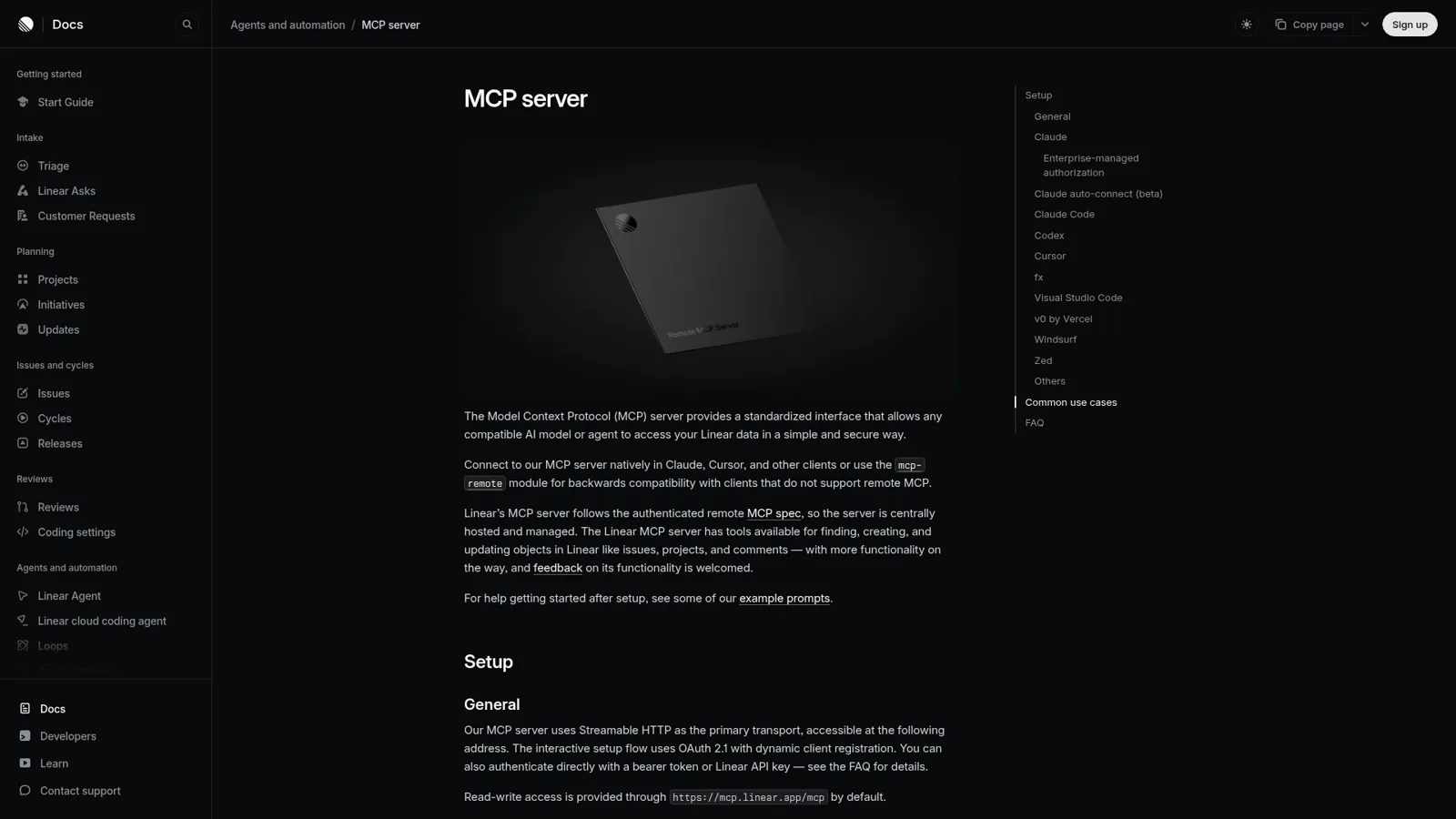
The Linear Claude connector is Linear's official app in Claude's directory, described as a way to "Manage issues, projects, and team workflows in Linear with natural language". It's a thin listing over Linear's MCP server, which Linear hosts centrally and which "allows any compatible AI model or agent to access your Linear data in a simple and secure way".
MCP (Model Context Protocol) is the standard that lets an assistant call another app's tools. The same server works in Claude, Claude Code, Codex, Cursor, VS Code, Windsurf, Zed and v0, so whatever you learn here carries over. Linear's changelog shows it's actively maintained: in November alone it added default instructions for clients, a completedAt filter on list_issues and assigning people by part of their name (changelog).
If you're still choosing a tracker, my Linear vs Jira and Linear AI posts are a good start.
How do you connect Linear to Claude?
Where you click depends on your Claude plan, per Linear's setup docs:
- Claude Free and Pro (desktop): Claude settings, then Connectors, then add the Linear connector.
- Claude Team and Enterprise: go to the connectors page and connect Linear, once an Owner has enabled it for the organization (Claude Help Center).
- Claude Code: run
claude mcp add --transport http linear-server https://mcp.linear.app/mcp, then/mcpto sign in. My Claude Code MCP tools post covers the client side.
Three newer options are worth knowing:
- Claude auto-connect (beta). Members with matching emails on Linear Business or Enterprise connect "without a separate sign-in or consent screen", keeping their Linear permissions. It needs a Claude Team or Enterprise plan and an admin on both sides.
- Okta-managed authorization. If Linear uses Okta SAML, you can let Okta policies sign people in to MCP clients like Claude.
- Read-only access. Point the client at
https://mcp.linear.app/mcp/readonly, or request only thereadscope, and "the underlying token can't reach write APIs".
Two gotchas. Each Linear workspace needs its own sign-in, since reconnecting doesn't switch workspaces. And Linear's own Claude page warns that "Remote MCP connections are still early and we've found that the connection may fail or require multiple attempts" (Linear's Claude page), so a restart or a toggle off and on is the first fix to try.
What can Claude do in Linear?
Claude's listing shows 22 tools, all list, get, create or update actions across Linear's main objects:
| Area | Tools | In practice |
|---|---|---|
| Issues | list_issues, get_issue, create_issue, update_issue, list_my_issues | Find bugs, file new ones, change status, assignee or priority |
| Comments | list_comments, create_comment | Read the thread, post findings back on the issue |
| Projects and cycles | list_projects, get_project, create_project, update_project, list_cycles | Turn a plan into a project, summarize a cycle |
| Workspace | list_teams, get_team, list_users, list_issue_statuses, list_issue_labels | Pick the right team, label and owner |
| Docs | list_documents, get_document, search_documentation | Read project docs and Linear's own help |
Linear's docs ship ready-made prompts that show the intent: turn a planning doc into a project with milestones, match standup notes to issues and comment on each, investigate an incoming bug and post the likely root cause, and summarize what a team finished last cycle. Every one asks Claude to "show the proposed" changes before applying them, which I'd copy into your own prompts.
Developers mostly like it. One Hacker News commenter who built a bug-reporting tool on it wrote:
"Linear's MCP is also very clean and well designed, probably one of their core advantages over, say, Jira. I wouldn't know what the API looks like because the MCP works great."

Not everyone agrees on efficiency. Another developer switched to a command-line tool instead:
"Funny you mention Linear’s specifically, I just posted about moving to a CLI instead because of the MCP’s egregious token-usage"
That matters on Claude plans with usage limits, since every tool result counts. If you only need lookups, the read-only endpoint keeps both the token bill and the risk down.
Whose access does the Linear connector use?
It uses yours. The interactive setup is OAuth, so Claude can only see and change what your Linear account can. Linear also accepts a bearer token or API key instead, which lets you connect "as an app user" or give "read-only access through a restricted API key".
On the Claude side, Team and Enterprise Owners can set each permission to Always allow, Needs approval or Blocked for everyone in the organization, for example letting Claude read Linear freely while every update_issue waits for a click (Claude Help Center).
Those controls follow the person holding the account. In a Claude chat only one person is ever asking, so there's no notion of "this request came from a customer" or "this one came from sales".
Claude inside Linear: the coding agent and Claude Tag
Two other products put Claude to work in Linear without you opening a chat.
Linear's cloud coding agent. Delegate a well-scoped issue and it "turns issues into draft pull requests using Claude Code or Codex", in a cloud sandbox, with your GitHub review rules still deciding what ships (coding agent docs). Admins pick the model; the default is GPT-6 Sol, and the Claude options include Opus 5.5, Fable 5, Opus 5 and Sonnet 5. It's on every current Linear plan and draws on Linear AI credits.
Since 12 November you can bring your own Anthropic or OpenAI key for model usage, though Linear still bills the sandbox and notes "You'll need an API key, not a ChatGPT or Claude subscription" (changelog). Third-party agents like Cyrus, built on Claude Code, also sit in Linear's agents directory.
Claude Tag. Anthropic's Slack teammate has its own Linear connection that "lets Claude file tickets and post status updates from a thread in any channel where the connector is on". It uses a personal API key from a dedicated Linear seat, not anyone's own login (Claude Tag docs). Claude Tag is in public beta and works in Slack; what Claude Tag is covers the basics and my Claude Tag review goes deeper.
What about ChatGPT and Linear?
ChatGPT has two routes. Linear's ChatGPT page connects Linear as a source for deep research, "keeping existing user-level permissions". For coding, Linear's Codex integration lets you assign or mention @Codex on an issue, on ChatGPT Plus, Pro, Business, Enterprise or Edu. Codex can also add Linear's MCP server with codex mcp add linear --url https://mcp.linear.app/mcp. For more on OpenAI's side, see my ChatGPT agents post.
Linear's own AI: Linear Agent and Linear Asks
Before you add anything, know what Linear already gives you. Linear Agent is on by default in every workspace, including Free. It answers questions about your workspace and code, creates and updates issues, runs scheduled or event-driven Loops, and works in Slack and Microsoft Teams, where you can write "@Linear file a bug, assign me".
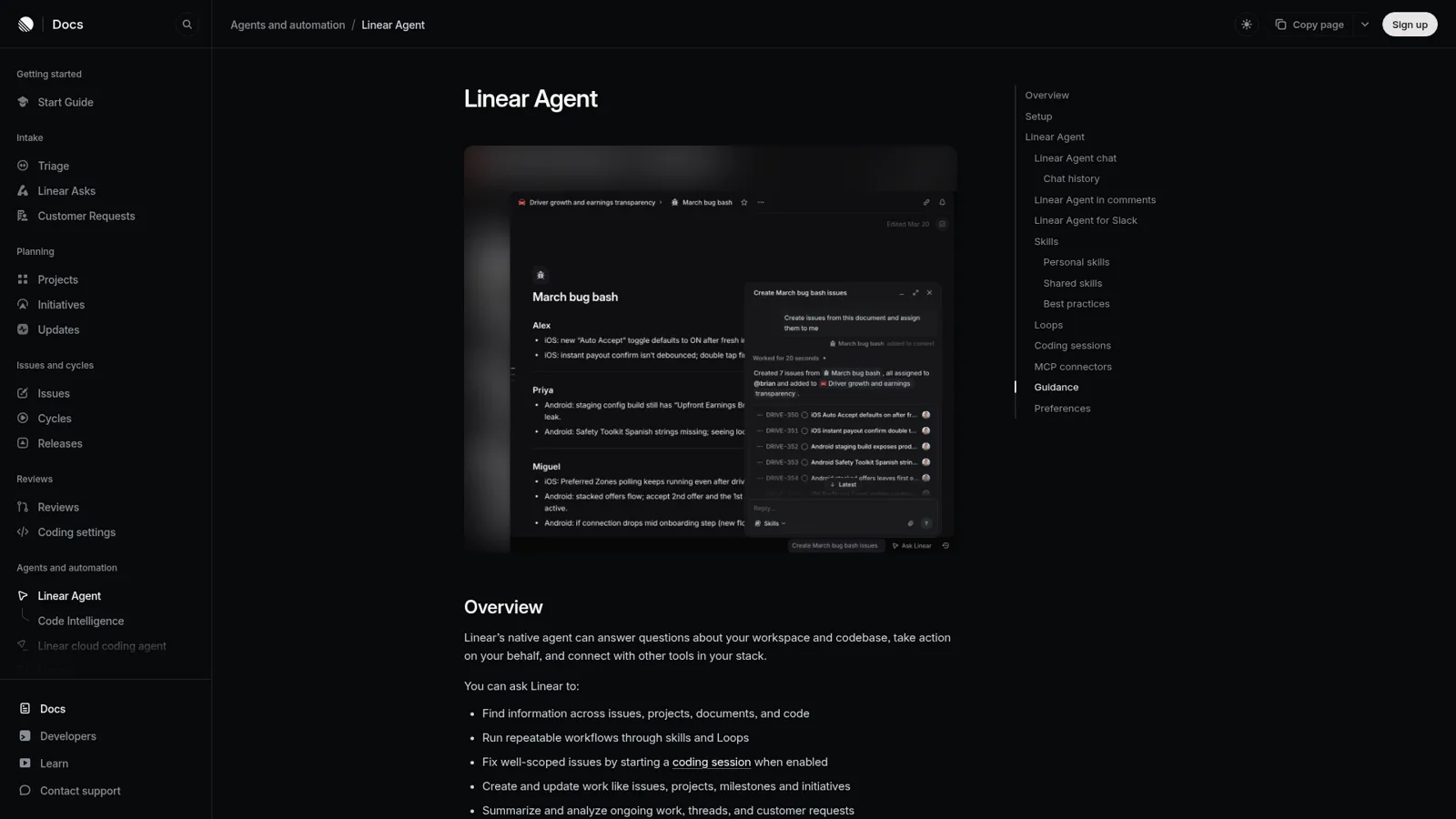
Two details matter for the rest of the company. Linear Agent "operates within your existing permissions", and in Slack, Linear's FAQ says "Only users with Linear accounts can create issues in Slack" (Slack docs). For people without seats, Linear sells Linear Asks on Business and Enterprise, which turns Slack messages, emails and form submissions into issues in a team's triage queue and lists "Engineering teams receiving bug reports from non-technical teammates" as its first use case.
If your whole company is happy to route requests through Linear, that's a strong setup, and it beats a homemade Slack ticketing system for most engineering teams.
How much does it cost?
The connector costs nothing extra on either side.
| Plan | Price | What matters here |
|---|---|---|
| Linear Free | $0 | 250 issues, 2 teams, Linear Agent, agent platform |
| Linear Basic | $10/user/month billed yearly | Unlimited issues, 5 teams |
| Linear Business | $16/user/month billed yearly | Linear Asks, Triage Intelligence, private teams and guests |
| Linear Enterprise | Custom, annual | SAML and SCIM, granular admin controls |
| Claude Free | $0 | Connectors included |
| Claude Pro | $17/month billed annually, $20 monthly | Connectors, Claude Code |
| Claude Team | $20/seat/month billed annually, $25 monthly | Admin controls for connectors, Claude Tag |
Linear agents don't take billable seats; Linear says "Agents are not counted as billable seats" (agent platform). My Claude pricing post has the full Claude table.
The team problem: bug reports and "is this fixed?"
Every product team I talk to has the same three Slack moments:
- "Is the CSV export bug fixed?" A support lead asks in #cx because a customer is waiting. The answer is in Linear, and the support lead doesn't have a Linear seat.
- "Can someone file this?" Sales pastes a prospect's bug into a thread. Someone has to turn it into an issue with steps, a team and a label (my bug report triage post covers that job).
- "Close it, it shipped." An engineer in the same thread wants the issue closed without switching apps.
The connector serves the engineer, if they have Claude open. Linear Agent and Linear Asks cover a lot of the rest inside Linear's world. What none of them is built for is one teammate that answers everyone, with different powers for different people, and that also answers from your docs, your helpdesk and your other tools in the same reply.
How eesel works with Linear for the whole company
eesel is an AI teammate that works in the apps your team already uses. Its Linear integration reads Linear issues, sub-issues, comments, cycles, projects and project docs, and you choose exactly which teams and projects it can see. It stays in sync as issues close and cycles ship, and it answers in Slack, Microsoft Teams and your helpdesk. Ask "what's blocking the remaining four in this cycle?" and you get the answer, with a link.
It also acts in your tools. Creating an issue is one of the actions an eesel integration can take, and every action is On, Ask first or Off (actions and approvals). Connect GitHub too and the same answer can cover the pull request.
Different powers for different people
This is the part a personal connector can't express. eesel tells apart your team, the specific people you name, verified customers and anonymous visitors, and gives each their own rules:
- Engineers you name can have it close or update an issue straight from the Slack thread.
- Everyone else on the team can have it file an issue from a thread, with steps and context pulled from the conversation. Set that to Ask first and a card lands in the thread for an editor to approve.
- Customers on your website chat or a support ticket never see internal issues. Mark Linear Team only and it's only ever used when someone on your team asks.
You can set all of this by saying it in chat: "close issues when Sam or Priya ask, ask me before filing anything for sales". Only editors approve, and eesel's safety check can still hold a risky call on an action set to On.
Support and engineering, in one thread
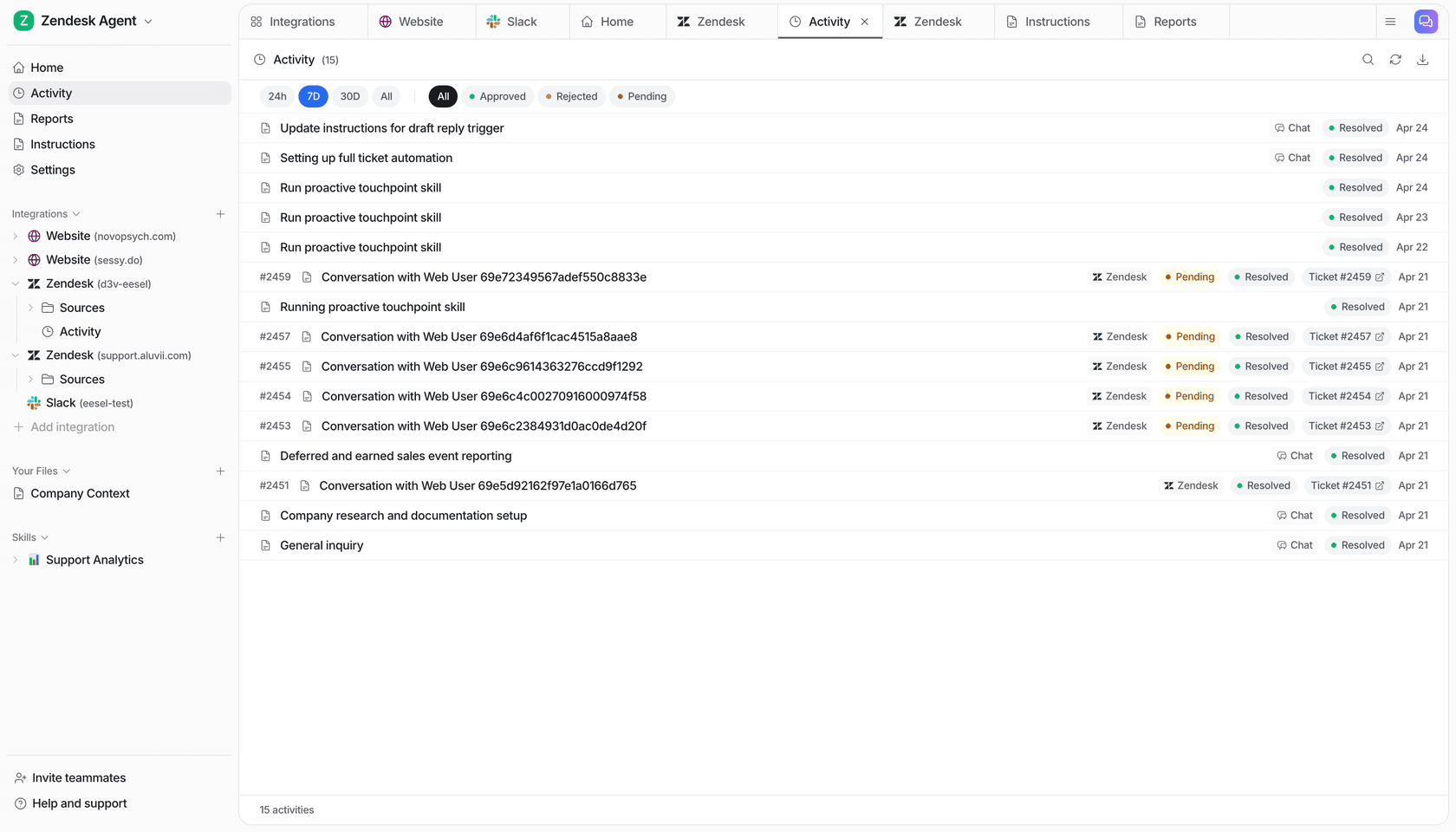
The support side is where this pays off first. At Adverscale, support agents type @eesel on a Zendesk ticket and the AI teammate answers, across 2,400 tickets in a month. Add Linear as a source and "is this a known bug?" gets answered on the ticket, without anyone pinging an engineer. An automation can also run on a schedule, say a Monday post to #cx listing bugs that shipped last week, so support can close the loop with customers.
Linear Claude connector vs Linear Agent vs eesel
| Claude + Linear connector | Linear Agent in Slack | eesel with Linear | |
|---|---|---|---|
| Works for | You | People with Linear accounts | The whole company |
| Who can ask it | The person in the chat | Linear users in Slack or Teams | Anyone in Slack, Teams or your helpdesk |
| What decides what it may do | Your Linear permissions; Claude tool settings | Each person's Linear permissions | On, Ask first or Off per action, plus rules by who is asking |
| Customers | Not a customer surface | Not a customer surface | Linear kept Team only, never shown to customers |
| Other tools in one answer | Your other Claude connectors | Its MCP connectors | Docs, helpdesk and 3,000+ apps |
| Cost | Your Claude and Linear plans | Included in Linear | From $299 a month, unlimited seats |
Sources: Linear MCP docs, Linear Slack docs, eesel Linear integration.
Can you use Claude and eesel together?
Yes, and I'd keep both. Engineers keep Claude and Claude Code wired into Linear for planning and coding, and eesel takes the questions and requests from everyone else. Your eesel workspace is also an MCP server, so you can add it to Claude and ask "what did eesel file for sales this week?" (use eesel from Claude). Editors can change things, viewers get the read side, and Ask first still asks.
For more on the category, read my posts on AI teammates, the best AI teammates and eesel vs Claude.
Comparing trackers too? See Linear vs ClickUp, Asana vs Linear and Monday vs Linear.
Using Claude across more of your stack? The Asana Claude connector and Claude for work guides cover the rest.
Try eesel as your team's Linear teammate
If the Linear Claude connector already speeds up your engineers, eesel does the same for everyone who isn't in Linear all day. It answers "is this fixed?" in Slack and on tickets, files issues from a thread, lets the right engineers close them, and keeps internal issues away from customers. Try it free for 7 days with 100 credits and no card; plans start at $299 a month with unlimited seats.
