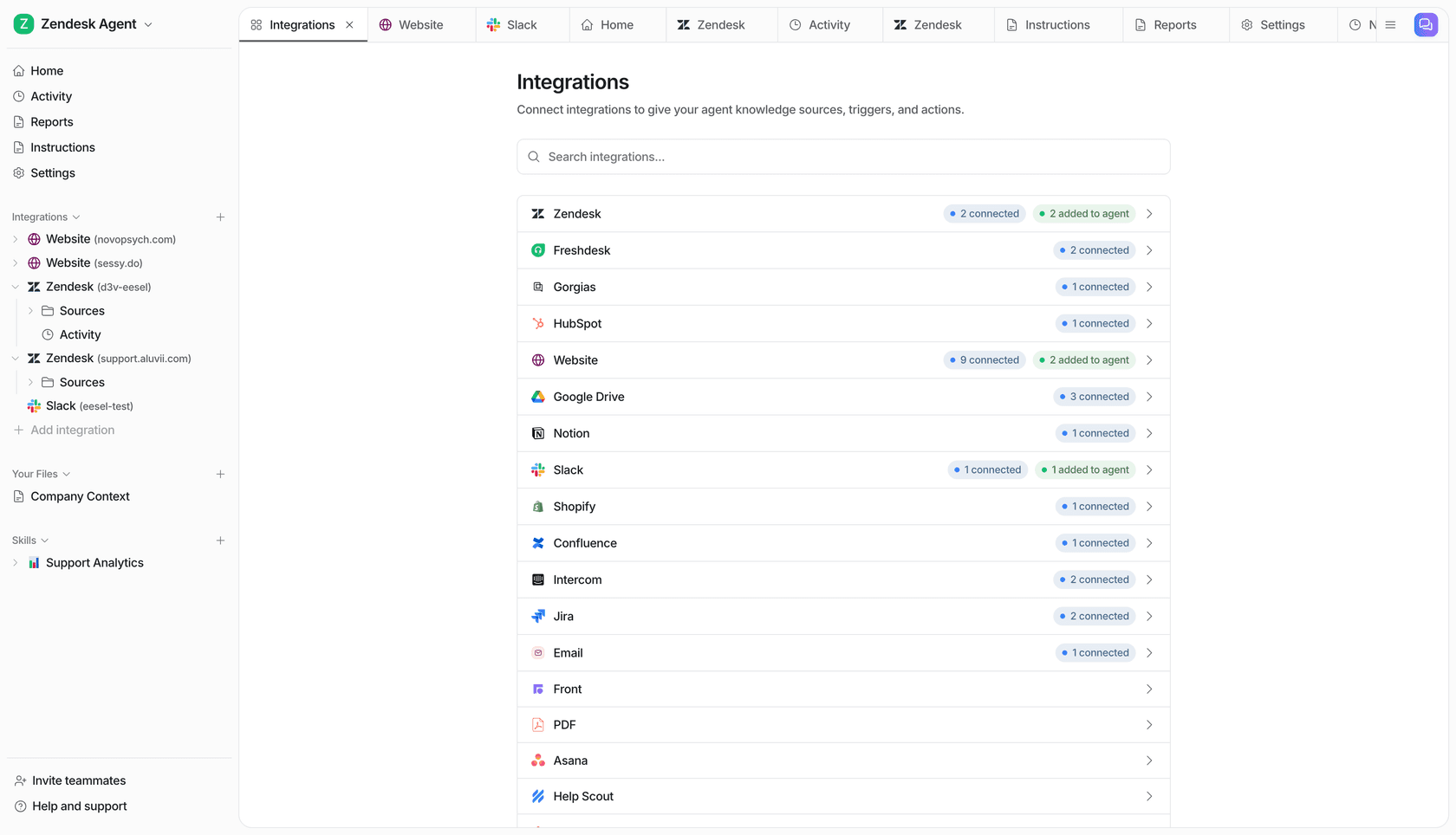
eesel vs Claude is less a head-to-head than a question of seat: Claude is the AI assistant each person on your team uses, and eesel is the AI teammate your team hires together. Claude (chat, Cowork, Claude Code, and Claude Tag in Slack) is excellent at personal research, writing, analysis and code, priced per seat. eesel works natively inside the team's own tools (the helpdesk, Slack, Microsoft Teams, Google Chat, email, website chat, Shopify and 3,000+ other integrations), and what it does on its own, what it asks first and what it never does changes with who is asking: a teammate, the editors you name, or a customer on a ticket. It's priced by work done, with unlimited seats.
Plenty of teams run both. eesel plugs into Claude as a connector, and you can even have Claude Code set eesel up for you: with the eesel CLI, a coding agent can upload your approved docs, adjust the agent's instructions and fire test questions at it before anything goes live, while connecting the helpdesk itself still needs an admin to click approve.
What people searching "eesel vs Claude" are deciding
I do the SEO side at eesel and I write code, so I read search terms like this one the way a builder reads a bug report. Nobody types "eesel vs Claude" because they think eesel is a rival chatbot. They type it because someone on the team asked the obvious question in a budget meeting: "we already pay for Claude, why would we need another AI?"
That's a fair question, and the honest answer is that the two products sit in different seats. Claude is the assistant on your laptop. eesel is closer to a new hire who sits in your helpdesk and your team chat, answers to everyone, and only does what you've cleared it to do. One prospect told the eesel team they found eesel because Claude itself suggested it when they asked about support tooling, which is about the most on-the-nose version of this post I can imagine.
eesel has been putting AI on live support queues for years now. I've watched confident-sounding bots give wrong answers to real customers, which is why eesel gets tested against past tickets before it talks to anyone and why permissions are the first thing I want to compare below.
eesel vs Claude at a glance
Every Claude cell links to the Anthropic page it comes from. The eesel side is covered, with links to eesel's docs, in the sections below.
| Claude | eesel | |
|---|---|---|
| What it is | An assistant for each person, with chat and Cowork merged into one Claude | An AI teammate the whole team shares |
| Whose behalf it acts on | Mostly yours: connectors are delegated to your account; in Tag channels it uses its own accounts | Its own, with permissions set per agent and per action |
| Where it works | Web, desktop, mobile on every plan; Slack via Claude Tag, Teams "coming soon" | Helpdesk, Slack, Microsoft Teams, Google Chat, email, website chat, Shopify |
| What wakes it up | You asking, scheduled tasks hourly or slower, Tag routines at most hourly | Events in connected apps (a new ticket, an @mention), a schedule, or a webhook |
| Who it answers to | The person using it, or the channel in Claude Tag | Changes with who is asking: teammates, the editors you name, or customers |
| Action control | Asks first or runs in Auto with safety checks | Each action On, Ask first or Off, per agent |
| Staff vs customers | Built for internal use; Tag can be limited to your org | Team only actions and files never run for customers |
| Helpdesk tickets | Offered as a build-on-the-API project | Works inside Zendesk, Freshdesk, Gorgias and more |
| Shopify | Shopify connector reads orders, doesn't change them | Looks up orders inside the ticket before drafting |
| Pricing unit | Per seat; usage limits per member | Per task (credits); unlimited seats |
| Team entry price | $20/seat/month annual, $25 monthly, 2-seat minimum | $299/month for 500 credits |
| Free option | Free plan with limited usage | 7-day trial, 100 credits, no card |
What Claude is in November 2026
Claude in November 2026 does far more than chat, and any comparison that pretends otherwise is out of date. This autumn, Anthropic merged Cowork and chat into one Claude: "Bring a quick question, or hand over a report due at noon, and Claude takes it from there, even after you've closed your laptop." It reached general availability on Claude Team on 12 November.
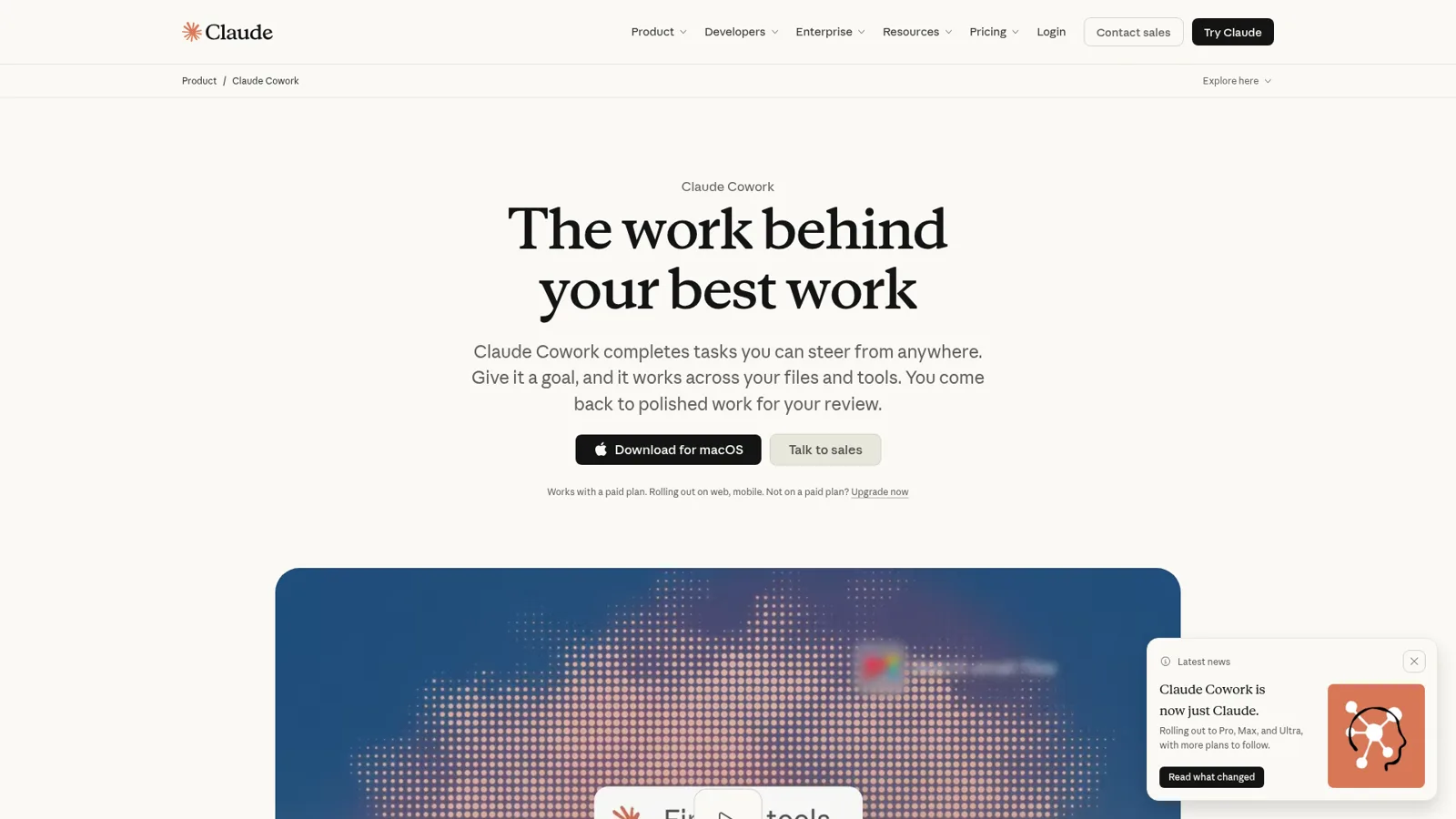
What a person gets is strong. Cowork works across your files and apps in a cloud sandbox and keeps going after you close the lid. Scheduled tasks run daily briefings or weekly reports "hourly, daily, weekly, on weekdays, or manually" on every paid plan. Projects hold shared knowledge, and on Team and Enterprise you can share them with "Can view" or "Can edit".
The connectors directory lists 1,137 connectors, from Google Drive and Gmail to Notion, HubSpot and Linear.
Then there's Claude Code for engineers, Claude in Chrome for browser work, and Skills for packaging a procedure so Claude follows it every time.
People love it for the boring stuff, which is high praise for software:
"I personally know a company that has trained over 300 companies this year to use Claude Cowork mostly for "business operations" type tasks. People love offloading boring, repetitive tasks to it."

The thing to notice is whose work this is. Anthropic's own agent identity article describes the "single player" setup plainly: "you connect your own accounts and the agent acts on your behalf." The Microsoft 365 connector says "All access is delegated." Cowork is your assistant, doing your work, as you.
Claude Tag is the team-shaped part of Claude
The exception is Claude Tag, and it's the product closest to eesel's shape, so it deserves a real look. Tag puts a shared Claude into Slack channels: "Anyone in a Slack channel can tag Claude into a problem and hand it work," and "the whole exchange stays visible to the channel," per the Tag docs. In a channel it acts with connections an admin set for that channel, attributed to its own accounts, and it can run routines like watching a channel or posting status updates.
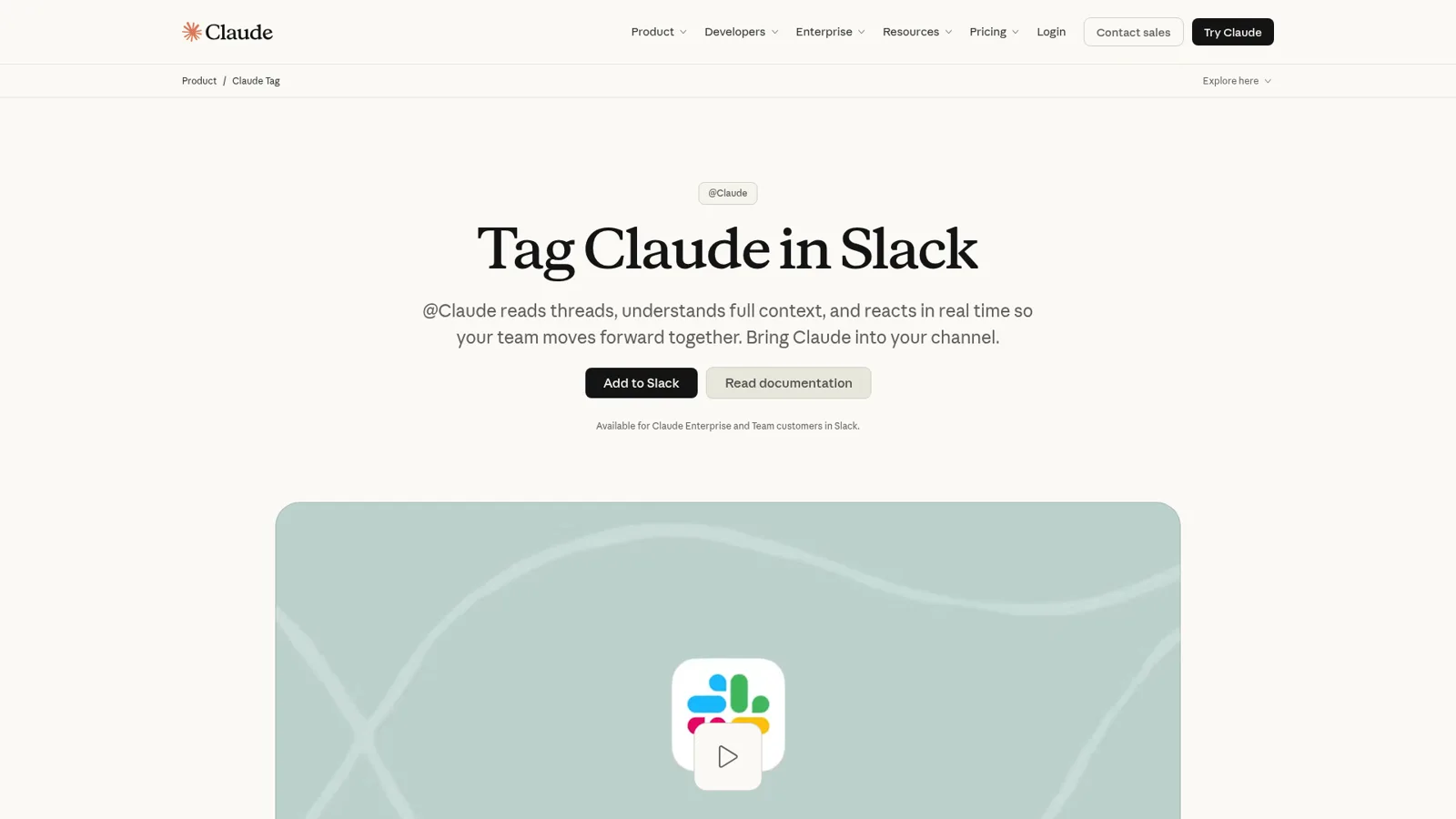
Three facts frame where Tag fits. It's in public beta. It's Slack-only, with Microsoft Teams listed as "Coming soon" behind a waitlist. And its connection guides cover engineering, data and sales tools (Datadog, Sentry, Linear, Jira, HubSpot, Salesforce, Stripe and more), with custom MCP servers for anything else, but no helpdesk or store in the list. The Teams gap is the one I hear about most:
"I know my users would actually like Claude Tag, but unfortunately we are in Teams, not Slack, as are most other non-tech companies."
If your team lives in Slack and the work is internal, Tag is a very good answer, and my Claude Tag review goes deeper.
What eesel is (same kind of assistant, different seat)
eesel is that same kind of assistant (you ask, it thinks, it does) built to be hired by a team instead of used by one person. You connect it to your apps and it arrives ready for the job, learning from your docs, past tickets and Slack history, following your instructions reliably, and picking up work on its own where the work already happens: answering questions in Slack or Teams with the source linked, drafting and sending ticket replies, tagging from your fixed list, looking up Shopify orders, sending a scheduled report every Monday, or writing the blog with the AI blog writer.
Three real examples from the last month show the range:
- Cape Coffee Beans ran 160 scheduled Zendesk and Google Drive checks, weekday and Saturday mornings, each emailing the founder a short list of tickets that slipped.
- Cactus Club Cafe runs two agents with different jobs: one drafted 790 replies for the internal IT team across 750 tickets, the other audits the daily finance extract.
- Adverscale support agents type @eesel on a Zendesk ticket and the teammate answers; across 2,400 tickets it sent 1,600 replies and left 2,700 internal notes.
All of that runs because an event happened in the team's tools, with nobody opening a chat window, which is what automations are for: a trigger (a new ticket, an @mention, every Monday at 9am, a webhook) plus instructions for that one job. Connecting an app alone doesn't make eesel act.
And you teach it the way you'd teach a colleague. Correct it in chat and the fix sticks: rules go into its instructions, situational lessons into memory, and the lesson holds in every app it works in.

How do permissions differ between eesel and Claude?
The biggest difference is who the AI answers to. Claude acts as, or for, the person using it (or, with Tag, for a Slack channel), while eesel changes what it does on its own, what it asks first and what it never does based on who is asking. A teammate in Slack, the editor you named to sign off refunds, and a customer on a helpdesk ticket each get a different eesel, by design.
Claude has real controls, and they're worth spelling out. The launch post says "By default, Claude asks before taking an action," with an option to let it keep working. The Help Center adds that Auto mode, where "automated safety checks run before it takes an action," is rolling out as the default on Pro, Max, Ultra and Team, with Manual the default on Enterprise, and advises: "For work with real consequences, like sending messages or changing important files, stay close and review what Claude does."
On top of that, admins control which connectors exist, Enterprise adds role-based access "with fine grained permissioning" per the pricing page, and Tag owners can restrict who can use Claude in channels. All of that governs your own organisation's members. None of Anthropic's docs describe Claude facing your customers in your own website chat or on their tickets, so there's no customer on the other end for those controls to tell apart.
eesel's actions and approvals are built around three kinds of people:
- Someone on your team. That's everyone on your Team page plus the people your connected apps show are part of your company: full members of your Slack, users in your Microsoft Teams or Google Workspace, anyone writing an internal note in your helpdesk. They get the whole teammate, including Team only actions like writing scripts against an app's API, admin-only tools and changes to the agent's own instructions.
- The people you name. Only editors can approve a held action, and you pick which members or Slack channels get the approval requests. A held action shows the exact reply text, refund amount or tag with Approve and Deny, as a card in the Slack thread the run started from, in the dashboard, by email, or in the terminal with
eesel approvals. Viewers can chat with the agent and review its work, but can't change agents or settings. - Customers and visitors outside your team. A customer on a ticket or a visitor in the website chat never triggers a Team only action. Files work the same way: an On file can inform an answer to a customer, but the file itself, or a link to it, is never sent outside the team, and a Team only file is never used for them at all.
Underneath sits the per-action switch. Reply to a ticket, add a tag, refund an order, post to a channel, create a Jira issue: each one is On, Ask first or Off, per agent, changeable any time, or set by saying it in chat ("look things up on your own, but ask me before any refund"). On "On", eesel's safety check can still hold a risky call. The one exception is live chat, where replies are always On because nobody can pause a live chat to approve a message. My standing advice is to start supervised, turn routine actions On once the drafts are consistently right, and keep refunds, cancellations and anything that costs money behind an approval.
Here's how one request plays out in each:
| "Refund order #4417 for the customer on this ticket" | Who acts | What stops a mistake |
|---|---|---|
| Claude chat or Cowork | Claude, as you, with your connected accounts | Claude asks you, or Auto's safety checks run |
| Claude Tag in a channel | Claude, with the channel's service accounts | The tools an admin connected to that channel |
| eesel | eesel, with the actions your team enabled | Refunds set to Ask first: an editor approves the exact amount in the thread |
Where does each one actually work?
Claude works wherever you open Claude: web, desktop, mobile, Chrome, and Slack through Tag. eesel works natively and deeply inside the tools your team and customers already use, across 3,000+ integrations, and that's the difference that decides most real evaluations.
Take customer support, the job teams most often ask about. Anthropic's customer support page is titled "Build AI support agents with a more human touch" and points to the Claude Developer Platform. Zendesk's Claude case study is the clearest example: Zendesk built its own agents on Claude's API. So a ticket-native agent on Claude is something you or your helpdesk vendor builds. My guide to connecting Claude to your helpdesk maps what each route can do to a ticket.
eesel ships that part. It works inside Zendesk, Freshdesk and Gorgias, drafts as internal notes or sends replies, and reaches into the store while it does.
Stil Classics had eesel look up 230 Shopify orders before drafting replies in Gorgias last month. The team side is just as wide:
- In Slack, anyone mentions or DMs it, it answers in the thread with the source linked, replies in its channels without a mention when it can help, and stays silent when it can't. It reads Slack live (the last 90 days in joined channels), nothing copied out.
- In Microsoft Teams, it answers mentions and DMs, follows a thread without being re-mentioned, reads pasted screenshots, and posts a daily summary from a schedule. A Teams admin uploads the app.
- It also works in Google Chat, and every agent has its own email address.
- For customers, it answers in the website chat bubble, email and the helpdesk, behind the Team only line above.
If you're Teams-first, that's where the gap with Tag is widest today, and my roundup of the best AI for Teams support covers the options.
eesel vs Claude pricing, worked through for one team
Claude bills per person and eesel bills per piece of work, so the two lines only cross by coincidence. Here are the numbers anyway, because the budget meeting wants them.
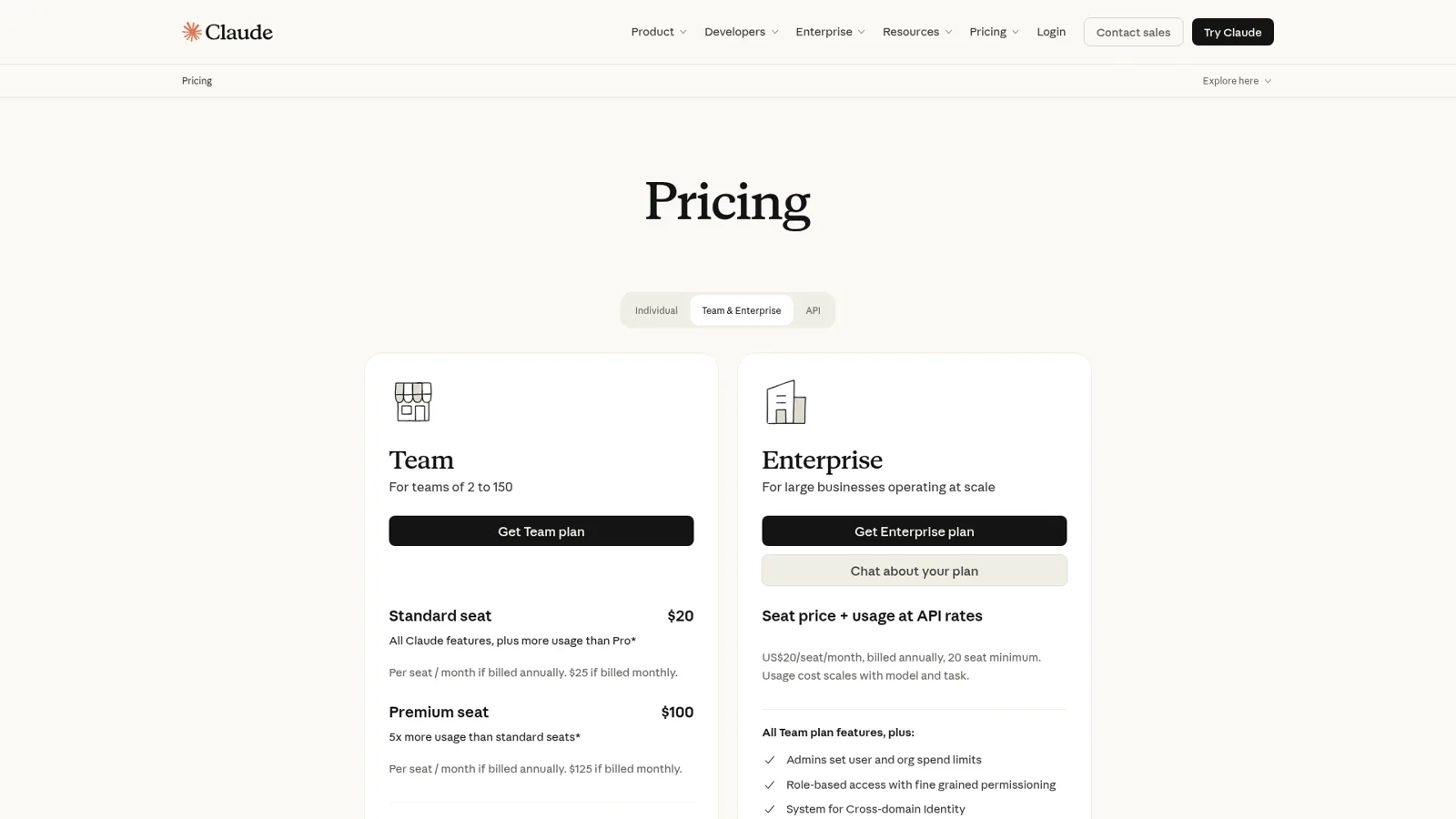
From Claude's pricing page, Team Standard seats are $20 a month billed annually or $25 monthly, Premium seats $100 or $125, for teams of 2 to 150. Enterprise is $20 a seat on annual billing, 20-seat minimum, plus usage at API rates. Claude Tag adds no per-seat charge; channel work draws from a usage balance under a spend limit an owner sets, and Anthropic doesn't publish a per-task rate. From eesel pricing, the Teammate plan is $299 a month for 500 credits or $499 for 1,000, extra credits $0.80 each up to a cap you set, unlimited agents and seats. A ticket or a chat is 1 credit however long it runs; Slack questions, scheduled agents and reports use credits too, and bigger jobs like a full blog post use more than one.
The example: a 20-person company. Support handles 600 tickets a month, the team asks the AI about 150 questions in Slack, and an ops lead wants a report every weekday (22 a month). I'm counting each Slack answer and report as one credit for the estimate.
| Claude Team (Standard) | eesel Teammate | |
|---|---|---|
| What you're buying | A personal assistant for each of 20 people | One shared teammate doing the team's work |
| Maths | 20 seats x $25 (monthly) | 600 + 150 + 22 = 772 credits |
| Monthly cost | $500 (or $400 billed annually) | $499 on the 1,000-credit size (500 credits + 272 extra at $0.80 = $516.60, so the bigger size wins) |
| Grow to 50 people, same work | 50 x $25 = $1,250 | Still $499 |
| Double the tickets, same people | Still $500, within each member's usage limits | 1,372 credits: $699 on the 1,500 size |
| Not included | Ticket-by-ticket helpdesk work; Tag channel usage billed on top | A personal writing, coding and research assistant for each person |
Don't read that table as "eesel is cheaper". The Claude line buys 20 people a very good assistant each; the eesel line buys the 772 jobs. A team that wants both pays for both.
The Claude side has one more variable that people on Hacker News raise. Usage limits on Team are per member, and for most small teams that's fine:
"For smaller companies they can get Claude team plan for $20/month/seat and the plans give a lot of usage. We rarely hit limits."
Tag's metered channel work is harder to forecast before a pilot, which is why Anthropic recommends running one with a spend limit:
"Claude Tag seems awesome, but a single query can run over a dollar."
My Claude pricing and Claude Tag pricing posts break down every plan.
When is Claude the better pick?
Claude is the better pick whenever the work belongs to one person, and that covers a lot of a working day. I'd pick Claude for:
- Personal research and writing. Drafting a strategy doc, rewriting a proposal, summarising a pile of PDFs. This is where Claude shines, and Anthropic's own table lists Cowork as "Best for: Personal research and drafting".
- Coding. Claude Code takes a bug fix or a multi-day migration from your terminal or IDE, and eesel doesn't try to compete there.
- Analysis on your own files. Spreadsheets, decks, data pulls, with Excel and PowerPoint skills built in.
- A Slack-centric team that only needs internal help. If your team lives in Slack and wants a shared Claude for engineering, ops or intake channels, Tag does that well, with routines and channel memory.
- Browser errands. Claude in Chrome clicks, types and fills forms while you decide what happens next.
If that's your list, buy Claude Team and skip eesel for now; my Claude for teams guide covers the rollout.
When is eesel the better pick?
eesel is the better pick when the work belongs to the team and has to happen inside the team's tools, with people outside the team on the other end. Specifically:
- Customer-facing work in a helpdesk. Replies, tags, internal notes and order lookups inside the ticket, tested on past tickets first. smava runs it across 27,000 Zendesk tickets a month.
- A Microsoft Teams or Google Chat company. eesel answers there today.
- A hard line between staff and customers. Team only actions and files mean the same teammate can help your staff with admin tools and talk to customers without crossing over.
- Approvals that belong to roles. Refunds behind Ask first, editors approving in the thread, viewers who can ask but not change anything.
- Work that starts on an event. Every new ticket, every @mention on an internal note, every weekday at 7am.
- A big team with a modest amount of AI work. Unlimited seats means the whole company can ask it things without a per-person line item.
Here's a quick way to sort your own list:
Which one should do this job?
Rewrite my board update before Thursday
Claude. It's your document, your voice, your deadline.
Draft a reply on every new Gorgias ticket, with the Shopify order checked
eesel. It runs on the ticket event, inside the helpdesk, with sending set to On or Ask first.
Answer "where's the VPN guide?" in our IT channel
Either. In Slack, Claude Tag or eesel; in Microsoft Teams or Google Chat, eesel.
Fix the flaky test in our checkout service
Claude Code.
Email the founder a list of tickets that slipped, every morning
eesel, on a schedule, reading the helpdesk directly.
Approve a refund before it goes out
eesel, with refunds on Ask first and an editor approving the exact amount in the thread.
Can you use eesel and Claude together?
Yes, and for most teams that's the best setup. Your eesel workspace is an MCP server, so Claude can talk to your eesel teammate directly. In Claude, open Settings, then Connectors, add a custom connector named eesel with the URL https://oracle.eesel.app/mcp, and sign in once (setup guide).
From then on, in any Claude conversation you can say "ask eesel what it did today" or "have eesel draft a reply to the refund ticket", and the answer comes from your own agent, with its instructions and knowledge. Editors can change things through the connector; viewers get the read side. Anything set to Ask first still asks, and an editor can clear a hold without leaving Claude.
The other direction is fun too. You can have Claude Code set eesel up: the coding agent quickstart gives it the CLI commands to connect apps, add knowledge, set an action to ask-first and check the automations, while sign-in and helpdesk access still go through a person's own login. The person who lives in Claude keeps Claude, and the team gets a teammate in the helpdesk. My guide to MCP for customer support covers the wider pattern.
Should you build it yourself on the Claude API?
Sometimes, yes. If you have engineers and support automation is core to your product, that's a reasonable call, and Anthropic API pricing makes the raw model cost look small.
The model is the cheap part. The build also includes:
- The integrations. Reading and writing tickets, fields, tags and internal notes in your helpdesk, plus order lookups in the store, and keeping all of it working when vendors change their APIs.
- Triggers. Something has to wake the agent on every new ticket, mention or schedule, and know which ones to skip.
- Permissions and approvals. Per-action settings, a staff and customer line, and a screen where someone approves the exact refund amount.
- Testing before launch. Running the agent on past tickets and checking answers before a customer sees one.
- Knowledge sync. Docs, macros and past tickets kept fresh, not a one-off upload.
An engineering lead at a Bitcoin ATM and crypto-hardware company, with a 300-plus-article Confluence and Telegram knowledge base, put the buy-over-build case better than I can: "We could try to write our own LLM application but we didn't want to invest our time into that. We wanted something that we would not have to maintain."
If you're on the fence, my build vs buy guide and the Claude customer service alternatives roundup walk through the trade-offs, and my guide to Claude Managed Agents covers Anthropic's infrastructure for running agents you build.
Try eesel as your team's Claude
If your team already loves Claude, keep it. eesel is the teammate that sits next to it in the helpdesk, Slack, Teams and email, doing the team's shared work with each action set to On, Ask first or Off and a firm line between staff and customers. You can connect it to Claude in one step, or let Claude Code set it up for you. The free trial gives you 100 credits for 7 days, no card, and pricing starts at $299 a month with unlimited seats.