


eesel and Meta Muse are the same kind of agent with a different boss. Meta Muse works for one person: it shops, books, sorts email and runs a solo owner's admin from its own isolated computer, and every approval goes back to that one person. eesel is hired by a team: everyone shares it in Slack, Teams, Google Chat, the helpdesk, the website chat and Shopify, and what it does on its own, what it asks first and what it never does change with who is asking (someone on your team, the people you name to approve, or a customer outside it).
So the real decision is whose agent this is, and who it answers to. If it's yours, for your errands, pick Muse. If the work belongs to a team, or there's a customer on the other end, pick eesel. Plenty of small businesses will end up running both, one for the owner and one for the team.
They also meet. Since Meta published Poppy on 13 November 2026, shoppers' Muse agents can contact your store directly, and something on the store's side has to answer. That's a teammate's job. If you'd rather not click through a setup at all, the eesel CLI lets Claude Code or Codex upload your policies, write the agent's instructions and run test questions before anything goes live; connecting your helpdesk still needs an admin's approval.
What is someone searching "eesel vs Meta Muse" actually deciding?
From the SEO side, this pair looks odd at first: a consumer app from Meta against a business tool. But Meta itself put them in the same aisle: the Muse for Small Business page calls Muse "your AI teammate that gets work done". eesel sells AI teammates too. So the reader typing "eesel vs Meta Muse" is usually a small business owner or an ops lead who has seen both pitches and wants to know if they're the same thing.
They're close. Both open apps, take actions, keep working when you close the window, and stop to ask before the risky stuff. The difference is the employment contract. Muse is hired by a person. eesel is hired by a team. Almost every other difference in this post (permissions, pricing, who it talks to, who can approve) falls out of that one fact.
eesel has been putting AI on live support queues and team channels for years, and the lesson from that work is that the hard part of a work agent is rarely the intelligence. The hard part is who may tell it what to do, who sees what it did, and what it must never do for a stranger. That's the lens for the rest of this comparison.
eesel vs Meta Muse at a glance
Every Muse claim below links to Meta's own page, or to a partner's page where the partner wrote it.
| Meta Muse | eesel | |
|---|---|---|
| Who it works for | One person; "a personal AI agent" (Meta newsroom) | A team; one agent shared across your workspace |
| Where it runs | An isolated Secure VM; "no one else's agent can access it" (Muse privacy) | Natively inside your team's tools: Slack, Teams, helpdesk, chat, Shopify |
| Where you talk to it | Muse app, WhatsApp, muse.ai (muse.ai) and a Chrome side panel | Slack, Teams, Google Chat, email, the dashboard, helpdesk notes |
| Who it serves | Its user; drafts customer replies for the owner (Muse business) | Your staff and your customers, with a hard line between them |
| Approval controls | "Ask for some actions" or "Always ask" per connector (Meta help) | On, Ask first or Off per action (eesel docs) |
| Who approves | The Muse user, in their app (Meta help) | Any editor, in the Slack thread, dashboard, email or terminal |
| Seats and roles | Meta's pages don't describe seats, roles, a shared queue or an admin console (help center) | Owner, Editor and Viewer roles (eesel docs); unlimited seats |
| Business apps | Slack, Klaviyo, Shopify, Stripe, QuickBooks and more (Muse business) | 3,000+ integrations, including helpdesks and Shopify |
| Shopify actions | Orders and customers read-only; no refunds or returns (Shopify Help) | Looks up orders, payments and shipments (eesel docs) |
| Its own @muse.ai address for one person's tasks (Meta help) | Its own address your team emails, plus your helpdesk inbox | |
| Price | "free with a usage limit"; $20 or $100 a month (Meta help) | Free trial, then from $299/month for 500 credits (eesel pricing) |
| Usage shared? | Tokens are "personal to your account" (Meta help) | Credits shared by the whole workspace |
| Availability | US and Canada, 18 and over (Muse business) | Self-serve signup; EU hosting on the Enterprise add-on |
What is Meta Muse good at?
Muse is good at being yours. Meta describes it as "a personal AI agent. It doesn't just answer questions, it actually does the work", running on a Muse Secure VM, which Meta calls "a dedicated, virtual machine (VM) that houses both the agent and a person's data" (Meta newsroom). It opens a browser, fills in forms, keeps working after you close the app, and comes back "when it needs approval, like before it sends an email or makes a purchase".
The safety design is the most careful I've seen in a consumer agent. A separate Sentinel agent approves anything that leaves the VM, and Muse never sees your real passwords: code inside the runtime "only ever sees a 'surrogate' token", which Sentinel swaps for the real credential at the network boundary (Muse safety post). Purchases go through Link by Stripe with a one-time card, and Muse "will always ask for your approval prior to completing a purchase" (Meta help).
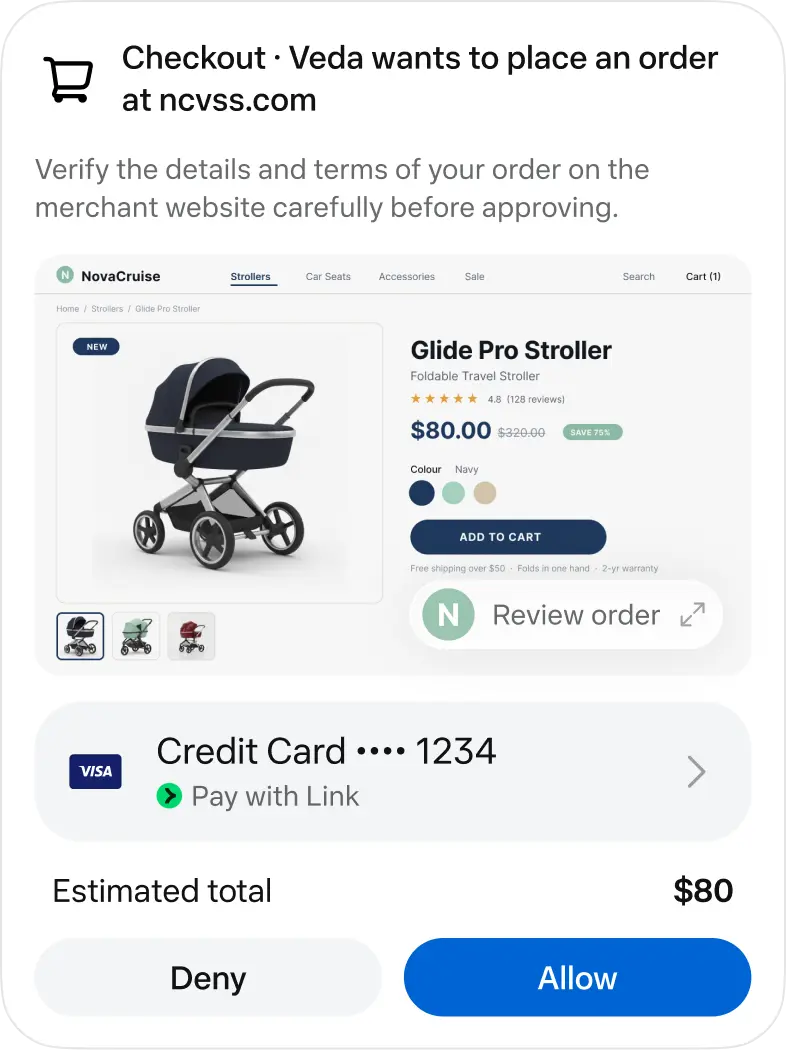
That card is the whole product philosophy in one screen. Meta's designers say they were "deliberate about where deterministic UI is non-negotiable: structured approval cards with clear accept/reject actions" (How We Designed Muse). Notice who the card is addressed to, though: the one person who owns this Muse. Hold that thought.
Muse for Small Business
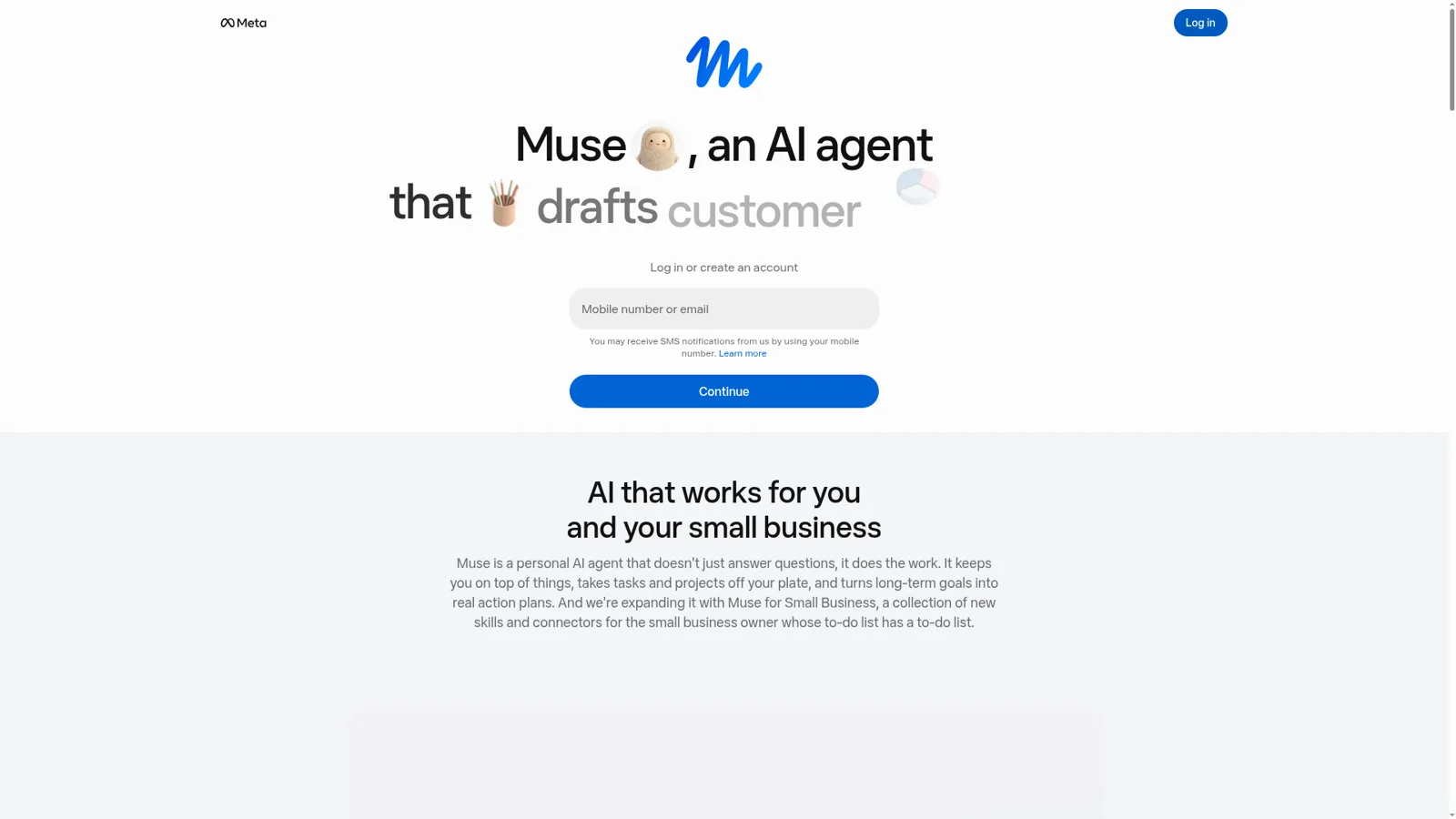
On 29 September 2026 Meta expanded Muse "with a collection of new skills and connectors" for business owners (Meta newsroom). The business page lists connectors for "Asana, Box, Canva, Dropbox, Figma, Granola, HighLevel, Intuit QuickBooks, Klaviyo, Lovable, Notion, Shopify, Slack, Stripe, Zoom", plus Facebook, Instagram and Meta ads. Example jobs are "drafts customer replies, launches new products, plans your content, manages cash flow", with the promise that "Nothing publishes, sends or spends without your approval, and you can undo it" (muse.ai/business).
A shoe boutique owner in Meta's small business post says Muse "audited my email automations, shut down the duplicate flows that were double-emailing customers" before the holiday rush. That's real work for a one-person shop. My Muse for Small Business guide goes further, and the Meta Muse review has the longer verdict.
What is eesel?
eesel is an agent hired by a team instead of a person. You add it to a workspace and it works natively and deeply inside the tools your team already uses (helpdesks, Slack, Teams, Google Chat, email, Shopify and the rest of 3,000+ integrations), doing the work right there: answering your team in Slack with the source linked, picking up tickets in your helpdesk, running scheduled checks, looking up a Shopify order before drafting a reply. Anyone on the team can @mention it or DM it, and it works the same way in Microsoft Teams. Google Chat is a home for it too.
It serves two kinds of people at once. Internally, it's the colleague who knows where the policy doc is: the internal operations setup answers IT, HR and ops questions from Confluence, Notion or Drive. Externally, it answers customers on your helpdesk and in your website chat.
For a store, that includes Shopify: it looks up orders, payments and shipments while it works a ticket.
A few real numbers, so this isn't abstract. Stil Classics had eesel look up 230 Shopify orders in a month before drafting replies, and left 430 drafts as internal notes for the team to send. At Adverscale, support agents type @eesel on a ticket and the teammate answers, across 2,400 tickets in a month. Cape Coffee Beans runs 160 scheduled Zendesk and Drive checks a month that email the founder a short list of tickets that slipped.

It arrives ready for the job. eesel learns from your docs, past tickets and Slack history, comes with the skills for the work you hired it for, follows your instructions reliably, and acts proactively, posting the Monday summary or flagging the ticket that slipped without being asked. Brief it like a person: correct it in chat and the fix sticks, with rules going to its instructions and situational lessons to its memory, in every app it works in.
Who does each agent answer to?
This is the section that decides it. Both agents stop and ask before risky steps. The difference is that eesel's rules change with who is talking to it, and Muse only ever has one person to listen to.
Muse answers to its user. Each connector and web access can be set to "Ask for some actions" (Muse asks "before every write action and important read actions") or "Always ask". When it asks, you get "Allow once / Allow for this task / Allow for this site / Always allow / Deny", and an Activity log keeps "a chronological record of actions your Muse has taken" (Meta help). It's a clean, personal permission model: one person is the boss, the requester and the approver.
eesel answers to your team, and treats everyone else differently. On a team, the agent hears from three kinds of people, and the actions and approvals settings handle each one.
- Someone on your team (a teammate in Slack, Teams or the dashboard, or anyone writing an internal note in your helpdesk) gets the full agent (admin-only tools and scripts still never run on a customer's ticket). Every action is set to On (it acts on its own, though eesel's safety check can still hold a risky call), Ask first (it stops and shows the exact action, the reply text, the refund amount, the tag, and waits for Approve or Deny) or Off (it never does it).
- Specific people you name decide the held calls. Only Editors and the owner can approve, and you pick which members or Slack channels get approval requests. The card lands where the work started: the Slack thread, the dashboard, email, or the terminal with
eesel approvals. A Viewer can ask for things but can't wave through a refund. - Customers and visitors outside your team (a customer on a helpdesk ticket, a visitor in the website chat) get answers, never the keys. Actions tagged Team only (writing scripts against an app's API, admin-only tools, changing the agent's own instructions or automations) only ever run when someone on your team asks. Files work the same way: a file set to On can inform an answer to anyone, but the file itself, or a link to it, is never sent outside your team.
"Your team" means people on your Team page plus people your connected apps show are part of your company, like full members of your Slack or users in your Google Workspace. You can set all of this per agent and per action, or just say it in chat: "look things up on your own, but ask me before any refund".
| Question | Meta Muse | eesel |
|---|---|---|
| Can one action run alone while another waits? | Per connector: "Ask for some actions" or "Always ask" (Meta help) | Per action: On, Ask first or Off |
| Who taps Approve? | The Muse user | Any editor on the team |
| Where does the approval show up? | In the user's Muse app | The Slack thread, dashboard, email or terminal |
| Does it act differently for a customer than for staff? | Muse works for its own user | Yes; Team only actions and files never serve people outside the team |
| Can someone use it without changing it? | Meta's pages don't describe roles | Yes, the Viewer role |
On a team, the person who asks is often not the person who should approve, and the person talking to the agent is sometimes a customer. A Hacker News commenter put the hiring logic well, in a thread about Muse running someone's Marketplace listings.
"Maybe don't delegate without a contract. You don't just hire someone to run your shop and not train them for the job, or at the bare minimum clearly communicate expectations, duties and responsibilities."

eesel's recommended setup is exactly that contract: start supervised, keep refunds, cancellations and anything that costs money behind an approval, and turn routine actions On once the drafts are consistently right. Live-chat replies are the one exception, always On, because nobody can stop a live chat to approve a message. If approval design is your whole question, my guide to support approval workflows goes deeper.
Can a whole team use one Muse?
Not in the way a team uses a shared tool. Everything Meta publishes describes a single owner's agent. "Every Muse user's VM is isolated so no one else's agent can access it" (Muse privacy), extra tokens are "personal to your account" and "You can't share or transfer Muse tokens to another account" (Meta help), and approvals go to that user's app. Meta's pages don't describe seats, roles, a shared queue or an admin console.
The Muse Supplemental Terms point the same way: "You have full legal authority to take any action you instruct or authorize Muse to take. This includes authority over any accounts you connect." That's a sensible contract with one person, and an awkward one when the accounts belong to a company and three people want to brief the agent.
So a team sharing Muse gets one of two shapes: one person's Muse works for everyone and that person approves everything, or each person runs their own Muse with its own memory, connectors and tokens. Both are fine for a founder and a part-timer. Neither is a shared teammate. My Meta Muse for work post covers what IT will ask before anyone connects a work account.
eesel is built the other way round: one agent, unlimited seats, and roles where Editors build agents, connect apps and manage billing while Viewers chat and review activity without changing anything.
Who is on the other end of the conversation?
Muse talks to the world on its user's behalf. eesel talks to your team and your customers on the business's behalf.
Muse for Small Business "drafts customer replies" for the owner to approve (muse.ai/business). It doesn't sit in a helpdesk answering the queue; Meta's product for answering customers on WhatsApp, Messenger and Instagram is a separate one, Meta Business Agent, which can "Answer questions specific to your business" and "Let you decide when a team member steps in to provide support" (Meta newsroom). I compared that setup in Meta Muse for Shopify support.
The Shopify connector shows the same shape. Muse can manage products, inventory and discounts, but orders and customers are read-only, and "A connected AI tool can't issue refunds, cancel or capture orders, mark orders as paid, process returns, or create and adjust gift cards. These actions are blocked even when you approve write access" (Shopify Help). A sensible guardrail for an owner's agent, and a sign that the customer-facing half of the store isn't Muse's job.
Helpdesks are the other gap. Meta's published business list has Slack, Klaviyo, Shopify, Stripe and QuickBooks, but no Zendesk, Gorgias, Freshdesk or Help Scout (muse.ai/business). Meta says the list isn't exhaustive and custom connectors exist (Meta help), so call it "not on the published list". eesel lives in the helpdesk: Rungne had it handle 2,100 Gorgias tickets in a month, tagging 880 from a fixed list and sending 440 public replies.
How much do eesel and Meta Muse cost?
Muse is cheap for one person, and Meta is clear that usage belongs to that person. eesel costs more and is shared by everyone.
| Meta Muse | eesel | |
|---|---|---|
| Free | "Muse is available for free with a usage limit" (Meta help) | 7-day free trial, 100 credits, no card |
| Paid | Power plan $20/month (500M Muse tokens a week); Maximum plan $100/month (3B a week) | Teammate plan from $299/month for 500 credits |
| Top-ups | Extra tokens that "never expire" but are "personal to your account" (Meta help) | Extra credits at $0.80, capped by you |
| Unit | Muse tokens, varies by request | A ticket or a chat is 1 credit however long |
| Seats | One account | Unlimited agents and seats |
| Business tier | No separate price; Muse for Small Business uses the same plans (muse.ai/business) | Enterprise add-on $1,000/month (SSO/MFA, EU hosting, HIPAA BAA, signed DPA) |
Meta adds that "Muse and Muse subscriptions are in limited testing and aren't available in all locations yet" (Meta help). eesel's numbers are all on the eesel pricing page. My Meta Muse pricing post breaks down what the free tier and each plan actually buy.
The useful comparison is what the money covers, more than $20 against $299. Five people each on Power is five separate agents with five memories and five approval queues; $299 is one teammate the whole team briefs, watches and approves. If your work is one person's, Muse is the obvious bargain.
When is Meta Muse the better pick?
I'd point people to Muse without hesitation in these cases.
- Your own errands. Booking, shopping, price-drop watching, sorting your personal inbox. Muse's checkout card, Link's one-time cards and the Sentinel design are built for exactly this, and eesel doesn't try to do any of it.
- A solo owner's admin. If you are the business, Muse for Small Business will tidy your Klaviyo flows, draft a reply for you to approve, and help manage cash flow. One person who is boss and approver fits the personal model perfectly.
- Meta-first marketing. Instagram professional analytics, Facebook Pages and Meta ad accounts connect natively (Meta newsroom). If your growth runs through Meta, that's a real head start.
- Budget. Free with a usage limit, or $20 a month, is a very easy yes for one person to try.
If you're comparing personal agents rather than team tools, my Instinct vs Meta Muse post is the better read.
When is eesel the better pick?
eesel is the better pick when the work belongs to more than one person.
- More than one person gives it work. Your support lead, ops person and founder all ask the same agent in Slack or Teams.
- The approver isn't the asker. A teammate asks for a refund draft; an editor approves it in the thread.
- Customers are on the other end. Tickets, website chat and Shopify questions, with Team only keeping admin tools on the team's side.
- It needs to run on a schedule. Automations trigger it on an event, a time like every Monday at 9am, or a webhook, so it works when nobody's asking.
- You already live in a helpdesk. eesel works natively inside Zendesk, Gorgias, Freshdesk and Help Scout.
It also works from the assistant you already have. Your eesel workspace can be added to Claude as a custom connector, so you can say "ask eesel what it did today" from your own chat, and anything set to need approval still asks.
Not sure which side a job falls on? Try the chooser.
Where do Muse and eesel meet?
At your store's front door. Muse also contacts businesses for its user, which changes things for anyone with a support inbox. Three channels are already open.
- Email. Each Muse can have its own @muse.ai address, and Meta's examples include "follow up on a refund" and "following up on an order" (Muse Mail).
- Phone. Meta is "experimenting with the ability for Muse to make phone calls on your behalf to businesses whose phone numbers are publicly available", with an opt-out form (Meta help).
- Agent to agent. On 13 November 2026 Meta published the Personal Agent Protocol, "Poppy", "a standard for how personal agents work with businesses", and Muse is the first agent to support it (Muse blog).
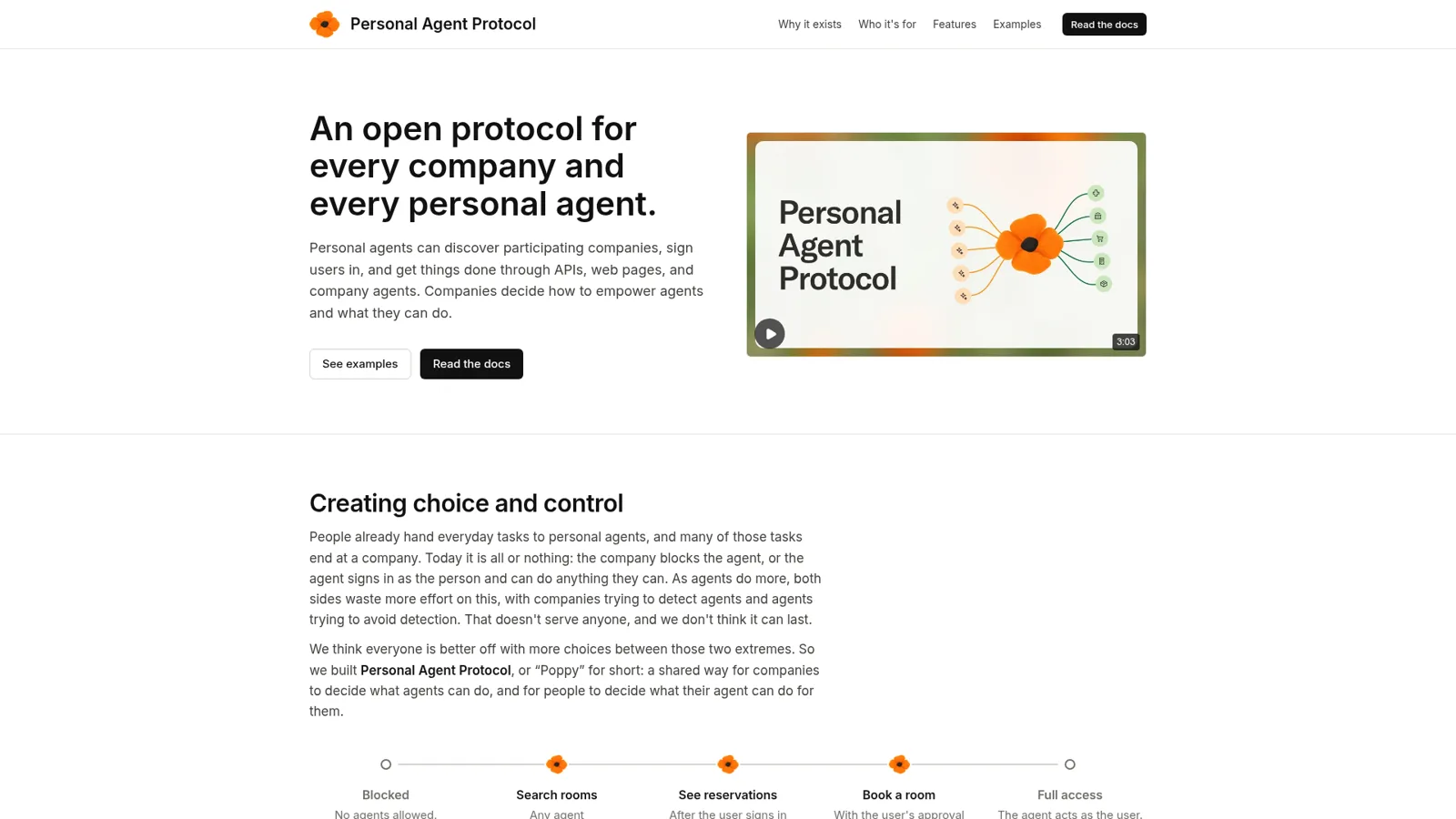
Meta's pitch for Poppy is aimed squarely at support: "Muse can now talk to your support or sales agent, or hand the customer to it directly. Your agent gives your authoritative answer, and the customer never has to repeat themselves" (Muse blog). The protocol's demo task is a return. And for Shopify stores selling through Meta's channel, "You remain the merchant of record, and you continue to manage fulfillment, returns, and customer service for these orders" (Shopify Help).
So the shopper has an agent now. The store needs one too. Hacker News got there first, as it does.
"Tell your muse to talk to their support muse to resolve this"
Simon Taylor made the merchant's version of the point on X, about stores currently blocking personal agents.
"The smart merchants also know they need a happy path for agents at some point."
This is where the comparison stops being either-or. A shopper's Muse is the customer's agent; something on the store's side has to answer it, and that's a teammate's job. When a Muse emails your support address about a late order, the message lands in your helpdesk like any other ticket. eesel picks it up there, looks up the order in Shopify, drafts or sends the reply under the permissions you set, and holds the refund for an editor if that's your rule.
To be precise, Poppy's company side is a separate setup: a conversation endpoint carries messages to "your support platform's company agent" (company kit). Email needs nothing new on Meta's side and is open today. For how one support vendor handles agent traffic, see Decagon's agent gateway. My agentic commerce guide covers the wider shift.
Try eesel as your team's Muse
If you liked the idea of Muse but the work you have in mind belongs to a team, eesel is that same kind of agent with the team as its boss. It lives in your Slack, Teams, helpdesk and Shopify, answers staff and customers, and every action is On, Ask first or Off, with approvals in the thread and Team only keeping internal tools on the team's side. You can even have Claude Code or Codex set it up for you.

The trial is 7 days and 100 credits with no card, and the pricing is published. Try eesel on one job your team shares this week, and keep Muse for your own errands.