


eesel vs ChatGPT comes down to the seat each one sits in. ChatGPT is the assistant each person on your team uses (Business seats at $25 a month, or $20 billed annually, with projects, connectors, scheduled tasks, ChatGPT Work and, since April, shared workspace agents in ChatGPT and Slack). eesel is the teammate the team hires, and what it does changes with who is asking: someone on your team, the specific people you name to approve its work, or a customer on a ticket or a visitor in your website chat. Every action is On, Ask first or Off, and Team only actions never run for anyone outside your team. It works natively inside your helpdesk, Slack, Microsoft Teams, Google Chat, email, website chat and Shopify, and it's priced per task with unlimited seats.
Pick ChatGPT when the job is one person thinking, writing or analysing. Pick eesel when the job is the team's shared work, especially anything that ends with a customer reading a reply. Plenty of teams should run both, and the two connect: eesel's apps for ChatGPT are being listed in ChatGPT's app directory, and Codex can set eesel up for you with the eesel CLI, uploading approved docs and asking test questions before anything goes live (connecting the helpdesk itself still needs an admin's approval).
I build eesel's integrations and APIs, so I read OpenAI's docs the way I read eesel's own: what each surface does once it's connected, who it acts as, and what happens when it's wrong. Every ChatGPT claim below links to OpenAI's own page.
eesel vs ChatGPT at a glance
Here's the side-by-side. ChatGPT cells link to the OpenAI page each one rests on; eesel cells rest on eesel's docs and its pricing page.
| ChatGPT (Business / Enterprise) | eesel | |
|---|---|---|
| What you buy | A seat per person, min. 2 on Business | An AI teammate, unlimited seats |
| Who it serves | Your staff; terms bar "power third-party services" | Your staff and your customers, with a line between them |
| Shared agents | Workspace agents, built per workspace | Agents per job (support, Slack Q&A, reports, blog) |
| Where agents work | ChatGPT, Slack, schedules, API trigger | Helpdesk, Slack, Teams, Google Chat, email, chat bubble, Shopify |
| Event triggers | Gmail, Slack or GitHub activity | Any connected app event, a schedule, or a webhook |
| Who it acts for | The person running it, or a shared agent-owned account | Your team, named approvers, or a customer, each with different rules |
| Write approvals | "Always ask" by default, plus action constraints | On / Ask first / Off per action, per agent |
| Admin controls | SSO, app controls, audit log (Enterprise) | Owner / Editor / Viewer; Team only tag on actions and files |
| Who can change it | Three access levels per agent (Can chat, Can edit, Owner) | Owner / Editor / Viewer per workspace |
| Knowledge | Company Knowledge, files up to 10 GB per agent | Help center, past tickets, macros, docs, Slack |
| Testing | Preview with a sample prompt | Test questions and past tickets before going live |
| Price | $25/seat/mo, $20 annual; agent runs use credits | From $299/mo for 500 credits; 1 ticket or chat = 1 credit |
| Customer-facing build | API, billed separately | Included (helpdesk, chat bubble, email) |
| Training on your data | Not by default | Not used to train models (security) |
If you only read two rows, read "Who it serves" and "Who it acts for". They decide most of the rest.
What ChatGPT is for work in 2026
ChatGPT for work is two plans. ChatGPT Business (renamed from Team in August 2025) is self-serve, and ChatGPT Enterprise is sales-led. A Business Standard seat, per OpenAI's help center, includes "ChatGPT, ChatGPT Work, and Codex, as well as features such as GPTs, Projects, Apps, Company Knowledge, ChatGPT Agent, Deep Research."
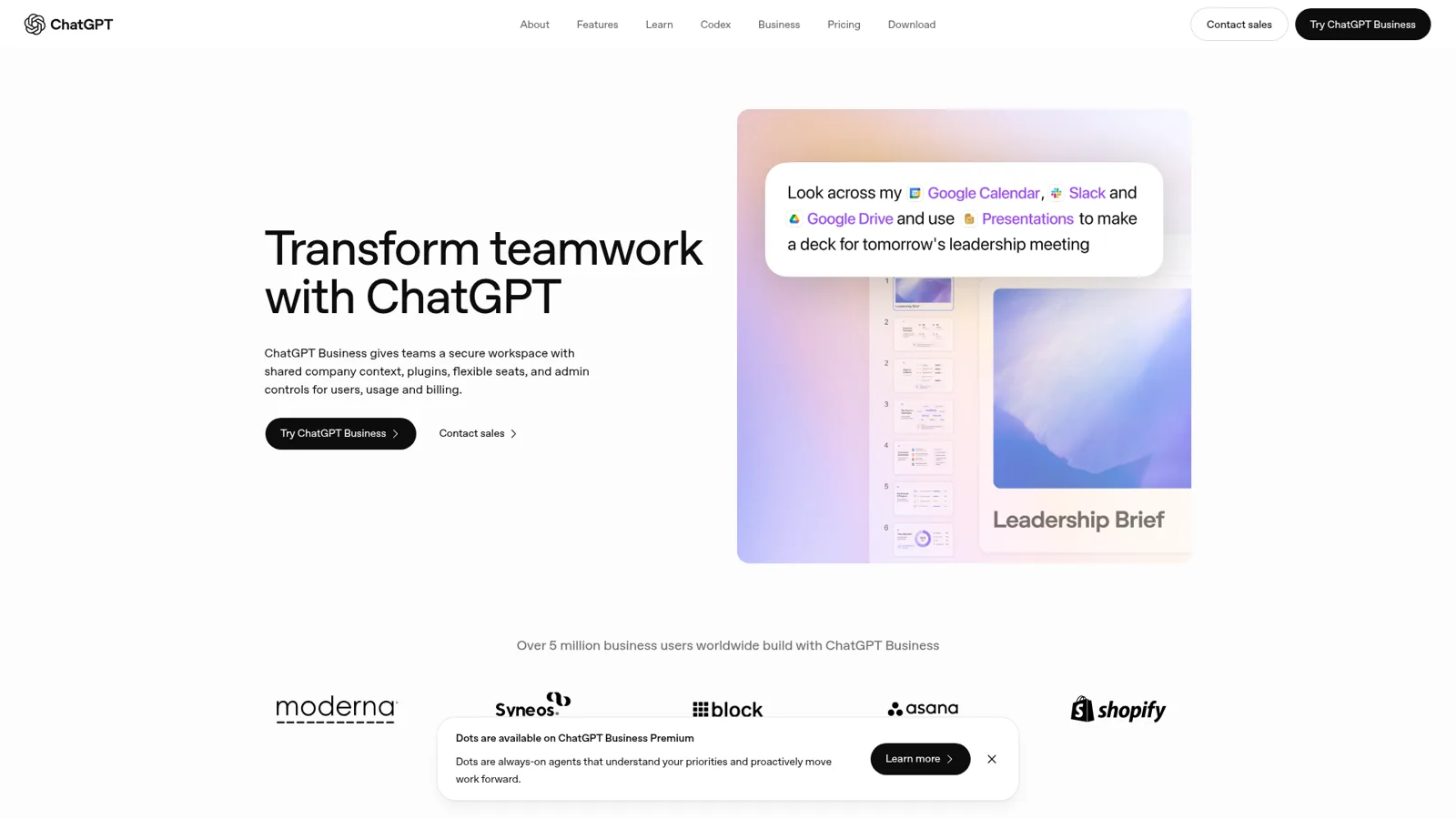
That's a lot of assistant for $25 a month, and it's good. ChatGPT Work takes a goal, gathers context, makes a plan and "check[s] in when it needs your input or approval" (ChatGPT Business). OpenAI says more than 1,400 plugins feed it context (ChatGPT Work page).
Company Knowledge answers questions from your connected sources and "respects permissions in the connected source". Projects bundle chats, files, Drive folders and Slack channels. Scheduled tasks run on a timer or react to Gmail, Slack or GitHub events, and Dots, the always-on agents, sit on Business Premium.
The common thread is that most of this works for the person at the keyboard. Connected apps ask each user to authenticate with their own account (enterprise privacy), memory draws on your own chats and apps (memory FAQ), and scheduled tasks start as tasks "for yourself", with team tasks added for shared jobs like weekly reports (ChatGPT Work). That's what makes it such a strong personal tool. A support engineer on G2 describes the day-to-day well:
"I use it to understand technical concepts, troubleshoot issues, prepare for customer discussions, draft professional communications, and simplify complex documentation."

Same review, same honesty: "Sometimes ChatGPT gives answers that sound confident but aren't always accurate." I've watched that exact failure on live support queues, and it's the reason eesel gets tested against your past tickets before it answers anyone.
Workspace agents are the closest thing to eesel
If you only know ChatGPT as a chat box, this is the part to catch up on. OpenAI launched workspace agents on April 22, 2026 as "an evolution of GPTs" that "run in the cloud, so they can keep working even when you're not." They are now generally available on Business, Enterprise and Edu. Meanwhile, custom GPTs are being retired, with standard retirement on December 11, 2026 (OpenAI help).
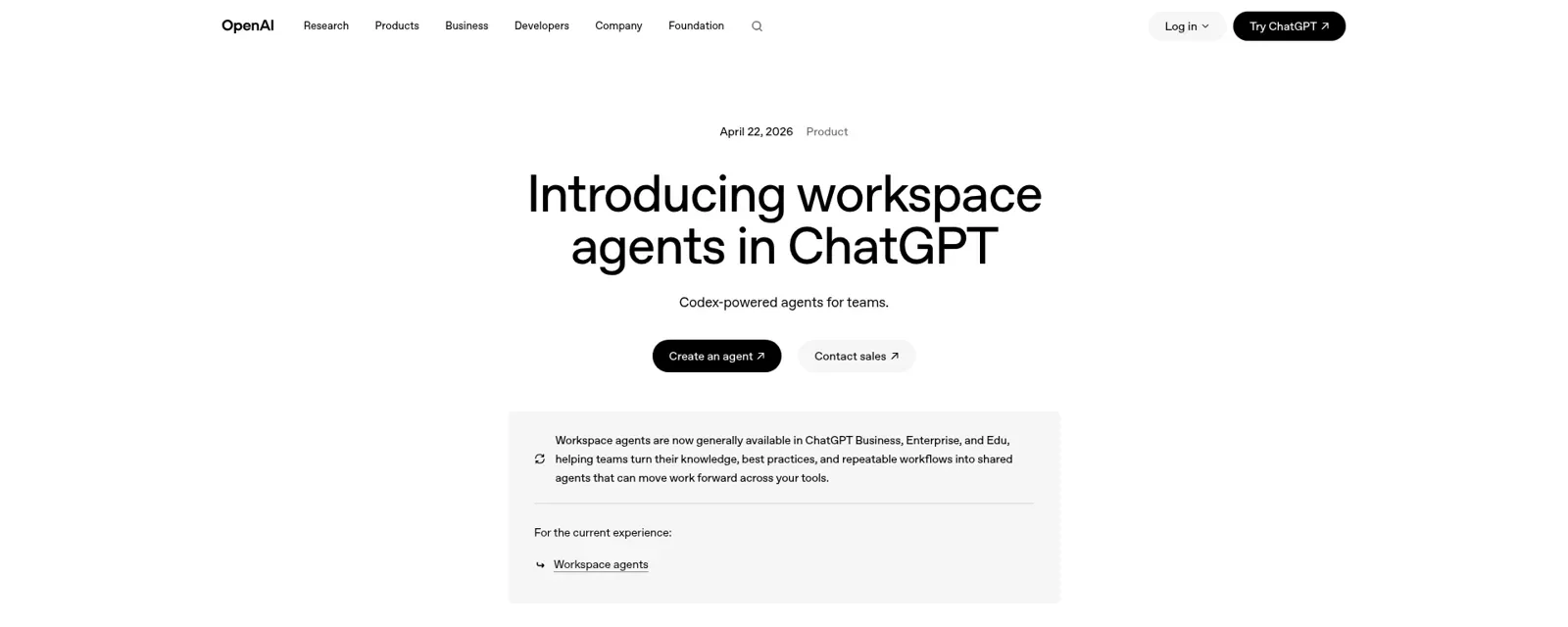
From the workspace agents help page, a workspace agent can:
- Be built from a template or a prompt, previewed, versioned, and shared with a person, a group or the whole workspace.
- Connect apps like Google Drive, Slack and SharePoint, plus your own MCP servers, skills and up to 10 GB of files.
- Live in a Slack channel, run on a schedule, or be started by an API call from "an internal workflow, scheduled job, support tool, or other system".
- Ask before write actions. Write actions default to "Always ask", and builders can switch to "Never ask", set a custom rule, or add action constraints such as "only send email to recipients at a specific domain".
That's a serious set of controls, and I won't pretend otherwise. OpenAI's own example is close to one of eesel's most common jobs: a product team agent that "proactively answers employee questions in Slack channels", links the docs and files a ticket. People inside OpenAI like using it:
"Now, I tag workspace agent in the slack thread, it reads the thread, puts it into the right shape, and logs it (with considerably high fidelity). Saves us time, does the job no one wanted to do"

Two fine-print items matter for a shared agent. For Slack, "all your agent's apps need to be set up using shared auth connections", and OpenAI warns that with personal connections "anyone who can use the agent may be able to access data or perform actions through those connections as the creator." And agent runs draw from the same credit pool as ChatGPT Work and Codex, at "between 5 and 25 credits" for a typical run (rate card). I covered the whole feature in my ChatGPT agents guide.
What eesel is
eesel is an AI teammate you hire, connect to your apps, and brief like a new starter. It's the same kind of assistant as ChatGPT (you ask, it thinks, it does), sitting in a different seat: one agent the whole team shares, working inside the tools the work already lives in.

eesel works natively and deeply with your team's tools, across 3,000+ integrations. Since integrations are my day job, here's what "natively" means concretely:
- In the helpdesk. On Gorgias, Zendesk or Freshdesk, it reads the ticket, looks up the Shopify order, tags from your fixed list, and either sends the reply or leaves a draft as an internal note. rungne had it handle 2,100 Gorgias tickets in a month, 880 tagged from a fixed list and 580 left as internal-note drafts.
- In team chat. In Slack anyone @mentions it or DMs it, and it answers in the thread with the source linked. In Microsoft Teams it answers mentions, follows the thread, reads pasted screenshots and posts a daily summary on its own. Google Chat works too.
- In email and on the website. Every agent has its own email address, and the chat bubble answers visitors in their language.
- On a schedule. An automation is a trigger (an app event, a time like every Monday 9am, or a webhook) plus the instructions for that job. Cape Coffee Beans runs 160 scheduled Zendesk and Drive checks a month that email the founder the tickets that slipped.
It also arrives ready for the job. eesel is proactive, reliably follows your instructions, and comes with the skills and context the work needs: it learns from your docs, past tickets and Slack history on day one, and when you correct it in chat, the fix sticks in every app it works in (memory docs). eesel picks and runs the models for you, so the comparison here is about product shape, not which model sits underneath.
Where eesel and ChatGPT differ
Strip out the overlap (both answer questions, both connect apps, both have admin controls and ask before risky writes) and three differences are left. The biggest is who the agent answers to.
Who is asking: one rulebook for your team, your approvers and your customers
ChatGPT has real controls, and I want to be precise about them. Workspace agents default write actions to "Always ask", builders can add action constraints like "only send email to recipients at a specific domain", and each agent has Can chat, Can edit and Owner access.
On top of that, admins choose which apps are enabled, and Enterprise adds SAML SSO and an audit log through the Compliance API (enterprise privacy). Enterprise admins can also manage app access with RBAC and require SCIM (Company Knowledge help), and suspend any agent (launch post).
The accurate difference is whose behalf the agent acts on. A workspace agent's app connection is either the end-user's ("each person running the agent authenticates with their own account") or an agent-owned shared account, per the help page. Either way, the same agent follows the same rules whoever sends the request, and it's built for people inside your workspace, not your customers in your own channels.
eesel changes what it does based on who is asking. Three audiences, three rulebooks, all from the actions and approvals docs:
| Who is asking | What eesel can do |
|---|---|
| Someone on your team (Team page, full Slack members, Teams or Google Workspace users, anyone writing an internal note in your helpdesk) | Every action set to On, plus Team only actions like writing scripts against an app's API, admin tools and changing the agent's own instructions (admin tools and scripts never run on a ticket) |
| The specific people you name | Approve held actions. Only Editors can approve, and you pick which members or Slack channels get approval requests |
| A customer or visitor (on a helpdesk ticket, in the website chat) | Only actions set to On that aren't Team only. Team only files can't inform the answer, and On files are never sent as a file or link |
Every action in every connected app is set per agent to On (it does it, though eesel's safety check can still hold a risky call), Ask first (a named approver says yes every time) or Off (never). You can also just say it in chat: "look things up on your own, but ask me before any refund." Approvals show the exact reply text, refund amount or tag, and land where the run started: a card in the Slack thread, an email, the dashboard, or eesel approvals in a terminal. Viewers can chat and review but can't change the agent (roles).
One honest limit on eesel's side: live-chat replies are always On, because nobody can pause a live chat to approve a message. My advice is to start supervised and keep refunds, cancellations and anything that costs money behind Ask first.
Who it serves: staff seats vs staff and customers
A ChatGPT seat is a staff tool, by contract. The Business models-and-limits page says usage must follow the Services Agreement, which prohibits "Reselling access or using ChatGPT to power third-party services" (OpenAI). And "a ChatGPT Business subscription does not include API usage - API usage is billed separately" (OpenAI). So if you want OpenAI's models answering your customers on your helpdesk or website, that's an OpenAI API build, on a separate bill.
To be fair, OpenAI does have one customer-facing product. Business Agents (launched November 10, 2026) answer shoppers about your products, but inside ChatGPT, for US e-commerce and online service businesses (OpenAI). The "where's my order" email after the purchase still lands in your own inbox.
eesel's same agent can answer your team in Slack at 9am and a customer on a Zendesk ticket at 9:05. Question Beauty had it send 960 Gorgias replies directly in a month while looking up 290 Shopify orders; Cactus Club Cafe runs it purely internal, on 750 IT tickets with 1,650 runbook lookups. That's only safe because of the who-is-asking rules above.
Where it works: chat and Slack vs the team's own tools
OpenAI documents workspace agents in ChatGPT, Slack, on schedules and through an API trigger, with "more surfaces coming soon" (launch post). Event-triggered tasks respond to "Gmail, Slack, or GitHub activity" (scheduled tasks). I couldn't find a documented helpdesk surface: no "reply on the ticket", no internal note, no ticket fields. You could wire one up yourself with the API trigger plus a helpdesk MCP, but that's a build.
eesel installs as an agent inside the helpdesk, so a ticket arriving is the trigger and the ticket is where the reply goes. That's the "last 20%" I spend my weeks on: helpdesk rate limits, which ticket fields to load, whether a draft lands as an internal note or a public reply. It's unglamorous, and it's the part that decides whether the agent is useful on Tuesday morning. For the support side specifically, my ChatGPT customer service alternatives roundup compares the tools that do reach the customer.
eesel vs ChatGPT pricing: what does each cost?
They bill for different things, which is why a straight price-per-month comparison misleads. ChatGPT bills per person; eesel bills per unit of work.
ChatGPT (from OpenAI's help center; see my ChatGPT pricing guide for personal plans):
| Plan | Monthly billing | Annual billing | Notes |
|---|---|---|---|
| Business Standard | $25 per user per month | $20 per user per month | ChatGPT, ChatGPT Work, Codex; min. 2 seats |
| Business Premium | $125 per user per month | $100 per user per month | Higher limits, "no five-hour usage limit" |
| Enterprise | Contact sales | Contact sales | SSO, SCIM, credit or token billing |
| Extra usage | Optional shared credits | Valid 12 months | Workspace agent runs ~5 to 25 credits |
| API (customer-facing builds) | Per token | GPT-6.2 Sol $2.00 in / $10.00 out per 1M tokens |
eesel (from eesel pricing):
| Plan | Price | What you get |
|---|---|---|
| Free trial | $0 for 7 days | 100 credits, no card |
| Teammate | $299 to $1,749 per month | 500 to 5,000 credits; 1,000 is $499, 1,500 is $699 |
| Extra credits | $0.80 each | Up to a monthly cap you set |
| Enterprise add-on | $1,000 per month | SSO/MFA, EU hosting, HIPAA BAA, signed DPA |
A ticket or a chat is 1 credit however long it runs. Slack questions, scheduled agents and reports use credits too. Seats and agents are unlimited.
A worked example. Take a 15-person DTC brand: support, ops and marketing. In a month the shared work is 900 helpdesk tickets, about 150 questions to the team's Slack agent, and 22 weekday-morning reports, so roughly 1,072 credits.
- ChatGPT Business for everyone: 15 Standard seats × $25 = $375 a month ($300 billed annually). That gives 15 people a strong personal assistant. It doesn't answer those 900 customer tickets; that's an API build on top.
- eesel for the shared work: the 1,000-credit batch at $499, plus 72 extra credits × $0.80 = $57.60, so $556.60 a month (or move up to 1,500 credits at $699 and stop counting). Add a 16th or 60th person and the bill doesn't move.
- Both: $375 + $556.60 = $931.60 a month, and each person keeps their own assistant while the team's queue gets a teammate.
The seat bill scales with headcount; eesel's scales with work. A small team buried in tickets lands on eesel's side; a large team with a light shared queue lands on ChatGPT's. If you want the long version of the seat maths, my ChatGPT for Work pricing post has it.
When ChatGPT is the better pick
I'd tell you to buy ChatGPT, and skip eesel, in these cases:
- The work is individual. Drafting a board memo, analysing a spreadsheet, building a deck from Calendar, Slack and Drive, deep research. ChatGPT Work is excellent at this, and nothing about eesel is trying to replace it.
- You live in Slack and your agents are internal. If the jobs are "answer employee questions in #help-it" or "log feedback from this thread", workspace agents do that well, inside a product your team already opens fifty times a day.
- You want one vendor for everyone's AI. A $25 seat that includes Codex, Company Knowledge and workspace agents is a lot of value, and the admin story (SSO, SCIM, compliance API) is mature on Enterprise.
- Your engineers want to build. If you have the people to own an agent on the Agents API, OpenAI gives you a managed agent runtime, sandboxes and MCP support.
When eesel is the better pick
eesel is the better fit when:
- Customers are on the other end. Tickets, website chat, order questions, returns. A ChatGPT seat can't power that by contract; eesel is built for it, with drafts as internal notes until you trust it.
- The work lives in a helpdesk, Teams or Shopify. If your queue is in Gorgias, Zendesk or Freshdesk, or your company runs on Microsoft Teams, eesel is already there. My eesel vs Gorgias AI comparison shows what that looks like on one helpdesk.
- You need a hard staff/customer line. Team only means the agent that answers customers can also run admin scripts for your team, without the two ever mixing.
- Headcount is the wrong unit. Part-time staff, agencies, a founder who checks in once a day: everyone joins free. amagency runs one agent across 4 brands.
- You'd rather hire than build. Packaged skills, wired integrations and testing on past tickets are the parts that take months to build yourself.
Tap each job to see which tool I'd hand it to.
Use both: eesel from inside ChatGPT
The best answer for a lot of teams is "keep your ChatGPT seats, add a teammate". The two already meet in two places (eesel docs):
- Talk to eesel from a ChatGPT chat. eesel's apps for ChatGPT are built per helpdesk (Zendesk, Freshdesk, Gorgias, Front and Gmail) and are being listed in ChatGPT's app directory. Once yours is there, connect it under Settings > Apps & connectors and say "ask eesel what's waiting on me" or "have eesel draft a reply to ticket 4521". You get exactly your dashboard access: editors can change things, viewers can ask, and anything on Ask first still asks. Until then, the Claude connector or
eesel chatin a terminal reaches the same agent. - Have Codex set eesel up. Point OpenAI Codex at the coding-agent quickstart and it can add the chat bubble to your site, upload knowledge and check answers with the CLI. Every command prints JSON, so Codex reads its own results; account sign-ins and approvals go back to a person.
That's the shape I'd recommend: ChatGPT as each person's assistant, eesel as the team's, and a bridge between them.
What about building it yourself on the OpenAI API?
You can, and some teams do. OpenAI's agent platform offers the Agents API ("Run an agent with the Codex harness managed by OpenAI"), the Agents SDK, the Responses API and ChatKit for an embedded chat. OpenAI cites Klarna's support agent handling two-thirds of tickets as proof it works at scale (AgentKit launch).
Two things to weigh before you start. First, the platform moves fast. OpenAI is winding down Agent Builder and Evals, and "from November 30, 2026 onward, they will no longer be available" (same page). Teams who built on AgentKit now migrate. Second, the model call is the easy part. You'd own the helpdesk integration, the permission model, the approval UI, the staff/customer line, testing on past tickets, and the on-call when it misbehaves.
Some customers have left eesel to build their own agent directly on a model API, and I don't think they're wrong; they had the engineers and the appetite. More often I hear the opposite reasoning, like this engineering lead at a crypto-hardware company with a 300+ article Confluence and Telegram knowledge base who chose to buy. In their words, "We could try to write our own LLM application but we didn't want to invest our time into that. We wanted something that we would not have to maintain."
My build vs buy guide walks through the costs line by line, and the OpenAI API pricing post covers the token side.
Try eesel as your team's teammate next to ChatGPT
If ChatGPT is already everyone's assistant, eesel is the teammate that picks up the shared work: the queue, the Slack and Teams questions, the morning report, the order lookups. It works inside your team's tools, and you decide what it does on its own, what it asks first and what it never does. Start supervised on Ask first, watch the drafts, and hand over more as it earns it.

The trial is 7 days and 100 credits with no card, and every seat is free. Try eesel.
Frequently Asked Questions
What is the difference between eesel and ChatGPT?
Can ChatGPT answer my customers' support tickets?
Is eesel cheaper than ChatGPT Business?
Are ChatGPT workspace agents the same as eesel?
Can I use eesel from inside ChatGPT?
eesel chat from a terminal.