ChatGPT customer service alternatives: 9 tools that reach the customer

Riellvriany Indriawan

Katelin Teen
Last edited August 17, 2026

The three jobs ChatGPT actually does in a support queue
When somebody says "we use ChatGPT for customer service", they can mean one of three quite different things, and for each one the alternatives are different too.

Job one, answering your own team. An agent hits a ticket about some refund edge case, does not know the policy, and asks ChatGPT instead of asking in Slack. This is a knowledge-retrieval job and honestly the most common one. ChatGPT is fine here, right up to the point where the answer has to come from your refund policy and not from the internet's general idea of one.
Job two, drafting for the agent. Paste the ticket in, get back a polite reply, edit, send. The human is still owning the send button. It works, which is why the habit spreads through a team so fast.
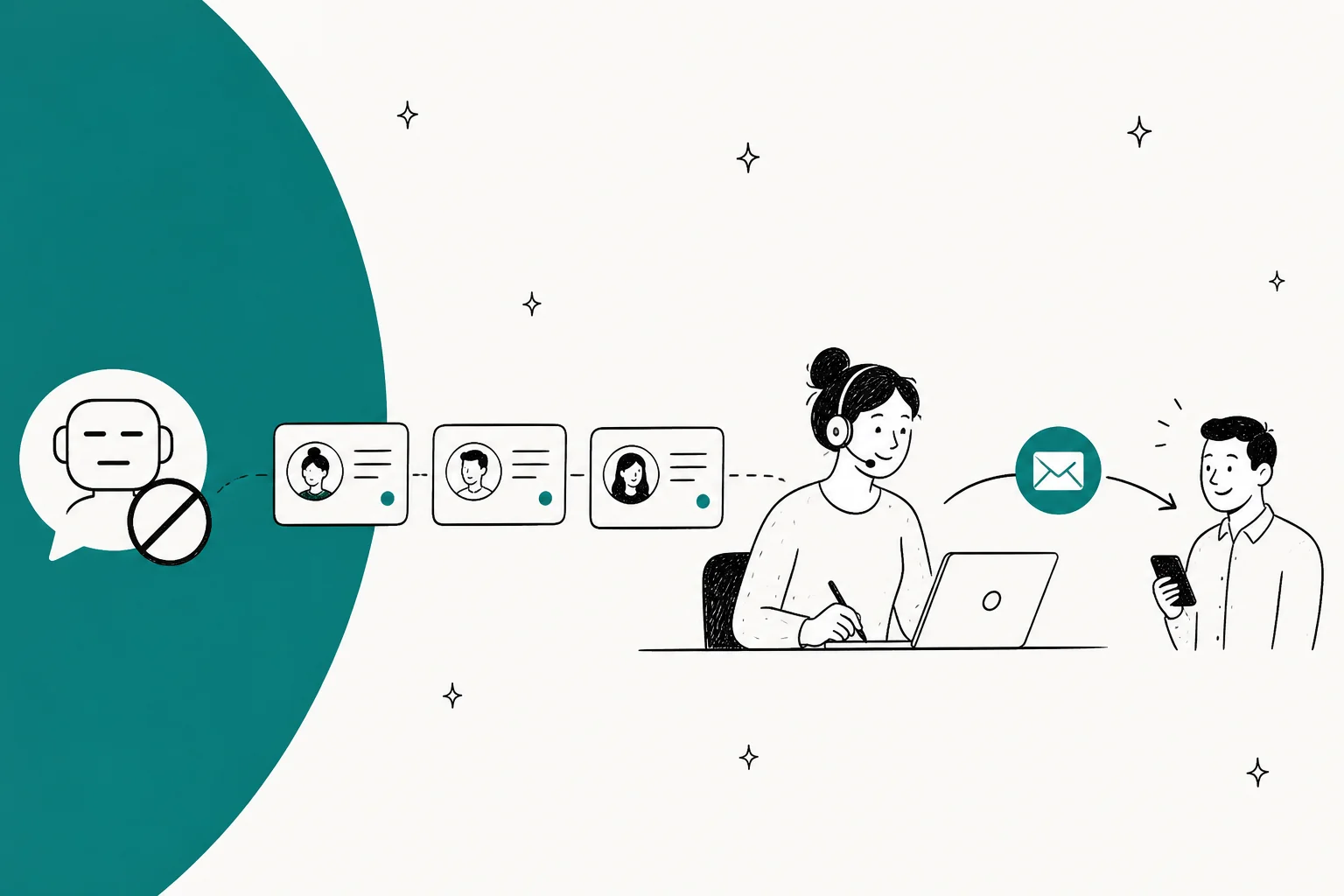
Job three, answering the customer. Nobody is holding the keyboard here. The AI reads the ticket, pulls from your help centre, replies under your brand. ChatGPT cannot do this one, at all, and the reason is structural rather than about quality.
Somebody put it better than I can, in a thread on whether generative AI was displacing support roles:
"In other words, this more likely answers the question 'If customer support agents all use ChatGPT or some in-house equivalent, does the company need fewer customer support agents?' than it answers the question 'If we deploy an AI agent for customers to interact with, can it reduce the volume of inquiries that make it to our customer service team and, thus, require fewer agents?'"
Two completely different questions, that one. Most of the "ChatGPT for customer service" content out there answers the first one and then quietly implies it has answered the second.
The two walls you hit
Wall one: the plan wall
This is the one which changed recently, and it is worth to check against your own account before planning anything around it. OpenAI's help centre is unambiguous:
"New GPT creation and publishing are not available on personal ChatGPT accounts, including Free, Go, Plus, and Pro."
Existing GPTs still run, and you can still edit the ones you already made, if your plan permits. But building a new support GPT has become a workspace feature now, on Business or Enterprise or Edu. And the same wall runs through most of the other things a support team would want anyway.

Reading OpenAI's own pricing comparison table, every one of these is a No on Free, Go, Plus and Pro: Company knowledge, Workspace agents, SAML SSO, SCIM, admin console, role-based access controls, analytics dashboard, IP allowlisting, compliance API logs, data residency, and SOC 2 Type 2. Sharing a GPT with your workspace is Pro-and-above only.
Crossing that wall costs $25 per user per month monthly, or $20 annually, with a two-seat minimum, and OpenAI's billing article is clear that unused seats are non-refundable once you commit to the count. Premium seats run $100 per user per month annually.
The compliance half of this is not hypothetical either. A comment on a thread about sending data out to external LLM APIs put the real problem quite well:
"Most companies cannot produce a log showing which employee sent what data to which model, when it was authorized, and what classification level it had."
If your agents are pasting ticket bodies into a personal ChatGPT account, that is your situation exactly, and then one more detail on top: OpenAI states that for Free, Plus, Go and Pro users it may use information accessed from apps to train its models, where the improve-the-model setting is left on. Business, Enterprise and Edu are excluded by default.
Wall two: the login wall
This one has not changed and it never will, because it is simply what ChatGPT is. A GPT, a project, a connected app, a workspace agent, all of them live inside a ChatGPT session that belongs to a person who signed in. Your customer did not sign in. Your customer emailed support@ from their phone at 11pm.
Which is why the honest framing of this whole category is not "ChatGPT versus X". ChatGPT is an agent-side tool being asked to do a customer-side job, and it was never built for that.
You can even watch the thing break down from the customer's side. A founder on r/SaaS described a billing dispute where the customer started running every reply through ChatGPT and firing back generated legal arguments, which turned a support conversation into two models arguing with each other while two humans watched. And in a thread on whether ChatGPT could replace a support team, the frustration ran the other way:
"AI is helpful. Don't get me wrong, we use it to route tickets, summarize issues, and even suggest fixes based on logs. But it can't make judgement calls or handle weird edge cases."
Someone in the replies made the sharper point about what actually arrives in a real queue:
"If your users are anything like mine, they would never be able to use it. I get tickets they only say 'Computer is not working' Lets see ChatGPT solve that one."
He is right about it, and the fix is not a smarter model. The fix is a tool that can see the customer's order history and past tickets and their account state, without somebody pasting any of it in.
Which job are you replacing?
Before the list, work out which of the three you are actually shopping for. The answer will change the shortlist completely.
Which ChatGPT job are you replacing?
Pick the one that describes what your team does with ChatGPT today.
You want a copilot inside the inbox, not a new platform.
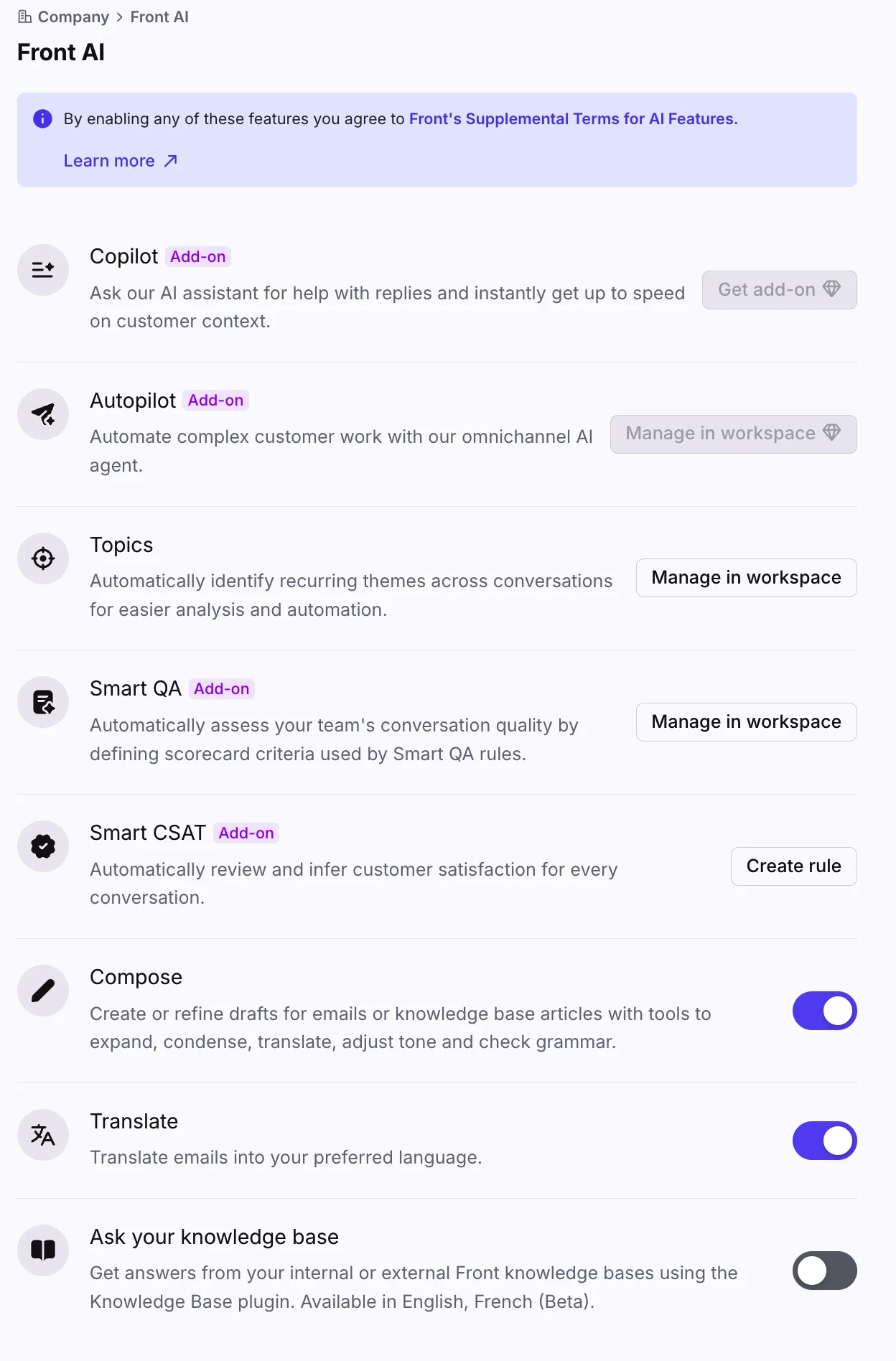
- Front Copilot drafts in the thread your agents already live in $20/seat/mo
- Help Scout drafts and summarises from the same inbox $25 to $75/user/mo
- Freddy AI Copilot if you are already on Freshdesk Pro $29/agent/mo
The win here is that the ticket, the customer record and the draft sit in one place, so nobody is pasting anything anywhere. The saving is minutes per ticket, not headcount.
You want an AI agent with the send button, and you should price it per ticket.
- eesel sits on your existing helpdesk, replays past tickets before going live $0.40/ticket
- Zendesk AI agents if you are already deep in Zendesk $1.50 to $2.00/resolution
- Gorgias AI Agent for Shopify stores ~$0.90, $1.50 over allowance
- Freddy AI Agent included from Freshdesk Growth $49/100 sessions after 500
This is the job ChatGPT cannot do. Whatever you pick, insist on seeing it answer your own historical tickets before it answers a live one.
You have a knowledge problem wearing an AI costume.
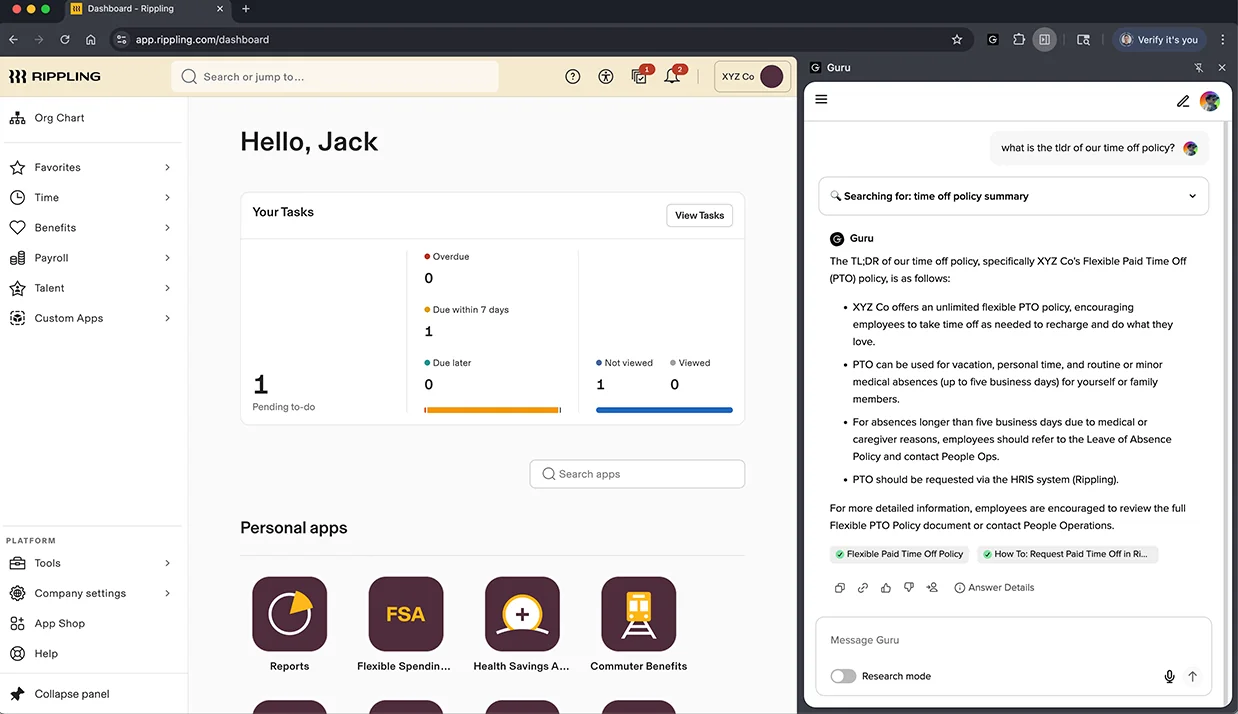
- Guru for a browser-side answer over verified internal cards
- eesel in Slack if you want the same brain that answers customers to answer the team
- Your helpdesk's own KB search, if the content is actually good, which is the real question
Worth testing honestly: if ChatGPT is answering better than your help centre, the help centre is the thing to fix. No AI recovers an article that does not exist.
The 9 alternatives at a glance
| # | Tool | Job it replaces | Can it send to a customer? | AI pricing unit | Entry seat price | Free tier | Test on past tickets | Security | Best for |
|---|---|---|---|---|---|---|---|---|---|
| 1 | eesel | All three | Yes | $0.40 per ticket | None, no seat fee | $50 usage, no card | Yes, replay over your history | SOC 2, HIPAA and BAA on Enterprise | Teams keeping the helpdesk they have |
| 2 | Zendesk AI agents | Answer the customer | Yes | $1.50 committed, $2.00 pay-as-you-go | $19/agent/mo annual | No | Not over your own history | SOC 2, ISO 27001, HIPAA | Existing Zendesk estates |
| 3 | Gorgias AI Agent | Answer the customer | Yes | ~$0.90 in allowance, $1.50 over | $40/mo flat, 3 seats | 30-day trial | No | SOC 2 | Shopify stores |
| 4 | Freddy AI Agent | Answer the customer | Yes | $49 per 100 sessions after 500 | $19/agent/mo | Free plan exists | No | SOC 2, ISO 27001, HIPAA add-on | Freshdesk teams on Growth |
| 5 | Richpanel | Answer the customer | Yes | ~$0.20 per resolved conversation | $69/agent/mo, 10 min | No | No | SOC 2 | Ecommerce, high volume |
| 6 | HubSpot Breeze | Answer the customer | Yes | 50 credits (~$0.50) per resolution | $90/seat/mo Professional | Free CRM tier | No | SOC 2, ISO 27001 | Teams already on HubSpot CRM |
| 7 | Front | Draft for the agent | Yes, Autopilot add-on | Copilot $20/seat, Autopilot from $0.05/conversation | $25/seat/mo annual | No | Yes, scenario simulation | SOC 2, HIPAA | Shared inboxes with real collaboration |
| 8 | Help Scout | Draft for the agent | Yes, AI Answers | $0.75 per resolution | $25/user/mo | Free, 5 users | No | SOC 2, HIPAA on Pro | Small teams who want plain pricing |
| 9 | Guru | Answer your team | No | Per seat | Quoted | Trial | Not applicable | SOC 2 | Internal knowledge, not tickets |
One note on that fourth column, since it is the one that matters and also the one nobody puts into these tables. Every tool in rows 1 to 8 is able to put words in front of a customer. ChatGPT cannot, on any plan, at any price. Which is the whole reason this list exists.
1. eesel

I work here, so read this with that in your mind. I have tried at least to keep every number checkable.
What it replaces. All three of the jobs, which is the specific reason it lands on this list and not on a separate one. The same agent answers customers inside the helpdesk, drafts for your team in the ticket, then answers policy questions over in Slack.
How it gets its context. It connects into the helpdesk you already run instead of replacing it, and trains on past tickets plus help centre articles and internal docs. The part that matters, after those two incidents I opened with: it replays your historical tickets and shows exactly what it would have replied, on your own data, before you switch anything on. That is a different thing from a scripted simulation. It is the control that exists because fabricated answers once reached real customers.
Pricing. $0.40 per ticket or helpdesk conversation, however many messages that takes. No platform fee, no per-seat fee, no minimum. $50 of free usage with no credit card. Annual commit saves up to 25%. Enterprise is $1,000 a month flat on top of usage, and adds a dedicated solutions engineer, SSO, HIPAA and a BAA.
Limits. There is no eesel integration today for Crisp, LiveAgent or Zoho Desk, so if that is your helpdesk then you are looking at the API route. HIPAA and the BAA sit on the Enterprise tier, not on the usage-only plan. And in one specific case a per-ticket meter is worse than a seat licence, which is a very low-volume team carrying a lot of agents. They will pay less on seats.
Verdict. Best fit when you like your helpdesk and want AI ticket deflection without doing a migration, and when the thing holding you back from switching on an AI agent is simply not knowing what it will say.
2. Zendesk AI agents

What it replaces. Answering the customer, natively, inside of the helpdesk most support teams already run.
How it gets its context. Your Zendesk help centre and the ticket itself, with the AI agent living in the same workspace as your human agents. There is also a first-party Claude connector now if you want to bring your own model key, which is a different route from the ChatGPT connector approach.
Pricing. Zendesk's pricing page publishes the resolution rate in its comparison table, which not every vendor does: $1.50 per committed automated resolution, $2.00 pay-as-you-go. Seats are $19 (Support Team), $55 (Suite Team) and $115 (Suite Professional) per agent per month annually, or $25, $69 and $149 monthly. Included allowance is 5 automated resolutions per agent per month on the first two tiers, 10 on Professional, capped at 10,000 a year. Copilot is a $50 per agent add-on.
Limits. You are paying twice here, seat plus resolution, and at $2.00 pay-as-you-go this is the most expensive per-resolution meter in the table by some distance. Suite Enterprise stays quote-only. Also there is no dry run over your own past tickets before going live.
Verdict. The obvious choice where Zendesk is already the system of record and procurement will not entertain a second vendor. Price that resolution meter carefully at volume though, because 3,000 resolutions in a month at pay-as-you-go comes to $6,000 sitting on top of your seats.
3. Gorgias AI Agent

What it replaces. Answering the customer, specifically for ecommerce, where most tickets are order status, returns and exchanges.
How it gets its context. Deep Shopify data and your help centre, which is the reason it can actually answer "where is my order" rather than deflecting it off to a tracking link.
Pricing. Starter $40 a month (50 tickets, 30 AI interactions, 3 seats), Basic $90, Pro $550, Advanced $1,430, with annual rates of $77, $471 and $1,227. The $1.50 figure everyone quotes is the overage rate, not the base rate. Inside the bundled allowance the effective rate works out to roughly $0.90, or about $1.00 on Starter, which matches Gorgias's own blog wording. Crossing the allowance is a 50% step-up on Starter and 67% elsewhere.
Limits. AI Agent requires Shopify, and it is not supported on BigCommerce, Magento or WooCommerce, even while the helpdesk itself supports them. On post-May-2025 accounts a fully-automated ticket bills twice, the ticket fee plus the automation fee, where an "automated interaction" means that no human touched it inside 72 hours. And "unlimited users" is not accurate, the compare table caps seats at 3 on Starter, 500 elsewhere.
Verdict. Strong when you are on Shopify and your volume is really order-shaped. Check that Shopify gate first though, it tends to catch non-Shopify merchants late.
4. Freddy AI Agent

What it replaces. Answering the customer, and it is the cheapest way into that job from any mainstream helpdesk.
How it gets its context. Your Freshdesk knowledge base and ticket history, with the autonomous agent handling the conversation end to end.
Pricing. Here is the detail that is wrong in most roundups, including some of my own older ones. The Freddy AI Agent is available on all three Freshdesk plans, starting on Growth at $19 per agent per month, each with the first 500 sessions included. Additional sessions are $49 per 100. The Pro-and-above gate applies to Freddy AI Copilot at $29 per agent per month, which is a different product. Freddy AI Insights is Enterprise-only.
Limits. Those 500 included sessions are one-time, not a monthly refill. An email session means a 72-hour window from the customer's first email, so a slow back-and-forth still counts once, though a reopened thread will start a new one. At $0.49 a session past the allowance the meter sits mid-table, and again there is no replay over your own past tickets.
Verdict. The best-value entry point on this list, for anyone wanting an autonomous agent bundled together with a helpdesk. And if you sit on Freshdesk Pro purely for the AI, dropping five seats down to Growth takes you from $275 to $95 a month while keeping the agent. That is the single largest saving in this whole post.
5. Richpanel

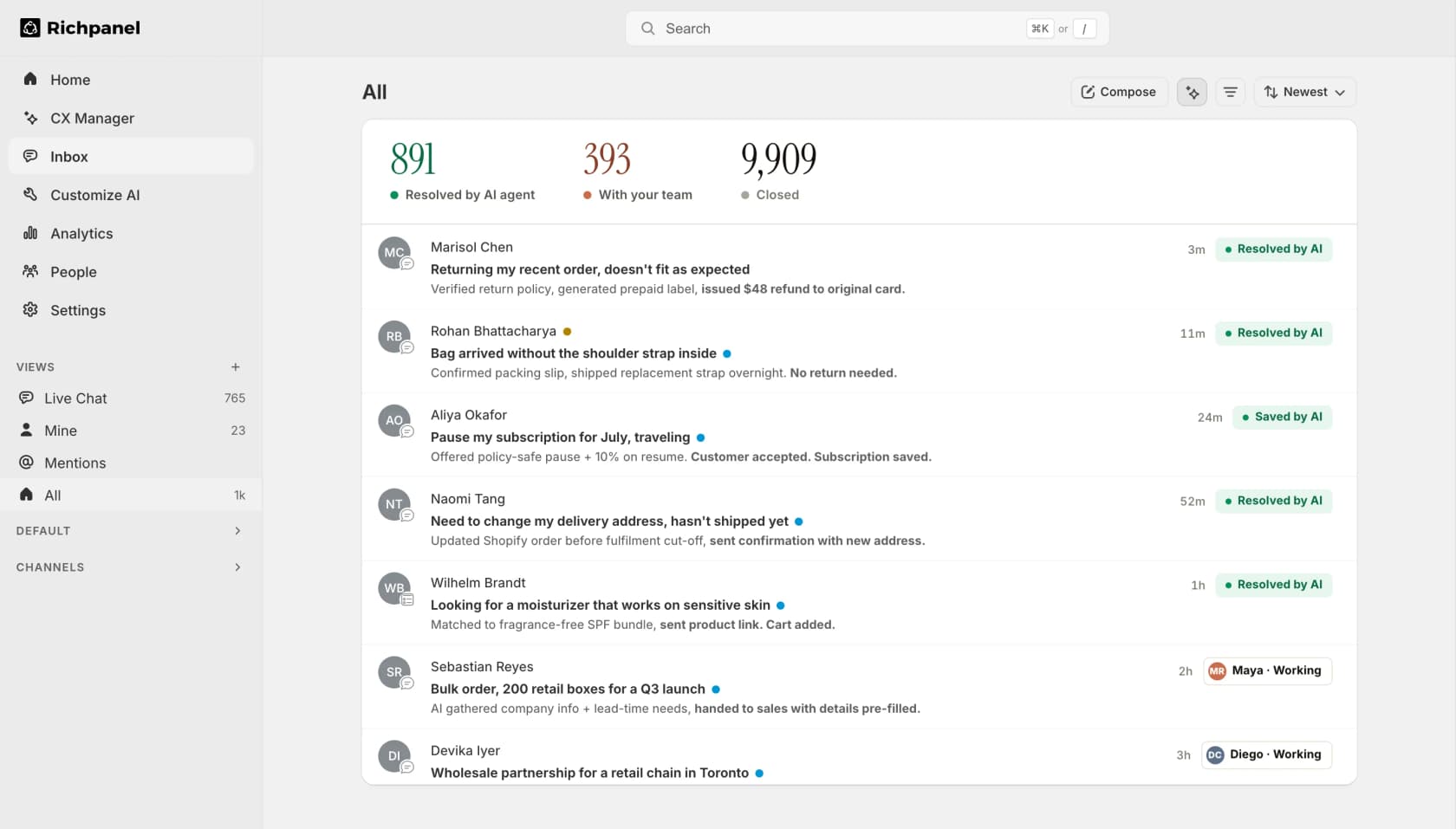
What it replaces. Answering the customer at ecommerce volume, with the split between AI and human resolutions shown right in the inbox.
How it gets its context. Store data plus your help centre, with separate AI roles for the customer-facing agent, agent copilot and QA.
Pricing. Pro $69 per agent per month, Pro Max $99 with a 10-seat minimum, Enterprise custom above 50 agents. AI is a separate add-on metered in monthly volume brackets, starting at $200 for up to 1,000 conversations a month and running past 10,000. Richpanel's own copy puts that at about $0.20 per resolved conversation, which is the lowest published rate in this table. There is a $2,000 one-time onboarding fee for AI agents, and all subscriptions are on yearly contracts.
Limits. That 10-seat minimum on Pro Max plus the $2,000 onboarding fee makes this a poor fit for a small team. The pricing page is a Webflow build carrying several superseded pricing blocks that sit above the live one, so any old quote you find in some blog post is quite likely to be dead numbers. Everything routes through sales.
Verdict. Worth a look where you are doing serious ecommerce volume and the per-conversation economics is what you are optimising for. The annual contract and that onboarding fee make this a considered purchase rather than a trial.
6. HubSpot Breeze

What it replaces. Answering the customer, if your CRM and your helpdesk are already the same system.
How it gets its context. The CRM record, which is really the argument for it. The agent knows your deal stage and the contact history, not only the ticket text.
Pricing. Service Hub Starter is $7 per seat per month on a monthly commit or $20 pay-monthly, Professional is $90 per seat annually plus a required $1,500 onboarding fee, Enterprise is $150 per seat with a required $3,500 onboarding. Breeze Customer Agent costs 50 credits per resolution, which is about $0.50, and needs Professional or above.
Limits. Run the arithmetic before you buy. Professional includes 3,000 credits, which is only 60 Customer Agent resolutions a month, roughly two a day, and those credits are shared with every other Breeze action. Credits do not roll over and cost $9.00 per 1,000 after that. When you run out, the agent silently stops taking new conversations across every channel until reset. A "resolution" also freezes at 72 hours, so an unhappy conversation still bills.
Verdict. Makes sense where the CRM context actually changes the answer and you are paying for Professional anyway. Do not buy it as a volume deflection engine on the included credits though, the included credits are not a volume plan.
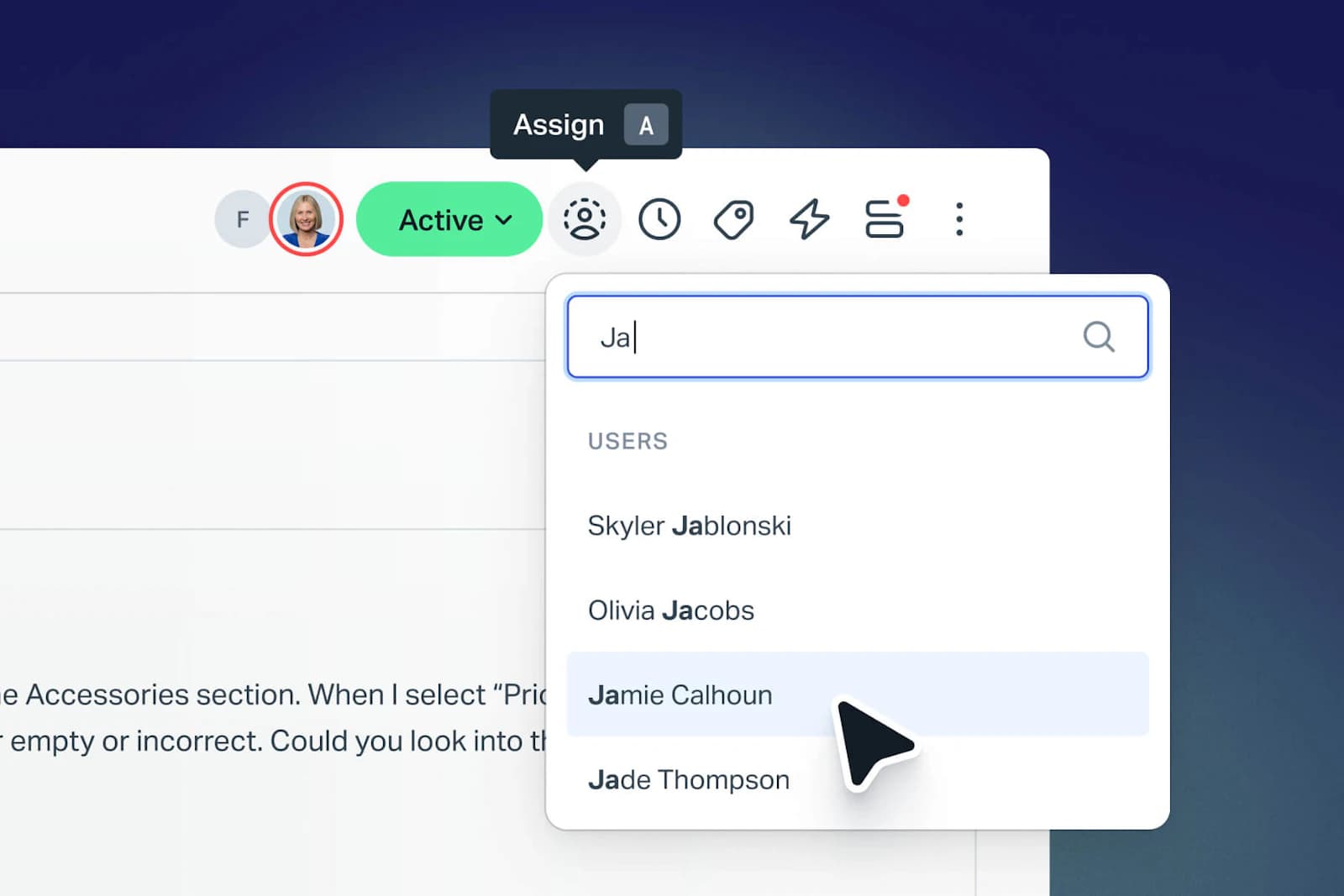
7. Front

What it replaces. Mainly job two, the drafting for an agent, with Autopilot sitting available as the customer-facing add-on.
How it gets its context. Your Front knowledge base or a public website crawl, plus the conversation thread. Compose, Translate and Summarize are in every seat, capped at 200 actions per teammate per day.
Pricing. Starter $25 per seat per month annually (up to 10 seats), Professional $65 (up to 50), Enterprise $105. Then four separately-billed AI products: Autopilot from $0.05 per conversation and sales-quoted, Copilot $20 per seat, Smart QA $20 per seat, Smart CSAT $10 per seat. Watch the trap: Professional at $65 plus all three seat add-ons is $115 per seat, which is more than Enterprise at $105, where those three are included.
Limits. External knowledge sources are public-website crawls only, up to 5 of them selectable, which rules out Confluence and Google Docs and any gated help centre. One chatbot answers from a Front KB or from a public website, never both. Initial sync runs three hours, manual re-sync is once per 24 hours. AI Answers is legacy and no longer purchasable.
Verdict. Front Autopilot does have simulation, more than most of this list offers, although what it simulates are scenarios you write yourself rather than a replay over your own historical tickets. A good pick where your team already collaborates in Front and you want to add AI to Front without leaving it.
8. Help Scout

What it replaces. Job two mostly, with AI Answers covering job three when a customer self-serves.
How it gets its context. Docs articles plus conversation history, inside a product which has stayed deliberately simple.
Pricing. Free for 5 users at 100 contacts a month, Standard $25 per user per month, Plus $45, Pro $75. AI Answers is $0.75 per resolution, the same rate on all three paid tiers, which is unusually honest pricing in this category. Extra inboxes are $10 a month.
Limits. Automation is capped by the plan you are on, 150 basic workflows on Standard, 500 advanced on Plus, unlimited on Pro, and advanced workflows start at Plus. Pro is demo-gated with a 10-seat minimum, which is also where SSO/SAML and HIPAA and unlimited SLAs and multiple routing types all live. There is no replay over your own history.
Verdict. The clearest pricing on this whole list, and a real ecommerce story too if you need one, since Shopify is a featured integration showing customer lifetime value right beside the conversation. Best for a small team that wants AI in Help Scout without a procurement cycle.
9. Guru

What it replaces. Job three only. I have included it deliberately, because a real share of "we use ChatGPT for support" turns out to be agents asking it questions they ought to be asking of their own knowledge base.
How it gets its context. Verified knowledge cards with owners and review dates, surfaced in a browser side panel next to whatever the agent is already looking at.
Pricing. Per seat, quoted. There is a trial.
Limits. It does not touch tickets, and it does not talk to customers. Where your problem is queue volume, this is the wrong shelf entirely. It is also one more tool your agents must remember to open, which is exactly the habit problem that ChatGPT already solved by being one tab away.
Verdict. Use it where the honest diagnosis is that your internal knowledge is scattered, rather than that your AI is bad. Test for that first. If ChatGPT is answering your own policy questions better than your knowledge base does, then the knowledge base is the project.
What this actually costs
Here is the thing which took me longest to internalise, working the queue. ChatGPT and every tool above are metered on completely different things, so comparing their sticker prices will tell you almost nothing.

Twenty support agents on ChatGPT Business comes to $500 a month at the monthly rate, and it buys zero resolved tickets. What it buys is twenty people a better place to draft. Whether that is worth $500 depends entirely on how much time it really saves them, which you should measure rather than assume.
That same $500 on a per-ticket meter buys 1,250 resolved tickets at eesel's 40 cents. It buys 333 at Gorgias's in-allowance rate, 333 again at Zendesk's committed $1.50, 250 at Zendesk pay-as-you-go, and roughly 2,500 at Richpanel's published $0.20.
Seats and resolutions are not substitutes, and a support budget usually will need both. The mistake I keep seeing teams make is buying seats, calling that their AI strategy, then being surprised a year on that ticket volume never moved. Nothing about a seat licence removes a single ticket from the queue.
Two more line items that get missed:
- Onboarding fees are real money. HubSpot Professional requires $1,500, Enterprise requires $3,500, and Richpanel charges $2,000 one-time for AI agent onboarding. None of it appears on a plan card.
- Included allowances are usually smaller than they look. Freshdesk's 500 sessions are one-time and not monthly. HubSpot Professional's 3,000 credits work out to 60 resolutions. Zendesk's 5 per agent per month caps out at 10,000 a year.
How I would actually pick
- Name the job first. Where your agents are pasting tickets into ChatGPT, what you want is a copilot in the inbox, and you should not be shopping for an autonomous agent yet. Where you want ticket volume to fall, you want an AI agent that can send, and no copilot is going to get you there.
- Start from the helpdesk you already have. Migration is the most expensive thing on this list, and it never once shows up in a pricing table. Most of these tools have a native path already. There is one for Gorgias. There is one for Freshdesk too, and another for HubSpot Service Hub.
- Ask what it does when it does not know. This is the question I would put on every demo, because of that solar-energy incident I opened with. A confident wrong answer costs you more than a deflection which fails. Look for a real confidence threshold and a clean escalation path, not for a promise.
- Insist on seeing it answer your own tickets. Not a scripted demo, and not a scenario that you wrote. Your last thousand tickets, with the AI's answer sitting next to what your team actually sent. That comparison ends most of these arguments inside ten minutes.
- Price the meter at your real volume, twice. Once at today's volume and once at double it. The per-resolution meters in this table run from $0.20 up to $2.00, a ten-fold spread which only shows itself when you multiply.
Try eesel for the job ChatGPT cannot do
Keep ChatGPT. I mean that. My colleagues use it, I use it, and it is very good at the two jobs that it can reach.
But if the reason you are reading a post about alternatives is that ticket volume is not falling, then that is the third job, and it needs something living where your customers actually write to you. eesel plugs into the helpdesk you already run, learns from your past tickets and your help centre, then replays your ticket history so you can read exactly what it would have replied, before a single customer sees it. After those two incidents I described at the top, that dry run is not a nice-to-have feature to me. It is the reason the product is shaped the way it is.
$50 of free usage, no credit card, no seat fee, then 40 cents a ticket.

Try eesel or book a demo and bring your messiest ticket export.
Sources
Frequently Asked Questions
Can ChatGPT be used for customer service?
What are the best ChatGPT customer service alternatives in 2026?
Why can't I create a custom GPT for customer support any more?
How much does ChatGPT cost for a support team?
Is it safe to paste customer tickets into ChatGPT?
What is the difference between ChatGPT and an AI agent for customer service?
Can I connect ChatGPT to Zendesk or Freshdesk?
Do I have to replace ChatGPT entirely?

Article by
Riellvriany Indriawan
Riell is a designer and writer at eesel AI with about two years of experience researching CX platforms, AI chatbots, and helpdesk software. She combines her design background with a sharp eye for how these tools actually look and feel in practice — making her comparisons unusually visual and user-focused.