


Yes, Xero has an official ChatGPT integration: the Xero plugin, built by Xero, lets you ask ChatGPT about your P&L, cash, balance sheet, invoices, bills and contacts using live Xero data, and it works in ChatGPT Chat, Work and Codex. It's read-only, it's free from Xero's side, and Xero says you need ChatGPT Plus or access to ChatGPT Work, Codex, or ChatGPT for Excel and Google Sheets. To change anything, you click through to Xero, or use Xero's own AI, JAX, which can create and send invoices inside Xero.
It's a good fit for one person asking about their own business. It's a poor fit for the questions that come from everyone else: the site supervisor asking whether a customer paid before he books the second visit, the customer asking for a statement on WhatsApp. ChatGPT answers whoever installed the plugin, with their Xero login.
eesel covers that side: an AI teammate that connects to Xero once and answers the team in Slack, Teams, WhatsApp and email, with permissions that change by who is asking. The finance lead gets everything, a supervisor gets "paid" or "not yet" for one job, a customer gets their own invoice, and a website visitor gets nothing from the books. If you use Codex, it can set eesel up through the eesel CLI: connect your apps, load your credit-control policy, and run test questions before the team sees a single answer.
I've watched AI agents act inside other people's business tools for years now. The part that always takes the longest isn't connecting the app. It's deciding who gets to see which number.
Does Xero work with ChatGPT?
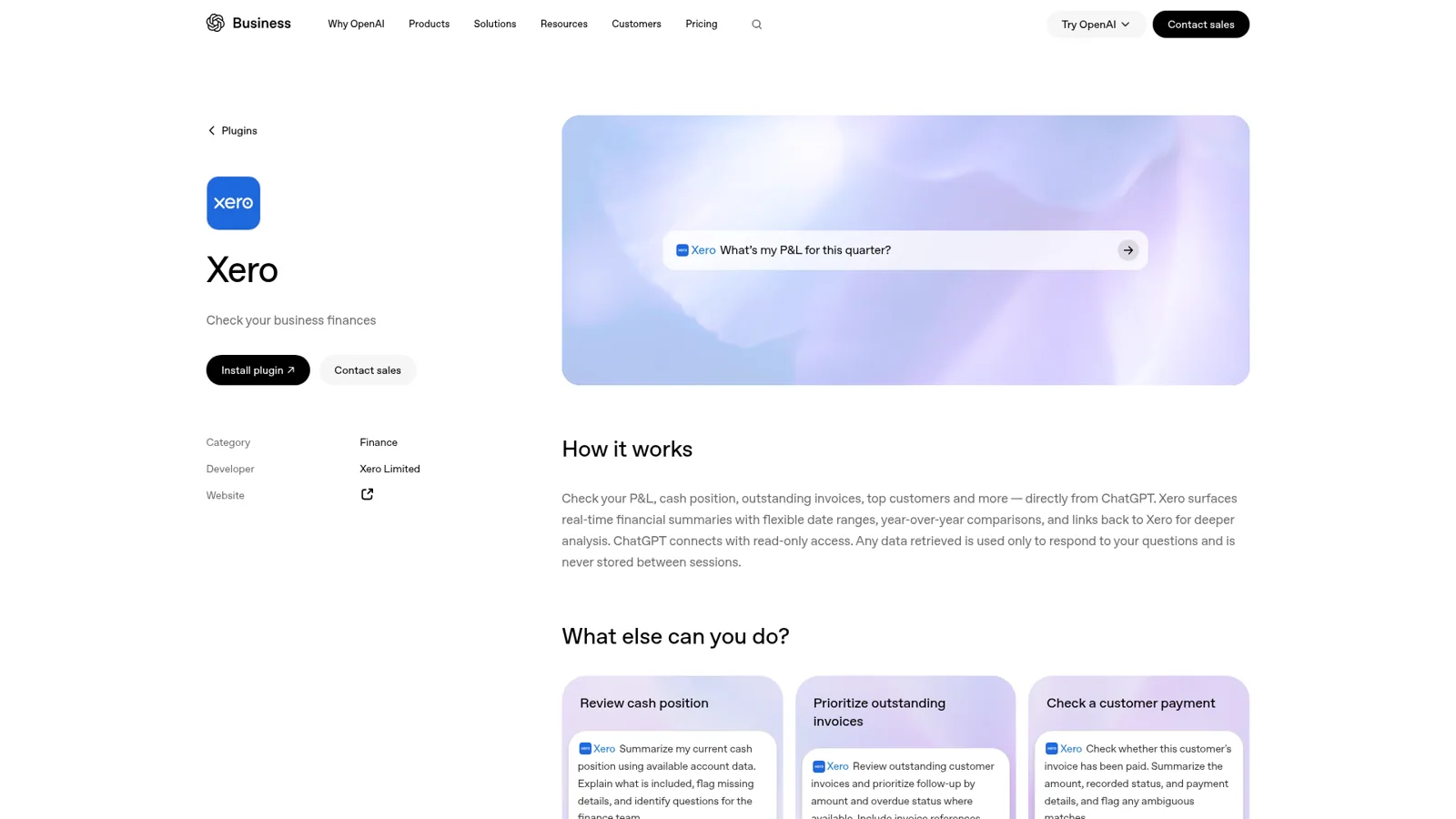
Yes. Xero announced a ChatGPT plugin at Xerocon US and made it live on 16 September 2026, in a launch post by Diya Jolly, who runs product and engineering at Xero. Xero says the plugin is "powered by JAX" and lets customers "use their Xero data throughout ChatGPT, including Chat, Work, and Codex."
OpenAI's plugin listing names the developer as Xero Limited and describes the scope in one sentence: "ChatGPT connects with read-only access." Data retrieved "is used only to respond to your questions and is never stored between sessions."
That makes it different from older "Xero + ChatGPT" setups people built with exports, a custom connector or n8n workflows. Nothing to host, no API keys, and the data is live rather than last week's CSV. If you're comparing assistants, Xero shipped a near-identical Claude connector in May.
What do you need before you install it?
You need three things, per Xero's setup article: a Xero account, a ChatGPT account (web, desktop or mobile), and "ChatGPT Plus, or access to ChatGPT Work, Codex, or ChatGPT for Excel and Google Sheets." OpenAI adds that installing any plugin "depends on your plan, workspace, role, region, and its included capabilities" (OpenAI Help).
| ChatGPT plan | Price (list, checked 17 Nov 2026) | Xero plugin |
|---|---|---|
| Free | $0 | Not in Xero's stated requirements |
| Plus | $20/month (ChatGPT pricing) | Yes |
| Business, Standard seat | $25/user/month, $20 billed annually (OpenAI Help) | Yes; apps on by default, admins can switch them off |
| Enterprise | Not public | Admins assign plugins by custom role |
Xero doesn't charge for the plugin. On the Xero side it uses your existing subscription; US plans run from $27 to $97 a month on Xero's pricing page, and prices differ by country.
How do you connect Xero to ChatGPT?
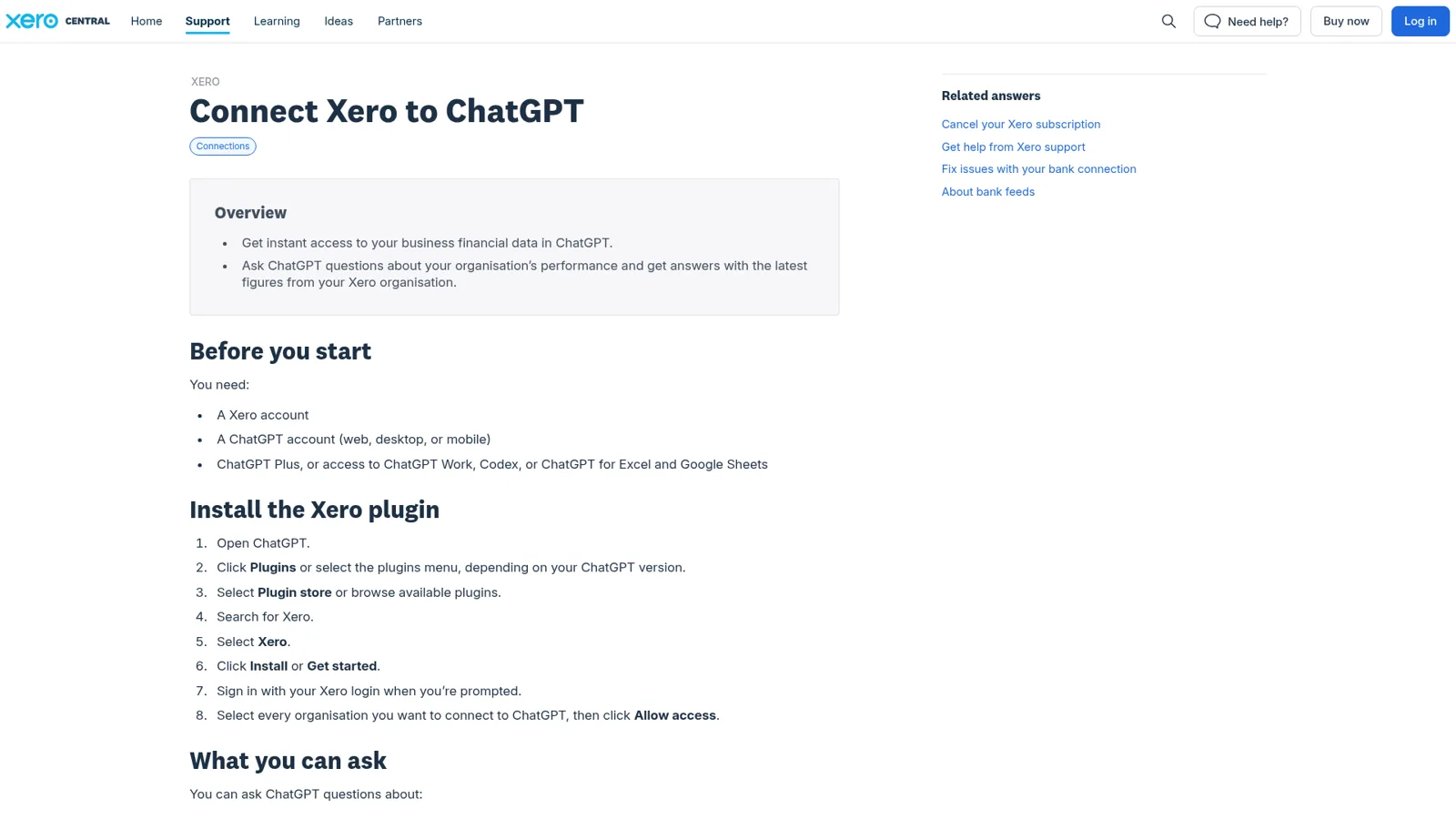
You install the Xero plugin from ChatGPT's plugin directory and sign in with your Xero login. Xero's steps, condensed:
- Open ChatGPT and go to Plugins.
- Open the plugin store, search for Xero, and select it.
- Click Install or Get started.
- Sign in with your Xero login.
- Select every organisation you want ChatGPT to see, then click Allow access.
From there, ChatGPT uses the plugin when a question needs it, or you can call it with an @ mention. To add an organisation later, you disconnect the plugin and reconnect with the new one ticked. To remove one, disconnect it from Xero's connected apps screen.
What can ChatGPT see in your Xero?
ChatGPT can see seven areas of your Xero organisation, per Xero's article, and answers with interactive widgets that link back into Xero. OpenAI's listing suggests prompts that show the tone it's built for:
| Area | What you can ask | A prompt from OpenAI's listing |
|---|---|---|
| Cash and profitability | P&L, cash position, balance sheet, date ranges, year-on-year | "What's my P&L for this quarter?" |
| Money owed to you | Overdue invoices, top customers, who owes what and how late | "Review outstanding customer invoices and prioritize follow-up by amount and overdue status" |
| Money you owe | Outstanding bills, top suppliers | |
| Invoices and bills | One transaction or a summary of all | "Check whether this customer's invoice has been paid" |
| Repeating invoices and bills | Schedules and status | |
| Contacts | Customers, suppliers | |
| Organisation details | Business info, financial year |
Bills and supplier questions are a nice touch: "who do we owe the most this month?" is answerable without opening Xero at all. The "check a customer payment" prompt asks ChatGPT to "flag any ambiguous matches," which is good advice for any AI that reads a ledger.
What won't the Xero plugin do?
The Xero plugin won't change anything in Xero. Xero's article is explicit: "ChatGPT can't change anything in your Xero organisation." It only retrieves what a question needs, keeps nothing between sessions, and returns data for one organisation at a time, so "check the Xero organisation named and any totals ChatGPT combines," because Xero doesn't verify combined figures.
It also doesn't reach receipts and attachments. A care-home owner who runs three Xero organisations posted a detailed request on Xero's own ideas forum:
"I use Xero for three organisations and have successfully connected all three to ChatGPT through Xero's official integration. [...] My main priority is read-only access, with appropriate security, authorisation and existing user permissions respected. Any changes to accounting records must require my explicit approval."
Notice what he wants: more reading, and approval on anything that changes the books. Other owners want ChatGPT to do the data entry itself; one asked for ChatGPT's cloud browser to log into Xero "so the AI agent can work on the task like quotation, invoice and bill data entry while my computer is off" (Xero Product Ideas). Xero moved that request to its developer ideas forum.
How do admins control the Xero plugin?
Admins control it the same way as any ChatGPT plugin. In ChatGPT Business, apps are enabled by default and admins change workspace-wide availability; in Enterprise and Edu, admins can assign plugins by custom role (OpenAI admin controls). Each person can also choose how much approval they want: Always ask, Allow read actions, Allow low-risk actions, or Allow all actions (app permissions). With a read-only plugin, those approvals matter less than which account is signed in.
The interesting case is a workspace agent. Business and Enterprise teams can build one, connect it to apps their workspace allows, run it on a schedule and drop it into a Slack channel. For Slack, its apps need shared connections, and OpenAI is candid about the trade: "Other people may be able to trigger actions through that connection when they use the agent in Slack." So an agent with one Xero sign-in shows everyone in the channel what that one login sees. A Xero user put the underlying wish well:
"Would it make sense to create a unique user login that the external tool has - who's permissions could be more controlled and not go via the users existing login? This would also give better auditability of the how the AI tool has interacted with Xero."
Should you use JAX instead?
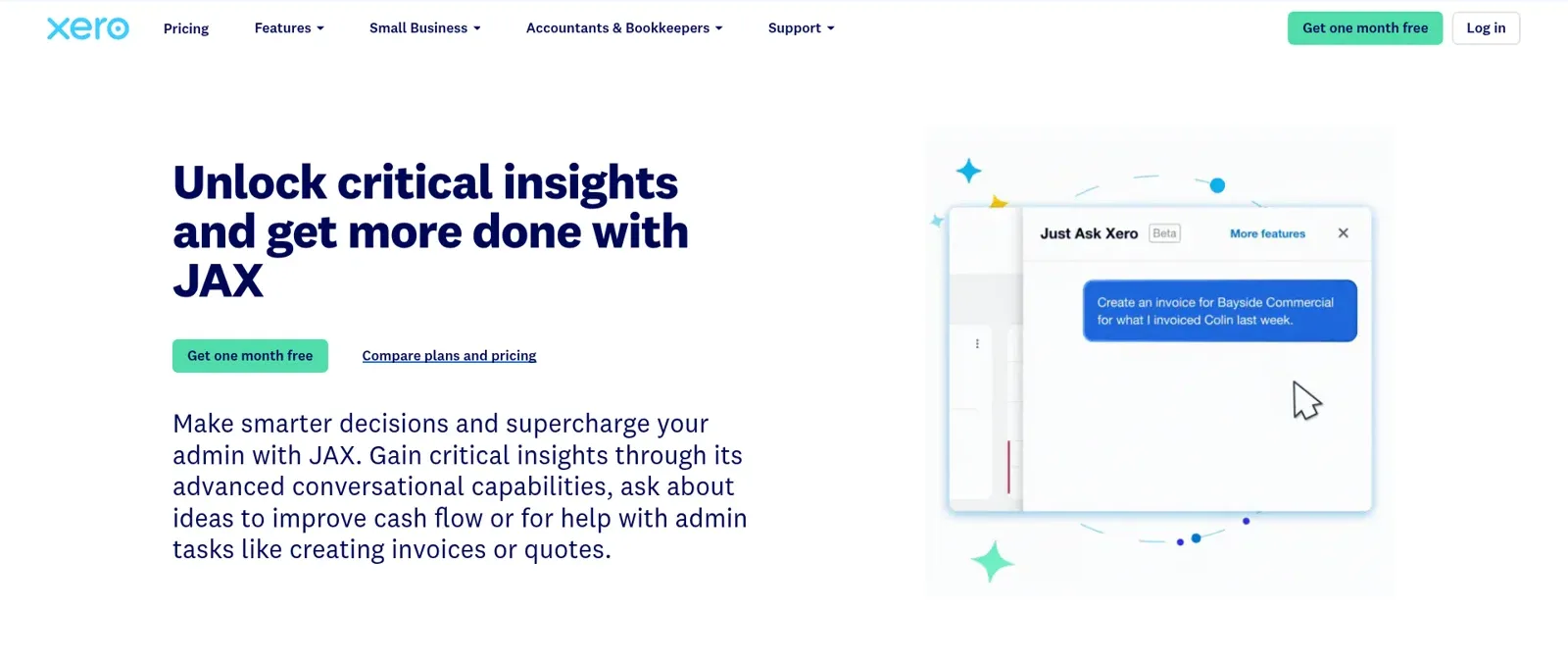
Use JAX when the work happens inside Xero; use the ChatGPT plugin when you're already in ChatGPT. JAX ("Just Ask Xero") is Xero's built-in AI, in beta, and per Xero Central it can create, edit, approve and send invoices and quotes, reconcile bank statement lines, answer questions about uploaded documents, and research the web. Xero says there's "currently no additional charge" for JAX chat.
Its permission model is the same idea as the plugin's: "JAX only allows you to action things or retrieve data that your user role and permissions allow." It's available to users with the administrator or standard role, and anything JAX changes shows up in the record's History and notes. Xero's LLM providers include OpenAI, alongside AWS, Azure and GCP, per its JAX page.
Xero is also building XeroForce, a natural-language agent builder for finance workflows, which launched in invite-only alpha in May 2026. None of these replace the person who signs off the numbers, and the people closest to the books say so:
"Claude Code/Codex are useful for doing certain laborious tasks like bookkeeping errors/reconciliation issues but they don't replace a professional accountant. It's not just about being able to balance Xero but knowing rules, procedures and the way the tax office works."

Who is asking changes the right answer
Here's where both the plugin and JAX stop, by design. Each works for one signed-in Xero user. Take a 30-person plumbing and heating company on Xero:
- The finance lead wants the aged receivables report and a list of customers past 60 days.
- Site supervisors ask in a Teams channel whether the Kowalski job is paid before booking the return visit.
- A customer messages on WhatsApp asking for a copy of their last two invoices.
- Someone in the website chat asks how much the Kowalskis owe.
The right answers are four different answers. Give a supervisor a Xero login and he sees far more than "paid or not." Give no one a login and the finance lead becomes a human API. That's the problem eesel was built around.
How eesel answers Xero questions for the whole team
eesel is a general AI teammate, closer to an AI finance helpdesk for your own people than a chat window. It works in the apps your team already uses, takes requests from anyone who talks to it there, and does the work inside those tools. Xero is one of the 3,000+ apps it connects to: connect it and eesel looks things up and takes actions there, with each action set to On, Ask first or Off.
It answers in Microsoft Teams, Slack, WhatsApp and email, and every agent has its own email address.
The difference is that what it does depends on who is talking: a teammate, specific named people, a verified customer, or an anonymous visitor. Click through the plumbing company's four people:
Who's asking eesel about Xero?
The finance lead, in Slack
A named person with full access. Aged receivables, the 60-day list, a cash snapshot: answered on its own. Anything that changes the books or sends money waits on Ask first, with Approve and Deny.
A site supervisor, in Teams
On the team, so eesel answers, but only what the rule allows: "Kowalski, invoice 2231, paid on 4 November." No P&L, no other customers' balances.
A verified customer, on WhatsApp
Gets copies of their own invoices and their own balance. Nothing about anyone else, and nothing marked Team only.
An anonymous visitor, in website chat
Gets help with booking a job. Nothing from the books, however the question is phrased.
The controls behind that are documented in actions and approvals. Every action is On, Ask first or Off, per agent, and you can set it by saying it in chat: "look up payments on your own, but ask me before you send anything to a customer." Ask first shows the exact action and details with Approve and Deny, in the dashboard, as a card in the Slack thread the request came from, by email or in the terminal, and only editors approve. You pick which people or channels get the approval requests. Actions and files tagged Team only run only when someone on your team asks, never for a customer. My advice for Xero is to put anything that costs money behind Ask first and let lookups run.
It runs without anyone typing
ChatGPT waits for a prompt. eesel can start work through automations, from a schedule, an event in a connected app or a webhook, so a Monday job can post the 60-day list to the finance channel before anyone's had coffee. It learns from your docs, past work and Slack history, and corrections stick through memory.
Cape Coffee Beans shows the scheduled pattern well: eesel ran about 160 scheduled Zendesk and Google Drive checks in a month, on weekday and Saturday mornings, each ending in a short email to the founder listing what slipped, or no email when nothing did. Point the same habit at Xero and you get a morning list of invoices that need a nudge.
Xero ChatGPT plugin vs JAX vs eesel
| Xero plugin in ChatGPT | JAX in Xero | eesel | |
|---|---|---|---|
| Lives in | ChatGPT Chat, Work, Codex | Xero web and mobile app | Slack, Teams, WhatsApp, email and website chat |
| Answers | The signed-in ChatGPT user | Signed-in Xero admins and standard users | Anyone you allow, with rules per kind of person |
| Writes to Xero | No | Invoices, quotes, bank reconciliation | Each action On, Ask first or Off |
| Permissions follow | That user's Xero login | That user's Xero role | Who is asking: team, named people, verified customer, visitor |
| Runs on its own | Your own scheduled tasks | When you ask it | Schedules, app events, webhooks |
| Price | Free with Xero and a qualifying ChatGPT plan | No extra charge today | From $299/month for 500 credits, unlimited seats (pricing) |
eesel has a free 7-day trial with 100 credits and no card. Security details are on the security page.
Keep ChatGPT, add a teammate
You don't have to choose, and most small businesses using AI end up with both. Keep the Xero plugin for your own deep dives, a quarter review or a cash question at 11pm, and give the team a teammate for the questions that shouldn't need your login.
eesel's apps are being listed in ChatGPT's app directory, so you'll be able to ask "what's waiting on me?" from a ChatGPT chat. Today, Codex can set eesel up with the CLI from your terminal. If you're on QuickBooks too, the QuickBooks ChatGPT integration works differently: Intuit's plugin writes.
For the wider picture, see my guides to ChatGPT at work, ChatGPT agents and the best AI teammates.
Try eesel as your team's Xero teammate
The Xero plugin makes ChatGPT a sharp finance assistant for you. eesel gives the same help to the supervisor in Teams, the finance lead in Slack and the customer on WhatsApp, each seeing only what they should. Connect Xero once, keep money on Ask first, and tell it your rules in plain English.
