


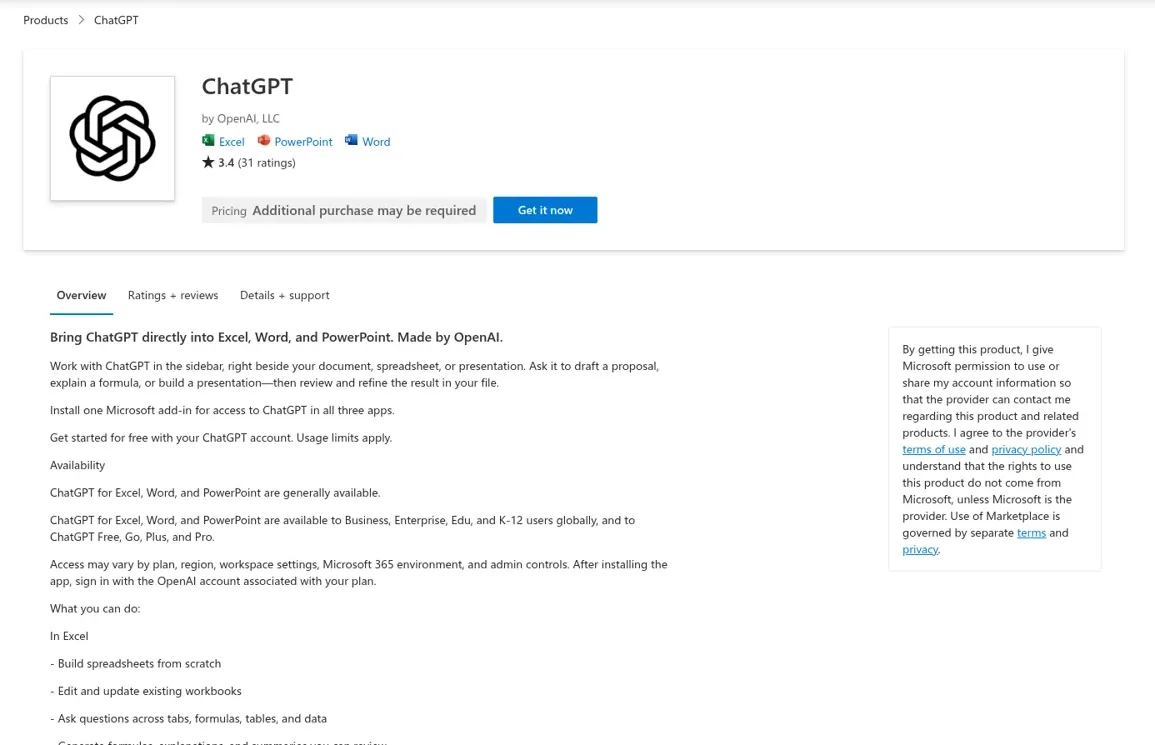
Yes, there's an official ChatGPT for Excel: OpenAI's own add-in, generally available since May 5, 2026 on every ChatGPT plan from Free to Enterprise, that sits in a sidebar in Excel and builds, edits and explains workbooks for you. One Microsoft Marketplace install also covers Word and PowerPoint. Business and Enterprise pay for it in credits, at roughly 5 to 20 credits per message for a typical Excel task, from a pool it shares with ChatGPT Work and Codex.
It's a good add-in for one person in one workbook. The gap shows up with the spreadsheet everybody asks about: the pipeline tracker, the inventory sheet, the monthly numbers. Its chats live inside one person's add-in, with no ChatGPT memory, and nothing happens unless someone opens the sidebar. A team needs a teammate that answers anyone in Teams or Slack and works on a schedule, where who is asking decides what it may do. That's eesel: it shares the forecast summary when the head of sales asks, asks first when an agency contractor wants the commission tab, and never reads the internal rate sheet to an anonymous visitor in the chat bubble.
If you live in Codex already, it can set eesel up through the eesel CLI: connect the apps, upload the docs behind your reports, and ask the agent test questions before the team does.
I've spent years watching an AI act inside other teams' tools at eesel, and the part that decides whether it works is never the model. It's what the AI does on its own, what waits for a person's yes, and what it must never hand to someone outside the team. ChatGPT for Excel gets the first part right for one user. This post is about the rest.
Does ChatGPT work in Excel?
ChatGPT works in Excel through OpenAI's add-in, and there are three other routes depending on what you're doing. The add-in is the one most people mean when they search "chatgpt for excel", but uploading a file to ChatGPT is still the quickest way to get an answer out of a spreadsheet you don't need to change.
| Route | What it does | Edits your live workbook? | Who gets it |
|---|---|---|---|
| ChatGPT for Excel add-in | Sidebar in Excel that builds, updates and explains the open workbook | Yes, after asking permission | Free, Go, Plus, Pro, Business, Enterprise, Edu, K-12 |
| Data analysis | Upload .xlsx or .csv; ChatGPT runs Python and returns tables and charts | No, it works on an uploaded copy | Varies by plan and workspace settings |
| SharePoint app | Finds, summarizes and compares .xlsx and other files in SharePoint and OneDrive for work | Can upload or update files where admins enable those actions | Depends on plan and Microsoft Entra policies |
| Codex with @Microsoft Excel | Codex in the ChatGPT desktop app works on the open workbook through the add-in | Yes | Same as the add-in, desktop app only |
The fourth one is new and easy to miss. OpenAI's help page says Codex in the desktop app "can inspect and update sheets, formulas, values, formatting, and charts in the workbook" once you mention @Microsoft Excel, and you turn on Allow Codex control in the add-in. If you already use OpenAI Codex for other work, that's a neat way to script a messy workbook clean-up, and it draws on the same usage covered in Codex pricing.
One naming trap worth knowing: before OpenAI shipped its own add-in, "ChatGPT for Excel" was the name of third-party add-ins. A 2023 thread on OpenAI's forum is a developer celebrating "300K usage" of their own ChatGPT for Excel add-in (OpenAI community). The one published by "OpenAI, LLC" is the official one.
What can the ChatGPT for Excel add-in do?
The ChatGPT for Excel add-in builds spreadsheets from scratch, edits existing workbooks, answers questions across tabs and formulas, and links its answers to the exact cells it read or changed. OpenAI pitches it at "large, multi-tab files with formulas, references, and assumptions", and the example prompts on its help page are practical ones:
- "Why am I getting an error in cell B145? Explain the formula chain and propose a fix."
- "Clean up this sheet: standardize formatting, fix inconsistent labels, and remove duplicates."
- "Update this table to reflect the new assumptions and then list exactly what changed."
- "Create a new scenario tab that compares base, upside, and downside cases."
You can @mention specific sheets to focus it, and it can search the web to pull information into the workbook. It supports skills, with default ones for financial modeling and corporate finance formatting, and apps from your ChatGPT account where your admin allows them (help article).
The part I like most is in the launch post: "Before making changes to a workbook, ChatGPT asks for permission, so users can review each step and undo edits if needed." Calculations run in Excel itself, so you can audit the formulas instead of trusting a number (OpenAI launch post).
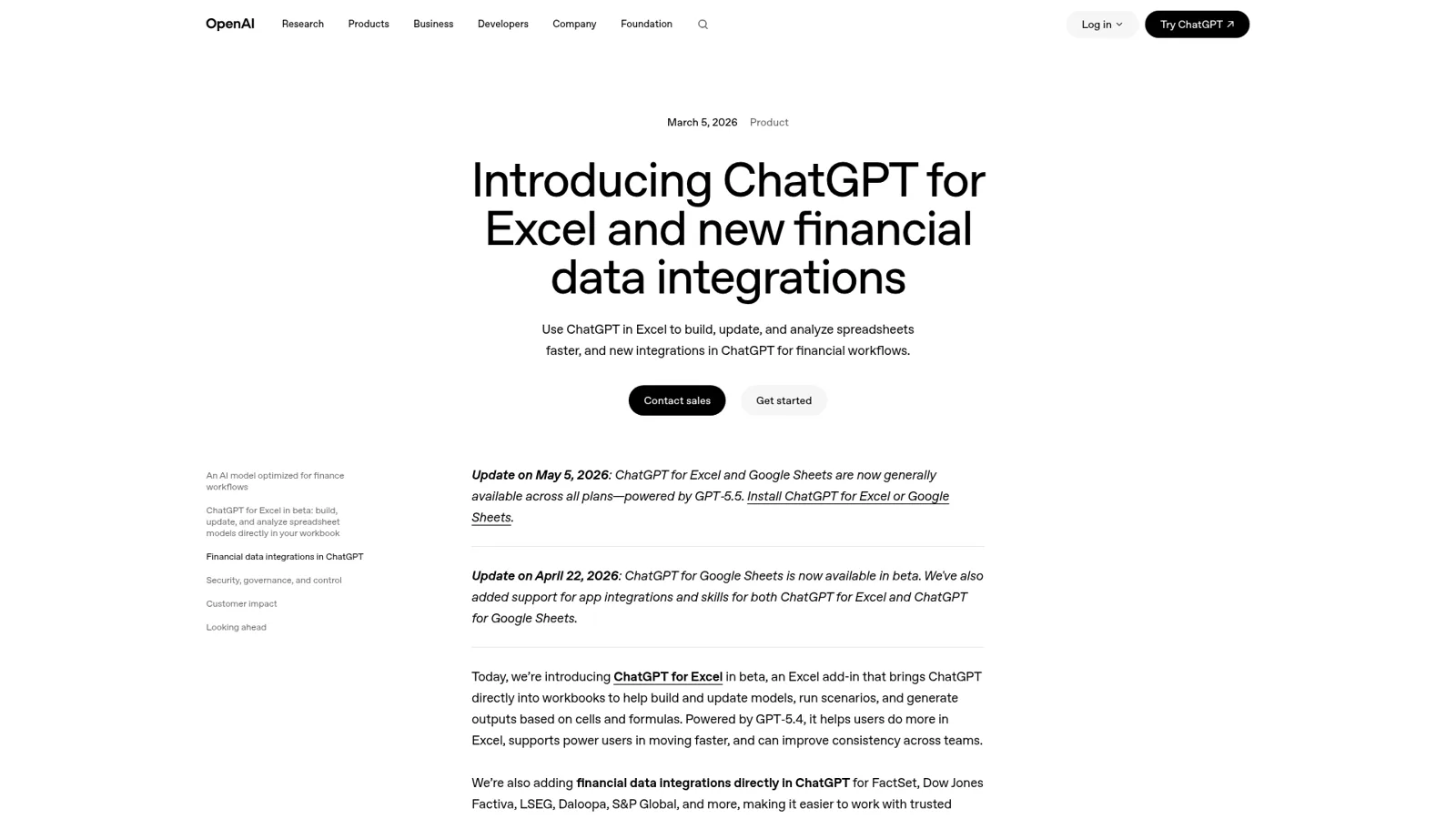
It launched in March 2026 as a beta aimed squarely at finance, with financial data apps such as Moody's, Dow Jones Factiva and MSCI arriving in ChatGPT the same day. If that's your world, my ChatGPT for financial services post goes deeper. One of the engineers on the add-in showed up in the Hacker News launch thread:
"Hi everyone, engineer on ChatGPT for Excel here - we launched ChatGPT for Excel to bring the power of GPT-5.4 to Excel. Keen to hear feedback and happy to answer any questions!"

Is ChatGPT for Excel free?
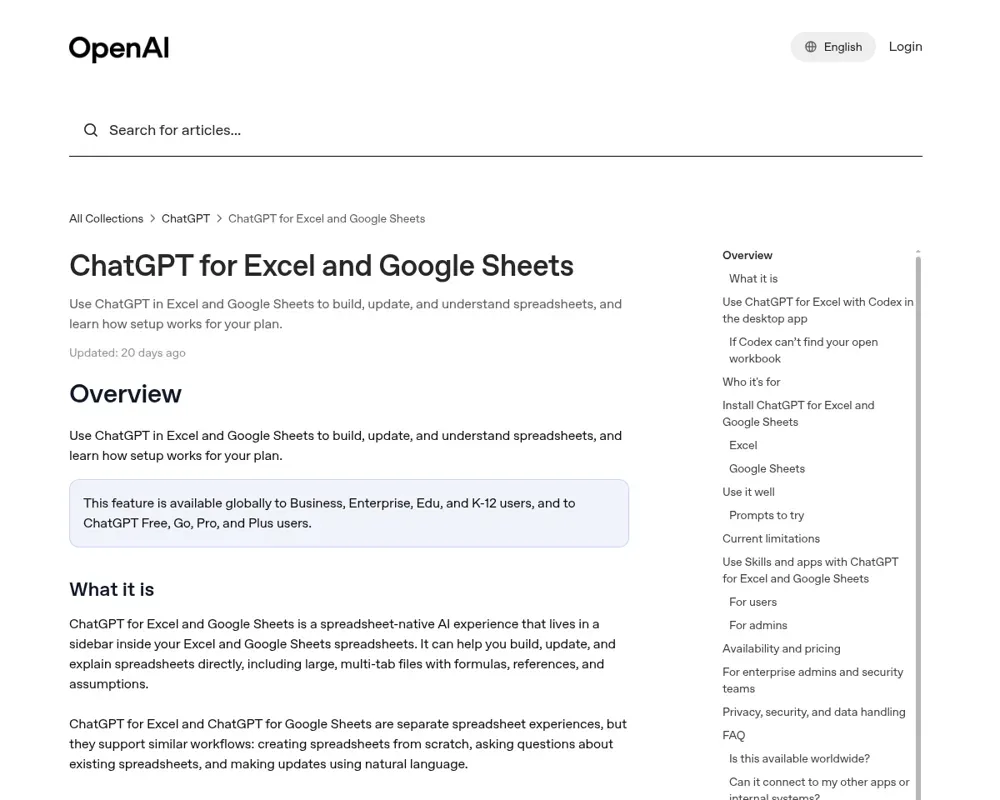
ChatGPT for Excel is available on the Free plan, but with limited usage. OpenAI's help article says "Free and Go include limited usage access. Plus and Pro include access subject to your plan's agentic usage limit." Business, Enterprise, Edu and K-12 had a free preview through June 2, 2026, and now pay in credits.
| Plan | Price | How Excel usage is counted |
|---|---|---|
| Free | $0 | Limited usage |
| Go | $8/month | Limited usage |
| Plus | $20/month | Within the plan's agentic usage limit |
| Pro | From $100/month | Within the plan's agentic usage limit |
| Business, standard seat | $25/user/month, or $20 billed annually | Shared allowance, then credits |
| Business, premium seat | $125/user/month, or $100 billed annually | Higher limits, then credits |
| Enterprise | Contact sales | Credits or token-based billing per agreement |
Prices are from ChatGPT pricing and OpenAI's Business overview. For Business and Enterprise, the ChatGPT rate card bills Excel at API model rates and says "a typical ChatGPT for Excel/Sheets task may use 5–20 credits per message". The bigger catch is that the allowance is shared: "ChatGPT Work, Workspace Agents, Excel, PowerPoint, Word, and Codex use a shared allowance and credit pool." Users have noticed it in their settings:
"On usage in ChatGPT settings, I see: ... Shared across Codex, Work, Workspace Agents, and ChatGPT for Excel. Chat conversations are not included."
So a big modelling week in Excel eats into the same pool as your Codex and ChatGPT Work usage. That's fine if you plan for it. My ChatGPT pricing guide and ChatGPT Work pricing break the credit maths down further.
How do you set up ChatGPT for Excel?
You set up ChatGPT for Excel by adding it from Excel's Add-ins menu and signing in with your ChatGPT account. In Excel on desktop or the web, go to Home, then Add-ins, search for ChatGPT, add it, open it from the ribbon and sign in with the account that has your plan.
For a company, there are two switches to know about, and they belong to different admins:
- Microsoft 365 admin. If people can't reach the store, deploy it from Integrated apps in the Microsoft 365 admin center using OpenAI's manifest XML file, and assign it to users or groups.
- ChatGPT workspace admin. With role-based access control, go to Workspace settings, Permissions & roles, ChatGPT for Excel and Google Sheets, and enable it. The launch post notes that in Enterprise, Edu and Teacher workspaces, access is off by default until an admin turns it on for specific users with custom roles.
Admins also decide which apps the add-in can use. These are real controls, and they decide what each user's ChatGPT may do. For the bigger admin picture, see my ChatGPT Enterprise and ChatGPT for teams guides.
What are the limits of ChatGPT for Excel?
ChatGPT for Excel's main limits are that its chats are separate from your ChatGPT history, it has no memory, and VBA and macros "may not be fully supported", per OpenAI's own list. Here's the full set from OpenAI's help page and Microsoft Marketplace listing, plus what users have run into.
| Limit | Source |
|---|---|
| Spreadsheet chats don't sync with your main ChatGPT history | OpenAI help |
| No access to ChatGPT memory | OpenAI help |
| VBA and macros may not be fully supported | OpenAI help |
| Skills from ChatGPT don't automatically carry over to the add-in | Marketplace listing |
| Microsoft may be able to read workbook content, attachments and prompts under its add-in terms | OpenAI help |
| It can make unintended edits, including deleting content, if a request is unclear | Marketplace listing |
The deeper limit is architectural. Any Office add-in, from any vendor, runs in Office's add-in sandbox and talks to the workbook through the same API. A Hacker News commenter made the point in the launch thread:
"Chatgpt for Excel is still an office add-in running in the same sandbox though. ... That's a platform limitation, not a model limitation."
And because it depends on your Office setup, sign-in problems happen. On OpenAI's forum, one user on Office Home 2024 described signing in successfully, only for the sidebar to say "Currently Unavailable. Please try again later." in both Excel and Word (OpenAI community). OpenAI support suggested trying another network and turning off the proxy. Not a dealbreaker, but worth a test install before you announce it to a department.
Should you use ChatGPT for Excel or Copilot in Excel?
If your company already pays for Microsoft 365 Copilot, try Copilot in Excel first, because it's built in and, per Microsoft, can run OpenAI and Anthropic models. Microsoft's Copilot in Excel guide lists edit, plan and chat modes, PivotTables, charts and imports from other workbooks in OneDrive or SharePoint. Brian Jones, who says he runs the Excel team at Microsoft, answered critics in the same launch thread:
"Today, Excel Copilot takes a model-forward approach where we give the models full access to Excel's capabilities. We give customers the choice of the latest models from both OpenAI and Anthropic."
ChatGPT for Excel wins if your team already lives in ChatGPT, with its apps, skills and plan, and doesn't have Copilot licenses. For the assistants head to head, see ChatGPT vs Claude.
Anthropic has its own answer too: my guide to Claude for Excel covers it, plus Copilot in Excel and Microsoft Copilot for the full Microsoft side.
The spreadsheet that belongs to everyone
ChatGPT for Excel, like every assistant add-in, works for whoever is signed in to the sidebar. That's exactly right when you're the one building the model. But think about the spreadsheet your team actually shares, the one with "FINAL v3" in the name, and the requests it gets in a normal week.
| The request | Who asks, and where | ChatGPT for Excel | An AI teammate like eesel |
|---|---|---|---|
| "Rebuild the Q4 scenario tab" | You, in the workbook | The right tool, in the grid | Not its job |
| "What did we ship to Acme last month?" | The account manager, in Teams, 6pm | Only if someone opens the file and asks | Answers in the thread, source linked |
| The Monday numbers to #leadership | Nobody, it's a schedule | Doesn't run without a person | Runs on a schedule and posts it |
| "Send me the commission tab" | An agency contractor in a shared channel | Answers whoever has the file | Asks a named approver first |
| "What's your price for 500 units?" | A visitor in the website chat | Not built for it | Answers from public pricing only; internal rate sheet is Team only |
The first row is a person's work. Every other row is the team's work, and it arrives from different people, in different places, some of it on a clock. OpenAI has a team-shaped product too, workspace agents, and its admin controls are real. But ChatGPT's controls follow the person using it, or are set once per agent; they don't change with who the request is for, and they aren't built to answer your customers in your own channels.
How eesel handles the team's spreadsheets
eesel is an AI teammate for the whole team: it works in the apps the team already uses, takes requests from anyone who talks to it there, and does the work inside those tools. Excel is one of its 3,000+ integrations. Connect it and it looks things up and takes actions there, with each action set to On, Ask first or Off. It won't sit in your grid editing cells while you watch; that's what the add-in is for. What it does instead is the work around the spreadsheet, the same job I describe in AI in Microsoft Teams.
It answers in Microsoft Teams, Slack and email, where every agent has its own address.
And it doesn't wait to be asked. It runs automations from a schedule, an event in a connected app or a webhook, so "every weekday at 8am, check the order tracker and email me anything overdue" is one sentence in chat.

Cape Coffee Beans is a good picture of this. Two agents share their workspace: one works the Zendesk queue, and a second, called Oversight, watches a daily team form that syncs in from Google Sheets. Their scheduled checks ran about 160 times in a month, on weekday and Saturday mornings, each ending in a short email to the founder, or no email when there's nothing to report (Cape Coffee Beans story). That's the shape of spreadsheet work a team actually wants off its plate.
Permissions that change with who is asking
Every action is On, Ask first or Off, per agent and per action, and you can set it in chat: "look things up on your own, but ask me before sharing anything from the commission tab" (actions and approvals). Ask first shows the exact action with Approve and Deny, in the dashboard, as a card in the Slack thread it started from, or by email, and only editors can approve. Files and actions marked Team only never run for someone outside your team. You also set what it does for a teammate, for specific named people, for a verified customer and for an anonymous visitor. Roles are owner, editor and viewer (account).
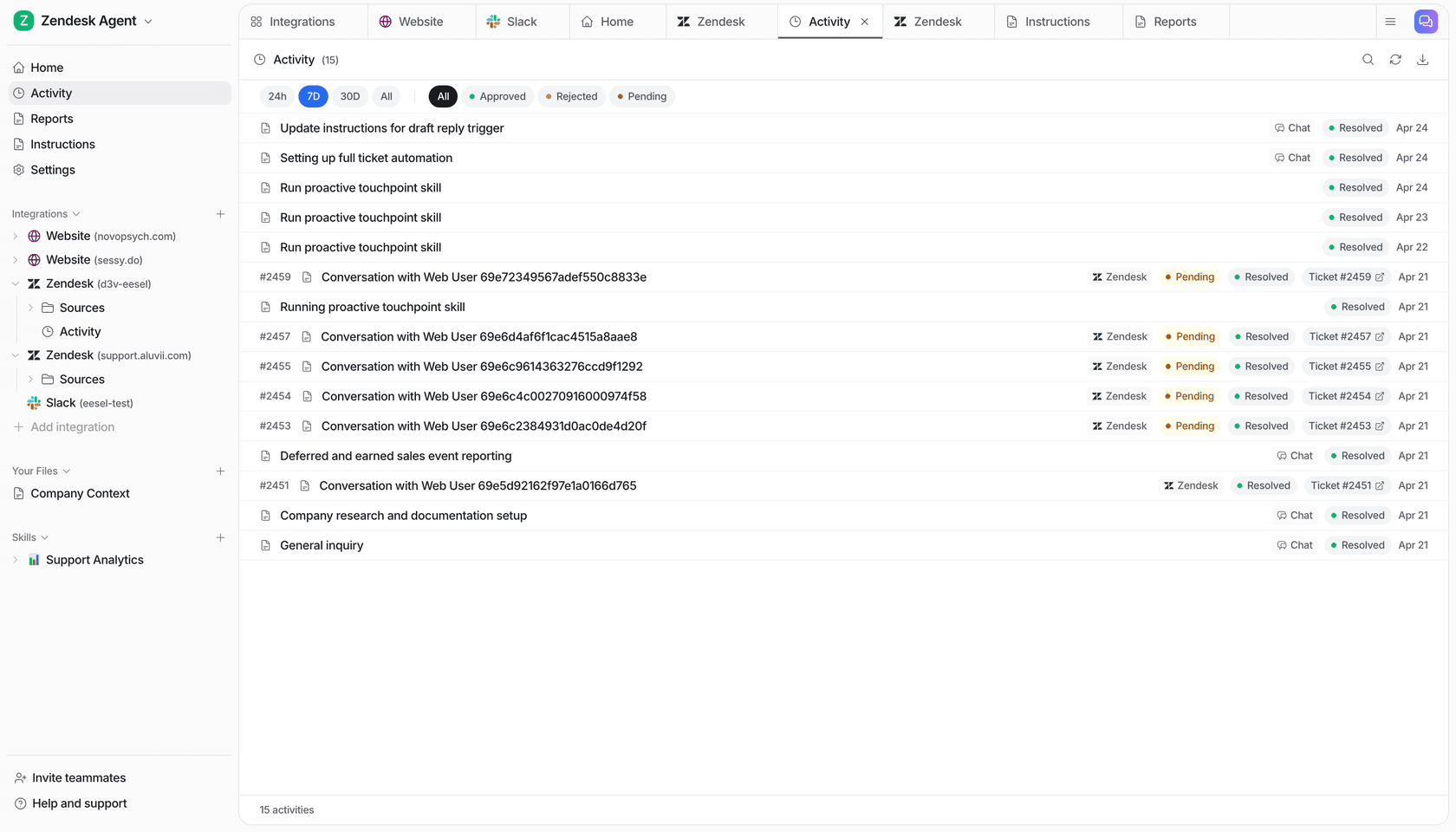
It learns from your docs, past work and Slack history, and corrections stick through memory. Every run lands in an activity log you can read back.
Keep ChatGPT for your own workbook
You don't have to choose. eesel's apps for ChatGPT are being listed in ChatGPT's app directory, so you'll be able to ask "what did eesel post to #leadership today?" from a ChatGPT chat (use eesel from ChatGPT). Keep the add-in for the modelling you do yourself, and give the team an AI teammate for everything that arrives from other people.
More on the split in eesel vs ChatGPT, ChatGPT at work and my roundup of AI teammates.
Give the team's spreadsheet an eesel teammate
ChatGPT for Excel is a strong add-in for the person in the workbook. For the spreadsheet the whole team asks about, eesel answers in Teams and Slack, runs the recurring checks and reports, and changes what it does by who is asking. Start with a free 7-day trial with 100 credits and no card; paid plans start at $299 a month for 500 credits, with unlimited seats (pricing).
