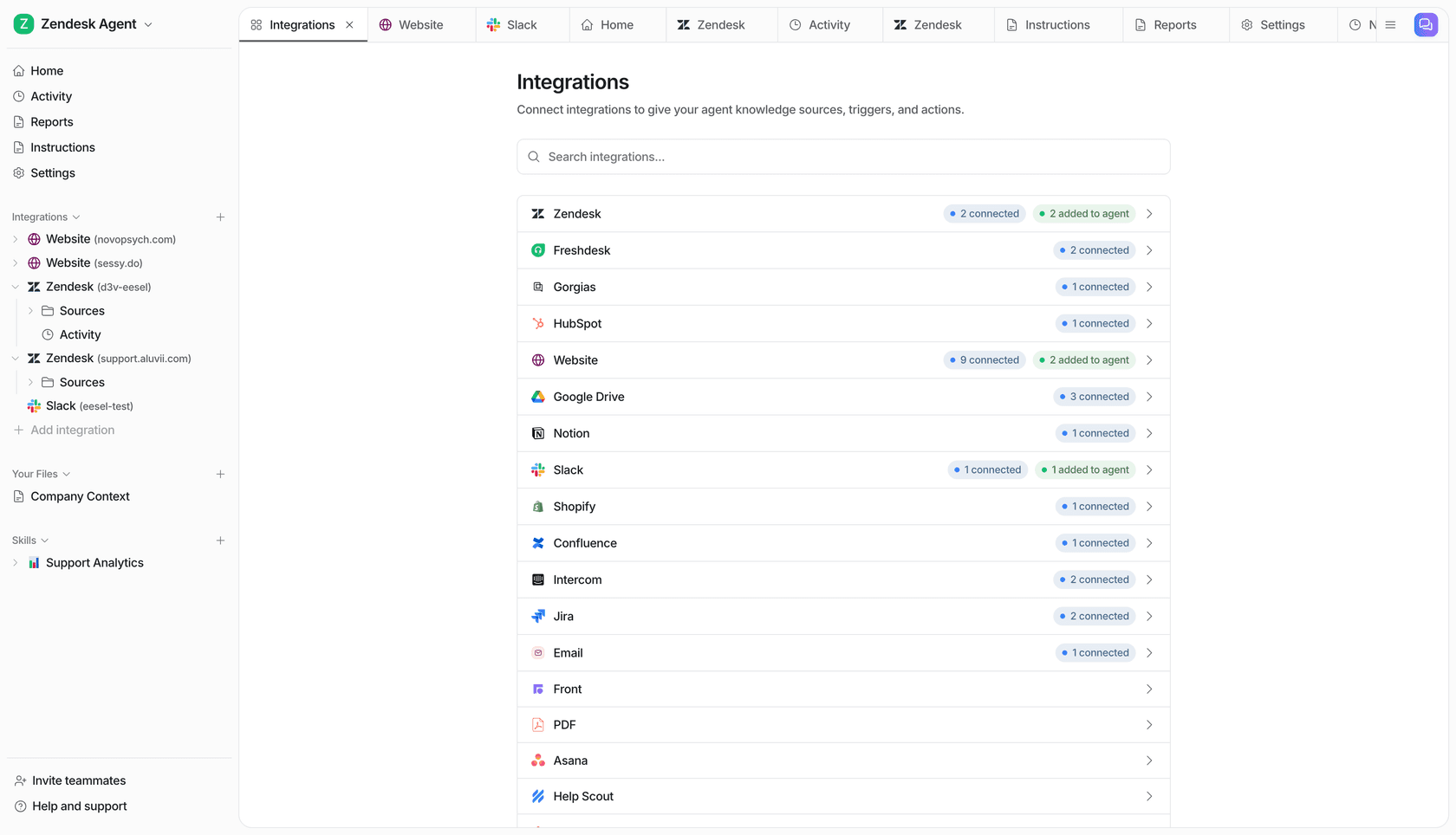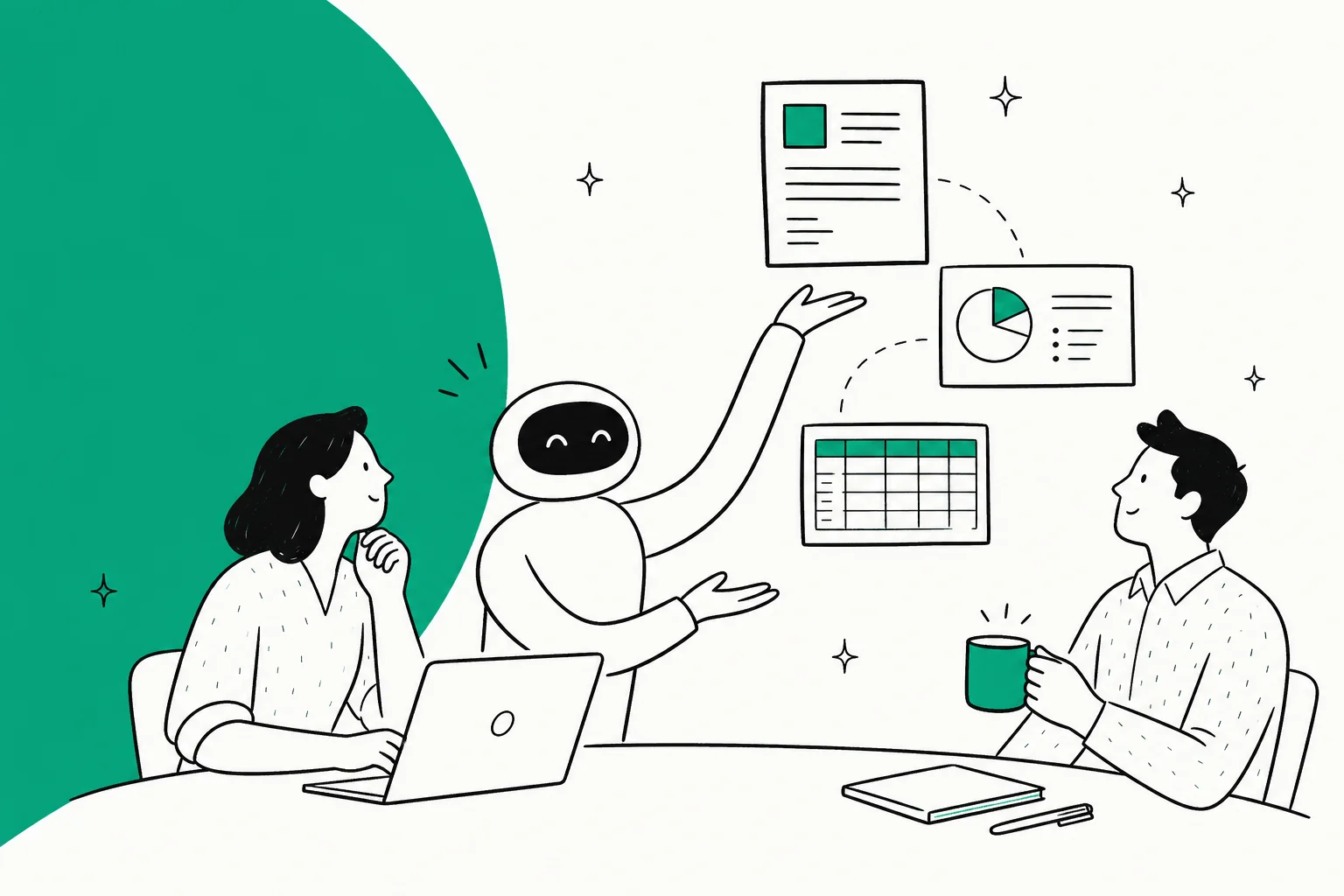
ChatGPT at work today means a ChatGPT Business workspace: seats from $20 a user a month, connectors into Drive and Slack, shared projects, scheduled team tasks, and since April, workspace agents that can sit in a Slack channel and answer staff questions. It is very good at one person's work and is getting better at small shared jobs. Where it stops is the work that happens in a team's own tools with people outside the team: customer replies on tickets, the website chat, the inbox. That gap is what eesel fills, as a ChatGPT-like teammate the whole team shares, living in Slack, Teams, Google Chat, the helpdesk, email and your website chat. What it does on its own, what it asks first and what it never does change with who's asking, a teammate in Slack or a customer on a ticket.
I work eesel's support queue every day, so I watch closely what saves a team time and what just moves the copy-paste somewhere else. This is the buyer's view: what ChatGPT at work looks like for a team right now, from OpenAI's own pages, and what "ChatGPT, for your team's work" looks like when it lives where the work already happens.
If you run Codex or Claude Code, you can even have it set eesel up for you: the eesel CLI lets a coding agent upload approved docs, adjust the agent's instructions and ask test questions to check answers before anyone relies on them, while connecting a helpdesk still waits for an admin to approve it.
What does using ChatGPT at work look like today?
Using ChatGPT at work today means each person on the team has a seat in a shared ChatGPT Business workspace, and the workspace pulls context from the apps the company already uses. OpenAI renamed ChatGPT Team to Business on 29 August 2025, and the plan is pitched as "a self-serve plan designed for organizations that want a shared ChatGPT workspace for their teams."
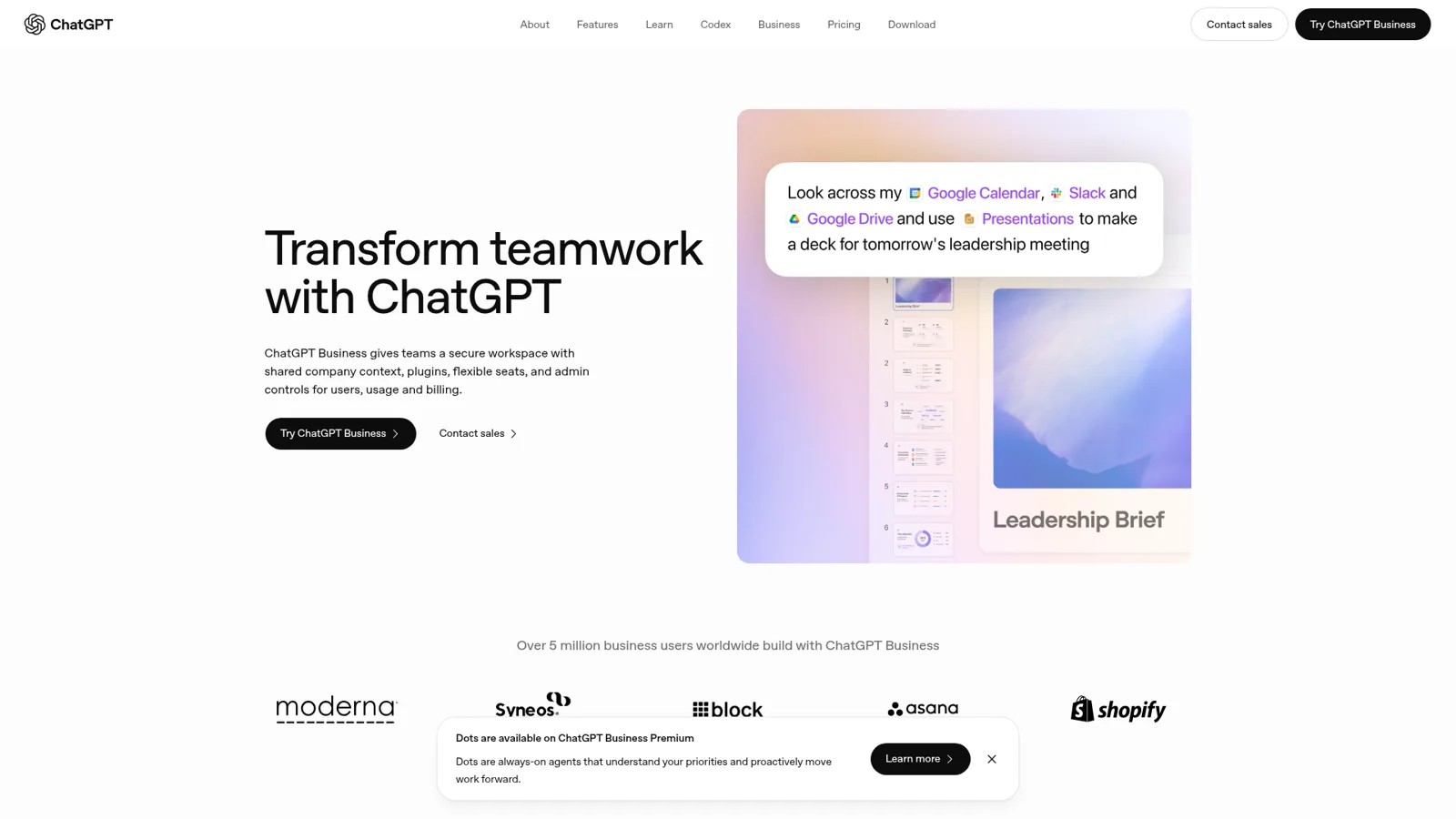
That hero prompt on the Business page is a fair picture of the sweet spot: one person asks ChatGPT to look across their calendar, Slack and Drive and turn it into a deck. OpenAI says over 5 million business users are on it. Here is what a team actually gets inside the workspace, and where each piece comes from.
| Piece | What it does for a team | Source |
|---|---|---|
| Seats | Standard or Premium seats with ChatGPT, ChatGPT Work and Codex | Business overview |
| Company Knowledge and apps | Answers org questions from connected sources and "respects permissions in the connected source"; apps are on by default in Business | Company knowledge |
| Projects | Chats, files and instructions kept together, with Drive files and Slack channels as sources | Projects help |
| Scheduled and team tasks | One-off or recurring runs; team tasks share the work, like a weekly update to a Slack channel | Tasks help |
| @ChatGPT in Slack and Teams | DM or mention it to ask questions, summarise or draft, using tools the admin connected (my Slack guide) | Business release notes |
| Workspace agents | Shared agents that run in ChatGPT and Slack, on a schedule, or from an API trigger | Workspace agents help |
| Custom GPTs | Being retired; standard retirement is 11 December 2026 | GPTs help |
If you want the deep dive on the agent product itself, I already wrote it up in what ChatGPT Work is and my ChatGPT for Work review, so I won't re-explain it here. What changed for teams this autumn is the shared layer around it. On 29 September 2026 OpenAI shipped team tasks, which "let you share recurring work with teammates", with the example of posting "a weekly project update with progress, blockers, and next steps to an approved Slack channel." The same release put @ChatGPT into Slack and Microsoft Teams for Business. That's a real step toward a shared assistant.
What does ChatGPT for work cost?
ChatGPT for work costs $25 per user per month for a Business Standard seat, or $20 billed annually, and Premium seats are $125 monthly or $100 billed annually, per OpenAI's Business overview. A workspace needs at least two seats, "2 of either type, or 1 of each." Enterprise has no public price and goes through sales.
| Plan | Monthly billing | Annual billing | Worth knowing |
|---|---|---|---|
| Business Standard | $25 per user | $20 per user | ChatGPT, ChatGPT Work and Codex |
| Business Premium | $125 per user | $100 per user | Higher usage, "no five-hour usage limit" |
| Enterprise | Contact sales | Contact sales | Shared credit pool, SSO, SCIM |
Two things catch teams out. One, ChatGPT Work, workspace agents, Codex and the Office apps draw from one shared allowance and credit pool, per the rate card, and "a typical end-to-end Workspace Agent run using GPT-5.6 may consume between 5 and 25 credits." Buying extra credits is optional and they last 12 months (flexible pricing). Two, the API is a separate bill: "A ChatGPT Business subscription does not include API usage."
So a ten-person team on monthly Standard seats is $250 a month before any credits. For the full maths, my ChatGPT for Work pricing and ChatGPT pricing posts go line by line.
Workspace agents are ChatGPT's shared teammate
Workspace agents are the part of ChatGPT at work that looks most like a teammate. OpenAI launched them on 22 April 2026 as "an evolution of GPTs", and they "run in the cloud, so they can keep working even when you're not."
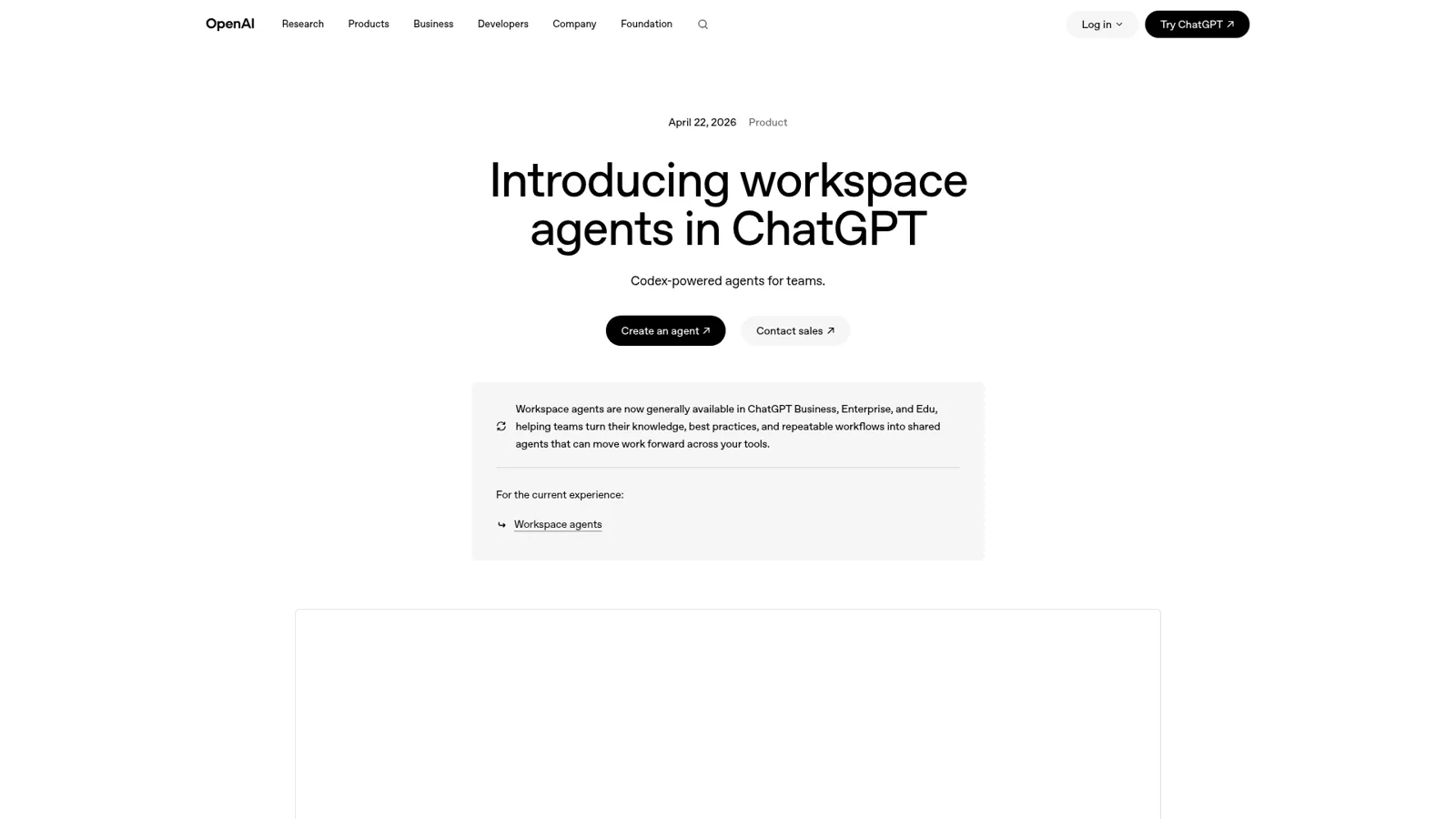
According to the launch post, "Teams can interact with agents in ChatGPT and Slack, with more surfaces coming soon." The example OpenAI chose is a good one: "our product team built an agent that proactively answers employee questions in Slack channels. The agent responds with a clear answer, links relevant documentation, and can file a ticket when it finds a new issue." Launch templates include a Weekly Metrics Reporter (more in my ChatGPT agents guide).
The help center fills in the controls. You can test an agent before publishing, share it with teammates, use it in Slack, run it on a schedule or trigger it through an API "from an internal workflow, scheduled job, support tool, or other system." Write actions default to "Always ask", and you can loosen them to "Never ask" or a custom setting, or add action constraints. That is a sensible default, and credit to OpenAI for it.
Someone at OpenAI described their own use on Hacker News, and it's the kind of small win I'd want too:
"Now, I tag workspace agent in the slack thread, it reads the thread, puts it into the right shape, and logs it (with considerably high fidelity). Saves us time, does the job no one wanted to do"

The rough edges show up in OpenAI's own forum, which is mostly bug reports by design, so read these as the edges of a seven-month-old product rather than a verdict. One Business admin found an agent "works perfectly for me, but every other user who tries to run it receives an error" (OpenAI community); OpenAI Support asked for a ticket. Another noticed apps they use in regular ChatGPT, including Zoom and QuickBooks, "don't appear when I try to add them to my Workspace Agents" (OpenAI community).
One design detail is worth reading twice. To run in Slack, "all app connections for that agent must use shared authentication", and OpenAI warns that with personal connections "Anyone who can use the agent may be able to access data or perform actions through those connections as the creator." Honest documentation, and it shows the model: the agent acts through a person's, or a shared, connection.
Where does ChatGPT at work stop for a team?
ChatGPT at work stops at the edge of the ChatGPT workspace and the people in it. Everything above is built for staff: seats are per person, memory follows the person, and OpenAI's newest always-on agents, Dots, are personal ("Personal dots can continue working on tasks between conversations," per the Enterprise release notes). That's the right design for one person's work. My Dots for work post covers that side.
A team's work is wider than that. On a normal day on eesel's support queue it happens in four places at once: Slack, the helpdesk, the inbox and the website chat. And the people writing into three of those aren't on the team at all. They're customers.
That's where the terms matter. ChatGPT Business's models and limits page says the Services Agreement prohibits "Reselling access or using ChatGPT to power third-party services." In plain terms, a ChatGPT seat is a staff tool, not your customer-facing assistant. OpenAI's customer-facing product is a Business Agent that answers shoppers inside ChatGPT, which is a different job from replying on your Zendesk ticket.
The surfaces tell the same story. The documented places a workspace agent runs are ChatGPT, Slack, a schedule and an API trigger. The documented webhook triggers for shared tasks are "new Gmail messages, Slack channel messages, and GitHub pull request activity" (Enterprise, per the release notes). No helpdesk is on that list. You could wire one up through the API and an MCP connector, but then you're building.
And then there's checking the answers. A support engineer on G2 put the daily reality well:
"I use it to understand technical concepts, troubleshoot issues, prepare for customer discussions, draft professional communications, and simplify complex documentation."

The same review adds that answers "sound confident but aren't always accurate", and OpenAI's own Slack app page says "Responses from ChatGPT Agents may be inaccurate" (Agents in Slack). In a separate tab, a person catches that. On a customer ticket, nobody does unless the AI is tested first and someone can approve what it sends.
| A team's job | ChatGPT at work today | What the job also needs |
|---|---|---|
| Staff asking "where's the runbook?" in Slack | @ChatGPT or a workspace agent in the channel | Works well; check the source link |
| Weekly metrics post | Team tasks or a scheduled agent | Works well |
| Replying to a customer on a ticket | Draft in a tab, paste into the helpdesk | Draft on the ticket, approval before it sends |
| Website chat | Not from a Business seat (terms) | A customer-facing agent with staff-only limits |
| Morning sweep of slipped tickets | Possible via API and MCP, built by you | A helpdesk trigger and a schedule, out of the box |
| Who can change the agent | Builders and admins via RBAC | Editor and viewer roles the agent itself respects |
What "ChatGPT for your team's work" looks like
The shift is from an assistant each person opens to one teammate the team shares, sitting in the team's own tools and answering both staff and customers with different rules for each. That's what eesel is built to be. You talk to it the way you'd talk to ChatGPT, and it reads your docs, past tickets and Slack, then does the work in Slack, Microsoft Teams, Google Chat, your helpdesk, its own email address and your website chat.
It works natively and deeply with the team's tools, from helpdesks and Shopify to the rest of 3,000+ integrations, and it arrives ready for the job: proactive, reliable about following your instructions, and carrying the skills and context the work needs. It learns from your docs, past tickets and Slack history, and when you correct it the fix sticks in its memory in every app it works in. Here's what that looks like across four jobs, from the queue I sit on.
Ops questions in Slack, answered from Confluence
Someone in #it-help asks where the security incident runbook lives. eesel answers in the thread with the page linked. Per the internal operations guide, it reads Confluence, Notion, Drive and uploaded files and works for IT, HR and ops questions alike. It can reply in its channels without a mention "and stays silent when it cannot help", and it reads Slack live, with nothing copied into eesel. Cactus Club Cafe runs its internal IT support on eesel, with 1,650 runbook and policy lookups in a month. If this is your main job, my guide to AI for workplace questions goes deeper.

A weekly report nobody has to remember
An eesel automation is a trigger plus instructions for that job, and the trigger can be an app event, a webhook or a time like "every Monday at 9am." So the Monday report becomes "every Monday at 9, pull last week's ticket tags and post the top five themes to #support-leads." In Teams it can post updates on its own, like a daily summary, which my AI in Microsoft Teams post walks through. ChatGPT's team tasks do something similar inside ChatGPT, so this one is close to a tie; the difference is what the report can read, which on eesel includes the helpdesk itself.
Drafting customer replies where the ticket lives
This is the job I care about most, and where a tab falls short. eesel drafts the reply on the ticket as an internal note, or a teammate types @eesel on the ticket and gets a draft back. Adverscale works exactly like that: support agents type @eesel on a Zendesk ticket and the AI teammate answers, across 2,400 tickets in a month. From Slack, you can ask eesel to look up a ticket or an order and draft a customer reply, and "the draft appears in the thread. Your agent does not send it until you tell it to." For helpdesk-specific setups, see ChatGPT for Zendesk or ChatGPT for Gorgias.
A scheduled check before the team logs on
Cape Coffee Beans has eesel run a sweep of Zendesk and Google Drive on weekday and Saturday mornings and email the founder a short list of tickets that slipped. That's 160 scheduled checks in a month, plus 23 tickets where the team called eesel in with an @eesel internal note, across two agents with different jobs. Nobody built an integration for it. It's an automation with a time trigger and a paragraph of instructions.

What changes when a customer is the one asking?
On eesel, what the teammate does on its own, what it asks first and what it never does depends on who is talking to it. A teammate in Slack, an editor you named, and a customer on a ticket each get a different set of rules, from the same agent, all documented in actions and approvals.
The base layer is per action. Every action runs on its own (On), waits for a person (Ask first), or never runs (Off), set per agent and changeable any time. You can also say it in chat ("look things up on your own, but ask me before any refund") and it changes the settings. Start supervised: set replies and anything irreversible to Ask first, and keep refunds, cancellations and anything that costs money behind an approval.
On top of that sits Team only, the line between staff and customers. Actions like writing scripts against an app's API, admin-only tools, and changing the agent's own instructions or automations "only ever run for your team": people on your Team page, full members of your connected Slack, users in your Microsoft Teams or Google Workspace, and anyone writing an internal note in your helpdesk. They never run for a customer in the chat bubble or on a ticket. Files work the same way. A Team only file answers only staff questions, and even an On file is never sent, or linked, to someone outside the team.
Then there are the specific people. Only Editors can approve a held action, and you pick which members or channels get approval requests. In Slack the card lands in the thread the run started from, showing the exact reply text, refund amount or tag, with Approve and Deny. The account roles keep the rest simple: Editors build and adjust agents; Viewers chat and review activity, and "your agent also won't make changes for a Viewer, wherever they talk to it."
To be fair to OpenAI, ChatGPT Business has real controls: admins choose which apps are enabled, workspace agents have role-based access for building and publishing, and write actions "Always ask" by default. You can set writes to "Never ask" or a custom setting and add action constraints, per the workspace agents docs. The real difference is who the assistant serves. ChatGPT acts as, or for, the workspace member using it, it doesn't change its behaviour based on who a request comes from, and it isn't built to face your customers in your own channels. eesel changes its behaviour by who is asking. My post on approval workflows goes through the patterns.
| Control | ChatGPT workspace agents | eesel |
|---|---|---|
| Approval before write actions | Yes, "Always ask" by default | Yes, Ask first per action |
| Per-action setting | Always ask, Never ask or Custom, plus action constraints | On / Ask first / Off on every action |
| Who it serves | The workspace member using it | Your team and your customers, with different rules |
| Staff vs customers | Not a customer-facing surface | Team only tag on actions and files |
| Who can change it | RBAC for building and publishing | Editors change; Viewers ask; agent refuses changes for Viewers |
Here's how I'd split the work if your team already pays for ChatGPT. Open a job to see where I'd put it.
Which one should do this job?
Turn my notes into a deck for tomorrow
ChatGPT. One person, their own files, a finished document. This is its home turf.
Answer "where's the policy?" in #ops
Either. @ChatGPT or a workspace agent works. Pick eesel if the same teammate also needs to work in your helpdesk or website chat.
Draft replies on customer tickets
eesel. It drafts on the ticket, looks up the order, and waits for approval before it sends.
Answer visitors in the website chat
eesel. Business seats aren't meant to power third-party services, and Team only keeps staff-only tools away from customers.
Post a weekly summary to Slack
Either. Team tasks do this in ChatGPT; eesel does it with a time trigger and can read the helpdesk too.
Should you use ChatGPT and eesel together?
Yes, and that's how I'd set it up. Keep ChatGPT for each person's own work, and give it a teammate that lives in the team's tools. eesel's apps for ChatGPT are being listed in ChatGPT's app directory, built per helpdesk (Zendesk, Freshdesk, Gorgias, Front and Gmail among them). Once yours is listed, you connect it under Settings, Apps & connectors, and ask from a ChatGPT chat "ask eesel what's waiting on me" or "have eesel draft a reply to ticket 4521." It signs in with your eesel account, so editors can change things and viewers can ask, and anything set to Ask first still asks.
Until the listing is live, the same thing works from Claude through the eesel connector, or from a terminal with eesel chat. And Codex can set eesel up today. Per the docs, "Codex sets eesel up the same way Claude Code does, with the eesel CLI. Every command prints JSON, so Codex can run the whole job and read its own results." The coding-agent quickstart has the prompt to paste.
So if your team lives in ChatGPT, keep it, and add one teammate for the shared, customer-facing, always-on work. My ChatGPT connector guide shows how apps plug in, and the roundup of the best AI teammates compares the options.
On price, the shapes are different. ChatGPT is per seat. eesel's Teammate plan is from $299 a month for 500 credits, where a ticket or a chat is one credit however long it runs, with unlimited agents and seats, every channel, and extra credits at $0.80 up to a cap you set. There's a free 7-day trial with 100 credits and no card. You don't pick a model either; eesel picks and runs the models for you.
Try eesel as your team's ChatGPT
If ChatGPT is already how each person on your team thinks through their work, eesel is the version the whole team shares: in Slack, Teams, Google Chat, the helpdesk, email and your website chat, reading your docs and past tickets, with every action set to On, Ask first or Off and staff-only tools kept away from customers. Start supervised, watch what it drafts for a week, then hand it more. Read how AI teammates work if you want the longer version first.