What does a dot do for a sales rep?
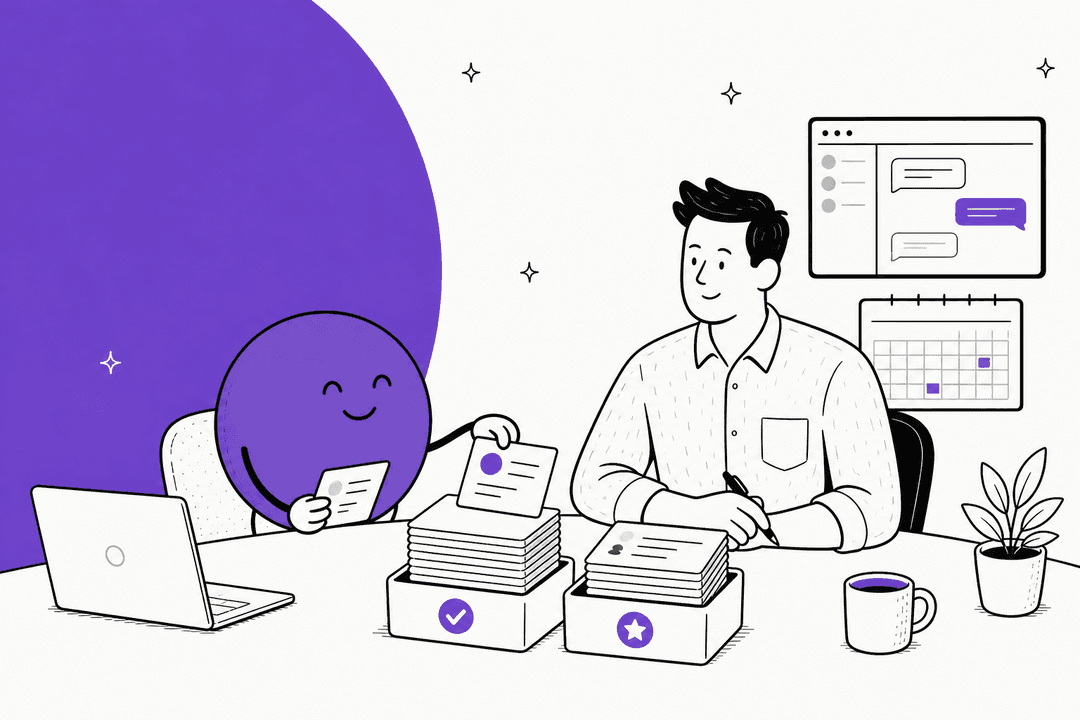
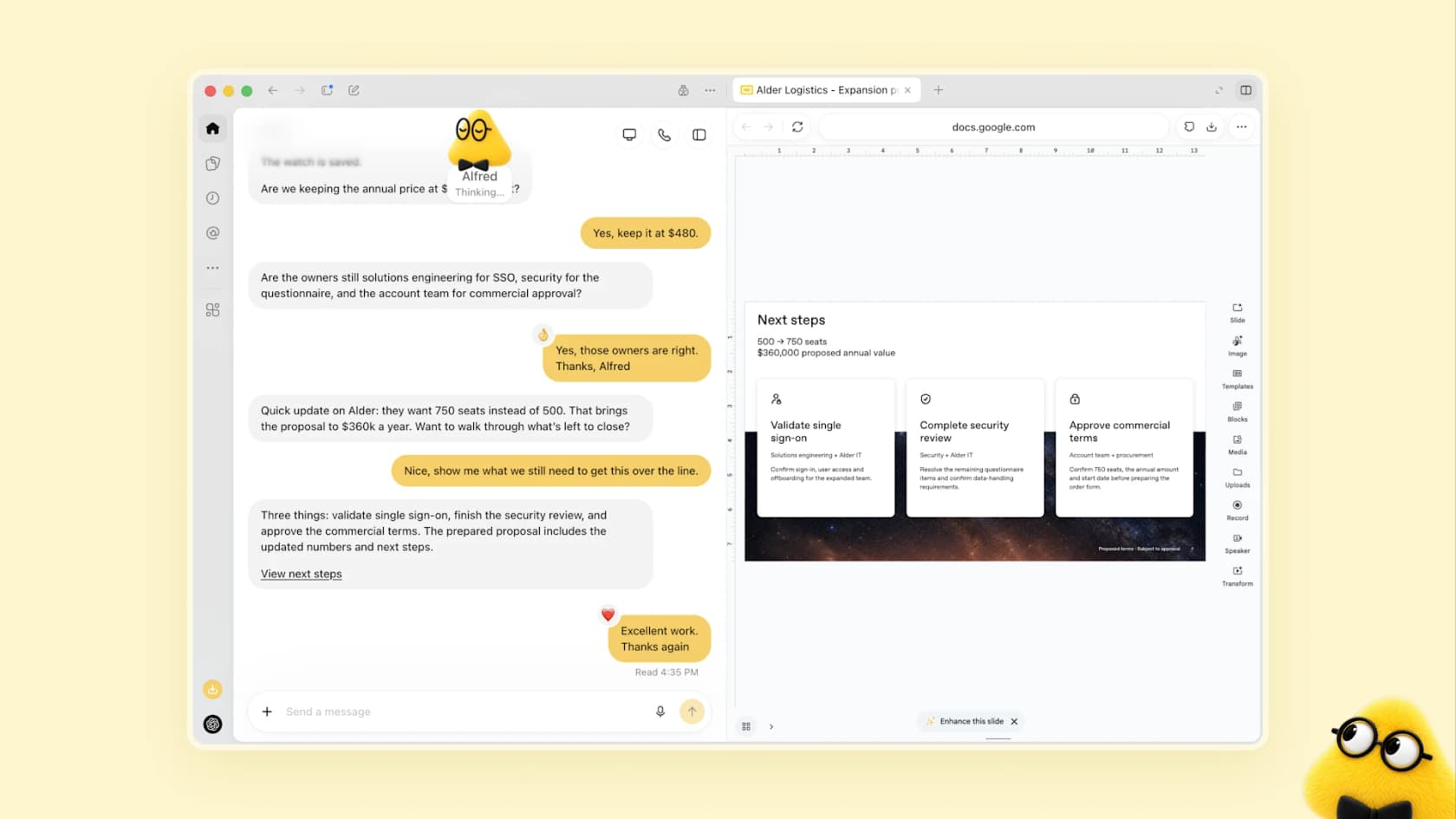
OpenAI launched dots on September 29, 2026. The launch post describes agents that work toward your goals around the clock, and it picked a sales scenario as one of its examples. A sales lead's dot checks customer requirements and account history against product docs, finds what still needs testing, builds a proof of concept, and updates the proposal as test results change. The rep stays on customer conversations and approves commitments.
That is the enterprise end of it. Most reps will use a dot for smaller, repeatable jobs:
- Prospect research. Read a company's site, recent news, and your past emails with them, then write a one-page brief to a doc.
- Meeting prep. Each morning, review the calendar and list who you are meeting, what you last discussed, and what is still open. OpenAI's own getting started guide uses "review my calendar each morning" as an example of a recurring check.
- Follow-up drafts. Write the post-call email in your voice from your notes, and wait for your yes.
- CRM hygiene. Log call notes, suggest next steps, and flag deals with no activity for two weeks.
- Pipeline reminders. Nudge you about a quote that has gone quiet, or a renewal date coming up.
What makes this different from a normal ChatGPT agent session is persistence. Per the same guide, a dot "can take on ongoing responsibility and keep making progress between conversations." It also does background research with read-only tools while you are not talking to it, so it can have the brief ready before you ask.
If you want the product tour first, see the OpenAI Dots explainer, the OpenAI Dots review, or my sibling post on dots for work. This one stays on sales.
Which sales tasks should you hand over?
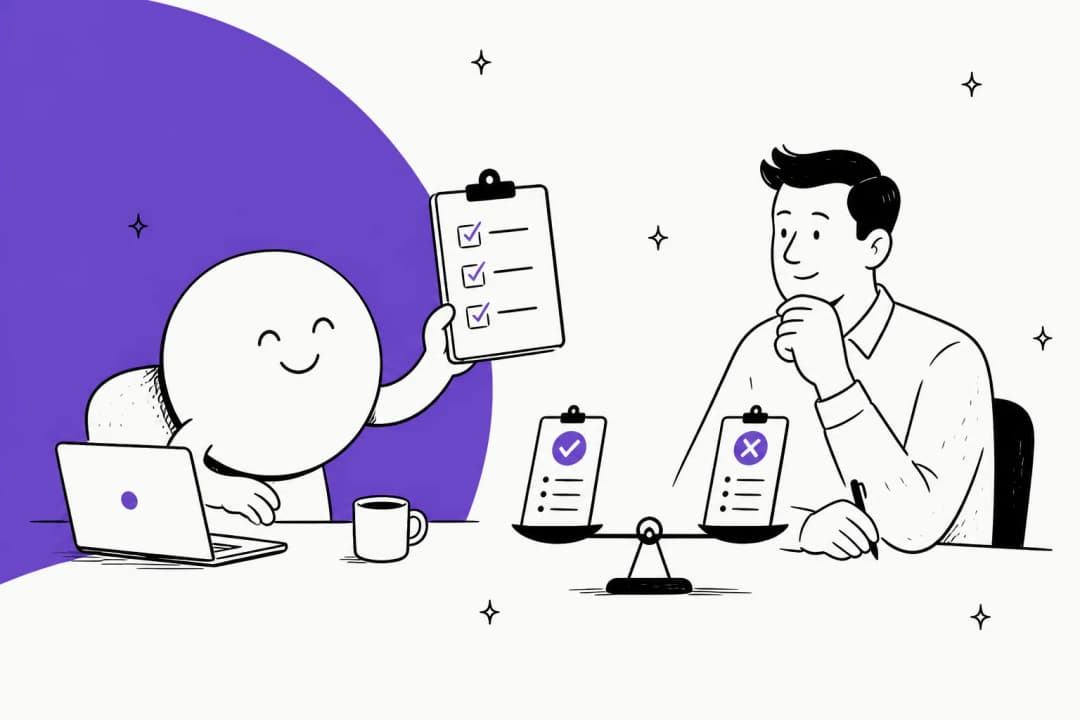
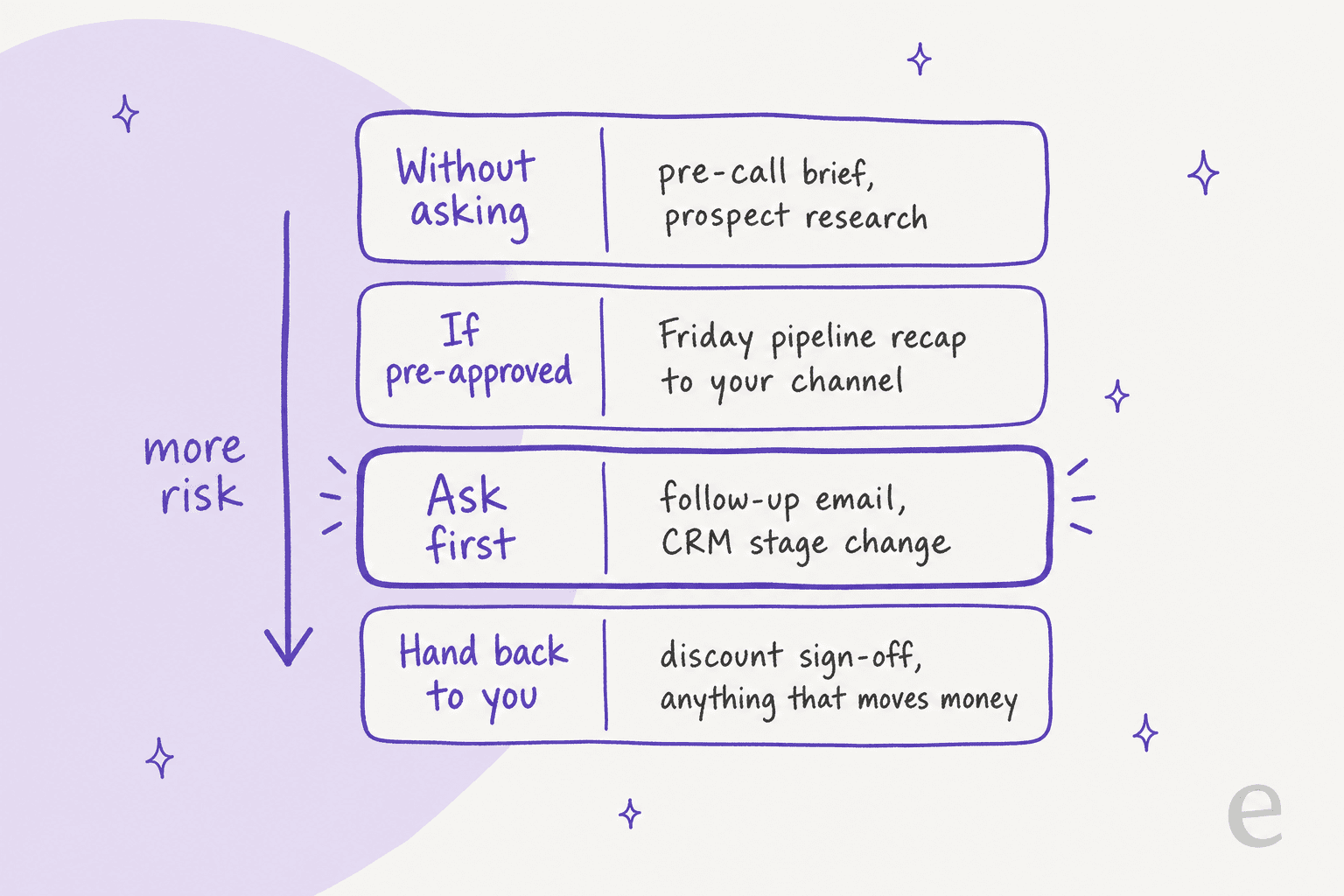
OpenAI's Custom Rules give each action one of four behaviors: take action without asking, take action if pre-approved, ask before taking action, or hand off to you. Sorting sales tasks into those four is the fastest way to set up a dot without regret. This is my sort, not an OpenAI list.
| Sales task | Custom Rule I would pick | Why |
|---|---|---|
| Pre-call brief, prospect research | Without asking | Read-only, easy to check |
| Friday pipeline recap to your own channel | If pre-approved | Same recipient, same content, every week |
| Follow-up email to a prospect | Ask first | It speaks as you, to a buyer |
| Move a deal stage in the CRM | Ask first | Forecasts read from that field |
| Send a quote or approve a discount | Hand back to you | A commitment only you can make |
| Anything that moves money | Hand back to you | OpenAI always hands this back |
The last row is not a preference. The privacy FAQ says money transfers and password changes are handed back every time, and Custom Rules cannot change that. It also says approving one message "does not give your dot ongoing permission to contact people on your behalf," so each new prospect email needs its own yes. For sales, that friction is a feature: the one email you do not want sent unseen is the one to a champion mid-negotiation.
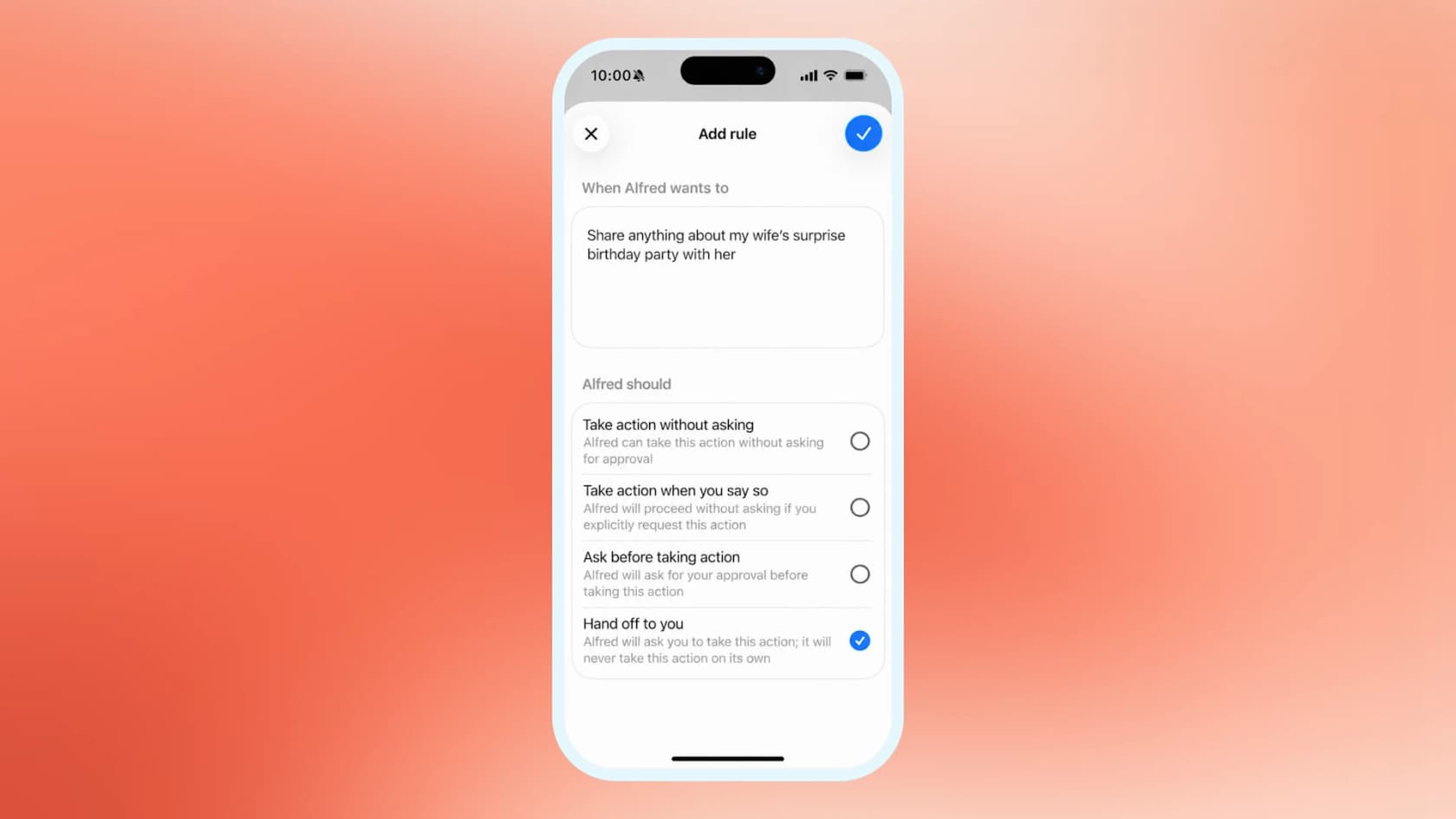
Write rules narrow and tied to a named task. "Send my Friday pipeline recap to #sales-team" has a clear who, what, and when. "Do anything low-risk without asking" tends to get bounced by the rules checker, a pattern early users reported on Hacker News.
Can a dot work with HubSpot and Salesforce?
Dots reach apps through plugins, and per OpenAI the Plugins tab is shared across dots, ChatGPT, ChatGPT Work, and Codex. So a CRM plugin you already connected in ChatGPT is the starting point. Your workspace admin still decides which plugins are available to you.
The two big CRMs have published their sides of this, and they differ in ways that matter:
| HubSpot connector | Salesforce plugin | |
|---|---|---|
| Access | Read, create, and update on contacts, companies, deals, tickets, and custom objects; no delete | Listed by OpenAI as Interactive, Read, Write |
| Approval | Super Admin approves; users connect with their own permissions | Open beta for Agentforce for Sales Add-on and Agentforce 1 Edition customers |
| Notable limit | Custom validation rules are not applied; bulk writes capped at 10 records | Requires an Agentforce license, so not every Salesforce org qualifies |
| Source | HubSpot knowledge base | OpenAI, Salesforce |
Here are the details I would act on, and why.
HubSpot's guidance is to gate writes. The knowledge base says to set the connector's write tools to "Needs Approval," and warns that "Always allow" can let edits happen without asking. Do that on day one. Because HubSpot says validation rules for pipeline stages and association labels are not applied through the connector, a dot can write a record your own CRM rules would have rejected. That is a reporting problem you will find three weeks later.
Sensitive data blocks engagement history. If your HubSpot account has Sensitive Data turned on, the same page says ChatGPT cannot access engagement data. A dot's call-history briefs would then run thin.
Salesforce access depends on your license. OpenAI's plugin page describes it as a way to review permitted CRM records and summarize pipeline risk. The Salesforce announcement ties the open beta to specific Agentforce plans. If your team is on a plan outside those, your dot will not get Salesforce through this route. My best AI tools for Salesforce roundup covers alternatives.
HubSpot users have more than one route, as HubSpot's own AI agents and the Breeze prospecting agent sit inside the CRM. A dot's advantage is that it works across your inbox, calendar, docs, and CRM in one thread; the CRM's built-in agents' advantage is that they live inside its rules.
What does a rep's day look like with a dot?
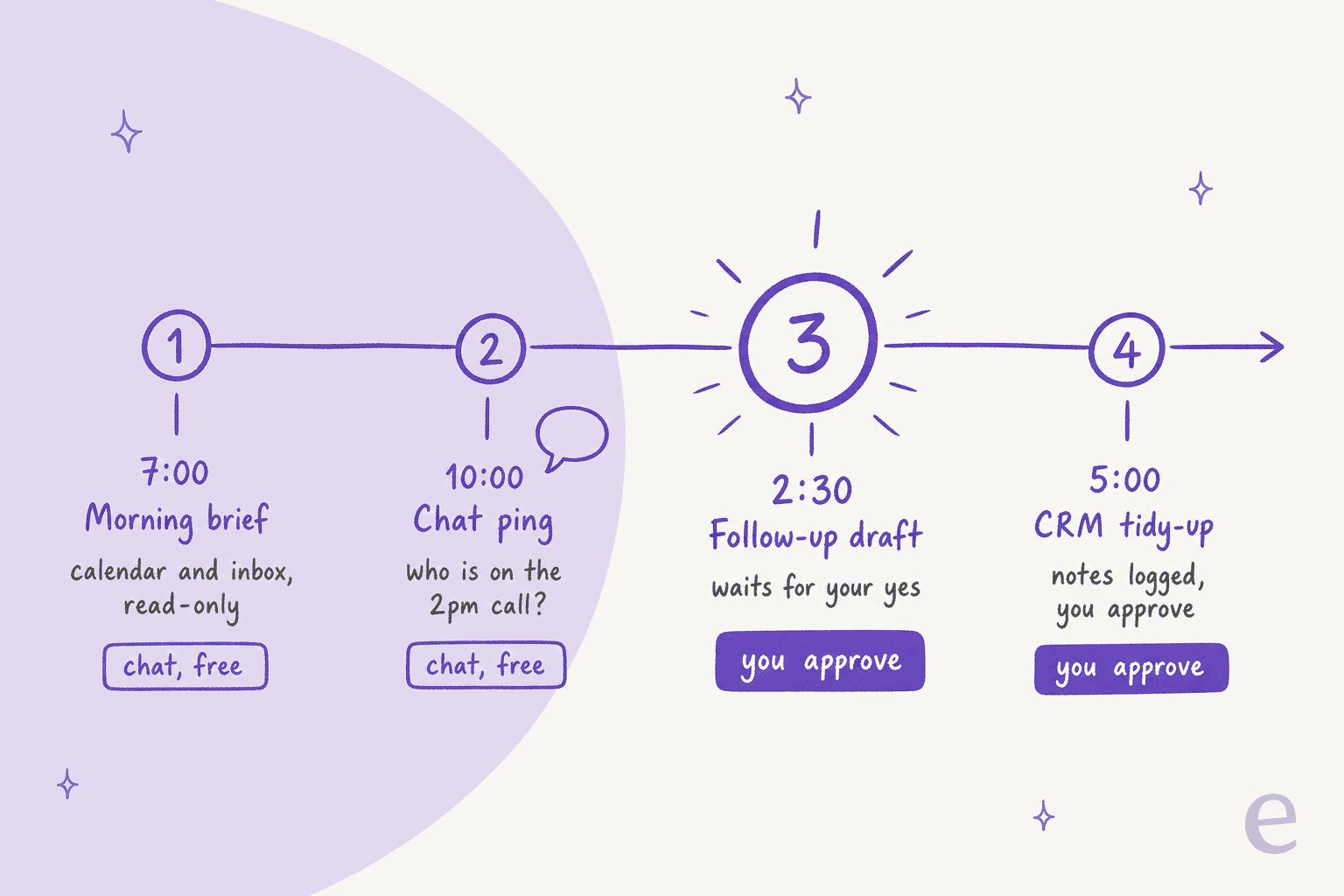
Per the launch post, conversations with your dot do not count toward your ChatGPT usage limits. When the dot starts or manages tasks in ChatGPT Work or Codex, those count as usual. For a sales rep, that means morning briefs and Slack questions are close to free on top of the plan, and a heavy task like a proof-of-concept build draws on the shared allowance. The ChatGPT Work pricing guide explains that shared pool.
The setup is the same as for any dot, and it takes about 20 minutes:
- Create the dot on desktop. Mobile cannot create one.
- Connect read-only plugins first, like calendar, email, and docs. Add the CRM last.
- Give it its own Slack account if your team lives there. OpenAI now lets you set up a separate Slack account so the dot has its own identity, and Teams works too. Compare it with Slack AI.
- Connect email carefully. A dot cannot have its own standalone email address at launch, so if it emails, it emails as you.
- Write Custom Rules using the table above, and start strict.
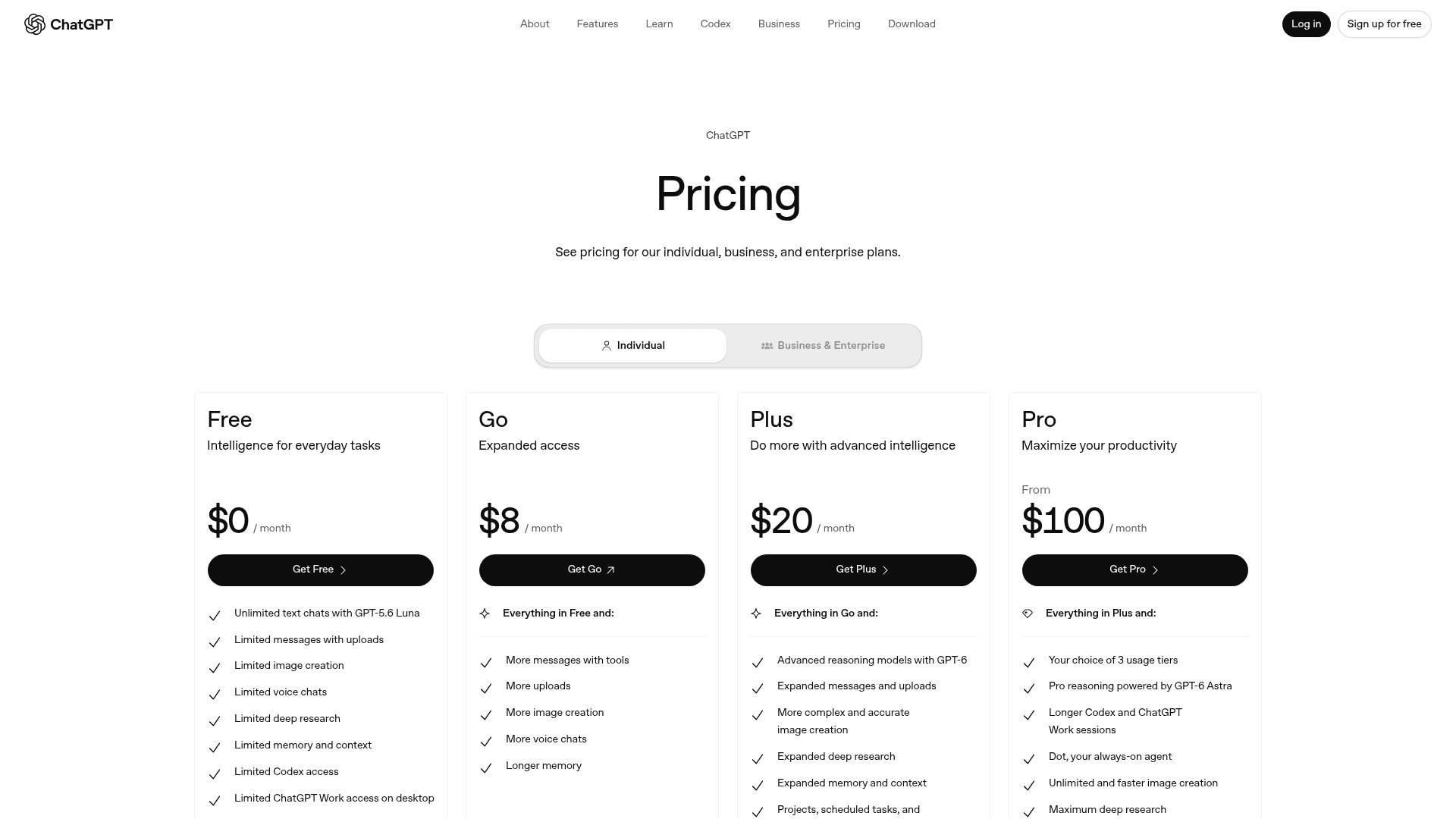
The plan matters here too. Your first dot comes with Pro (from $100/month, not in the EEA, Switzerland, or the UK) and the Business Premium seat ($100/user/month annual, $125 monthly, minimum two seats in a workspace, so $120/month is the cheapest company dot). Customer names, deal values, and pricing are exactly the data you do not want under a personal training setting. On personal plans, the "Improve the model for everyone" setting decides that, and per the privacy FAQ you cannot view or delete individual dot memories, only the whole dot. Business workspaces are not used for training by default. If your company runs ChatGPT Enterprise or ChatGPT Business, ask IT to enable dots there.
Where do dots fall short for sales?
Care is the design, and in sales care costs time. Three limits stand out.
Confirmation loops. The only detailed hands-on report I found is from a Hacker News user booking a trip, which is the same shape as booking a meeting:
"I said yes please book it, it went back to the website, checked all the details we'd just agreed and asked me to confirm the details, fine I confirm it, please book, it tells me it will book it, it goes on it's little cloud computer and completes the booking form then comes back and asks me if it should book it...so annoying."

Write permissions you did not mean to grant. CRM tokens are the classic case, and one commenter described it from experience:
"I minted what I thought was a minimal-permission Github token for a single action, and the agent I gave it to discovered it had more permissions than I thought, and made use of those permissions."
That is why I would start with read access and add writes one object at a time.
No outbound engine. A dot emails as you, one approval at a time. It does not run sequences, score leads, or rotate senders. For that, a tool built for outbound fits better; see AI sales email generators and conversational AI for sales. Other personal agents are in the same space, including Claude Cowork, Meta Muse, and Microsoft Copilot Autopilot. The best AI assistants roundup compares more.
Who answers the customer after your dot closes the deal?
This is the part I care about, and it comes from the support side. eesel has spent years putting AI agents on live helpdesk queues, and I hear a pattern on sales calls with support teams. One ops lead at a DTC supplements brand handling about 7,000 tickets a month told me the AI should only handle the tickets it is confident about and leave the rest alone, because nobody could check 7,000 answers by hand. A rep's dot has the opposite shape: it is built to be careful for one person. Neither one is built for the other's job.
Sales is where promises are made. Reps tell a buyer "setup takes a day" or "yes, that integration works," and a dot helps them move faster. Then the deal closes, and the buyer's first question arrives in the support queue, where nobody on the sales side is looking.
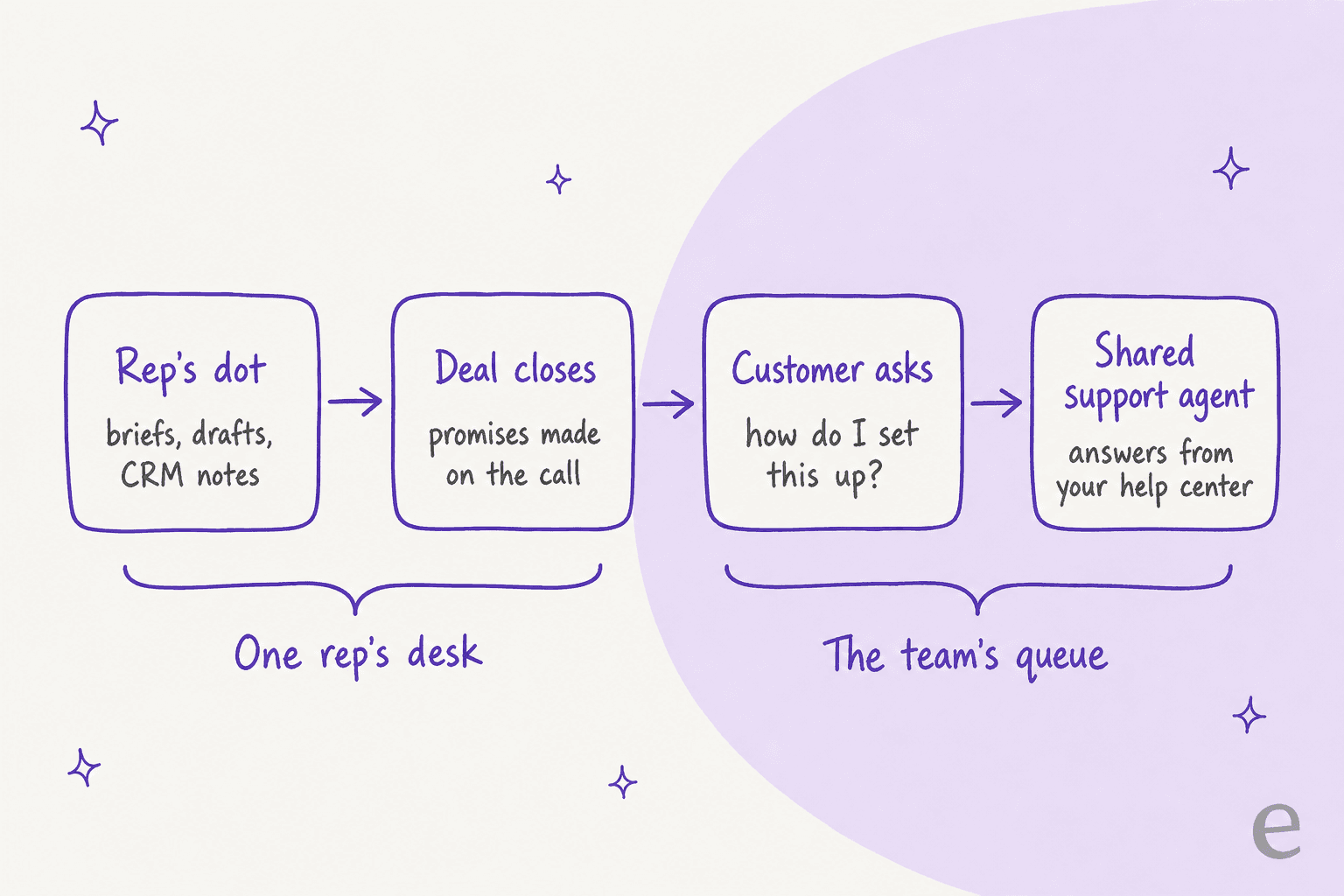
A dot cannot cover that side. It acts as you, from your accounts. A shared queue needs an agent with its own seat in the helpdesk, rules the whole team agrees on, and a way to test answers before customers see them. OpenAI seems to see the same gap: the launch post describes specialist dots with their own identity and company-system access for roles like customer support, in enterprise pilots only.
This is the gap eesel's AI teammates fill. They are ready-to-work hires for defined jobs: the AI helpdesk teammate for support, and the AI blog writer for content. The helpdesk teammate plugs into the helpdesk you already use, learns from past tickets and your help center, and answers under rules you set. For a sales team, that means post-sale questions about setup and billing are answered from the same documentation your reps quoted, and anything it is unsure about goes to a human. Teams that care about the handoff itself can read my notes on AI agent handoff and customer success vs customer service.

If your team already works with agents in the terminal, eesel also has a CLI for operating the same teammate and workspace from scripts, and coding agents like Codex or Claude Code can drive it. A sales-ops engineer could use it to pull what the support teammate answered about a new customer, without opening a dashboard.
To be fair to the dot: if your job is your own inbox, calendar, and pipeline notes, you do not need eesel for that. A dot, or one of the AI email assistants, is the right tool. The line is ownership. If the work needs doing when you are on holiday, it belongs to a teammate, not your personal agent.
Try eesel for what happens after the signature
Let your dot prep the deal, and give your customers' questions an agent built for the queue. eesel's AI helpdesk teammate joins Zendesk, Freshdesk, Gorgias, and other helpdesks in minutes, learns from your past tickets, and runs a simulation on your real history so you see its answers before any customer does. It is free to try, and pricing is published.
Frequently Asked Questions
Can OpenAI Dots be used for sales?
Which ChatGPT plan includes a dot for sales teams?
Can a dot update my CRM?
Can OpenAI Dots send cold outreach emails for me?
Is it safe to put customer data in a personal Pro dot?
How is a dot different from an AI sales assistant?
Who answers customers after a deal my dot helped close?


Article by
Kira
Kira is a writer at eesel AI with a Computer Science background and over a year of hands-on experience evaluating AI-powered customer service tools. She focuses on breaking down how helpdesk platforms and AI agents actually work so that support teams can make better buying decisions.