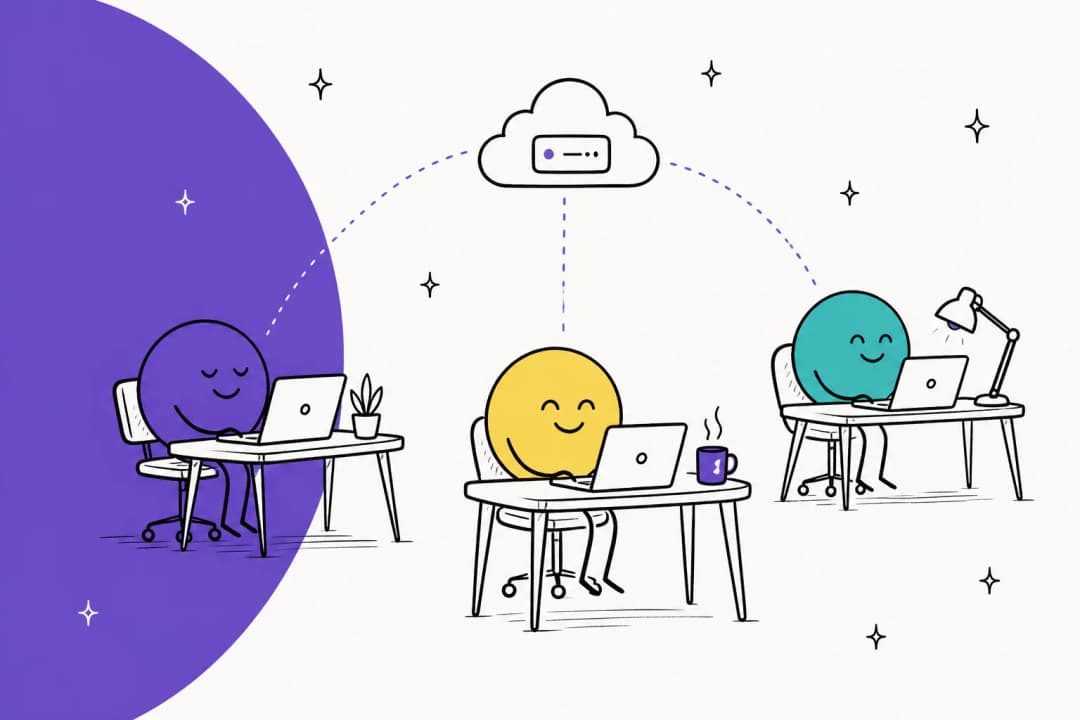
What does a dot do for research?
OpenAI launched dots on September 29, 2026. The launch post describes agents that work toward your goals around the clock on their own cloud computer, with access to 4,000+ apps through plugins. What matters most for research is persistence. A normal chat, or even a ChatGPT agent session, stops when you stop. A dot keeps a goal in mind and comes back to it.
That makes it a natural fit for research that has no end date:
- Competitor watch. Check three competitors' pricing and changelog pages every Monday and tell you what moved.
- Policy and regulation tracking. Follow a bill, a standards body, or a regulator's announcements and flag new versions.
- Literature and filings. Look for new papers, earnings releases, or court filings on a named topic.
- Inbox and Drive sweeps. Pull every email and doc that mentions a project into one running summary.
- Briefing before meetings. Read the latest on a company before your call with them.
One Hacker News commenter described exactly this habit, before dots even existed, using ChatGPT's scheduled tasks:
"I have ChatGPT set up to do some recurring tasks (keeping track of developments on a policy proposal in politics; on a weekly basis tracking music releases based on my evolving tastes; checking new book releases; basically doing recurring deep dive web research on my behalf and reporting when there is a significant new finding) and this alone keeps me from switching to another service."

A dot takes that pattern further, because it can hold several of those threads at once and decide on its own when something is worth telling you. If you want the product tour first, start with the OpenAI Dots explainer, or read my colleague's OpenAI Dots review for a verdict.
How does proactive research actually work?
This is the feature that makes dots interesting for researchers, and it is also the one with the clearest limits. OpenAI calls it proactive research. Per the safety post, when you are not talking to it, a dot "can start background research tasks to look for other ways to help." Those tasks run in the dot's cloud environment, use read-only tools on your connected sources, and save private notes the dot reads later.
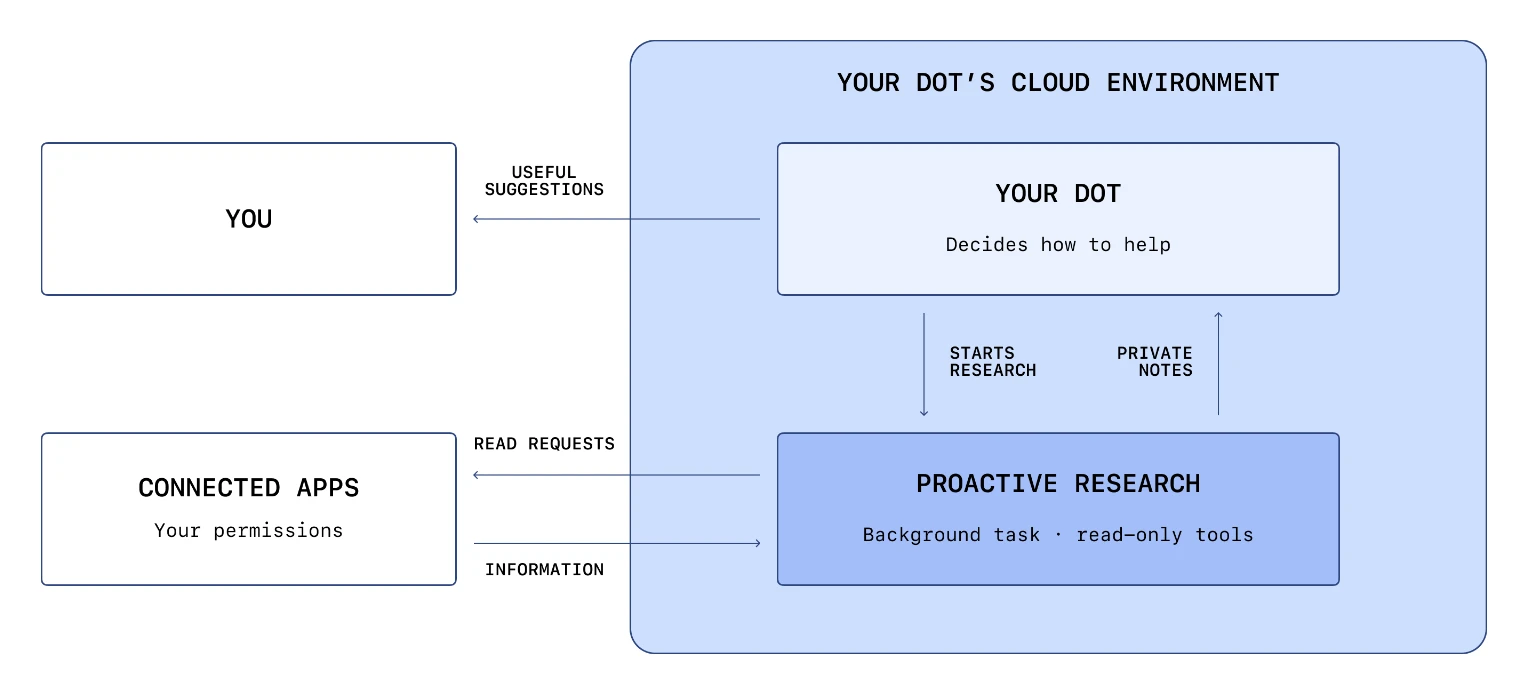
The limits are enforced in code, not just in instructions. OpenAI says the research tasks "cannot directly send messages to other people, change content in connected apps, or control a browser or desktop." Per the privacy FAQ, your Custom Rules cannot loosen those restrictions either. So proactive research can read and take notes, but anything it wants to act on goes through the normal approval checks.
Two details matter for research work:
- Training. OpenAI says it does not train directly on background research threads or their notes. But if your dot pulls a note into a normal conversation, that conversation may be used for training, depending on your "Improve the model for everyone" setting. Business workspaces are not used for training by default.
- Scope. It reads "permitted connected sources," meaning the apps you have connected and your workspace allows. It will not reach a paywalled database you have not connected.
Not everyone on Hacker News was reassured by the read-only framing. One commenter quoted OpenAI's wording back and asked the obvious liability question:
"Am I criminally liable when my dot's "proactive research" is to break out of its sandbox and attempt to hack a government website?"
That is a joke with a real point under it. The read-only limit governs what the research tools can change, not which public pages a dot chooses to read. Tell it exactly what to watch.
When should you use a dot, deep research, or ChatGPT Work?
ChatGPT now has three research paths, and picking the wrong one wastes either time or usage. My rule: start with the shape of the job, not the tool.
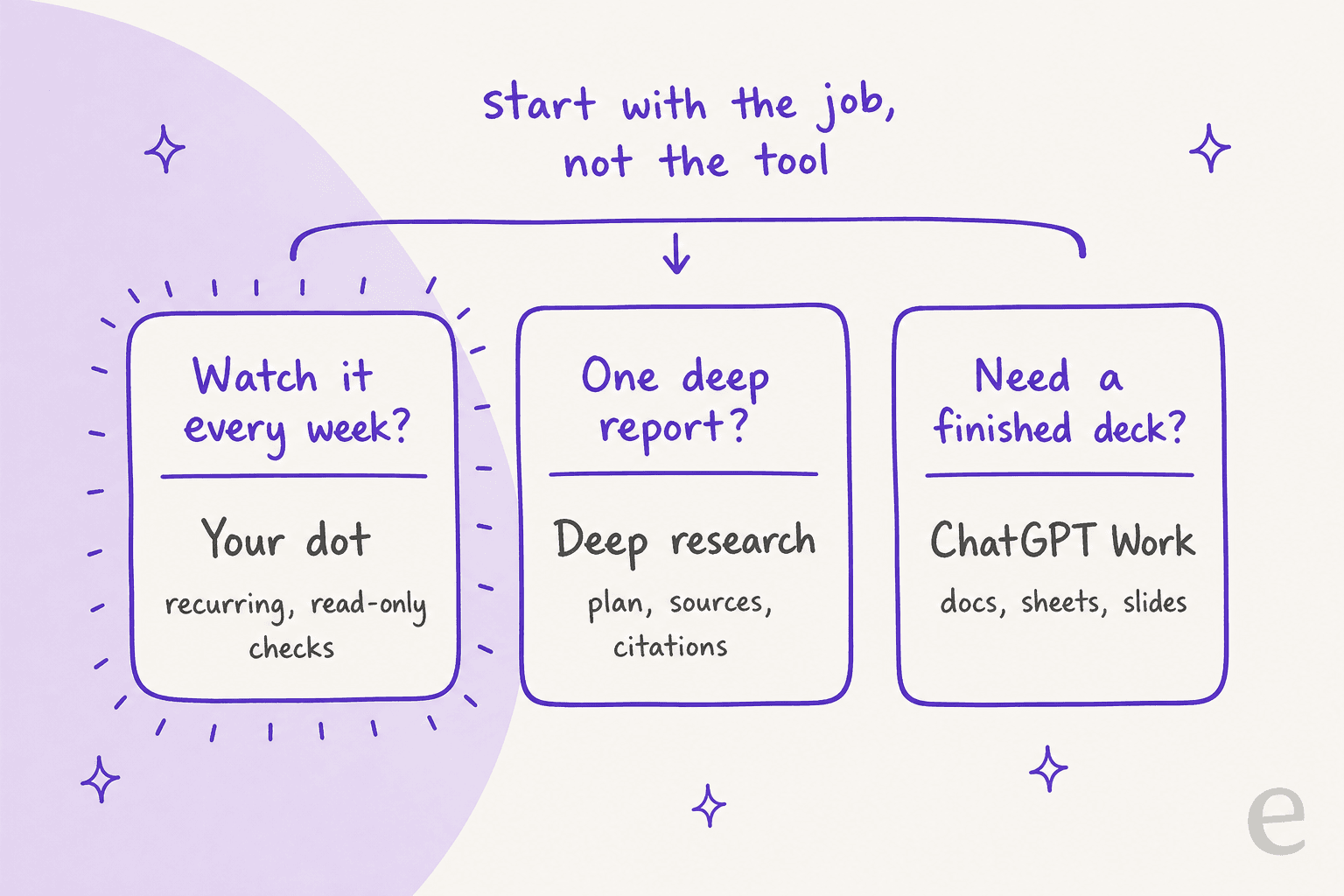
| Research job | Best fit | Why |
|---|---|---|
| Watch a topic every week | Your dot | It keeps the goal between chats and can research in the background |
| One deep question, many sources | Deep research | You review a research plan, pick sources, and get a cited report |
| Research that ends in a deck or sheet | ChatGPT Work | Work creates documents, spreadsheets, presentations, and Sites |
| A quick fact | Normal chat with search | Faster, and lighter on usage |
| A recurring report you want on a fixed schedule | Work scheduled task | Runs on a schedule or trigger, shareable with teammates |
Deep research is still the best tool for one serious report. Per OpenAI's help article, it proposes a research plan you can edit before it starts, lets you interrupt while it runs, and returns a report with a table of contents, a sources-used section, and an activity history. You can download it as Markdown, Word, or PDF. It also only uses "read actions from connected apps," never write actions.
The control I use most is site restriction. Under Sites > Manage sites, you can limit research to domains you trust, or just prioritize them while still searching the wider web.
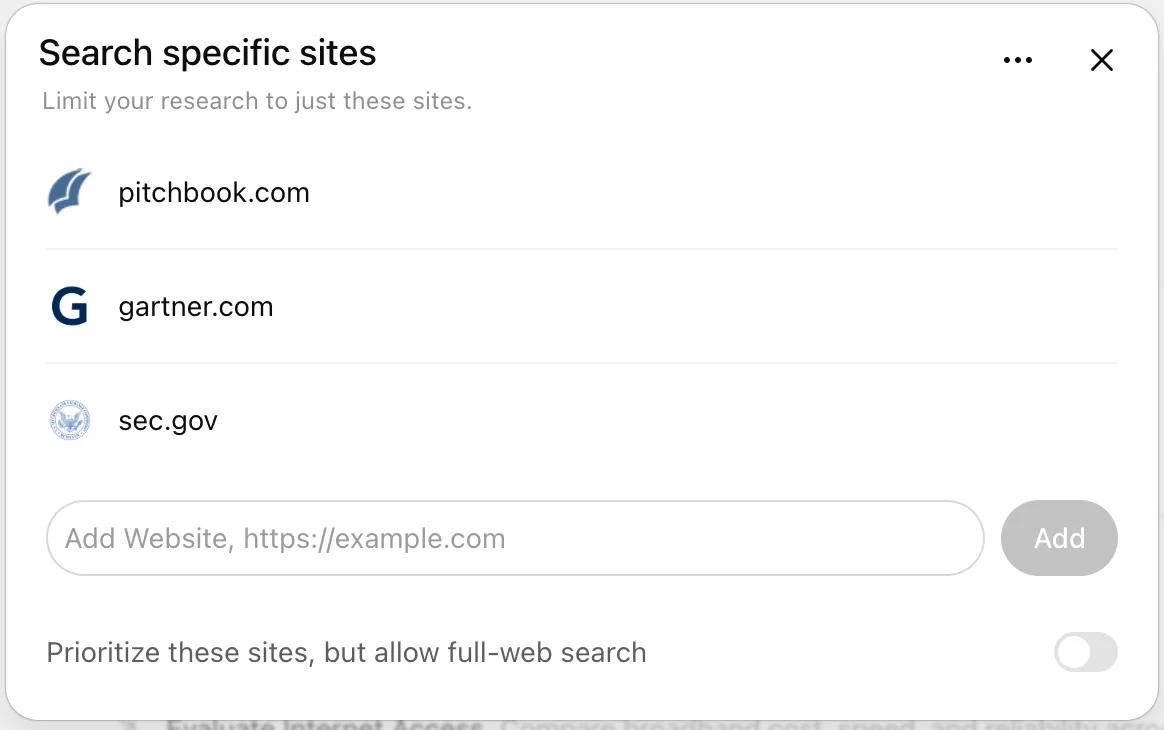
ChatGPT Work is for research that ends in a file. Per OpenAI's Work guide, Work can "research a topic, analyze information, or create a document, spreadsheet, presentation, report, or Site," and its Scheduled Tasks can run once, repeat, or monitor for changes. Your dot can start Work tasks for you, so the two combine well: the dot notices something changed, then hands Work the job of building the updated comparison sheet. I could not find OpenAI saying a dot can launch a deep research run itself, so I would not count on it.
If you mostly want cited answers fast, ChatGPT is not your only option. The Perplexity alternatives roundup and the AI search engines guide compare the field, and Perplexity pricing shows what that route costs.
Notion users have a built-in option too, in Notion research mode.
How do you set up a dot for research?
Setup takes about 15 minutes. The order matters, because each step widens what the dot can read.
- Create the dot on desktop. Mobile cannot create one.
- Write a watch list, not a vague goal. "Every Monday, check these three pricing pages and the changelog at this URL, and tell me what changed with links" works. "Keep me informed about my industry" produces noise.
- Connect only the sources it needs. Google Drive, SharePoint, your email, Slack. Per OpenAI's getting started guide, plugins are shared across dots, ChatGPT, Work, and Codex, so check what you already connected.
- Pick where digests land. A dot can work in ChatGPT, Slack, or Teams. A dedicated Slack channel keeps findings searchable. The guide to Slack AI cover the alternatives there.
- Set Custom Rules for anything that leaves your desk. Reading is fine. Sending a summary to anyone besides you should be "Ask first."
The privacy FAQ adds a limit researchers should know: you cannot view or delete individual dot memories, only the whole dot. If you research sensitive topics, keep that dot separate from your everyday one.
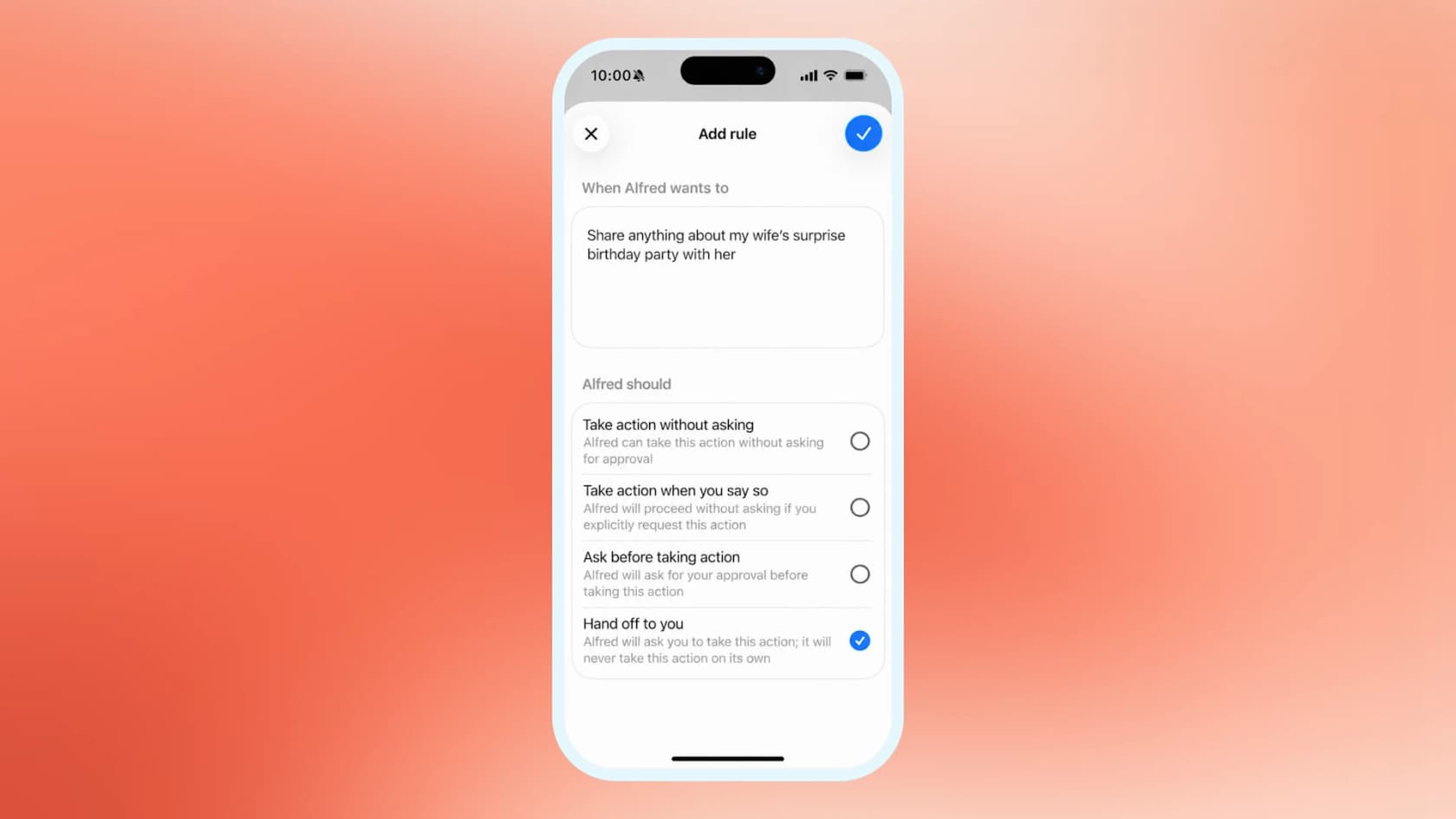
Usage is the other thing to plan for. Per the launch post, conversations with your dot do not count toward your ChatGPT usage limits, but tasks it starts in ChatGPT Work or Codex do. Deep research has its own counter that varies by plan. So a daily digest written by the dot itself is nearly free on top of your plan, while asking it to rebuild a 40-row comparison sheet in Work draws on the shared allowance. The ChatGPT Work pricing guide explains that pool.
Your first dot comes with Pro (from $100/month, not in the EEA, Switzerland, or the UK) or a Business Premium seat ($100/user/month annual, $125 monthly). In Europe, the Business seat is the only way in. Full details are in OpenAI Dots pricing.
How do you check what your dot finds?
This is the part that decides whether a dot saves you time or embarrasses you. OpenAI is unusually direct about the risk. In its deep research launch post, it says the model "can sometimes hallucinate facts in responses or make incorrect inferences" and "currently shows weakness in confidence calibration, often failing to convey uncertainty accurately." That was written about deep research, but a dot reading the same web has the same problem.
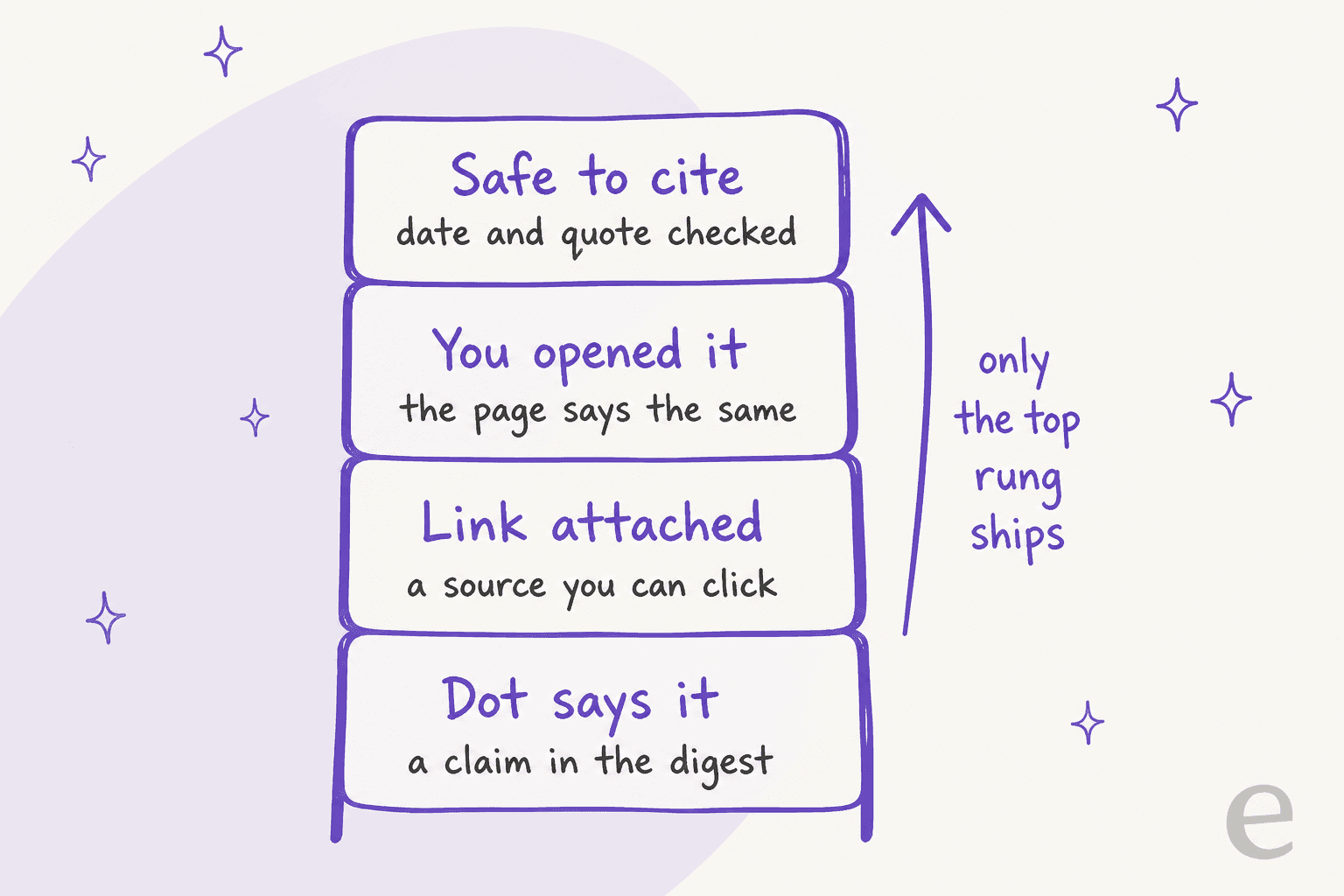
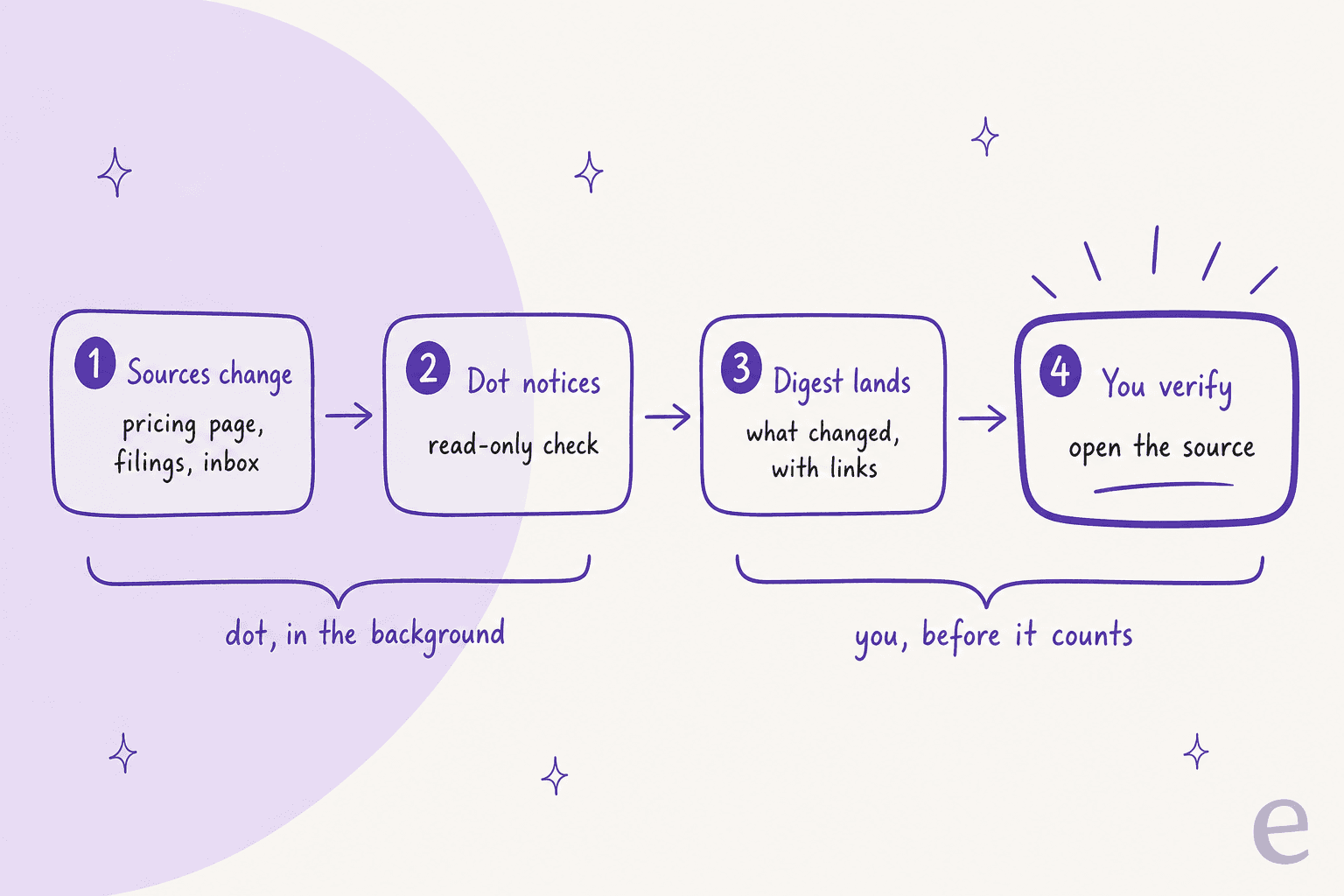
I treat every finding as a lead until it climbs that ladder. Here is the checklist I use on research posts at eesel, and it works the same on a dot's digest:
- Ask for links, every time. Put "include the source URL for every claim" in the dot's instructions. A claim without a link stays off your notes.
- Open the page. Confirm the page actually says what the dot says it says. Paraphrase drift is the most common error I catch.
- Check the date. Pricing pages and help articles change. A dot can quote an old cached version or a third-party copy.
- Prefer the primary source. A vendor's own pricing page beats a blog summarizing it. If the dot only found a summary, ask it to find the original.
- Note what it could not see. Paywalled databases and logged-in tools are invisible unless connected. Silence is not evidence.
Searching well is a skill on its own. For content research specifically, see how to research blog topics and these AI tools for keyword research.
Where do dots fall short for research?
Three limits stand out for researchers.
No research plan you can edit. Deep research shows you its plan before it starts. A dot decides for itself how to pursue a watch goal, which is great for routine checks and weaker for a high-stakes question where you want to approve the method.
Price for a single researcher. The entry point is $100/month. One Hacker News commenter liked the idea for market research but balked at the plan:
"I would use dots to manage things like market research, checklists, and design ideas. Since it starts with the Pro pricing plan, I'll have to try it out later when it's available on the Plus plan."
It works for one person. A dot runs in your accounts and keeps private notes. Findings stay in your digests unless you share them. Teams that want shared research tend to use Work scheduled tasks, which can be shared, or a common channel. Another commenter described that shared pattern working well for them:
"We use it for quick research that other teammates can follow, filing bugs, quick first round investigations on incidents, etc."
Other personal agents compete for the same desk, such as Meta Muse, Grok Bot, and Instinct AI.
The best AI assistants roundup compares more, including Microsoft's Copilot Autopilot.
For sibling jobs, see dots for work, dots for sales, and dots for recruiting.
What happens after the research is done?
For a lot of teams, research is not the end product. It feeds something: a report, a sales brief, or most often for marketing teams, an article. That last step is where I spend my days. I write for eesel's blog, and the hard part of a research-heavy post is never finding one more link. It is turning a pile of verified sources into a structured, cited piece that a reader trusts, with images, internal links, and a clear angle.
A dot does not do that job. It watches and summarizes for one person. Publishing a post needs a writer that owns the whole pipeline.
That is what eesel's AI teammates are for. They are ready-to-work hires for defined jobs: the AI helpdesk teammate for support, and the AI blog writer for content. The blog writer researches primary sources for a topic, then drafts a long-form post with citations, generated infographics, and product screenshots, ready for your edit.
If you want the mechanics first, I broke them down in the AI blog writer explainer and the blog writer workflow.

The two fit together. Let your dot watch a market and flag that a competitor just changed its pricing. Then hand the topic to a writer built to research it properly and publish. For SEO teams, the SEO blog writer comparison shows how the options stack up. For teams that publish at volume, see AI blog writer automation.
If your team works in the terminal, eesel has a CLI that operates the same teammate and workspace from scripts, and coding agents like Codex or Claude Code can drive it. A content ops engineer could have a script kick off a draft the moment a watch list flags a new topic, without opening a dashboard.
To be fair to the dot: if your research ends in your own notes, you do not need eesel. A dot is a good fit. The line is the deliverable. If the research needs to become a published, cited article, that is a writing job, and it belongs to a writer.
Try eesel for the post after the research
Let your dot watch the sources and flag what changed. When a finding deserves a full article, eesel's AI blog writer researches the primary sources, drafts a cited long-form post with images, and hands it to you for review. It is free to try, and pricing is published.
Frequently Asked Questions
Can OpenAI Dots be used for research?
What is proactive research in OpenAI Dots?
Is a dot the same as ChatGPT deep research?
Can I trust the sources a dot finds?
How much does a dot cost for research work?
Can a dot research my company's internal documents?
What is a good alternative to Dots for research?


Article by
Kurnia Kharisma
Kurnia is a software engineer and writer at eesel AI with two years of SEO experience, writing about AI tools, helpdesk software, and customer support. He pairs a developer's understanding of how these products are built with search-driven research into what actually ranks and resonates with the people searching for them.