
What is a dot, for an operations manager?
A dot is the agent OpenAI launched at DevDay on September 29, 2026. OpenAI's announcement describes an always-on agent in ChatGPT with its own cloud computer, its own memory, and access to your connected apps. My OpenAI Dots overview covers the launch in full. Four details matter for ops work.
- It works on a schedule. OpenAI's getting started guide says you can ask for recurring checks, and scheduled tasks show up in the dot's profile under In progress, Scheduled, and Completed.
- It has its own computer. A dot runs a Linux machine with Chrome, so it can work in web tools that have no plugin, using your saved sign-ins.
- It lives where your team talks. Dots work in ChatGPT, Slack, and Microsoft Teams, and carry context across all three.
- It has a plan gate. Your first dot comes with Pro (from $100/month) and the Business Premium seat. Free, Go, and Plus don't include one. My OpenAI Dots pricing post has the full breakdown.
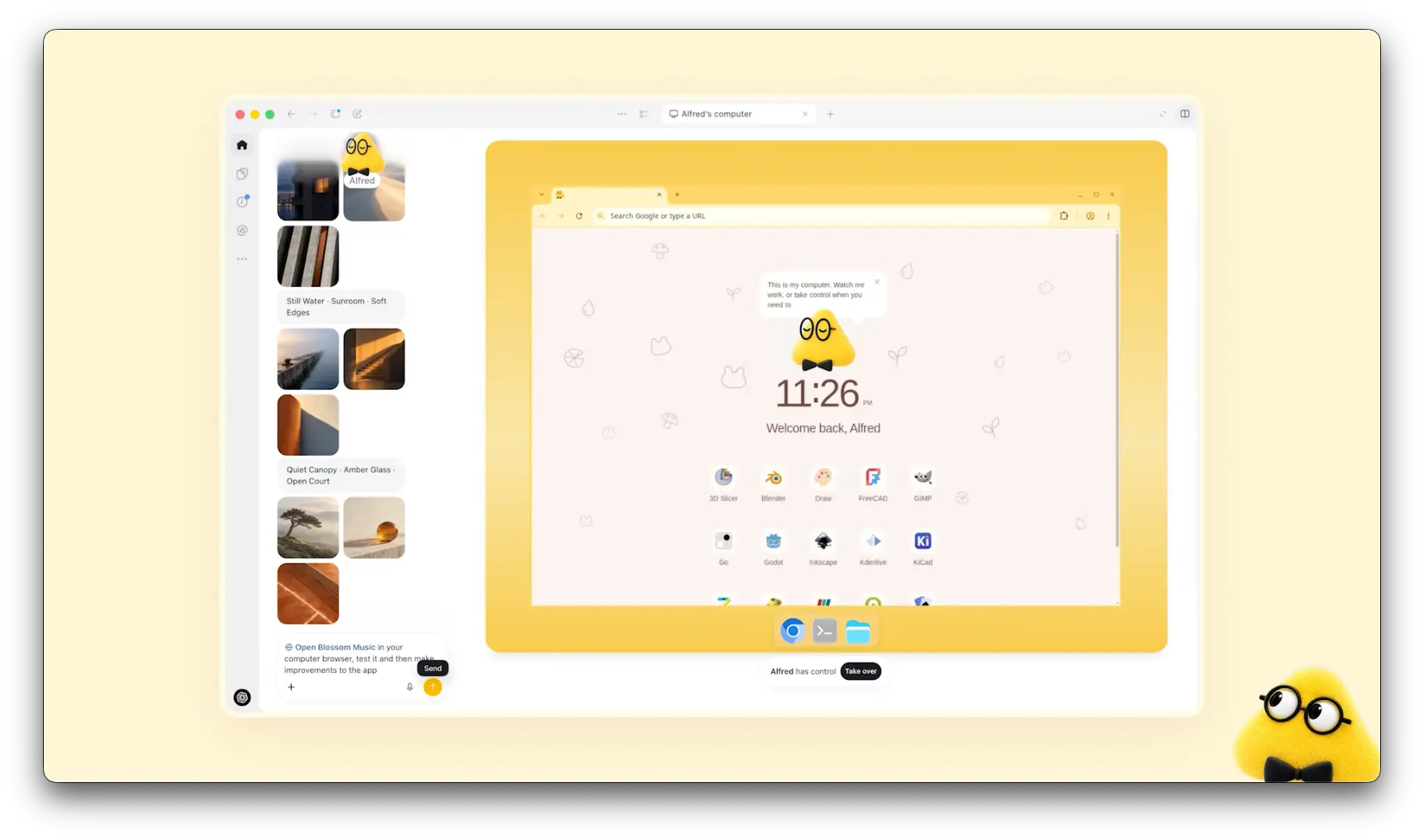
Take over is the button to notice. If a dot gets stuck in a web portal, you step into its computer and finish the step yourself, and with old supplier portals that's the feature you'll lean on most.
Which operations tools can a dot use?
Dots use the same plugins as ChatGPT, so my ChatGPT apps directory guide applies here too. I went through each listing in the ChatGPT plugin directory, and I kept to what the vendor says the connection does.
- Intuit QuickBooks: profit and loss, cash flow, balance sheets, and AR/AP aging reports, plus invoices, estimates, payments, customers, and payroll from chat. It ships a
chase-overdue-invoicesskill, along withemail-to-estimate-invoice,analyze-payroll-cost, and a Business Health Check. My QuickBooks integrations post covers other ways to connect it. - Stripe: retrieve and manage payments, subscriptions, invoices, refunds, disputes, and customers, and create products, prices, and payment links. See Stripe payments in ChatGPT for the checkout side.
- Gusto: prepare an upcoming payroll and compare it with recent runs, fix timesheets, bring in hours, tips, and reimbursements from spreadsheets, and onboard a new hire from an offer letter. Gusto says writes require confirmation.
- NetSuite: Oracle's AI Connector Service, built on the Model Context Protocol, for reports and records. The listing says it keeps NetSuite's existing role-based security model.
- Shopify: manage inventory across locations, create discount codes, review orders and customer details, and pull store analytics. My Shopify AI post covers Shopify's own tools.
- Docusign: send an envelope from a template, list envelopes still waiting for signature with days pending, and review completed agreements for renewal dates.
Airtable and Google Drive cover the trackers and sheets most ops teams actually run on, and OpenAI's own Zendesk plugin is in beta, with a listing that says it updates Zendesk "only when requested."
Worth flagging that Gusto has two listings in the directory. One is published by Gusto Inc, the other shows "App developer" in the developer field. Read the developer line before you connect payroll to anything.
OpenAI doesn't publish a per-plugin table of which actions run inside a dot's background tasks either, so I'd test each tool with one read-only job before scheduling anything.
Where does a dot help an operations manager?
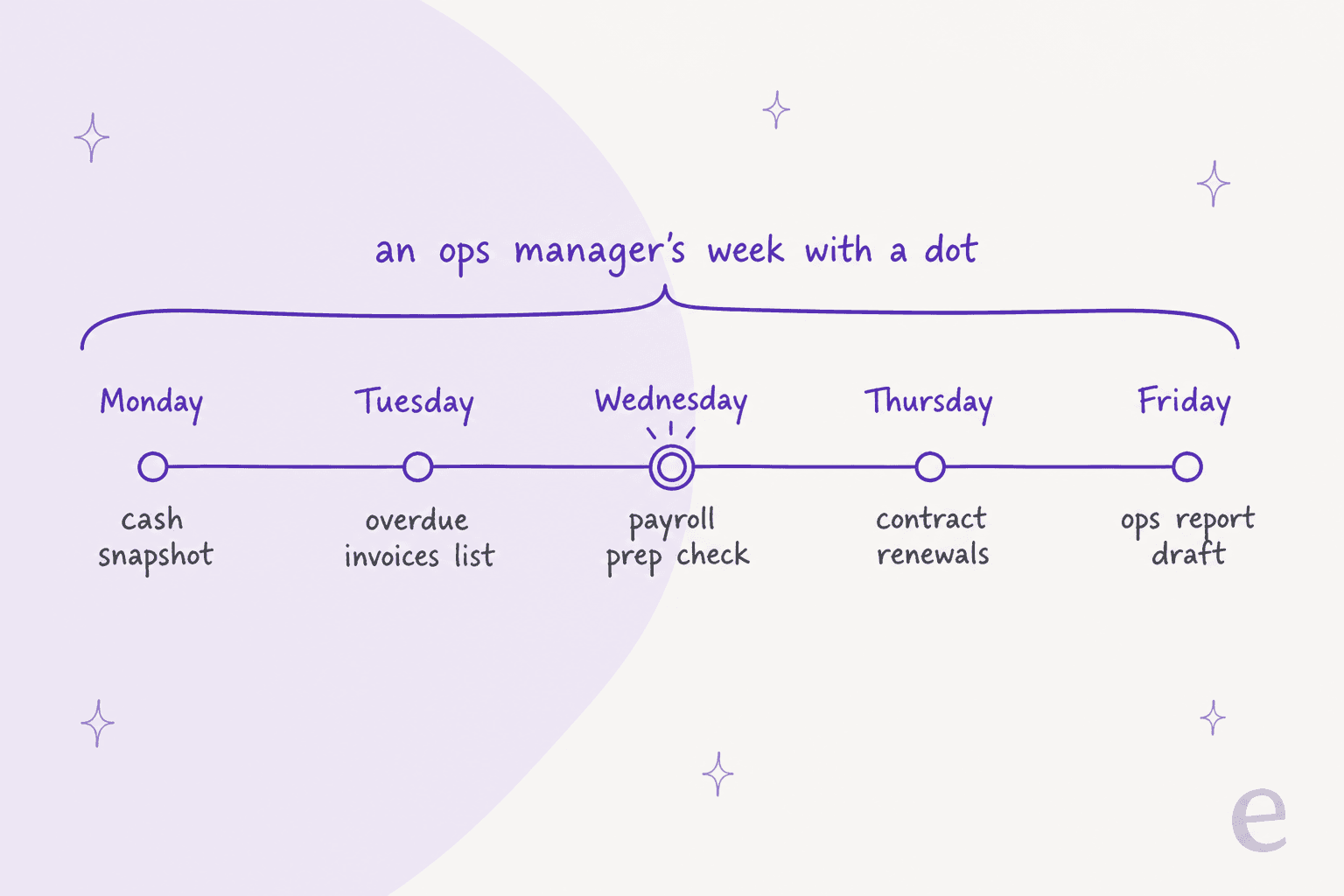
The pattern is the same one I described in Dots for work: reading, checking, and drafting work that comes back to you before it touches money or people. Here's how that maps onto an ops week.
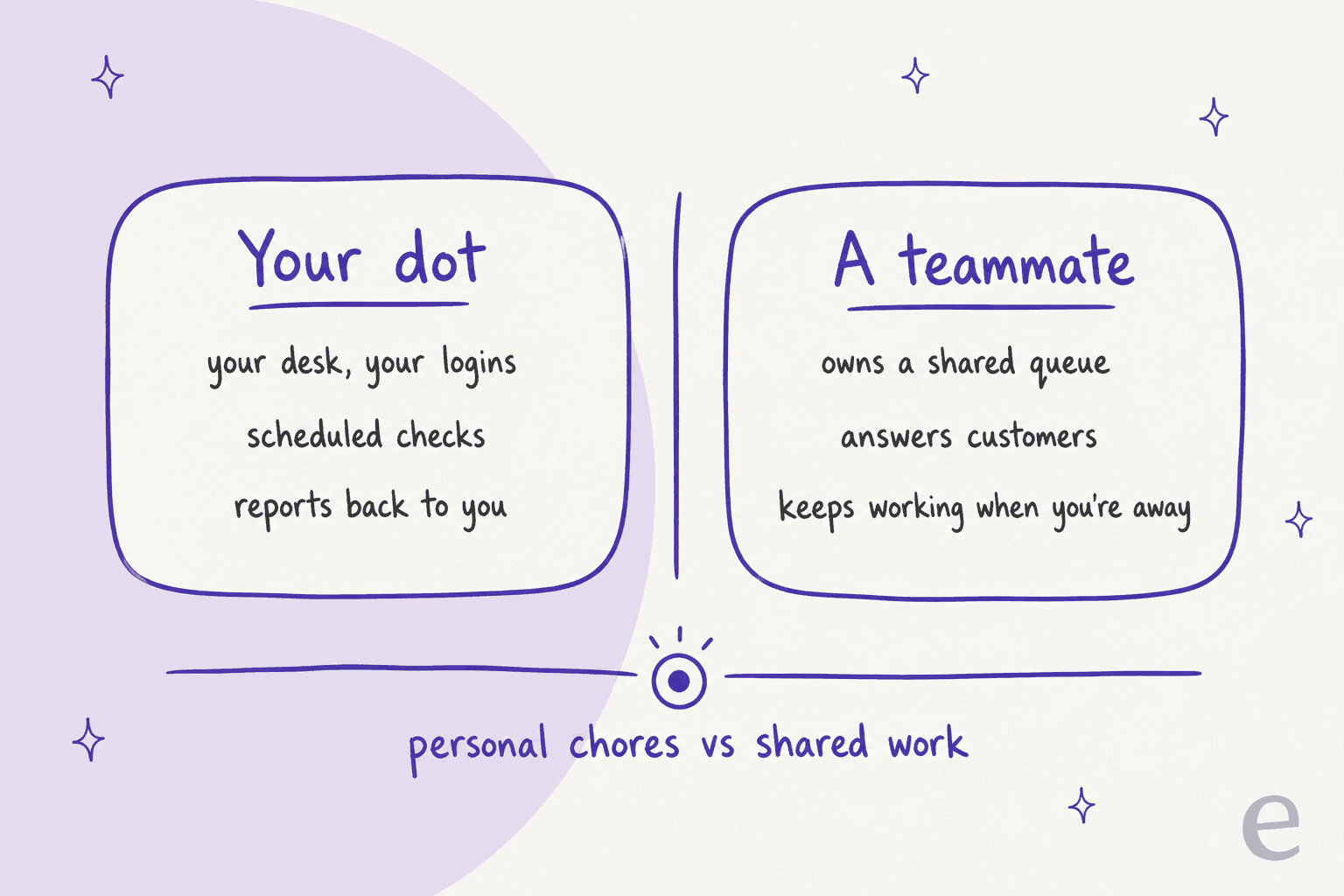
Monday cash snapshot
Schedule a Monday check: cash position from QuickBooks, last week's Stripe payments and failed charges, and Shopify sales against the week before. A dot remembers, which means it can compare this week against the last few and you paste nothing in.
Tuesday overdue invoices list
QuickBooks' chase-overdue-invoices skill is built for this. Ask the dot for unpaid invoices grouped by customer and age, with a draft reminder for each. I'd keep the sending with you for the first month, since a polite reminder to your biggest customer on the wrong day is a relationship problem and not an AR win.
Wednesday payroll prep check
Payroll prep is where a dot pays for itself. Ask it to prepare the upcoming Gusto payroll, compare it with the last three runs, and flag anything odd: new hires, missing hours, a reimbursement twice the usual size. You read the flags and then submit it yourself.
Thursday contract renewals
Ask the dot for Docusign envelopes still waiting for signature, sorted by days pending, and agreements with a renewal date in the next 60 days. Most small teams keep these two lists in a spreadsheet that nobody remembers to update.
Friday ops report draft
Ask for one page: cash, sales, overdue AR, payroll status, open contracts, and anything that needs a decision. I'd edit the "needs a decision" section yourself, as the founder or finance lead reads that part most.
One Hacker News commenter described this kind of business as the obvious fit, with one condition:
"I can imagine something like Dots being utterly invaluable for running a traditional brick and mortar business, streamlining all of the admin work, but until they're really safe and well integrated we'll have to wait..."

The "safe" half of that comment is mostly up to you, and below is where I'd draw the lines.
Where should a dot stop touching the money?
Settle this before you connect anything with write access. A dot works as you, and in ops that often means it carries your signing authority.
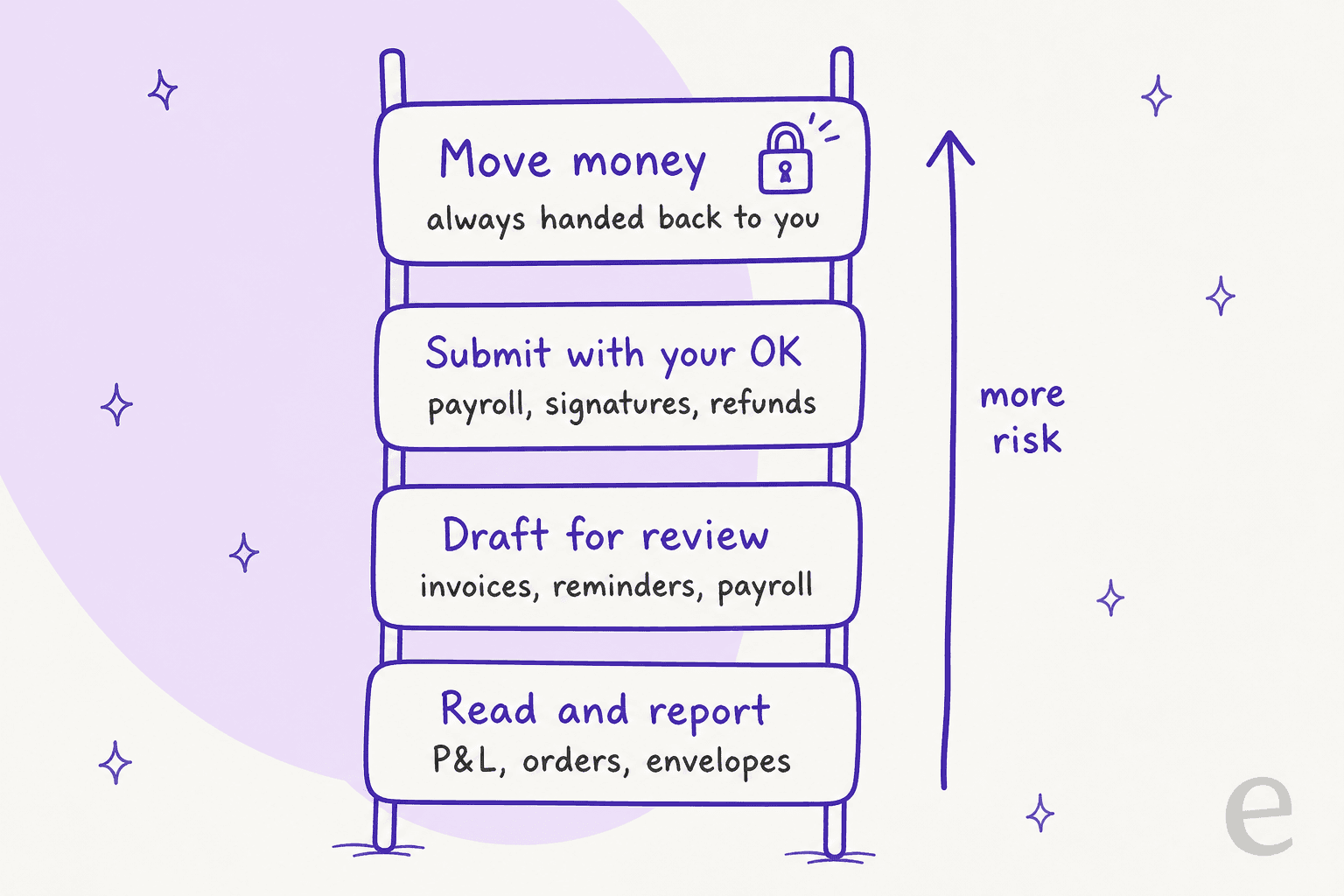
- Money transfers always come back to you. OpenAI's privacy and safety FAQ says that for sensitive steps, "including changing a password or transferring money between financial accounts," a dot can help with the surrounding task but must hand the step back.
- Purchases need your approval. OpenAI's safety post says dots can buy with cards already saved on a merchant's site, with approval that can be given in advance when it covers that specific purchase. Reordering the usual office supplies fits within that, but an open-ended "keep us stocked" does not.
- Refunds sit in a gray zone. The Stripe plugin lists refund management, and OpenAI doesn't say whether a refund counts as moving money. I wouldn't find that out the hard way, so write a Custom Rule that makes the dot ask before any refund or credit, and before any discount code. For refunds customers ask for, see my AI refund automation guide.
- It doesn't wake up on business events. OpenAI's apps guide lists the events that can start a Work task: new Gmail messages, new Slack channel messages, and GitHub pull request activity. A new Shopify order, a Stripe dispute, or a payroll deadline isn't on that list. Scheduled checks do work, though they run with a delay. My ChatGPT Work guide covers how triggers behave.
- You can't edit its memory line by line. You currently can't view or delete individual dot memories, and disconnecting a plugin doesn't remove what the dot already learned. Deleting the dot is the only full reset. That is worth thinking over before the dot gets to read payroll.
Approval prompts only work if you still read them. Another Hacker News commenter made the point about approving every step:
"The approval-every-call model does train you to say yes, so it stops being a control. What I've found works better is gating on the class of action rather than each call."
That matches what I'd do in ops. Reads run freely and drafts come to you, then anything that pays or refunds, also anything that signs, always asks.
How should an ops manager set up a dot?
Set the boundaries before the first task, which takes about 30 minutes.
- Use a work seat for company data. On personal plans, the "Improve the model for everyone" setting controls whether dot work can be used for training. Business, Enterprise, and Edu workspaces aren't used for training by default. See ChatGPT Enterprise for the admin side.
- Connect one finance tool, read-only first. Let the Monday cash snapshot run for two weeks before the dot drafts or changes anything.
- Where you can, give it a narrow role. NetSuite keeps role-based security, so create a role for the dot with only the records it needs. QuickBooks and Shopify have user roles too, so do the same there if your plan allows it.
- Write Custom Rules for money. Something like "never send an invoice reminder, issue a refund, create a discount code, or submit payroll without asking me." Dots can suggest rules but need your approval to change them.
- Keep one human checkpoint per week. The Friday ops report is the natural place for it, and if its numbers look wrong, the dot's picture of the business is wrong too.
Should a dot or a teammate do the job?
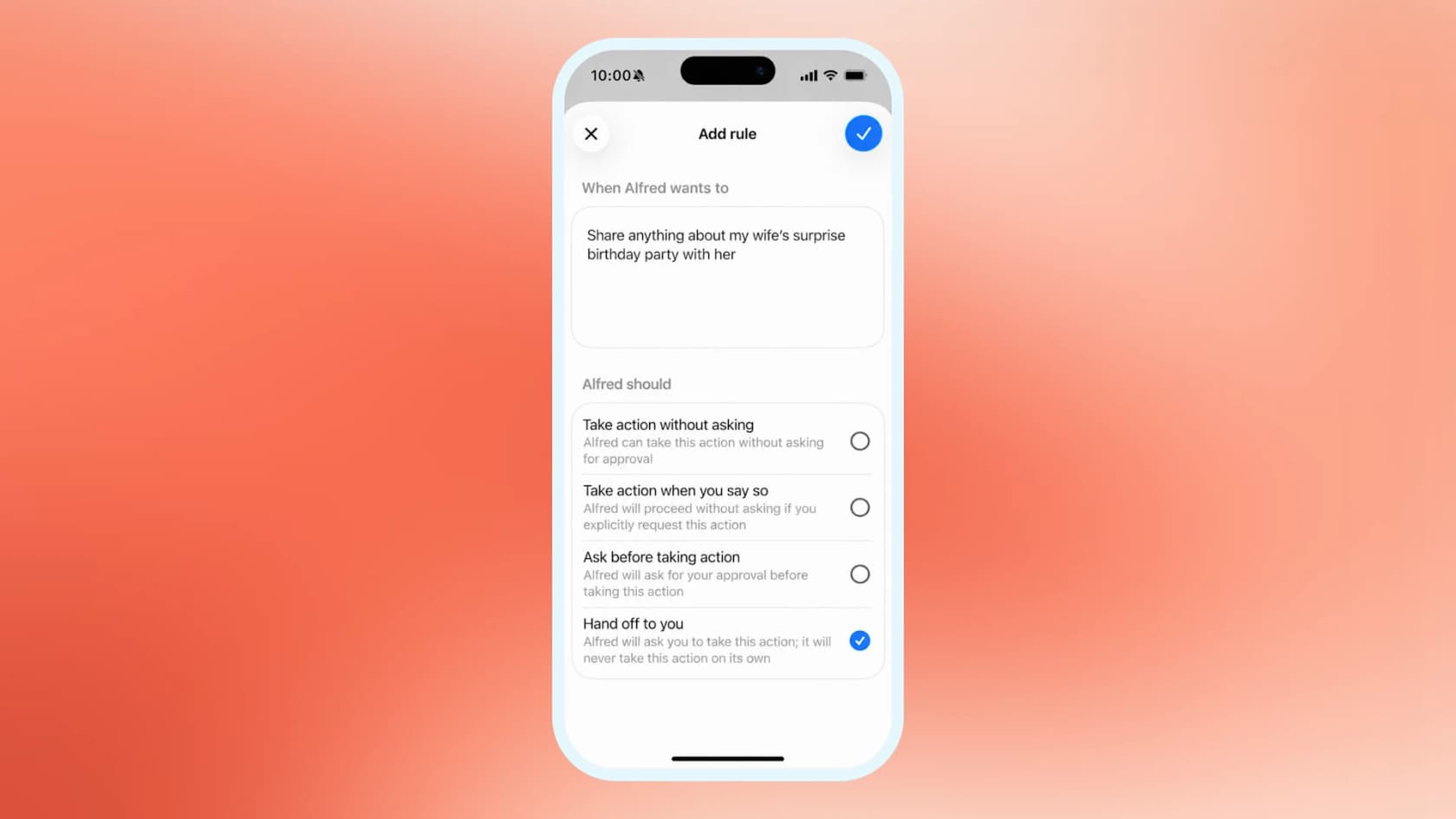
Here's the test I use. A dot is a personal agent that works at your desk with your logins and reports to you. Some ops work isn't yours but the team's, and it has to keep running when you're on holiday. That's a job for a teammate with its own seat, not a personal agent.
| Ops task | Better fit | Why |
|---|---|---|
| Monday cash and sales snapshot | Dot | Scheduled, read-only, reports to you |
| Overdue invoice list with draft reminders | Dot, with review | QuickBooks skill drafts, you send |
| Payroll prep and anomaly check | Dot, with review | Gusto writes need confirmation |
| Contract renewal sweep | Dot | Docusign read, reports to you |
| Moving money between accounts | You | OpenAI hands it back by design |
| Reacting to each new order or dispute | Tool automation | Dots don't trigger on those events |
| Answering customers about orders and refunds | A helpdesk teammate | Shared queue, has to run without you |
For the personal-agent side, Meta Muse and Instinct AI for operations take different approaches. For the teammate side, my colleagues' AI teammates post goes deeper on the split.
Where does the ops work really come from?
I'd think hardest about that last row. From where I sit on the support queue, a big share of operations work shows up as a customer message. "Where's my order" is a fulfillment question. "Can I get a refund" is a finance question. "I was charged twice" is a Stripe question. Each one needs a lookup in two tools before anyone can answer, and that is why most stores end up with an ecommerce helpdesk sooner than they planned.
That's what eesel's AI helpdesk teammate is for. It joins your helpdesk and learns from past tickets, your help center, and your policies. Then it looks up order data, answers what it can, and escalates the rest with context. eesel has spent years putting AI on live support queues, and one IT manager at a Spanish foodservice equipment company described their after-sales support setup this way in a G2 review:
"It integrates with our Freshdesk and Shopify, and the customer support from the eesel team has been very good."
What ops managers care about is that it follows your rules and not a generic script. One support admin taught their eesel teammate a "troubleshoot before you cancel" policy in plain words: "I have a rule in CS where we do not address a cancel or refund request when there is an issue attached to it." A policy like that protects revenue, and it gets set once instead of being re-explained every shift.

eesel works with Zendesk, Gorgias, Freshdesk, and other helpdesks, and covers Shopify customer support with live order data. Before it answers a live customer, you can run it against your real past tickets in a simulation.
If you already use agents like Codex, the eesel CLI operates the same teammate from a terminal: eesel activity lists what the teammate did, and eesel approvals list shows actions, like a refund, waiting for a human. Every command prints JSON, so a script can pull "refund requests this week" straight into your Friday ops report. My colleague's AI agent CLI post covers it in depth.
To be fair to the dot, if your job is your own reports and payroll checks, along with reminders, it's the right tool and you don't need eesel for that. The line is ownership. If the work has to keep happening when you're away, give it to a teammate.
Is a dot worth it for operations?
If you already pay for Pro or a Business Premium seat, yes. Connect QuickBooks or Stripe read-only, schedule the Monday snapshot and the Wednesday payroll check, and put every payment, refund, and signature behind a Custom Rule. Those jobs on their own save a few hours a week. If you're hoping a dot runs the back office for you, it won't, because it has no event triggers on orders or payments, it hands money transfers back, and it acts as you.
For the product itself, my OpenAI Dots review has the hands-on verdict. If you run a small business, my AI for small businesses post covers the wider tool stack, and Shopify Sidekick is worth a look for store-side automation.
Take the order and refund questions off your desk
A dot can keep the back office tidy, but it can't answer the customer asking where their order is at 11pm. eesel's AI helpdesk teammate answers order, refund, and billing tickets in Zendesk, Gorgias, Freshdesk, and other helpdesks, follows the refund rules you give it, and runs on your past tickets in a simulation first so you see its answers before a customer does. Plans and credits are on the pricing page.
Frequently Asked Questions
Can OpenAI Dots be used for business operations?
Which operations tools work with OpenAI Dots?
Can a dot run payroll in Gusto?
Can a dot send money or issue refunds?
How much does OpenAI Dots cost for an operations team?
Can a dot react when a new order or Stripe dispute comes in?
Is a dot safe to connect to NetSuite or QuickBooks?
Should operations managers use OpenAI Dots or Instinct AI?


Article by
Riellvriany Indriawan
Riell is a designer and writer at eesel AI with about two years of experience researching CX platforms, AI chatbots, and helpdesk software. She combines her design background with a sharp eye for how these tools actually look and feel in practice — making her comparisons unusually visual and user-focused.