
How much does OpenAI Dots cost?
I've spent two years doing SEO, and when a keyword like "OpenAI Dots pricing" shows up the day after a launch, the searcher isn't asking for a number. They're asking "what's the cheapest plan that gets me one, and what's the catch?" So that's what this post answers, using only OpenAI's own pricing pages and help center.
The headline, per OpenAI's getting started guide: "Your first dot is included in your Pro or Business Premium plan at no extra cost." There's no dot add-on to buy. You pay for the plan, and the dot comes with it.
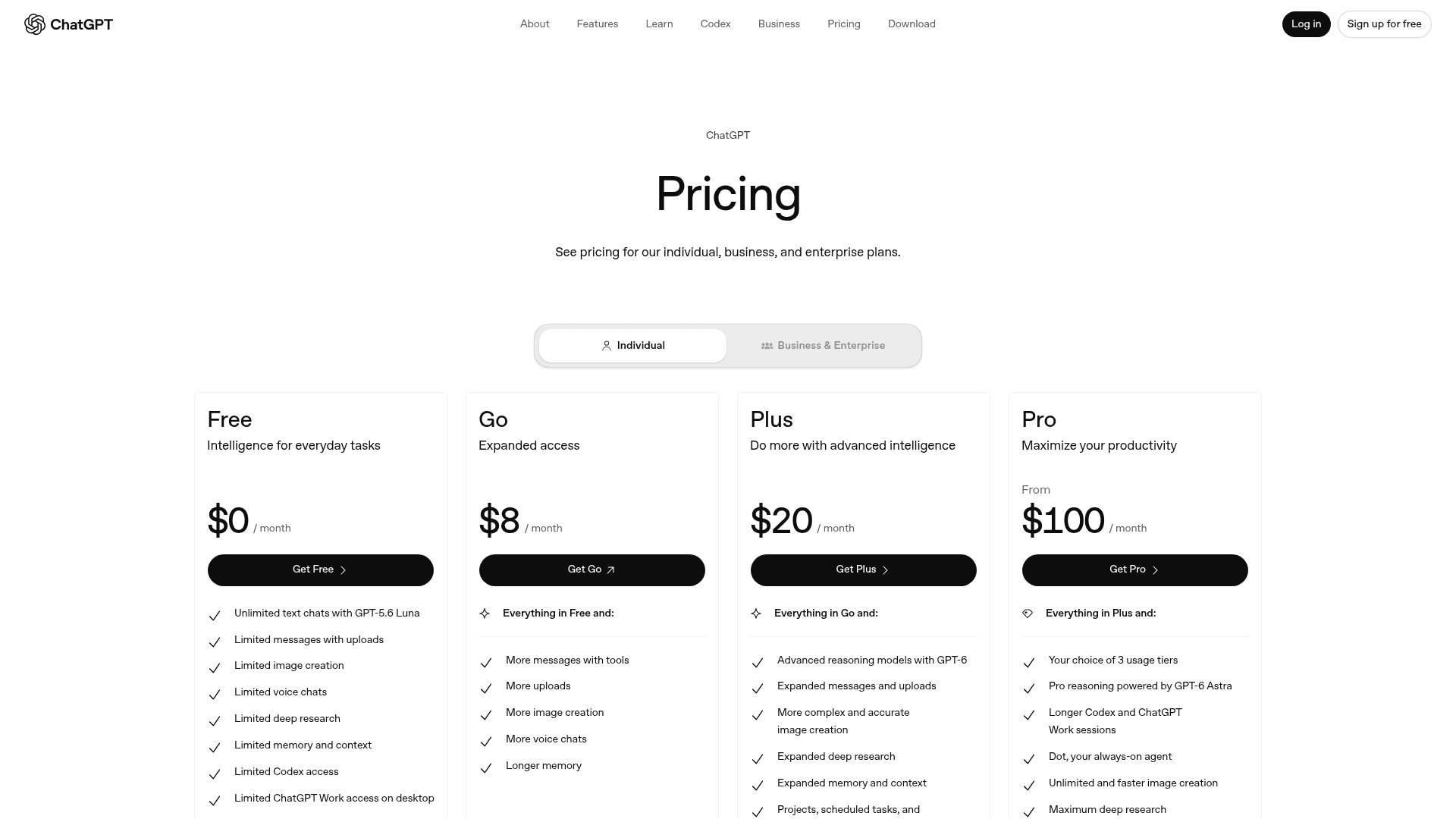
Here's every plan, with the details that decide whether it's the right one:
| Plan | Price | Dot included? | Region | Billing | Extras worth knowing |
|---|---|---|---|---|---|
| Free | $0 | No | - | - | - |
| Go | $8/month | No | - | Monthly | May include ads |
| Plus | $20/month | No | - | Monthly | Astra in Work and Codex, no dot |
| Pro 100 | $100/month | Yes, first dot | Not in EEA, Switzerland, UK | Monthly only | Texting beta (US, limited) |
| Pro 200 | $200/month | Yes, first dot | Not in EEA, Switzerland, UK | Monthly only | More usage than Pro 100 |
| Pro 500 | $500/month | Yes, first dot | Not in EEA, Switzerland, UK | Monthly only | Highest usage, Astra Ultrafast |
| Business Standard seat | $20/user/month annual, $25 monthly | No | - | Monthly or annual | Admin, SSO, no training on data by default |
| Business Premium seat | $100/user/month annual, $125 monthly | Yes, first dot | All supported regions | Monthly or annual | 5x Standard usage, no 5-hour limit |
| Enterprise, Edu, Healthcare | Custom | Beta, off by default | Admin enables it | Contract | Credit or token-based pricing |
Sources: ChatGPT pricing, OpenAI's Pro tiers article, OpenAI Business pricing, and the ChatGPT Business help page.
Two small things from that table trip people up. Pro is monthly only: OpenAI says "Annual billing and payment for multiple months in advance are not available." And Business prices "may vary depending on your country and currency type," so check your local checkout before budgeting.
Is Pro 100 really the cheapest way to get a dot?
For one person in the US, yes. But most coverage stops at "dots start at $100," and that skips the route that matters for a lot of readers.
Business Premium isn't a separate plan. It's the Premium seat inside ChatGPT Business, and OpenAI's Business page spells out the link: "Premium includes 5× more usage, no five-hour limit, and access to dots." The catch is that a Business workspace "requires at least 2 Standard or Premium seats in total: 2 of either type, or 1 of each."
So the smallest Business setup that gets you a dot is one Premium seat plus one Standard seat:
- Annual billing: $100 + $20 = $120/month
- Monthly billing: $125 + $25 = $150/month
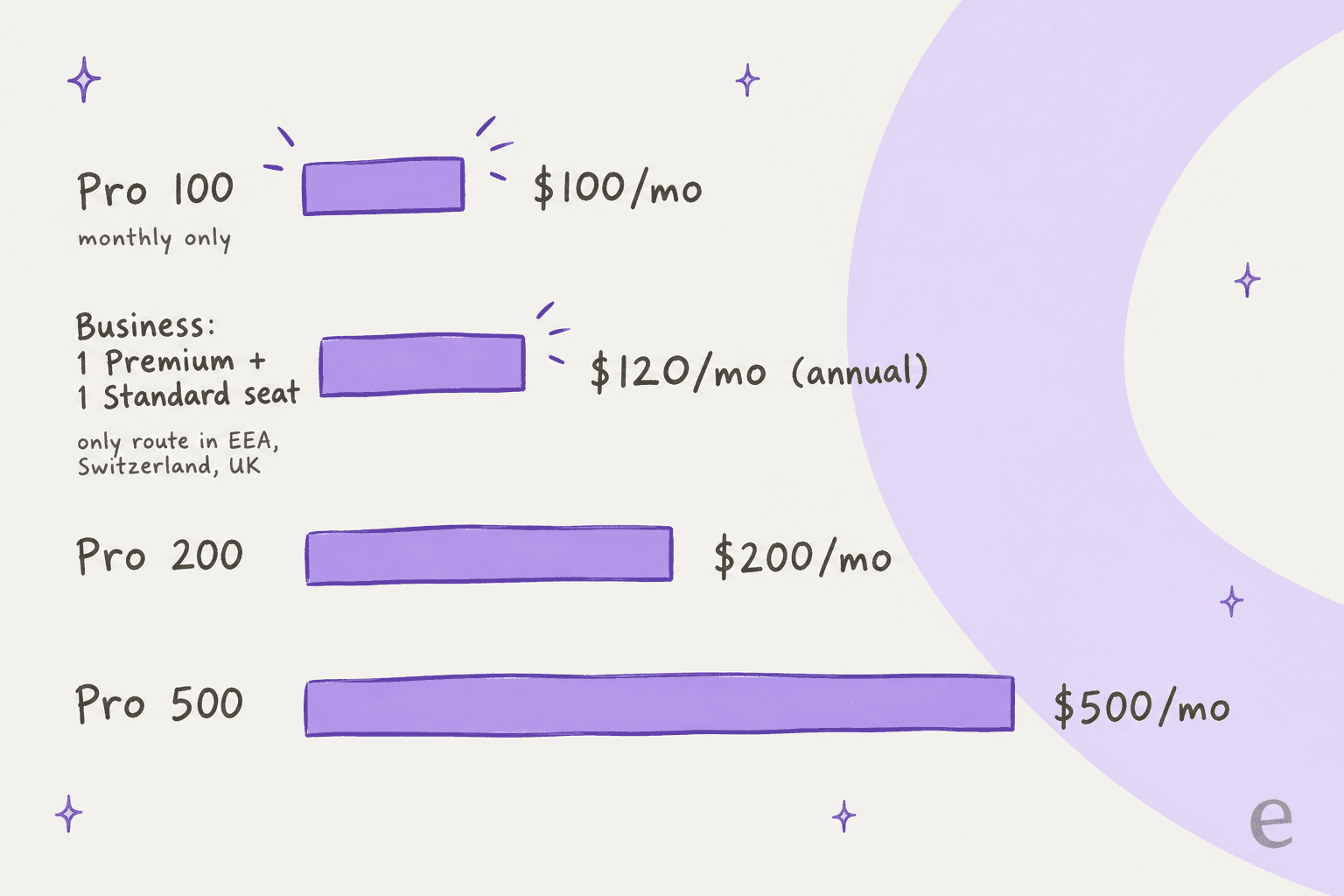
That's $20 more than Pro 100, and only one of the two people gets a dot. Why would anyone pick it? Three reasons:
- You're in Europe or the UK. The Pro rollout excludes "the European Economic Area, Switzerland, and the UK," while Business Premium is available "across all supported ChatGPT regions." For now, Business is the only door.
- It's for work. Business comes with SAML SSO, centralized billing, spend controls, and no training on business data by default. A personal Pro account has none of that.
- You already pay for Business. If your team is on Standard seats, upgrading one person to Premium is an $80/month step on annual billing, not a new subscription.
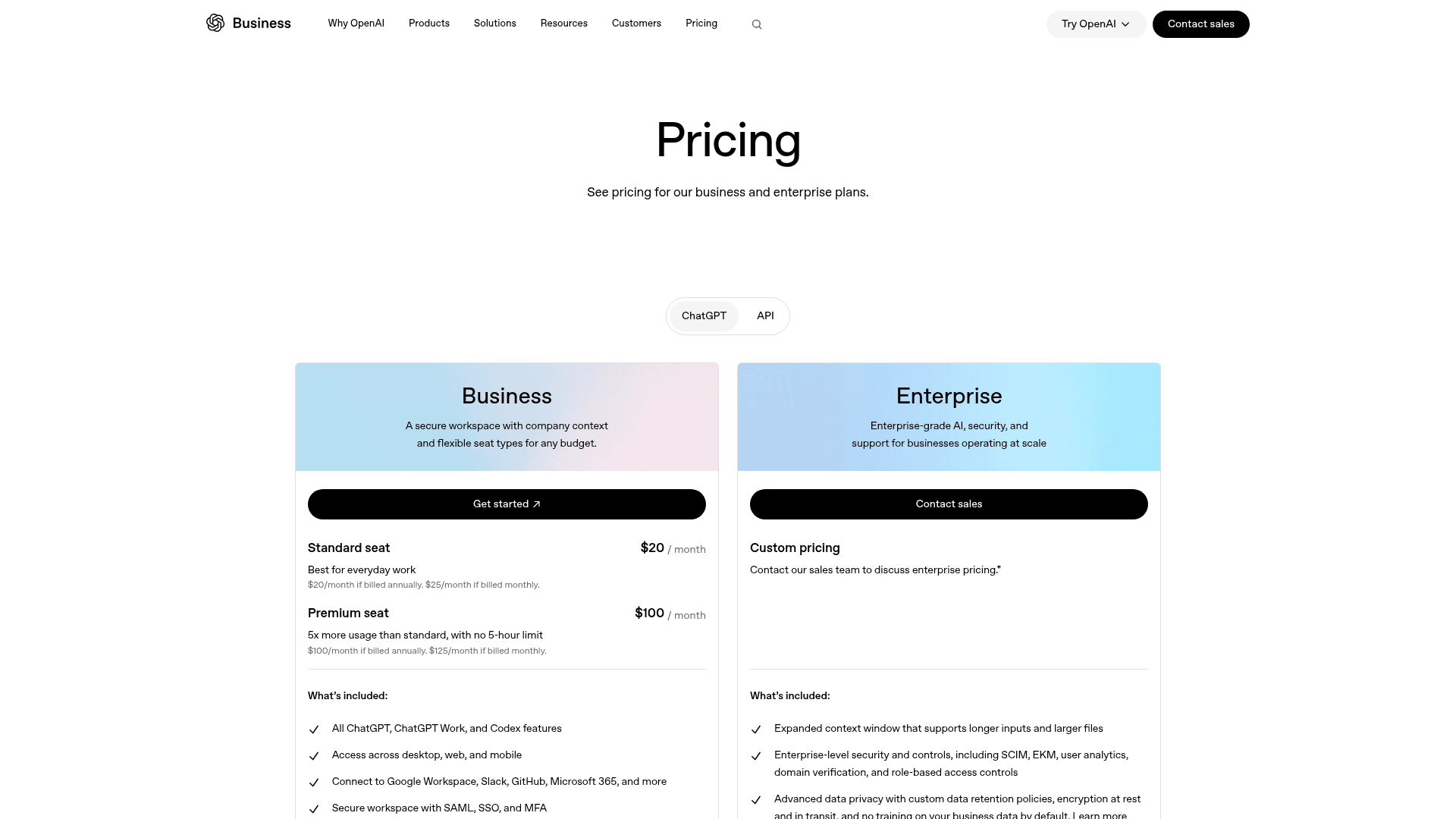
One oddity worth knowing: OpenAI's own Business pricing page doesn't mention dots on the Premium seat card at all. The connection only shows up on the Business landing page and in the help center, so the dot price is easy to miss if you only read the pricing page.
What does "included" actually cover?
This is the section that decides your real bill, so it's worth getting the billable unit straight. With dots, there are two kinds of work, and they're metered differently.
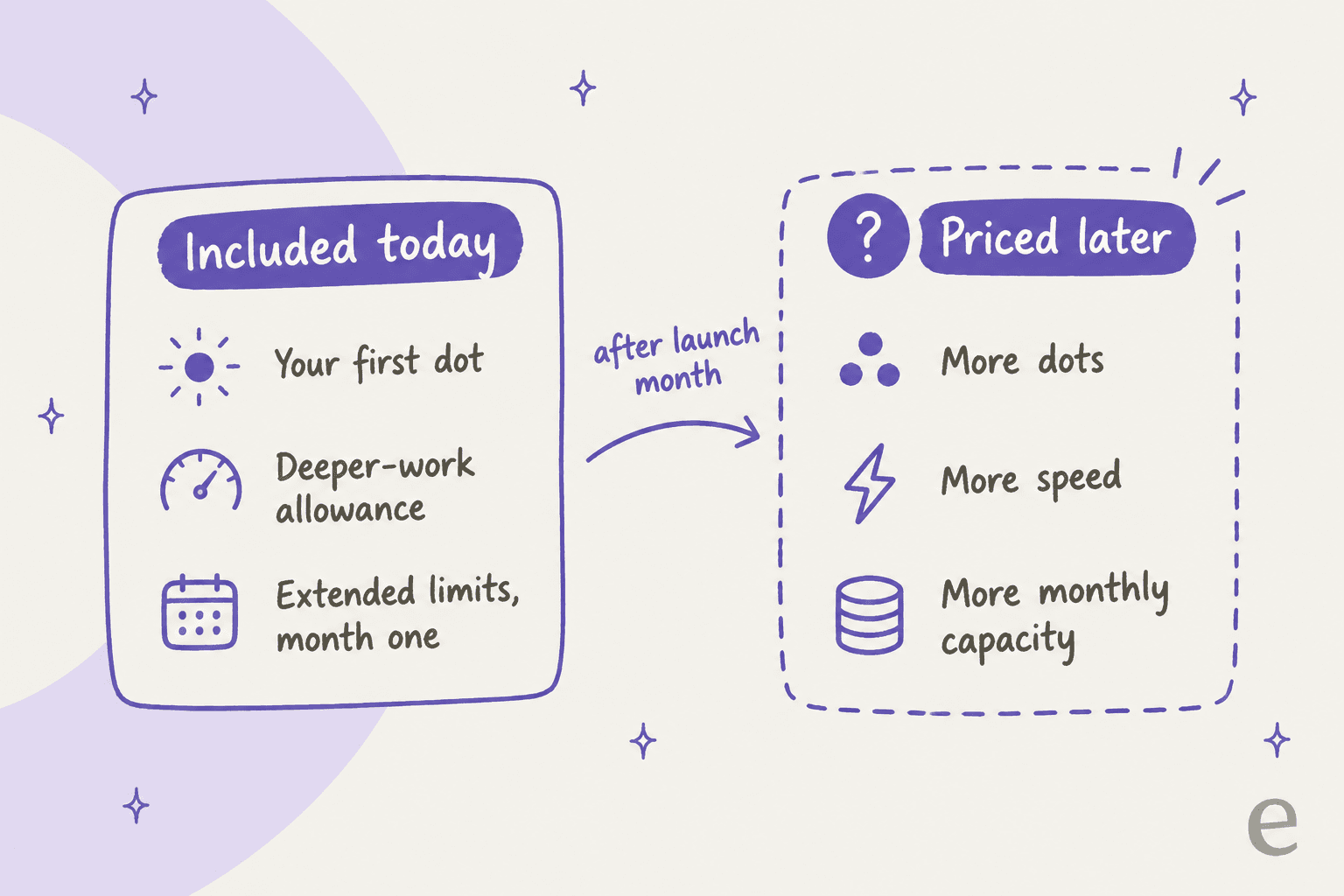
Talking to your dot is free against your limits. Per OpenAI's launch post, "Conversations with your dot don't count toward your ChatGPT usage limits." Your plan also includes "an allowance for deeper work, with extended limits for the first month after launch."
Work your dot delegates is not. The same post continues: "When you ask your dot to start or manage tasks in Codex or ChatGPT Work, those tasks count toward your usage limits as usual."
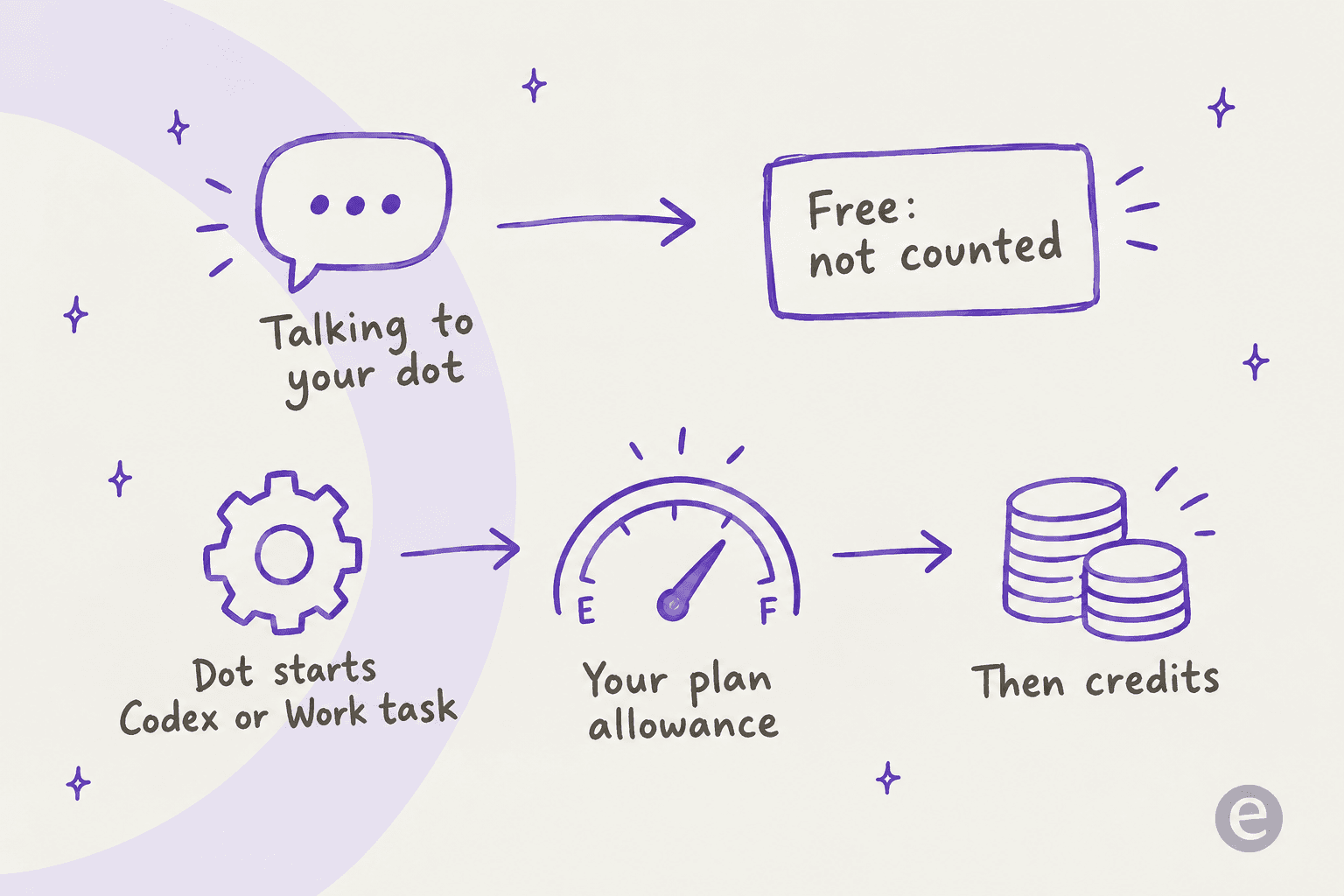
That matters because Codex and ChatGPT Work share one allowance, and it's the same one you use yourself. OpenAI's usage article says the pool is measured in two windows: a five-hour window and a weekly window, and you need room left in both. So a busy dot that ships three Codex tasks overnight can leave you rate-limited when you sit down in the morning.
OpenAI publishes rough estimates, not fixed caps, for how far that allowance stretches with GPT-6 Astra in Work and Codex:
| Plan (OpenAI's label) | Estimated Astra messages per 5 hours |
|---|---|
| Plus | 5-45 |
| Pro 5x | 25-225 |
| Pro 20x | 100-900 |
| Business Standard | 5-45 |
Those ranges are wide on purpose: a long coding task costs far more than a short question. OpenAI's article doesn't publish a Business Premium or Pro 500 column, and it notes that Astra at Low effort can beat GPT-6.1 Sol at High, so the effort setting your dot uses moves the number a lot.
When the allowance runs out, credits kick in. Per the Pro tiers article, "Included usage is used first, followed by your credit balance," and credits cover Codex, ChatGPT Work, and ChatGPT for Word, Excel, and PowerPoint. OpenAI's credits article says personal credits last 12 months, don't roll over, are non-refundable, and have prices that "can vary by account, region, and plan." Business workspaces buy credits separately through the ChatGPT rate card.
One more limit that catches Pro 100 and 200 buyers: Ultrafast, OpenAI's fastest speed mode, is only on Pro 500. "At launch, buying credits on Pro 100 or Pro 200 does not unlock Ultrafast." If you wanted a dot that finishes delegated coding work fast, that's a $400/month jump, not a credit top-up.
What will OpenAI charge for later?
OpenAI has been upfront that the current setup is a starting point. From the help center: "In the future, you'll be able to add more dots, and scale the output of each dot by either increasing its speed or the total amount of work it can take on per month."
None of that has a price yet. Right now, you get one dot per eligible seat.
Two things make me budget cautiously here.
First, the extended first-month limits will end. Whatever your dot gets done in October is not a reliable guide to November.
Second, OpenAI just showed how it handles allowance changes. The Pro tiers article says new Pro 200 subscriptions now get "a lower usage allowance than previously offered with Pro 200," at the same $200/month. Existing subscribers keep the old allowance only "through Oct 29, 2026." That's a fair way to run a transition, and OpenAI announced it clearly. But it's a reminder that on a subscription, the price can stay put while what it buys moves.
I hear this worry on eesel sales calls too. One budget-conscious buyer told me a previous vendor's price had more than doubled on them, and the first thing they asked about was locking the price in with a yearly contract. With dots, that option doesn't exist yet: Pro is monthly only, and the parts most likely to cost extra have no rate card.
What would a dot cost you? Three worked examples
Numbers land better with real setups. Here's what three common buyers would pay today, using only published prices.
| Buyer | Setup | Monthly cost | Dots | Notes |
|---|---|---|---|---|
| US freelancer | Pro 100 | $100 | 1 | Simplest route, monthly only |
| UK consultant | Business: 1 Premium + 1 Standard (annual) | $120 | 1 | Only route outside Pro regions; second seat can go to an assistant |
| 10-person agency, 3 want dots | Business: 3 Premium + 7 Standard (annual) | $440 | 3 | $550/month on monthly billing |
The agency row is the one worth pausing on. Three Premium seats at $100 each plus seven Standard seats at $20 each comes to $440/month. Putting all ten people on Premium would be $1,000/month. Either way, each dot works for the person who owns it, so the price grows with headcount, not with how much work the dots actually do.
That's the right model for a personal assistant. It's a clumsy one for shared work, which I'll come back to at the end.
How does Dots pricing compare with other always-on agents?
Dots launched into a crowded month. Here's how the entry prices line up, from each vendor's own pages:
| Agent | Entry price | How it's billed | Status |
|---|---|---|---|
| OpenAI Dots | $100/month (Pro 100) | Included in plan, one dot per seat | Rolling out |
| Meta Muse | $20/month (Power), $100/month (Maximum) | Weekly token allowance | Subscriptions in limited testing |
| Grok Bot | $20/month via Cursor Pro | Included in plan | Early beta |
| Copilot Autopilot | Usage-based Copilot Credits | Per agent action | Private preview |
| Instinct | No published price | - | Invite-only beta |
Meta's plans come from its subscriptions help page, which lists Power at 500M Muse tokens a week and Maximum at 3B. Grok Bot's prices are on x.ai/bot, which also lists SuperGrok at $30/month and Cursor Teams at $40/seat.
On sticker price, Dots is the most expensive way in. On what you get, it's closer than it looks: the $100 includes the whole Pro plan, with GPT-6 Astra, deep research, Codex, and ChatGPT Work. If you'd pay for Pro anyway, the dot is a free extra. If you'd only upgrade for the dot, it's an $80/month jump from Plus. The Grok Bot pricing, Meta Muse pricing, and Claude Cowork pricing guides go deeper on each alternative.
What are people saying about the price?
The launch thread on Hacker News passed 700 points on day one, and price was one of its biggest threads. The most common reaction was about who gets left out:
"The cost is going to be hard for many consumers to reconcile though. Free, Go, and Plus are probably the most popular consumer-facing plans, and Dots isn't available on any of those."

Readers outside the US felt the jump more, since Pro doesn't include dots in Europe or the UK yet:
"Quite an upsell from $20 to $100 to get dots, especially in non-US markets."
Not everyone thought it was steep. For people who'd otherwise host their own agent, $100 for a managed one sounded fair:
"I'm very excited to have frontier intelligence at a decent price, be available in a managed always on agent."
And one commenter who already runs always-on agents gave the most useful warning in the thread. The subscription is only part of the cost:
"On the flip side, since using Grok Bots my inference spend has 2-3x'd. It's worth knowing that tradeoff. Nonetheless I think Luna is a fantastic driver for these, and OAI has very good pricing overall."
That lines up with how dots are metered. An agent that works while you sleep will spend your allowance while you sleep, and with dots, the Codex and ChatGPT Work part of that spend comes out of your own limits.
Is a dot worth $100 a month?
My take, after reading every pricing page OpenAI published:
Worth it if you're already on Pro, or you'd use Pro's Codex, deep research, and Astra limits anyway. Then the dot costs you nothing extra, and the extended first month is a free trial. Keep an eye on how much Codex and Work time it burns.
Worth it on Business if you're in Europe or the UK, or you need a dot on a work account with SSO and no training on your data. Budget $120/month minimum on annual billing, and remember only Premium seats get a dot.
Not worth it yet if you're on Plus and would upgrade only for the dot. That's $960 a year extra for one feature whose limits get tighter after month one and whose add-ons have no price. OpenAI says it plans to bring dots to more users soon, so waiting costs you little.
The wrong tool if the job belongs to a team. A support inbox, a content calendar, or anything five people need to see is shared work, and a per-seat personal agent is an expensive way to cover it. OpenAI's own answer for that is specialist dots, which are still enterprise pilots with no public price. The AI teammates and AI employee explainers cover that category, and the best AI teammates roundup compares the options.
eesel, priced for the queue, not the person
If you came here pricing a dot for your support team, it's worth knowing there's a different model for that job. eesel is an AI teammate platform: you hire a ready-to-work teammate for a specific role. For support, that's the AI helpdesk teammate, which joins Zendesk, Freshdesk, Gorgias, Front, or Slack as a new member of the queue and learns from your past tickets, help center, and macros. For content, there's the AI blog writer.
The pricing is where it differs most from a dot. A dot is $100 per Premium seat and works for one person. eesel has no seat fees: one ticket or chat is one credit, and every agent on your team shares the same teammate. There's a free plan with 100 credits and no card, and paid plans start at $299/month for 500 credits. The full table is on the pricing page.

Before it answers a single customer, you can simulate it against hundreds of your past tickets and see how it would have replied, so you know what you're paying for before you pay for it. And if you like the idea of an agent you can run from anywhere, the eesel CLI drives the same teammate from a terminal or from coding agents like Claude Code, which the AI agent CLI guide walks through. Try eesel free and have it working on your real tickets the same afternoon.
Frequently Asked Questions
How much does OpenAI Dots cost?
What is the cheapest way to get an OpenAI dot?
Is OpenAI Dots included in ChatGPT Plus?
Do dot conversations count against my ChatGPT usage limits?
Does Pro 500 give you a better dot than Pro 100?
Can I buy OpenAI Dots in Europe or the UK?
How does OpenAI Dots pricing compare to other always-on agents?
Is OpenAI Dots worth it for a customer support team?


Article by
Kurnia Kharisma
Kurnia is a software engineer and writer at eesel AI with two years of SEO experience, writing about AI tools, helpdesk software, and customer support. He pairs a developer's understanding of how these products are built with search-driven research into what actually ranks and resonates with the people searching for them.