
What is a dot, for a project manager?
A dot is the agent OpenAI launched at DevDay on September 29, 2026. OpenAI's announcement describes an always-on agent in ChatGPT with its own cloud computer, its own memory, and access to your connected apps. My OpenAI Dots overview covers the launch in full. For PM work, four details matter.
- It runs several jobs at once. OpenAI says a dot can take a project and run with it "even while it's working on several others."
- It can work on a schedule. OpenAI's getting started guide says you can ask for a recurring check, and scheduled tasks show up in the dot's profile under In progress, Scheduled, and Completed.
- It lives where your team talks. Dots work in ChatGPT, Slack, and Microsoft Teams, and carry context across all three.
- It has a plan gate. Your first dot comes with Pro (from $100/month) and the Business Premium seat. Free, Go, and Plus don't include one.
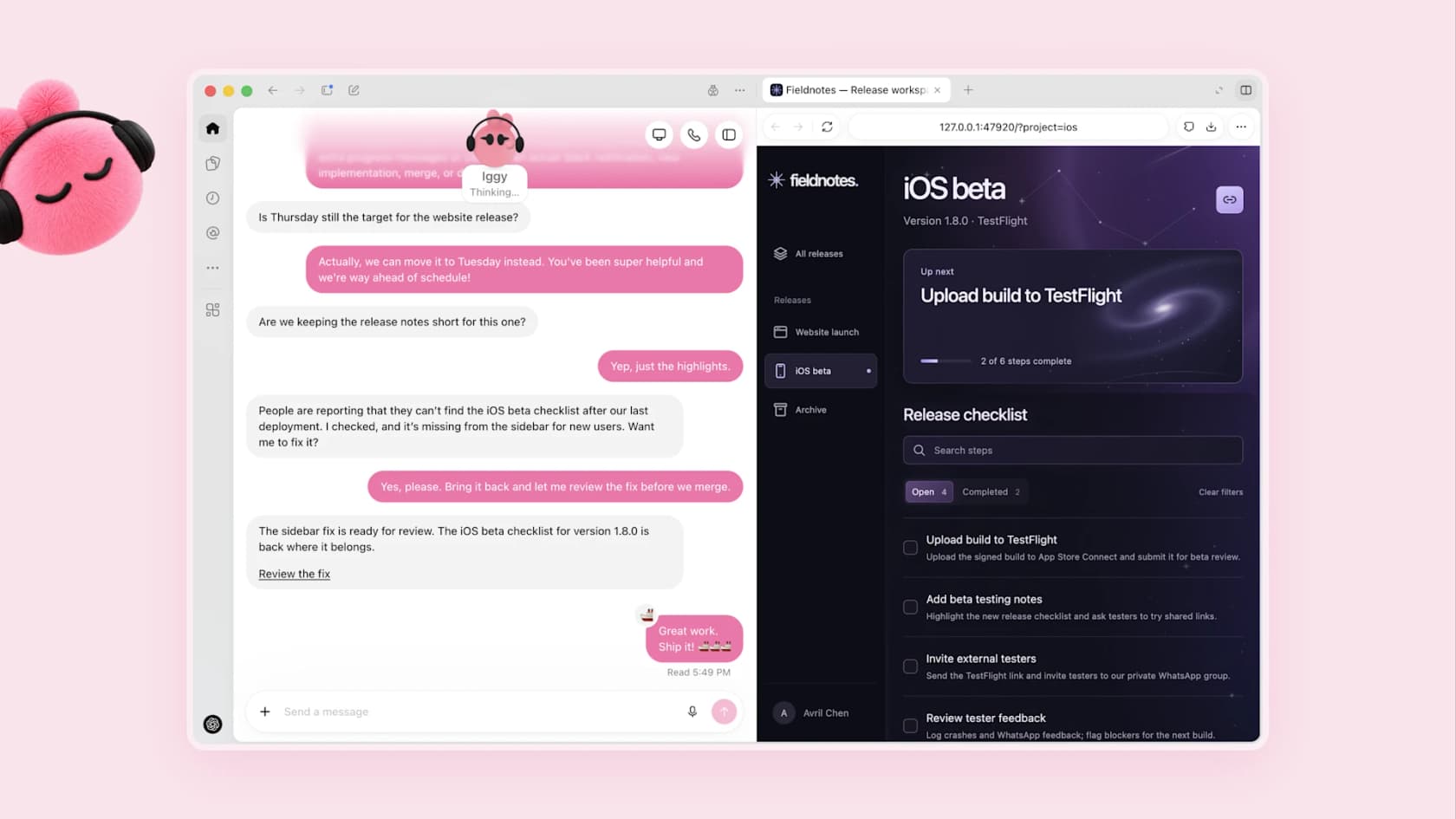
OpenAI's own launch example is close to PM work: a dot notices a release checklist is missing and asks before fixing it. That "notice, then ask" pattern is the right mental model for everything below.
Which project management tools can a dot use?
Dots use the same plugins as ChatGPT. I went through each listing in the ChatGPT plugin directory and kept to what the vendor says the connection does.
- Atlassian (Jira, Confluence, Loom, Bitbucket): create and update tickets, change statuses, add comments, and search, draft, and edit Confluence pages. It ships skills named
generate-status-report,jira-sprint-dashboard,spec-to-backlog, andcapture-tasks-from-meeting-notes. My Jira ChatGPT post covers the older setup. - Asana: tasks, subtasks, comments, due dates, and project details, with "prepare clear status updates" called out directly. The listing marks it as Interactive and Write. See Asana for the tool itself.
- monday.com: search boards, create and update items, assign owners, set timelines, and post updates. It can also plan monday.com automations and configure monday.com's own agents. More on the in-app side in monday.com AI.
- ClickUp: tasks, threaded comments with @mentions, ClickUp Chat messages, Docs, and time tracking. The starter prompt is "What's blocking my team right now?" See ClickUp AI.
- Linear: search, create, and update issues, projects, and initiatives, draft PRDs, and analyze customer requests. My Linear AI post covers Linear's built-in agent features.
Trello, Smartsheet, Wrike, Notion, and Airtable are in the directory too. Wrike ships a wrike-meeting-sync skill, and Smartsheet has separate US, EU, and AU listings, so pick the one that matches your data region.
The newest piece is Atlassian's. On September 29, Atlassian's community post added @ mentions for Jira and Confluence items in the ChatGPT composer and a pinned Atlassian Home with your assigned work, recent Looms, and pull requests awaiting review. A week later, OpenAI and Atlassian expanded their partnership and said they are exploring Jira integrations that let teams assign work to AI agents and review results. That is a plan, not a shipped feature, so don't buy on it yet.
One caution: OpenAI doesn't publish a per-plugin table of which actions run inside a dot's background tasks. Test each tool with one read-only job before you schedule anything.
Where does a dot help a project manager?
The pattern is the same one I described in Dots for work: reading, summarizing, and drafting work that comes back to you before anyone else sees it. Here's how that maps onto a PM's week.
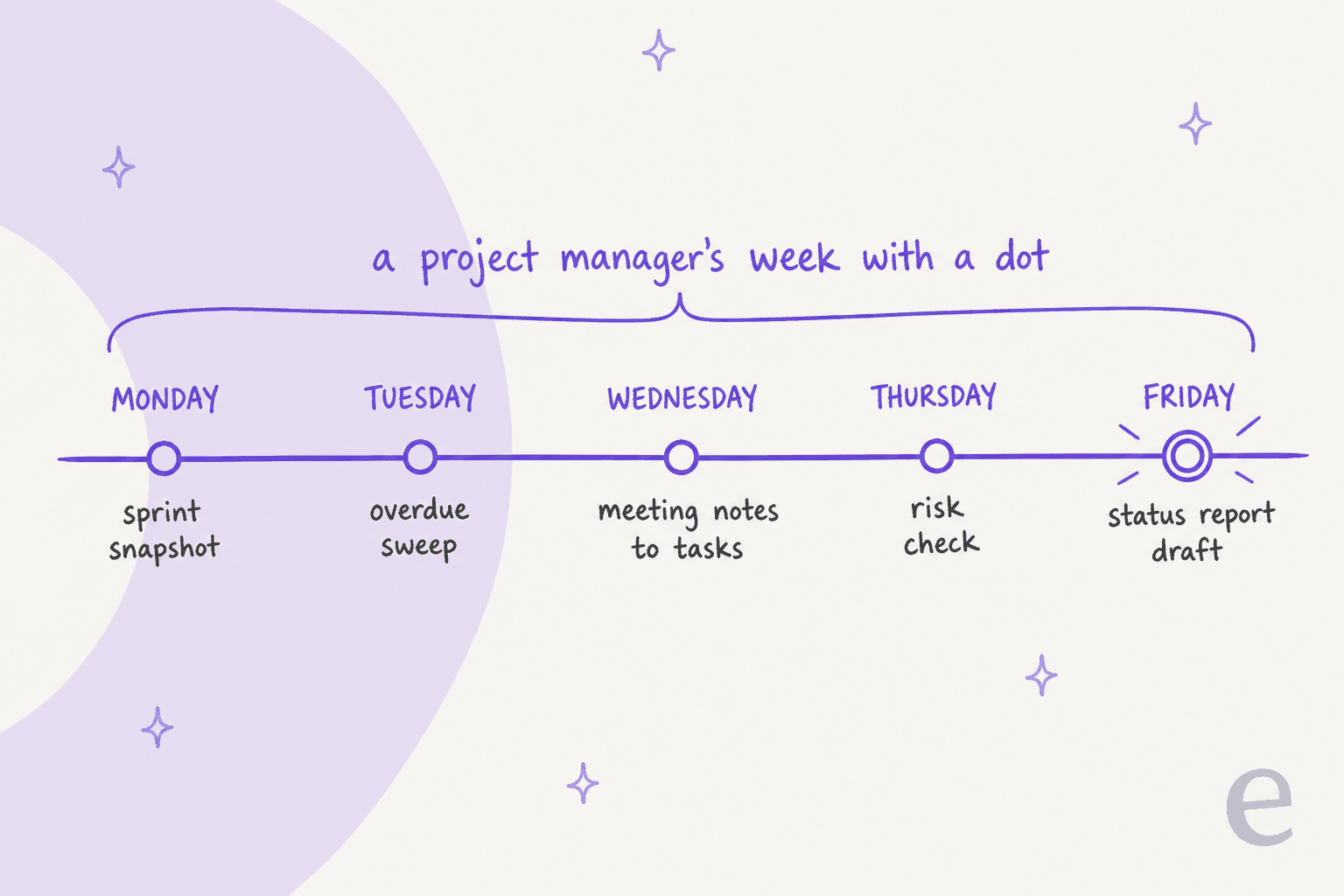
Monday sprint snapshot
Schedule a Monday check: open items in the current sprint, what moved since Friday, and what's unassigned. Because a dot remembers, it can compare this week with the last few without you pasting anything in. With Jira, the Atlassian plugin's sprint dashboard skill does most of the lifting.
Tuesday overdue sweep
Ask the dot to list tasks past their due date across your projects, grouped by owner, with the last comment on each. Keep this one read-only. The useful output is a list you take into stand-up, not a round of automated nudges to your team.
Meeting notes to tasks
Paste or connect the notes, then ask for draft tasks with owners and dates. Atlassian, Wrike, and Asana all advertise this. Have the dot show you the list before it creates anything, because it's guessing at owners from a transcript. If your notes live in a dedicated tool, my meeting notes app guide compares options.
Thursday risk check
This is the job where a dot's patience pays off. One Hacker News commenter described exactly this kind of work:
"The example above of going through a bug backlog and double-checking closed bugs for accuracy is exactly the kind of work that is excellent for an agent. Assign that task to a normal human being and they would hate your guts."

Ask the dot to flag tasks with no update in ten days, dependencies on blocked work, and milestones with less slack than last week. You decide what's a real risk.
Friday status report draft
Ask for a one-page status: done, in progress, at risk, decisions needed. Atlassian's generate-status-report skill and Asana's status update support are built for this. Edit the tone and the "at risk" section yourself, since that's the part stakeholders actually read.
Where should a dot stop touching the plan?
This is the question I'd answer before connecting anything with write access. A dot is a personal agent. Your project board is a shared record the whole team plans around. Here's the line I'd draw.
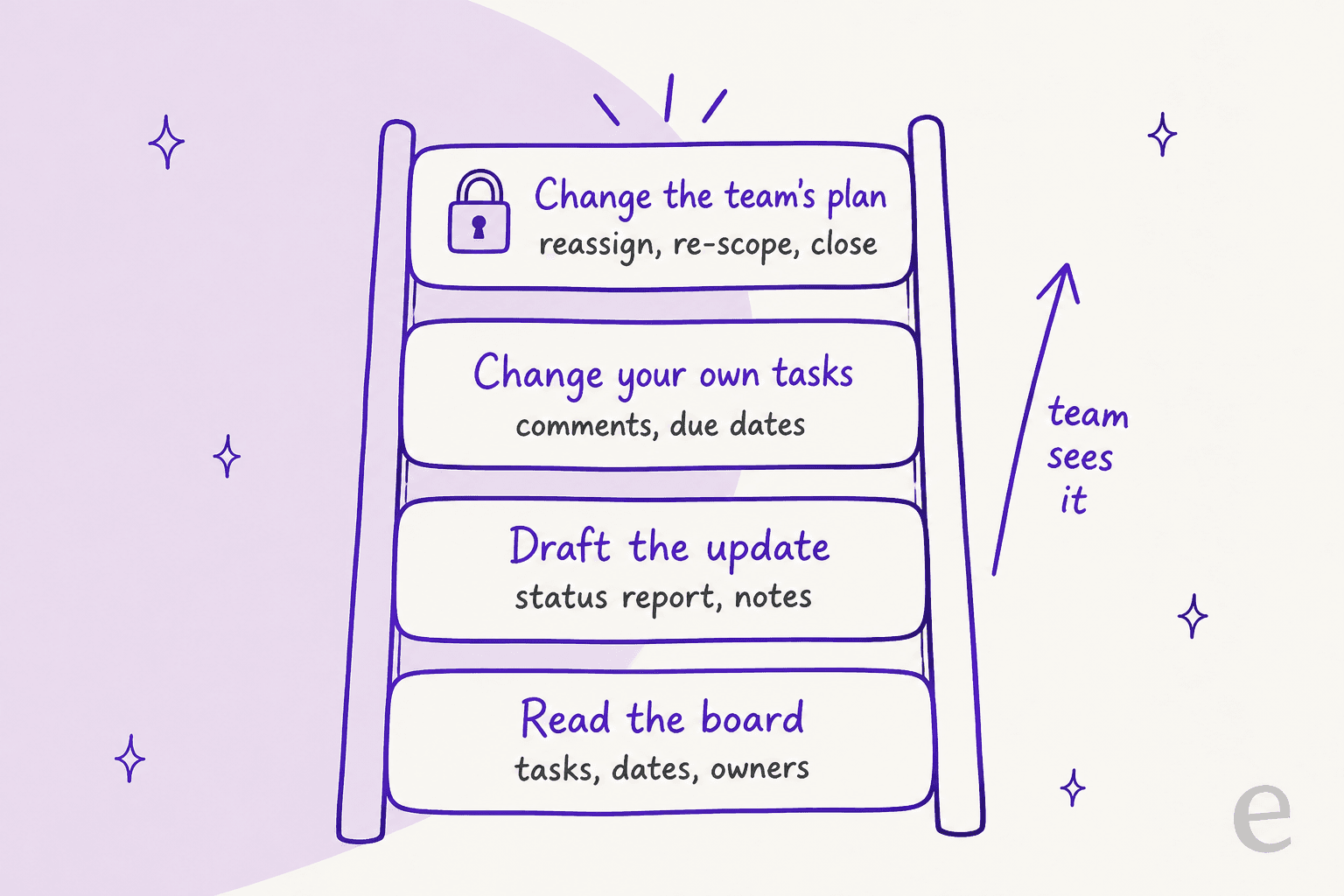
- It acts as you. OpenAI's privacy FAQ says plugin permissions are shared across dots, ChatGPT, ChatGPT Work, and Codex. A reassignment from your dot shows up as you reassigning it. Atlassian's community thread raises the same point from the admin side: audit history needs to show which changes an agent made.
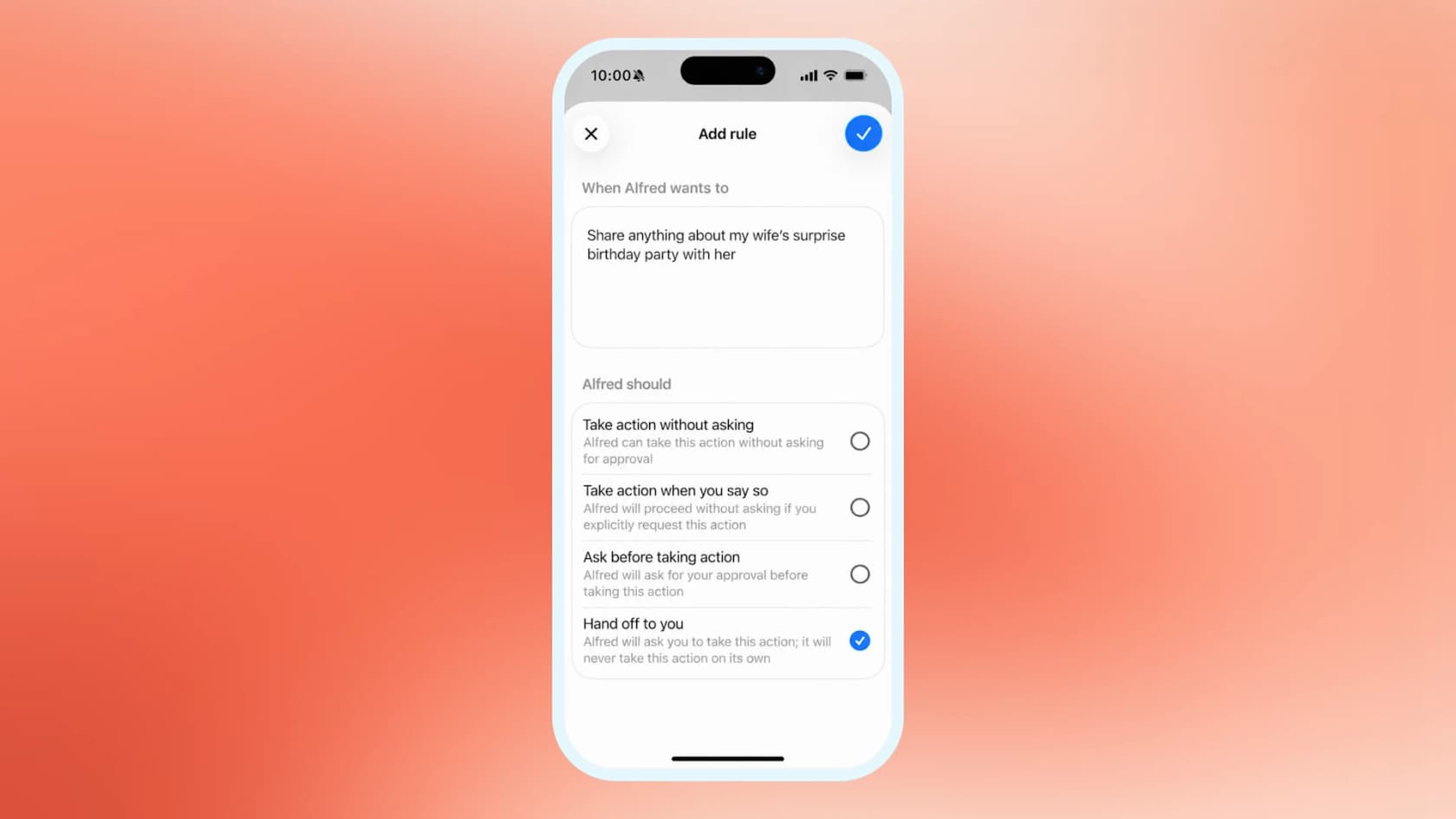
- Every change has a checkpoint. Before a dot changes a file or sends something, Auto-review checks the step against your instructions and rules. OpenAI's safety post describes Custom Rules that set what a dot must ask about first.
- It doesn't wake up on board events. OpenAI's apps guide lists the events that can start a Work task: new Gmail messages, new Slack channel messages, and GitHub pull request activity. A Jira status change, a new Asana task, or a missed due date isn't on that list. Scheduled checks cover most PM needs, but with a delay.
- You can't edit its memory line by line. You currently can't view or delete individual dot memories, and disconnecting a plugin doesn't remove what the dot already learned. Deleting the dot is the only full reset.
Some people read all of this and see a dot replacing the PM role. One Hacker News commenter put that view bluntly:
"Project and top/middle managers exists basically to keep track of what other people are doing and to make sure deadlines are met and processes are followed. A "dot" can replace easily tons of them."
I don't buy it, and the reason is in the product. A dot tracks what's on the board. Deciding to cut scope, telling a stakeholder no, or moving a launch date are judgment calls with your name on them, and a dot hands those back to you by design.
How should a PM set up a dot?
Set the boundaries before the first task. This takes about 20 minutes.
- Use a work seat for client or company data. On personal plans, the "Improve the model for everyone" setting controls whether dot work can be used for training. Business, Enterprise, and Edu workspaces aren't used for training by default. See ChatGPT Enterprise for the admin side.
- Connect one project tool, read-only first. Run the Monday snapshot for two weeks before you let it create or edit anything.
- Write Custom Rules for the team's plan. Something like "never reassign, close, or change the due date of someone else's task without asking me." Dots can suggest rules but need your approval to change them.
- Give it your project vocabulary. Which fields mean "blocked," which labels matter, which projects are archived. A dot that misreads your board writes a confident, wrong status report.
- Keep one human checkpoint per week. The Friday report is the natural one. If it's wrong, the dot's picture of the project is wrong.
Should you use a dot or your project tool's own AI?
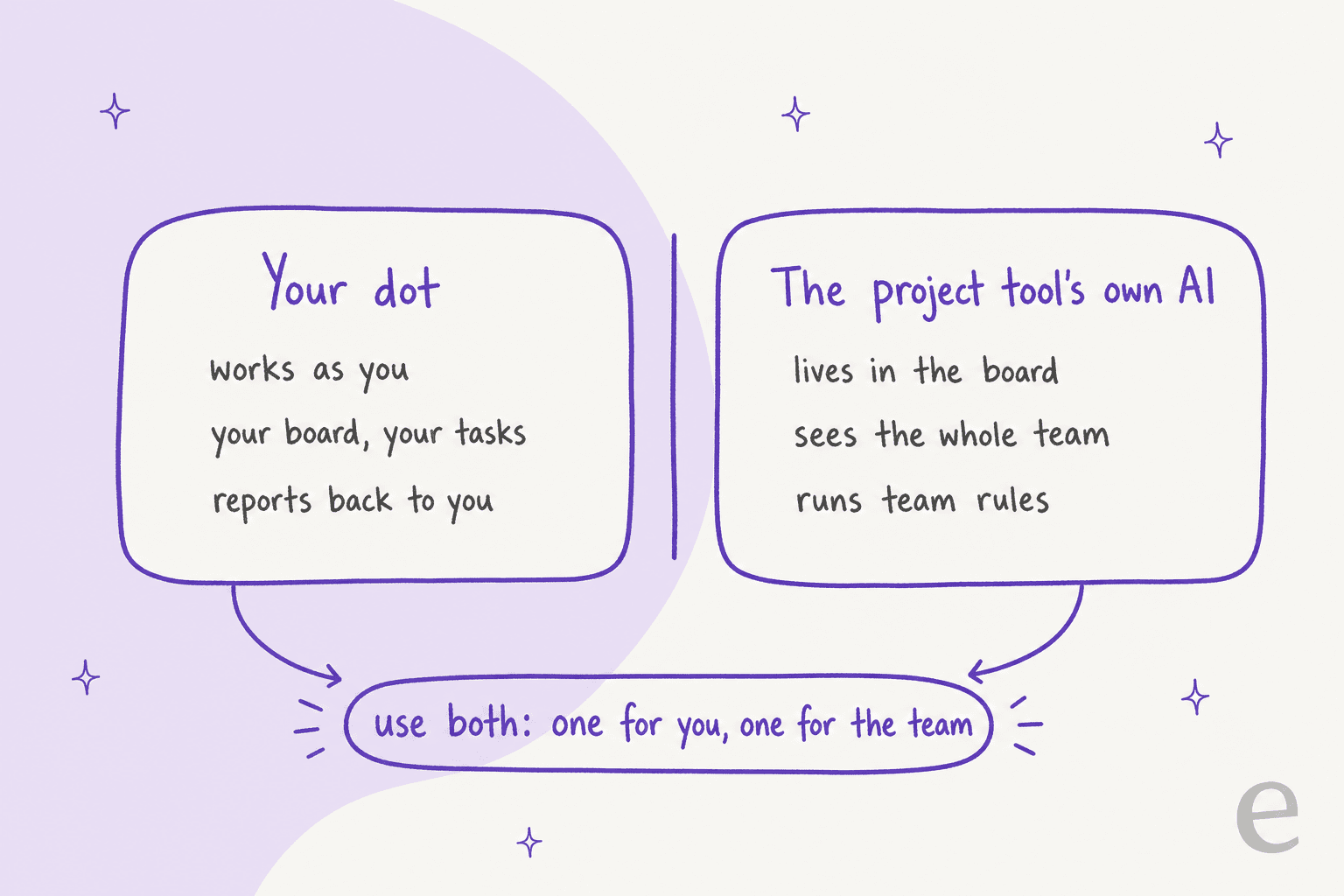
Both, for different jobs. Every major project tool now has its own AI working inside the board: Rovo for Jira and Confluence, Asana AI, monday.com's agents, and ClickUp Brain. Those see the whole workspace, run on team rules, and can react to events inside the tool. A dot sees only what you can see and reports back to you.
| PM task | Better fit | Why |
|---|---|---|
| Your weekly sprint snapshot | Dot | Scheduled, read-only, reports to you |
| Status report across several tools | Dot | Pulls Jira, Slack, and docs into one draft |
| Meeting notes to draft tasks | Dot, with review | Plugins create tasks; you check owners |
| Automation when a ticket changes status | Project tool's AI | Dots don't trigger on board events |
| Team-wide triage and routing rules | Project tool's AI | Runs for everyone, not as you |
| Reassigning or closing others' work | You | Shared record, your name on it |
| Answering customer tickets before they become bugs | A helpdesk agent | Different queue, different job |
For Atlassian shops, my Rovo agents post covers the in-tool side. If you're weighing tools, see Asana vs Jira.
Where does the surprise work come from?
That last row in the table is the one I'd think about. Ask most PMs what blows up a sprint and the answer is unplanned work, and a large share of it starts as a customer ticket: a bug report, a "this used to work," an urgent request from a big account. By the time it reaches your board, someone has already spent an hour working out whether it's real.
That's the job eesel's AI helpdesk teammate is built for. It joins your helpdesk, learns from past tickets and docs, answers what it can, and escalates the rest with context. eesel has spent years putting AI on live support queues, and the setups that work treat the AI as the first responder, not the last. One customer, InDebted's Head of IT, described their Jira setup in exactly those words:
"We use it to be the first responder to our Helpdesk tickets in Jira. It essentially acts just like an agent would."

eesel connects to Jira Service Management, Confluence, and the main helpdesks, and you can run it against your real past tickets in a simulation before it touches a live customer. If your team already works with agents like Codex, the eesel CLI operates the same teammate from the terminal: eesel activity lists what the teammate did and opens any run in detail, and eesel approvals list shows actions waiting for a human. Every command prints JSON, so a script or a coding agent can pull "what did support escalate this week" into your Friday report. It's covered in my AI agent CLI post.
To be fair to the dot: if your job is your own board, calendar, and status reports, a dot is the right tool and you don't need eesel for that. The line is ownership. If the work would still need doing when you're on holiday, it belongs to a teammate, not your personal agent. My AI teammates post goes deeper on that split.
Is a dot worth it for a project manager?
If you already pay for Pro or a Business Premium seat, yes. Connect your main project tool, schedule the Monday snapshot and the Friday report draft, and keep writes behind a Custom Rule. Those two jobs alone save a few hours a week. If you're hoping a dot runs the project for you, it won't: it has no event triggers on your board, it acts as you, and it hands judgment calls back by design.
For the product itself, my OpenAI Dots review has the hands-on verdict. If you're comparing personal agents, Meta Muse and Instinct AI for project management take different approaches.
Cut the support fires before they reach your sprint
Your dot can keep your board tidy. It can't stop a bad week of customer tickets turning into a bad sprint. eesel's AI helpdesk teammate answers tickets in Zendesk, Freshdesk, Jira Service Management, and other helpdesks, escalates real bugs with the context your engineers need, and runs on your past tickets in a simulation first so you see its answers before a customer does. Plans and credits are on the pricing page.
Frequently Asked Questions
Can OpenAI Dots be used for project management?
Which project management tools work with OpenAI Dots?
Can a dot update Jira tickets?
Is OpenAI Dots a replacement for Rovo or Asana AI?
How much does OpenAI Dots cost for a project manager?
Can a dot write my weekly status report?
Can a dot react when a Jira ticket changes?
Should project managers use OpenAI Dots or Instinct AI?


Article by
Rama Adi
Rama is a software engineer at eesel AI with two years of experience writing about B2B SaaS, AI tools, and customer support technology. Based in Bali, Indonesia, he brings a developer's perspective to product comparisons — cutting through marketing copy to what the integrations and APIs actually do.