What is a dot, in marketing terms?
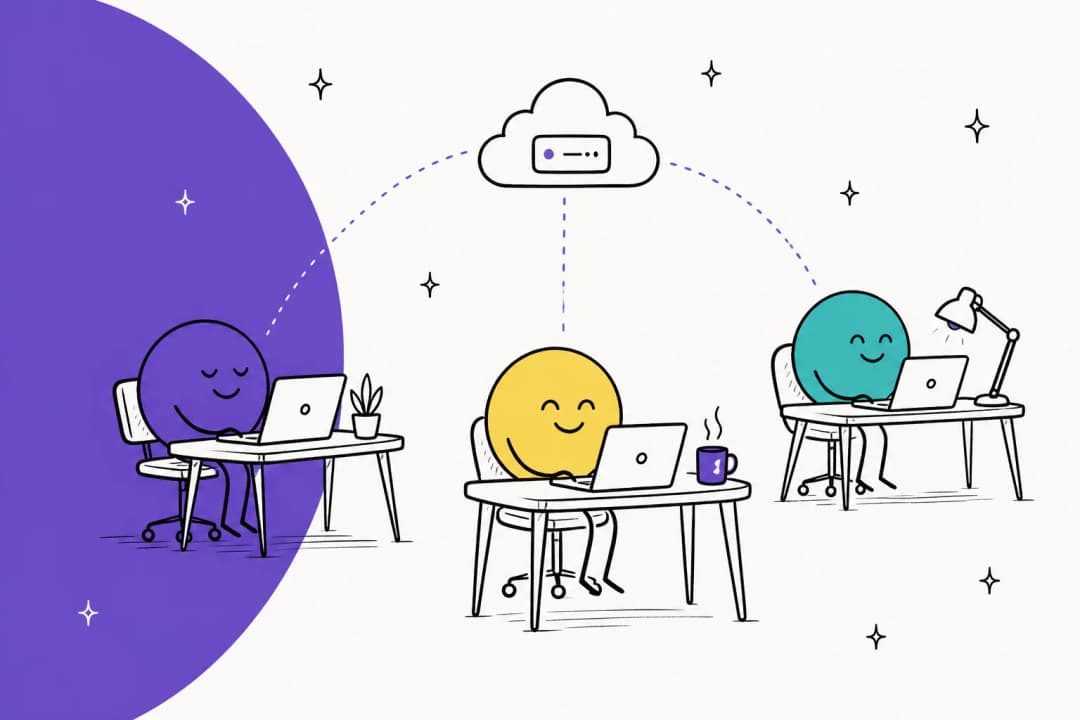
A dot is the agent OpenAI launched at DevDay on September 29, 2026. OpenAI's announcement calls it an always-on agent that works on your behalf in ChatGPT, with its own cloud computer, its own memory, and access to your connected apps. My OpenAI Dots overview covers the launch in full. Here is what matters for a marketing team.
- It works for one person. Your dot acts as you, through your connections. OpenAI's privacy FAQ says plugin permissions are shared across dots, ChatGPT, ChatGPT Work, and Codex.
- It lives in ChatGPT, Slack, and Teams. That suits teams that already brief and review in Slack.
- It checks before acting. Before a dot sends an email or changes a file, Auto-review checks the planned step against your instructions and rules.
- It has a plan gate. Your first dot comes with Pro (from $100/month) and the Business Premium seat, per OpenAI's getting started guide. Free, Go, and Plus don't include one.

The short version: a dot is a personal assistant with a computer and a memory. For marketing, that means it can keep track of your campaigns week to week instead of starting fresh in every chat.
Which marketing apps can a dot use?
Dots use the same plugins as ChatGPT, and the ChatGPT plugin directory now carries most of the stack a marketing team touches. Here is what each listing says it does. I've kept to the vendors' own descriptions.
- Canva: turn a brief or draft copy into a post, flyer, or deck, resize a design for Facebook, Instagram, and LinkedIn in one step, and check colors, fonts, and logo use against your Brand Kit. Bulk Create needs an eligible Canva Enterprise plan, and generation uses Canva AI credits. More in my Canva AI guide.
- Adobe: resize photos for social platforms, start from an Express template, and reformat a horizontal clip for YouTube Shorts or Instagram Reels. You can start as a guest.
- Klaviyo: campaign and flow performance with send status, click rates, and attributed revenue, plus recommendations. It reads and explains; my Klaviyo AI post covers the in-app side.
- HubSpot: read and write contacts, companies, deals, and engagements you have permission for, and answer questions like which lead sources brought in the most contacts. See HubSpot AI for HubSpot's own tools.
- Ahrefs: keywords, rankings, backlinks, competitor data, and brand visibility in AI search, including share of voice in ChatGPT.
One caution before you plan around this list. OpenAI doesn't publish a per-plugin table of which actions work inside a dot's background tasks, so treat every plugin as "test it first." Figma is in the directory too, mostly for decks and diagrams. For a broader view of the category, my AI marketing tools roundup covers what sits outside ChatGPT.
Where does a dot help a marketer?
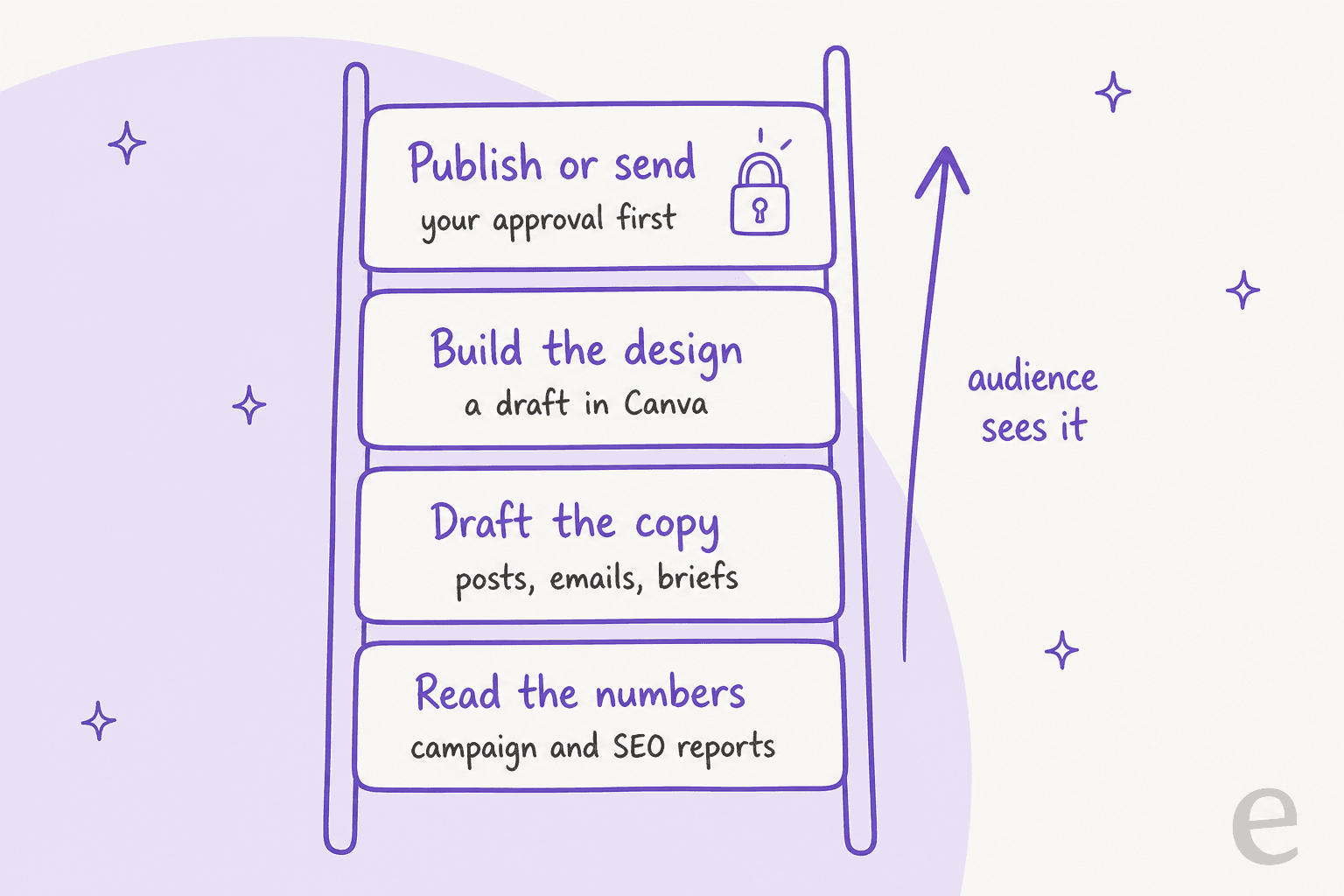
The pattern is the same one that works in sales and research: reports, research, and drafts that you check before anything reaches your audience. Here is how that maps onto a marketing week.
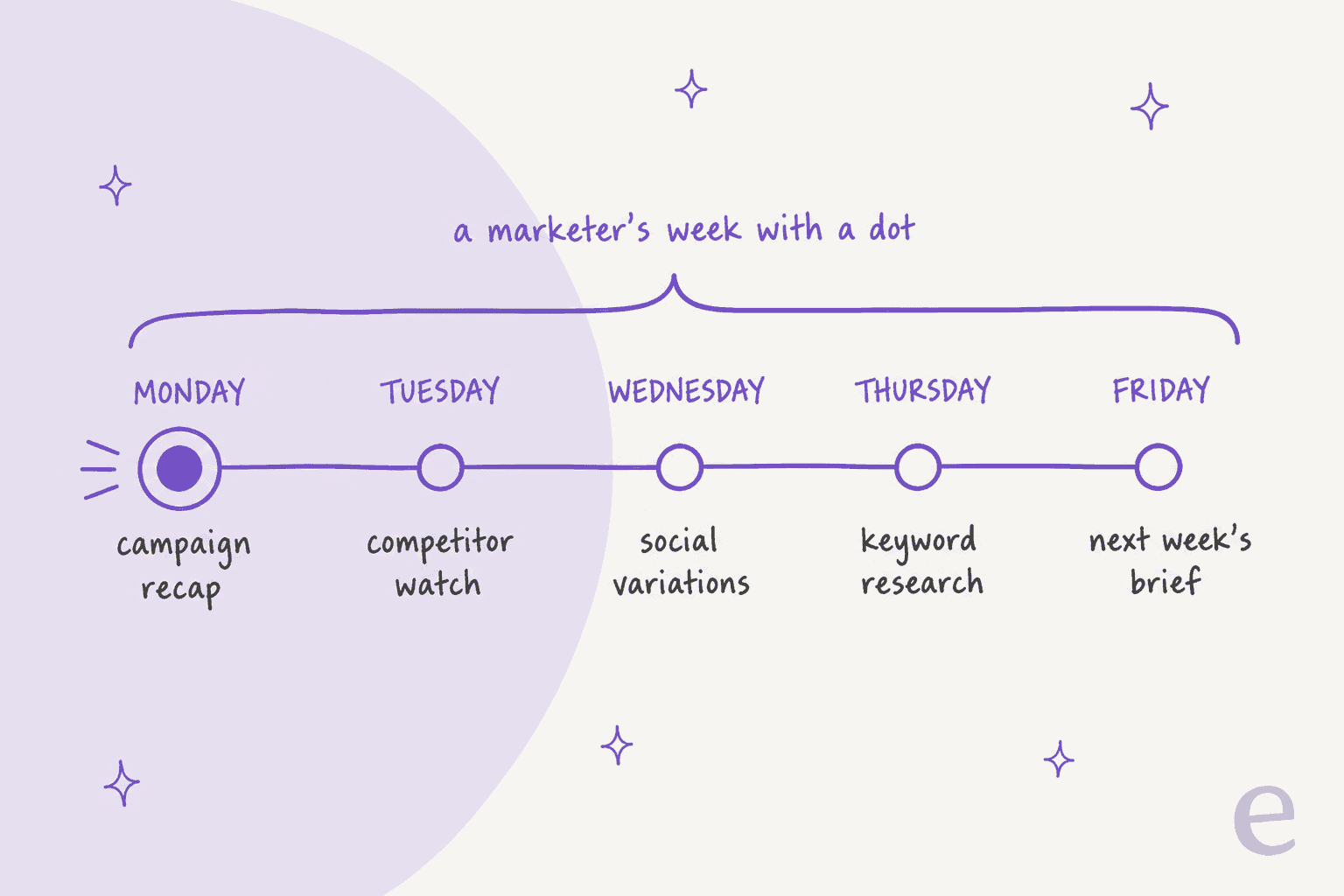
Monday campaign recap
Ask your dot for a weekly recap across last week's email campaigns and flows: opens, clicks, attributed revenue, and the two flows that moved most. Klaviyo's own suggested prompt is a "campaign performance report for last week" across all campaigns. Add HubSpot for lead sources and you have a Monday stand-up note before you sit down. Because a dot remembers, it can compare this week with the last four without you pasting anything.
Competitor watch
This is where the always-on part earns its keep. Proactive research can check permitted sources on a schedule and save private notes. OpenAI's FAQ says those research tools are read-only: they can't send messages, change content through plugins, or control a browser. For watching competitor pricing pages, launch posts, and changelogs, that limit is exactly right.
Social variations
Hand your dot one approved post and ask for platform versions: a LinkedIn cut, an Instagram square through Canva, a Reels crop through Adobe. Canva's brand check helps keep the colors and logos right. You still pick the final version. For caption help specifically, the AI social media caption generator guide covers lighter tools.
Keyword research
With Ahrefs connected, a dot can pull keyword ideas, check who ranks, and look at your brand's share of voice in ChatGPT answers. That last one matters more every month, as I covered in AI search optimization tools. Ask for the output as a brief, not an article. My AI content brief generator guide shows what a usable brief contains.
Next week's brief
On Friday, ask the dot to pull the week together: what performed, what competitors shipped, which keywords moved, and three topics worth writing about. That memo is the most useful thing a dot produces for a content team, because it feeds everything that happens next week.
Why shouldn't a dot publish for you?
This is the question I'd ask first as a marketing lead, because the stakes are public. A dot is a personal agent. Your brand's channels are shared, public, and hard to take back. Four details make the gap concrete.
- It acts as you. Plugins use each person's own connection. Anything a dot sends goes out under your accounts and your permissions, not as the brand.
- I couldn't find a publishing plugin for the big social networks. The directory has no LinkedIn, X, or Instagram plugin that posts, and the LinkedIn plugin covers profile lookup. A dot could try to post through its own browser, which is exactly the kind of step Auto-review is there to check.
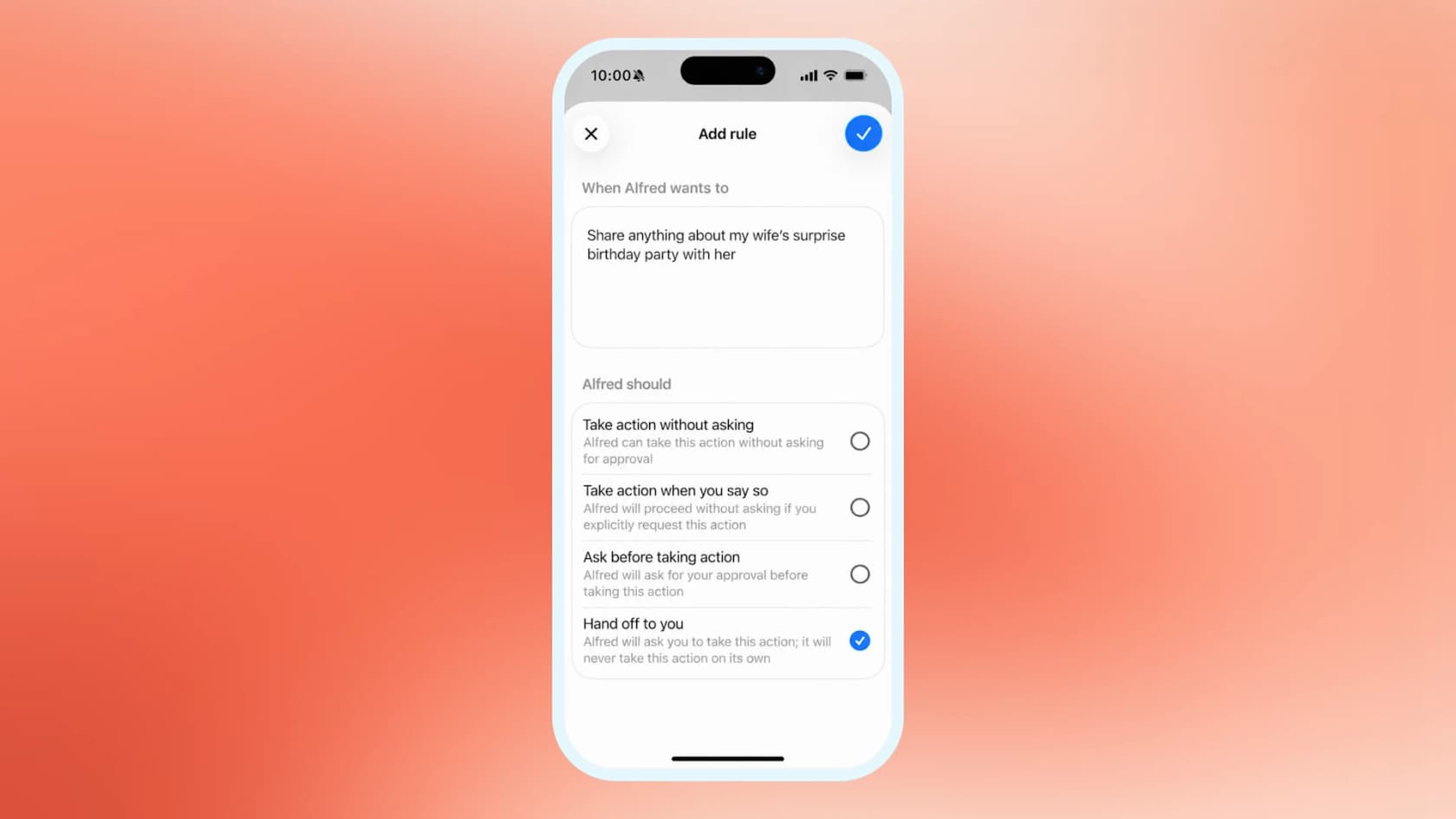
- Every send has a checkpoint. OpenAI's safety post says you can use Custom Rules to tell a dot, for example, never to send emails, and that rules can't remove mandatory confirmations. Good for safety, and it means the review step stays with you.
- It doesn't wake up on campaign events. OpenAI's apps guide lists the events that can start a Work task: new Gmail messages, new Slack channel messages, and GitHub pull request activity. A new mention, a traffic drop, or a campaign going live isn't on that list. Schedules cover most of this, but not in real time.
The review step is where most of the time goes anyway. One Hacker News commenter put it plainly:
"I have very little need to run Agents over night, as my throughput is limited by my approval. Each work usually needs revisions."

That is true for marketing too. A dot can produce ten social variations an hour; you can approve maybe four. Plan the dot's work around your review capacity, not its speed.
How should you set a dot up for marketing?
Set the boundaries before the first task. This takes about 15 minutes.
- Check your company's policy first. On personal plans, the "Improve the model for everyone" setting decides whether dot work can be used for training. Business, Enterprise, and Edu workspaces aren't used for training by default. If campaign data includes customer lists, use a work seat like ChatGPT Business or ChatGPT Enterprise.
- Connect read-only data first. Klaviyo reports and Ahrefs data are low risk. HubSpot can write records, so think about whether your dot needs that on day one.
- Write Custom Rules for anything public. A rule like "never publish, post, or send to a list without asking me" is a sensible start. Dots can suggest rules, but need your approval to change them.
- Give it your brand rules in writing. Voice, banned phrases, competitors you don't name. My brand voice with AI guide has a template.
- Remember what you can't undo. You currently can't view or delete individual dot memories, and disconnecting a plugin doesn't remove what the dot already learned. Deleting the dot is the only full reset.
Brand rules matter more than they look. One eesel blog writer customer, a marketer at a tour-operator booking software company, told the writer:
"While TripAdvisor is a very popular review platform, we don't like to promote it because it's owned by a competitor..."
That is the kind of rule a dot needs too, and it only knows it if you write it down.
Which marketing tasks fit a dot?
Here is how I'd sort a typical marketing week. The line is simple: if the output comes back to you for review, a dot can help; if it goes straight to your audience, keep a human or a purpose-built tool in the loop.
| Marketing task | Fits a dot? | Why |
|---|---|---|
| Weekly campaign recap | Yes | Klaviyo and HubSpot data, read-only, recurring |
| Competitor and pricing watch | Yes | Proactive research is read-only and runs on its own |
| Keyword and share-of-voice research | Yes | Ahrefs plugin, output is a brief you review |
| Social variations of an approved post | Yes | Canva and Adobe resize and adapt, you pick |
| First draft of a launch email | Yes | You edit and send |
| Posting to brand social accounts | No | No publishing plugin found, and it acts as you |
| Sending to an email list | Approval only | Auto-review checks sends; set a Custom Rule |
| Editing HubSpot records at scale | Approval only | HubSpot plugin can write, so start read-only |
| A steady flow of researched blog posts | No | Needs a content pipeline, not a personal assistant |
For that last row, my AI tools for content marketing guide and content marketing tools roundup cover what teams use instead.
How does a dot compare to an AI blog writer?
They do different jobs, and they work well together. A dot finds the story. A blog writer turns it into a published post.
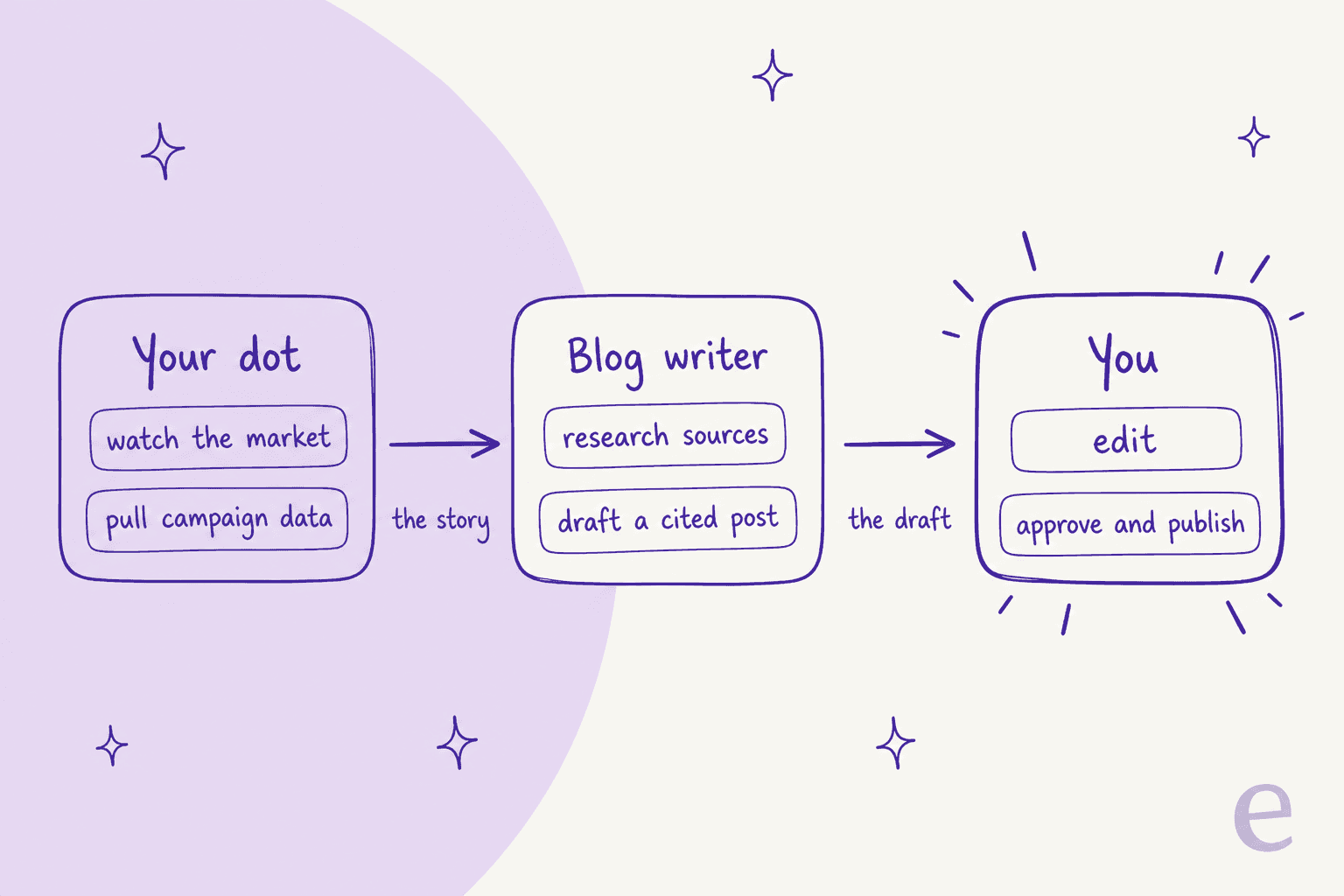
| OpenAI dot | eesel AI blog writer | |
|---|---|---|
| Works for | One person | The content team |
| Best at | Recaps, research, watching, drafts | Researched, long-form posts at volume |
| Sources | Your chats, memory, connected apps | Primary sources researched per topic |
| Brand voice | What you tell it in chat or rules | Brand context set once, used on every post |
| Output | Notes, briefs, drafts, Canva designs | Full post with citations, infographics, screenshots, FAQs |
| Publishing | Asks you first | Drafts for your review, then exports |
| Price | Pro from $100/month or a Business Premium seat | Free to try; plans from $299/month for 500 credits |
This is the part I can speak to from my own desk. eesel's blog runs on the AI blog writer I use every day, and the hard part of content at scale was never the first draft. It is research quality, brand voice, and internal links staying consistent across hundreds of posts. One customer, an SEO content lead on Webflow, uses the writer to scale to 360+ posts a month from keyword-to-publish, with bulk review before anything goes live. A dot isn't built for that kind of volume, and it doesn't need to be. Live numbers are on the eesel pricing page.

If you want the mechanics, I broke them down in the AI blog writer explainer and the blog writer workflow. For teams already publishing at volume, see AI blog writer automation.
Is a dot worth it for a marketer?
If you already pay for Pro or a Business Premium seat, yes. Connect Klaviyo or HubSpot and Ahrefs, ask for a Monday recap, and add a competitor watch. Those two jobs alone justify the setup. If you're buying Dots to publish more content, it's the wrong purchase: a dot helps you plan and draft, it doesn't run your content program.
For the product itself, my OpenAI Dots review has the hands-on verdict, and ChatGPT agents covers the earlier agent mode.
If you're comparing personal agents, Meta Muse and Instinct AI for marketing take different approaches to the same desk-level job.
Turn your dot's findings into published posts
If your dot keeps flagging good topics and they sit in a doc for weeks, the missing piece is the writer. eesel's AI blog writer takes a keyword or a brief, researches primary sources, and drafts a long-form post in your brand voice with citations, infographics, screenshots, and FAQs. You edit and approve; it never publishes without you.
Try eesel free, or read how the AI blog content pipeline fits a content team.
Frequently Asked Questions
Can OpenAI Dots be used for marketing?
Which marketing apps work with OpenAI Dots?
How much does OpenAI Dots cost for a marketing team?
Can OpenAI Dots do SEO keyword research?
Is a dot better than ChatGPT for marketing work?
Can a dot write blog posts for my content marketing?


Article by
Kurnia Kharisma
Kurnia is a software engineer and writer at eesel AI with two years of SEO experience, writing about AI tools, helpdesk software, and customer support. He pairs a developer's understanding of how these products are built with search-driven research into what actually ranks and resonates with the people searching for them.