What an AI social media caption generator actually does
At its simplest, you give the tool a topic, a link, or an image, and it returns a few caption options with hashtags and maybe an emoji or two. Some ship as a free standalone widget next to a meta title generator, some bolt onto a broader AI social media marketing suite, and some are one output of a full AI content generation tool that makes the long-form piece and the social posts in one run.
The appeal is real. Captions are the part of social that everyone hates, because you've made the thing and now you have to sell it in fifteen words. Handing that to a machine removes the most annoying friction in the whole posting process. The risk is just as real, and it's the reason this post exists: a tool that only knows your prompt can only write a caption for a post it has never actually read.
The trap: cold captions from a one-line prompt
When a tool only sees "write a caption about our new feature," it writes the most statistically average caption for that phrase. You've read a thousand of them. "Exciting news! We're thrilled to announce something game-changing. Stay tuned!" It is grammatically perfect, packed with emoji, and says absolutely nothing, and it's the fastest way to signal that a bot wrote this and nobody looked at it before it went live.
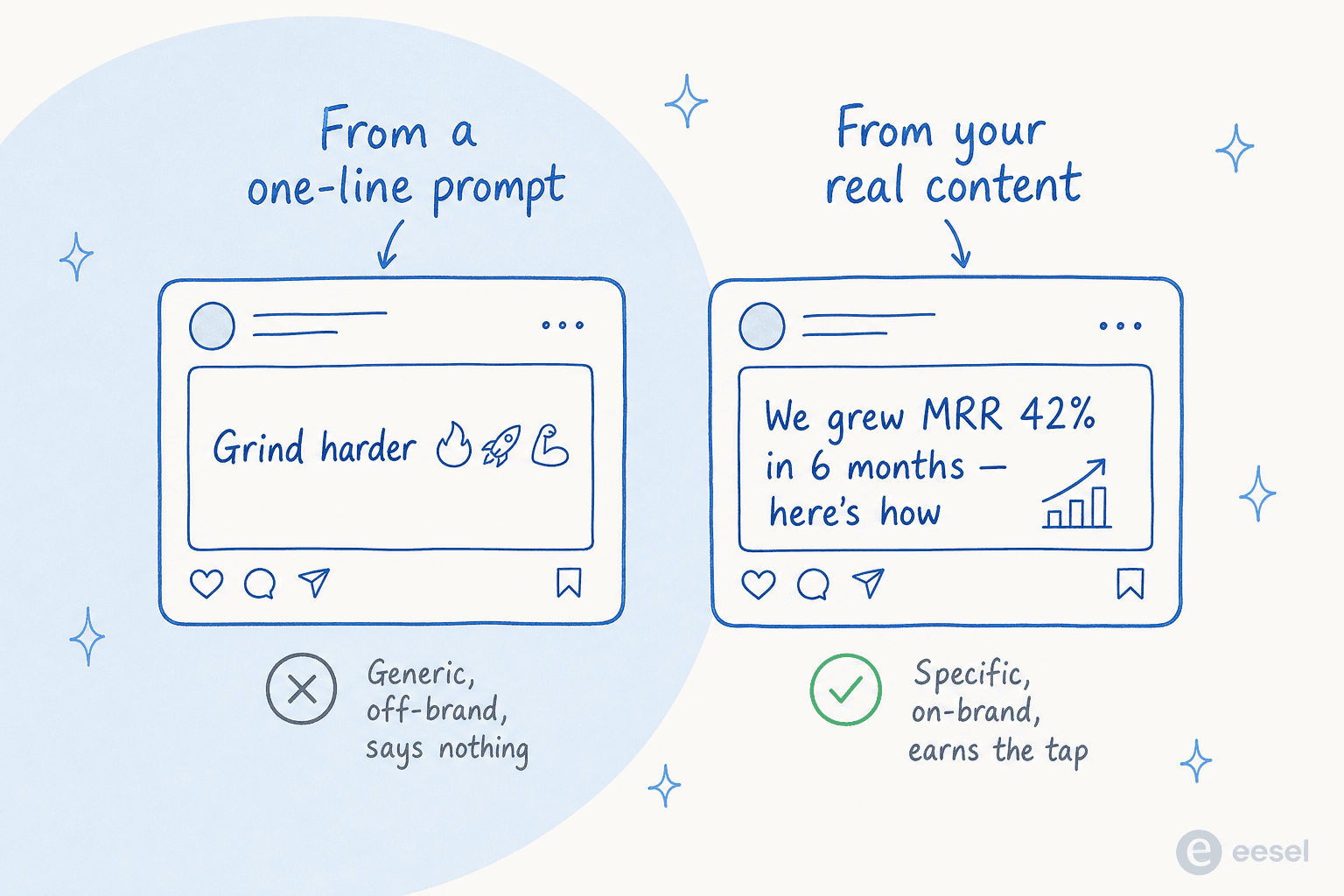
The deeper problem is the same one behind repetitive AI content: the model is filling space confidently without anything specific to say. A caption has maybe one second to earn a tap, and "exciting news" spends that second on filler. The fix isn't a better hook formula or more emoji. It's generating the caption from a post that actually exists, with a real point inside it.
What separates a caption that earns the tap from generic filler
Three things do most of the work. Get these right and the caption stops reading as filler.
It is grounded in real content, not a topic
This is the whole game. The caption should be written after you know the actual point, so it can tease the real angle instead of a guessed one. This is also why a full AI content writer tends to write better captions than a standalone gadget: it has the finished piece and the research in hand when it drafts the social copy. eesel frames this difference bluntly on its own product page:
"Those are writing tools. You prompt, they generate. This is a teammate that finds topics, does real research, writes with your voice... You don't prompt it. You hire it."
eesel, on its AI content engine
The practical version: if all you have is a standalone caption tool, give it the actual post or a tight summary with the one number or claim worth teasing, not just the headline. The caption is only as specific as what you feed it.
It sounds like you, not a hype bot
The second tell of a machine caption is tone drift. Your brand sounds like a sharp friend everywhere else, and the caption sounds like a press release that found the emoji keyboard. The fix is to capture your voice as durable instructions the tool reuses on every post, the same idea behind brand voice training on a writing tool. On eesel's own engine, that voice match holds from the first post and tightens with every edit you make, which is the difference between a caption you ship and one you rewrite from scratch.
It is written for the platform, not pasted across all of them
The same caption rarely works on LinkedIn and on Instagram. LinkedIn rewards a real take with a line break and a point of view; Instagram rewards a tighter, warmer line; an X post rewards a sharp hook in the first few words before the cut-off. A generic generator ignores all of that and hands you one beige caption for every channel. A good one tunes the same core message to where it's going, the way a thoughtful content marketing platform treats each channel as its own audience.
The real unlock: stop generating, start repurposing
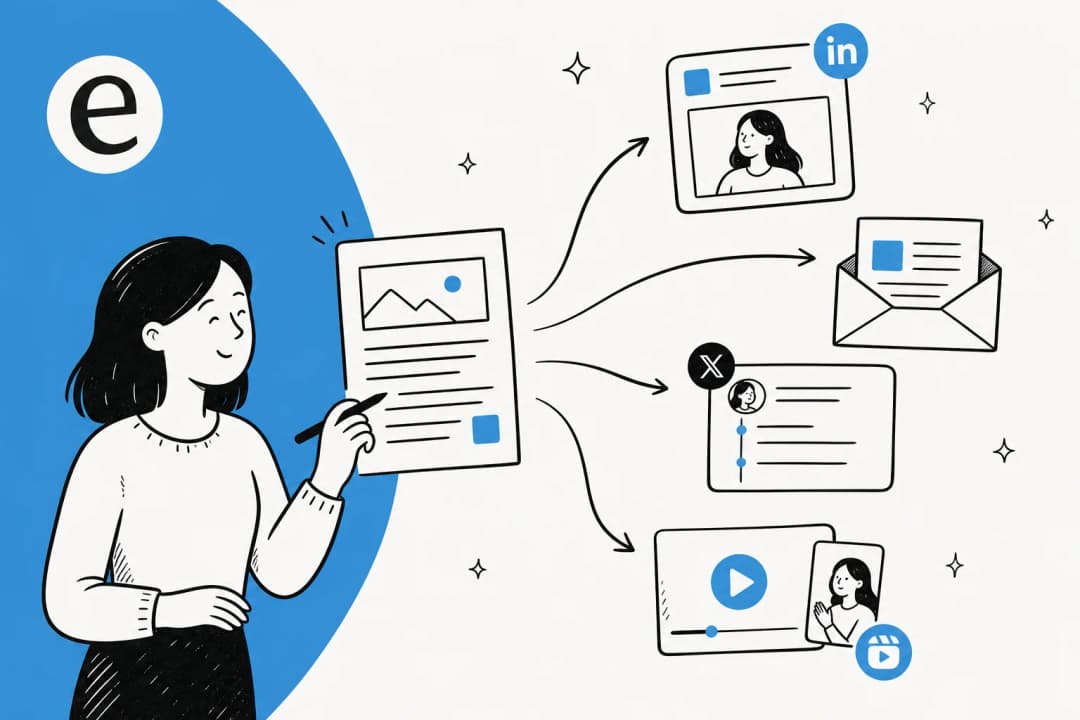
Here's the reframe that changes everything. A caption isn't really a writing problem, it's a distribution problem. You already have the content, the blog post, the customer story, the product update, the newsletter you sent last week. The best captions aren't generated cold, they're repurposed from work you already did.
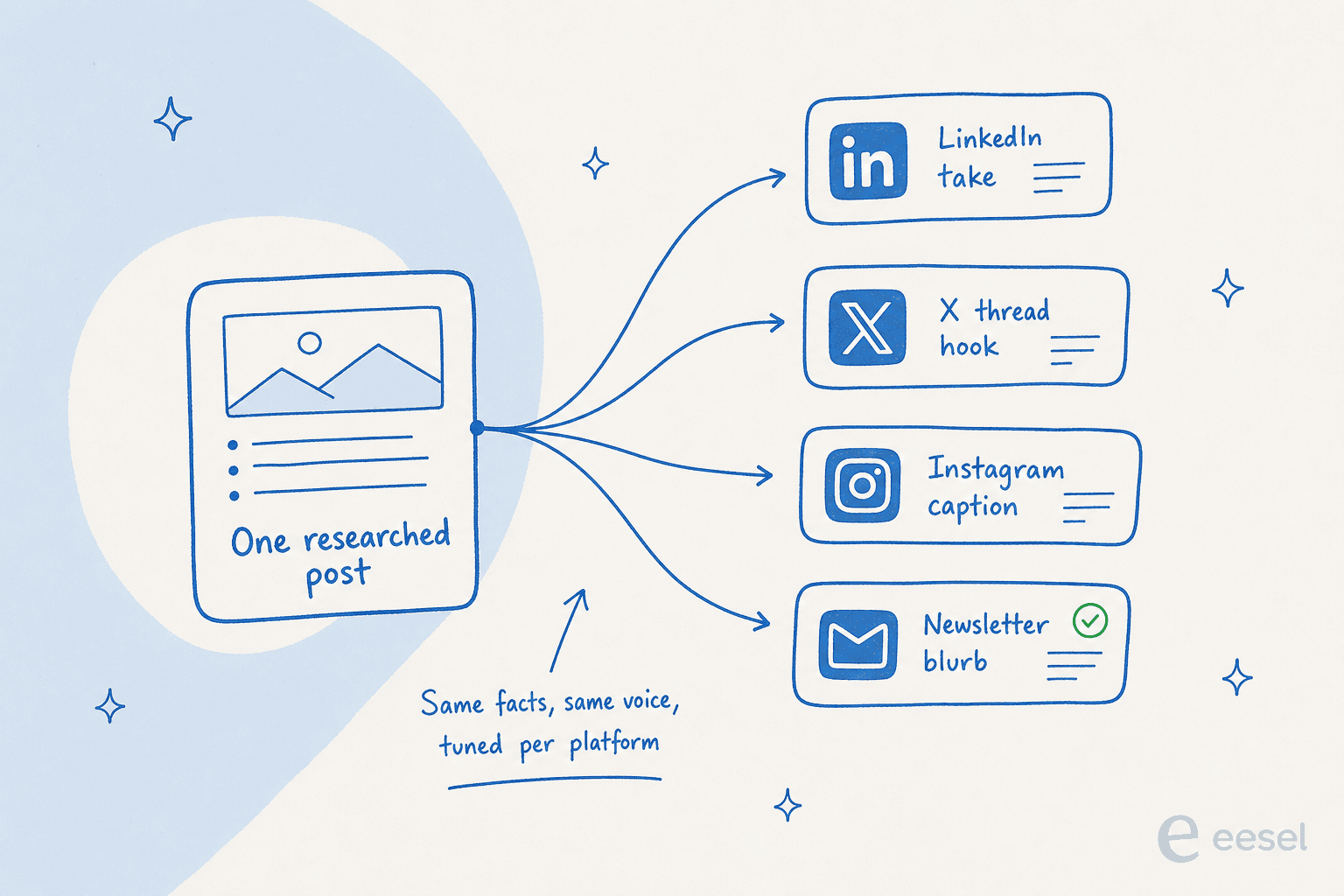
This is why the content lead I mentioned can run a one-person social channel that doesn't look like one. Every long-form post the content engine writes already carries the research, the angle, and the brand voice, so spinning out five platform-native captions from it is the cheap part. It's the difference between a content scaling operation and someone staring at a caption box at 5pm. If you're starting from a strong piece, an AI content writer repurposing it will beat a caption widget guessing from a topic every time.
How to actually generate captions that hold up
Here's the pipeline I'd build, whether you do it in one tool or stitch a few together. It's the same shape every time.
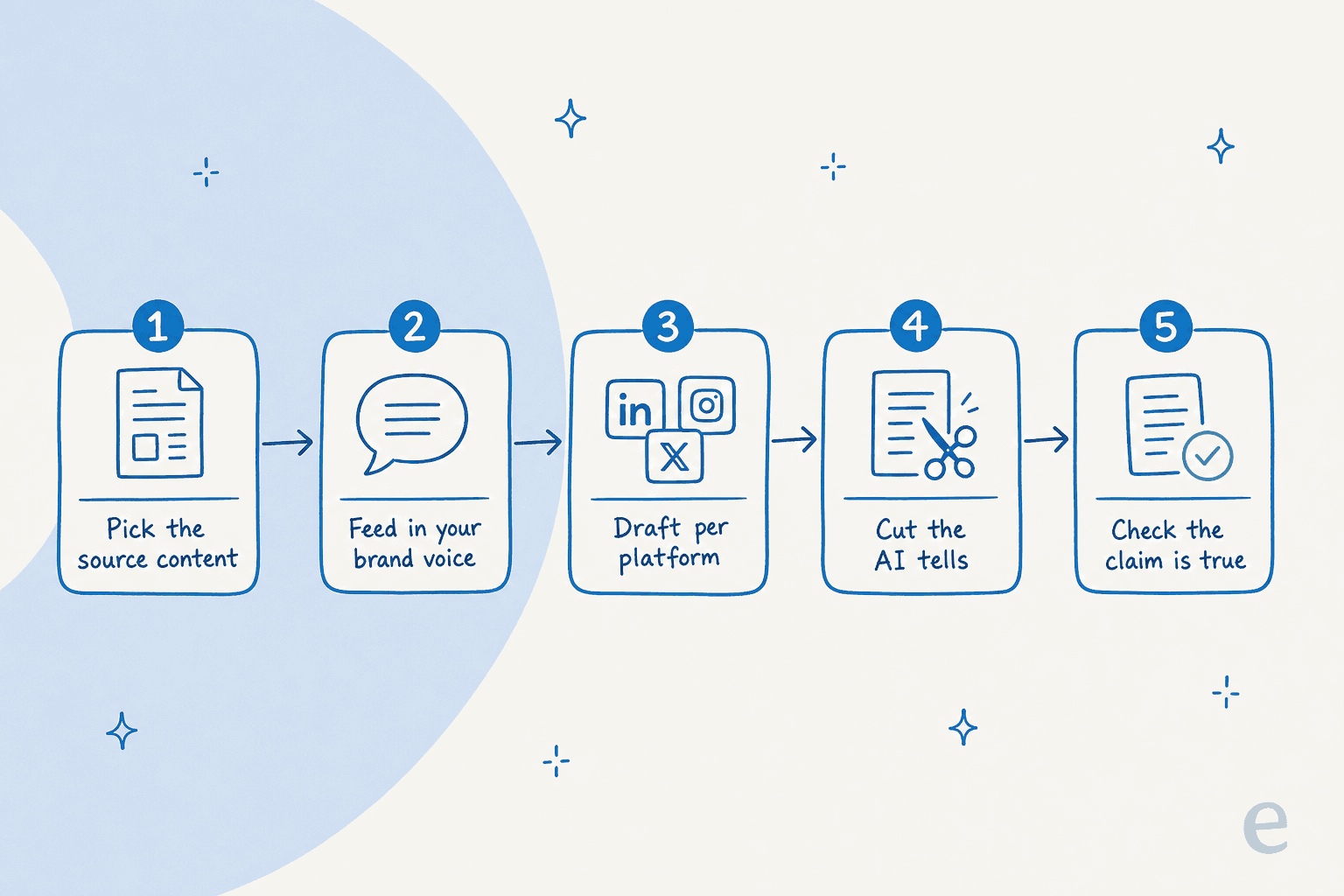
- Pick the source content first. Start from a finished post, a customer result, or a real moment, not a blank "write me a caption" box. If you're starting from a keyword, do the content strategy work up front so the caption has a real point to tease.
- Feed in your brand voice. Capture tone and vocabulary once so every caption sounds like you and not like every other AI copywriting tool output in the feed.
- Draft per platform. Ask for a LinkedIn version, an X version, and an Instagram version separately, each tuned to that channel's rhythm, rather than one caption you paste everywhere. A proper AI content writer does this in one pass.
- Cut the AI tells. Strip "exciting news," the rule-of-three filler, the emoji wall, and any line that would still be true if you swapped the product. The prompts that sound human help, but a 30-second human edit helps more.
- Check the claim is true. If the caption teases a number or a result, make sure the linked post actually delivers it. An over-promising caption gets the tap and loses the trust, which is worse than no tap.
A platform like eesel collapses steps two through four into one run, because the same engine already holds your voice and the research while it drafts the content. But even stitched together from separate pieces, keep all five stages. Drop the grounding and you're back to a fluent caption for a post nobody read.
Common mistakes I see
A few traps worth naming, because I've watched teams hit all of them:
- Generating from the topic alone. The number one reason AI captions read as generic. If you do one thing from this post, feed the tool real content.
- One caption for every platform. What lands on LinkedIn dies on Instagram. Tune per channel or don't bother.
- The emoji wall. Three emoji in a row is the universal tell of a caption nobody edited. One, placed on purpose, is plenty.
- Skipping the human read. The caption is the first and sometimes only thing a scroller sees. Ten seconds catching one AI tell is the cheapest insurance you'll buy.
- Letting the caption over-promise. If the post doesn't deliver what the caption sold, you've spent trust to buy a tap. Match the promise to the content.
Most of these are the same discipline that keeps any AI content creation honest: start from something real, ground the draft, and keep a human on the parts that matter.
Where a caption generator fits in the bigger content picture
If you're shopping for a standalone caption tool, you're usually solving the wrong-sized problem. Captions are hard because they have to sell a piece of content, and a tool that writes captions but not content leaves you doing the expensive part by hand. That's why most of the strongest options in any AI caption generator or AI tools for social media roundup are really content engines, not caption widgets, and why I'd point a beginner at a full content tool over a caption gadget every time.
The economics make this easy now. A standalone caption tool is often free because it generates so little text. The value sits in the content behind the caption, and when a full post costs a few dollars to draft and spins out a week of social copy, the question stops being "which gadget writes my caption" and becomes "which tool makes the content, captions included." That's not a volume you reach by writing captions one at a time in a free widget.
Try eesel for the content, captions included
If you want one place to run this whole pipeline, that's what we built eesel's AI content engine to do. You give it a domain and a keyword, and it researches the topic, drafts the full post, and holds your brand voice across everything, so the social captions you pull from it sound like the same person who wrote the piece, not a bot reaching for the emoji keyboard.

It's the same engine that runs support in 80+ languages, so the research and voice matching are the foundation, not a bolt-on. You get two free generations to test it on a real piece, no credit card, and drafts run $4 each after that with no per-seat fee. The best first move is small: pick one post you actually want to promote, generate it, and pull three platform-native captions from the finished piece. If they sound like you and tease a real point, you've found your caption generator. You can try eesel on that single post before you commit to anything.
Frequently Asked Questions
Are AI-generated captions bad for engagement?


Article by
Kurnia Kharisma Agung Samiadjie
Kurnia is a software engineer and writer at eesel AI with two years of SEO experience, writing about AI tools, helpdesk software, and customer support. He pairs a developer's understanding of how these products are built with search-driven research into what actually ranks and resonates with the people searching for them.