What is a dot, in support terms?
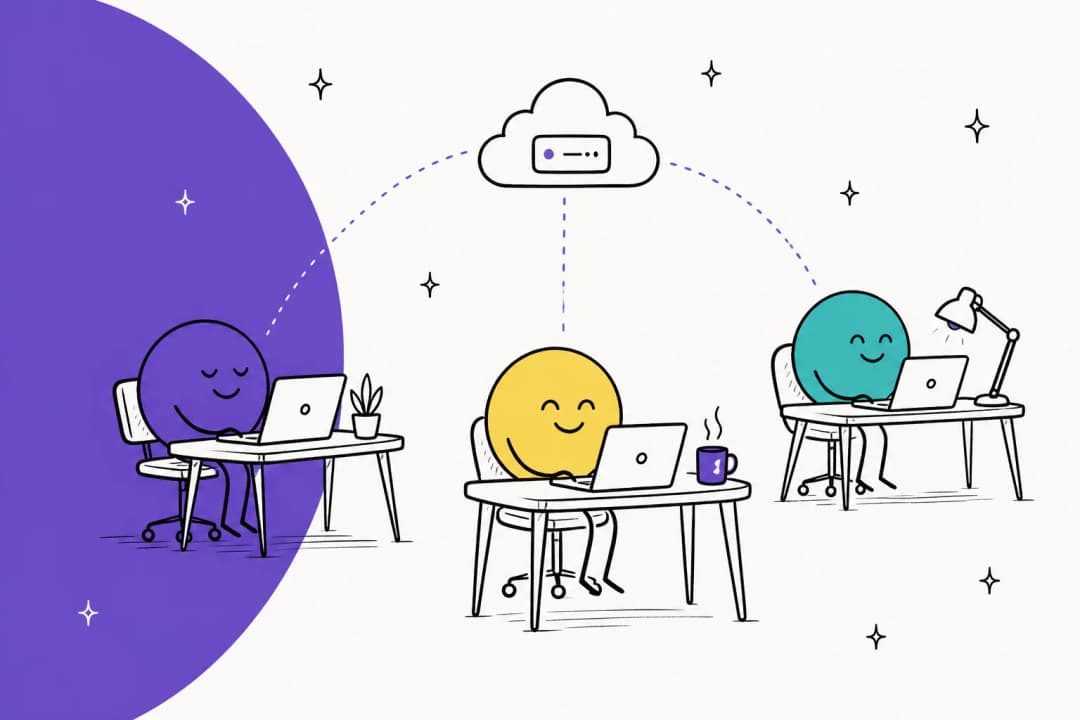
A dot is the agent OpenAI launched at DevDay on September 29, 2026. OpenAI's announcement describes it as an always-on agent that works on your behalf in ChatGPT, with its own cloud computer, its own memory, and access to the apps you've connected. My OpenAI Dots overview covers the launch in full; here is what matters for a support team.
- It works for one person. Your dot acts as you, through your connections. OpenAI's privacy FAQ says plugin permissions are shared across dots, ChatGPT, ChatGPT Work, and Codex.
- It lives in ChatGPT, Slack, and Teams. You can also give it its own Slack account, which matters if your support team runs escalations through Slack.
- It asks before risky actions. Sending an email goes through Auto-review, a separate checker that looks at the recipient and message before it runs.
- It has a plan gate. Your first dot comes with Pro (from $100/month) and the Business Premium seat, per OpenAI's getting started guide. Free, Go, and Plus don't include one.
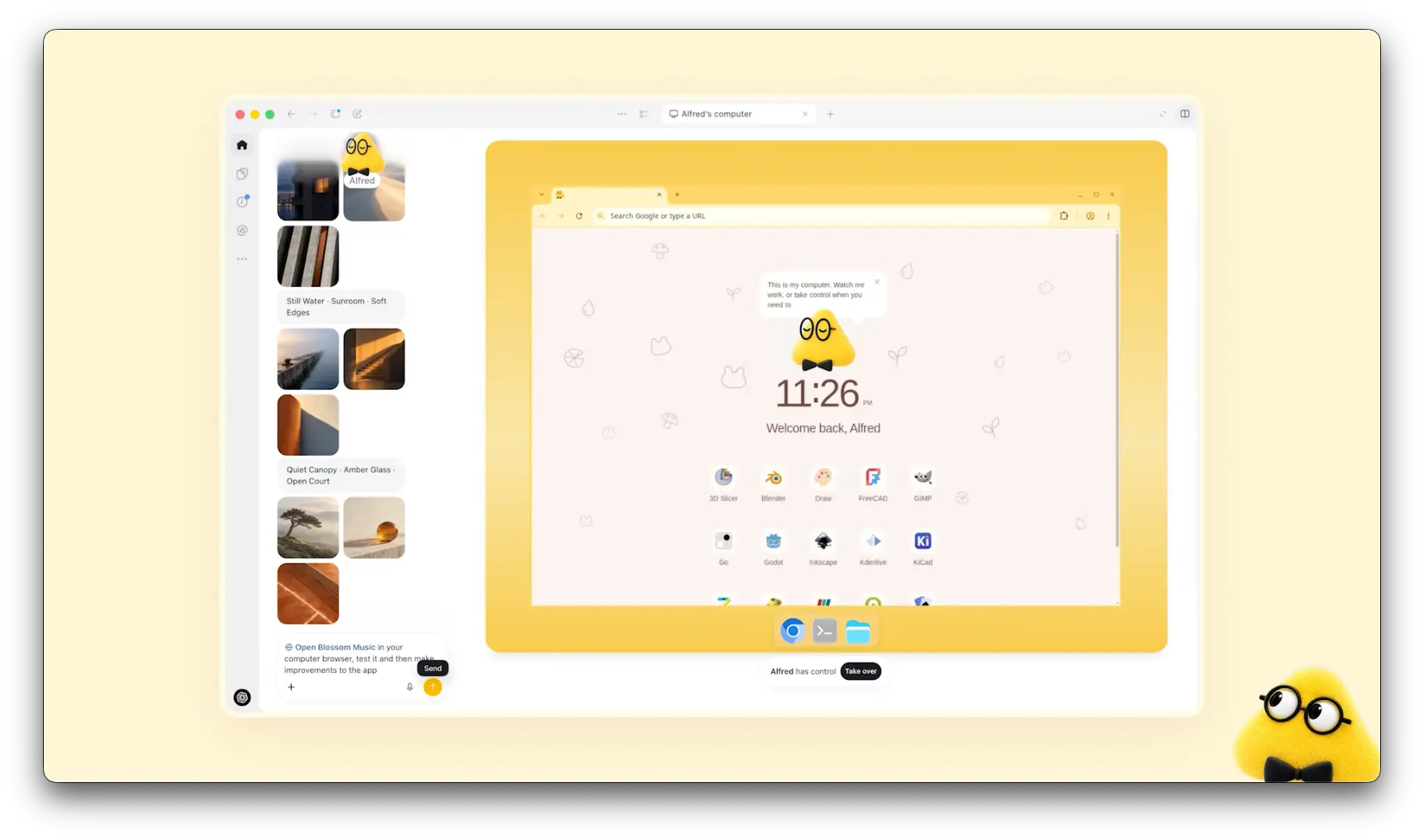
The short version: a dot is a personal assistant with a computer of its own. That shape decides everything below.
What can a dot do with your helpdesk?
For Zendesk teams, more than it could a month ago. On September 3, 2026, OpenAI's Business release notes added a Zendesk plugin in beta to the Plugin directory. OpenAI built it, not Zendesk, and its setup article says it is designed "to help you review support tickets and customer history."
Here is what the plugin covers, and the rules around it:
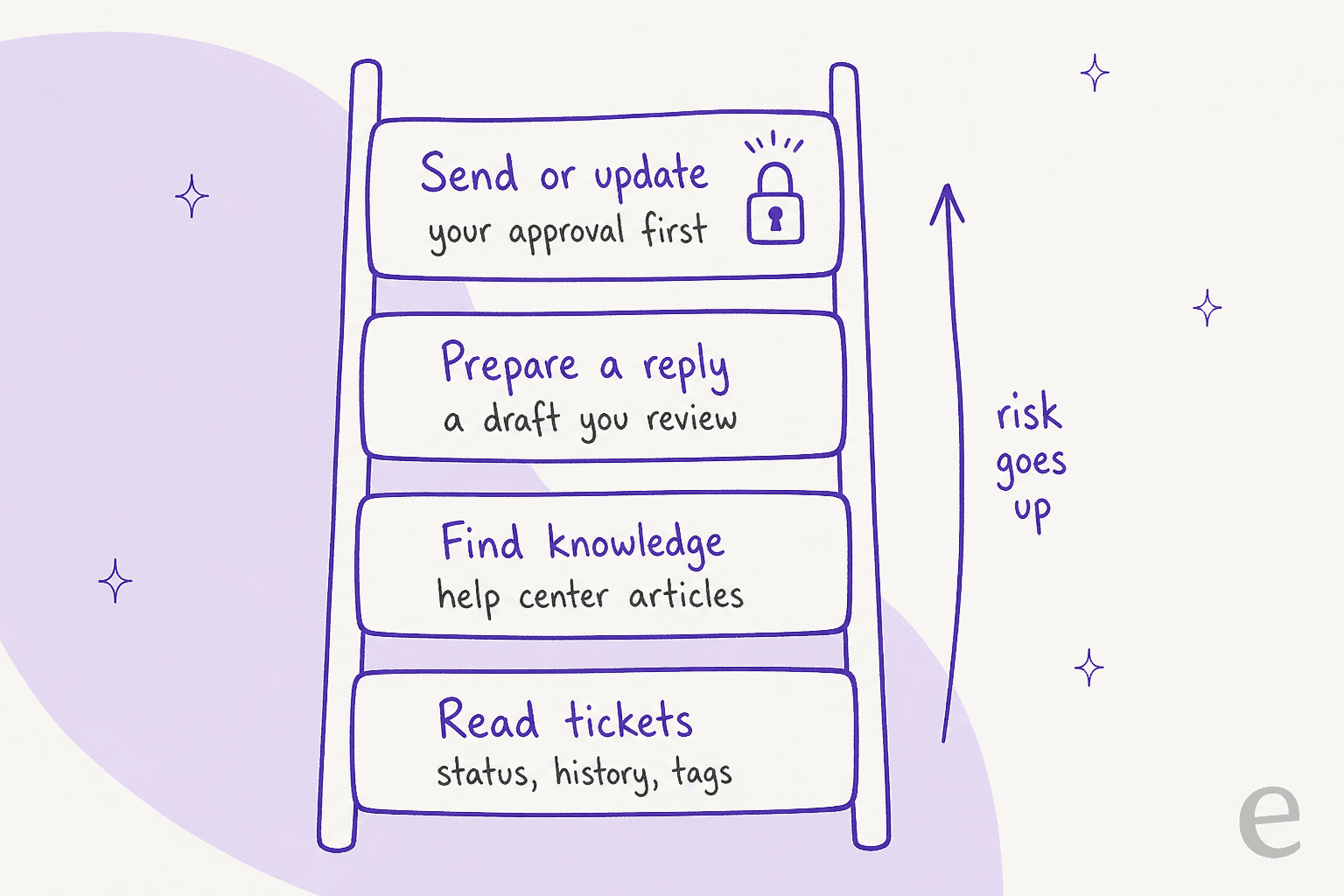
- Read: review tickets and customer history, and find relevant knowledge.
- Prepare: draft replies for you to review.
- Act: only when the action is supported by the app, allowed by your workspace and Zendesk account, and meets approval requirements.
- Per-agent auth: each person connects their own Zendesk account, and installing the plugin doesn't grant extra Zendesk permissions. A light agent stays a light agent.
OpenAI's own suggested first test is read-only on purpose: list the five most recently updated tickets, and change nothing. I'd keep it that way for the first week.
Other helpdesks are patchier. I couldn't find an OpenAI-built plugin for Freshdesk or Gorgias. Both have their own MCP servers (Freshdesk's went GA on Growth plans and up in September, metered per action), and a custom MCP connection in ChatGPT needs Developer Mode on a Business, Enterprise, or Edu workspace. For those routes, my ChatGPT for Freshdesk and ChatGPT for Gorgias guides walk through the options.
Where does a dot help a support agent?
The pattern that works is the same one that works in sales and general office work: briefs, research, and drafts that you check before anything reaches a customer. Here is how that maps onto a support shift.
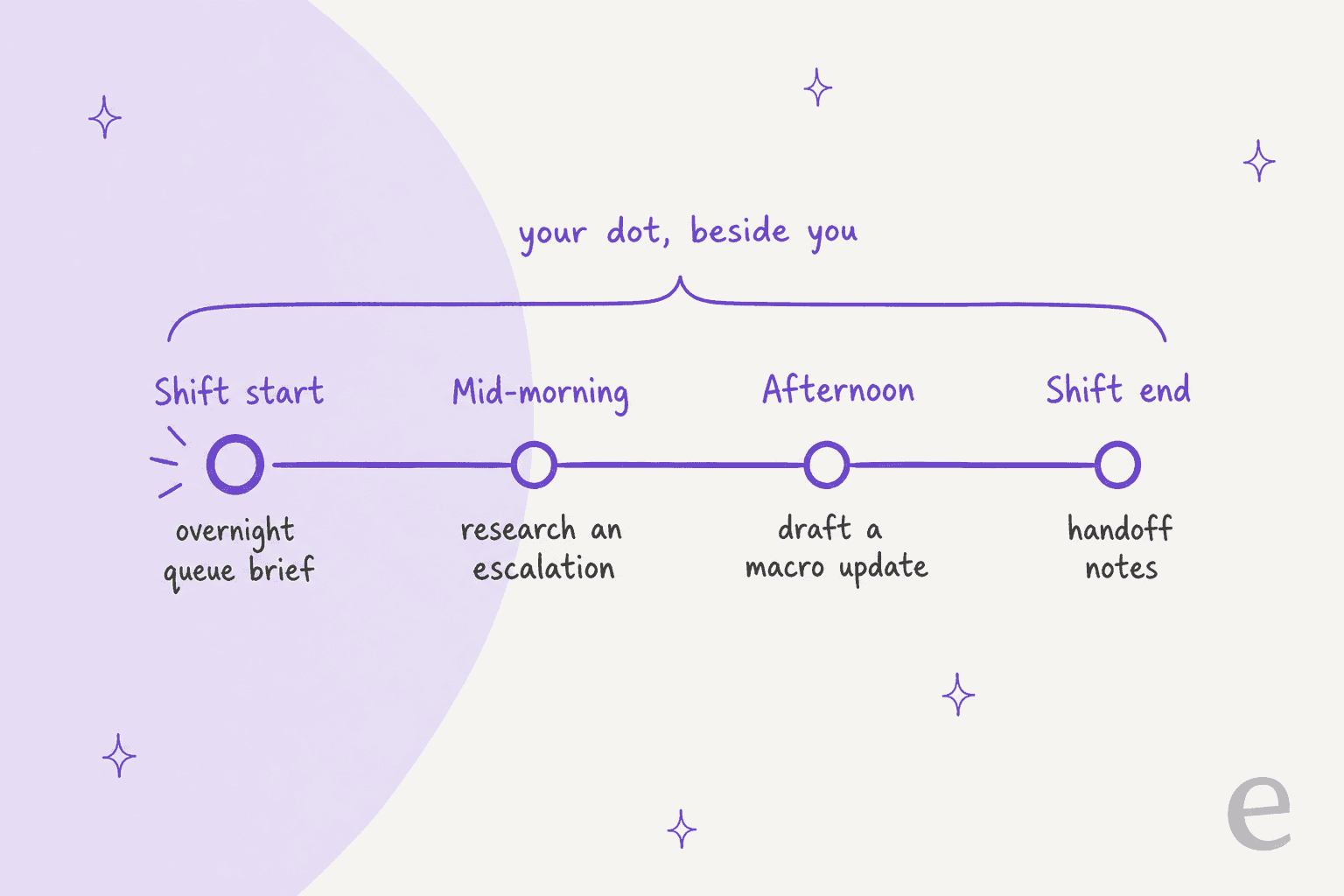
Shift-start brief
Ask your dot for a morning summary of what changed overnight in your assigned tickets: new replies, tickets that breached or are close to breaching, and anything a customer has followed up on twice. Proactive research can prepare this before you ask, and OpenAI's FAQ says its research tools can read permitted sources and save private notes, but cannot send messages, change content through plugins, or control a browser. For a brief, that read-only limit is exactly right.
Escalation research
The tickets that eat an afternoon are the ones that need context from four places: the ticket history, an internal doc, a Jira bug, and a Slack thread. A dot can pull those together and give you one summary with links. This is close to what AI ticket summarization does inside a helpdesk, except the dot can also reach your other connected apps. If the case needs engineering, my cross-team escalation guide covers the handover itself.
Reply drafts
The plugin's "prepare replies" job is the most useful part for most agents. Ask for a draft based on the ticket, the customer's history, and the matching help center article, then edit it yourself. This is the same job as agent assist or Zendesk Copilot, with one difference: the dot works from outside Zendesk, so it doesn't see your Zendesk macros or triggers unless the plugin exposes them.
Knowledge gaps and macro updates
When you notice you've typed the same answer three times this week, ask your dot to draft a macro or a help center article from those tickets. You review and publish it. Keeping the knowledge base current is the single thing that makes every other AI tool in your stack better, so this is a good use of a dot's spare time. A periodic knowledge base audit is the bigger version of the same habit.
Handoff notes
At the end of a shift, ask for a short note on every open ticket you own: status, what the customer is waiting on, and the next step. That note is what the next shift reads, and my shift handoff guide has a template for it. For teams that pass the queue across time zones, follow-the-sun support depends on notes like these.
Why can't a dot work the queue for you?
This is the question I hear most from support leads, and the answer is in how dots are built. A dot is a personal agent. A support queue is a shared, customer-facing system. Four details make the gap concrete.
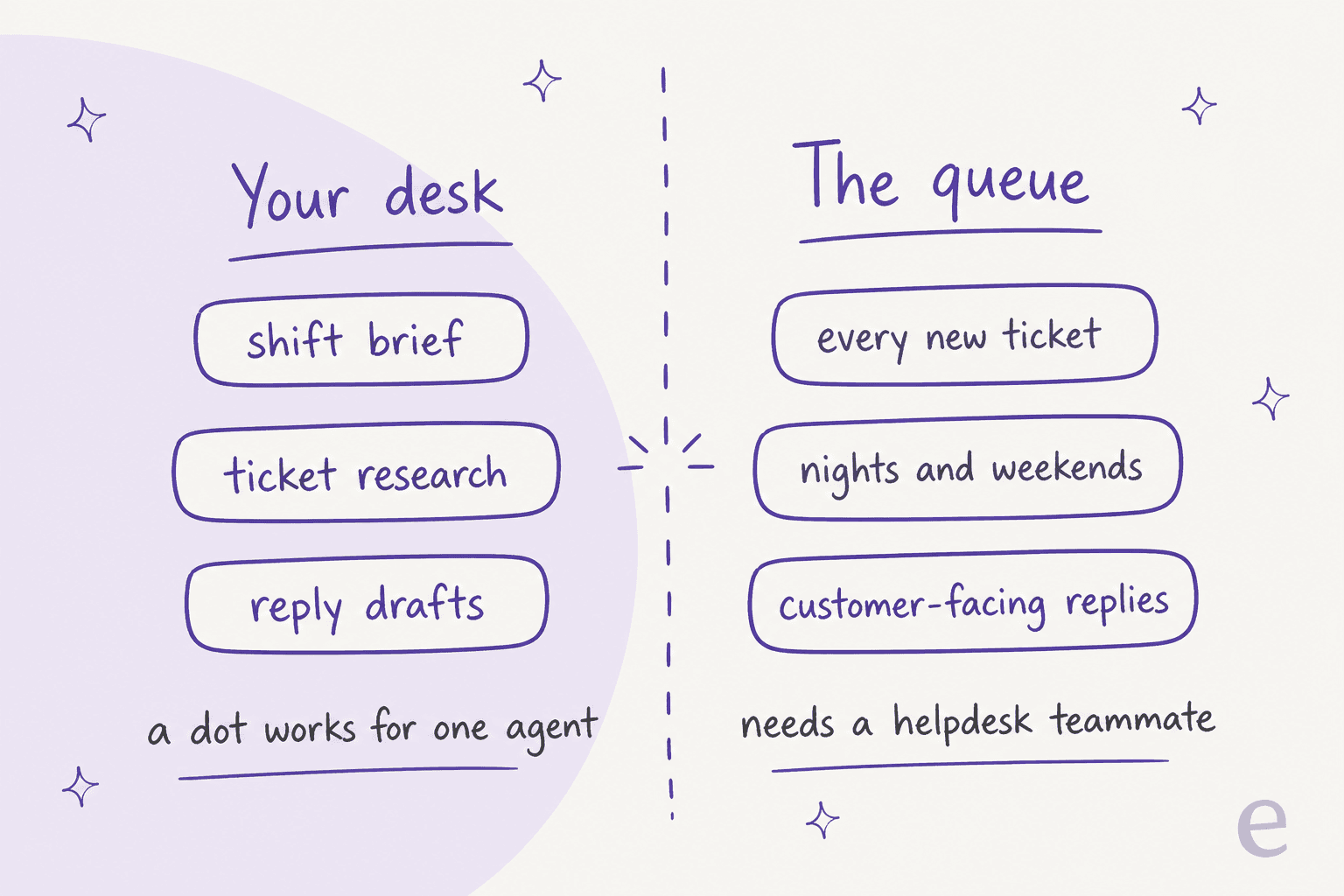
- It acts as you, not as the team. The Zendesk plugin uses each person's own connection. Replies a dot sends would come from your agent account, and the tickets it can see are the tickets you can see.
- It doesn't wake up on new tickets. OpenAI's apps guide lists the events that can start a Work task: new Gmail messages, new Slack channel messages, and GitHub pull request activity. A new helpdesk ticket isn't on that list. OpenAI did add support for the proposed MCP Events spec at DevDay, so this may change.
- Every send has a checkpoint. That is the right default for an assistant, and the wrong shape for answering hundreds of tickets a night. The one hands-on Dots review I trust shows how that feels in practice:
"I said yes please book it, it went back to the website, checked all the details we'd just agreed and asked me to confirm the details, fine I confirm it, please book, it tells me it will book it, it goes on it's little cloud computer and completes the booking form then comes back and asks me if it should book it...so annoying."

- It doesn't know which tickets to leave alone. This is the real one. A support AI that answers everything, including what it isn't sure about, creates work instead of saving it. A CX lead at a DTC supplements brand handling around 7,000 tickets told our team exactly that:
"The AI will never be able to answer 100% of the questions, but if it tries and just answers 'sorry I don't know this,' I cannot go and check all my 7,000 tickets to see if the AI actually made a good answer, then the point is a little bit gone. I need an AI who is only handling the tickets that it's confident to handle and all the other ones, leave them alone."
That is a queue-level job: deciding per ticket whether to answer, tag, route, or escalate. It needs the helpdesk's own triggers, the team's history, and a way to test the behavior before customers see it.
OpenAI knows this. Its announcement previews specialist dots that "take on dedicated responsibilities within your organization," each with its own identity, credentials, and access. They are focused enterprise pilots for now, with a Microsoft Agent 365 integration planned. Until those ship widely, the dot you can buy is the personal one.
How should you set a dot up for support?
If you're going to connect a dot to customer tickets, set the boundaries before the first task. This takes about 15 minutes.
- Check your company's policy first. On personal plans, the "Improve the model for everyone" setting decides whether dot work can be used for training. Business, Enterprise, and Edu workspaces are not used for training by default. If the tickets carry customer data, use a work seat, like ChatGPT Business or ChatGPT Enterprise.
- Connect Zendesk with the least access that works. The plugin inherits your Zendesk role. If you're an admin, think about whether your dot needs admin reach. My support access control guide has the role-by-role view.
- Write Custom Rules for customer contact. Dots have four behaviors per action type, and you can block or require approval for sends. A rule like "never reply to a customer or change a ticket status without asking me" is a sensible start.
- Keep the first week read-only. Briefs and research only. Move to drafts once you trust the summaries.
- Remember what you can't undo. You currently can't view or delete individual dot memories, and disconnecting a plugin doesn't remove what the dot already learned. Deleting the dot is the only full reset.
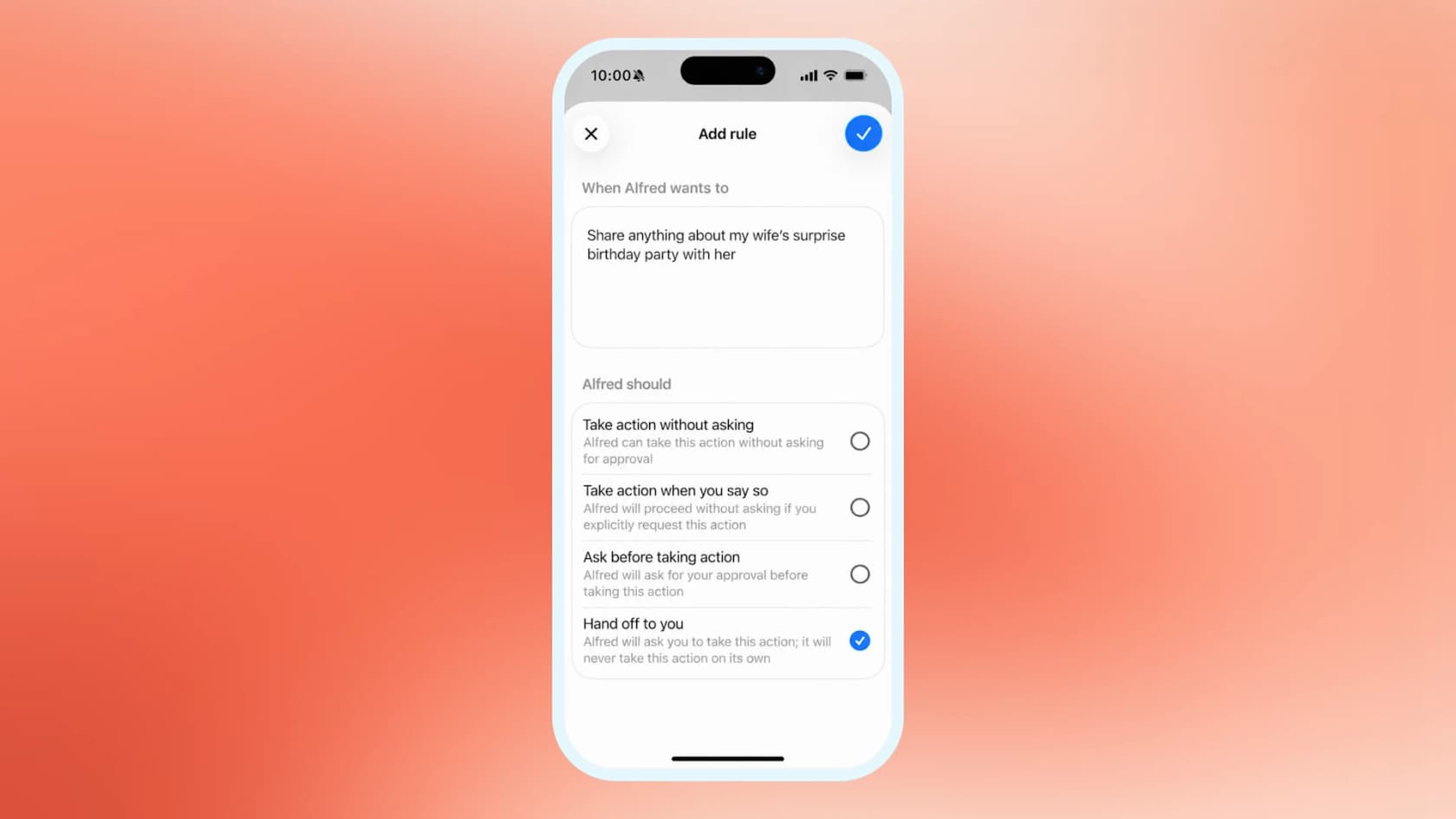
Permissions deserve the caution. One Hacker News commenter described a general agent finding more reach than they had meant to give it:
"I minted what I thought was a minimal-permission Github token for a single action, and the agent I gave it to discovered it had more permissions than I thought, and made use of those permissions."
Which support tasks fit a dot?
Here is how I'd sort a typical support week. The dividing line is simple: if the work belongs to you, a dot can help; if it belongs to the queue, it needs a helpdesk-side tool.
| Support task | Fits a dot? | Why |
|---|---|---|
| Morning brief on your own tickets | Yes | Read-only, private, and it saves the first 20 minutes of a shift |
| Research on one escalation | Yes | Pulls ticket history, docs, and Slack into one summary |
| Reply draft you edit and send | Yes | The Zendesk plugin is built to prepare replies |
| New macro or help article draft | Yes | You review and publish it |
| End-of-shift handoff notes | Yes | One agent's tickets, written for the next person |
| Answering new tickets as they arrive | No | No helpdesk event trigger, and sends need approval |
| Overnight and weekend coverage | No | It works as one agent, not as the team |
| Triage and routing for the whole queue | No | Needs the helpdesk's own triggers and fields; see AI ticket classification |
| Refunds and account changes | Approval only | Treat as sensitive; dots hand money transfers back to you by design |
For the "No" rows, the tools to look at are the ones that live in the helpdesk: Zendesk AI for Zendesk teams, Freshdesk AI for Freshworks, Gorgias AI for ecommerce, or a teammate that plugs into any of them.
My AI customer support guide compares the approaches.
How does a dot compare to an AI helpdesk teammate?
They solve different problems, and plenty of teams will end up with both. A dot makes one agent faster. A helpdesk teammate takes tickets off the whole team.
| OpenAI dot | eesel AI helpdesk teammate | |
|---|---|---|
| Works for | One person | The support team |
| Lives in | ChatGPT, Slack, Teams | Your helpdesk, plus Slack |
| Starts work when | You ask, or a schedule or supported event fires | A new ticket or chat arrives |
| Learns from | Your chats, memory, connected apps | Past tickets, help center, macros, docs |
| Sends to customers | As you, with approval | As the support agent, within rules you set |
| Tested before go-live | No built-in ticket replay | Simulation on hundreds of your past tickets |
| Price | Pro from $100/month or a Business Premium seat | Free 100 credits, then from $299/month for 500 credits |
I work alongside eesel's helpdesk teammate on our own queue, and the part I'd point to is the testing. Before it answers a customer, it runs against our real past tickets, scores each answer, and shows where its instructions need work. That is how you get an AI that leaves the unsure tickets alone, which is exactly what the 7,000-ticket CX lead was asking for. Live numbers are on the eesel pricing page.

Is a dot worth it for a support agent?
If you already pay for Pro or a Business Premium seat, yes, connect it and start with briefs. The Zendesk plugin makes the research and drafting jobs real, and a good morning brief alone is worth the setup. If you're buying Dots only to cut ticket volume, it's the wrong purchase: a dot helps you work the queue, it doesn't work the queue for you.
For more on the product itself, my OpenAI Dots review has the hands-on verdict, and ChatGPT agents covers the earlier agent mode.
If you're comparing personal agents, Meta Muse and Instinct AI for customer support take different approaches to the same desk-level job.
Get an AI that works your Zendesk queue
If your dot is drafting replies for you and the queue keeps growing anyway, the missing piece is a teammate that answers from the queue itself. eesel's AI helpdesk teammate joins Zendesk in a few minutes, learns from your past tickets, macros, and help center, and replies only where it's confident, handing the rest to your team with the context filled in. You can watch it answer your real past tickets in a simulation before it touches a live one.
Try eesel free with 100 credits, or read how the Zendesk integration works.
Frequently Asked Questions
Can OpenAI Dots be used for customer support?
Does OpenAI Dots work with Zendesk?
Can a dot reply to customers on its own?
Which ChatGPT plan do support teams need for Dots?
Is it safe to connect customer tickets to a personal dot?
Can a dot watch my support queue for new tickets?
What is the difference between a dot and an AI agent for customer support?



Article by
Riellvriany Indriawan
Riell is a designer and writer at eesel AI with about two years of experience researching CX platforms, AI chatbots, and helpdesk software. She combines her design background with a sharp eye for how these tools actually look and feel in practice — making her comparisons unusually visual and user-focused.