
Why people go looking past ChatGPT for Work
I've spent the last few years watching teams roll AI into real workflows, and the pattern with ChatGPT for Work is almost always the same: someone buys a few seats, half the team uses it daily, the other half opens it twice a month, and finance notices they're paying the same per-seat rate for both.
That's the first switching trigger, and it's the loudest one on Reddit. The recurring gripe in the r/OpenAI worth-it threads is that the Business tier costs more per seat than Plus but sometimes gets new consumer features later, so you're paying a premium to be second in line. For a lot of buyers, the value ends up being privacy and higher usage limits, not exclusive capability.
The second trigger is subtler: ChatGPT for Work is a brilliant generalist, and a generalist has no depth in any single job. It'll draft your email, summarize a PDF, and rough out a deck. But ask it to actually run a specific business process end to end, close the support tickets, keep the knowledge base current, act inside the tool where the work lives, and you hit the ceiling of "it gives great answers, but it doesn't do the thing."
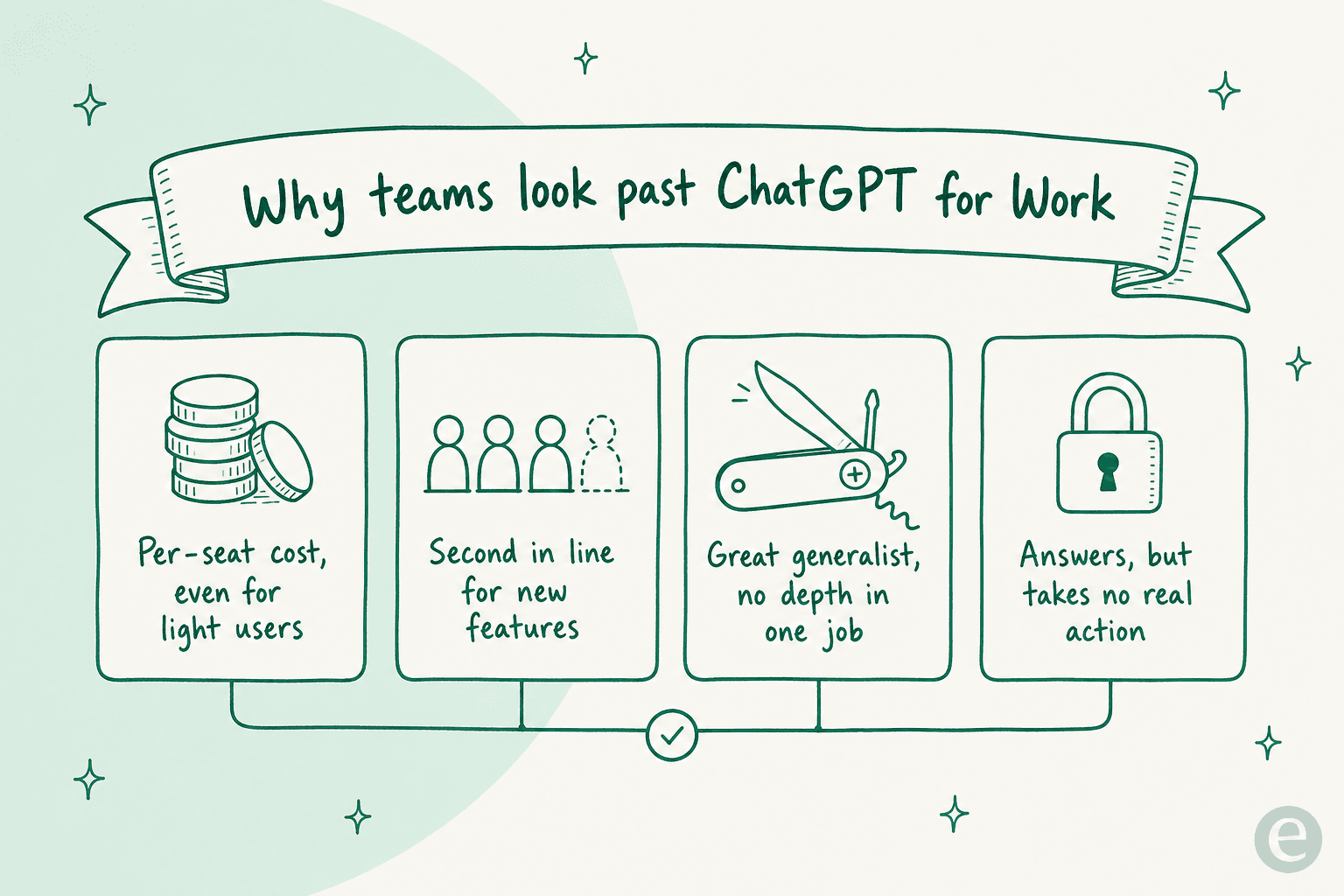
None of this means ChatGPT for Work is bad. It means "best AI for work" is the wrong question. The right one is "best AI for my work," and the answer changes a lot depending on whether your team's job is writing, coding, research, or clearing a queue.
How I compared these
A quick word on method so the takes have a basis. I've used most of these tools directly, and for the rest I went deep on their own docs, pricing pages, and product UI. For each one I looked at four things:
- What it's genuinely best at (not the marketing tagline).
- Real pricing, including the billable unit and the traps, because "starts at $X" hides a lot.
- What real users say, pulled from Hacker News, Reddit, and G2 with links so you can check.
- Who should skip it, because a fair "not for you" is more useful than a rave.
One framing that helped me more than any feature checklist: most of these tools fall into three lanes. General work assistants, enterprise work search, and support automation. Pick the lane before you pick the tool.
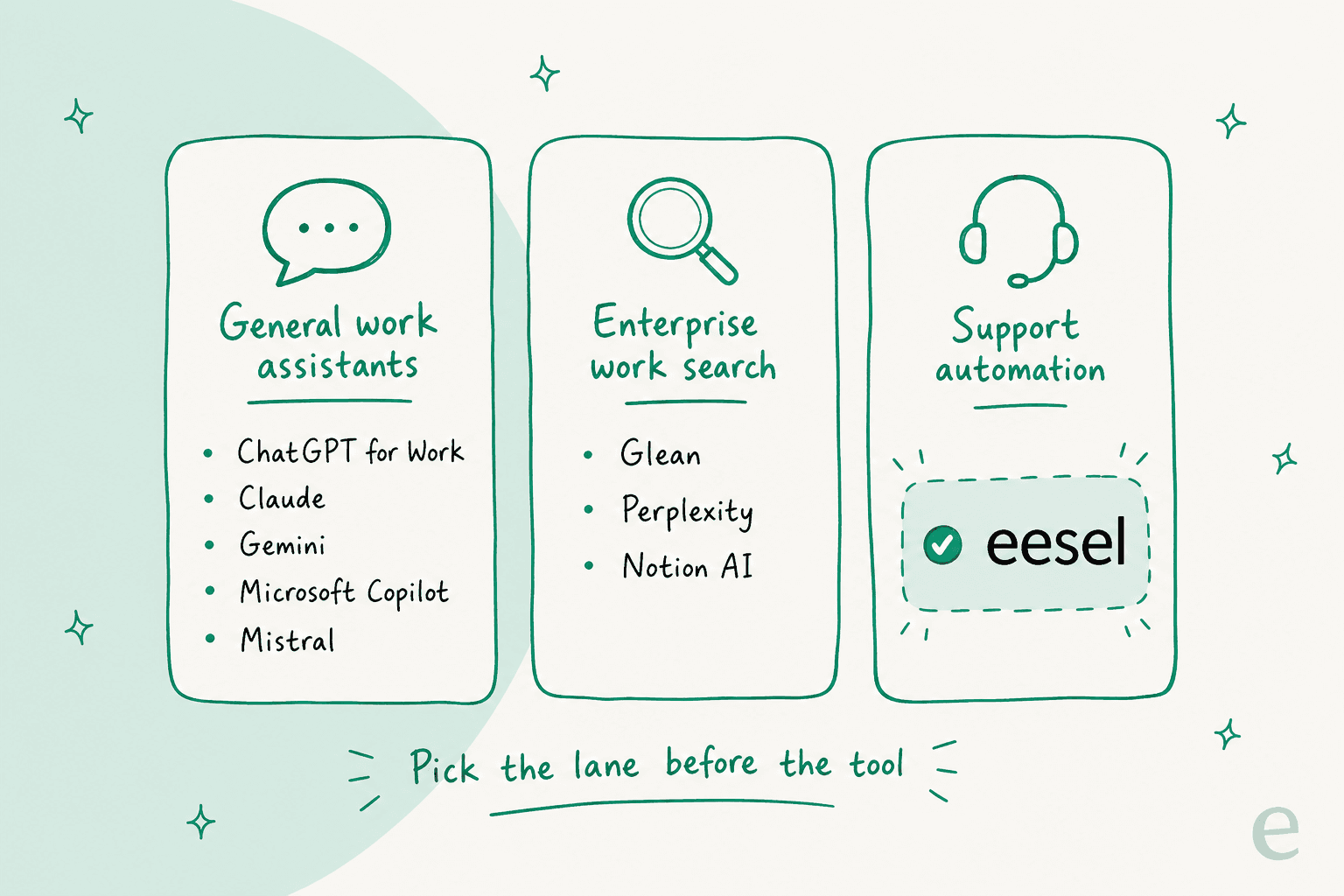
The best ChatGPT for Work alternatives at a glance
| Tool | Best for | Entry price (per user/mo) | Billing unit | Enterprise security | Native context |
|---|---|---|---|---|---|
| ChatGPT for Work | The default generalist | $20-25 (Business) | Per seat | SOC 2; ISO/SCIM on Enterprise | Connectors (Drive, SharePoint, Slack) |
| Claude for Work | Best model quality | $25 (Team) | Per seat | SSO, SCIM, audit logs (Enterprise) | Projects, MCP connectors |
| Google Gemini | Google Workspace teams | $14 (Business Standard) | Per seat | Workspace-grade; DLP on Enterprise | Native in Gmail/Docs/Sheets |
| Microsoft 365 Copilot | Microsoft 365 teams | $30 + M365 license | Per seat | Inherits M365 tenant controls | Native in Office + Graph |
| Glean | Enterprise-wide search | Quote-only (~$40-50) | Per seat + credits | SOC 2, ISO 27001, GDPR | 100+ permissioned connectors |
| Perplexity | Cited research | $40 (Enterprise Pro) | Per seat | SOC 2 II, HIPAA, GDPR | 400+ connectors + web |
| Notion AI | Notion-native teams | $20 (Business, AI bundled) | Per member | SSO; enterprise controls | Native in Notion + connectors |
| Mistral (Vibe) | EU privacy / open weights | $24.99 (Team) | Per seat | EU residency, SAML, self-host | Workspaces + connectors |
| eesel | Customer support automation | No seat fee | Fixed monthly, from $299 (500 credits) | SOC 2 processors; SSO add-on | Native in your helpdesk |
Prices are the cheapest full-featured entry tier as of July 2026. Now the detail, one tool at a time.
Pick your lane
If the table is a lot to hold in your head, here's a faster way in. Answer one question, what is the work you most want AI to take off your plate, and it points you at the right shortlist.
What's the main job you want AI to own?
1. Claude for Work
Best for: teams that want top-tier writing and coding quality, and a shared knowledge layer, more than the widest connector catalog.
Claude for Work is Anthropic's multi-seat offering, split into Team (self-serve) and Enterprise (custom contract), running on the Claude 5 family. It's the alternative people reach for when model quality is the deciding factor, and it comes up constantly in "we switched" threads.
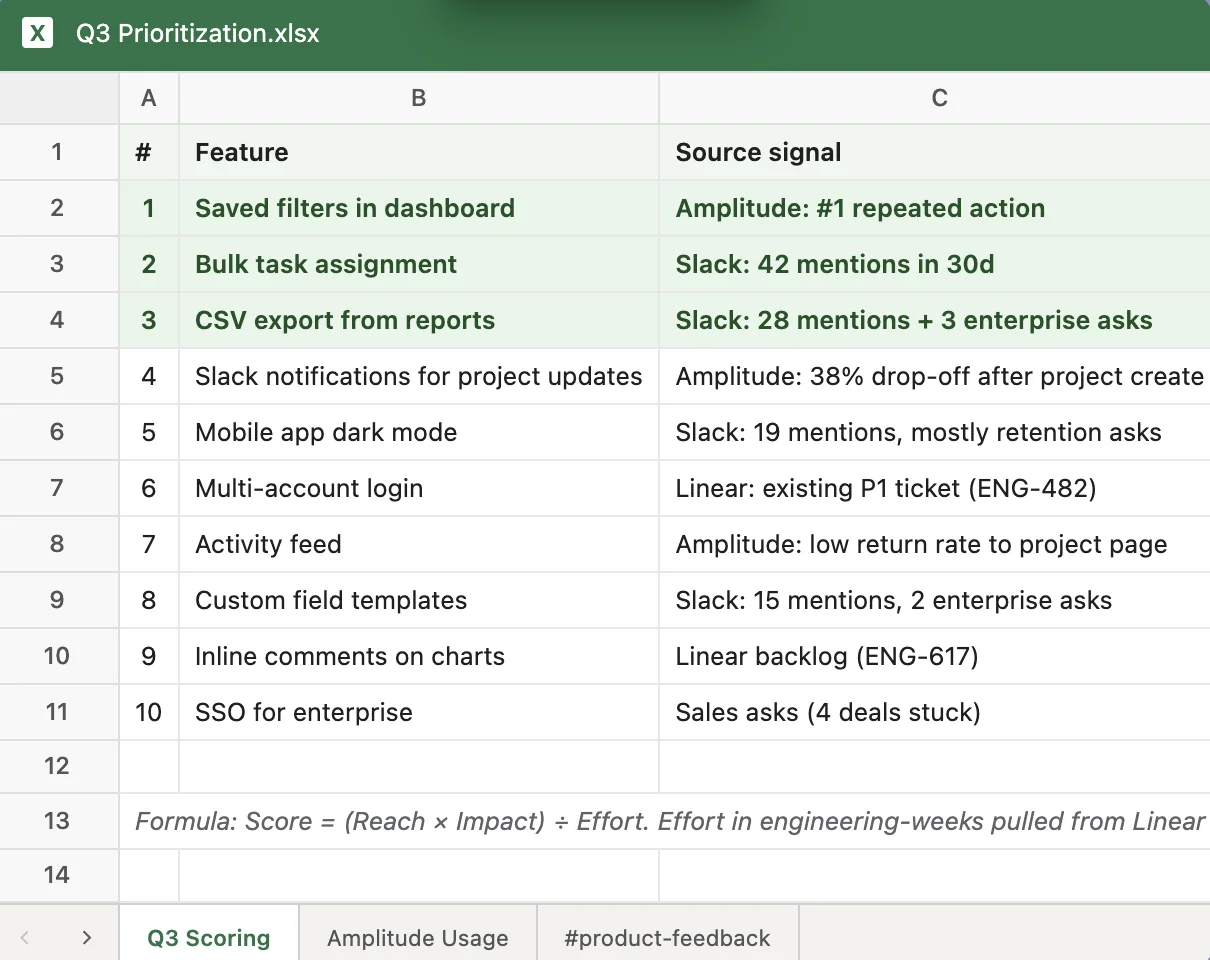
The standout features are shared Projects (a persistent workspace bundling a knowledge base, custom instructions, and chat history you can share team-wide) and Artifacts, which render code, docs, and small interactive apps in a side panel. G2 reviewers consistently say that side-panel editing beats ChatGPT's inline approach.
Pros:
- Shared Projects that lean on Claude's large context window.
- Artifacts for live code, docs, and mini-app previews.
- Serious Enterprise governance: SSO, SCIM provisioning, role-based permissions, audit logs, and regional data residency.
Cons:
- Heavy users hit rolling 5-hour and weekly usage caps fast.
- Fewer native connectors (it leans on MCP) and no native image generation.
The clearest signal is how many teams describe an outright switch:
"My experience has been Claude is better at all coding/technology questions and exploratory learning... We were using OpenAI's Teams for a while. Tried Claude out for a few days - switched the entire company over and haven't looked back."

Pricing: Team is $25 per user per month monthly, or $20 annually, with a five-seat minimum. A Premium seat with higher limits runs $125 (or $100 annually). Enterprise is custom.
Verdict: If you're leaving ChatGPT for Work because you want a smarter model and a cleaner shared workspace, Claude is the pick. If you rely on a broad catalog of first-party app connectors or native image generation, you'll feel the gaps.
2. Google Gemini for Workspace
Best for: teams already on (or evaluating) Google Workspace who want AI inside Gmail, Docs, and Sheets at no add-on cost.
Gemini for Google Workspace is Google's productivity AI, embedded across Gmail, Docs, Sheets, Slides, Meet, and Chat, plus the standalone Gemini app and NotebookLM. Since January 2025, it's bundled into Workspace rather than sold separately, which is a real pricing advantage over Copilot's add-on model. If you're weighing the two big platform assistants, our ChatGPT vs Gemini breakdown goes deeper.

Pros:
- Real-time collaboration across Gmail, Docs, and Meet is the standout (G2 ease-of-use 9.3 vs Microsoft 365's 9.0).
- No add-on cost or separate login; AI lives in apps teams already use.
- 4.6/5 across 48,000+ G2 reviews; Sports Basement reported a 30-35% cut in support-reply drafting time.
Cons:
- Sheets is still weaker than Excel for heavy modelling, pivots, and macros.
- Limited offline functionality, and storage fills fast on lower tiers.
Pricing: Business Starter is $7 per user per month but only includes Gemini in Gmail. The practical floor for the full experience is Business Standard at $14, with Business Plus at $22 and Enterprise contact-sales. Worth flagging the pricing trap: Starter does not include Gemini in Docs, Sheets, or Slides.
Verdict: If your company already runs on Google, this is close to a no-brainer, since you may already own it. If you're a heavy Excel or offline user, the Microsoft side of the fence will feel more at home.
3. Microsoft 365 Copilot
Best for: teams already living in Word, Excel, Outlook, and Teams who want AI grounded in their own tenant data.
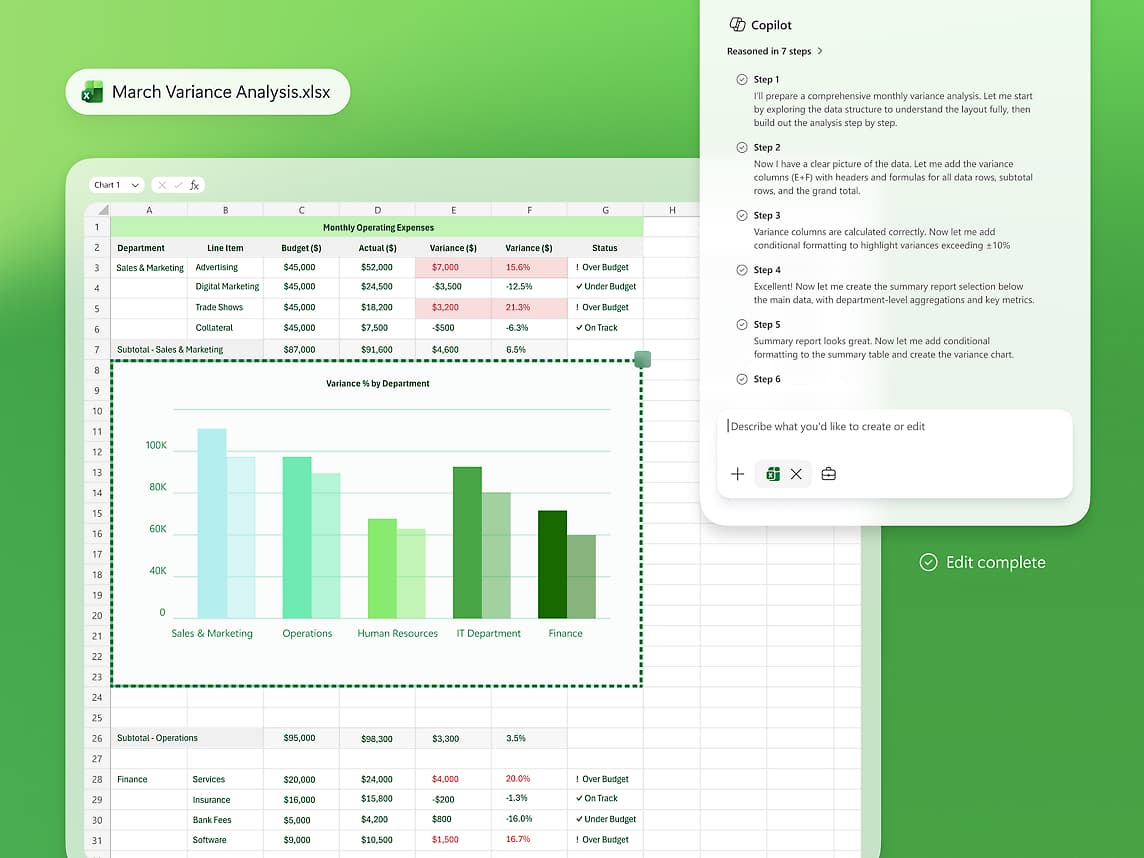
Microsoft 365 Copilot is Microsoft's enterprise AI for work, embedded directly inside the Office apps rather than a separate chat window, grounding answers in your org's own data via Microsoft Graph. For the buyer weighing ChatGPT Enterprise against a Microsoft-native option where IT already trusts the stack, it's the obvious contender.
Pros:
- Native, inline Copilot across Word, Excel, PowerPoint, Outlook, and Teams.
- Microsoft Graph grounding in your tenant's mail, files, and calendar, the context standalone ChatGPT can't match out of the box.
- Enterprise security inherited from your existing M365 tenant, so no new vendor to vet.
Cons:
- Answers repeatedly feel a tier below ChatGPT despite running the same OpenAI family, and it's weak on large spreadsheets.
- The real cost is high because it stacks on a required M365 license, and adoption lags.
The candor on Hacker News is worth reading before you commit:
"I never understood how 365 Copilot's chat llm was so much worse than the free offerings from OpenAI at the time. Copilot is often wordy, wrong, and seems like it can't do a lot of the same things I can accomplish without logging in on ChatGPT"
Pricing: Microsoft 365 Copilot is $30 per user per month on an annual commitment, and there's a promo-priced Business tier at $18. The pricing page hides the real trap: both require a separate qualifying M365 license underneath. Copilot Chat is included free for eligible orgs as an entry point.
Verdict: If your value is your own tenant's context and IT is already all-in on Microsoft, Copilot earns its place. If you want the best model answers per dollar, you may be underwhelmed for the all-in price.
4. Glean
Best for: large enterprises that need one permissions-aware AI search and assistant layer across every app they already use.
Glean is an enterprise "Work AI" platform that indexes your knowledge across 100+ connectors, then layers permissions-aware search, an assistant, and a no-code agent builder on top of a company knowledge graph. It's sold for whole organizations, not individuals.
!The Glean Work AI platform architecture: assistant, business agents, enterprise context graph, and connectors, as taken from Glean
Pros:
- 100+ permission-enforced connectors, so users only ever see what they already have access to.
- A knowledge graph that surfaces answers across systems people didn't know existed.
- Turnkey surfaces (assistant, Chrome extension, voice) plus SOC 2 Type II, ISO 27001, and GDPR.
Cons:
- Reviewers report slow answers and inconsistent results on precise, structured queries.
- Enterprise-only, opaque pricing with a roughly 100-seat, $50k-plus annual floor.
When Glean clicks, people rave about it:
"Glean.com does it for the enterprise I work at: It consumes all of our knowledge sources including Slack, Google docs, wiki, source code and provides answers to complex specific questions in a way that's downright magical."
Pricing: Quote-only. Glean publishes no prices; the pricing page leads to a demo. Community reports put it around $40-50 per user per month with a ~100-seat minimum, but treat that as directional.
Verdict: For a big org drowning in scattered knowledge, Glean is a genuinely different product from a chat assistant. For a small team, the seat minimum and evaluation lift rule it out.
5. Perplexity Enterprise
Best for: teams that need cited, real-time research across the web and their internal knowledge, with IT controls.
Perplexity Enterprise Pro is the team tier of Perplexity's citation-first answer engine. It extends the same real-time, numbered-citation search across a company's files and connected apps, wrapped in SOC 2, SSO, and admin controls. It's a research layer first, not a doc-drafting agent. Our ChatGPT vs Perplexity coverage has more on the comparison.

Pros:
- Best-in-class cited web research; independent Tow Center testing put its ~37% error rate as the lowest among AI search tools tested.
- Internal search via 400+ connectors (Drive, SharePoint, Slack, Notion), plus Spaces as mini knowledge bases.
- Multi-model choice from one subscription (Claude, Gemini, in-house Sonar, GPT-5.x), plus the Comet browser.
Cons:
- Research-first and narrower than a full work agent; teams often pair it with a general assistant.
- It can sound authoritative but shallow, so users still need to click through and verify.
That second point is worth taking seriously:
"It sounds all authoritative and the structure is good. It all sounds and feels substantial on the surface but the content is really poor."
Pricing: Enterprise Pro is $40 per seat per month billed annually; Enterprise Max is $325. Individual Pro is $20. Note that audit logs, retention config, and SCIM require 50+ members or one Max user.
Verdict: As a cited-research companion, Perplexity is excellent and hard to replace. As a standalone replacement for ChatGPT for Work's everyday drafting and workflow use, it's the wrong shape.
6. Notion AI
Best for: teams that already live in Notion and want an AI teammate inside their docs, tasks, and databases.
Notion AI is the AI layer built directly into the Notion workspace, not a separate chatbot. Its differentiator is workspace context, not the model (it runs on GPT and Claude-family models underneath), reaching into connected apps like Slack, Drive, and GitHub.
Pros:
- Native workspace context; Q&A and cross-app Enterprise Search feel like part of Notion, not a bolt-on.
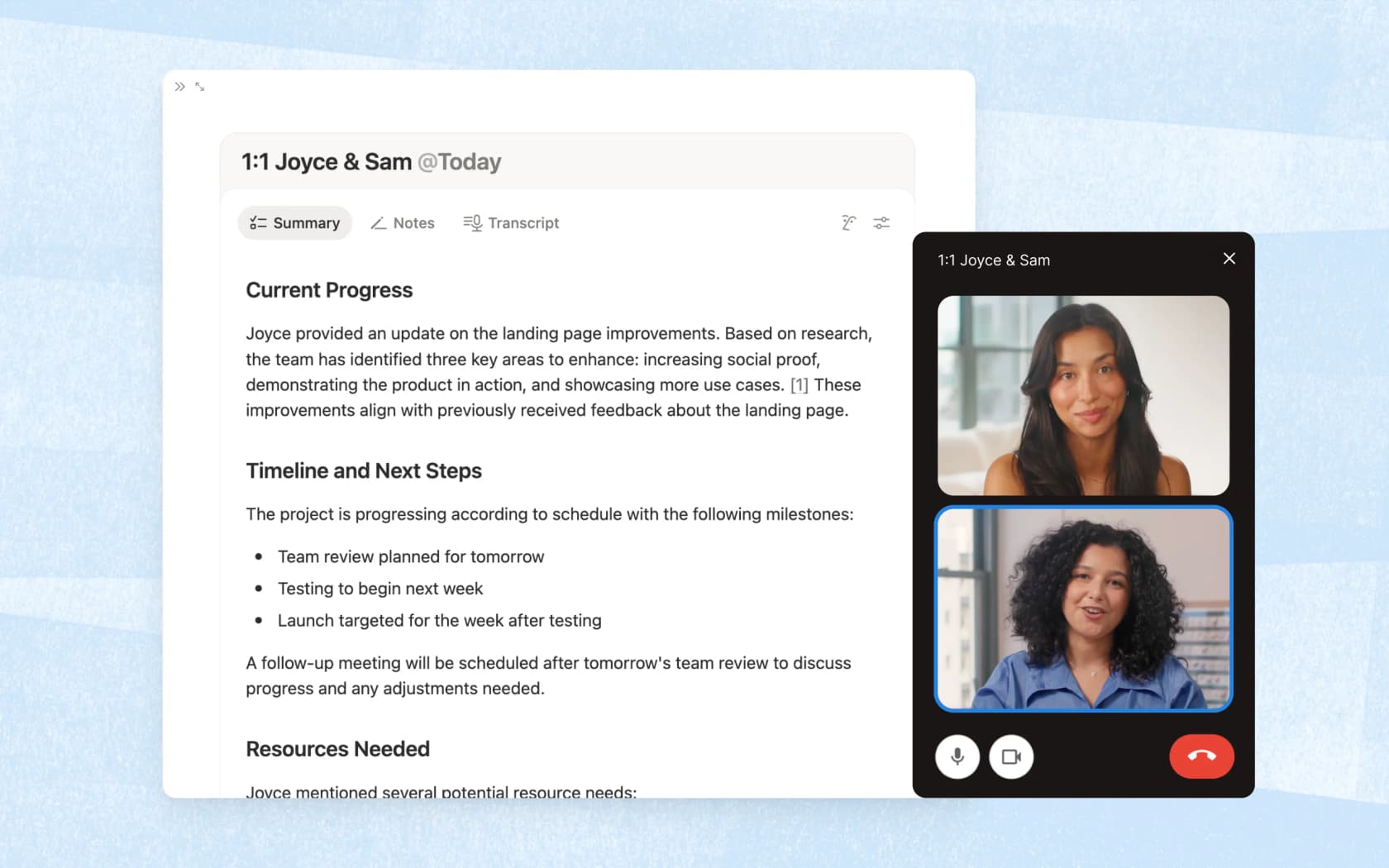
- AI Meeting Notes transcribes calls and links notes back to the right project page.
- The Notion Agent takes on whole tasks, creating and editing pages and databases, not just drafting text.
Cons:
- The value is the integration, not the raw model; for a general agent, people still prefer standalone ChatGPT or Claude.
- The jump to the Business tier only pays off if Notion AI replaces other tools.
The cost-versus-value tension shows up plainly in community threads:
"But not every company will want to pay the per-head cost for this, unless it can replace other existing tools."
Pricing: Notion AI is now bundled into the Business plan at $20 per member per month (annual), not a standalone add-on. Free and Plus get only a limited trial; Enterprise is custom.
Verdict: If Notion is already your team's home, the bundled AI is a natural upgrade. If it isn't, moving your whole workspace just to get the AI is a big ask.
7. Mistral (Vibe, formerly Le Chat)
Best for: European or privacy-conscious teams who want EU-hosted, open-weight, GDPR-compliant AI.
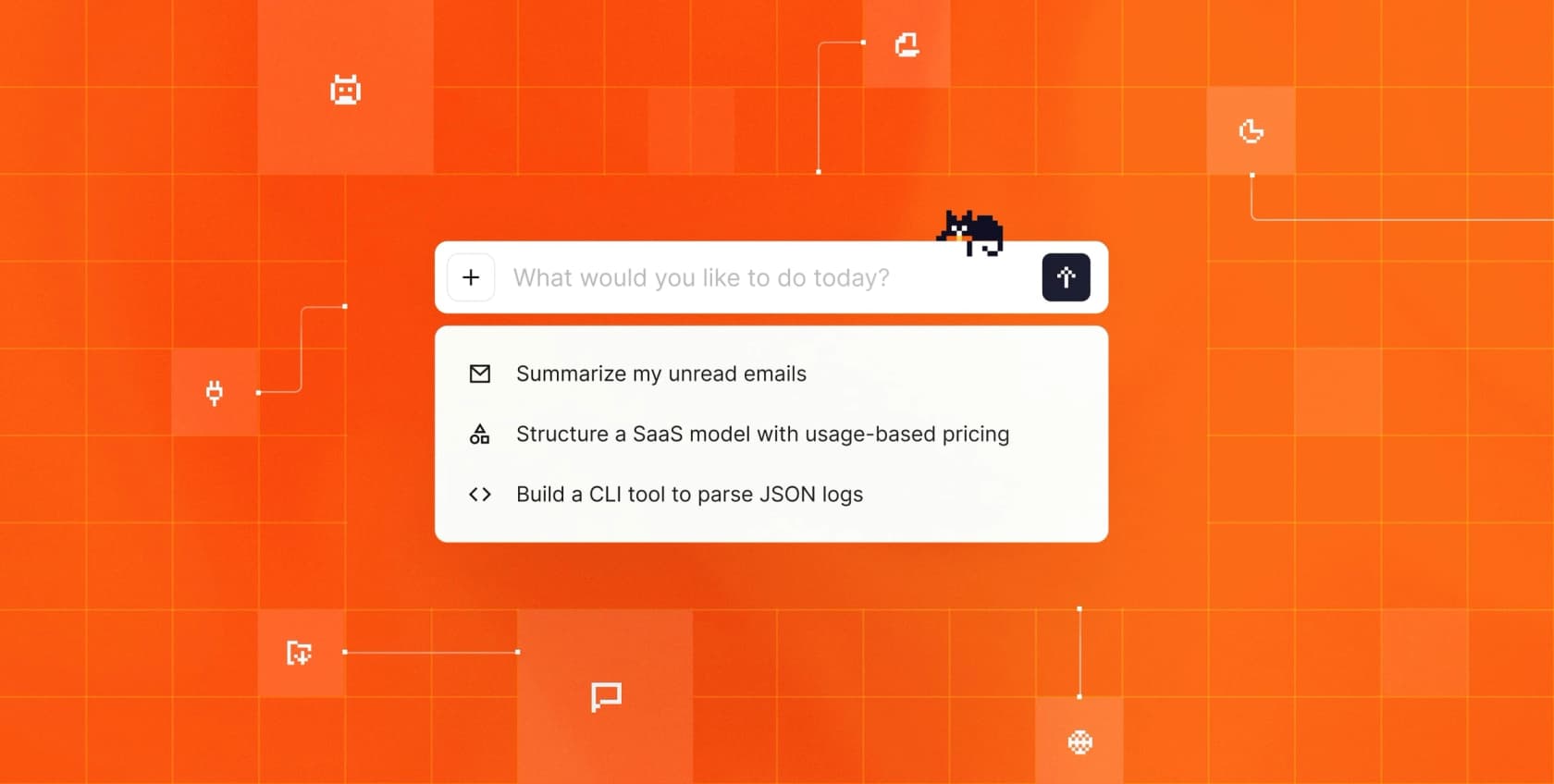
Mistral is a France-based frontier lab whose assistant, the former Le Chat, is now branded Vibe. It sells on EU data residency, open weights, and self-hosted or EU-hosted deployment, with Team and Enterprise plans adding collaborative workspaces, admin controls, and SAML SSO.
Pros:
- Consistently praised for raw speed across G2, Reddit, and X.
- EU data residency, GDPR, and open, self-hostable weights, a real moat for European buyers.
- Low cost, with a usable free tier and free API for testing.
Cons:
- A capability ceiling versus frontier labs; users fall back to Claude or ChatGPT for hard tasks.
- Platform bugs (hallucinations, context bleeding) and few third-party integrations.
A candid take from a European user captures the trade-off:
"I prefer LeChat over ChatGpt, since it is often faster, it hallucinates less, and they have just added 'research' function that has been absolutely brilliant for me...And they live up to GDPR."

Pricing: Pro is $14.99 per month; Team is $24.99 per user per month with a $50 monthly minimum; Enterprise is custom. API rates are low: Mistral Large 3 is about $0.50 in and $1.50 out per million tokens.
Verdict: If data sovereignty is a hard requirement, Mistral is the clear pick and the price is friendly. If you need frontier-level reasoning on your hardest tasks, keep a Claude or ChatGPT seat alongside it.
8. eesel
Best for: the one job on this list a general assistant genuinely can't do, resolving customer support tickets.
Here's the reframe I promised in the TL;DR. Every tool above is a version of "AI that helps a person do work." eesel is different: it's AI that does a specific job, working the support queue inside the helpdesk you already run.
I built eesel to be an AI helpdesk agent that plugs into Zendesk, Freshdesk, Gorgias, Front, or HubSpot, learns from your past tickets and help docs on day one, then drafts, triages, escalates, and resolves tier-1 tickets end to end. A general chatbot can tell an agent how to answer a refund question. eesel actually closes the ticket.

The single hardest thing to fake here is confidence-based control. One DTC supplements CX lead put the whole problem to me in a sentence:
"The AI will never be able to answer 100% of the questions... I need an AI who is only handling the tickets that it's confident to handle and all the other ones, leave them alone."
That's exactly the design. Before go-live, eesel's simulation mode runs the agent against your historical tickets and shows the resolution rate you'll actually get, so you're not flipping a switch and hoping.
Pros:
- Simulation against your real ticket history before launch, with coverage shown by theme.
- Plugs into your existing helpdesk plus 100+ integrations and 80+ languages, no new interface to adopt.
- No per-seat fees; one fixed monthly price sized to ticket volume (1 credit per ticket or chat), so cost tracks work done, not headcount.
Cons:
- Purpose-built for support automation; it's not a general desk assistant for arbitrary "work" tasks.
- If you want one tool for both support and everyday drafting, you'll pair eesel with a general assistant.
Pricing: One fixed monthly price sized to volume, with no seat fee and no platform fee. Each ticket or chat uses 1 credit, however long it runs; dashboard questions are mostly free. Plans start at $299/month for 500 credits, and 1,000 tickets a month is $499/month. There is a free plan with 100 credits and no card, and you're never charged for tickets your human agents handle. It's a fundamentally different model from the per-seat cost of everything else on this list.
Verdict: If your team's "work" is the support queue, eesel is the tool a general assistant can't replace. If you want AI for writing decks and emails, this isn't that, and I'd point you back up the list.
What these actually cost
Sticker prices hide a lot, so it's worth seeing them side by side. The general assistants cluster between $14 and $40 per user per month, and the two "native" options (Gemini and Copilot) either bundle the AI into a suite you may already own or stack it on top of a license you must own.
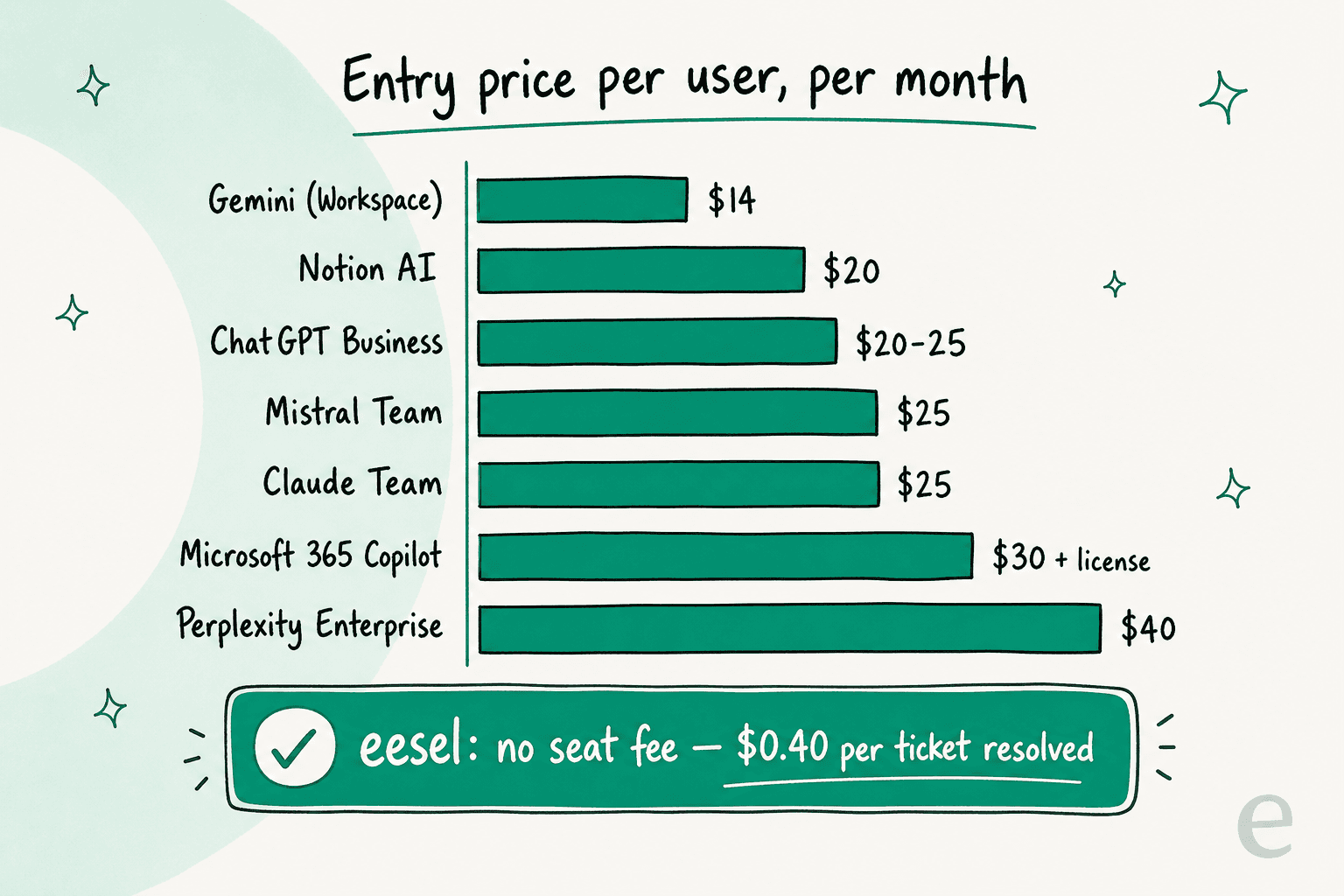
The number that changes the shape of the comparison is eesel's. Everything else charges per person, whether or not that person clears any work. A credit-per-ticket plan means your price is sized to support volume instead of headcount, with optional overage at a cap you set if a month spikes. For a support team specifically, that's a very different risk profile from buying 40 seats and hoping for adoption. If you're comparing the field for support use, our roundup of the best AI for ticket automation goes deeper on the math.
Try eesel for your support queue
Most of this list is a fair fight between excellent generalists, and if you need AI for writing, coding, and research, you should pick from tools one through seven. But if you came here because your support queue is drowning and you were hoping ChatGPT for Work would clear it, I'd gently redirect you.
eesel is the tool built for that exact job. It connects to your helpdesk in minutes, trains on your historical tickets and knowledge base automatically, and lets you simulate the resolution rate on your own data before you commit. No seat fees, no rip-and-replace, and only tickets it actually works on use credits.

You can try eesel free with 100 credits and no credit card, or book a demo to see it run against your own tickets. It's the fastest way to find out what a support-specific agent resolves that a general one never will.
Frequently Asked Questions
What is the best ChatGPT for Work alternative in 2026?
How much does ChatGPT for Work cost per user?
Is there a cheaper alternative to ChatGPT for Work?
What is the best ChatGPT for Work alternative for customer support?
Do I need ChatGPT for Work if I already pay for Microsoft 365?
Which ChatGPT for Work alternative is best for data privacy?
Can an AI agent actually resolve support tickets, not just draft replies?


Article by
Kurnia Kharisma
Kurnia is a software engineer and writer at eesel AI with two years of SEO experience, writing about AI tools, helpdesk software, and customer support. He pairs a developer's understanding of how these products are built with search-driven research into what actually ranks and resonates with the people searching for them.