What is cross-team support escalation?
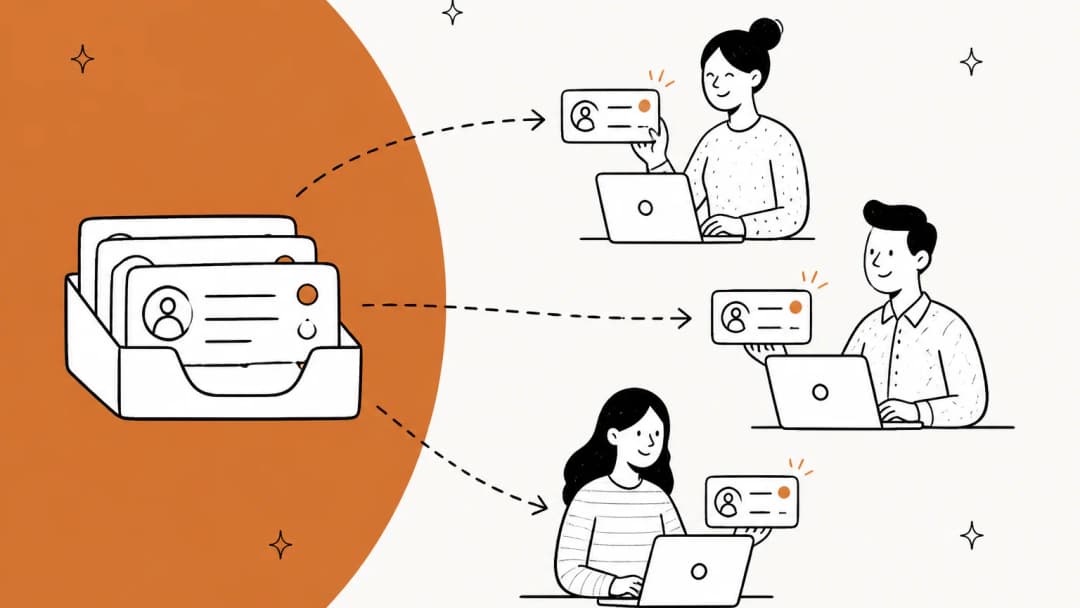
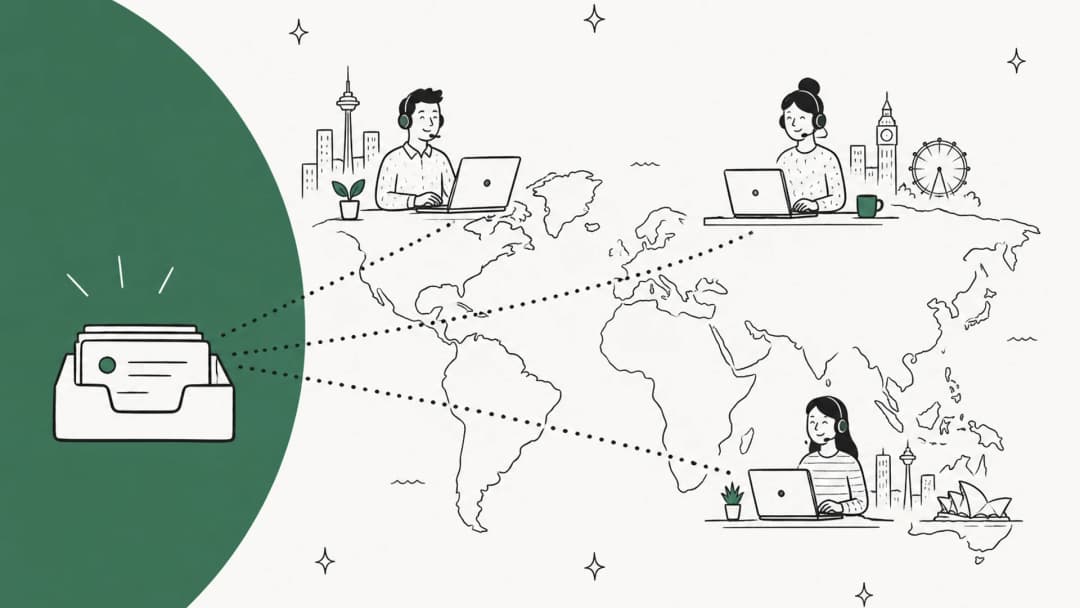
Cross-team support escalation is any escalation where the person who can unblock the ticket doesn't work in support. A refund stuck in a payment processor needs finance. A reproducible bug needs engineering. A "can you change this contract term" needs the account manager or legal.
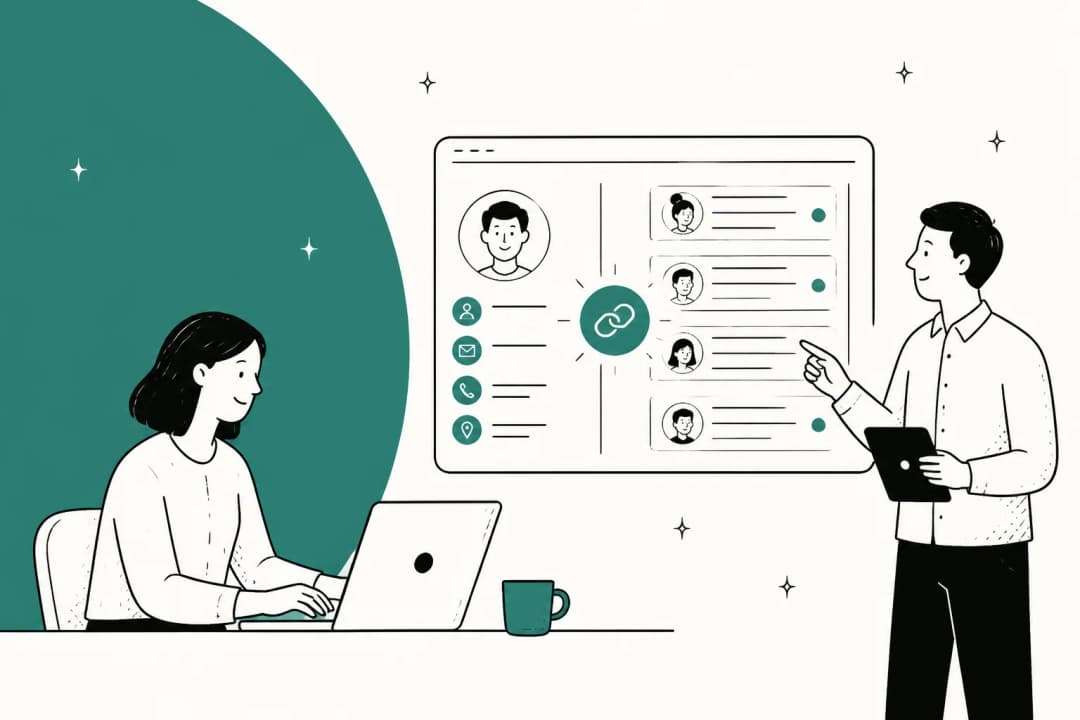
It's a specific flavor of functional escalation. In a classic ticket escalation process, tier 1 passes a hard ticket to tier 2, and both live in the same helpdesk with the same SLAs. Cross-team escalation is harder because the receiving team works in a different tool, on a different priority list, and was never measured on your customer's wait.
I work eesel's support queue every day, and the tickets that age worst aren't the technically hard ones. They're the ones parked on someone outside the queue. Here's where those tickets typically go:
| Receiving team | What they own | Typical trigger | Where they usually work |
|---|---|---|---|
| Engineering | Bugs, outages, data fixes | Reproducible defect, error code | Jira, Linear |
| Billing / finance | Refunds, failed charges, invoices | Payment dispute, wrong charge | Billing system, email |
| Product | Feature gaps, roadmap questions | "Is this planned?", repeat requests | Linear, Jira, Productboard |
| Account management | Contracts, renewals, upgrades | Enterprise customer at risk | CRM, Slack |
| Legal / security | Data requests, compliance, disputes | GDPR request, security report | Email, internal tracker |
| Partners / vendors | Shipping, payouts, integrations | Third-party failure | Email, partner portal |
Every row in that table is a different system and a different set of incentives. That's why a routing rule alone doesn't solve it.
Why cross-team escalations go quiet
From the customer's side, a cross-team escalation looks like silence. This ClickUp customer described the loop well, and ClickUp staff did reply publicly in the same thread:
"Opened ticket weeks ago Got told it was "escalated to engineering." Then silence. Went back to live chat today. After waiting, an agent told me she'd… escalate it again. Same loop as before."

It happens with billing too. One Hacker News commenter opened a support ticket about an unexpected charge, got told it had gone to "the internal billing team", and then:
"Jan 1: They try to charge us. I open a support ticket, no response until I posted QT, they say they opened a ticket to the internal billing team.
Today: R2 access cut off"

From inside the company, the same failure looks like back-and-forth. Support writes a thin summary, the other team has questions nobody can answer, and the customer waits while the two teams ping each other. One support leader put it in a phrase I now use constantly:
"Is anyone doing this well or is everyone just living with Jira + Slack + hope?"
The pattern under all three: the escalation had a sender but no owner, and no clock. Support thinks engineering has it. Engineering thinks support is talking to the customer. Nobody is.
Hand off or loop in? The decision that decides everything
There are two ways to get another team involved, and most of the pain comes from picking the wrong one.
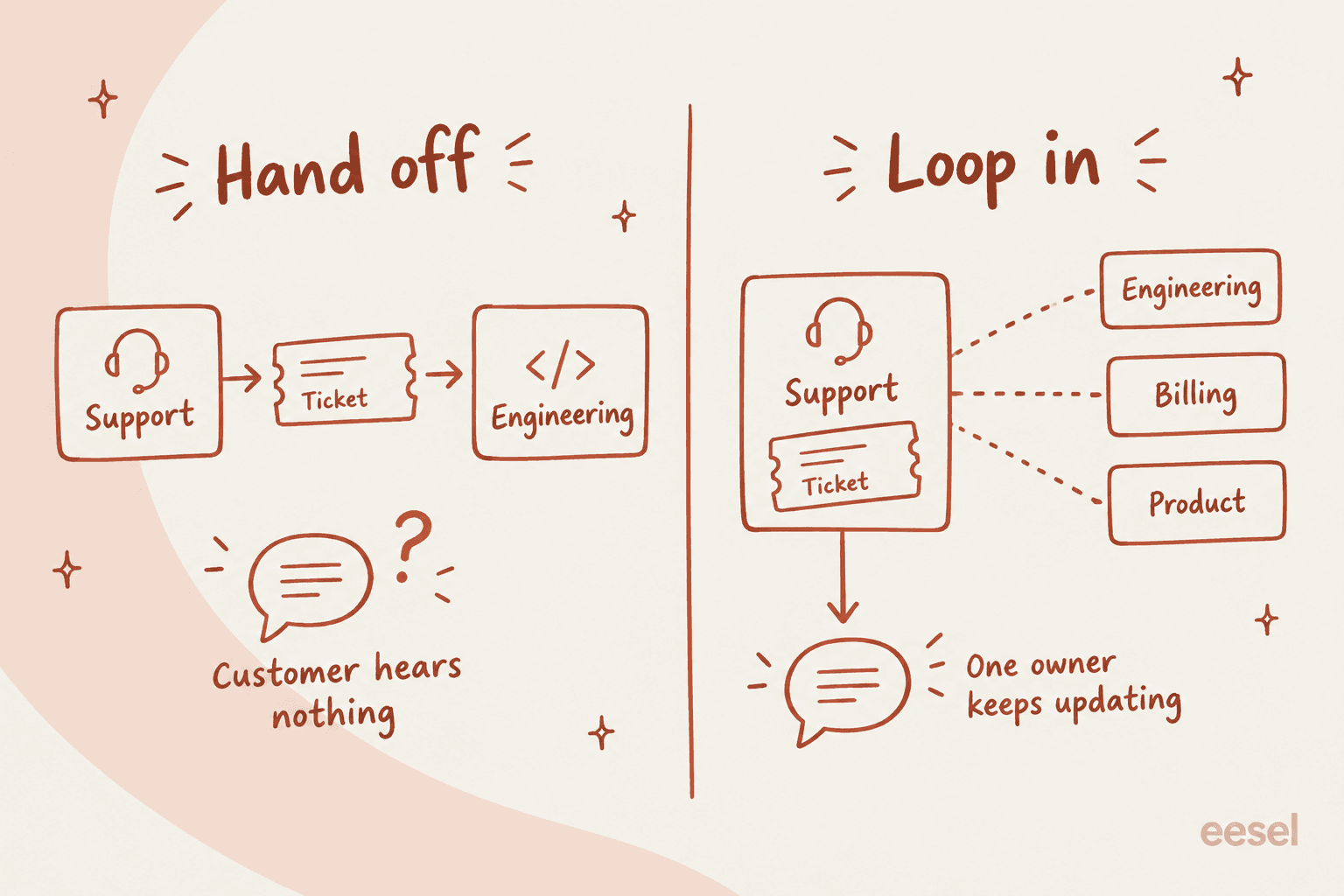
A handoff moves the ticket to the other team. It feels clean, but you lose more than you think. A Jira consultant on Reddit listed what breaks when you move a service desk ticket into an internal project:
"Moving the whole ticket have few big problems:
you loose SLAsyou cant communicate with the customercustomer cant see tickets within Jira in the helpdesk portal, so for him it ultimately means he loose everything about that ticketyou loose track for reporting purposes"
A loop-in keeps the ticket with support and opens a linked thread, task or issue for the other team. Support owns the customer. The other team owns the work. Updates flow back into the ticket.
My rule: default to loop-in for every cross-team escalation, and only hand off when the other team will fully take over the customer relationship (a security incident run by your security team, a contract dispute run by legal). Even then, tell the customer who their new contact is.
How each helpdesk lets you loop another team in
Every major helpdesk has a loop-in feature now. They differ on three things that matter: which plan you need, whether the other team needs a paid seat, and what actually flows back to the ticket.
| Helpdesk | Loop-in feature | Plan needed | Does the other team need a seat? | What flows back |
|---|---|---|---|---|
| Zendesk | Side conversations (email, Slack, Teams, child tickets) | Suite Professional+ or Support with Collaboration add-on | No for Slack/Teams/email replies; light agents for internal comments | Replies land in the ticket; child ticket public comments return |
| Freshdesk | Shared ownership, linked tickets, parent-child | Pro+ ($55/agent/mo annual) | Collaborators included (up to 5,000) | Primary agent keeps the ticket; tracker comments broadcast as internal notes |
| Help Scout | @mentions in notes, Light Users | Light Users on Plus and Pro only | Light Users: 5 free on Plus, 15 on Pro | Notes stay on the conversation |
| Front | Comments, @mentions, guests, discussions | Any plan (guests locked on trial) | Guests need no login | Comments sit on the conversation |
| HubSpot | Notes with @mentions, Slack sync | Help desk needs Service Hub Professional+ | View-only seats are free but can't add notes | One synced note thread to Slack |
| Gorgias | Internal notes and @mentions | All helpdesk plans | No free collaborator seat documented | Notes on the ticket; Slack is notify-only |
A few of these deserve a closer look, because the plan gates and seat rules are where cross-team escalation gets expensive or quietly breaks.
Zendesk side conversations
Zendesk built side conversations for exactly this job. Its own example is wanting to "discuss something with your Legal team" without involving everyone else. You can start one by email, Slack, Microsoft Teams or as a child ticket, and they're off by default, so an admin has to switch them on.
The Slack version is the one most teams end up loving. An agent posts from the ticket into a channel like #delivery-support, the other team replies in the Slack thread, and the reply shows up in the ticket.
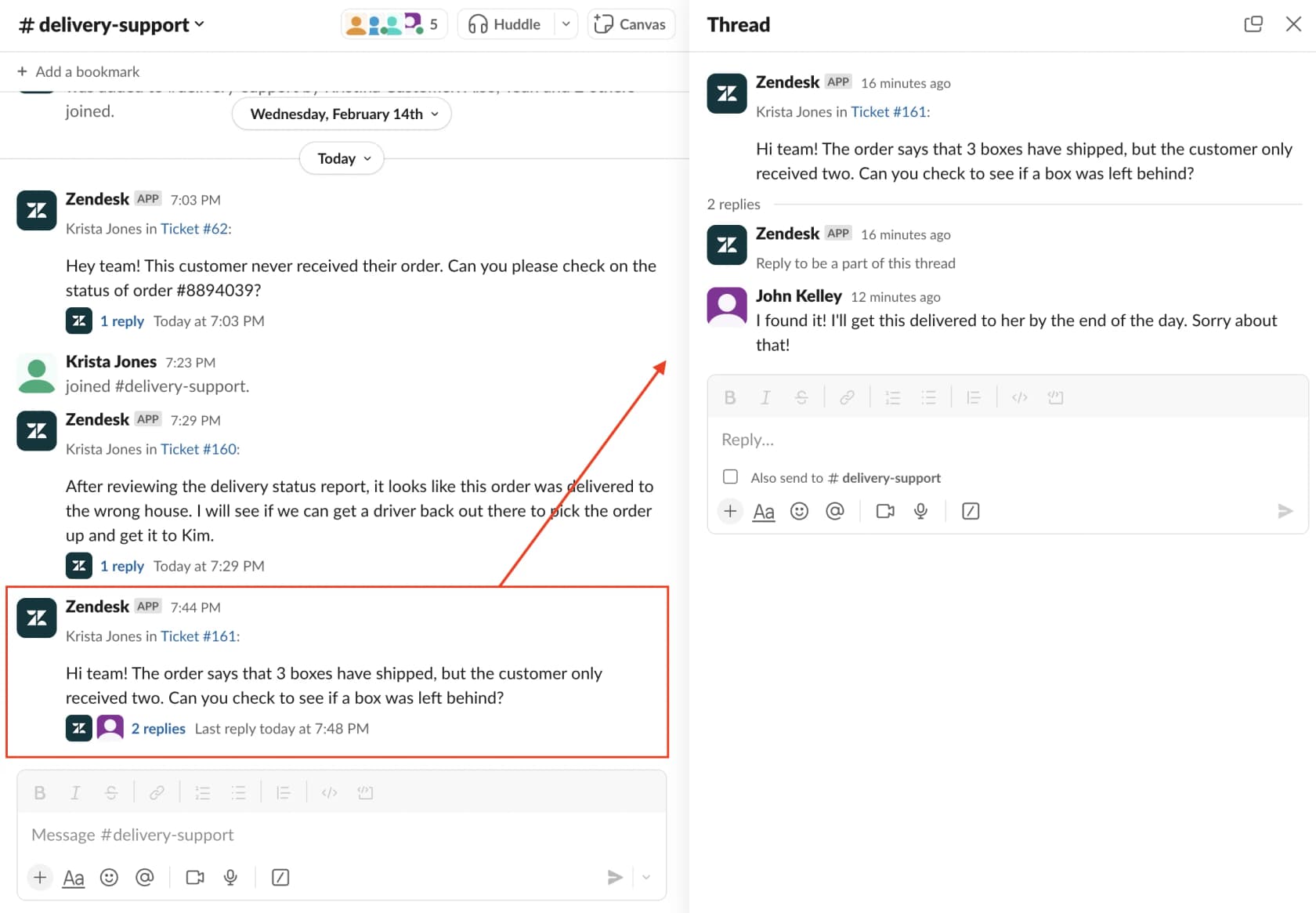
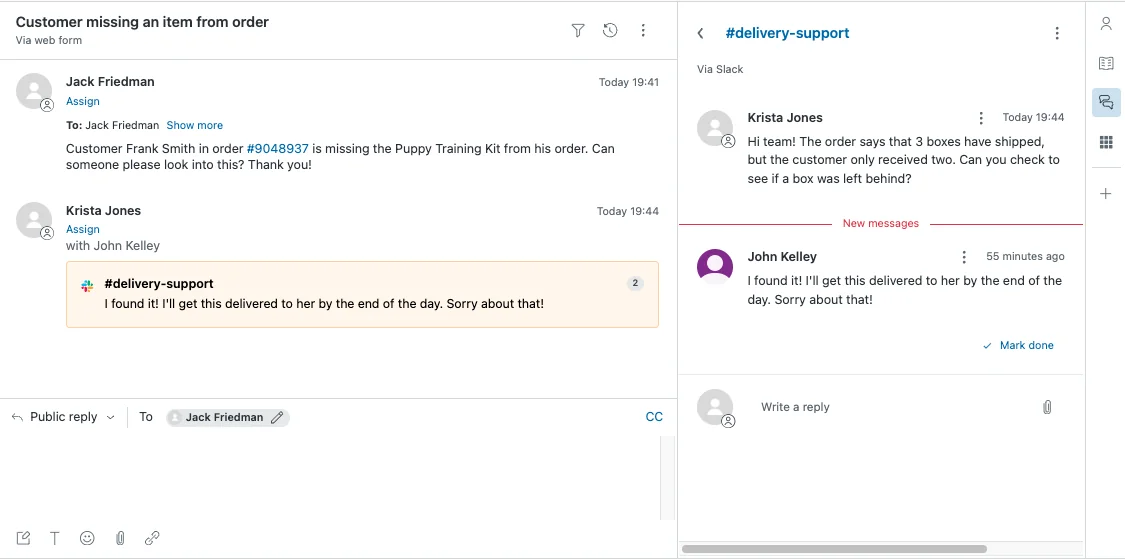
The limits are worth knowing before you roll it out. Per the Slack side conversation docs, only ticket comments of 1,000 characters or fewer can be inserted, sync is "typically" about 5 seconds but can be 30 or more, and replies from a Slack channel shared across workspaces don't come back to the ticket. Email side conversations can go to 100 recipients, but only 48 of them can be non-agents, per Zendesk's creation guide. There's a step-by-step for the Slack setup in this side conversation guide.
Child tickets are the formal version: a separate ticket assigned to, say, the Finance group, which shows up in their views. Public comments flow back to the parent; their internal notes stay on their ticket. One catch from the child ticket settings page: marking the side conversation Done in the parent "doesn't fulfill" first and next reply SLA metrics on the child, so watch your SLA tracking.
For specialists who only need to advise, light agents are included (up to 100 on Suite Professional, 1,000 on Enterprise). They can add private comments and reply to email side conversations, but they can't be assigned tickets or own child tickets. If billing needs to own and close work, it needs full seats.
Freshdesk shared ownership
Freshdesk's answer is shared ownership. A ticket gets a primary owner (the customer-facing agent) plus an internal group and internal agent, and Freshdesk says the point is that "the primary agent can stay in the loop even as internal teams work on resolving the issue."
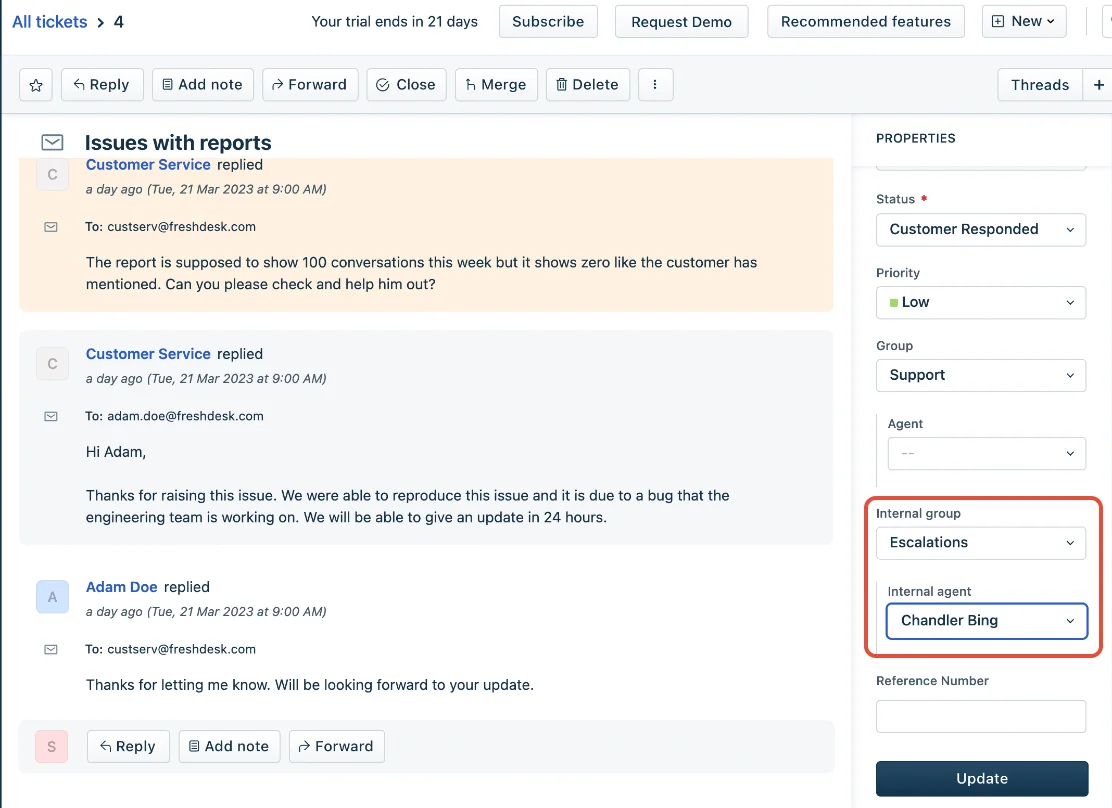
It's a Pro+ feature, per Freshdesk's collaboration overview. Internal groups map to custom statuses only, never Open, Pending, Resolved or Closed. The setup trap is in the configuration guide: unless "Customer Responded" is a custom status mapped to every internal group, a ticket can drop out of agents' views the moment the customer replies.
For one bug hitting many customers, a tracker ticket links them all, and parent-child tickets split one request across teams. Freshdesk's FAQ lists a maximum of 10 child tickets per parent, and resolving a tracker does not resolve the linked tickets by default.
Help Scout, Front and HubSpot
These three lean on internal notes and mentions rather than formal shared ownership. Help Scout's Light Users are the cleanest fit for cross-team work, and Help Scout names the exact use case: "A finance team can help the support team with their billing-related conversations by leaving helpful notes." Plus includes 5 Light Users at no extra cost (up to 25), Pro includes 15 (up to 50), and Light Users can't reply to customers.
Front lets you pull in people outside your workspace as guests who "don't need to log into Front" and can read the full history and comment. HubSpot is the strictest: its free view-only seats "can't add information to HubSpot," so a finance person who needs to leave a note needs a paid seat, per HubSpot's seat guide.
The engineering bridge: what actually syncs back
Engineering is the most common cross-team escalation and the one with the most tooling. Almost every helpdesk links a ticket to a Jira or Linear issue. Very few of those links carry information both ways, and that's the part to check before you buy.
| Bridge | Plan needed | Link limit | Comments sync | Status back to ticket |
|---|---|---|---|---|
| Zendesk + Jira | Team and up | 200 tickets per Jira issue | Manual "Notify" push; not fully integrated | Via Jira post functions; one-way per field |
| Freshdesk + Jira | Not on Free | 5 Jira issues per ticket | Per-event toggles, all default "Do Nothing" | One-to-one status mapping |
| HubSpot + Jira | All plans (workflows Pro+) | Not published | Bidirectional, if ticked | Sync delay 1 to 24 hours |
| Help Scout + Jira | Plus and Pro | Not published | None | Reopens on Done |
| Jira Service Management | Developer escalations toggle | Same Jira site only | Collaborators comment internally | Developers can't transition the work item |
| Linear + Zendesk / Front | Linear Business+ | Unlimited tickets per issue | Linear comments become internal notes (one-way) | Reopens on Done, Canceled or comment |
Three rows in that table do most of the damage in practice.
- Zendesk forbids two-way field sync. "Bidirectional syncing of the same field is not supported," per the field sync docs, and sync isn't retroactive. Pick the direction for each field on day one. I cover the linking flow in linking tickets to issues.
- HubSpot's delay is long enough to matter. "From one hour and up to twenty-four hours," per HubSpot's Jira guide. If a customer asks for an update the morning after a fix ships, the ticket may not know yet.
- Jira Service Management keeps developers as guests. "Collaborators can neither be assignees nor can transition work items," per Atlassian's developer escalation docs. Engineering can comment but can't own the escalation. That's fine if support owns it, which is my whole argument, but plan for it. The JSM review has more on the setup.
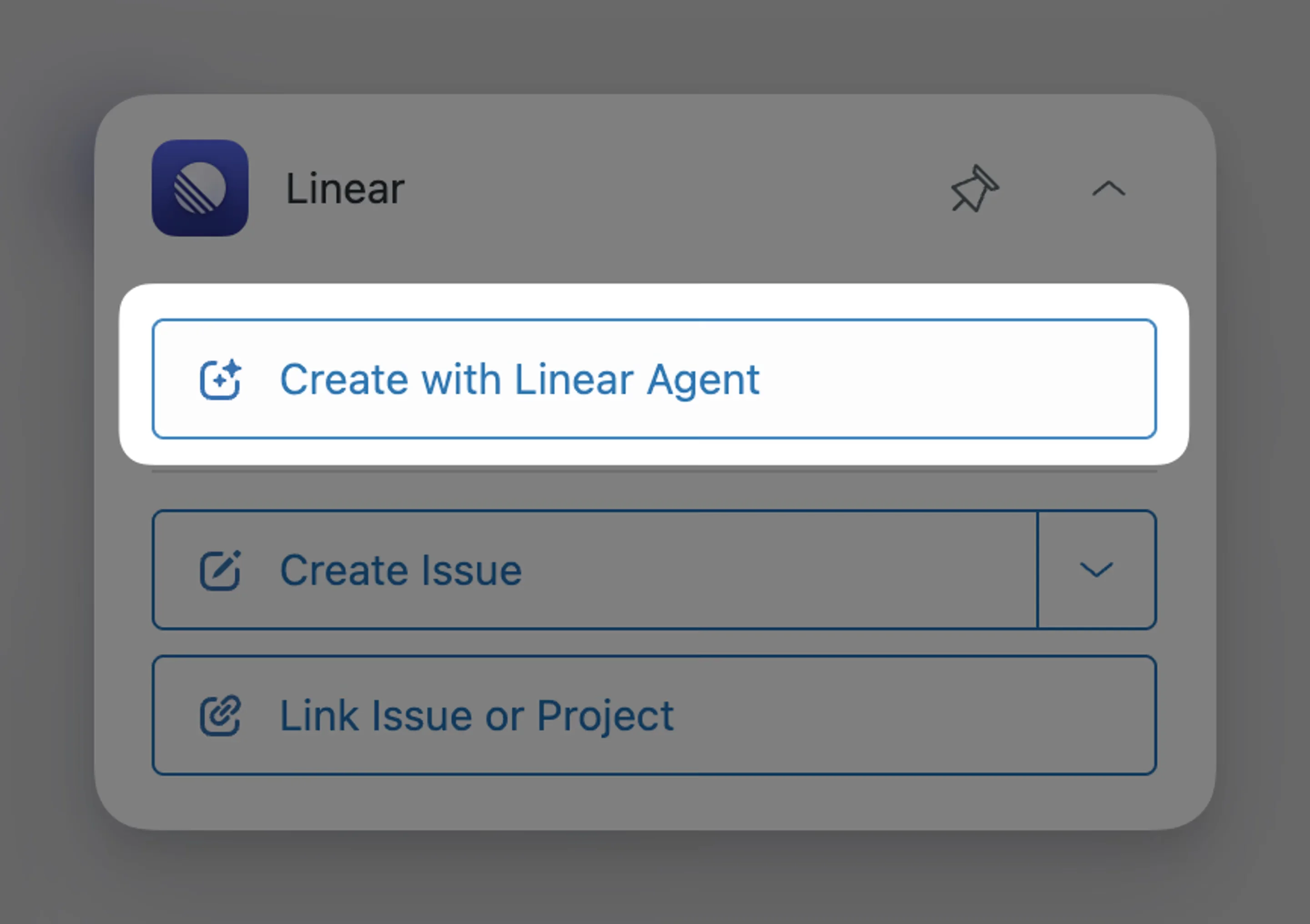
Linear has the most support-friendly bridge I found. Its Zendesk integration lets you link as many tickets to one issue as you like, adds an internal note when the issue changes, and reopens the ticket when the issue is completed, canceled or commented on. It needs Linear's Business plan, and every Zendesk agent needs a Linear account, since issues are created in their name. A newer "Create with Linear Agent" button reads the whole conversation and drafts the issue for you.
If you're choosing between trackers, the Linear vs Jira breakdown covers the wider trade-off. For the support side specifically, the reopen-on-done behavior is the feature I'd refuse to live without.
How to set up a cross-team escalation process in 6 steps
Tools give you the plumbing. The process is what keeps the water moving. Here's the setup I'd build, in order.
1. Map every destination to one owner
List each team support escalates to, and name a person (or rotation) per team who accepts escalations. Not "engineering". A name, or an on-call rotation with a name on it each week. One Reddit commenter described the failure this prevents: the escalation goes nowhere, and then the blame comes back to the person who raised it.
"CS helps escalate an issue by getting it more in front of support owners and product/dev ….nobody actually does anything or tracks anything. Then it comes back on the CSM as a "well, if you noticed it wasn't being actioned why didn't you escalate FURTHER?"
Write the map down as an escalation matrix: team, trigger, owner, channel, update clock. Then build the routing rules from it, not the other way around.
2. Make an escalation packet the price of entry
The most concrete recipe I found came from a Reddit thread on support-to-engineering escalation:
"Support can't send "customer says it's broken." They have to include: exact repro steps, expected vs actual behavior, user impact, account/environment, severity, and what they already tried.
Engineering is allowed to bounce incomplete escalations quickly, but once it's accepted there's one person responsible for updates back to support/customer."
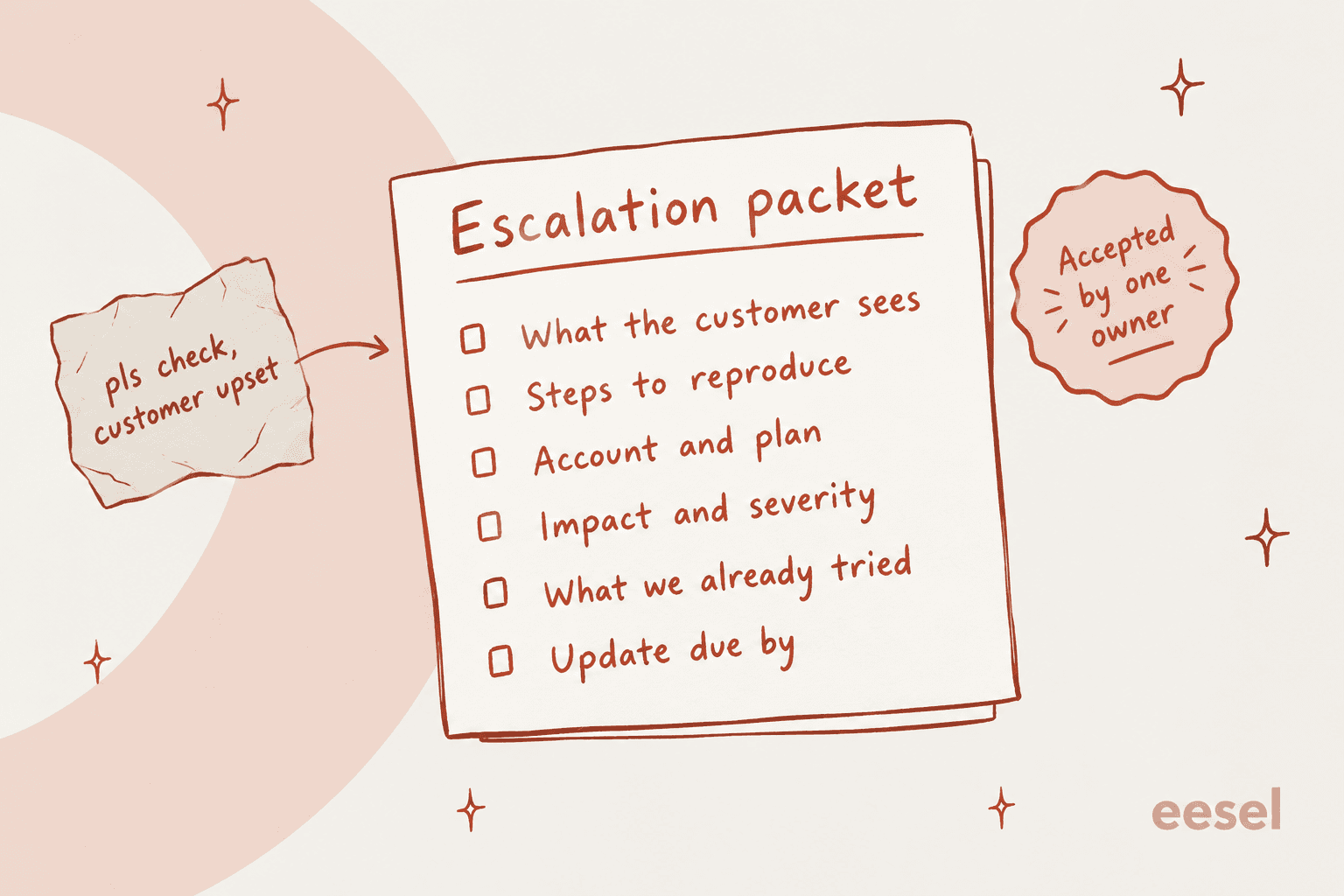
The same packet works for billing (swap repro steps for transaction ID and amount) and product (swap severity for how many customers asked). Save it as a macro with an internal note so nobody writes it from scratch.
3. Put an update clock on every escalation
The receiving team promises an update, not a fix. A fix for a low-priority bug might take a month, and that's fine. Silence for a month is not. Railway's team described a clean version of this on Hacker News:
"Depending on the customer plan, we have an SLO assigned to the conversation. Enterprise people get a response in 1 hour, Pro in 24, and Hobby is best effort (usually 2-3 days at worst).
If we hit any of those timelines, the support on-call (a rotating person who is on the operations/GTM side of the house we call logistics) will get a page on PagerDuty."
In Zendesk, a group SLA on the child ticket or an SLA-based automation can do the paging. The group SLA guide explains which one fits internal handoffs.
Be fair to the other side here, too. Not every P3 deserves a two-day turnaround, and one commenter made the point well: "the job is managing customer expectations and smoothing these situations out" (u/CenturyLinkIsCheeks, Reddit). An update clock lets support do that job honestly.
4. Keep the ticket as the source of truth
Slack is where the other team actually is, so use it. But Slack is the doorbell, not the filing cabinet. A Slack thread that syncs into the ticket (a Zendesk Slack side conversation, Linear Asks, Freshdesk's two-way Slack app) is fine. A DM to an engineer you happen to know is a future lost escalation. This commenter's setup is the shape to copy:
"We have an automated process where emails to our support distro go to JIRA and Slack via Zapier. No user request or bug report gets lost. [...] True bugs get logged to the dev backlog and linked to the support ticket. Works like a charm."
Compare the helpdesks with Slack integrations on one question: when someone replies in Slack, does it land in the ticket? Help Scout's Slack app, for example, is notify-only: you "cannot create or manage Help Scout conversations from Slack," per its docs.
5. Automate the return trip
This is the step almost everyone skips, and it's the one that fixes the black hole.
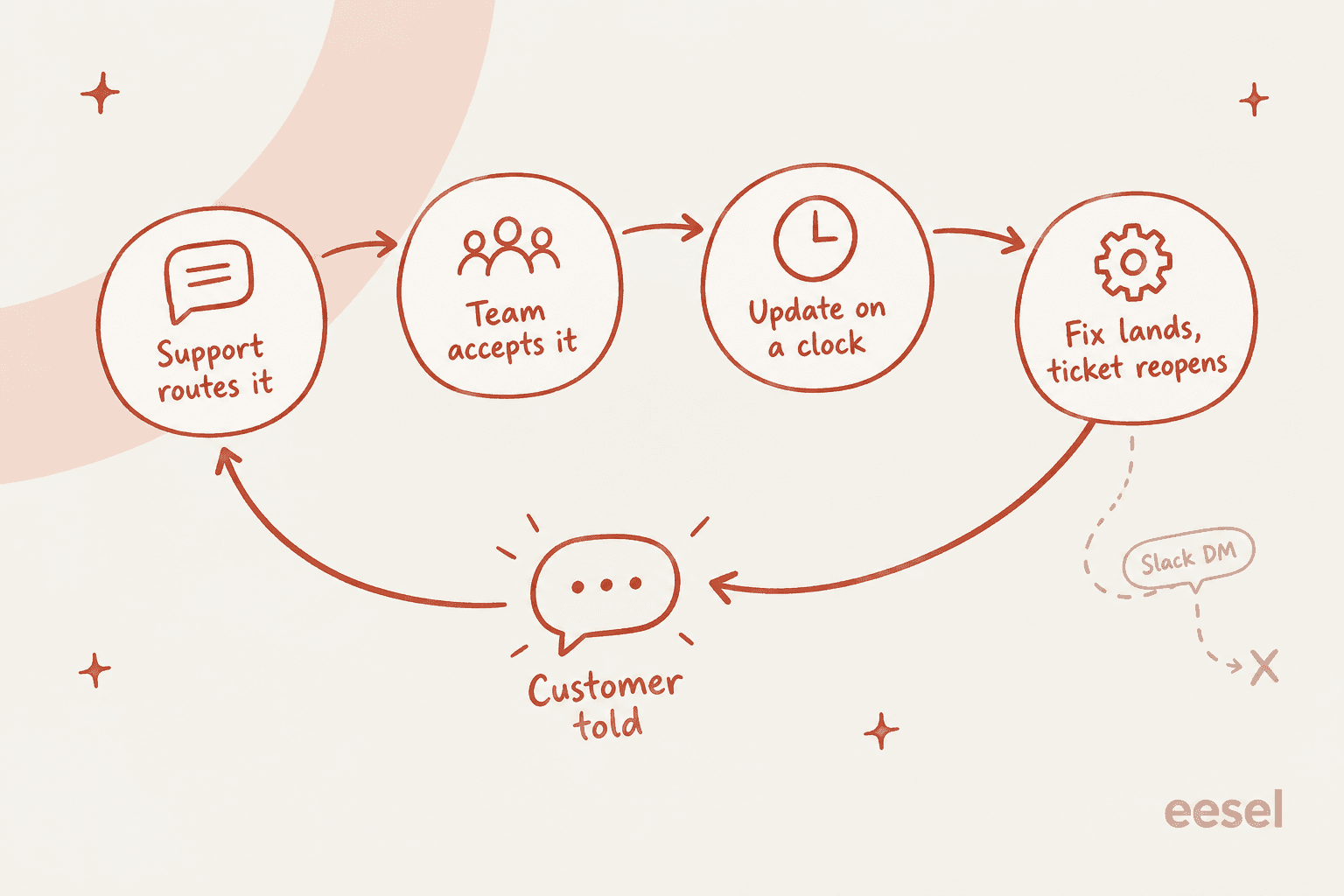
Turn on whatever closes the loop in your stack: Linear's reopen on Done, Help Scout's "Active on Completion" for Jira, Zendesk's "Notify Zendesk Support" post function, or child ticket status updates. When the other team finishes, the ticket should land back in an agent's view with a note saying what changed. If it doesn't, someone has to remember, and someone won't.
6. Review bounced and aged escalations every month
Pull every cross-team escalation that bounced back for missing info or sat past its update clock. Bounces tell you what's missing from the packet. Aged tickets tell you which team needs a real owner. Add escalation rate to your support KPIs per destination team, not just overall.
Common mistakes that break cross-team escalation
- Collapsing the tiers to save headcount. One CSM described an acquisition that merged L1 and L2 support: "Follow up time has quadrupled and time to resolution is nearing 8x" (u/justkindahangingout, Reddit). That's one person's estimate, but the direction matches everything else I've read.
- Sending everything to engineering on-call. "Basic usability questions that could have been resolved during business hours? Does your contract say 24/7 support? Damn, guess thats going to On Call" (protocolture, Hacker News). A filter in front of engineering protects both teams.
- Giving the other team a seat that can't own work. Zendesk light agents and HubSpot view-only seats are great for advice, not for owning a fix. Match the seat to the job.
- Escalating with no customer update. The customer should hear "billing has this, next update by Thursday" the same day you escalate. The follow-the-sun handoff guide has a template for the update.
- Treating "escalated" as a status. It's a location, not a state. The ticket still needs an owner, a next step and a date.
Where AI fits in cross-team support escalation
AI can't refund a charge in your billing system or ship a bug fix. What it can do is the work around the escalation, which is where the time goes. After years of running AI agents on live support queues at eesel, the escalation pattern I see buyers ask for most is simple. One support manager put it as wanting an AI that can handle 60% of incoming Zendesk tickets "and know when to pull a real person in for better analysis and resolution."
Here's what that looks like in practice with an AI teammate in the queue:
- Triage on arrival. The agent reads the first message, tags it and routes it to the right group. In one Zendesk trial on real traffic, a ~1,000-tickets-a-month jewelry e-commerce brand measured
93%triage accuracy, which matters more for escalation than reply quality does. - The escalation packet, pre-filled. Instead of a thin "pls check", the agent leaves an internal note with a ticket summary, what the customer sees, account details and what it already checked in your docs. For one industrial-automation vendor on Zendesk, the agent ran six searches across PDF manuals and left a structured engineering note with isolation-test steps.
- On-demand help from inside the ticket. In Zendesk, an agent can call
@eeselin an internal note to get a second opinion or a draft, without leaving the ticket. - Answers for the receiving team. Engineers and finance people rarely want to log into the helpdesk. eesel's Slack integration answers their questions in the thread from your connected knowledge and can look up the ticket from there.
InDebted's head of IT described the first-responder role plainly: "We use it to be the first responder to our Helpdesk tickets in Jira. It essentially acts just like an agent would" (InDebted case study).
Two honest lessons from eesel's own rollouts. First, test the escalation path end to end before you trust it. In one media company's pilot, an escalation email was auto-closed by a rule, so no real person ever saw it. Second, put routing rules in the helpdesk itself, not only in AI instructions. A long-time web-hosting customer hit handovers that didn't complete because business-hours logic lived only in the prompt. Both are fixable, and both are why eesel's actions and approvals let you start every action as "Needs approval" before switching it to auto.
If you're weighing the wider AI side, start with AI escalation management. For when the AI should step back entirely, see the guide on AI-to-human handoff.
Try eesel for cross-team escalations
If your escalations die in Slack DMs and half-written notes, eesel is the teammate that writes them properly. It joins your Zendesk queue in minutes (or Freshdesk, Help Scout, Front and Jira Service Management), triages every new ticket, leaves the escalation note with the context the other team needs, and routes it to the right group, with refunds or anything risky held for your approval.

There's no per-seat fee, so pulling engineering and finance in through Slack doesn't add seats. Pricing starts free with 100 credits and no card, then from $299 a month for 500 credits, where a ticket or chat is one credit however many replies it takes. Try eesel on last month's escalations and see which ones it would have routed right.
Frequently Asked Questions
What is cross-team support escalation?
What is the difference between a handoff and a loop-in?
How do I escalate a support ticket to engineering?
Do other teams need a paid helpdesk seat to help with escalations?
Should we escalate support tickets in Slack?
What should a cross-team escalation template include?
How fast should another team respond to a support escalation?
Can AI handle cross-team support escalation?



Article by
Riellvriany Indriawan
Riell is a designer and writer at eesel AI with about two years of experience researching CX platforms, AI chatbots, and helpdesk software. She combines her design background with a sharp eye for how these tools actually look and feel in practice — making her comparisons unusually visual and user-focused.