
If you're managing a Zendesk instance, you've probably noticed there are two types of SLA policies. Standard SLAs have been around forever. Group SLAs showed up in late 2023. And if you're wondering when to use which, you're not alone.
The confusion makes sense. Both track time. Both appear in views. Both can breach, but they measure completely different things and serve different purposes. Use the wrong one (or use one when you need both) and you'll end up with blind spots in your support operations.
Let's break down exactly what each policy type does, when you need one versus the other, and how to use them together.
What is a Zendesk SLA policy?
A standard Zendesk SLA policy is a customer-facing agreement. It defines how quickly your team commits to responding to and resolving tickets. These are the promises you make to customers, whether explicitly in a contract or implicitly as internal targets.
Standard SLAs can track several metrics:
| Metric | What it measures |
|---|---|
| First Reply Time | Time from ticket creation to first agent response |
| Next Reply Time | Time between customer follow-up and your next reply |
| Total Resolution Time | Entire lifespan of a ticket from creation to solved |
| Requester Wait Time | Total time customer spends waiting for your team |
| Agent Work Time | Time ticket spends in New or Open status |
These policies are available on Zendesk's Suite Professional plan and above, which starts at $115 per agent per month when billed annually.
Configuration happens in Admin Center under Objects and rules > Business rules > Service level agreements. You create policies with specific conditions (like "Group is Support" or "Channel is Email") and set time targets for each priority level.

Zendesk's Admin Center provides the interface for setting up these customer-facing commitments. Once configured, standard SLAs appear in ticket views and trigger notifications when targets are at risk.
Here's the short version: if it's affecting your commitment to the customer, it belongs in a standard SLA policy.
What is a Zendesk group SLA policy?
Group SLA policies are internal agreements. Also called Operational Level Agreements (OLAs), they measure how long a ticket stays assigned to a specific internal team. They aren't about customer commitments. They're about internal accountability.
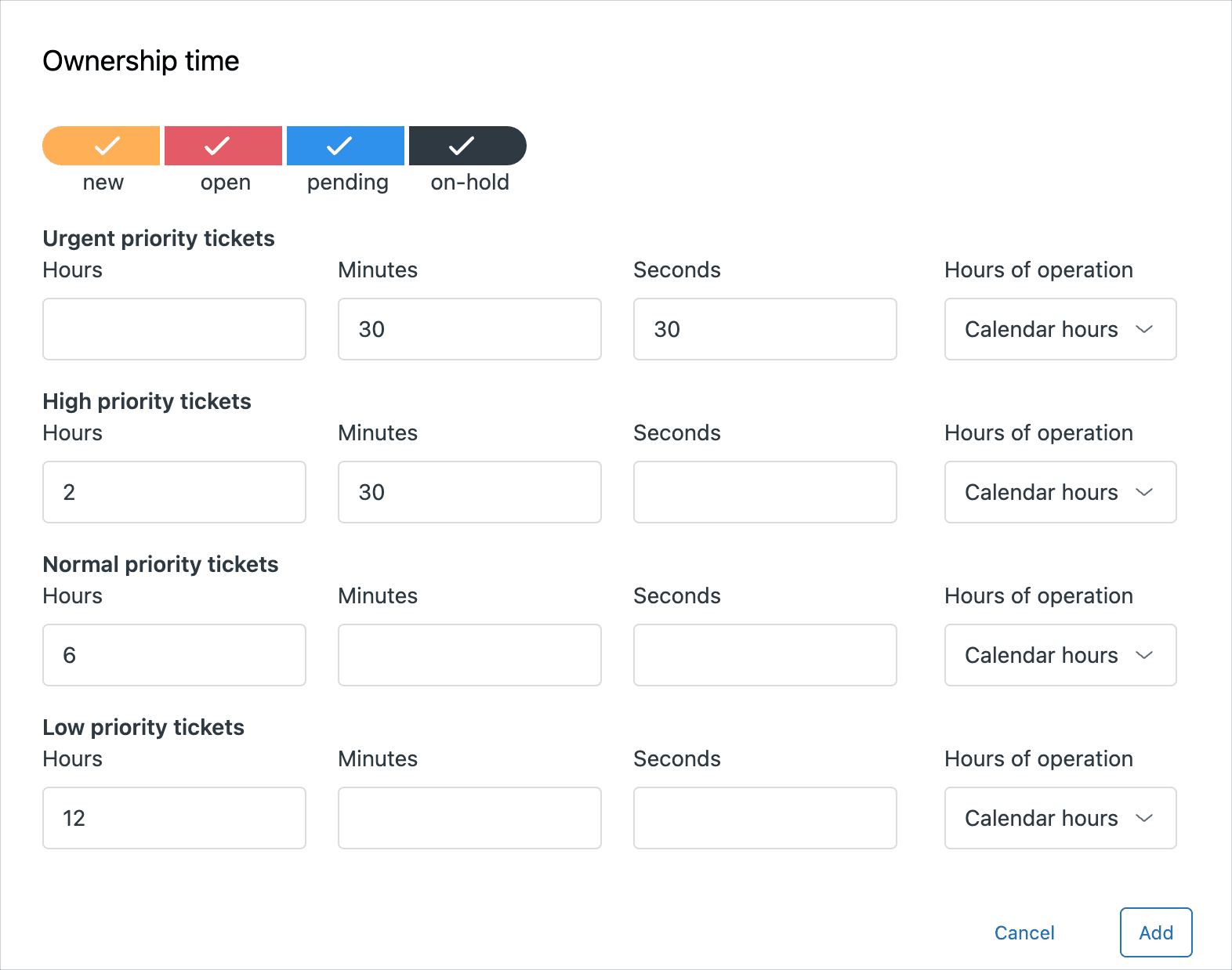
Group SLAs only track one metric: Ownership Time. This measures the duration from when a ticket is assigned to a group until it's reassigned elsewhere or solved. If the ticket gets reassigned to another group, that group's ownership timer starts fresh.
These policies are only available on Suite Enterprise and above, starting at $169 per agent per month. That's a $54 jump per agent, so you'll want to be sure you actually need them.
The key use case is multi-team workflows. Think about a ticket that starts with your Tier 1 Support team, gets escalated to Finance for refund approval, then comes back to Support for resolution. A Group SLA lets you set a target like "Finance must handle escalations within 4 hours" without affecting the customer's overall resolution commitment.
Zendesk SLA vs group SLA: Key differences
Let's put these side by side so you can see exactly what separates them.
Audience and purpose
Standard SLAs face outward. They define what customers can expect from you. Group SLAs face inward. They define what teams can expect from each other.
Metrics measured
Standard SLAs give you five metrics to work with. Group SLAs give you one. That single metric (Ownership Time) is powerful for internal tracking but useless for customer-facing commitments.
Plan requirements
| Feature | Required Plan | Annual Price (per agent) |
|---|---|---|
| Standard SLAs | Suite Professional+ | $115 |
| Group SLAs | Suite Enterprise+ | $169 |
Source: Zendesk pricing page
Configuration flexibility
Standard SLAs let you get creative with conditions. You can filter by channel, form, organization, tags, and more. Group SLAs are restricted. You can only filter by... group. That's it. You can't create a Group SLA that applies only to urgent tickets from VIP customers. You'd need to handle that priority logic separately.
When to use standard Zendesk SLA policies
Standard SLAs are the right choice for most scenarios. Use them when:
You have single-team workflows. If Tier 1 handles most tickets from start to finish, standard SLAs give you everything you need.
You're making customer commitments. Any SLA that appears in a contract or that you advertise to customers should be a standard SLA.
You need channel-based differentiation. Email and chat have different expectations. Standard SLAs let you set 4-hour targets for email and 2-minute targets for chat using channel-based conditions.
You differentiate by customer tier. VIP customers get faster response times. Standard SLAs can use organization or tag conditions to apply different targets to different customer segments.
You want flexibility in conditions. The ability to combine channel, form, priority, and custom field conditions makes standard SLAs adaptable to complex routing scenarios.
A real-world example: an e-commerce company might have one standard SLA for email tickets (8-hour first reply) and another for messaging (5-minute first reply). Both policies filter by channel, then by group, creating clear expectations for each communication method.
When to use group SLA policies
Group SLAs become necessary when your workflows get complex. Consider them when:
Tickets pass through multiple teams. If resolution requires handoffs between Support, Finance, Legal, or Product teams, Group SLAs track each team's contribution separately.
You need to identify internal bottlenecks. When a ticket breaches its customer-facing SLA, was it because Tier 1 was slow? Or because Finance took three days to approve a refund? Group SLAs give you that visibility.
You want team-specific accountability. Each group can have its own ownership targets. Finance might get 4 hours for refund approvals while Product gets 24 hours for bug verification.
External commitments depend on internal efficiency. If you promise customers a 24-hour resolution but know that internal handoffs eat up half that time, Group SLAs help you manage the internal portion.
Here's that refund example in practice: A customer requests a refund. Support creates the ticket, verifies eligibility, then assigns it to Finance with a Group SLA of 4 hours. Finance approves and returns the ticket to Support. Support processes the refund and closes the ticket. The customer only sees the overall resolution time. But internally, you can see exactly how long Finance held the ticket.
Important limitations to know: Group SLAs can't distinguish between a team being the primary owner versus receiving an escalation. They also can't track time spent in external systems like Jira or Slack side conversations. If those are critical to your workflow, you'll need workarounds or alternative tracking methods.
Using both Zendesk SLA and group SLA policies together
The most sophisticated setups use both policy types in layers. Here's how that works:
Layer 1: Standard SLA tracks the customer promise. This is your public commitment. "We'll reply to urgent tickets within 1 hour and resolve them within 8 hours."
Layer 2: Group SLA tracks internal efficiency. "Finance has 2 hours to process escalations. Product has 4 hours to verify bug reports."
Together, these give you complete visibility. When a ticket breaches its customer SLA, you can drill down and see which internal group caused the delay.
Setting up complementary policies
Start with your standard SLA as the foundation. Set customer-facing targets based on your commitments. Then add Group SLAs for any teams that tickets get escalated to.
For example:
- Standard SLA: "Urgent tickets get first reply in 1 hour, resolution in 8 hours"
- Group SLA for Finance: "Finance ownership target for urgent tickets: 2 hours"
- Group SLA for Product: "Product ownership target for urgent bugs: 4 hours"
View configuration
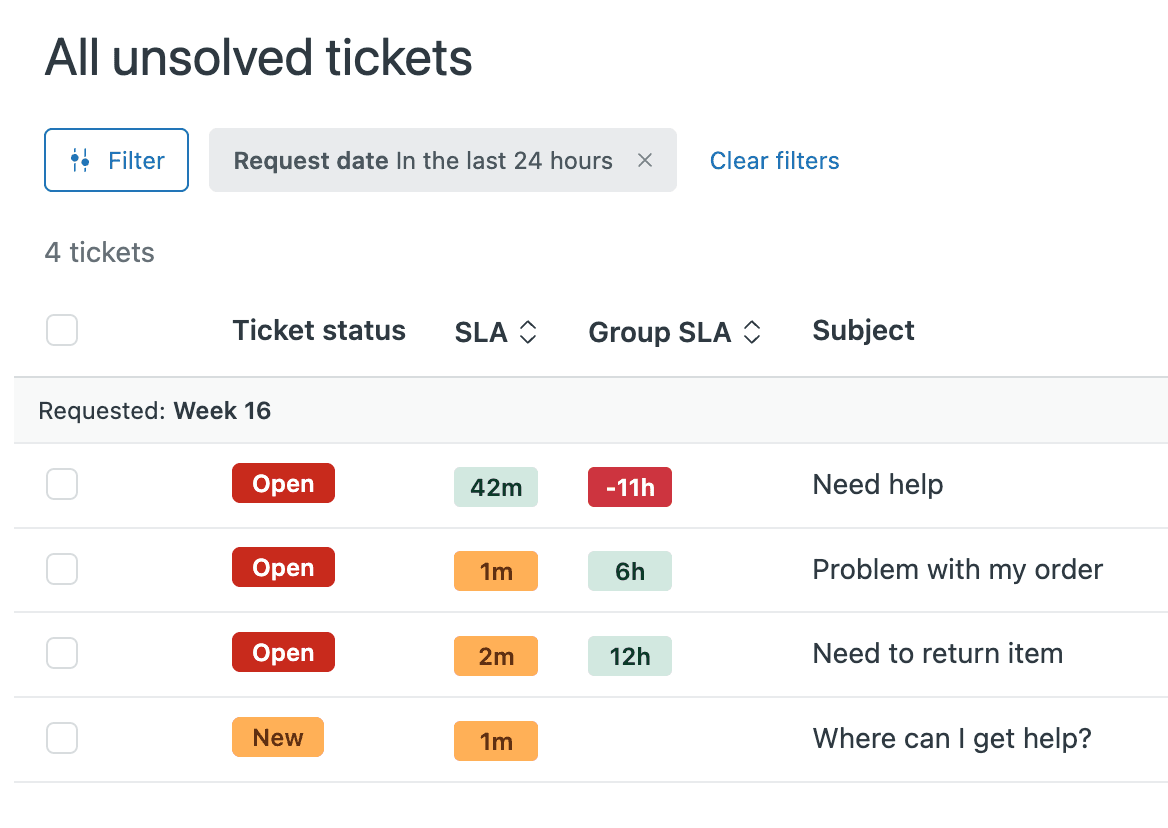
Add both SLA and Group SLA columns to your views. Agents can see the customer-facing countdown alongside the internal ownership timer. Sort by SLA in ascending order to surface tickets closest to breach.
One quirk to know: you can't sort by both SLA types simultaneously. Views can only sort by one column at a time. Most teams sort by the standard SLA column since that's what affects customer commitments.
Reporting with Zendesk Explore
The real power comes in reporting. Standard SLAs feed into your customer-facing metrics. Group SLAs let you build internal efficiency dashboards. You can create reports showing:
- Overall SLA achievement rate (customer view)
- Group-specific ownership achievement (internal view)
- Bottleneck analysis (which groups cause the most breaches)
This layered approach turns SLA tracking from a simple monitoring tool into a diagnostic system for your support operations.
How AI can help you hit your Zendesk SLA targets
Tracking SLAs is important. But consistently hitting them is what actually matters. That's where AI can help.
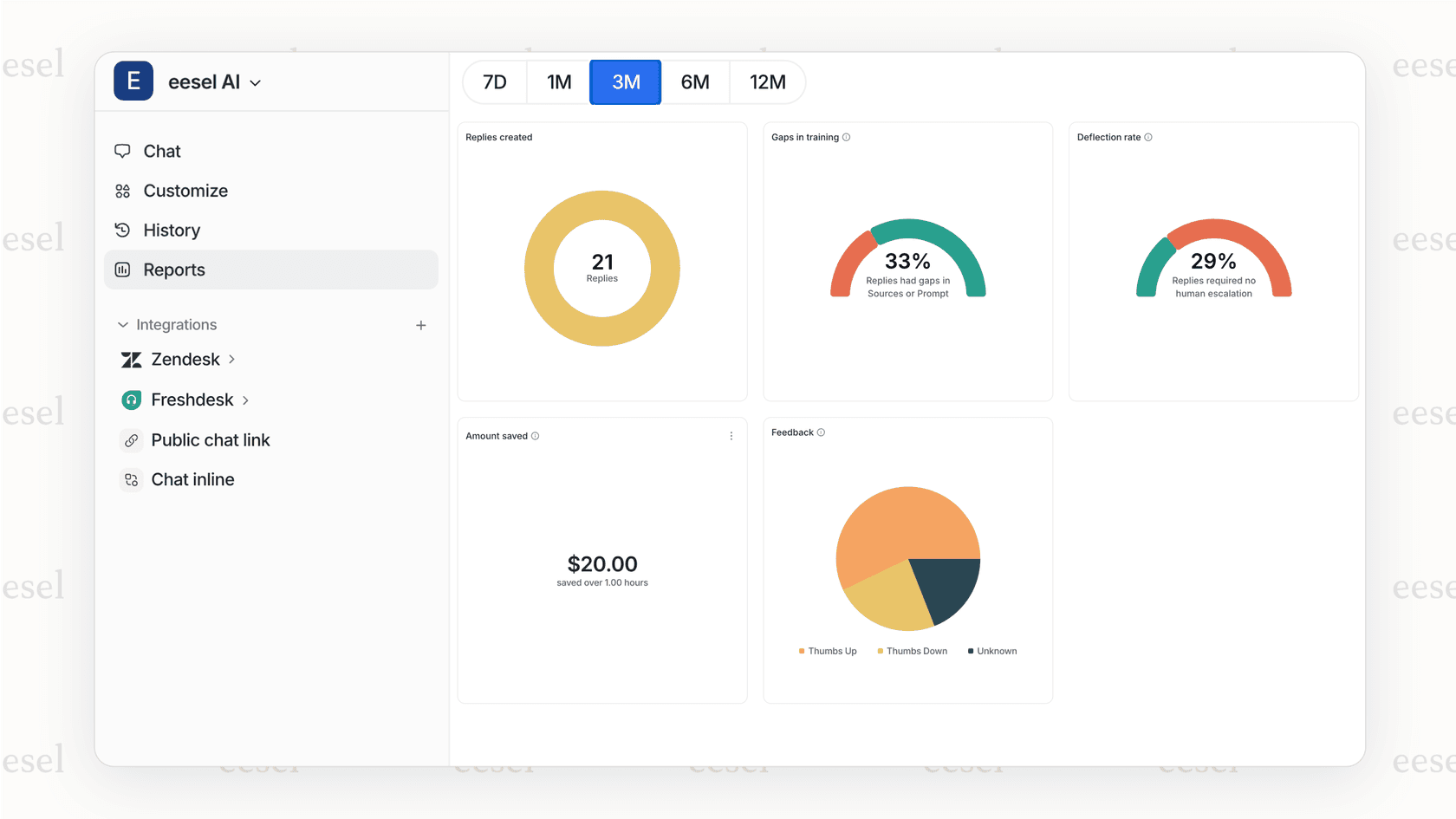
We built eesel AI to work alongside Zendesk and help teams meet their targets more reliably. Here's how it fits into your SLA strategy:
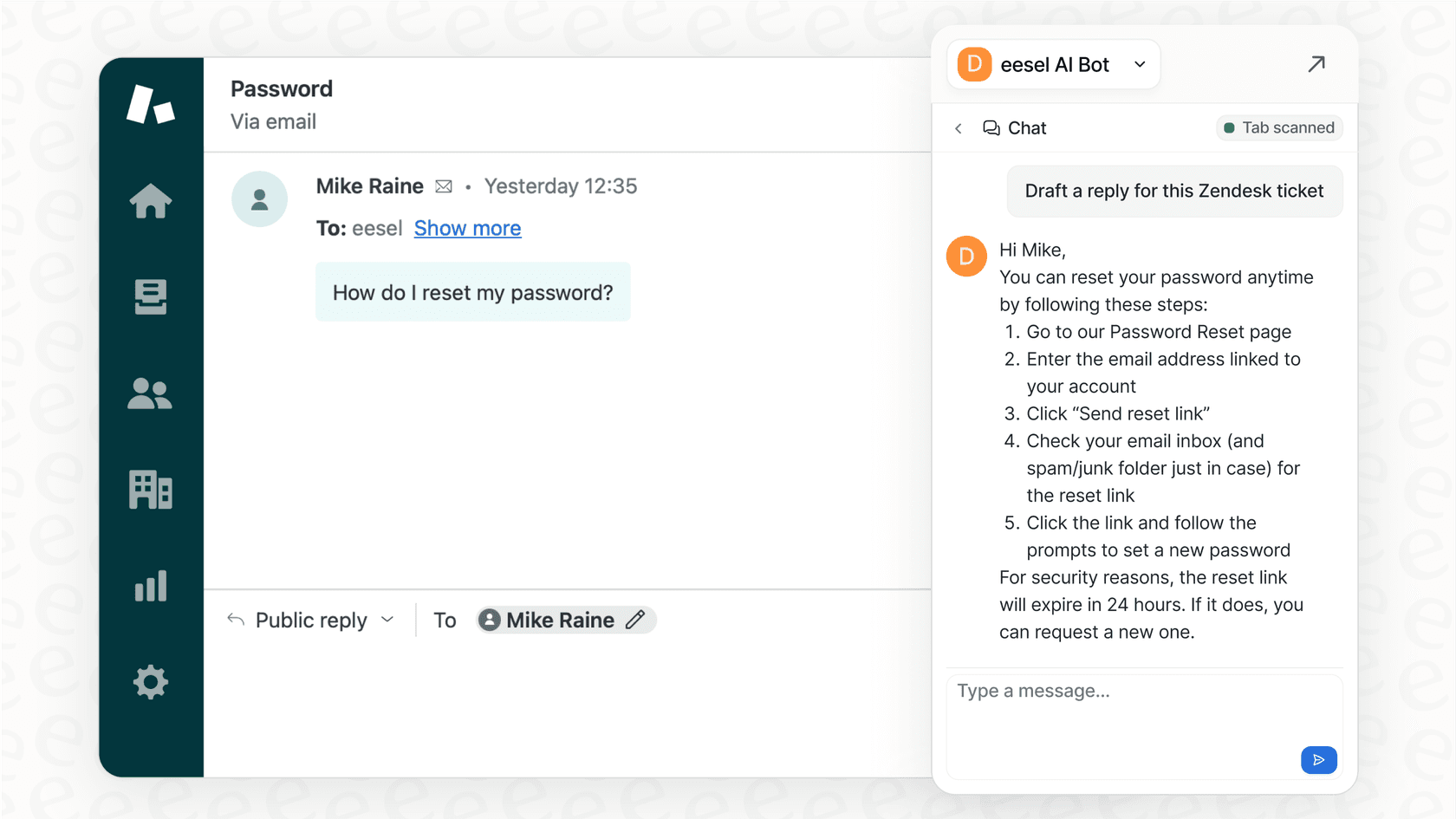
Instant first replies with AI Agent. For common questions like password resets or order status checks, our AI Agent can respond immediately. That brings your First Reply Time from hours or minutes down to seconds. It integrates directly with Zendesk and learns from your past tickets to match your voice.
Faster resolution with AI Copilot. For complex tickets that need a human touch, our AI Copilot drafts replies by pulling from your knowledge sources. Whether that's your help center, Confluence, Google Docs, or past resolved tickets, agents get accurate drafts in seconds instead of hunting for answers.
Test before you deploy. Our simulation mode lets you run AI responses against your historical tickets. You can see exactly how it would have affected your SLA metrics before turning it on for real customers.
The result? Better SLA performance without adding headcount. For a deeper look at SLA tracking strategies, check out our complete guide to Zendesk SLA tracking.
Common mistakes when setting up Zendesk SLA policies
Even experienced admins make these errors. Avoid them from the start:
Not setting ticket priority. SLAs won't apply to tickets without a priority set. Use triggers to automatically assign priority based on ticket attributes so nothing slips through.
Using calendar hours when business hours make more sense. If your team works 9-to-5, don't measure SLAs in calendar hours. A ticket created Friday at 6 PM shouldn't be breaching by Saturday morning.
Creating too many policies. Each policy adds maintenance overhead. Start with a few broad policies and split them only when you have clear evidence that different segments need different targets.
Ignoring external escalations. Group SLAs can't track time in Jira, Slack, or side conversations. If those handoffs are significant, build placeholder workflows or manual tracking to fill the gap.
Setting targets without historical data. Don't guess at your SLA targets. Look at your actual performance over the last 90 days and set achievable goals. You can always tighten them later.
Never reviewing or adjusting. SLAs aren't set-and-forget. Review your breach rates monthly. If you're hitting 100% achievement, your targets might be too loose. If you're constantly breaching, they might be unrealistic or you might need more staff.
Getting started with the right Zendesk SLA strategy
Here's the decision flow: Start with standard SLAs. They're available on lower-tier plans, more flexible to configure, and cover the majority of use cases. Add Group SLAs when you have complex multi-team workflows and need to track internal handoffs separately.
Remember that more SLAs doesn't mean better visibility. A few well-designed policies that your team actually understands and can hit consistently beats a complex web of overlapping rules that create confusion.
If you're looking to improve your SLA performance, consider where automation can help. The fastest way to hit a First Reply Time target is to remove the waiting entirely. Tools like eesel AI can handle common tickets instantly while your human agents focus on the complex issues that really need their expertise.
Ready to see how AI could impact your SLA metrics? You can connect eesel AI to your Zendesk in minutes and test it against your historical tickets before going live.


