We've all been there. A customer ticket lands in the queue, and it's a doozy. Their billing is wrong, a feature is acting up, and they're asking about a recent shipment. Suddenly, what started as one request needs input from three different departments. The conversation becomes a complex mix of internal notes, forwards, and follow-ups. Freshdesk is designed to help you navigate these moments with ease.
The best way to tackle a big problem is usually to break it down into smaller, more manageable pieces. This is the exact challenge that Freshdesk parent child tickets are built to solve. This reliable feature gives you a structured way to handle multi-part issues by splitting one main ticket into several organized sub-tasks.
This guide will walk you through the feature, where it excels, and how complementary AI tools can take this "divide and conquer" approach to a whole new level of efficiency.
What are Freshdesk parent child tickets?
So, what are they, exactly? In short, Freshdesk parent child tickets let you break down a main ticket (the "parent") into several smaller, related sub-tickets (the "children").
The easiest way to think about it is like a project. The main request, like "Onboard New Client," is the parent ticket. All the smaller tasks that need to get done, like legal handling contracts, tech setting up the account, and finance sorting out billing, become child tickets.
Instead of trying to manage all these moving parts in one ticket, you create a parent ticket for the main request and individual child tickets for each team's task. This setup, powered by Freshdesk's mature ticketing engine, keeps things organized and makes it clear who is responsible for what. Everyone knows what they need to do, and the work can happen at the same time, which helps speed up the entire resolution process.
How to use Freshdesk parent child tickets
The design is intuitive, offering agents the tools they need to maintain high standards of service. We won't go through a click-by-click tutorial here, but more of an overview of the core functionality.
Key features and functionality
Freshdesk gives you a suite of useful tools to manage these workflows effectively. Agents can create new child tickets right from a parent ticket, or they can link existing tickets together under a single parent. This gives you great flexibility in how you organize your support operations.
For repetitive, multi-step jobs like setting up a new hire or looking into a common bug, you can build ticket templates. This lets your team quickly create a standard set of child tickets with all the right fields already filled in, which saves time and ensures consistent data quality across your team.
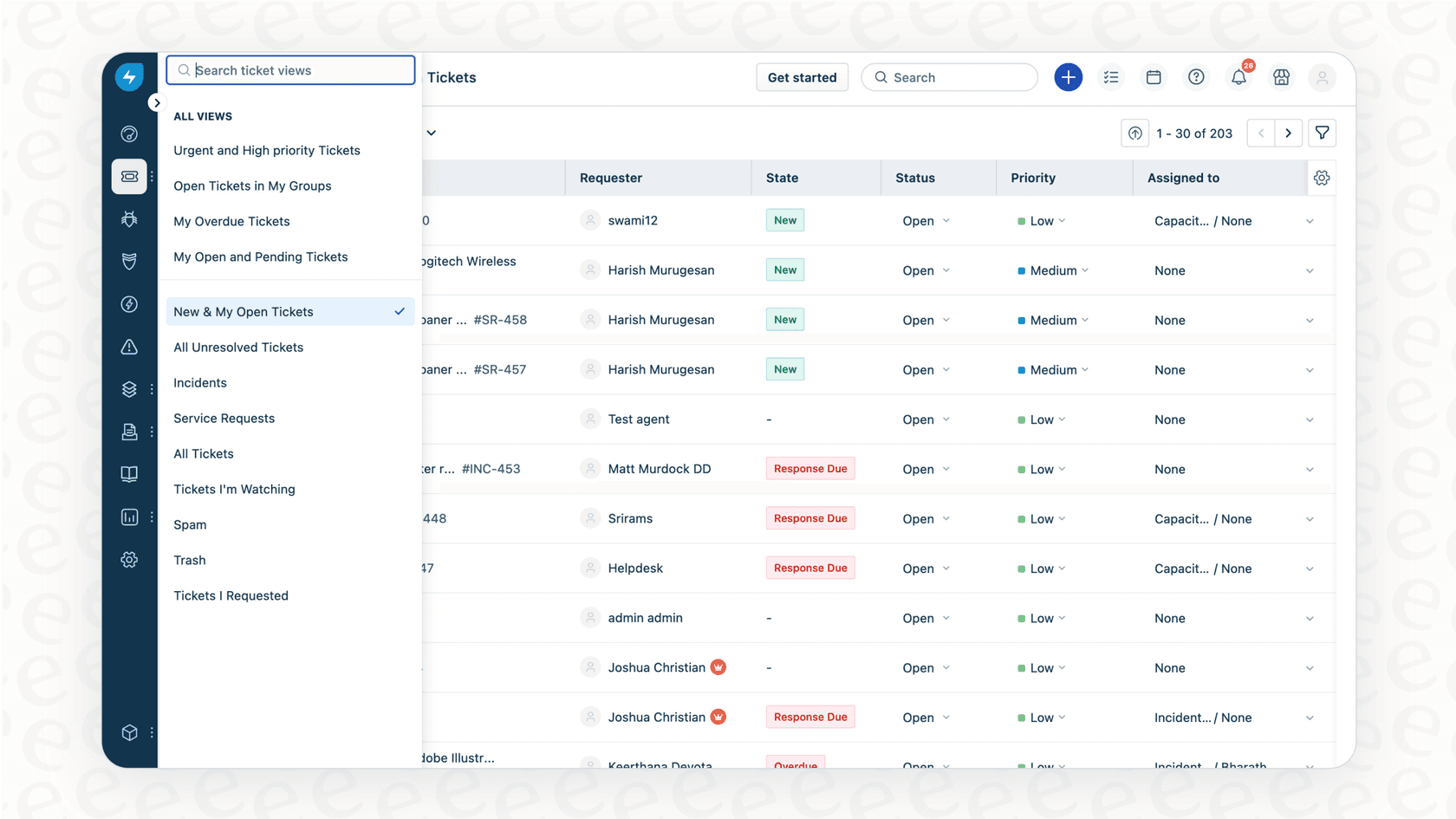
Once it's all set up, the parent ticket works like a professional command center. You get a quick overview of the status of all the child tickets, so you can see how the whole process is going at a glance. Freshdesk also includes smart automation, like the ability to automatically close the parent ticket after all its children have been resolved, keeping your queue clean and focused.
Getting the most out of the native feature
While these features provide a strong foundation, there are ways to optimize the experience. The process is designed to be agent-led, which means an agent reviews the ticket, determines the best way to split it up, and applies the correct templates. This ensures that every complex issue is handled with human oversight and care.
To further empower your agents, consider how they access information. While an agent working on a "billing setup" child ticket might need to reference your knowledge base or past tickets, Freshdesk's ecosystem makes this easy to manage.
If you find you need advanced synchronization between parent and child tickets, the Freshworks Marketplace is an incredible resource. You can find specialized apps like Parent Child Synchronization or Parent Child Field Sync that can sync notes, replies, or custom fields. This modular approach allows you to build a helpdesk that perfectly fits your specific requirements.
For teams looking to further enhance this experience, an AI agent from eesel AI can work alongside Freshdesk. It can assist by pulling together answers from all your company knowledge, helping agents resolve child tickets even faster.
Common use cases for Freshdesk parent child tickets
To give you a clearer picture of how this works day-to-day, let's look at a couple of common situations where teams thrive using parent child tickets.
Managing new client onboarding
Bringing a new client on board is a classic multi-department project. You can use a single "onboarding" ticket as the parent and then spin up child tickets for legal, finance, technical setup, and training. Each ticket goes to the right team, and they can all get to work on their part of the process simultaneously.
The real win here is the transparency Freshdesk provides. The account manager can track everything from the parent ticket, seeing updates in real-time right in Freshdesk, which keeps everyone aligned without the need for external status meetings.
Handling complex bug reports
When a customer reports a software bug, fixing it often involves several specialized teams. The first report can be the parent ticket. From there, you can create child tickets for engineering teams to investigate, develop a fix, run it through QA testing, and finally deploy it.
This approach creates a clean, professional record of the entire bug-fix process. It ensures no steps are missed and that every team member has the context they need to do their best work.
Enhancing the process with automation
While the manual oversight of parent child tickets is excellent for accuracy, you can add further efficiency with AI. For example, with eesel AI's AI Triage, the system can complement Freshdesk by automatically tagging bug reports or using custom actions to sync with tools like Jira or Slack. This allows your agents to focus on high-level coordination while the AI handles the routine data movement, truly optimizing your customer support workflow.
Freshdesk parent child tickets pricing and plan availability
The parent child ticketing feature is a premium capability included in Freshdesk's higher-tier plans, which are designed for growing teams that need more advanced coordination tools.
| Feature | Growth Plan | Pro Plan | Pro + AI Copilot Plan | Enterprise Plan |
|---|---|---|---|---|
| Parent-child ticketing | ✖ | ✔ | ✔ | ✔ |
| Starting Price (billed annually) | $15/agent/mo | $49/agent/mo | $78/agent/mo | $79/agent/mo |
Note: This information is based on public pricing as of 2026. Please check the official Freshdesk pricing page for the most current details.
Investing in these plans unlocks a suite of enterprise-grade features that go far beyond just ticketing. If you want to further customize your setup with marketplace apps, Freshdesk’s flexible architecture makes that possible, ensuring your support system can grow as your business does.
eesel AI is designed to work seamlessly with your Freshdesk setup, adding powerful automation that enhances the value of your chosen plan. By focusing on helping agents resolve tickets faster, eesel AI ensures you get even more out of your Freshdesk investment.
Freshdesk parent child tickets: A robust foundation for support
Freshdesk parent child tickets are a powerful native feature for managing complex, multi-department issues. They bring impressive order to support operations and make it easier for teams to stay coordinated and visible.
Freshdesk provides the mature, reliable infrastructure that thousands of companies trust. By using its parent child ticketing alongside the vast Freshworks Marketplace, you can build a truly world-class support experience.
For teams ready to add an extra layer of efficiency, eesel AI is a perfect companion. By connecting to your company's knowledge and working within your Freshdesk dashboard, eesel AI helps resolve complex tickets even more quickly. You can get it running in minutes and see exactly how it complements your existing Freshdesk workflows.
Ready to enhance your Freshdesk experience with smart automation? Try eesel AI for free and see how it works within your Freshdesk ecosystem.
Frequently asked questions
How do Freshdesk parent child tickets simplify complex customer issues?
Freshdesk parent child tickets break down a large, multi-faceted customer request into smaller, manageable sub-tasks. This allows different teams to work on their specific parts simultaneously, keeping the main request organized and clear for tracking.
What should I keep in mind when using the native Freshdesk parent child tickets feature?
The feature is designed for precision and manual oversight. Agents can identify the need for child tickets and assign them to specific teams, ensuring high levels of accuracy. For even more advanced functionality, Freshdesk offers a wide range of marketplace apps to extend synchronization capabilities.
Which Freshdesk subscription plans offer the Freshdesk parent child tickets functionality?
The Freshdesk parent child tickets feature is available in the Pro, Pro + AI Copilot, and Enterprise Freshdesk plans, which are designed to support growing and enterprise-level teams.
Can I synchronize updates or notes between Freshdesk parent child tickets?
While the native feature focuses on task organization, Freshdesk provides an excellent Marketplace where you can find apps specifically designed to sync notes, replies, and custom fields between parent and child tickets, allowing you to customize the platform to your exact needs.
What are some common use cases for implementing Freshdesk parent child tickets in a support team?
Common use cases include managing new client onboarding, where legal, finance, and technical setups are separate tasks. They are also effective for handling complex bug reports, breaking down investigation, fix development, QA, and deployment into distinct child tickets.
How do AI tools, like eesel AI, work with Freshdesk parent child tickets?
AI tools like eesel AI complement Freshdesk by helping resolve multi-part tickets efficiently. By leveraging company knowledge, eesel AI can provide complete answers or trigger automated actions, working alongside Freshdesk's native ticketing structure to enhance overall productivity.
Is the process of creating Freshdesk parent child tickets automated?
Freshdesk provides a controlled manual process for creating and assigning parent child tickets, ensuring agents have full oversight. This allows for specific templates to be applied and tasks to be assigned to the right specialists with high accuracy.