What support agent access control covers
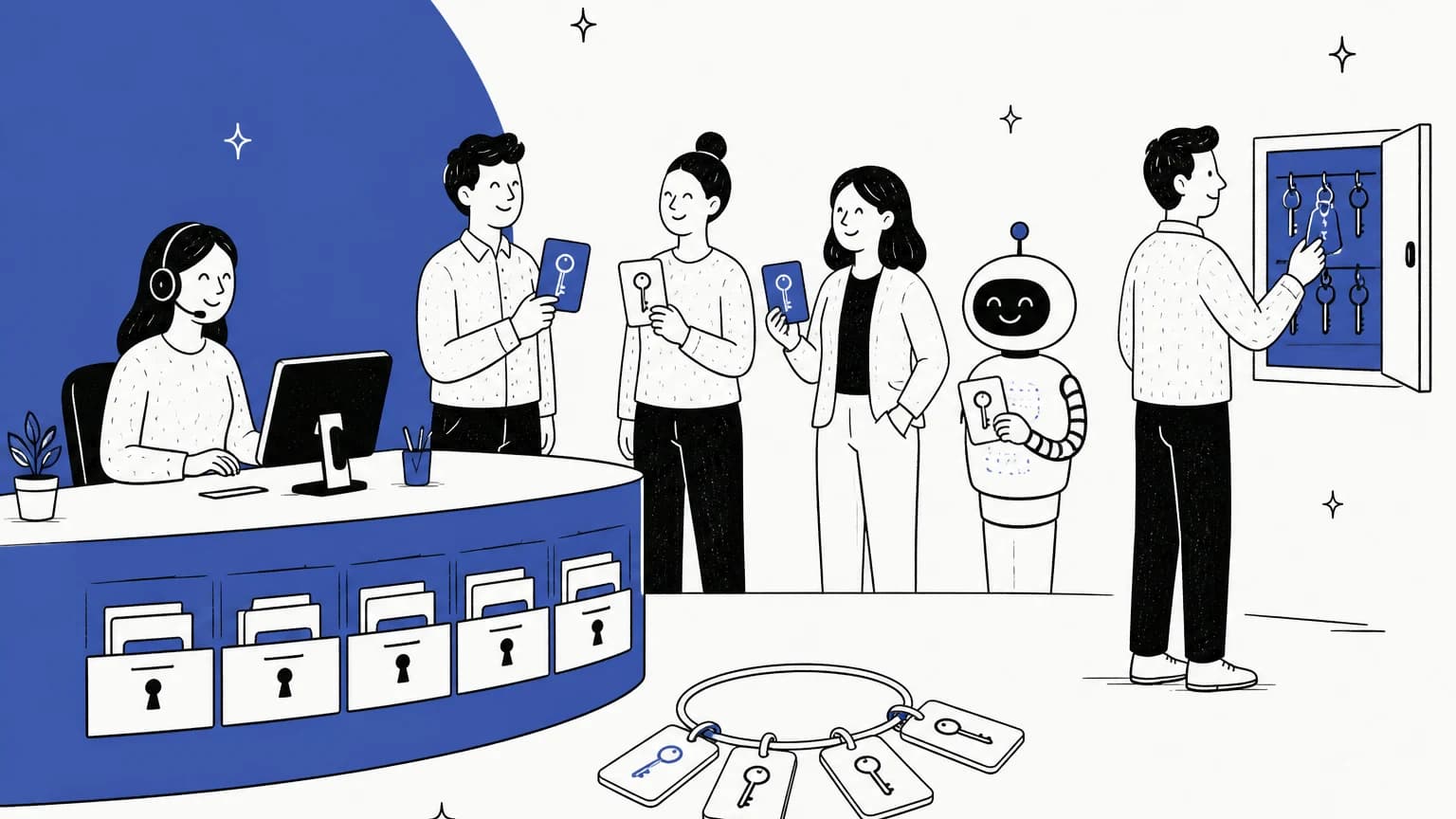
Most teams think of access control as "agent or admin". In practice there are four layers, and a gap in any one of them undoes the other three.
| Layer | The question it answers | Typical controls |
|---|---|---|
| Identity | Is this really your agent? | SSO, enforced 2FA, IP restrictions, session timeouts |
| Visibility | Which tickets and customer data can they see? | Ticket scope, inbox or department access, data masking |
| Capability | What can they do with them? | Roles and permissions: reply, delete, export, refund, change settings |
| Accountability | Can you prove what happened? | Audit log, access log, approval history |
I'm Rama, and I build eesel's helpdesk integrations, so I spend a lot of my week on the other side of these permission screens. Every time eesel connects to a helpdesk it has to ask for scopes and then live inside a real agent's role. In Zendesk, for example, eesel's replies post as the Zendesk user who approved the connection, so that person's Zendesk role is the hard ceiling on what the AI can do. That's the lens I'll use throughout: access control is about the seats people forget about as much as the ones they set up on day one.
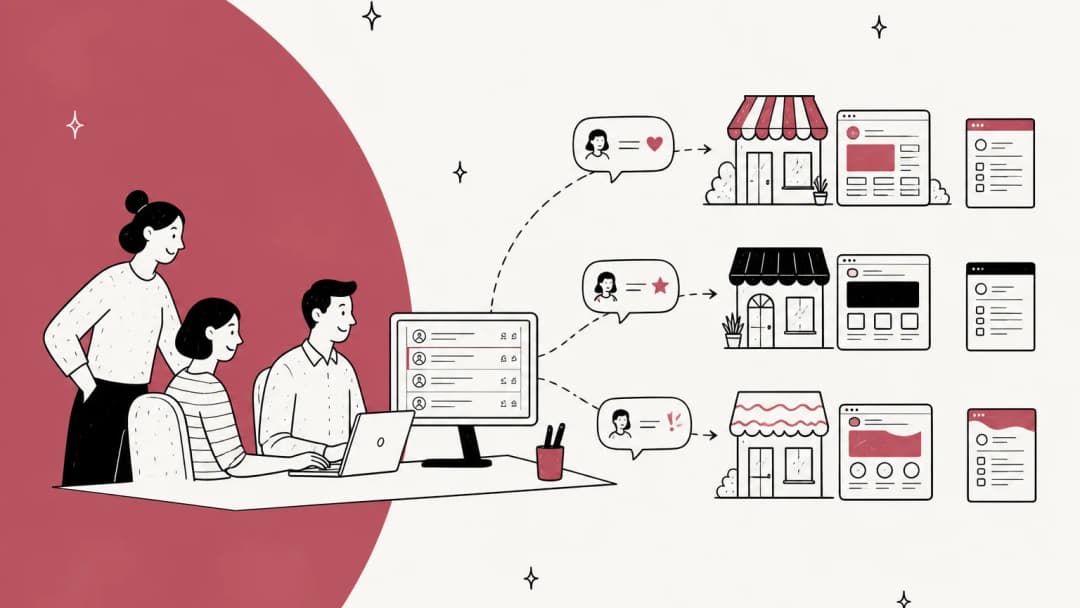
If you're also separating customers or brands, the visibility layer overlaps with multi-brand customer support and client-specific knowledge bases, which I won't repeat here.
Why ticket scope is not the same as access control
Ticket scope is the setting most people mean when they say "agents can only see their own tickets". In Zendesk, the options are all tickets, tickets in the agent's groups, tickets in their organization, or assigned only. Freshdesk offers all, group, or assigned tickets on Growth and up.
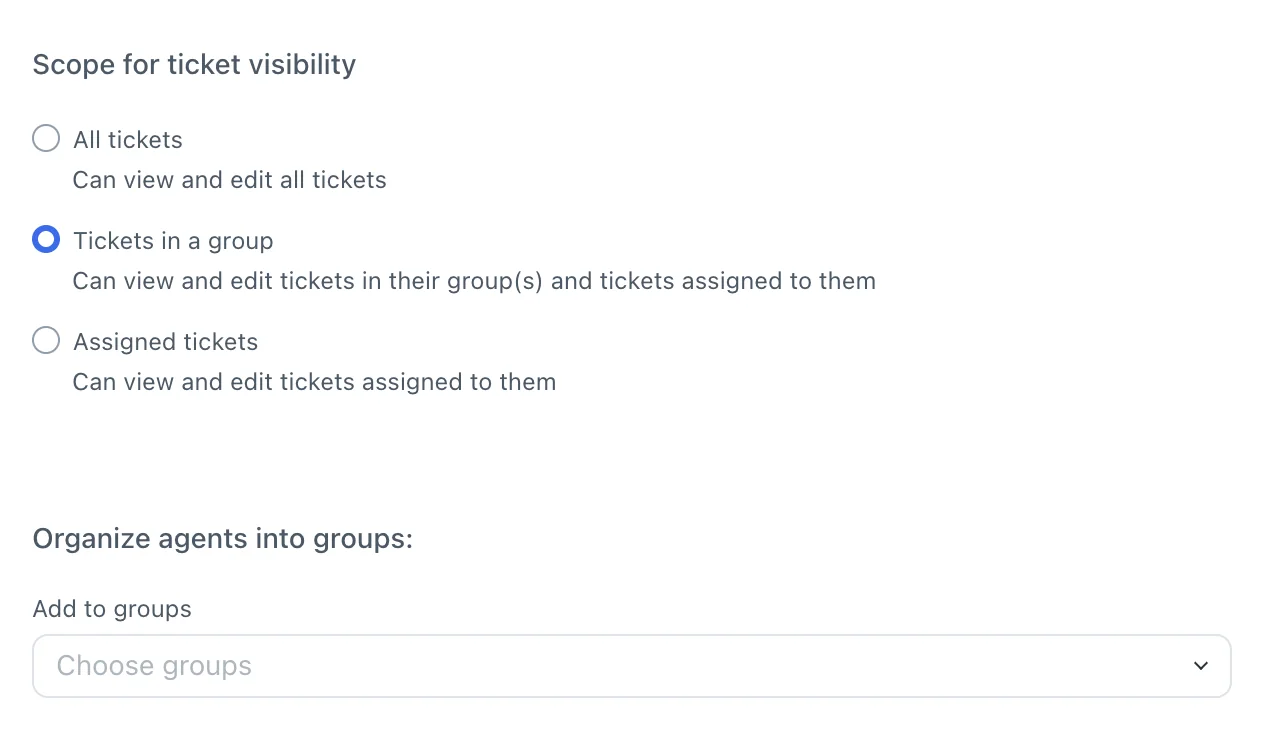
Here's the kind of team that needs it, from an r/Zendesk thread about separating divisions:
"the agents would belong to different business divisions under the same overall company. They'd work on tickets that employees submit with sensitive data so this is why we want the agents in one division not to have access to see another agent group's tickets and so on"

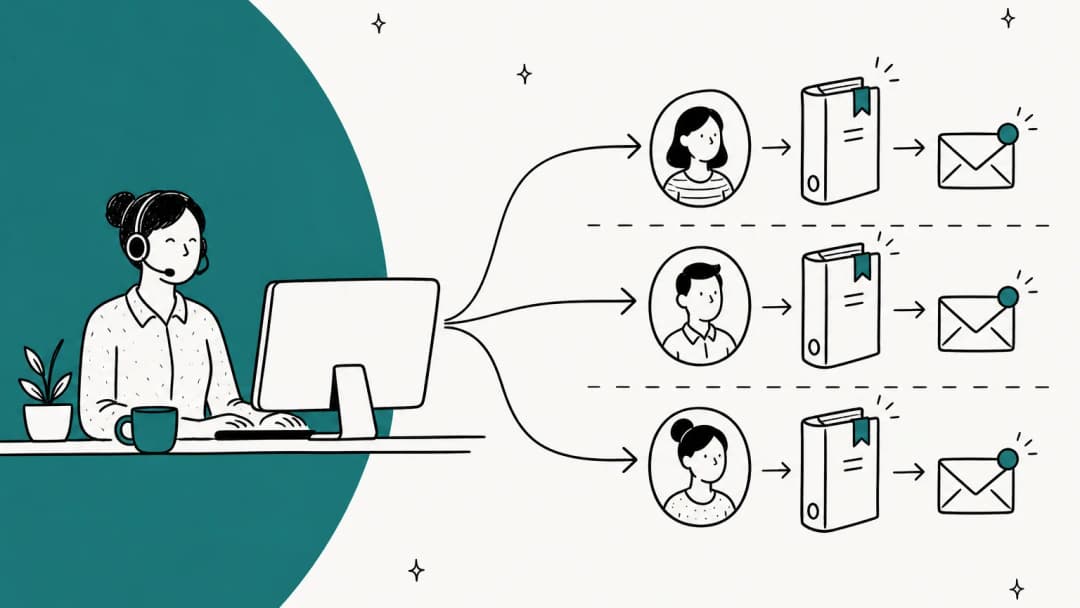
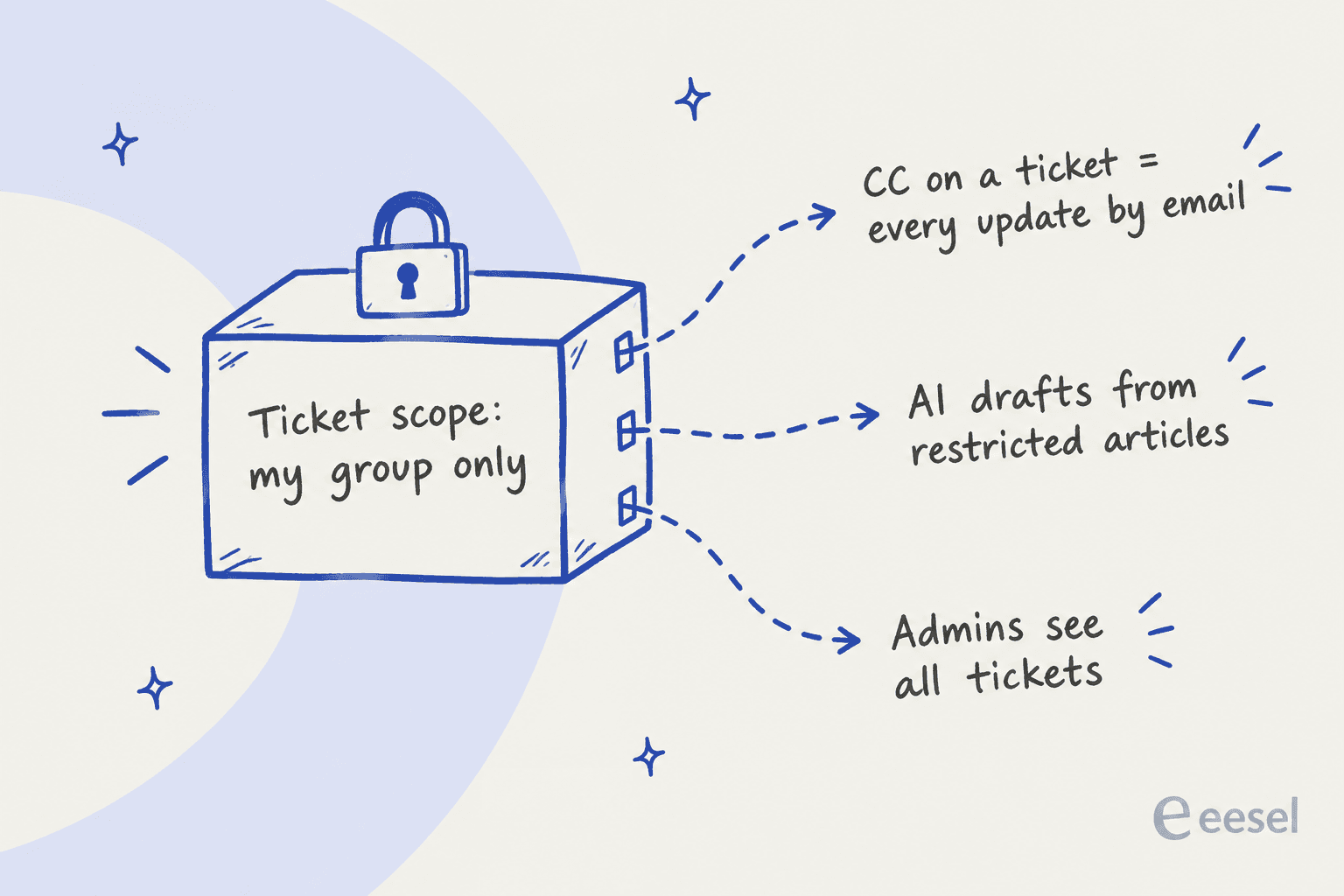
Scope handles the front door. The vendor docs document at least three side doors:
- CCs. Zendesk says CC'ing an agent, light agents included, sends them every public and private update by email, regardless of ticket access (Zendesk standard roles). One CC on a sensitive ticket and the scope setting stops mattering for that thread.
- Admins. Admins see everything. Zoho Desk spells it out: even with sharing set to Private, "support admins can view all the tickets within a department" (Zoho data sharing rules). So the admin list is part of your visibility policy whether you planned it that way or not.
- AI drafting. Zendesk's auto assist "may generate text replies based on that content for agents and end users who don't belong to the related user segment". In other words, restricted help center content can reach an agent who couldn't open the article. By default, every group has auto assist (auto assist setup).
Two helpdesks are blunter about the limits. Help Scout scopes by inbox, and its docs say "There is no method to restrict individual conversations" (Help Scout roles). Gorgias gives every role, including Observer, the "View tickets" permission and a default view of all open tickets, and documents no hard block on opening a ticket (Gorgias user permissions). Neither is wrong for a single-brand team. They just mean the separation has to come from separate inboxes or accounts, not from a role.
What each helpdesk lets you control
Here's the side-by-side I wish I'd had the first time I mapped this out. Prices are per agent per month as listed on each vendor's pricing page in October 2026, annual billing where the page shows both.
| Zendesk | Freshdesk | Gorgias | Help Scout | Front | Zoho Desk | HubSpot Service Hub | |
|---|---|---|---|---|---|---|---|
| Custom roles | Enterprise only (quote) | Pro ($55) and up | None, 5 fixed roles | Per-user custom on Plus ($45) and Pro | Enterprise ($105) | 5 on Standard ($14), 25 on Professional, 50 on Enterprise | Per-user toggles; team-only access on Professional+ |
| Ticket scope | Groups, org, assigned | Group, assigned; view-only groups on Enterprise | Views only, no hard block | Per inbox | Per shared inbox | Per department; sharing rules on Enterprise | All, team, own |
| Cheap or limited seat | Light agents: 50 to 5,000 included on Growth and up | Collaborators up to 5,000; day passes $2 to $12 | Not priced per agent; Observer role | Light Users: 5 free on Plus, 15 on Pro | Guest accounts | Light agents $6/mo | View-only seats, free and unlimited |
| SSO | SAML on all plans | SAML on Growth+ | Custom OIDC on Advanced+ | SAML on Pro | SAML on Professional+ | Active Directory | SAML on Professional+ |
| IP restriction | All plans | Enterprise | Not documented | Not documented | Enterprise | All editions | Not documented |
| Audit log | Enterprise+, kept indefinitely | Enterprise | 12 months (Pro, Advanced) | Not documented | All plans, 365 days | Enterprise | 30-day views, full on Enterprise |
| Who configures the AI | Support admins by default | Administrators | Lead and Admin | Beacon settings | Workspace admin preset | Not documented | Customer agent editor permission |
Sources: Zendesk, Freshdesk, Gorgias, Help Scout, Front, Zoho Desk, HubSpot.
A few cells deserve a sentence. Zendesk and Zoho Desk include IP restrictions on every plan, and in Zendesk agents and admins can't bypass them (Zendesk IP restrictions). Front's audit log runs on every plan with 365 days of history and also logs changes made by Admin Copilot, the API and apps (Front audit log), which is unusually generous. And Zendesk on Enterprise drops the standard agent role entirely, so every agent's access comes from a custom role, with a cap of 197 per account.
Front's custom permission set is a good picture of what "least privilege" looks like at the button level. Front's own example is letting trainees draft in shared inboxes with "Send messages" switched off until they're trained.
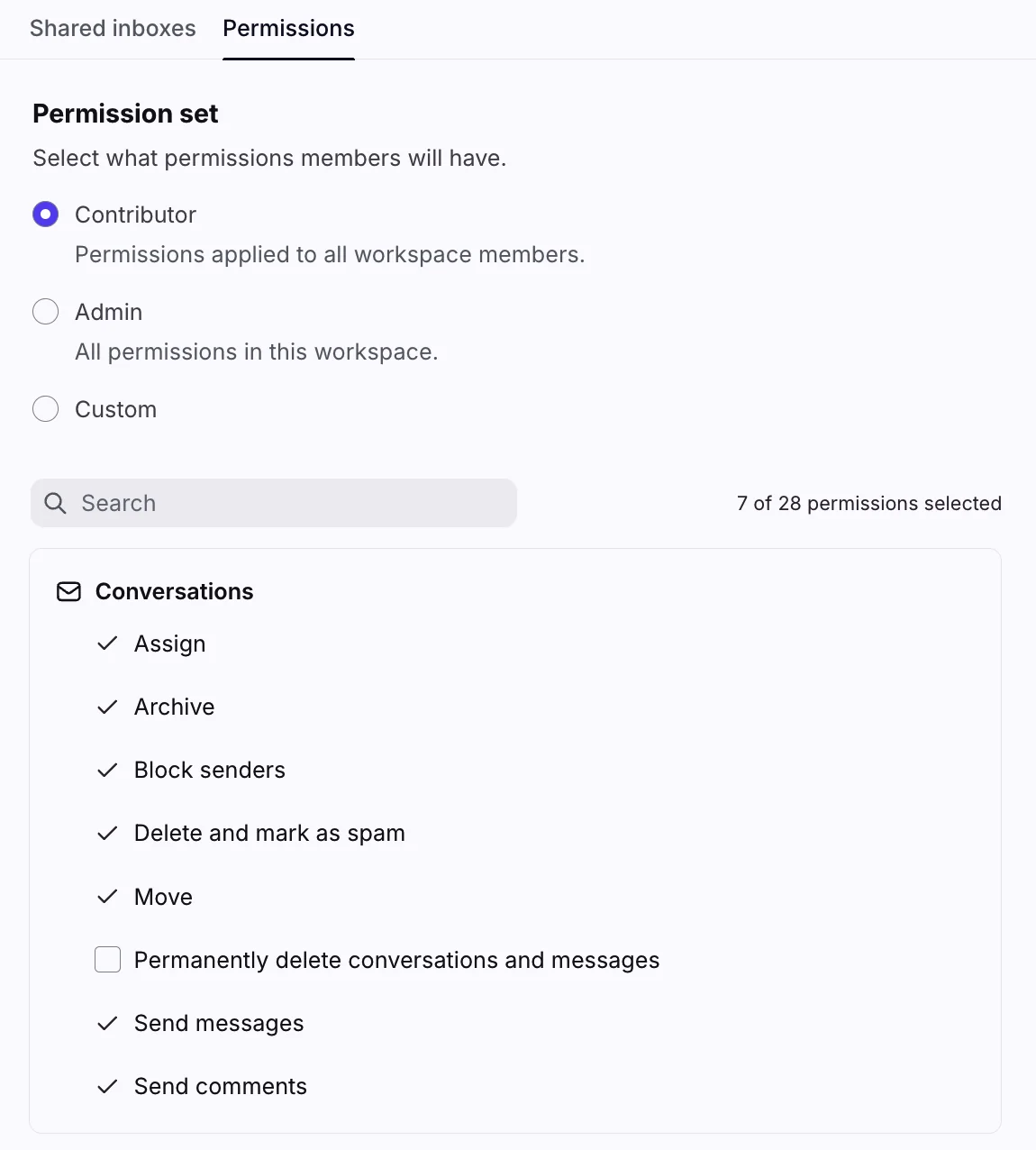
For the per-vendor detail, my Zendesk roles guide walks the full permission list, and the Freshdesk version covers scopes. Gorgias has its own roles walkthrough too.
How much least privilege costs
The pattern across the table is that fine-grained roles are a top-tier feature. Here's where custom roles first unlock in each helpdesk.
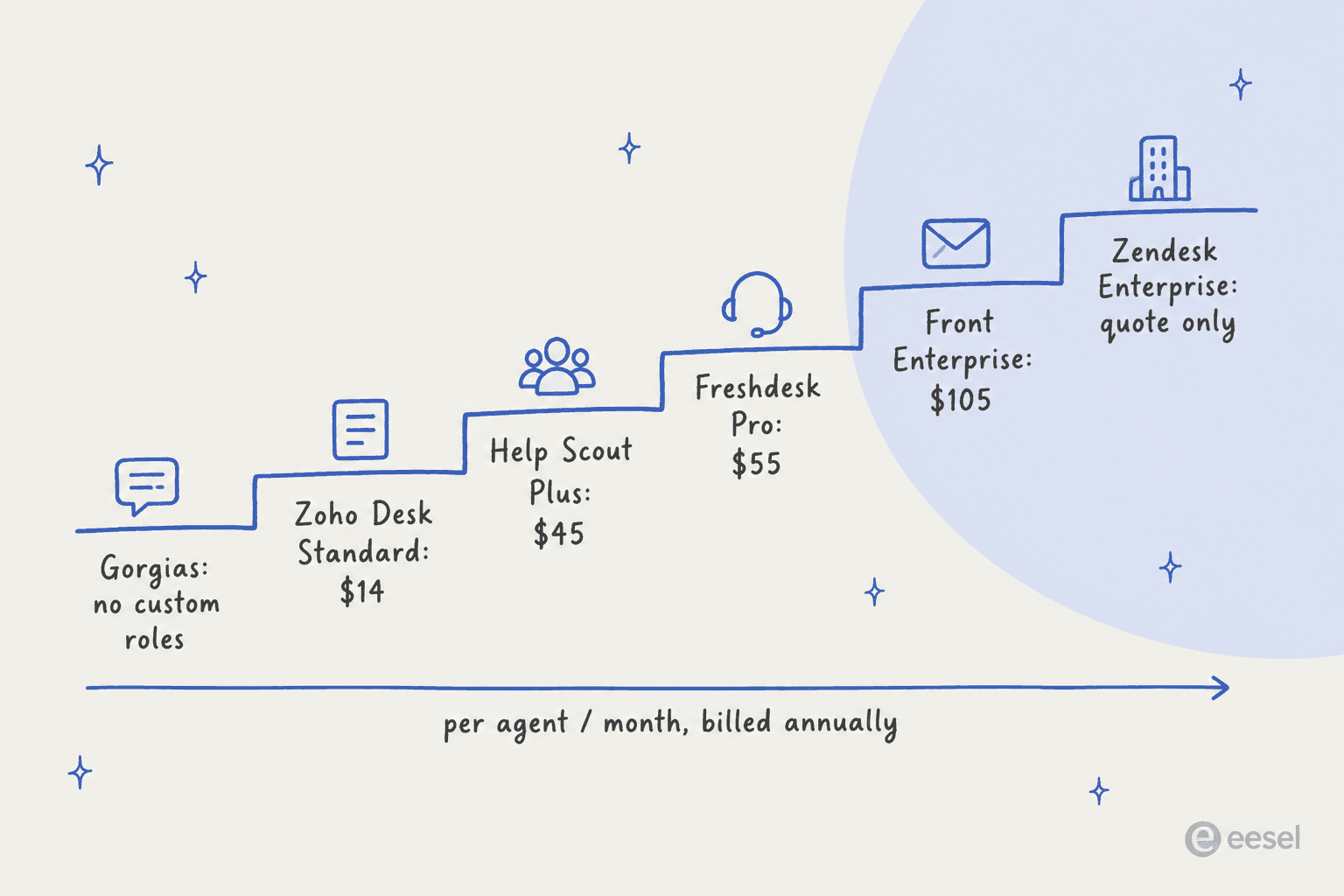
A Zendesk consultant in the same r/Zendesk thread summed up what this means on lower plans:
"Groups (even normal) can do this. As long as agents access is set to "Only tickets in their group". Admins will be able to always see all tickets but agents get locked down as long as Access is set that way. If in Enterprise custom roles is how you handle this."
Front has had this complaint for years. A 2022 Capterra review (the price it quotes is from then, not today) put it this way:
"basic features like a user and team management are exclusive to the highest tier. For this even managing just a few users and their permission and settings is a real pain as long as you're not willing to upgread to the highest tier"
Verified Reviewer, CPO, Food & Beverages, Capterra

Privacy controls cost the most. Zendesk's data masking, which hides end-user names, emails and phone numbers from a role, sits in the Advanced Data Privacy and Protection add-on, sold only to Enterprise plans at an unpublished price (Zendesk ADPP). The same add-on carries the access log, which records who viewed which tickets for 90 days.
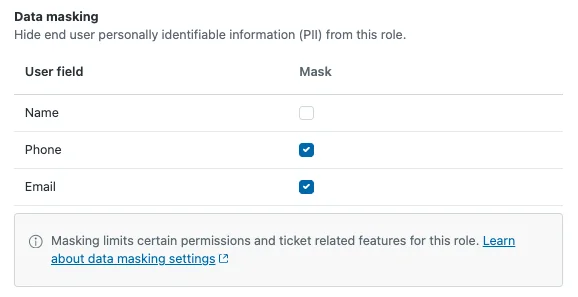
My honest take: if per-role permissions are a hard requirement and you aren't on Zendesk Enterprise money, Freshdesk Pro and Zoho Desk Professional are the cheapest full versions in this set. If you already run Zendesk on Suite Professional ($115), groups plus assigned-only scope, a short admin list and IP restrictions get you most of the way. Check my Zendesk pricing and Freshdesk pricing breakdowns before you upgrade just for roles.
The roles I'd set up for a typical support team
Most teams need five shapes of access, not fifteen. This is the setup I'd start from.
| Role | Ticket scope | Can do | Can't do |
|---|---|---|---|
| Frontline agent | Their groups | Reply, tag, assign within group, use macros | Delete tickets, export data, edit end users, manage business rules |
| Team lead | All tickets | Everything a frontline agent can, plus reports, views and macros for the team | Billing, user management, API tokens |
| Contractor or outsourced agent | Assigned only, or one group | Reply on the queue they're contracted for | Export, bulk actions, view full payment or identity details |
| Light seat for other teams | Their groups | Read, leave internal notes | Reply to customers, change ticket fields |
| Admin | All | Settings, users, integrations | Nothing restricted, which is why there should be two of them |
The contractor row is the one I'd spend the most time on. After Coinbase disclosed in May 2025 that overseas support staff had been bribed to pull customer data, the Hacker News thread kept coming back to the same principle:
"That's not how front line support agent access should work. You get access based on active cases you are working on, not the keys to the kingdom because you might need to support a member at some future point in time."

Another commenter who built an admin panel for a PCI Level 1 payments company described the controls they added once they hired outside the US: "logging, monitoring and also rate-limiting (ask for manager to approve if more than 5 full details requests, etc.)" (vasusen, Hacker News). That last part, approval past a threshold, is the same pattern I'll come back to for AI. If you work with a BPO, my guides to outsourcing customer service and offshore support knowledge transfer cover the rest of the setup.
For the light seat row, pick the cheapest read-and-comment seat your helpdesk offers. Zendesk includes up to 100 light agents on Suite Professional (light agent seats), Freshdesk collaborators can't reply publicly or edit ticket properties (Freshdesk collaborators), and HubSpot's view-only seats are free and unlimited on paid plans (HubSpot seats).
Engineers and finance folks who just need to read a thread and leave a note don't need a full agent license, as I covered in cross-team support escalation.
Offboarding: where access lingers
Access control usually fails at the exit, not the entrance. Every helpdesk lets you remove a user. What differs is what happens to their tickets, their automations, and your bill.
| Helpdesk | Remove options | What happens to open tickets | Seat billing |
|---|---|---|---|
| Zendesk | Downgrade to end user, then suspend | Go back to the group | Still charged until you change the subscription |
| Freshdesk | Deactivate or delete | Go to the unassigned queue | Seat freed on deactivate |
| Gorgias | Delete only | Unassigned; their stats are deleted | Not priced per agent |
| Help Scout | Delete only | Go to Unassigned; reassign with a Workflow before deleting | Not stated |
| Front | Block or delete | Shared-inbox conversations unassigned | License stays until next contract term |
| Zoho Desk | Deactivate or delete | You pick who takes over | License not canceled |
| HubSpot | Deactivate, then remove | Stay assigned until removed | Unassign the seat first |
Sources: Zendesk, Freshdesk, Gorgias, Help Scout, Front, Zoho Desk, HubSpot.
Three traps are worth knowing before someone's last day:
- Order matters in Help Scout. To hand a leaver's conversations to a specific person, you run a Workflow first, because "There is no way to do this after the user has been deleted" (Help Scout).
- Integrations break with the person. Zoho Desk says integrations set up by a deactivated agent stop working until an admin re-authorizes them, and Zendesk warns apps configured with the leaver's credentials can break. Always know whose login your integrations run on, including your AI.
- Data goes with them. Downgrading a Zendesk agent drops their CSAT data and personal macros, and deleting a Gorgias user deletes their statistics. Export what you need first.
The quieter failure is that nobody remembers how the permissions were set up. A Zendesk user posted this in April 2026:
"We had some turnover in IT so no one who set up Zendesk/my account for our team are here still and I can't figure out how to add it as an option for them."
Write the role setup down, and read your audit log once a quarter. Zendesk keeps its log indefinitely on Enterprise, with actor, IP address and activity type for every change (Zendesk audit log). My Zendesk audit log guide has the field-by-field version.
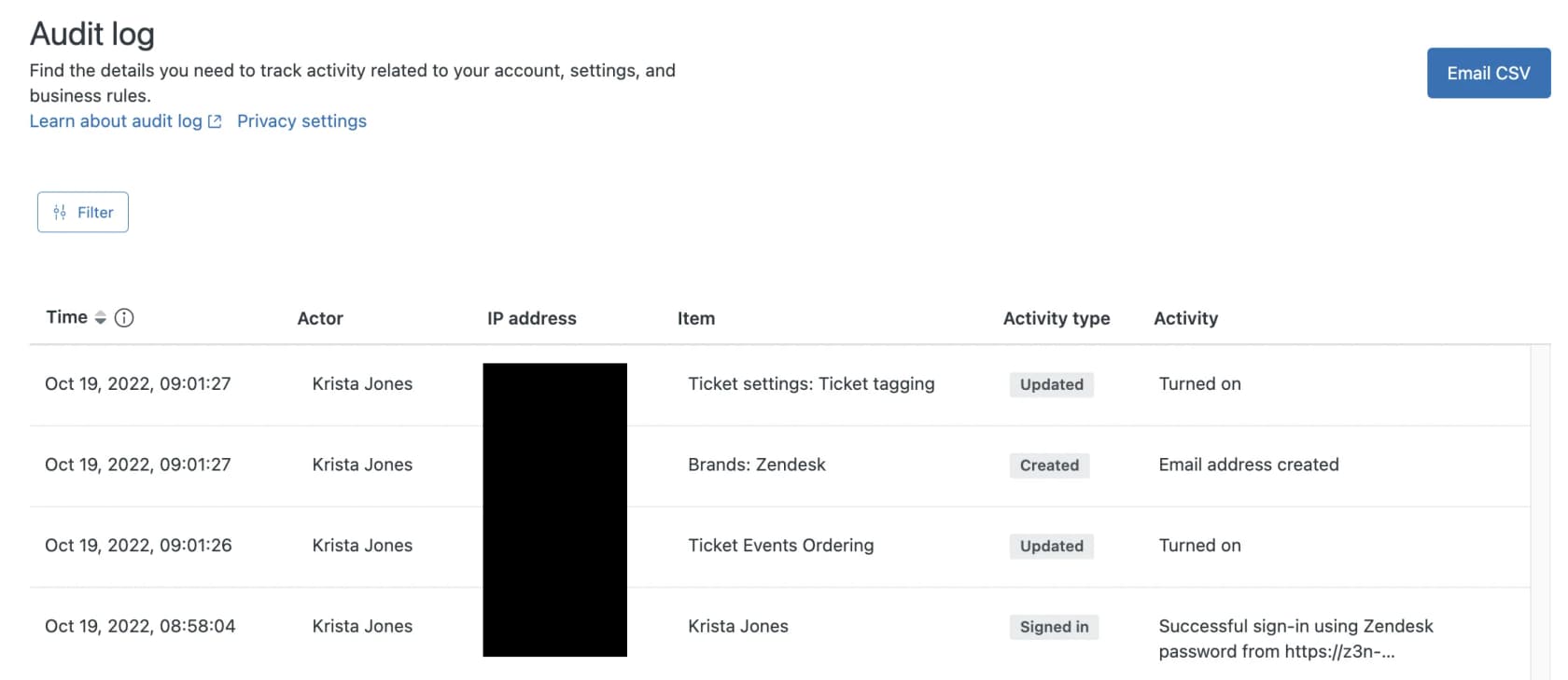
On Gorgias, the audit log keeps 12 months of events. For seasonal hires on temporary seats, my seasonal support onboarding post covers the rules per helpdesk.
Your AI agent needs a role too
Here's the part most access reviews skip. An AI support agent reads tickets, searches your knowledge base, and in many setups replies, tags, closes and refunds. It's a team member with the fastest hands in the building, and it's often set up by whoever had admin rights that afternoon.
The vendor docs show how uneven this is today:
- Zendesk: any Support admin is a Client admin of AI agents by default (Zendesk AI agent access). The customer-facing AI agent respects user segments, but the agent-side auto assist doesn't, as covered above.
- Freshdesk: building AI agents needs Administrator access, and the AI agent only learns from articles visible to all users, so restricted content stays out entirely (Freshdesk knowledge sources).
- Gorgias: only Leads and Admins manage AI Agent, but every role sees its replies (Gorgias permissions).
- HubSpot: the customer agent needs a "Customer agent editor" permission, and once created "it can't be deleted", only paused (HubSpot customer agent).
- Front: AI settings come only with the workspace Admin preset, not as a separate permission (Front teammate groups).
None of the seven vendors I checked documents whether its AI agent respects an individual agent's ticket scope. So the safest assumption is that the AI sees what its connection sees, and you control it at the connection.
Good advice on this came from an r/AI_Agents thread about giving agents customer data:
"You should treat an agent like you would any user: limit access via end points and only give them access to the endpoints they absolutely need. So avoid full/broad access as much as possible."
That matches what I hear from buyers. A CX lead at a DTC supplements brand on Gorgias and Shopify, at about 7,000 tickets a month, put it plainly on a sales call with eesel:
"I need an AI who is only handling the tickets that it's confident to handle and all the other ones, leave them alone."
So I think about an AI agent's access in three separate dials, and then a permission level for every action.
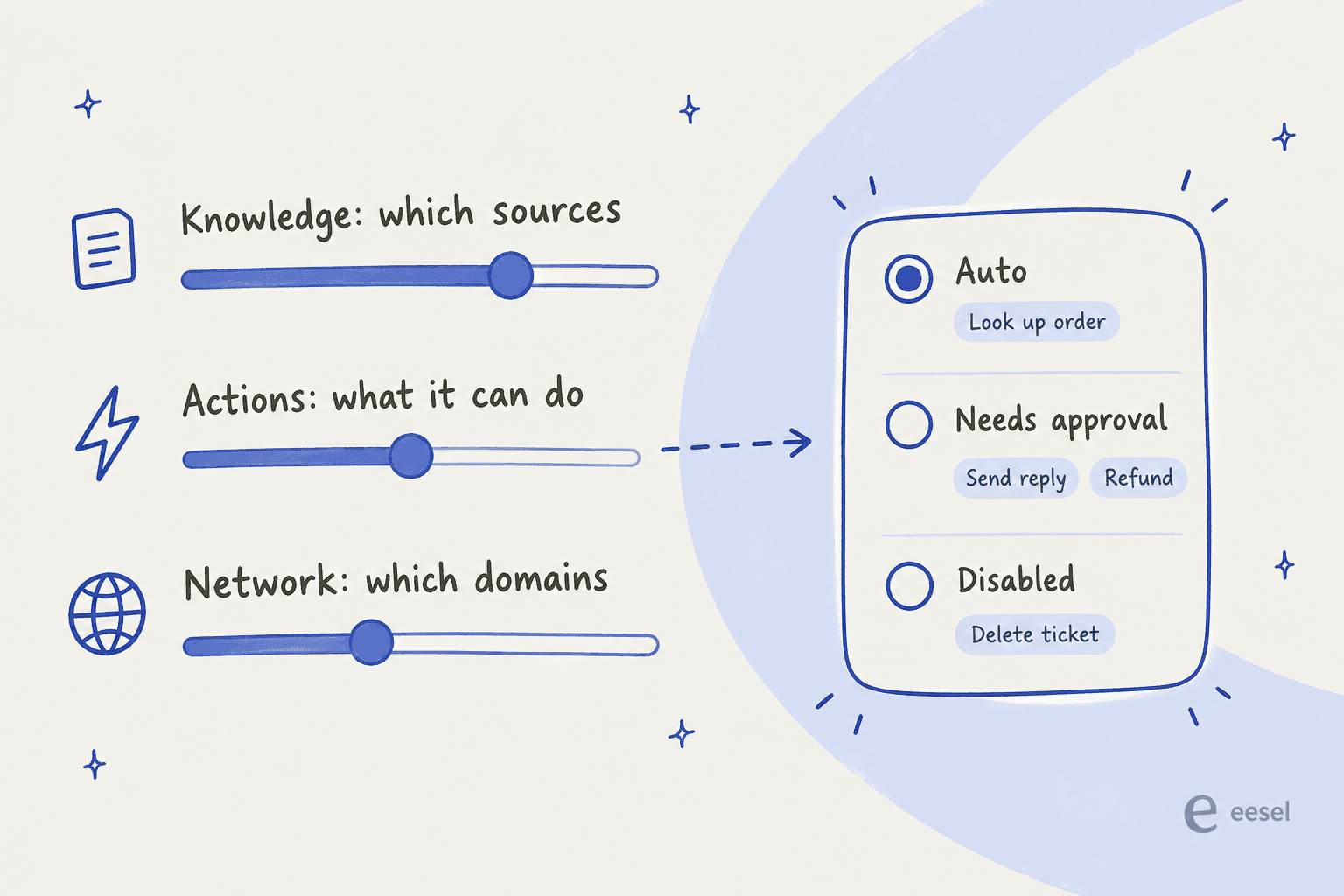
- Knowledge. Connect only the sources it needs. If agents in one division can't see another division's tickets, the AI answering that division shouldn't learn from them either.
- Actions. List every action and set each one: automatic, needs approval, or off. Looking up an order is low risk. Sending a reply or issuing a refund isn't, at least until you've seen it get those right.
- Network. If the AI calls your own APIs, allow only the domains it needs, and keep credentials out of the model's hands.
This is how eesel's AI helpdesk teammate is built. Each action is set per agent to Auto, Needs approval or Disabled, and approvals never run on their own after a timeout. Only workspace Owners and Editors can approve, and a Viewer can read the agent's work but the agent won't take write actions on their behalf (eesel account roles). Outbound calls only reach domains you add under Network Access, and the agent "only ever sees the name of the header, never its value", so API keys stay out of the model.
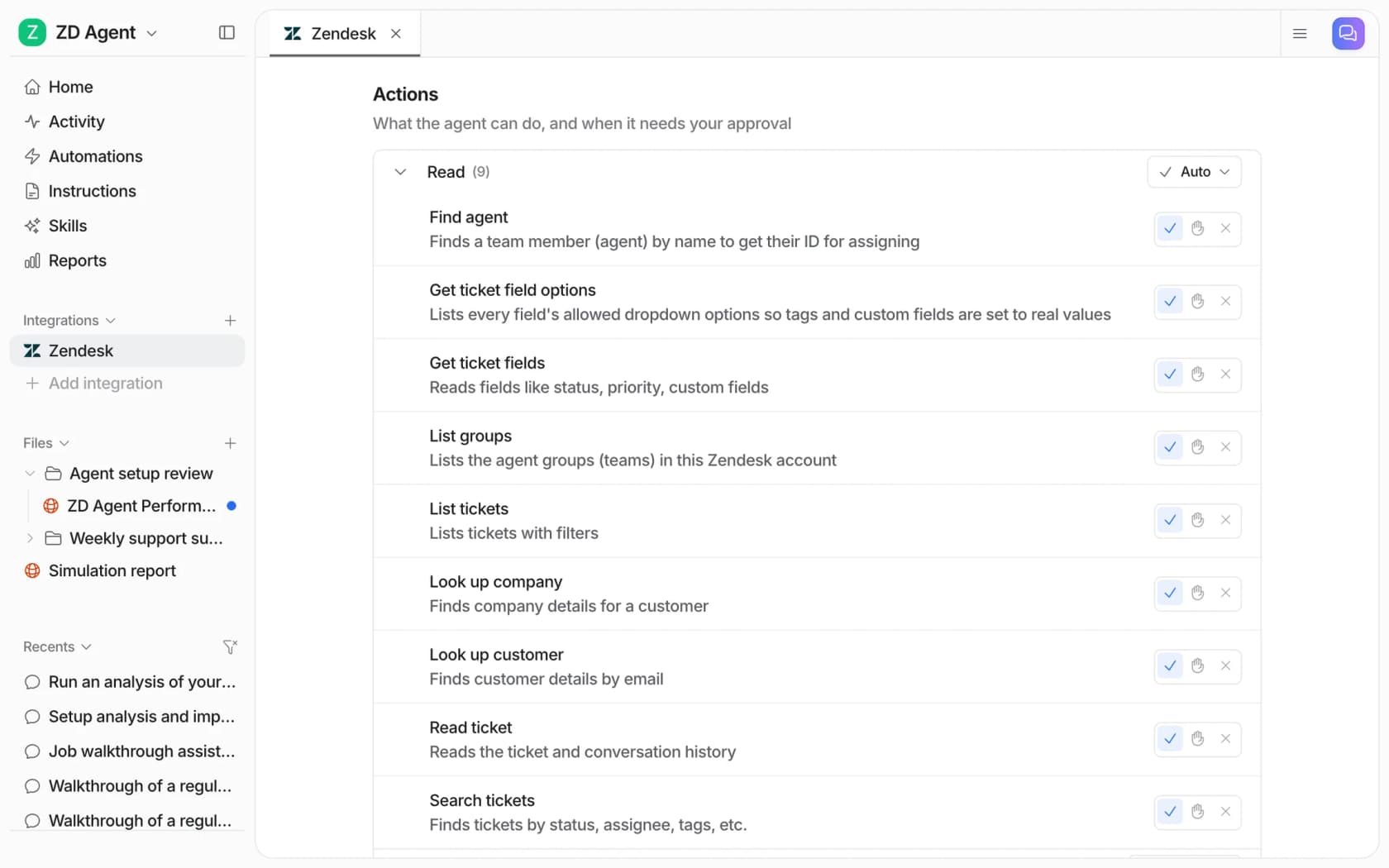
The same permissions apply from the terminal. The eesel CLI drives the same agent as the dashboard, and eesel integrations zendesk actions prints every Zendesk action with its approval setting, so you can audit an agent's permissions in one command or have a coding agent like Claude Code do it. Writes from the CLI follow the same rules, and a Viewer's writes are always held for an Editor. --dry-run shows the exact call a write would make before anything is sent.
eesel's docs say to start supervised: replies and anything irreversible on Needs approval, refunds and cancellations behind approval for good. Most teams start with internal notes, then hand over more as the agent proves itself, which is the same path a new hire takes. If you want the human side of that path, my guide on how to onboard an AI support agent walks through it, and AI escalation covers the handoff rules.
One honest caveat on the eesel side: PII redaction runs on past tickets before they're indexed, but when the agent fetches a live Zendesk ticket to draft a reply, the raw ticket content reaches the model. If masking card numbers at that point is a hard requirement, pair eesel with your helpdesk's own redaction, such as Zendesk ticket redaction.
A quarterly access review checklist
Access drifts. People change teams, contractors roll off, and someone gets admin "just for this afternoon". I'd run this every quarter:
- Count your admins. Two is plenty for most teams. Every extra admin sees every ticket.
- Compare seats to the roster. Anyone who left still holding a seat is both a security gap and a line item, especially on Zendesk, Front and Zoho Desk where the seat keeps billing.
- Check scope on contractor and outsourced seats. Assigned only or one group, with no export.
- Read the audit log for role changes, exports and sign-ins from new IP addresses.
- Review your AI agents like any other seat. Which sources, which actions on Auto, whose login the connection runs on. Ask your AI for system access requests setup, if you have one, the same questions.
If you're tightening compliance alongside this, my checklist on SOC 2 and GDPR for support chatbots and the Zendesk security overview are good next reads.
Try eesel as a scoped AI teammate
If your helpdesk is Zendesk, Freshdesk, Gorgias, Help Scout or Front and the AI seat is the one you're least sure about, eesel's AI helpdesk teammate is built for that. It joins your existing queue through the Zendesk integration (or Freshdesk and Gorgias), reads only the sources you connect, and takes only the actions you switch on. Connecting a tool changes nothing on its own: no automation turns on and no reply is sent until you add a trigger.

Every ticket it touches shows up in Activity with what it searched, what it did, who approved it and why, and before go-live the simulation skill replays your real past tickets so you can see its answers first. Pricing includes unlimited agents and seats on every plan, starting free with 100 credits and then from $299 a month for 500 credits, so adding reviewers to watch the AI doesn't cost a license each. What it isn't yet: SOC 2 Type II certified (that's in progress, per the security page), and SSO with enforced 2FA is an add-on from $199 a month. If you want an AI that starts on internal notes and earns its way up, try eesel free.
Frequently Asked Questions
What is support agent access control?
How do I restrict which tickets a support agent can see?
Which helpdesk plans include custom agent roles?
Can agents see tickets outside their access scope?
What should happen to a support agent's access when they leave?
How should I control what an AI support agent can access?
Do helpdesk AI tools respect agent permissions?



Article by
Rama Adi
Rama is a software engineer at eesel AI with two years of experience writing about B2B SaaS, AI tools, and customer support technology. Based in Bali, Indonesia, he brings a developer's perspective to product comparisons — cutting through marketing copy to what the integrations and APIs actually do.