
When something goes wrong in your Zendesk account, whether it is a configuration change that broke an automation or a security incident that needs investigating, you need to know exactly what happened and when. That is where Zendesk audit logs come in.
We have worked with hundreds of support teams, and one of the most common points of confusion is understanding what Zendesk actually tracks. There are two different types of audit logging in Zendesk, and they work in very different ways. One tracks account-level changes. The other tracks ticket-level activity. Knowing the distinction helps you use the right tool for the right job.
At eesel AI, we integrate with Zendesk to help teams monitor and analyze their support operations. Understanding how Zendesk audit logs work is essential for any administrator managing a growing support team. Let us break down what you need to know.
What are Zendesk audit logs?
Zendesk audit logs are detailed records that track changes and activity within your Zendesk account. They serve two primary purposes: monitoring administrative actions for security and compliance, and troubleshooting issues when things go wrong.
Here is the key thing to understand. Zendesk actually has two separate audit logging systems:
Account audit logs track changes to your account configuration. This includes updates to users, business rules like automations and triggers, apps, and settings. According to Zendesk's documentation, this feature is only available on Enterprise and Enterprise Plus plans.
Ticket audit events track activity on individual tickets: comments, status changes, field updates, and when triggers fire. These are available via API on all paid plans (Team, Growth, Professional, and Enterprise).

| Audit Type | What It Tracks | Plan Availability | Access Method |
|---|---|---|---|
| Account audit logs | Configuration changes, user updates, rule modifications | Enterprise/Enterprise Plus | Admin Center + API |
| Ticket audit events | Ticket comments, status changes, field updates, trigger fires | All paid plans | API only |
The account audit log is what most administrators think of when they hear "audit log." It is the record of who changed what in your account settings. The ticket audit events are more granular, tracking every single update to individual tickets. Both are useful, but for different scenarios.
Account audit logs: What they track and how to access them
Account audit logs are available to administrators on Zendesk Suite Enterprise plans ($169 per agent per month billed annually) and above. If you are on Team or Professional, you will not see this feature in your Admin Center.
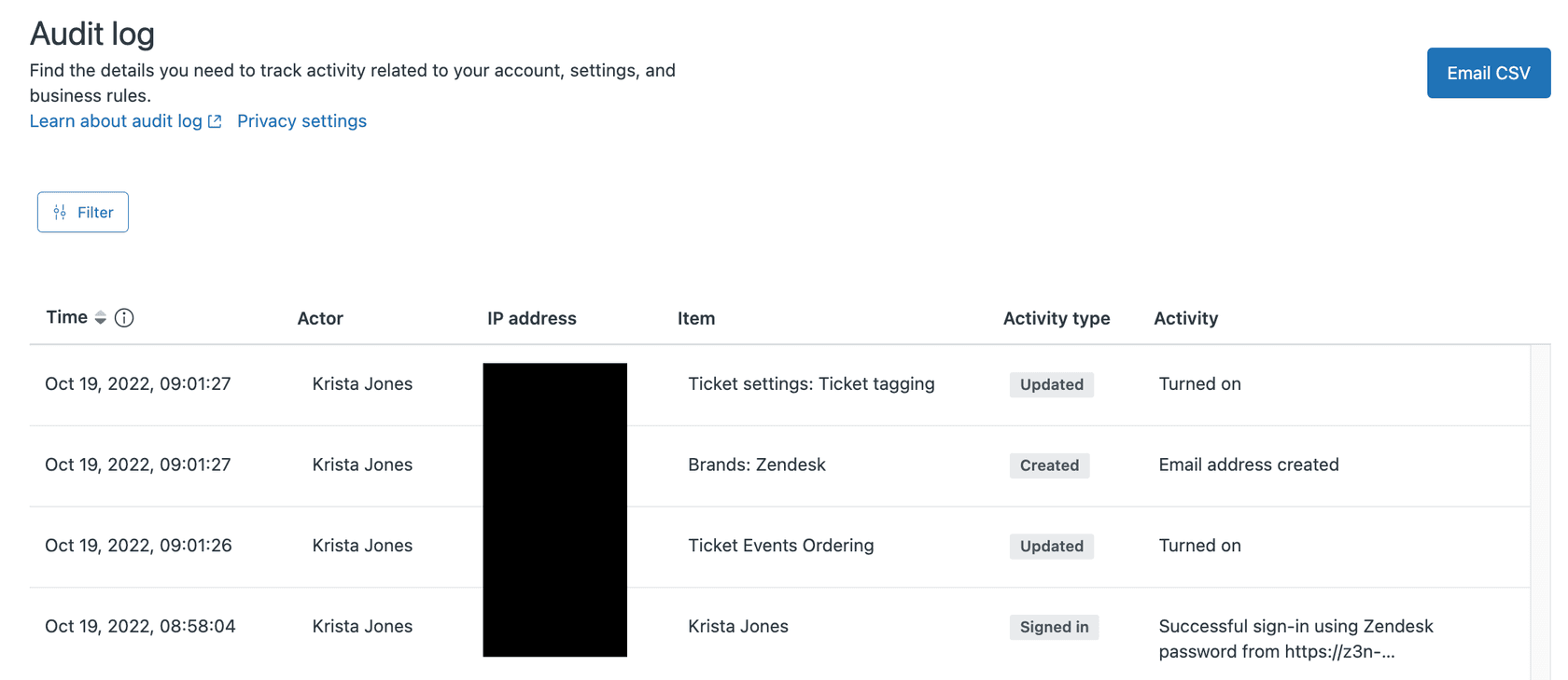
To access the audit log, navigate to Admin Center > Account > Logs > Audit log. The interface shows a table of all recorded changes with columns for the time of the change, the actor (who made it), the action type, and what was changed.
What actions are captured
The audit log tracks several types of actions:
- Create when new items are added (users, triggers, macros)
- Update when existing items are modified
- Destroy when items are deleted
- Login when users log into the account
- Exported when data is exported from Zendesk
Source types tracked
The log captures changes across multiple areas of your account:
- User profile changes, role assignments, password resets
- Rule automations, macros, triggers, and views
- Ticket ticket field changes and some ticket updates
- APIToken API token creation and revocation
- Zendesk apps app installations and configurations
Filtering and searching
The Admin Center interface provides basic filtering. You can click on a month, actor, event type, IP address, or item to filter down to matching events. However, as noted in Enterprise Ready's analysis, this filtering is limited to the items immediately visible on screen. You cannot perform comprehensive searches across your entire audit history from the UI.
For more advanced filtering, you will need to use the API or export the data.
Exporting audit logs
Zendesk allows you to export audit logs as CSV files directly from the Admin Center. This is useful for:
- Importing into spreadsheet tools for analysis
- Archiving for compliance requirements
- Feeding into SIEM tools for security monitoring
The export includes all the same fields you see in the UI: timestamp, actor, action, source type, and change description.
Ticket audit events: Understanding ticket-level activity
While account audit logs track configuration changes, ticket audit events track what happens to individual tickets. This system is available via API on all paid Zendesk plans, making it accessible to more teams.
How ticket audits work
Every time a ticket is updated in Zendesk, an audit is stored. Each audit represents a single update to the ticket, and an update can consist of one or more events. For example, when an agent adds a comment and changes the status to "Solved," that creates one audit with two events.
The Ticket Audits API returns JSON objects with detailed information about each change.
Event types
Common event types you will see in ticket audits include:
- Comment public or internal comments added to tickets
- Notification emails or other notifications sent
- CommentRedaction when comments are redacted
- AttachmentRedaction when attachments are removed
- VoiceComment for Zendesk Voice recordings
Accessing ticket audits
You can retrieve ticket audits using the API endpoint:
GET /api/v2/ticket_audits
Or for a specific ticket:
GET /api/v2/tickets/{ticket_id}/audits
Note that archived tickets are not included in the general list. You need to use the specific ticket endpoint for archived tickets.
Important limitation: deletable history
Here is a critical limitation that security-conscious teams need to know. As Enterprise Ready points out, ticket audit trails are not immutable. When a ticket is deleted in Zendesk, its audit trail goes with it. This is a significant gap for compliance purposes, as you cannot prove that a ticket existed or what happened to it if someone with appropriate permissions deletes it.
The primary account audit log cannot be altered through the API (it is read-only), but it also does not seem to be provably immutable either. For strict compliance requirements, you may need to export audit logs to an external system that provides immutability guarantees.
Accessing audit logs via the Zendesk API
For teams that need to programmatically access audit data, Zendesk provides well-documented APIs for both account and ticket audit logs.
Authentication
To use the Audit Logs API, you will need:
- Admin permissions on your Zendesk account
- API credentials (OAuth token or API token)
For OAuth, the Ticket Audits endpoints require a global "read" scope. You cannot access them using only the "auditlogs:read" or "tickets:read" scopes.
Account audit log API
The endpoint for account audit logs is:
GET /api/v2/audit_logs
You can filter results using query parameters:
| Parameter | Description |
|---|---|
filter[source_type] | Filter by type (user, rule, ticket, etc.) |
filter[created_at][] | Date range filter |
The API returns up to 100 records per page and supports both cursor pagination (recommended) and offset pagination.
Working Python example
Here is a practical example for fetching account setting changes within a date range, adapted from Zendesk's developer documentation:
import os
import requests
import arrow

ZENDESK_API_TOKEN = os.getenv('ZENDESK_API_TOKEN')
ZENDESK_USER_EMAIL = os.getenv('ZENDESK_USER_EMAIL')
ZENDESK_SUBDOMAIN = os.getenv('ZENDESK_SUBDOMAIN')

AUTH = (f'{ZENDESK_USER_EMAIL}/token', ZENDESK_API_TOKEN)

def search_account_setting_updates(start_date, end_date):
    audit_logs = []
    source_type = "account_setting"

    url = f"https://{ZENDESK_SUBDOMAIN}.zendesk.com/api/v2/audit_logs.json"
    params = {
        'filter[source_type]': source_type,
        'filter[created_at][]': [start_date, end_date]
    }

    while url:
        response = requests.get(url, params=params, auth=AUTH)
        if response.status_code == 200:
            page = response.json()
            audit_logs.extend(page['audit_logs'])
            url = page.get('next_page')
            params = None  # Only needed for first request
        else:
            print(f"Error: {response.status_code}")
            return None

    return audit_logs

logs = search_account_setting_updates('2026-01-01T00:00:00Z', '2026-01-31T23:59:59Z')
for log in logs:
    print(f"{log['actor_name']} updated {log['source_label']}: {log['change_description']}")
Rate limits
Zendesk API rate limits depend on your plan. Enterprise plans get higher limits than Team or Professional. If you are building integrations that regularly pull audit data, factor this into your architecture. For high-volume monitoring, consider using the Incremental Ticket Event Export API instead of repeatedly polling the audit endpoints.
Practical use cases for Zendesk audit logs
Understanding what audit logs capture is one thing. Knowing how to use them effectively is another. Here are the most common scenarios where audit logs provide value.
Security monitoring and incident investigation
When you suspect unauthorized access or need to investigate a security incident, audit logs show you:
- Who logged in and from which IP addresses
- What configuration changes were made
- When API tokens were created or revoked
- Which users had their permissions changed
For security teams, exporting these logs to a SIEM tool like Panther or Splunk provides centralized monitoring and alerting.
Compliance and audit trails
For organizations subject to SOC 2, GDPR, HIPAA, or other compliance frameworks, audit logs provide the evidence you need to demonstrate:
- Access controls are working
- Changes are traceable to specific individuals
- Data exports are logged and reviewable
The limitation here is that ticket-level audit trails can be deleted, which may not meet the strictest compliance requirements. For those cases, you will need to implement external logging or use a tool that provides immutable records.
Troubleshooting automation issues
One of the most practical day-to-day uses of audit logs is debugging broken workflows. When a trigger stops working or an automation behaves unexpectedly, the audit log shows:
- When the rule was last modified
- Who made the change
- What exactly was changed
This can save hours of guesswork when trying to identify what broke and when.
Change management
For teams with multiple administrators, audit logs provide visibility into who is changing what. This supports:
- Reviewing changes before they go live
- Understanding the impact of configuration updates
- Training new administrators by showing them what changes were made and why
Limitations and important considerations
Zendesk audit logs are useful, but they are not perfect. Here are the limitations you should know about.
Enterprise plan requirement
Account audit logs are only available on Suite Enterprise ($169/agent/month annual) and Enterprise Plus plans. If you are on Team or Professional, you do not have access to this feature. Ticket audit events via API are available on all paid plans, but they cover different data.
Deletable ticket audit trails
As mentioned earlier, when a ticket is deleted, its audit history goes with it. This is a significant limitation for compliance and forensic purposes. If you need immutable ticket history, you will need to export ticket data to an external system regularly.
Limited UI filtering
The Admin Center interface only lets you filter by items currently visible on screen. You cannot search your entire audit history by keyword or run complex queries from the UI. For advanced analysis, you need to export to CSV or use the API.
Timestamp precision
Zendesk provides event timestamps down to the second. Most enterprise audit systems provide millisecond precision, which can matter when sequencing events or investigating incidents with tight timelines.
What is not tracked
The audit log does not capture everything. Notably missing from the account audit logs are:
- Most agent actions (ticket views, searches)
- Agent logins (login events are tracked, but not all agent activity)
- Ticket content changes at a granular level (use ticket audits for this)
If you need comprehensive activity monitoring beyond what Zendesk provides natively, you may need third-party tools or custom integrations.
Getting more from your Zendesk data with eesel AI
Audit logs tell you what happened in your Zendesk account. But understanding why it happened and what to do about it requires more context. That is where we come in.
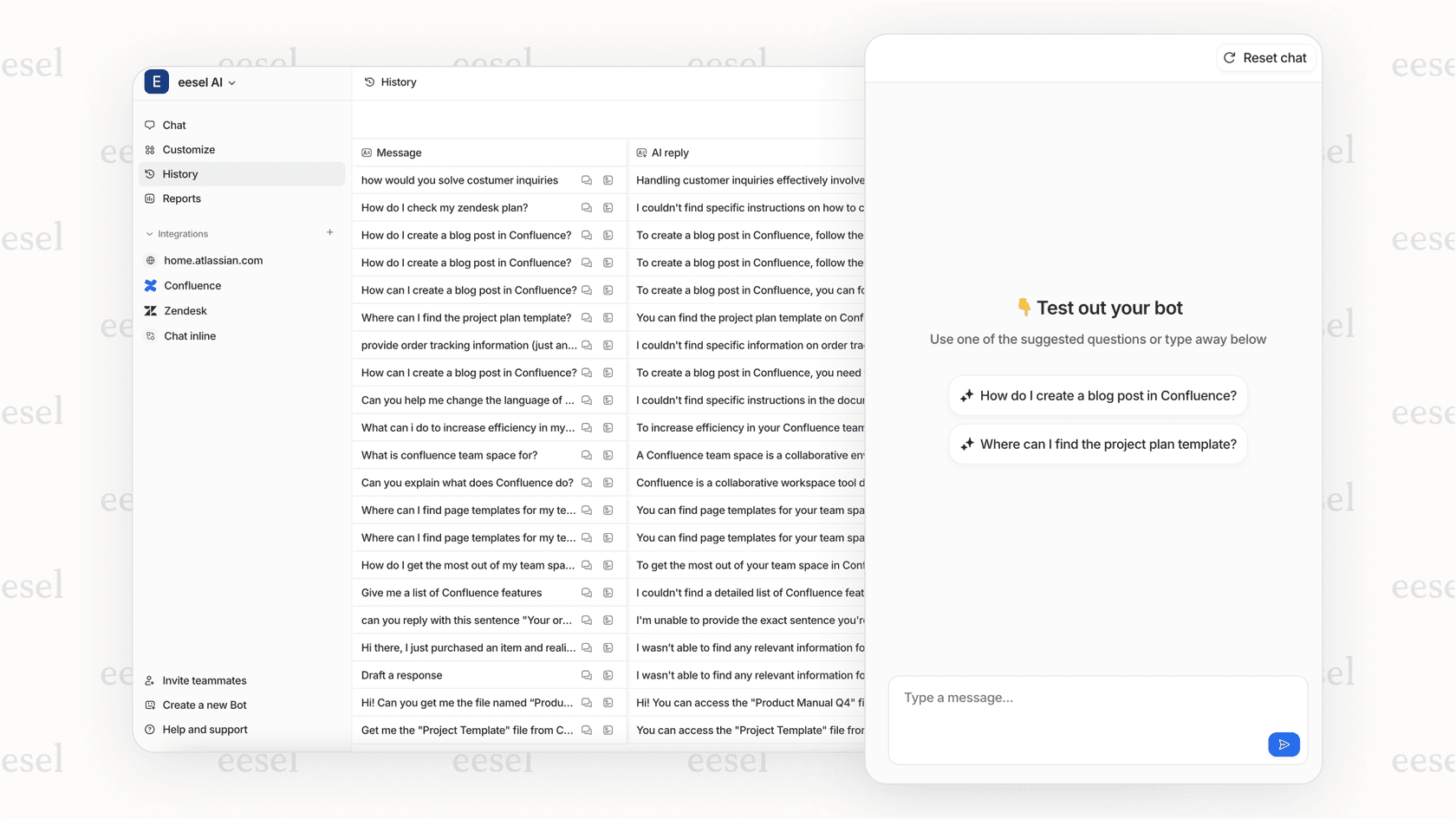
At eesel AI, we integrate directly with Zendesk through our AI agent for Zendesk to provide AI-powered analysis of your support operations. While Zendesk audit logs show you the raw events, we help you:
- Monitor patterns across your audit data using natural language queries
- Set up automated alerts for unusual activity
- Correlate audit events with ticket outcomes
- Get insights without writing complex API queries
Our AI agent for Zendesk goes beyond simple logging. It learns from your past tickets, help center articles, and business rules to help automate responses, route tickets intelligently, and identify knowledge gaps. You can start with our AI Copilot to draft responses for agent review, then level up to full automation as the AI proves itself.
If you are already using Zendesk and want to get more value from your support data, we are here to help. Our pricing starts at $299 per month for teams, with no per-seat fees. You pay for AI interactions, not headcount.


