Why does seasonal support onboarding go wrong?
I work eesel's support queue every day, and the seasonal pattern shows up the same way in almost every e-commerce team I talk to. The plan is fine on paper: hire a few temps in late October, give them the training deck, put them on the queue for Black Friday. Then the temps answer everything, including the tickets they shouldn't, because nobody drew a line around what they own.
The math is the real problem. A permanent hire gets a month or more to ramp. My 30-day onboarding plan assumes exactly that. A seasonal hire might work six weeks in total. If you spend four of them ramping, you paid for two weeks of output, and those two weeks were your busiest. That's why support agent ramp time matters so much more for temps than for anyone else on the team.
Black Friday 2026 falls on November 27. If you're reading this in early October, you have about seven weeks. That's enough, as long as you shrink what you're asking temps to learn.
"We could have hired during the slow time to train properly for the crazy time. Instead we were all expected to drop our lives from October to mid March and work long hours."

That's the failure mode in one line. Hire late, and the people you hire get dropped into the rush untrained, while your permanent team covers the gap with overtime.
The second thing that goes wrong is quieter. Peaks are bad data. One flower-delivery brand on Gorgias, with highly seasonal Valentine's and Mother's Day peaks, asked eesel to exclude those spike months when it trained on their past tickets, and to use only tickets real reps had answered. They were right. Spike weeks are full of rushed replies and one-off exceptions. The same logic applies to your forecast and your training material: plan from normal weeks, then treat the spike as its own thing.
When should you start onboarding seasonal support staff?
Work backwards from your peak. Eight weeks out is the comfortable start, and every step after that is shorter than the one you'd use for a permanent hire.
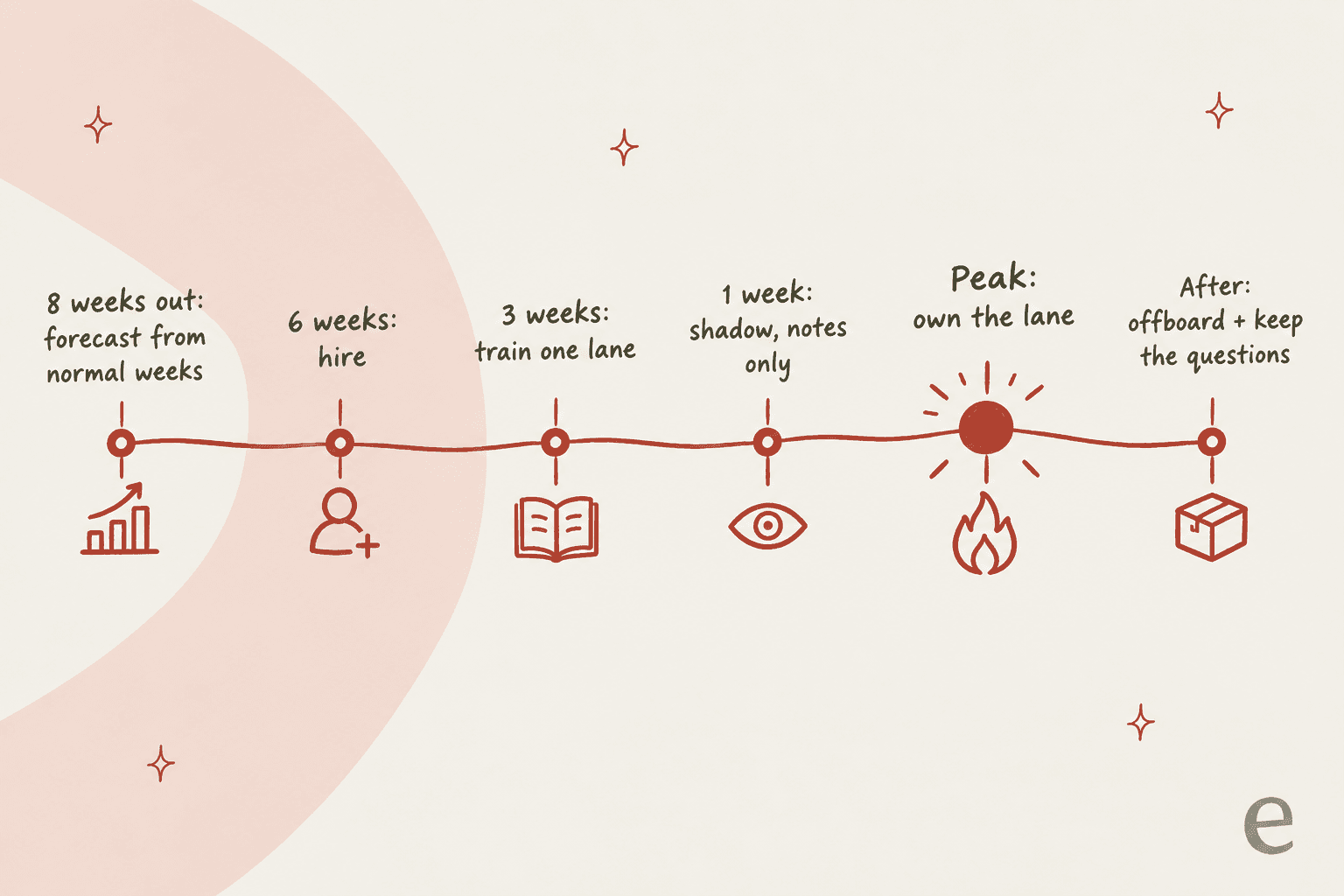
- 8 weeks out: forecast. Pull last year's peak volume and your normal weekly volume. Gorgias's own BFCM checklist suggests starting from last year's ticket-to-order ratio, then deciding between more automation and "temporary assistance". If you need the staffing math, support coverage planning walks through it.
- 6 weeks out: hire and decide the seat type. This is when billing traps bite (next section). Decide whether temps get full seats, day passes or notes-only seats before you send a single invite.
- 3 weeks out: train one lane. Build the lane playbook: the 4 to 6 ticket types temps own, a macro for each, and a one-page "send it to the core team" list.
- 1 week out: shadow, notes only. Temps read live tickets and draft answers as internal notes. A senior checks and sends.
- Peak: own the lane. Temps get reply rights on their lane only. Everything else routes past them.
- After the peak: offboard and keep the questions. Remove access, reduce seats if your contract allows it, and turn every question temps asked into a help center article or macro for next year.
Here's the honest version of step 3. Three weeks is enough to learn a narrow lane well. It's nowhere near enough to learn your refund policy, your edge cases and your product catalog. The plan works because the lane is small.
What should seasonal agents handle, and what should they never touch?
Draw the line before the first temp logs in. Most peak volume in e-commerce is a handful of repetitive questions, and those are exactly what a temp can learn fast. The expensive mistakes come from the rest.
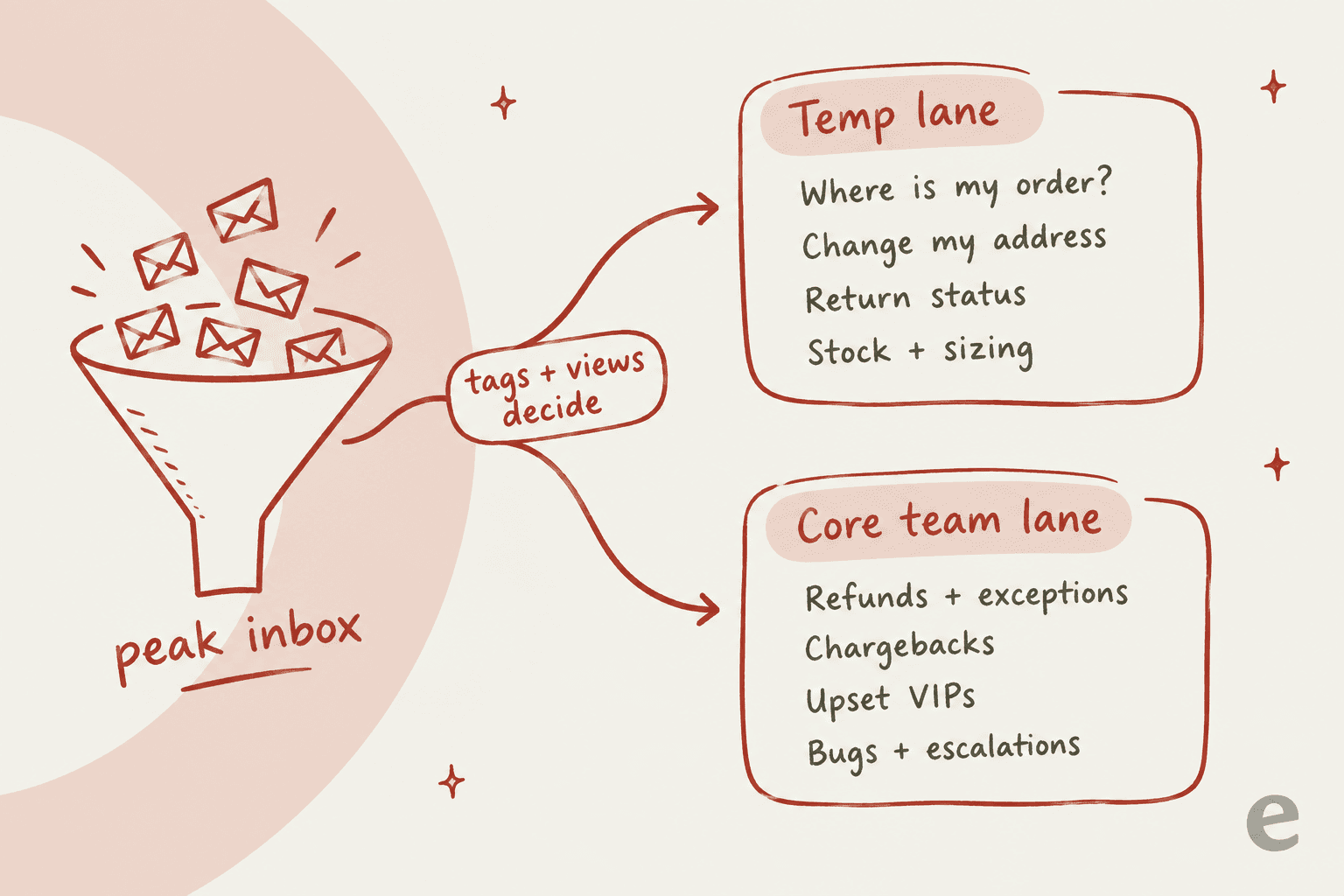
| Ticket type | Who owns it in peak season | Why |
|---|---|---|
| Where is my order? | Temps (or AI) | One lookup, one answer, and order tracking automates well |
| Address change before shipping | Temps | Clear rule: possible until the order ships |
| Return status and return labels | Temps | Follows your published return policy |
| Stock, sizing and delivery dates | Temps (or AI) | Answerable from product pages and the help center |
| Refunds, partial refunds, exceptions | Core team | Costs money and sets precedent |
| Chargebacks and fraud flags | Core team | Legal and payment-provider risk |
| Upset repeat customers and VIPs | Core team | One bad reply costs a customer worth keeping |
| Bugs, outages, broken checkout | Core team | Needs escalation and context temps don't have |
The refund line matters more than it looks. In Gorgias, users invited by auto-join get the Basic role, and Basic can already process Shopify refunds. Pick the role on the invite, not after.
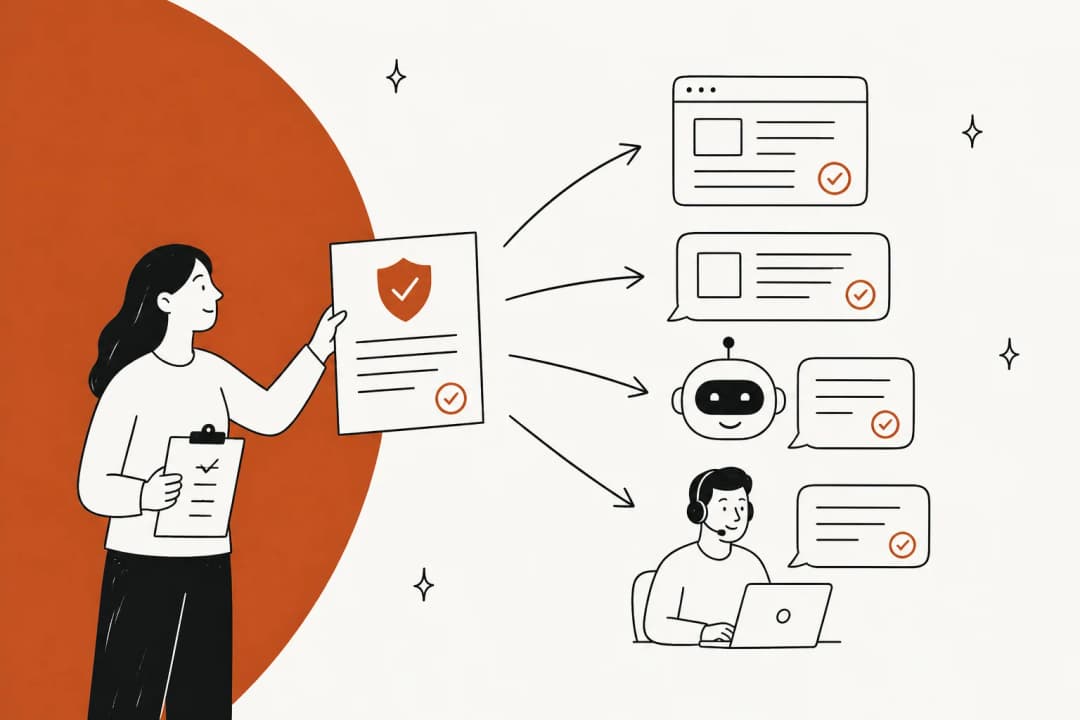
Then make the helpdesk enforce the split, so you don't rely on temps remembering it on day 40 of a holiday rush. Tag the lane's tickets with rules, give temps a view or team that only shows those tags, and keep everything else out of their queue. Gorgias's BFCM guide recommends exactly this kind of setup: rules that auto-tag "by order status, returns, refunds, VIP customers, and urgent issues", plus a view per category.
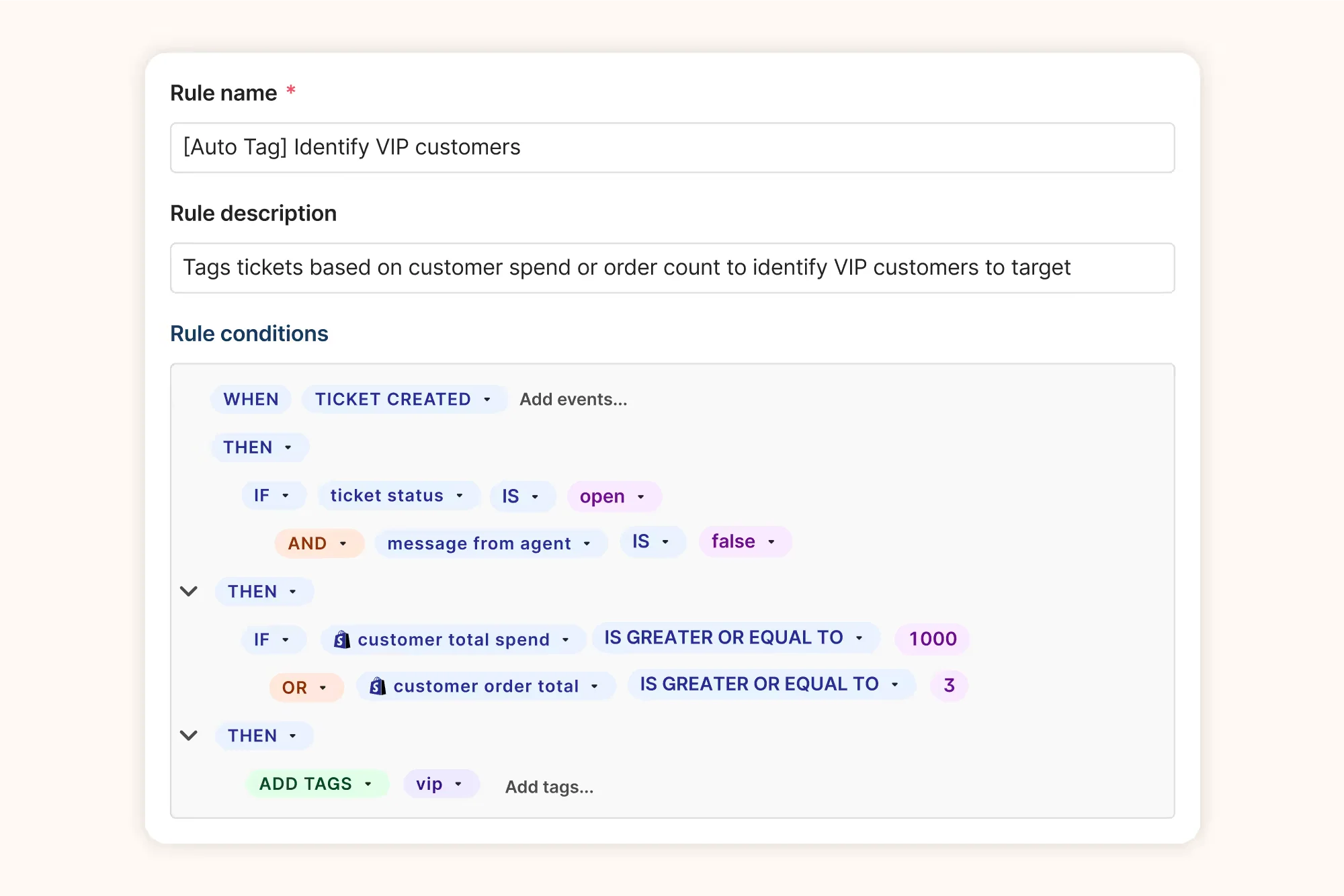
A VIP tag like the one above is the cheapest safety net you can build. Tagged tickets skip the temp view entirely. If you're on Gorgias, its assignment rules and team-based auto-assignment are on every helpdesk plan, and you can set a per-agent capacity limit so a new temp gets fewer tickets than a veteran.
How do seats for seasonal agents work in each helpdesk?
This is the section most seasonal plans skip, and it's where the money goes. No major helpdesk sells a self-serve "seasonal seat". What each one does instead varies a lot.
"If your revenue is lumpy, ideally you'd make your costs that way too."

That's the goal. Whether your helpdesk lets you do it depends on the vendor.
| Helpdesk | Adding seats mid-term | Removing seats after peak | Closest thing to a temp seat |
|---|---|---|---|
| Zendesk | Instant from Team members; Suite seats apply to every Suite product | Only at the next billing cycle, no prorated refund; online-assisted accounts can't remove seats | Agent Months on Enterprise (sales only); light agents for notes-only |
| Freshdesk | Prorated for the rest of the billing cycle | Deactivate the agent first; the license frees up, and the docs differ on when billing drops | Day passes: $2 Growth, $7 Pro, $12 Enterprise per agent per day |
| Gorgias | Users don't change the bill (3 on Starter, 500 on Basic and up) | Nothing to remove | Every user is free; billable tickets are what grow |
| Help Scout | Prorated by day; added and deleted within 24 hours is free | Delete the user; no temporary deactivation | Light Users for notes-only, $10 to $12 each beyond the included ones |
| Front | Prorated to the end of the contract term | Only at renewal, no refund or credit | Free guest accounts that can edit shared drafts but can't send |
Zendesk: annual seats outlive the season
Zendesk lets you add agent seats instantly from the Team members page. Removing them is where seasonal plans break. A seat reduction waits for your next billing cycle, you keep paying the current rate until then, and "there is no prorated refund for unused time." On an annual plan, that means a December seat bills until renewal. Customers on online-assisted accounts can't remove seats at all.
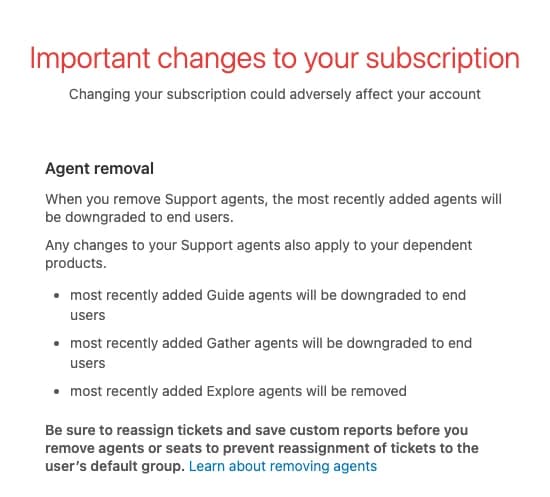
Two more traps for temps. "Suspended agents use a seat," per Zendesk's license rules, so suspending a temp doesn't save money. And when you downgrade an agent, their personal macros and views are deleted and their CSAT data isn't kept. Export what you need first.
Zendesk does have a real seasonal option, it's just not for everyone. Agent Months is a pool of seats you buy for the contract term, and Zendesk's own example is a retail customer who will "ramp up your agents during the holidays." These flexible agents can have any role. The catch: it's Enterprise-only, you can't buy it from the subscription page, and there's no public price.
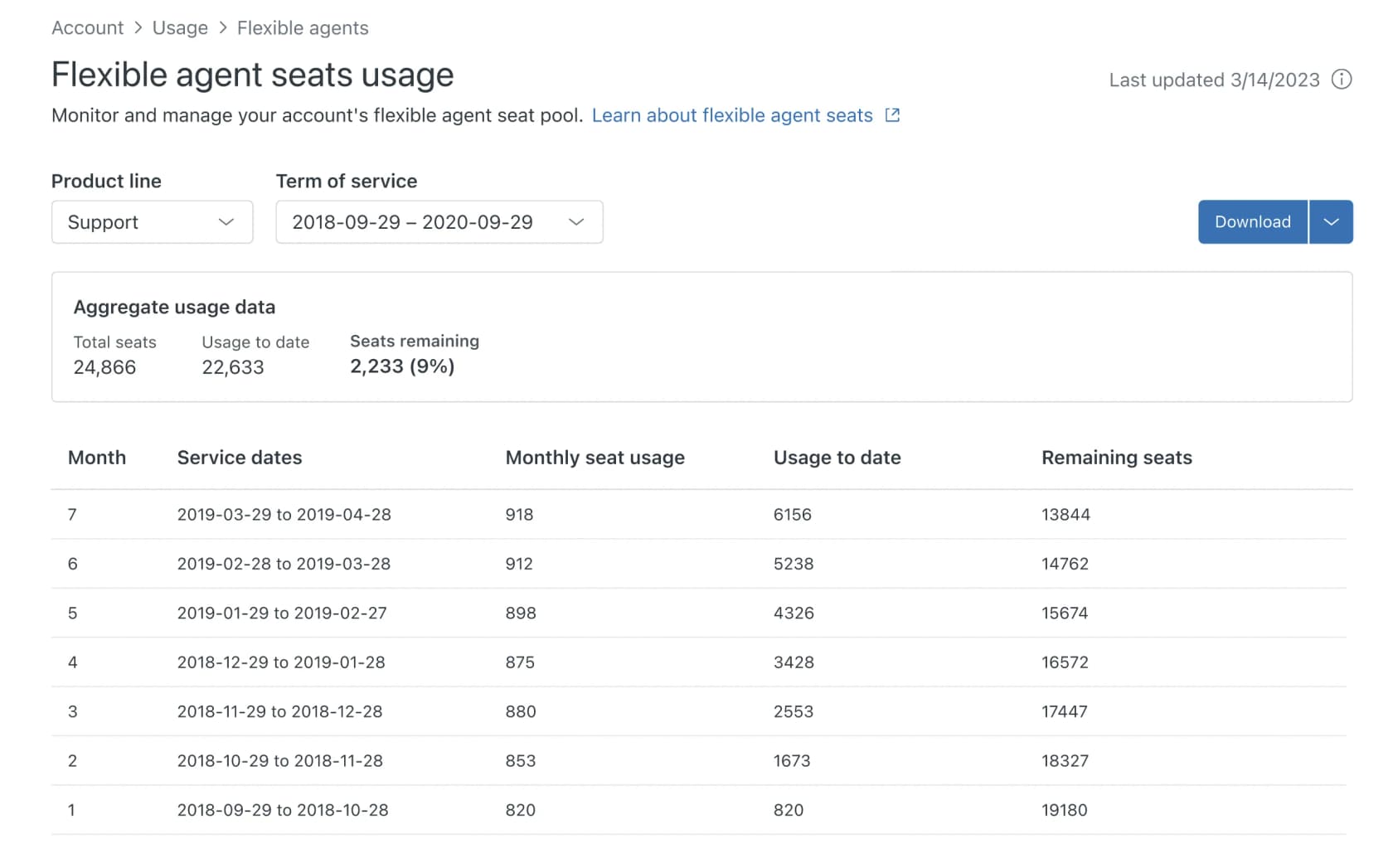
For most Zendesk teams, the practical move is a mix: light agents (private comments only, included on Growth and up) for the shadow week, and full seats only for the temps who'll own a lane. One more cost to know: Zendesk Copilot is $50 per agent per month, and per Zendesk's Copilot FAQ you can't buy it for some agents only. Add 10 peak seats and you add 10 Copilot charges.
Freshdesk: day passes are built for this
Freshdesk is the friendliest of the five for seasonal hiring, because occasional agents need no license. Each login uses a day pass valid until the end of that day: $2 on Growth, $7 on Pro, $12 on Enterprise, with 3 free passes on every plan. Freshdesk's own pricing page pitches them for "a sudden spike in support traffic".
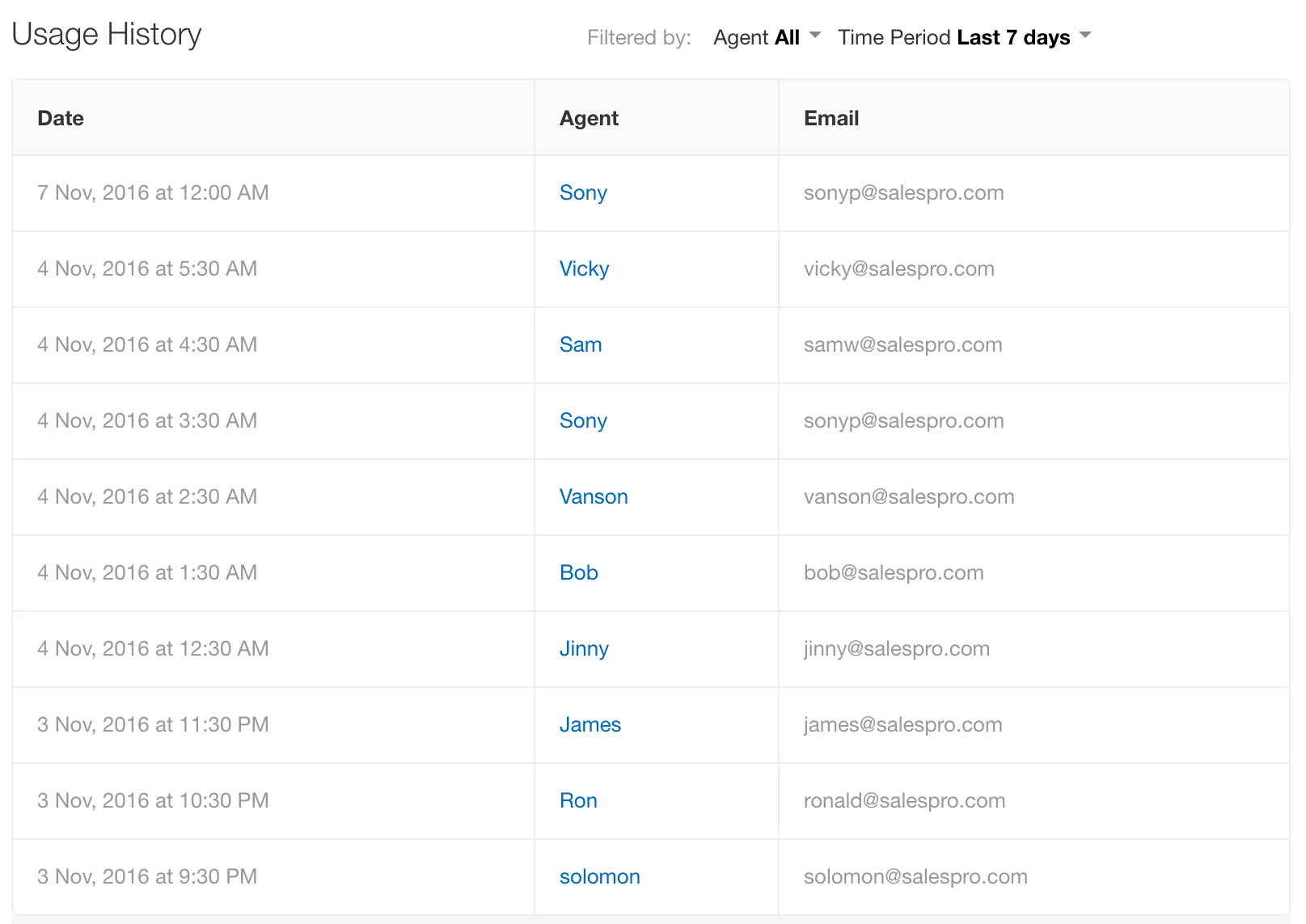
Some details worth knowing before November. An occasional agent who replies to ticket notifications by email doesn't use a pass. On Growth, "end of day" follows the helpdesk's time zone; on Pro, the agent's own. And Freddy AI Copilot ($29 per agent per month, annual) isn't available on day passes, so occasional agents work without it.
If you give temps full licenses instead, Freshdesk charges pro rata for the rest of the billing cycle. When the season ends, deactivate rather than delete: deactivation keeps their ticket history and frees the license. Two gotchas from that page: you must remove deactivated agents from automation rules by hand, and Freshdesk has no bulk edit for agents, so 20 temps means 20 edits. For routing, Omniroute (Pro and up) lets you set a lower starting ticket load for new agents, and skill-based routing is Enterprise-only.
Gorgias, Help Scout and Front
Gorgias prices the helpdesk by ticket, "never priced per agent", per its pricing page. Starter caps users at 3; Basic, Pro and Advanced allow 500. So temps are free to add. What grows in peak season is billable tickets: overage runs $40 per 100 on Basic and $36 per 100 on Pro and Advanced, billed at month end. A ticket only becomes billable when the helpdesk sends a reply, so a temp's internal notes cost nothing.
Help Scout is per user, with list prices of $25, $45 and $75 per user a month on Standard, Plus and Pro. A user added mid-cycle is prorated by day, and one added and deleted within 24 hours isn't charged. There's no temporary deactivation, so you delete the temp after peak and reassign their conversations first. Light Users can read and leave notes but can't reply, and Help Scout itself lists "new team members on a support team in training" as the use case.
Front prorates added seats to the end of your contract term, and on annual plans those charges arrive monthly. Seat decreases only happen at renewal, with no refund or credit. The upside: when you block a temp, the license stays free for a future teammate, so the same seat can cover next year's peak.
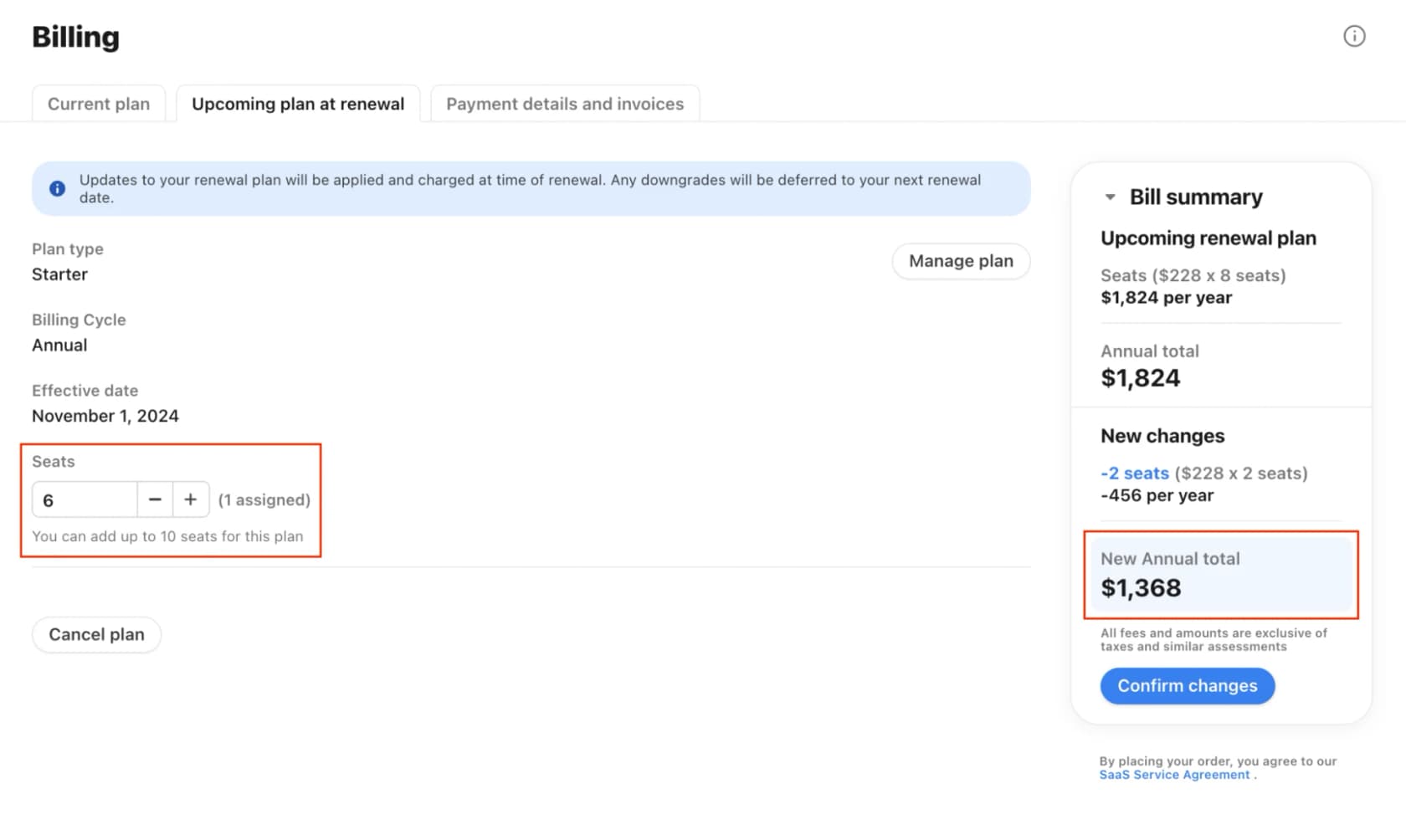
Front's free guest accounts can comment and edit a shared draft but can't send anything, which makes them a decent shadow-week seat. Invites expire after 30 days, though, so they won't cover a whole season.
What will your temps cost in seats?
Plug in your own numbers. The estimator uses public list prices from October 2026 and the seat rules above. It leaves out ticket, AI and add-on charges, which you'd pay with or without temps.
The gap is usually bigger than people expect. Six temps for six weeks costs a few hundred dollars in Freshdesk day passes. The same six temps on annual Zendesk or Front seats, hired with nine months left on the contract, cost roughly $3,000 to $3,500, because you're paying for the seats long after the temps are gone. If you're on an annual plan with a seat-cut rule like that, the notes-only seats and the temps-you-don't-hire math below matter even more.
What does a two-week training plan for seasonal agents look like?
Assume temps start three weeks before peak, with the last week spent shadowing. That leaves two weeks to train a narrow lane. Here's how I'd use them.
Week 1: learn the lane, write nothing.
- Day 1: accounts, the right role (notes-only), the lane playbook, and how to tag and route a ticket that isn't theirs.
- Days 2 and 3: read 30 to 50 solved tickets per lane ticket type, picked from normal weeks, not last year's peak. Read the help center articles behind each one.
- Days 4 and 5: learn the macros. One macro per lane ticket type, plus the "this is for the core team" handoff. The macro templates are a good starting set, and you can generate macros from past tickets if your library is thin.
Week 2: draft everything, send nothing.
- Temps work the live lane view and answer every ticket as an internal note.
- A senior reviews, edits and sends. Track how much they change. When a temp's drafts go out mostly untouched, they're ready for that ticket type.
- Keep a shared question log. Every question a temp asks is a gap in your playbook, and it's also next year's training material.
- Run one escalation drill: hand each temp a refund request and check they route it instead of answering it.
Shadow week: reply rights on the lane only. Temps send replies on their lane tickets, with a senior spot-checking a sample each day using a simple QA scorecard. Everything outside the lane stays notes-only.
A call-center trainer described the holiday hiring reality honestly on Reddit:
"At this time of year, we don't always get the best and the brightest, but many of our accounts just need someone who can be polite and read, so it's not usually an issue."
That works when the account is a script. Your lane playbook is the script. The narrower the lane, the more "polite and can read" is enough.
The plan skips things on purpose. No product deep dive, no full policy course, no tour of every tool. Temps learn what the lane needs and where everything else goes. If your training material lives in slides, move it into an internal knowledge base your temps can search in the middle of a shift. My customer support SOP guide has a format that works for this, and training scenarios covers the role-play side if you want it.
How do you need fewer temps in the first place?
Every temp you hire costs a seat, a training slot, a senior's review time, and some risk on the queue. So before you set the headcount, take the repetitive slice out.
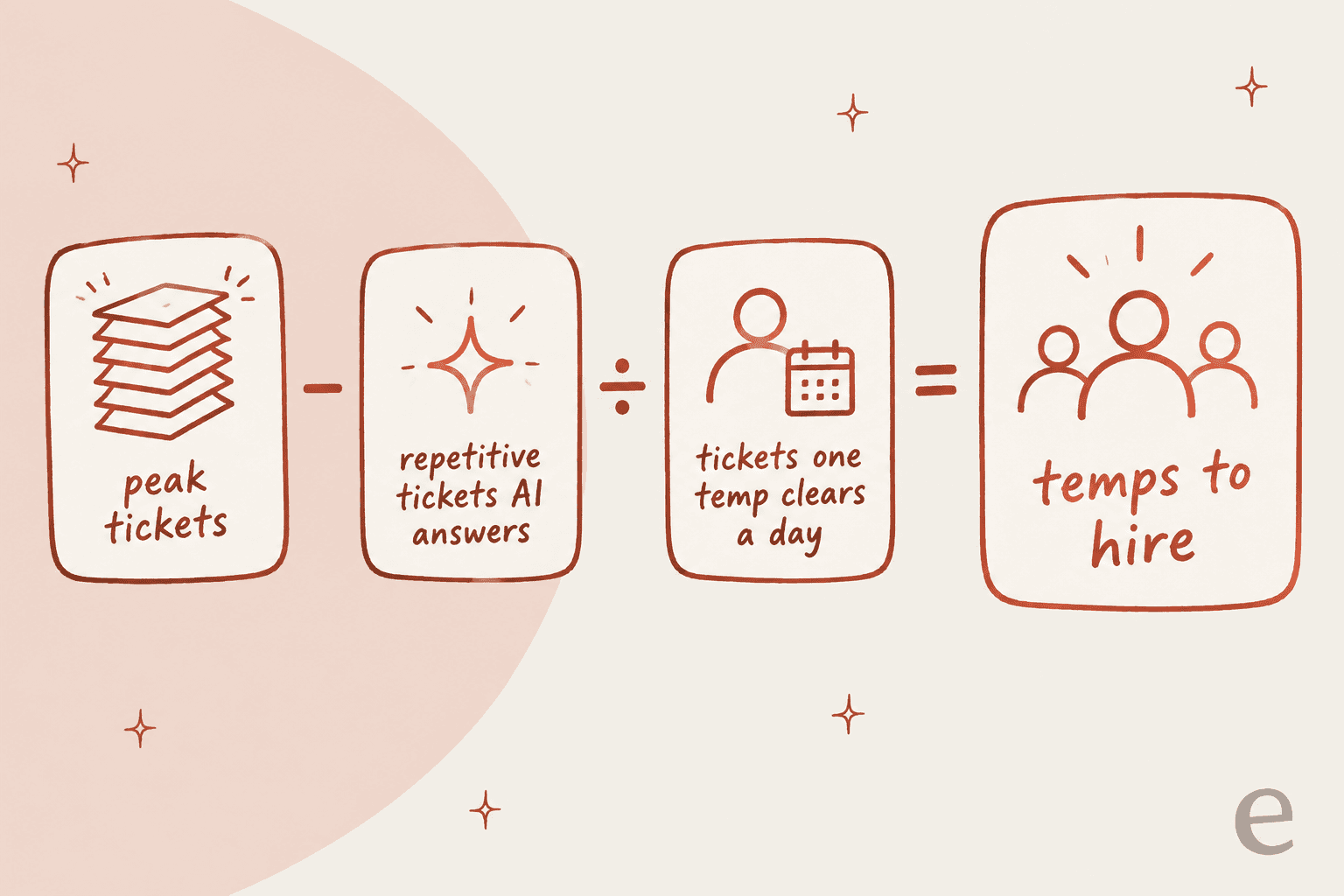
The temp lane and the AI lane are mostly the same tickets: order status, delivery dates, return status, basic product questions. That's not a coincidence. Both are the tickets with one clear right answer. If AI answers a big share of them, the number at the end of that equation drops, and the temps you do hire get the tickets that need a human.
One DTC supplements brand eesel works with, on Gorgias and Shopify at around 7,000 tickets a month, has a high season that runs from November to May. Their team couldn't keep up, and they came to eesel wanting AI to handle at least half of their email: order tracking, subscription changes, basic product questions. Their CX lead put the condition for trusting it better than I can:
"The AI will never be able to answer 100% of the questions, but if it tries and just answers 'sorry I don't know this,' I cannot go and check all my 7,000 tickets to see if the AI actually made a good answer [...] I need an AI who is only handling the tickets that it's confident to handle and all the other ones, leave them alone."
That's the right bar for peak season, too. AI should take only what it's confident on, and leave everything else, tagged, for your people. It's the same idea as the temp lane, just applied to software. My guides on AI for Black Friday support and reducing ticket volume go deeper on what to automate.
Watch the AI's pricing model, though. Per-resolution pricing gets more expensive exactly when you need it most. In a cost analysis eesel ran for a roughly 1,000-ticket-a-month e-commerce inbox, the per-resolution bill went from $792 in a normal month to $3,168 in a Black Friday month with four times the volume. If you're comparing tools, check how each one bills a spike month, not an average one.
AI also helps the temps you keep. A temp's biggest time sink is not knowing the answer and not wanting to interrupt a senior during the busiest week of the year. An agent assist tool that drafts replies from your past tickets, or a Slack knowledge bot that answers "what's our holiday return window?" with the source linked, takes that load off your seniors.
What should you do when the peak is over?
Offboarding temps is a two-hour job that most teams skip, then regret in January when the bill arrives.
- Reassign open tickets first. Zendesk moves a removed agent's open tickets back to the group; Help Scout needs you to reassign conversations before deleting the user. Do it on purpose so nothing sits unowned.
- Remove the seat the right way. Downgrade or deactivate in the helpdesk, then reduce the seat count in billing. In Zendesk, suspending isn't enough. In Freshdesk, deactivating frees the license, and you also clear the agent out of automation rules.
- Export what you'll lose. Zendesk drops a downgraded agent's CSAT data and personal macros. If a temp built a good personal macro, make it shared before you downgrade them.
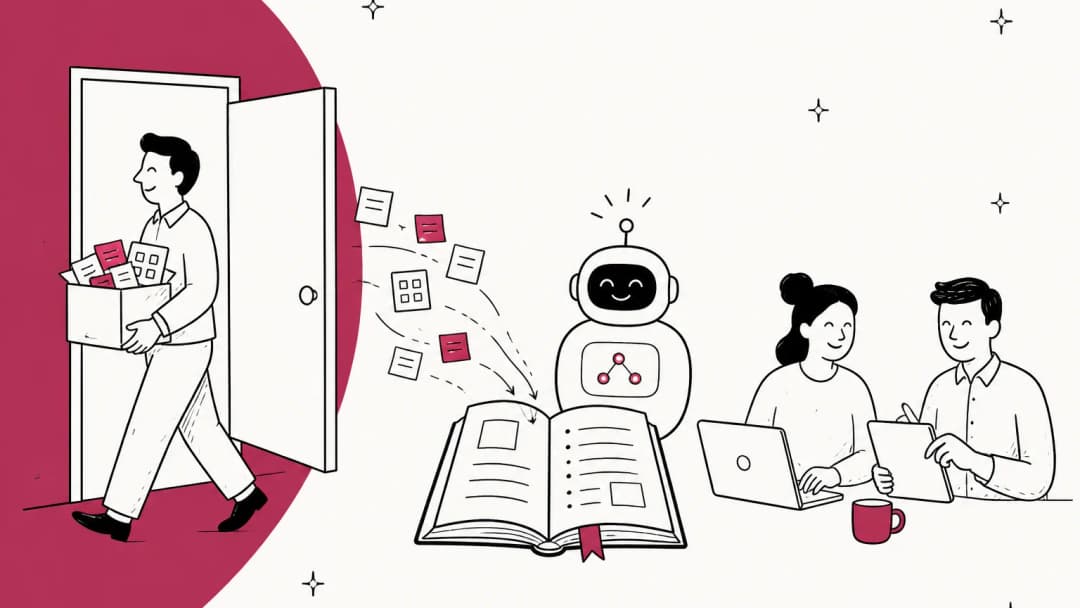
- Keep the question log. Turn every repeated temp question into a help center article or a macro. That's the biggest head start you can give next year's temps, and it's the same habit as a knowledge base audit.
- Write down who was good. The best seasonal hires are your shortlist for next year, and a returning temp ramps in days, not weeks. Freshdesk keeps a deactivated agent's history for exactly that kind of reactivation.
That last step pays off more than any training deck. One seasonal contractor on Hacker News described being called back every peak by the same company:
"A seasonal company calls me in to do customer support during their busy season when the mail has lost customers packages and they havent been delivered and everybody is crabby. In helping 1000+ customers on a live chat alone none have ever given me a negative review."
What are the most common seasonal onboarding mistakes?
- Starting from your permanent onboarding plan. It's built for a month of ramp. Temps need a lane, not a curriculum.
- Letting temps see the whole queue. If a refund request lands in a temp's view, sooner or later a temp answers it. Route it away.
- Using peak-week tickets as training examples. They're rushed and full of exceptions. Train from normal weeks, the same way the flower-delivery brand trained its AI.
- Buying annual seats without checking the removal rule. On Zendesk and Front annual plans, a November seat bills until renewal.
- Hiring for the forecast before automating the repetitive slice. Do the AI math first, then hire for what's left.
If your peak also stretches your hours, after-hours AI support and a clean shift handoff keep temps on late shifts from inheriting a mess. And if you're splitting a shared inbox between temps and the core team, shared queue management covers the views and ownership rules.
eesel for seasonal support
Peak season is the one time of year your helpdesk needs more hands for a few weeks and fewer afterwards. eesel is an AI helpdesk teammate that covers both sides of that. It connects to Zendesk, Freshdesk, Gorgias, Help Scout and Front, learns from your help center, macros and past tickets, and starts working inside your existing queue.

For a seasonal team, that looks like this:
- It takes the temp lane first. eesel answers order status, delivery and return questions it's confident on, and leaves the rest for your people. You can scope it to the same tags as your temp view.
- It drafts for the temps you do hire. On every ticket, a temp gets a draft written from your past replies, as an internal note or in a side panel, and checks it before sending. That's the drafting week, with a first draft already in your team's voice.
- It answers temp questions without pulling in a senior. In Slack or the helpdesk, with the source linked.
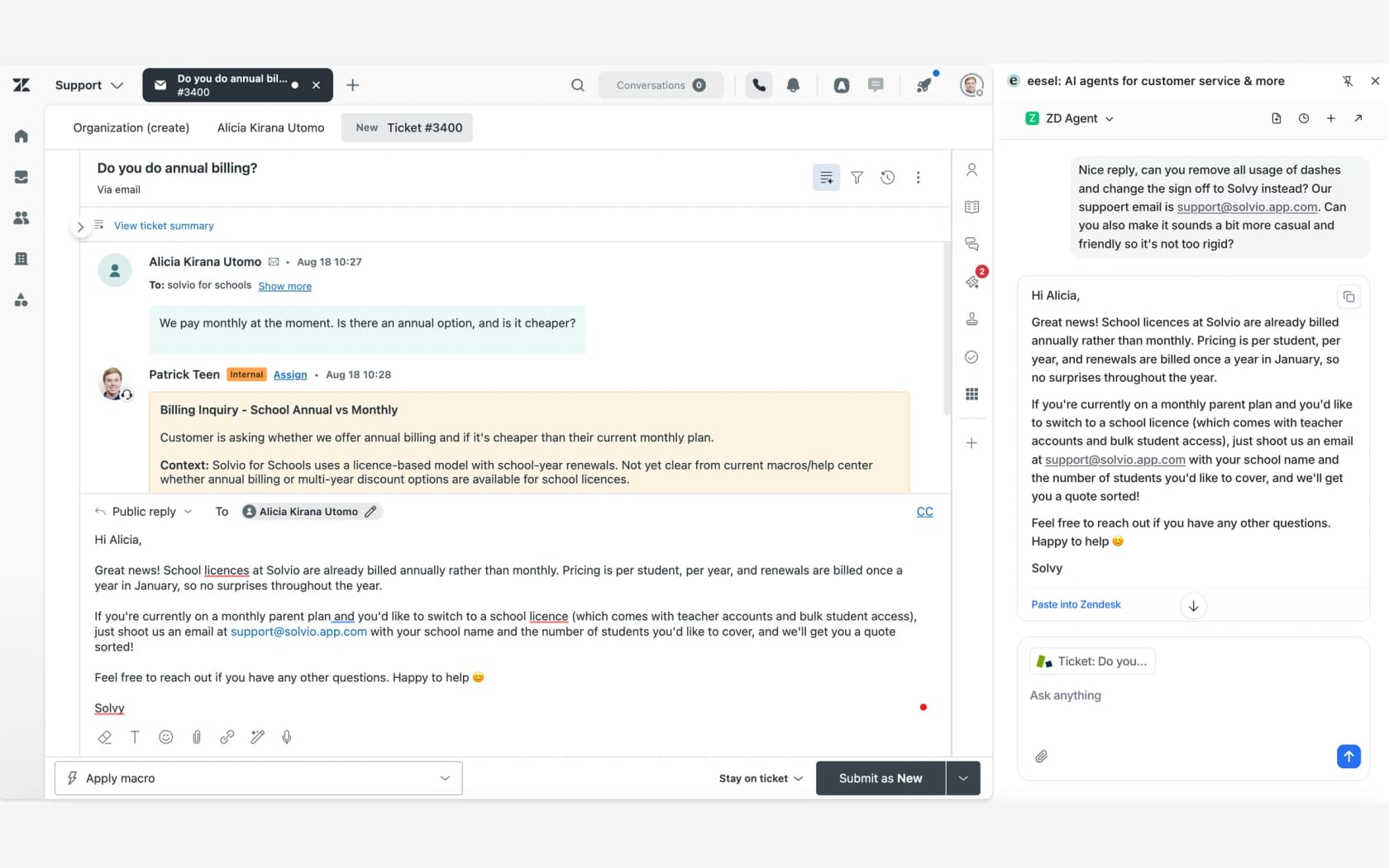
Before peak, you can run it against your past tickets and see where its answers would have matched your team's, which is a lot cheaper than finding out on Black Friday. The honest limit: eesel isn't a scheduling or workforce management tool, so you still plan shifts and seats in your helpdesk. Pricing starts free with 100 credits, then $299 a month for 500 credits, where a ticket or chat is 1 credit. Seats are unlimited, so your temps cost nothing extra on eesel's side. Try eesel seven weeks before your peak, not seven days.
Frequently Asked Questions
How long does seasonal support onboarding take?
When should I start hiring seasonal customer support agents?
What tickets should seasonal support agents handle?
What's the cheapest way to give seasonal agents helpdesk access?
Can I remove Zendesk agent seats after the holiday season?
How do I stop seasonal agents from making expensive mistakes?
Can AI replace seasonal support staff?
What should I do with seasonal agents after the peak?


Article by
Riellvriany Indriawan
Riell is a designer and writer at eesel AI with about two years of experience researching CX platforms, AI chatbots, and helpdesk software. She combines her design background with a sharp eye for how these tools actually look and feel in practice — making her comparisons unusually visual and user-focused.