What an "AI sales email generator" actually is
I work the support and inbound queue at eesel, which means I see the part of the sale most copywriting guides never get to: the moment after someone actually replies. And the thing that strikes you fast is how little the email was ever the bottleneck. A model can write you forty cold-email variations in ten seconds. The hard parts, who you email and what you say when they write back, are the parts no generator touches.
So it helps to split the phrase into the two jobs hiding inside it.
The generation job is writing the words: the subject line, the body, the CTA, the three follow-ups, in enough variations that you can test. This is what people picture when they hear "AI sales email generator," and it's the part AI is genuinely good at. Tools like Copy.ai and eesel's AI Writer live almost entirely here.
The judgement job is everything around the words: which list to email, which trigger to lead with, which of the forty subject lines is actually worth sending, and what to say the moment someone replies. This is the part that decides whether you book the meeting, and it's the part a generator can hint at (with scoring) but can't do for you.
Most teams over-index on the first job. They generate a wall of polished variations, fire the prettiest one at a cold list, and wonder why the reply rate won't move. The copy was rarely the problem.
How AI sales email generation works
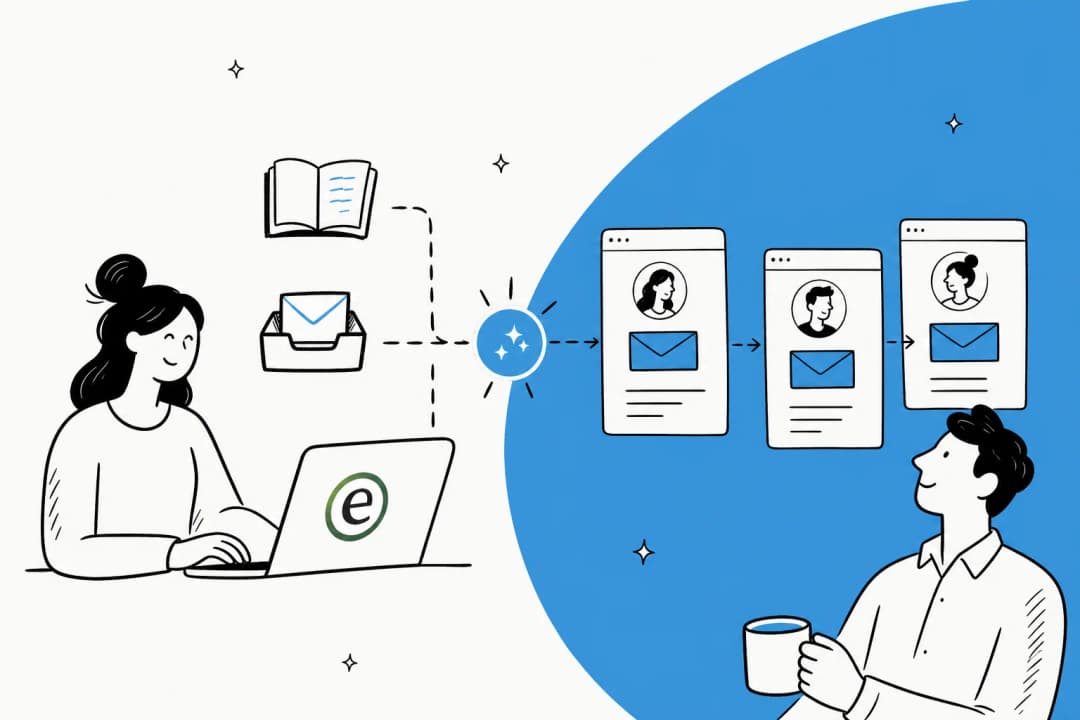
Under the hood, every one of these tools runs on the same kind of large language model that powers any AI content generation tool. You give it inputs (a product, a tone, a goal, sometimes a prospect's details), it predicts the most likely next words, and it returns an email. The differences between tools are almost entirely about what they wrap around that core: how much context they let you store, whether they score the output, and whether they plug into your sequencer.
The lifecycle looks like this, and it's worth being honest about where the generator's job starts and stops.
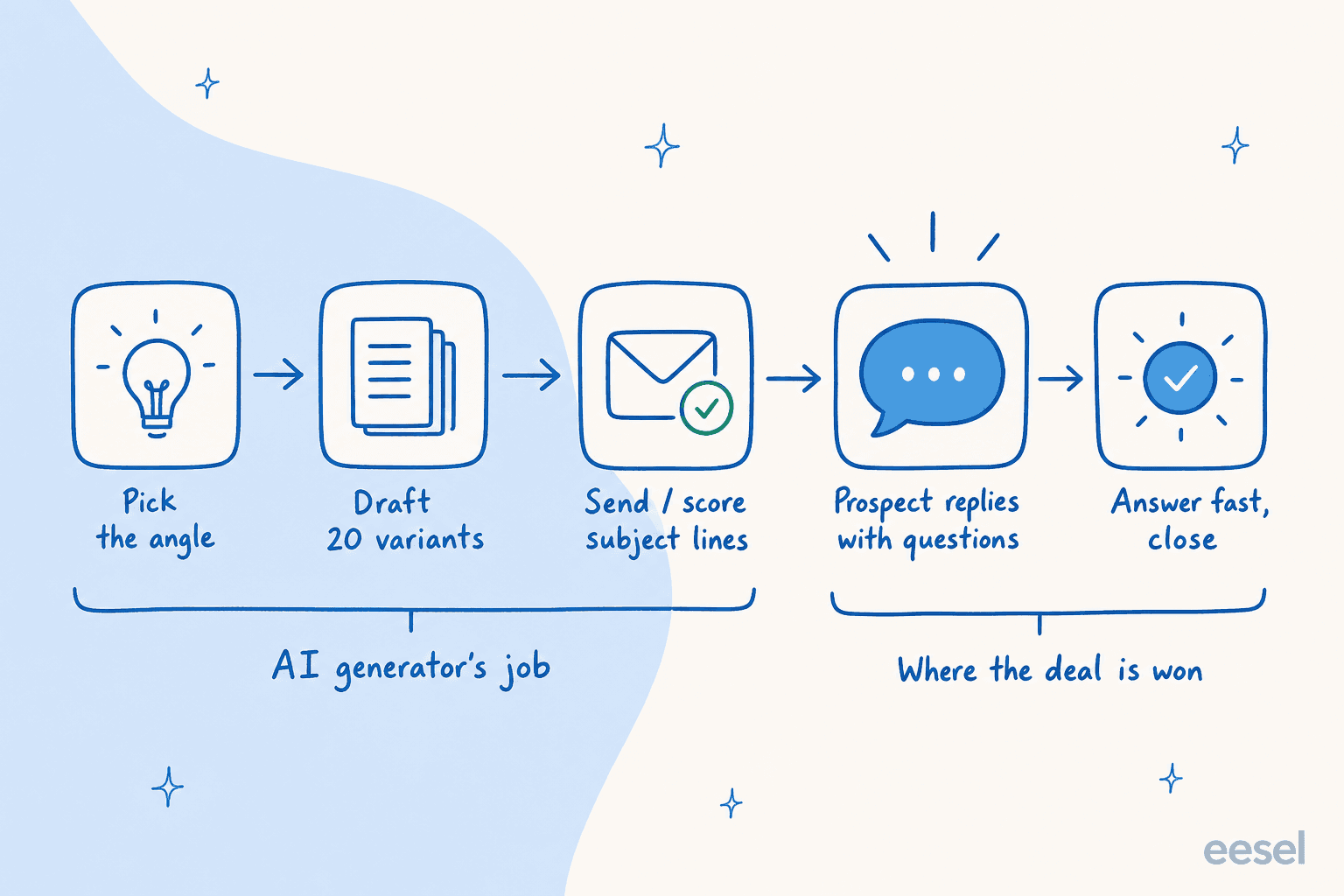
The generator owns the cheap, early steps. The step that actually decides revenue, the reply and the answer the prospect needs next, sits outside it. Hold that picture, because it's the difference between a pipeline that compounds and one that leaks at the last inch.
The tools that actually generate sales emails
There's no single best pick, only the right category for your job. After going through each tool's own pricing, docs, and the output people share, they sort into three buckets.
| Tool | Best for | Standout | Pricing (entry) | The catch |
|---|---|---|---|---|
| Rytr | Solo sellers on a budget | Free-forever tier, no card | Free, then $7.50/mo | Thin on brand-voice control |
| Copy.ai | SDRs who want templates | Reusable brand voice + workflows | Chat plan $24/mo | Pivoting to a pricey GTM platform |
| Jasper | Sales teams at scale | Brand Voice keeps every email on-tone | $59/seat/mo annual | No free tier, single-seat Pro |
| Anyword | Reps who test before sending | Predicts the winning variation | $39/mo annual | Prediction caps on lower tiers |
| Writesonic | Teams wanting a wider platform | Multi-model writing + SEO suite | $79/mo | Moved upmarket, pricey for just emails |
A quick read on each. Rytr is the budget entry point, with a genuinely useful free tier (10,000 characters a month, no credit card) and tone matching gated to its paid plans. Copy.ai built its name on templated copy and "never blank-page syndrome again," though it's mid-pivot toward an enterprise GTM platform where the cheapest seat-based plan jumps from $29 to $1,000 a month, so watch which product you're actually buying.
Jasper is purpose-built for marketing and sales teams, and its Brand Voice layer is the reason it sticks: store your voice once and every rep's email stays on-tone, which matters more across a sequence than in a one-off. Anyword is the one to know if you actually test your outbound: its differentiator is a numeric prediction of which variation will perform, which it claims hits 82% accuracy versus 52% for a raw GPT-4o, per its own benchmark. And Writesonic has moved upmarket into a multi-model writing and SEO platform, with entry now at $79 a month, so it's a lot of surface area to buy if all you need is sales emails.
Here's how I'd place them if you're choosing.
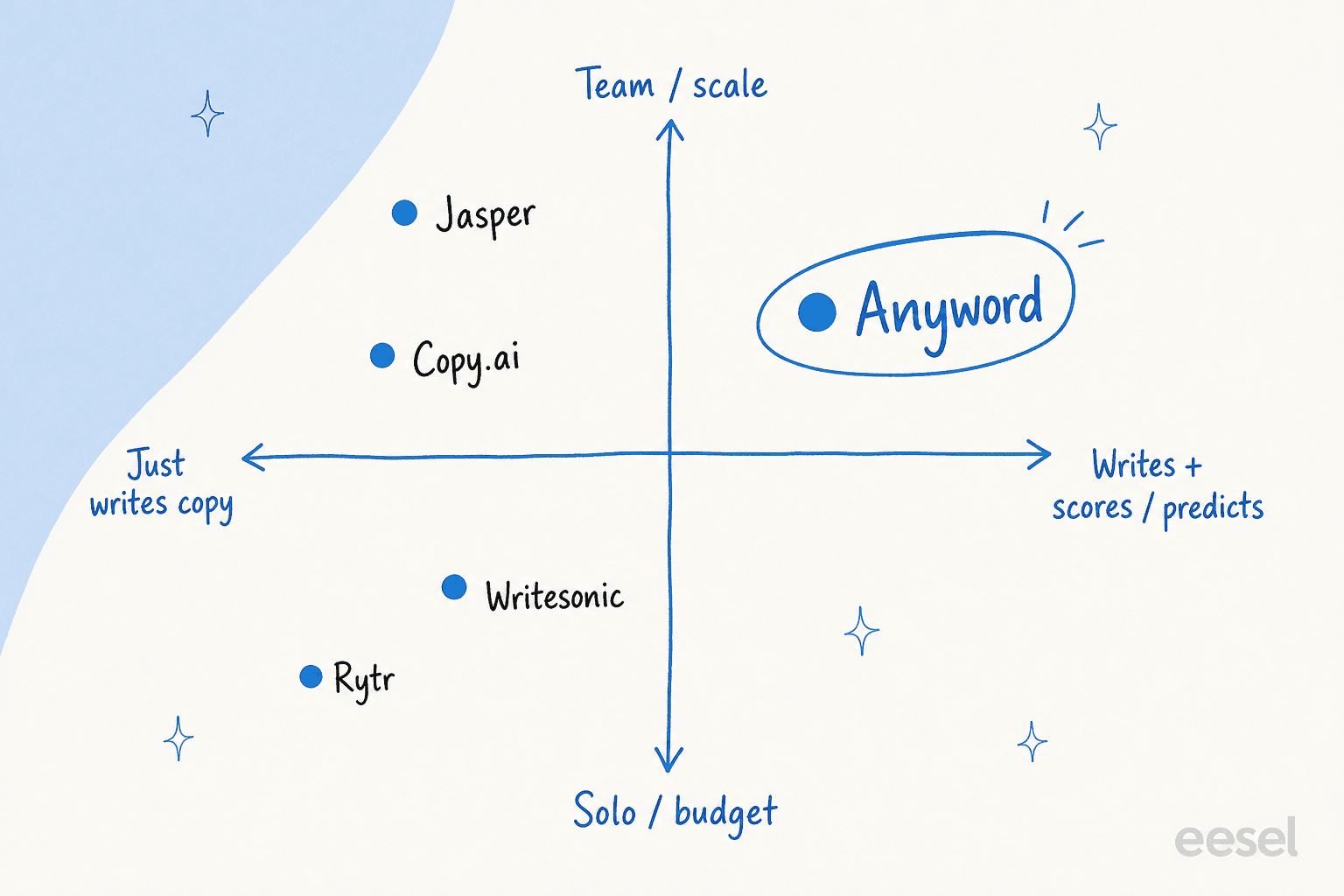
If you only need words, stay on the left. The moment you want the prediction or the wider platform, you're paying for the right-hand column, and that's a real budget decision, not a feature checkbox. For a wider survey of the writing side, my roundup of the best AI writing tools goes deeper on the general-purpose options.
Why blank-prompt sales emails get ignored
The single most common complaint about AI sales emails is that they read like AI: smooth, confident, and completely interchangeable. "I hope this email finds you well." "I wanted to reach out about our solution." Copy a prospect has deleted a hundred times this week.
That's almost never the model's fault. It's an input problem. Fed nothing, a language model reaches for the statistical average of every cold email it's ever seen, which is exactly the bland template you're trying to escape.
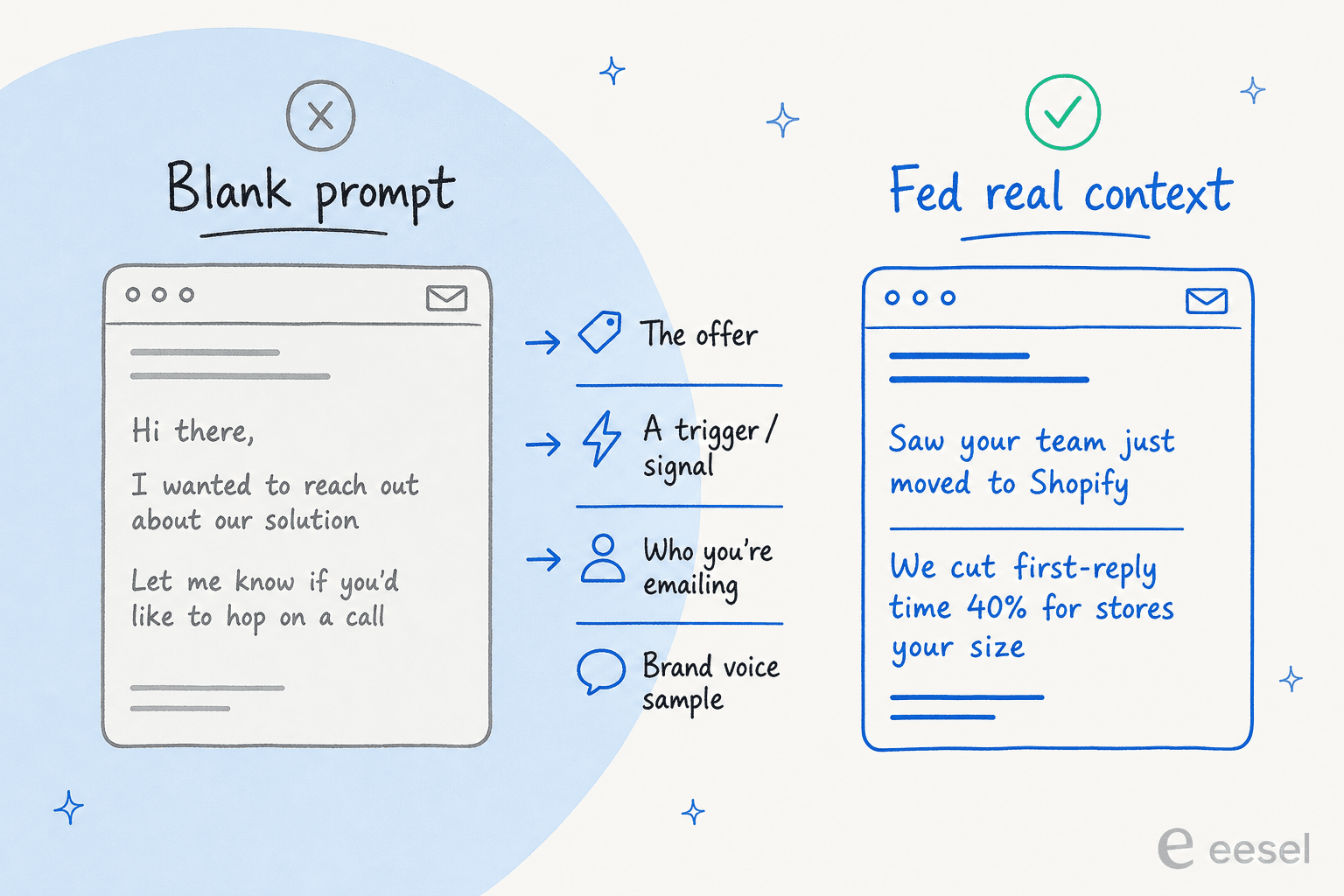
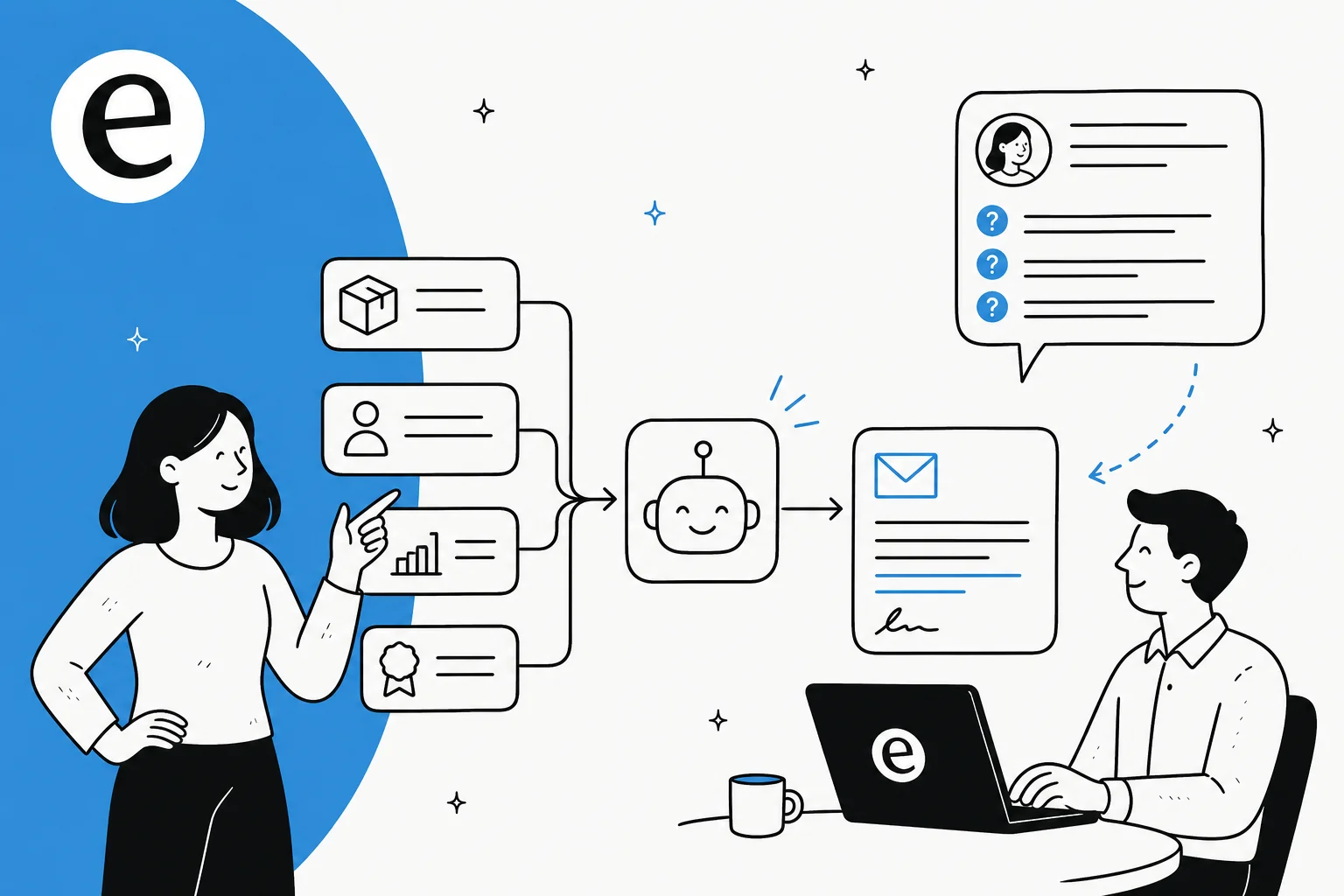
The fix is to stop prompting from a blank box and start feeding context: the actual offer, a real trigger about the prospect (a funding round, a new tool in their stack, a job posting), the specific person you're emailing, and a sample of how you actually sound. This is the same discipline behind maintaining brand voice with AI anywhere else, and it's why tools that store a reusable voice, rather than asking you to re-describe your tone every session, produce better emails over time.
You can see the difference in how people talk about the good tools. One Copy.ai reviewer put it bluntly:
"Out of all the GPT-3 programs I've tried, Copy.ai has had the most realistic copy. Of course it needs editing but you'll never have blank page syndrome again."
James G. (source)
Notice the honest middle of that sentence: of course it needs editing. The tool kills the blank page; it doesn't replace the rep. That's the right division of labour, and it's the same one that makes an AI content workflow productive instead of noisy. An Anyword reviewer on Software Advice described the same split from the strategy side:
"As a writer and content strategist, I thought I would hate tools like this. But it is hard to deny how easy Anyword makes my life. Yesterday, I executed an entire landing page strategy in 1 day. It would have taken several weeks, and much more stress, before Anyword."
The judgement was theirs. The tool brought speed. Hold onto that, because it's exactly the line that breaks down once a prospect replies.
What actually wins the deal: context and the reply
Say you nail the inputs and send a great email. You've still only done the first half. The email earns you a reply. Then a real person writes back, and they have questions.
This is the part of the funnel I watch every day, because the inbound queue and the sales reply are the same moment seen from two desks. When outbound scales, the questions scale with it: "does this integrate with my helpdesk?", "what does it cost at my volume?", "is my data safe?". A sales email generator can't answer any of those. Worse, an over-promising cold email actively creates the gap, because the prospect replies expecting something the product doesn't quite do, and now your best-performing subject line is manufacturing disappointment at the exact moment intent is highest.
That's where the work shifts from writing to answering. An AI support agent trained on your help center, past tickets, and docs can field those pre-sales questions instantly, in the prospect's language, the second they ask. The cheapest part of outbound is the email; the most wasteful is a warm reply that cools off because nobody answered the next question fast enough. Keeping the two in mind together is what turns sent volume into booked meetings rather than open rates.
It's also why I'd push back on treating the generator as the whole project. The generator is one link in a chain that runs from the prospect list all the way to the closed deal, and the chain is only as strong as its weakest link. Plenty of teams build a slick AI content pipeline for outbound and leave the reply to whoever happens to be online.
Where AI gets sales emails wrong
To be fair to the tools, they're good at what they do, and the limitations are predictable rather than dealbreaking. Worth knowing before you lean on them:
- It confabulates specifics. Ask for a sales email and a model will happily invent a stat, a case study, or a feature you don't offer. This is the same failure mode as AI hallucinations in support: the output sounds confident whether or not it's true, so every claim needs a human check before it sends.
- It optimises for the open, not the meeting. A model will write the highest-open-rate subject line it can, which is sometimes the one that over-promises or borders on clickbait. The metric that matters is downstream, in the reply, and the tool can't see it.
- Brand and tone drift without a stored sample. Re-prompting voice every session produces a sequence where email one sounds nothing like email three. The same principle that keeps an AI blog writer on brand applies here: store the voice once. It's the gap a Jasper user flagged on Reddit, that quick drafts are fine but tone "often felt off" without setup.
- Volume is a deliverability risk. Blasting raw, near-identical AI emails at a cold list is how you land in spam. Generators write fast; they don't protect your domain reputation, so personalization and sending limits are still on you.
None of that means skip the generator. It means treat its output as a first draft from a fast, slightly unreliable junior SDR, which is exactly how I'd treat any AI content generation tool on the go-to-market stack.
Try eesel for the questions your emails create
eesel doesn't write your cold emails, and I'm not going to pretend it does. What it does is own the half of the deal the sales email generator can't touch: the moment after the reply, when a prospect your outbound just earned has a question and wants an answer now.
eesel's AI support agent trains on your help center, past tickets, and docs, then answers pre-sales and support questions across your helpdesk, chat widget, and Slack, in 80+ languages. You can run it in simulation mode against your real past conversations first, so you see exactly what it would have answered before it goes live, and it routes anything it isn't confident about to a human instead of guessing. Pricing is usage-based at about 40 cents per resolved conversation, with no per-seat fees, so it scales with your pipeline instead of punishing you for traffic.

For Gridwise, that meant resolving 73% of tier-1 requests in the first month, with results showing inside a 7-day trial. If you're running outbound, the cheapest win left on the table is usually not a better subject line, it's answering the question the email created before the prospect loses interest. And if you also want help drafting the outbound itself, eesel's AI Writer is free to try and built on the same context-first approach this whole post argues for.
Frequently Asked Questions
What is an AI sales email generator?
What is the best AI sales email generator?
Why do AI-generated sales emails sound generic?
Can AI write a whole outbound sequence?
How much does an AI sales email generator cost?
Do AI sales email tools help after the prospect replies?
Will an AI sales email hurt my deliverability or brand?


Article by
Riellvriany Indriawan
Riell is a designer and writer at eesel AI with about two years of experience researching CX platforms, AI chatbots, and helpdesk software. She combines her design background with a sharp eye for how these tools actually look and feel in practice — making her comparisons unusually visual and user-focused.