


Yes, QuickBooks integrates with ChatGPT through Intuit's own QuickBooks plugin: open Plugins in ChatGPT's sidebar, connect Intuit QuickBooks, and you can ask for your P&L, chase overdue invoices, send invoices and payment links, and look up payroll from a chat. It's for QuickBooks Online customers in the US, and Intuit doesn't charge extra for it.
It's built for the person who owns the books. The plugin signs in as you and answers you. That's perfect for the owner checking cash flow at 11pm, and awkward for everyone else who needs QuickBooks answers: the account manager who wants to know if a client paid, the customer who lost their invoice, the ops lead who wants a Friday list of who's late. A ChatGPT Business user reported this week that QuickBooks doesn't even show up when building a shared workspace agent.
So I'd pair it with eesel: an AI teammate that connects QuickBooks once and answers the whole team in Slack, Teams and email, with permissions that change by who is asking. And you can keep ChatGPT: Codex can set eesel up for you with the eesel CLI, connecting QuickBooks and adjusting the agent's instructions, while a person approves the Intuit sign-in.
I spend my days on the part of AI agents nobody demos: what the agent may do alone, what waits for a human, and what it must never hand a customer. With accounting data, those three lines are most of the product. So I read Intuit's and OpenAI's docs with one question in mind: who is this answering, and on whose authority?
Is there a QuickBooks integration for ChatGPT?
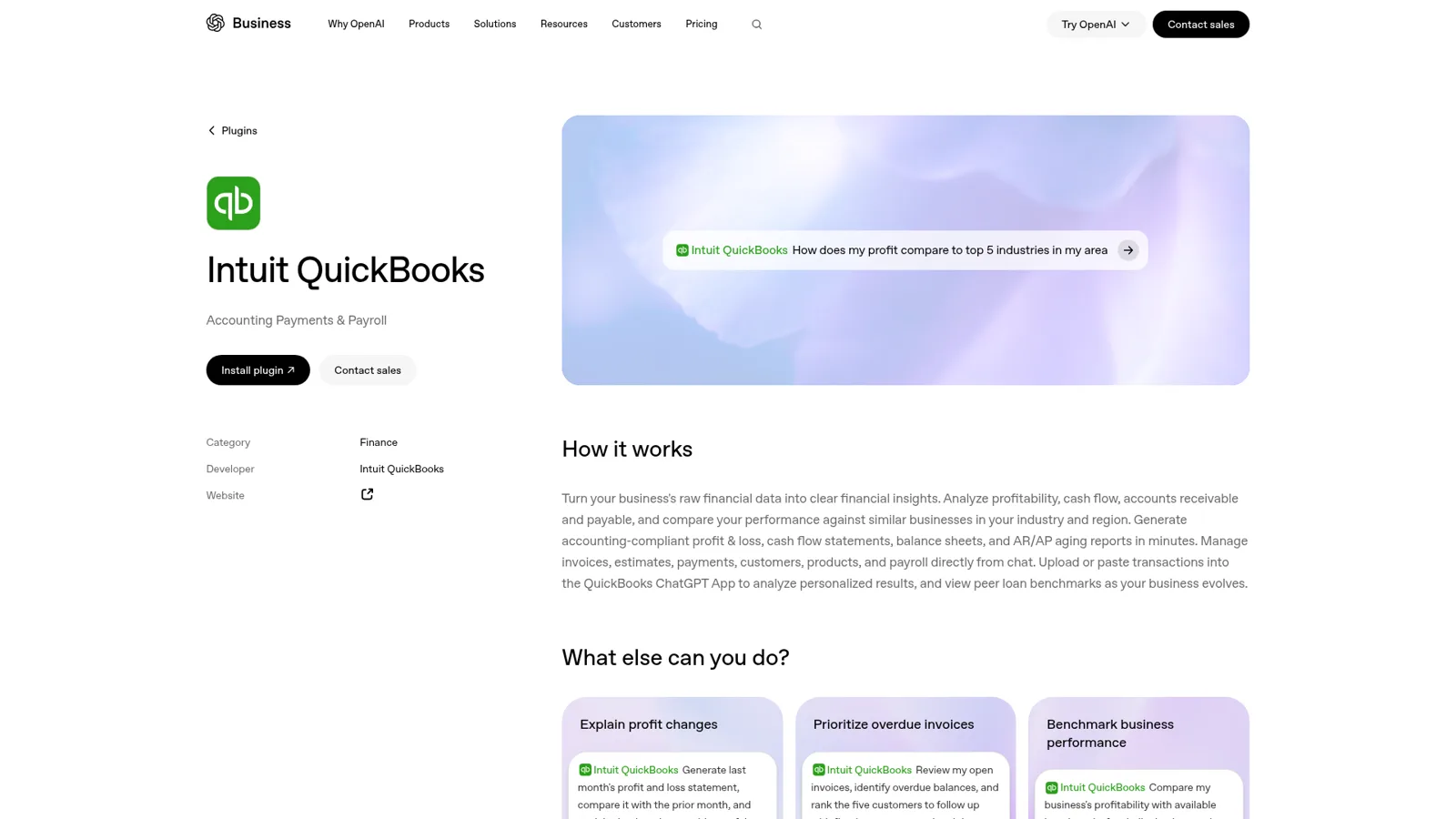
Yes. The official integration is the Intuit QuickBooks plugin, built by Intuit and listed under Finance in ChatGPT's plugin directory. OpenAI's page says it can "Generate accounting-compliant profit & loss, cash flow statements, balance sheets, and AR/AP aging reports in minutes" and "Manage invoices, estimates, payments, customers, products, and payroll directly from chat."
It started life as one of four Intuit apps in ChatGPT (TurboTax, Credit Karma, QuickBooks and Mailchimp), which Intuit said were "live for all logged-in ChatGPT Free, Plus and Pro accounts, available on both web and mobile in the US." ChatGPT has since moved from apps to plugins, where a plugin bundles an app with skills, so you'll see both words. OpenAI's own help center notes that "Very old versions of the iOS or Android app may show Apps instead of Plugins" (OpenAI Help).
The QuickBooks plugin ships with ready-made skills, which is the part I like most. The listing names chase-overdue-invoices, email-to-estimate-invoice, analyze-payroll-cost, payroll-employee-onboarding, Business Health Check and Industry Benchmark, among others. They're prompts Intuit has already written so you don't have to (more on how those work in my plugin marketplace post).
How do I connect QuickBooks to ChatGPT?
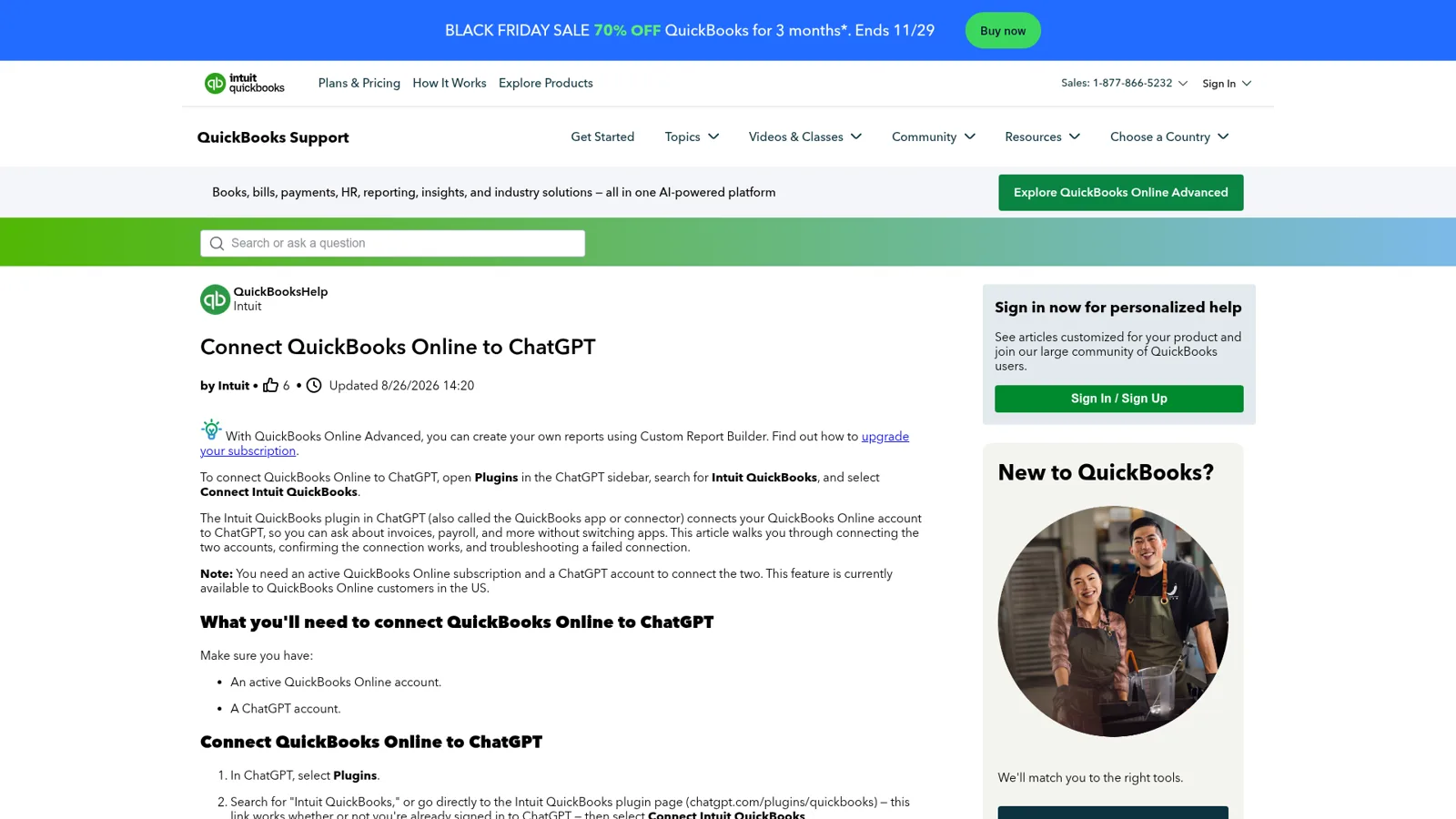
You connect QuickBooks to ChatGPT from the Plugins page, per Intuit's help article:
- In ChatGPT, select Plugins.
- Search for "Intuit QuickBooks" and select Connect Intuit QuickBooks.
- Sign in to QuickBooks Online (or create an account). You're sent back to ChatGPT.
- Select Start chat and test it with "What's my company name in QuickBooks?" or "Show me my open invoices."
If it fails, Intuit's fixes are the usual OAuth ones: disconnect and reconnect, check you're signed in to the right company, and allow pop-ups and third-party cookies for chatgpt.com and quickbooks.intuit.com. On ChatGPT Business, "apps are enabled by default", and elsewhere new plugins are generally off until an admin turns them on (OpenAI admin controls).
What can you ask ChatGPT about QuickBooks?
You can ask it about money coming in, money going out to staff, and money you might borrow. Intuit's July expansion announcement called it "moving beyond read-only access to your data", and the list is long now.
Money in: invoices and collections. "Create, update, send, and delete invoices; pull invoices with filters; duplicate an existing invoice", set up and pause recurring invoices, run estimates end to end, generate and email payment links, and "Download any invoice or estimate as a PDF." OpenAI's sample prompt is a good one to steal: "Review my open invoices, identify overdue balances, and rank the five customers to follow up with first by amount owed and days overdue."
Payroll answers. Employee lookups, payslip history by employee and date range, company benefits and pay types, and time-off rules. Intuit's examples are "Who's on payroll?" and "How much did we pay an employee last week?"
Reports and lending. P&L, cash flow, balance sheet and A/R and A/P aging, benchmarks against "similar businesses in your industry and region", and QuickBooks Capital's peer loan benchmarks, which Intuit calls "the first time QuickBooks Capital data has been queryable through an external AI platform."

Intuit says "every action remains reviewable and human-verified." That matters, because not everyone wants an AI writing to the ledger at all:
"In no world would I give Claude or any AI agent direct write access to financial operations like payouts/settlements."

Anthropic's Claude gets the same Intuit tooling, plus a beta Labs connector with bank feeds and reconciliation. I cover that side, Claude pricing included, in the QuickBooks Claude connector guide.
Which ChatGPT plans get QuickBooks, and what does it cost?
Every ChatGPT plan can get it, and Intuit doesn't charge for the plugin itself. You pay for ChatGPT and for QuickBooks Online as usual.
| Plan | Price | QuickBooks plugin |
|---|---|---|
| ChatGPT Free | $0 | Yes, in the US, per Intuit's launch post |
| ChatGPT Plus | $20/month (ChatGPT pricing) | Yes |
| ChatGPT Business | $25/user/month, $20 billed annually (OpenAI Help) | Apps on by default; admins can switch them off |
| ChatGPT Enterprise | Not public | Admins enable plugins; role-based access per app |
OpenAI is careful to add that "App availability depends on the app, your ChatGPT plan, region, workspace, role, model, and the ChatGPT interface you use." The QuickBooks side is the stricter one: "This feature is currently available to QuickBooks Online customers in the US." QuickBooks Desktop isn't mentioned in either help page.
How do approvals work in the QuickBooks plugin?
ChatGPT can ask before it reads or acts, and you choose how often. OpenAI's app permissions page lists four levels:
- Always ask: asks before reading or changing anything.
- Allow read actions: reads freely, asks before changes.
- Allow low-risk actions: auto-approves low-risk actions; higher-risk ones "may require confirmation or be denied."
- Allow all actions: no extra prompts, which OpenAI says "carries elevated risk."
In a managed workspace, the persistent "Always allow" choice "is not offered as a persistent permission to managed-workspace members", so members of a Business or Enterprise workspace don't get a standing yes for app actions. For a finance plugin, I'd stay on Allow read actions. Sending an invoice is a customer-facing act, and a confirm click is cheap.
These are good controls, and they follow the person using ChatGPT. What they don't capture is who the work is for. An approval setting doesn't know that the question came from a sales rep rather than the CFO, or that the email asking for an invoice copy came from someone who isn't the customer on the account.
Can a ChatGPT workspace agent answer QuickBooks questions for the team?
That's the natural next move: build a shared workspace agent, connect QuickBooks, and drop it into Slack (my ChatGPT in Slack guide covers that setup). Today two things get in the way.
The first is that QuickBooks may not show up. On OpenAI's forum, a Business customer wrote:
"I'm using ChatGPT Business and have been running into an issue where apps I can use in regular ChatGPT, including Zoom and QuickBooks, don't appear when I try to add them to my Workspace Agents."
The second is whose access the agent uses. OpenAI's help page says Slack deployment needs "shared auth connections", and warns that with personal connections "Anyone who can use the agent may be able to access data or perform actions through those connections as the creator." If your controller publishes the agent with her own QuickBooks connection, anyone who can use the agent works through her access to the books.
People clearly want the team version. A QuickBooks Time admin asked Intuit's forum in October about connecting it to ChatGPT "so managers can query the platform, look for patterns, etc. but all from the ChatGPT workspace interface." The moderator's answer: "Currently, QuickBooks Time doesn't have a built-in or direct integration with ChatGPT" (QuickBooks Community).
What about QuickBooks' own AI?
QuickBooks has its own assistant, Intuit Intelligence, built into QuickBooks Online. It's "included with your QuickBooks plan, with monthly usage limits", there's a $10/month add-on for more prompts, and it can build "Custom Automations" for things like reminders, duplicate-bill flagging and recurring reports (Intuit Help). If your bookkeeper lives inside QuickBooks, start there. If you'd rather wire your own flows, QuickBooks with n8n is another route. Like the ChatGPT plugin, it serves people who are signed in to QuickBooks.
Who's asking changes the right answer
Here's the week at a 20-person wholesale distributor on QuickBooks. Open each one and see who should handle it.
Same books, four people. Who should answer?
The owner: "Why did gross margin drop in October?"
ChatGPT with the QuickBooks plugin. It's her question, on her books, and a long back-and-forth chat is exactly what it's good at.
An account manager in Slack: "Did Harbor Foods pay invoice 3318?"
A shared teammate. He needs the balance, the due date and whether a payment was recorded, not the P&L, and he doesn't have a QuickBooks login.
A customer by email: "Can you resend our last invoice?"
A shared teammate, with sending on Ask first. It finds that customer's invoice, and only theirs, and waits for a yes before QuickBooks emails it.
A visitor in the website chat: "What does Harbor Foods owe you?"
Nobody. An anonymous visitor gets nothing from the books, whatever they claim to be.
How eesel answers QuickBooks questions for the whole team
eesel is a general AI teammate, and accounting questions are one of the jobs it takes on, much like an AI finance helpdesk. It works in the apps your team already uses, takes requests from anyone who talks to it there, and does the work inside those tools. Per the eesel QuickBooks docs, once QuickBooks is connected it searches customers, reads invoices, payments, receipts and estimates live, lists open and past-due invoices, and can create and send invoices and estimates, void an invoice, record a payment, and create customers and items.
What it may do depends on who is asking. Every QuickBooks action is On, Ask first or Off per agent, and on top of that you set what it does for your team, for specific named people, for a verified customer and for an anonymous visitor. So the controller gets everything, the account managers get payment status in Slack or Microsoft Teams, a verified customer can get a copy of their own invoice by email, and a visitor in the website chat gets nothing. Actions tagged Team only never run for anyone outside your team.
Ask first shows the exact action and its details (the invoice, the amount, the recipient) with Approve and Deny, as a card in the Slack thread the request came from, by email, or in the dashboard. Only editors can approve, and you pick who receives the requests. You can set all of it by saying it: "look up invoices on your own, but ask me before sending or voiding anything."
The integration also comes with QuickBooks sense built in. It "answers a customer from that customer's records only, and never surfaces the company's finances in a customer conversation." It treats balance, due date and recorded payment as three different facts. And it proposes voiding an invoice only "when someone on your team asks for it, never on a customer's say-so."
It doesn't wait to be asked
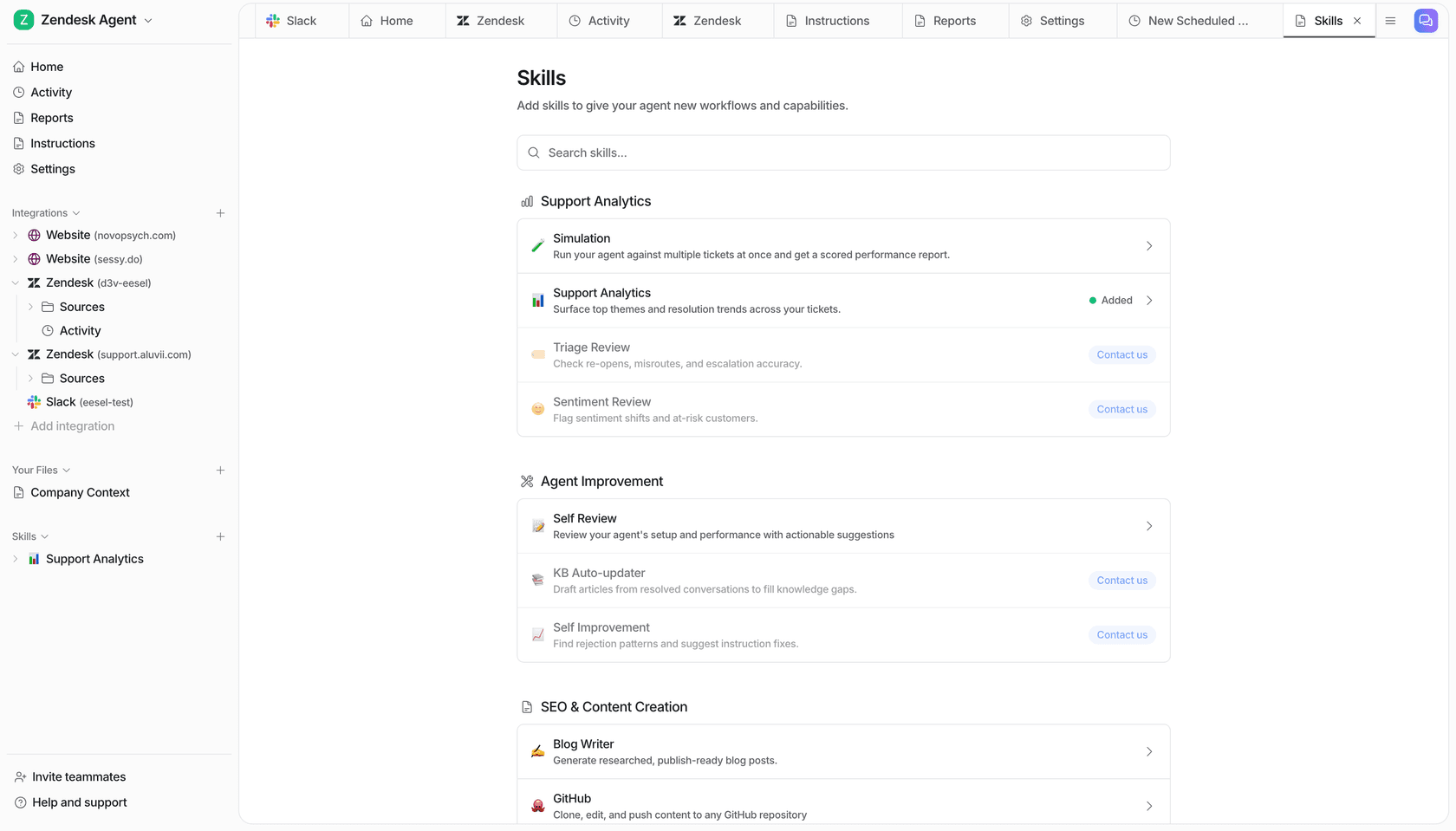
ChatGPT answers when someone opens a chat. eesel also runs on automations: a schedule, an event in a connected app, or a webhook. For QuickBooks, the docs suggest "a weekly list of past-due invoices" on a schedule. Cape Coffee Beans runs the same pattern on its support queue: 160 scheduled checks in a month on weekday and Saturday mornings, each ending "in a short email to Phaedon, or no email when there is nothing to report." Swap the queue for your A/R and you have a Monday collections brief nobody has to remember to ask for.
Corrections stick, too. Tell it once in Slack to "always quote the invoice number", and it goes into its instructions and memory for every channel.
ChatGPT's QuickBooks plugin vs Intuit Intelligence vs eesel
| ChatGPT QuickBooks plugin | Intuit Intelligence | eesel | |
|---|---|---|---|
| Lives in | ChatGPT | QuickBooks Online | Slack, Teams, Google Chat, email, website chat, helpdesk |
| Answers | The signed-in ChatGPT user | Signed-in QuickBooks users | Anyone you allow, with rules per kind of person |
| Writes to QuickBooks | Yes, with approval prompts | Automates tasks inside QuickBooks | Yes, each action On, Ask first or Off |
| Runs on its own | Your own scheduled tasks | Custom automations | Schedules, app events, webhooks |
| Faces customers | Not built for your customer channels | Built for your team inside QuickBooks | Yes; company finances never shown to them |
| Price | Included with ChatGPT and QuickBooks | Included with limits; $10/month add-on | From $299/month for 500 credits (pricing) |
eesel has a free 7-day trial with 100 credits and no card, with unlimited agents and seats.
Keep ChatGPT, add a teammate
I'd keep the plugin. For an owner's own questions it's quick, cheap and good, and it pairs nicely with the Stripe plugin if you bill there too. Add eesel for the questions that come from the team and from customers.
The two can meet. eesel's apps for ChatGPT are being listed in ChatGPT's app directory, so you'll be able to ask eesel what it did today from a ChatGPT chat (use eesel from ChatGPT). Today, Codex can set eesel up with the CLI, and every command prints JSON so it can check its own work.
More reading: ChatGPT at work, ChatGPT for financial services and the best AI teammates.
Try eesel as your team's QuickBooks teammate
The QuickBooks plugin makes ChatGPT a great accountant's assistant for one person. eesel is the teammate the rest of the company can ask: payment status for account managers, invoice copies for verified customers, a Monday past-due list for the controller, and sends, voids and payments waiting on a yes.
