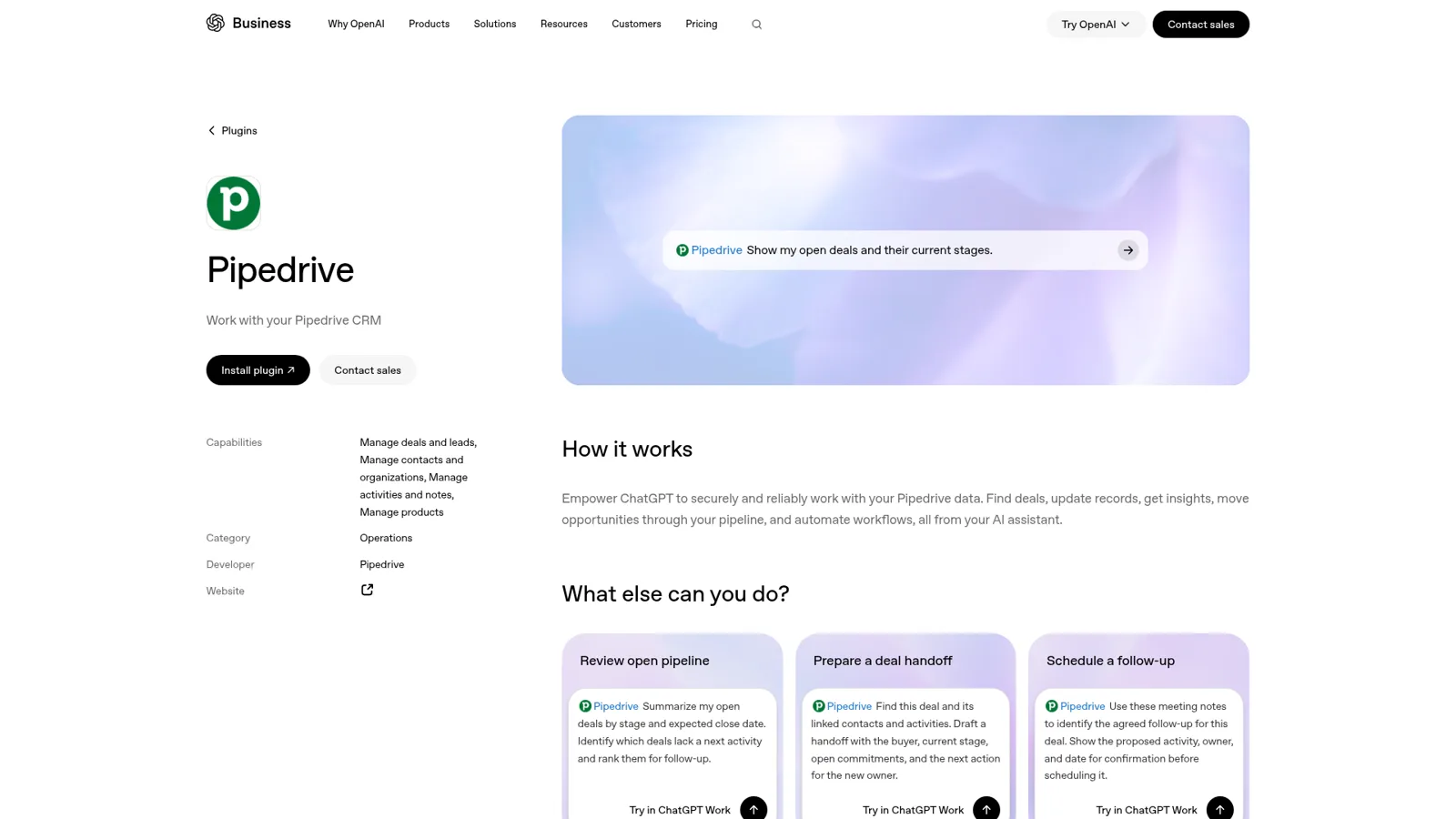
Yes, Pipedrive has an official ChatGPT integration: Pipedrive's own MCP server, listed in ChatGPT's directory as the Pipedrive plugin, which lets ChatGPT search deals, contacts, organizations and leads, then create and update deals, activities, notes and more with your own Pipedrive permissions. It's on every Pipedrive plan, usage counts against your plan's token limits, and Pipedrive's setup guide asks for ChatGPT Pro, Business, Enterprise or Edu.
For a single rep, it's one of the best CRM connections among ChatGPT apps right now. "Here are my call notes, create the deal and a follow-up" works the way you'd hope. The catch shows up when the question belongs to the team: the manager asking "where's the Acme deal?" in #sales, the CS lead wanting the last note before a renewal call, the founder who never logs in to Pipedrive. ChatGPT answers whoever is signed in, with their access.
eesel is built for that. It's an AI teammate that connects to Pipedrive once and works for the whole team in Slack, Teams and email, and what it may see and change depends on who is asking: a rep sees their own pipeline, a manager sees everything, a deal note gets logged straight from the Slack thread it came up in, and none of it reaches a visitor in your website chat. You can even have Claude Code set eesel up through the eesel CLI, connecting Pipedrive, loading your sales playbook and asking test questions first.
A bit about where I'm coming from: eesel has spent years letting an AI act inside teams' own tools, and the hard part is never the connection. It's deciding what the AI may change alone, what waits for a person, and what it must never show someone outside the team. A CRM is full of exactly those calls.
Two ways to connect Pipedrive to ChatGPT
Pipedrive launched its native MCP server on 30 June 2026, and its launch announcement is clear about the pitch: "Every action performed through an AI assistant follows the user's existing permissions and is recorded in Pipedrive's change logs." Since then there have been two ways in from ChatGPT.
1. The Pipedrive plugin from the directory. Pipedrive's MCP page now says "Pipedrive is an official connector in Claude and ChatGPT. Find it in the connector directory and connect your account. No manual server setup required." ChatGPT calls these bundles plugins today. OpenAI's plugins guide has the steps: open Plugins in the sidebar, find Pipedrive, choose Install plugin, and sign in to Pipedrive when asked.
2. A custom MCP server in developer mode. Pipedrive's ChatGPT help article, last updated 3 November 2026, still walks through this route:
- In ChatGPT, open Security and login and turn on Developer mode.
- Go to Plugins, click +, name it
Pipedrive MCP, and enterhttps://mcp.pipedrive.ai/mcpas the connection. - You're sent to Pipedrive. Review the permissions and click Allow and install.
- Add "Pipedrive MCP" to a conversation and start asking.
The same article sets the bar: you "must have a Pro, Business, Enterprise or Edu ChatGPT plan to connect the Pipedrive MCP," and you need permission to install apps in your Pipedrive account. On a ChatGPT Business workspace, OpenAI adds that "only admins and owners can create and publish plugins for custom MCP servers" (OpenAI Help Center), so a rep on a company workspace will usually find Pipedrive already approved by IT, or ask for it.
| Directory plugin | Developer-mode custom server | |
|---|---|---|
| Setup | Install from Plugins, sign in | Turn on developer mode, paste the server URL |
| Who sets it up on Business | Users, if the admin allows it | Admins and owners |
| Same tools? | Yes, same Pipedrive MCP server | Yes |
| Best for | Most people | Testing, or workspaces that publish their own vetted list |
If you ever see a tool missing, Pipedrive's tools article says to open the Pipedrive plugin, choose More and Refresh tools list, since new tools land on the server first.
What can ChatGPT do in Pipedrive?
ChatGPT can read most of your CRM and create or edit the everyday records. Pipedrive publishes the full list of MCP tools, grouped like this:
| Area | Read | Create and edit |
|---|---|---|
| Deals | List, get one, search | Add, update (stage, value and so on) |
| Leads | List, get one, search, conversion status | Add, update, convert to a deal |
| Persons and organizations | List, get one, search | Add, update |
| Activities | List, get one | Add, update (reschedule, mark done) |
| Notes | List, get one | Add to a deal, lead, person or org; update |
| Products | List, get one, search | Add, update |
| Pipeline stages | List, get one | None |
| Email (needs email sync) | Threads and messages by deal, person or org | Update thread details |
| Projects (add-on) | List, get one, search | Add, update |
Two details in that list deserve a highlight. There are no delete tools on the published list, so the worst case is a wrong edit, which shows up in the change log. And getAccountContext pulls your pipelines, custom fields and the other users in your company, which is why the plugin knows your stage names without you typing them. If your permissions don't cover something, "the tool skips that part and returns the rest."
Pipedrive's own prompt examples show where it shines:
- "Show me all open deals over $10K that haven't been updated in two weeks."
- "Here are my notes from today's call. Create a deal, contact and follow-up activity."
- "Move the Acme Corp deal to Proposal Sent and schedule a follow-up for Friday."
OpenAI's plugin listing adds a nice one for handoffs: "Find this deal and its linked contacts and activities. Draft a handoff with the buyer, current stage, open commitments, and the next action for the new owner."
Pipedrive Skills: the shortcuts on top
Pipedrive also ships Skills, ready-made instructions that teach ChatGPT routine sales jobs using live Pipedrive data. You add them by pasting github.com/pipedrive/skills under Plugins > Add > Add a marketplace in the ChatGPT desktop app. There are commands like /pipeline-brief, /deal-triage, /forecast, /daily-brief, /call-prep, /meeting-follow-up and /sales-outreach.
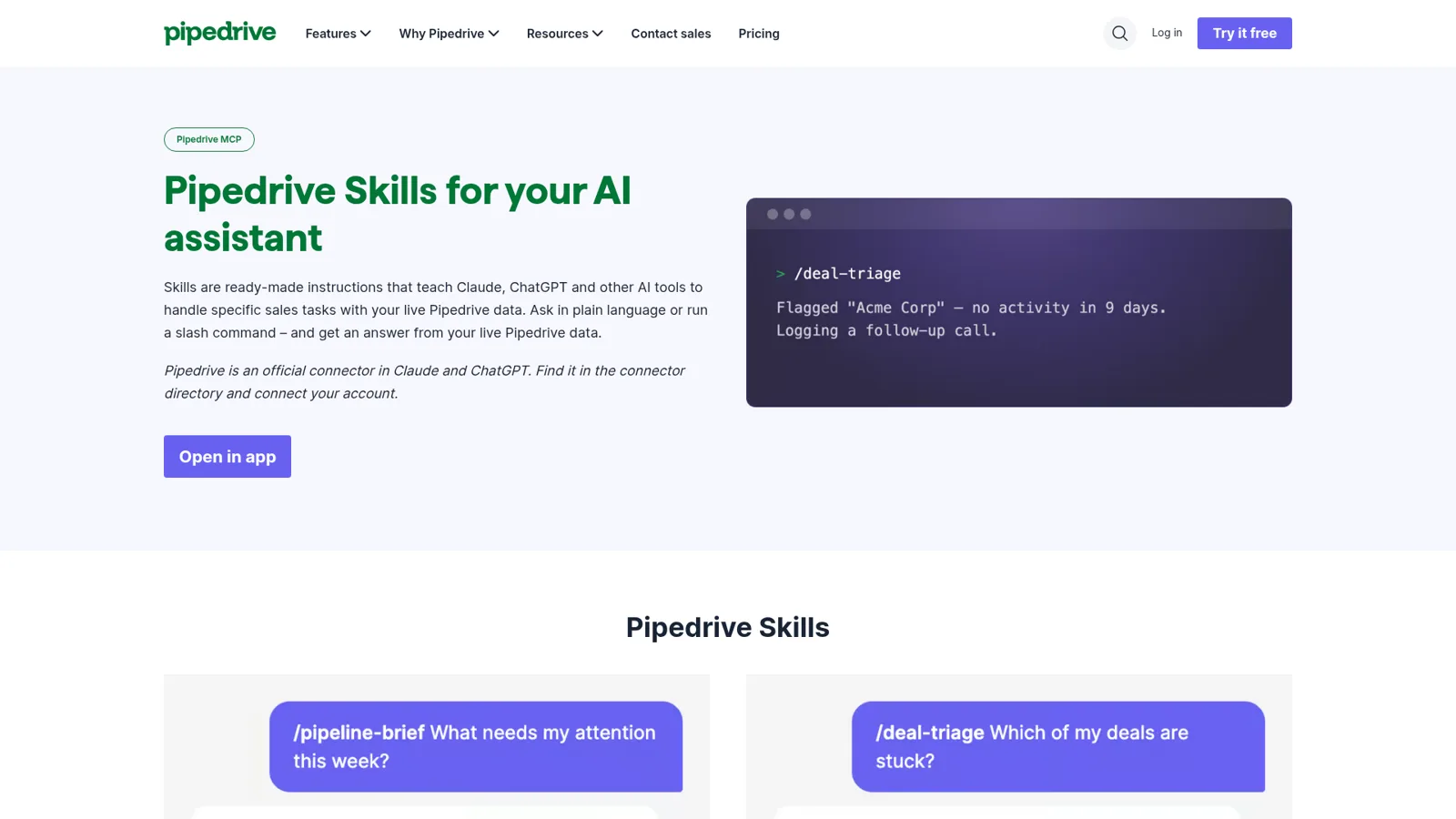
On safety, Pipedrive's Skills FAQ answers the obvious question directly: "Will my AI assistant change my Pipedrive data on its own? No. Small updates need your approval." ChatGPT adds its own layer, where you can set an app to "Always ask," "Allow read actions" or "Allow low-risk actions" (app permissions).
What it costs
Pipedrive doesn't charge separately for MCP. Its FAQ says it's "available on all Pipedrive plans. Usage is based on token limits included in your plan and additional tokens can be purchased if needed." The page doesn't publish the token numbers, so check your plan's settings if a heavy user starts hitting a wall.
| Plan | Price (checked 17 Nov 2026) | Notes |
|---|---|---|
| Pipedrive Lite | $14/seat/month, billed annually | Includes Nova meeting intelligence and AI report creation (Pipedrive pricing) |
| Pipedrive Growth | $39/seat/month, billed annually | Email sync, which the email tools need |
| Pipedrive Premium | $59/seat/month, billed annually | Group and individual visibility permissions |
| Pipedrive Ultimate | $79/seat/month, billed annually | Sandbox account for testing |
| ChatGPT Pro | From $100/month | Personal plan that Pipedrive lists as eligible (ChatGPT pricing) |
| ChatGPT Business | $25/user/month, or $20 billed annually | 2-seat minimum (OpenAI) |
So a ten-rep team on Pipedrive Growth and ChatGPT Business is paying for twenty seats across two tools before anyone asks a question. My Pipedrive subscription costs guide and ChatGPT pricing breakdown cover the details.
What people run into
The official server is young, and the most useful signal comes from Pipedrive's own developer forum (Pipedrive closed its customer community on 1 July 2025, so the dev forum is where MCP talk lives).
If you want to connect Pipedrive's MCP to an AI tool other than ChatGPT or Claude, the redirect URI has to be allowlisted by Pipedrive first. A founder building a team AI workspace posted the error they hit:
"One redirect URI covers all our customers, and a customer has asked us for Pipedrive. Error today: invalid_redirect_uri: Invalid redirect URI"
A Pipedrive staffer replied the same day that the URLs "should be whitelisted now," and another request a week later got the same quick fix. Worth knowing if your company runs its own assistant.
Before the official server existed, people built their own. One open-source server, written "for a client who wanted to enable Claude workflows instead of clicking through the UI all day," made a design call worth copying:
"Read / create by default: deletes and conversions are off until you explicitly set an env flag, so out of the box it can only read and create. Nothing irreversible happens unless you opt in."
That instinct, read freely and gate anything irreversible, is the same one that matters once a whole team starts asking.
Pipedrive's own AI, in one paragraph
Pipedrive also has AI inside the product. The Pipedrive AI page lists the Sales Assistant (win-probability predictions and next-best actions), an AI email writer and summarizer, and AI-generated reports in Insights "via text input in your own words," which Pipedrive says use OpenAI and are available on all plans. Pipedrive says it "does not permit third parties to use client data to improve or train AI models." Add Nova on Lite and up, and a rep gets meeting briefs and "ready-to-approve CRM updates" without ChatGPT at all. My Pipedrive AI overview walks through each.
When the whole sales team is asking
Here's the moment the ChatGPT plugin wasn't designed for. A rep in #deals types "where's the Acme deal at, and did anyone send the security doc?" Three people could answer: the deal owner, the sales manager, Pipedrive itself. With ChatGPT, it depends on who asks. Each person connects with their own Pipedrive login, which is good, since everyone keeps their own visibility. But the question lives in Slack, and so does the answer the team wants.
OpenAI's team product does reach Slack. Workspace agents on Business and Enterprise can connect to apps and custom MCP servers, run on a schedule, and answer in Slack channels, with write actions set to "Always ask" by default (OpenAI Help Center). To use one in Slack, though, "all your agent's apps need to be set up using shared auth connections," and OpenAI warns that "anyone who can use the agent may be able to access data or perform actions through those connections as the creator." In other words, everyone in the channel gets one person's Pipedrive access, set once per agent. That's a fine trade for a weekly pipeline report. It's a harder one for a CRM where reps shouldn't see each other's deals.
eesel is a general AI teammate that works in the apps your team already uses, takes requests from anyone who talks to it there, and does the work inside those tools. Pipedrive is one of the 3,000+ apps it connects to: connect it once, and it looks things up and takes actions in Pipedrive, with each action set to On, Ask first or Off. Then the rules follow the person asking. Try it:
"Where's the Acme deal at? Log that they want the security doc by Friday." Who's asking?
Maya, the account executive who owns Acme, in Slack
eesel replies with the stage, value, last activity and next step, adds the note to the deal and creates a Friday activity on her own. It's her deal, and you've set notes and activities to On for owners.
Sam, a rep on another territory
eesel says the deal belongs to Maya and offers to ping her in the thread. Reps see their own pipeline. The note waits for Maya's Approve if you've set it to Ask first for non-owners.
Priya, the sales manager, in Microsoft Teams
Full picture across every rep, plus the three other deals at Acme's stage with no activity this week. Managers see everything.
A visitor in your website chat
Nothing from Pipedrive. The visitor gets your public security page and a way to book a call with sales.
You set those rules by saying them ("reps can see and update their own deals, managers see everything, ask the owner before anyone else changes a deal") or per action in the dashboard. Ask first shows the exact change with Approve and Deny in the dashboard, as a card in the Slack thread the run started from, or by email, and only editors approve. You pick which members or channels get approval requests. The per-person and per-audience settings for named people, verified customers and anonymous visitors are live, and actions marked Team only only ever run when someone on your team asks, where "your team" includes full members of your connected Slack, Microsoft Teams or Google Workspace.
Logging the deal note from the thread
The most underrated part is where the work starts. A deal update comes up mid-thread in Slack ("Acme's CFO joined, budget is approved for Q1"), someone types "@eesel log that on Acme," and the note lands on the deal with a link back to the thread. Nobody opens Pipedrive. Automations then start work on a schedule, an event in a connected app, or a webhook, so a Monday 8am job can post each rep's stalled deals into their own DM and the manager's whole-team version into #sales. Correct it once ("ignore deals in the Nurture pipeline") and memory keeps it.
Teams already split jobs this way. Cactus Club Cafe runs two eesel agents with different jobs, one on internal IT tickets and one auditing the daily finance extract, and made 1,650 runbook and policy lookups in a month. A sales team might do the same with one agent for reps and another for the manager's forecast checks. See more on the customers page, or read how eesel handles internal operations.

Side by side
| Pipedrive plugin in ChatGPT | eesel with Pipedrive | |
|---|---|---|
| Who it works for | The rep signed in to ChatGPT, with their access | Everyone your rules allow, from one connection |
| What decides what it may change | Pipedrive permissions plus that user's ChatGPT approval setting | Who is asking, per action: On, Ask first or Off |
| Shared Slack channel | Workspace agent with the builder's shared connection | Each person keeps their own scope |
| Where it answers | ChatGPT; workspace agents in Slack | Slack, Teams, Google Chat, email, your website |
| Runs without a prompt | ChatGPT tasks or a workspace agent | Schedules, app events and webhooks |
| Cost | Pipedrive plan tokens plus ChatGPT Pro or Business | From $299/month for 500 credits, unlimited seats (pricing) |
eesel has a free 7-day trial with 100 credits and no card required.
Keep ChatGPT for yourself, give the team a teammate
These aren't either-or. The Pipedrive plugin is excellent for a rep's own prep, call notes and inbox, and I'd install it. eesel covers the shared asks, the scheduled checks and the changes that should wait for the right person. eesel's own apps for ChatGPT are being listed in ChatGPT's app directory, so you'll be able to ask "what did eesel log to Pipedrive today?" from your own chat. You can already add your eesel workspace to Claude as a custom connector, with editors able to change things and viewers on the read side.
For other CRMs, I've covered HubSpot with ChatGPT and Salesforce with ChatGPT, and if you're still choosing, read Pipedrive vs HubSpot.
On the marketing side, the Mailchimp ChatGPT integration works very differently, as a planner that never sends.
My take
- Install the Pipedrive plugin if you sell from Pipedrive and use ChatGPT Pro or Business. Turning call notes into a deal, contact and activity in one message is a real time-saver, and the permissions model is sensible. It's a strong pick among AI sales assistant tools.
- Add Pipedrive Skills for the daily brief and deal triage. They're free and take a minute.
- Lean on Pipedrive AI and Nova if you'd rather keep everything inside the CRM.
- Add eesel, one of the best AI teammates for this, when the questions come from the whole team in Slack or Teams, when reps and managers need different views from the same assistant, and when deal changes should wait for the owner's yes. For more on the assistant side, see ChatGPT at work.
Try eesel as your team's Pipedrive teammate
The Pipedrive ChatGPT plugin makes one rep faster. eesel makes Pipedrive answerable for the whole team, in Slack, Microsoft Teams and email, with each rep's view kept to their own pipeline and changes approved by the people who own them.