


Yes, there's an official Trello ChatGPT integration: Trello publishes its own plugin in ChatGPT (OpenAI's listing names Trello as the developer), you install it from Settings > Plugins, pick your Trello workspaces, and ChatGPT can then build boards, create and move cards, add checklists and comments, and summarise what's due. It went live in July 2026 and works on every Trello plan, including Free.
Before that, the honest answer from Atlassian's own staff was "use the API". Now it's two clicks. It acts with your Trello access, can't delete anything, and asks before it acts according to the permission setting you pick in ChatGPT.
What it doesn't cover is the Trello work your team shares: the "is this card done yet?" questions in Slack, the cards that should come out of a thread, the Friday board recap. For that, eesel is an AI teammate that works in Trello for everyone, with different rules depending on who is asking. If you live in Codex, it can set eesel up through the eesel CLI, connecting your apps and running test questions from the terminal.
Is there an official Trello ChatGPT integration?
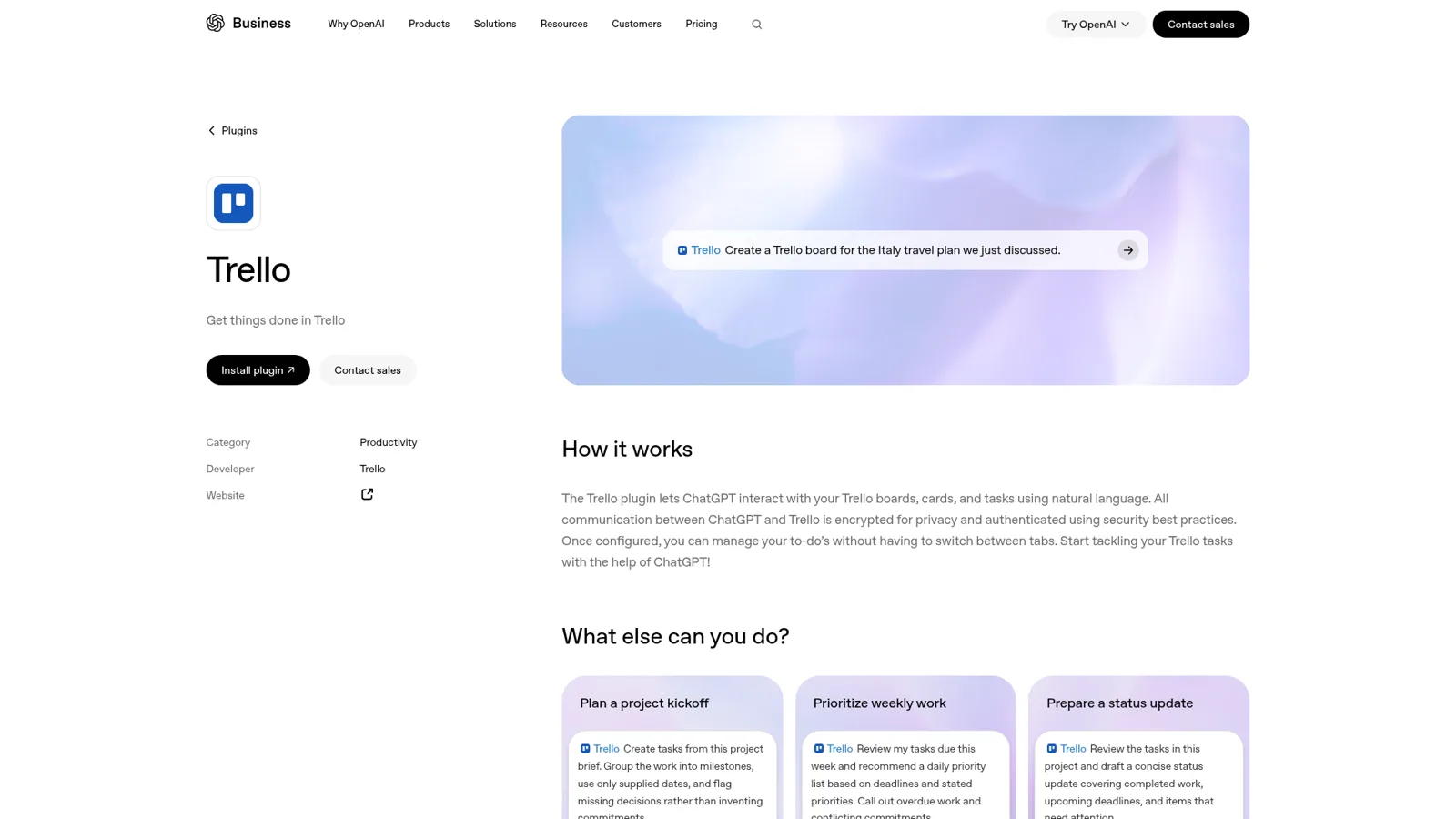
Yes, and it's new. OpenAI's Trello plugin page lists Trello as the developer and describes it as letting "ChatGPT interact with your Trello boards, cards, and tasks using natural language". It runs on the Trello MCP server, the same server behind the Claude connector (my Trello Claude connector post covers that side).
A note on the word "plugin". OpenAI now groups what it used to call apps or connectors under Plugins in ChatGPT's settings, and its help center says older mobile versions "may show Apps instead of Plugins". Same thing. My ChatGPT apps and ChatGPT connector posts explain the naming history.
Here's how much changed in a year. In August 2025, someone asked on Trello's forum how to wire a custom GPT to Trello, and an Atlassian team member replied:
"While we don't have a built-in integration with GPT, as long as it can make requests it should be able to interact with our API."
The other suggestions in that thread were community-built GPTs and Zapier. Custom GPTs are now being retired in favour of plugins, so the official plugin is the route I'd use today. The Trello REST API is still there for anything the plugin can't do.
How do you add Trello to ChatGPT?
You install the plugin, sign in, and choose what ChatGPT may see:
- Open the Trello plugin and choose Install plugin, or in ChatGPT go to Settings > Plugins and find Trello.
- Sign in with the Atlassian account you use for Trello.
- On Trello's consent screen, pick the workspaces. You can choose several.
- Approve the permissions. Trello offers Read, Write and Search, and if you skip one you'll need to disconnect and reconnect to add it later (Trello's help).
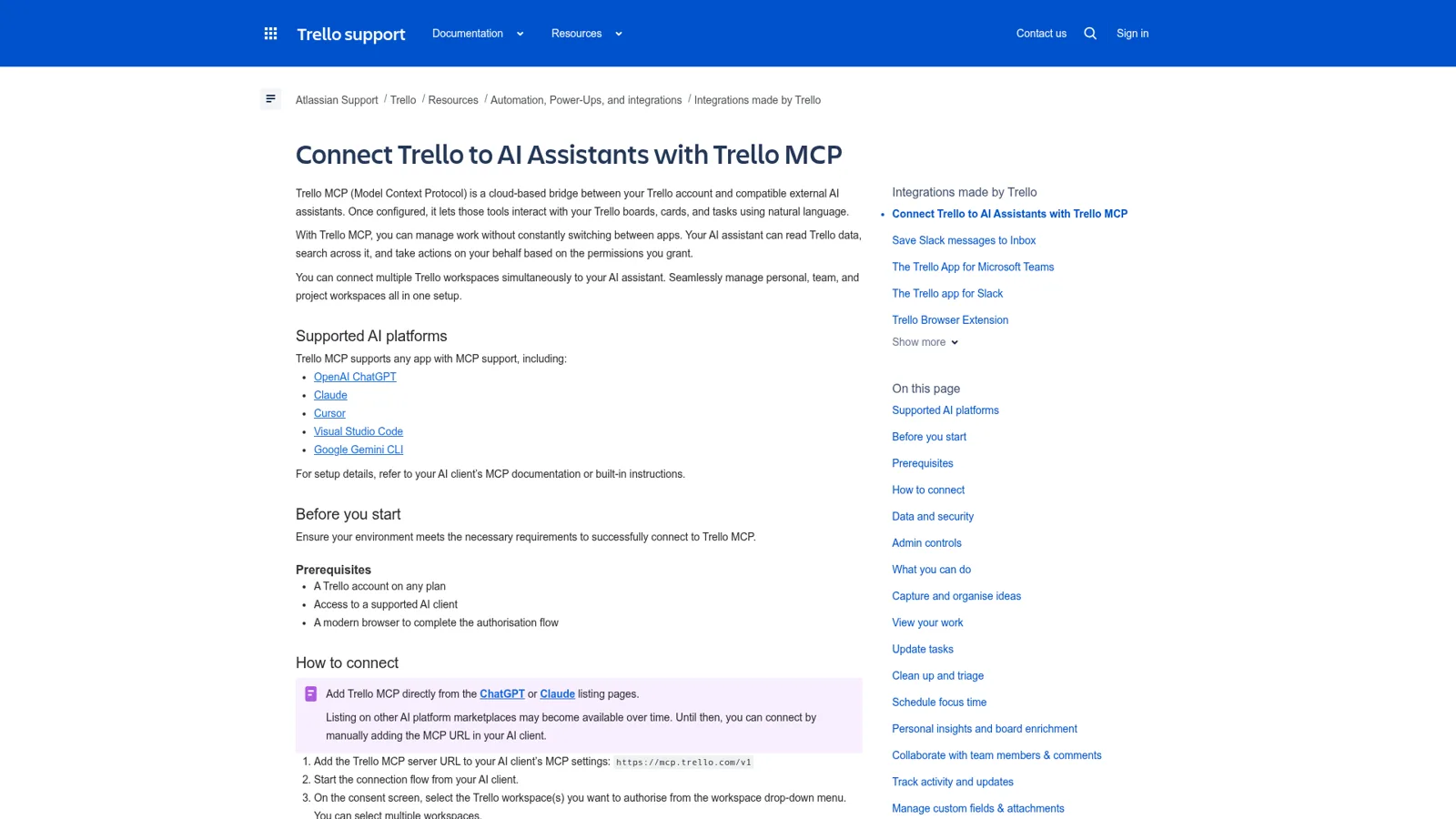
On a ChatGPT Business workspace, "many apps are enabled by default", and admins change access from the Admin Console under Plugins (help center). On the Trello side, MCP access is on by default for Premium and Enterprise, and Enterprise admins can untick read_trello or write_trello, or block MCP domains, in Atlassian Administration (Trello's FAQ).
What can ChatGPT do with your Trello boards?
It can do most board work short of deleting. Rather than list tools, here are the jobs OpenAI and Trello themselves suggest, which give a better feel for it:
- Plan a kickoff. OpenAI's sample prompt: "Create tasks from this project brief. Group the work into milestones, use only supplied dates, and flag missing decisions rather than inventing commitments."
- Sort your week. "Review my tasks due this week and recommend a daily priority list based on deadlines and stated priorities."
- Write a status update from a board's completed and upcoming cards.
- Triage. "Archive everything in my Inbox that's older than a week," from Trello's own examples.
- Look back. "Pull every Trello card I marked as done over the last year and write a recap I can use in my annual performance review." I love this one.
Under the hood it can view and create boards, move lists, create, update, move, label, assign and archive cards, manage checklists, read and write comments, summarise activity, read custom fields and attachments, and work with your Trello Inbox and Planner. Creating focus time in Planner needs Premium or Enterprise, and custom fields need Standard or above.
The early reviews are mostly relieved:
"Could integrate Trello with ChatGPT via 'Plugins' and with Claude via 'Connectors' - both worked perfectly."
When does ChatGPT ask before it changes a card?
That depends on the permission you choose for the plugin in ChatGPT. OpenAI's connected apps guide lists four options: Always ask, Allow read actions, Allow low-risk actions and Allow all actions. It also notes that "Sensitive actions may require approval or be denied", and that changing the setting "only changes when ChatGPT asks before using the access the app already has".
Trello sets the outer walls. The plugin has your access ("it can see all of your Trello content"), only in the workspaces you authorised, and with no permanent deletes; it can archive cards and lists but not destroy them. My pick for a shared board is Allow read actions, so lookups flow and every move or archive waits for your click.
These are sensible controls, and they all describe one person's ChatGPT acting for that person. Nothing here changes with who the card work is for, because the only person asking is you.
What breaks, and how do you fix it?
It's a young integration and Trello's forums show the rough edges. Most have a known fix.
"You no longer have access to this workspace." A ChatGPT Plus user hit this on connect in September. The community answer was to check you're signed in to trello.com with the right account, then go to Settings > Plugins > Trello and reconnect (thread).
Outages hit ChatGPT and Claude together. On 22 October one user found Trello working in the browser but failing through both assistants, with reports of HTTP 429 errors. The post ends on a line that says a lot about support on the free tier:
"I am using the free Trello plan, so I cannot open a standard support ticket."
Trello's own first step for strange behaviour is to refresh: "In ChatGPT, go to Connector Settings, select the Trello app, and select refresh", then disconnect and reconnect.
It can read a field but not set it. A user who tracks priority in a dropdown custom field found ChatGPT could read every option but not change a card's value:
"Reading a task's priority without being able to change it defeats much of the purpose of integrating Trello with an AI assistant."
That issue is open on Trello's GitHub. And if your team's main board has you as a guest, the plugin can't see it; Atlassian staff said board guests are "not currently on our roadmap" (thread).
Can ChatGPT work on Trello without you asking?
On a timer, yes; on Trello events, not yet. ChatGPT's scheduled tasks can run a prompt like "every Monday, list overdue cards on the launch board" on Go, Plus, Pro and business plans. Its event-triggered tasks respond to "new Gmail messages, new Slack channel messages, and GitHub pull request activity", so a card moving in Trello won't wake ChatGPT.
The closer fit for a team is OpenAI's workspace agents on Business and Enterprise. They connect to apps and custom MCP servers, can live in Slack, run on a schedule, and default write actions to "Always ask". For Slack, OpenAI says all the agent's apps "need to be set up using shared auth connections". OpenAI's docs don't use Trello as an example, so test it before you rely on it. My ChatGPT business agents post covers them in detail.
Trello's own AI, Butler, or ChatGPT?
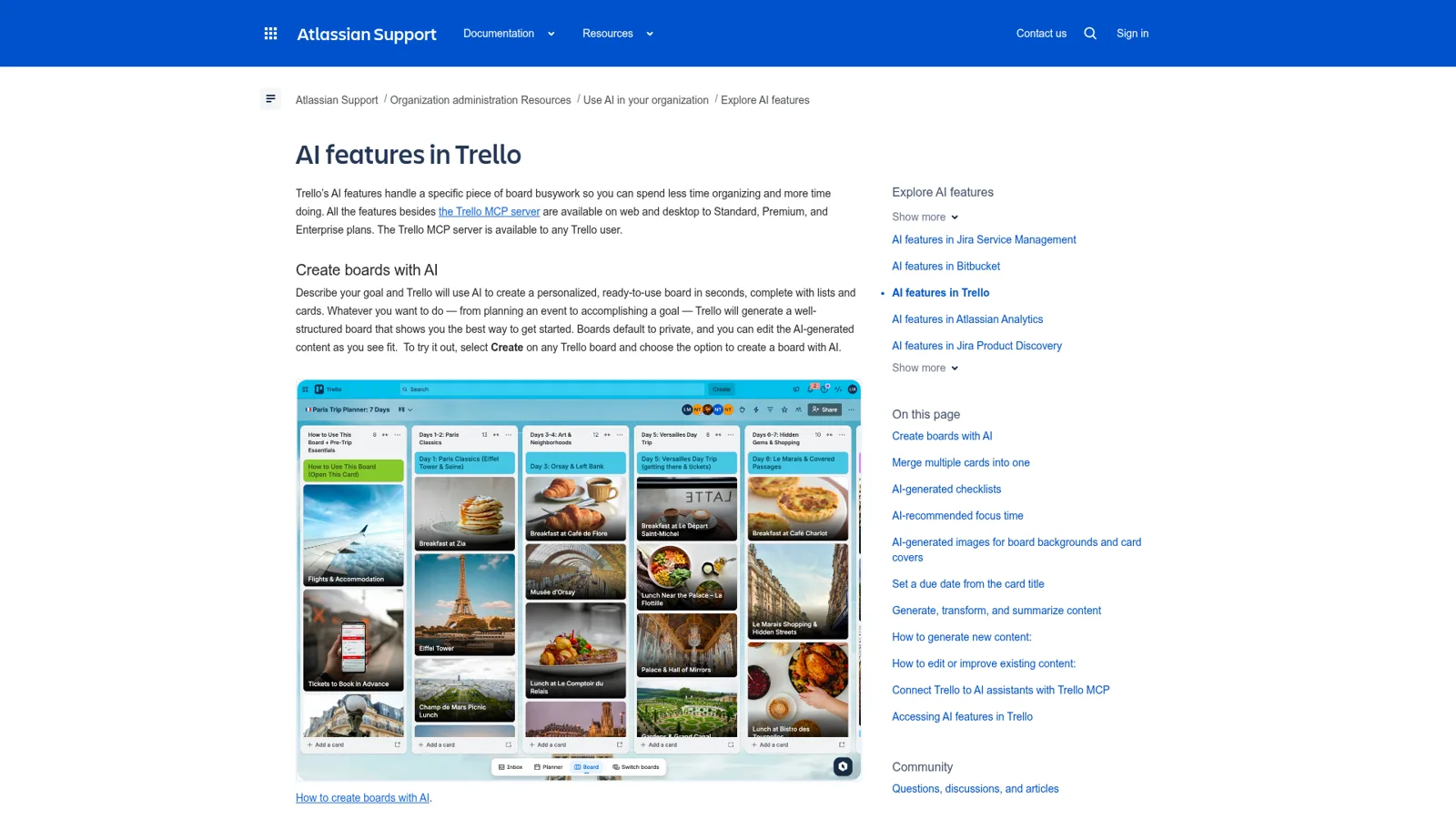
Trello now has a lot of AI of its own, so before you reach for ChatGPT, check whether the job already lives inside the board.
| Job | Trello AI (Standard and up) | Trello automation (every plan) | ChatGPT + Trello plugin |
|---|---|---|---|
| Board from a goal | Create a board with AI | No | Yes, from a whole conversation |
| Checklist for a card | Generate checklist | Rule adds a fixed checklist | Yes |
| Duplicate cards | Merge cards with AI | No | Can archive and rewrite |
| Recurring tidy-up | No | Scheduled and due-date rules | Scheduled task you set up |
| Weekly report | No | Prebuilt email reports | Status update on request |
| Context from outside Trello | Slack messages to Inbox, with AI summary | No | Your chats, files and other plugins |
Sources: Trello AI features, Trello automation, Save Slack messages to Inbox.
The pattern is simple. Automation is best for rules that never change, Trello AI for chores on one card or board, and ChatGPT for turning messy outside context into a board. For more on the Atlassian side, see my Trello AI and Atlassian AI posts.
How much does the Trello ChatGPT integration cost?
The plugin is free; you pay for the plans on each side. Trello's FAQ adds that using the MCP server "will draw on your AI client's message limits or tokens".
| Plan | Price | Notes for this integration |
|---|---|---|
| Trello Free | $0 | Plugin works; up to 10 collaborators and 10 boards per workspace |
| Trello Standard | $5/user/month billed annually, $6 monthly | Adds custom fields and Trello AI |
| Trello Premium | $10/user/month billed annually, $12.50 monthly | Adds Planner focus time, views, admin features |
| ChatGPT Free | $0 | No scheduled tasks |
| ChatGPT Go | $8/month | Scheduled tasks |
| ChatGPT Plus | $20/month | Scheduled tasks, projects |
| ChatGPT Business | $25/user/month, $20 billed annually (Standard seat) | Admin controls over plugins, workspace agents |
My Trello pricing and ChatGPT pricing posts break each side down further.
Which Trello AI route fits your job? Open to check
- "I want my own boards built and tidied from my chats." The ChatGPT plugin. Set it to Allow read actions and approve the writes.
- "Every card in To Do should get the same checklist." A Trello automation rule. No AI needed.
- "I want a checklist or a merged card in one click." Trello AI on Standard or above.
- "Six people ask me where cards are, all day, in Slack." A shared teammate like eesel, with rules for who may change what.
- "I need something the plugin can't do yet." The Trello REST API or a Power-Up.
The Trello job ChatGPT isn't shaped for
The plugin is a great personal tool, and the team's Trello work isn't personal. One Hacker News commenter described the real shape of it:
"I push tasks from Slack into Trello inbox as people chat me things that I need to look into"

That's one person acting as the router for everyone else's requests. Swap in ChatGPT and they're still the router; the plugin just makes their clicks faster. The questions keep arriving in Slack and Teams, from people who don't have ChatGPT open, and some of them (contractors, clients) shouldn't be changing your boards at all.
eesel: the Trello teammate the whole team can ask
eesel is an AI teammate that works in the apps your team already uses, Trello among them. Connect Trello and it looks things up and takes actions there, with each action set to On, Ask first or Off (integrations). People reach it where they already work: Slack, Microsoft Teams, Google Chat, and its own email address, where your team can email it questions or forward it a thread.
Rules that follow the person asking
Here's where it differs from the plugin. Every Trello action is On, Ask first or Off per agent, and you can set it by just saying "look things up on your own, but ask me before you archive anything" (actions and approvals). eesel also tells apart your team, specific people you name, verified customers and anonymous visitors, with separate rules for each. On a client-services team, that might look like:
- Your ops lead asks in #delivery to turn the thread into a card with an owner and a Friday due date. It just does it.
- A freelancer in a shared Slack Connect channel asks to mark their card done and move it to Review. It prepares the change and waits for an editor's Approve in the same thread.
- A client in your website chat asks what's on your roadmap board. It never opens the board for them.
Approvals can go to the dashboard, the Slack thread the run started from, email, or the terminal with eesel approvals, and you choose which members or channels get them.
The Friday recap, on its own
An automation can run on a schedule, an event in a connected app, or a webhook, so "every Friday at 4pm, email the account leads what moved on each client board" is a one-line setup.

Teams already split jobs this way. Cactus Club Cafe, a restaurant group, runs two eesel agents with different jobs: one answers staff on internal IT tickets, and one audits the daily finance extract. Their agent made 1,650 runbook and policy lookups in a month. A Trello digest is the same kind of job, and when someone fixes the format once, the correction sticks.
ChatGPT's Trello plugin vs eesel, side by side
| ChatGPT + Trello plugin | eesel in Trello | |
|---|---|---|
| Who it answers | You, in your ChatGPT | Anyone on the team, plus outsiders you allow |
| Where | ChatGPT on web, desktop and mobile | Slack, Teams, Google Chat, email, the dashboard |
| What starts work | Your prompt or a scheduled task | A message, a schedule, an app event or a webhook |
| When it asks first | Your plugin permission setting | Per action, and different for teammates, named people, customers and visitors |
| Price | Your ChatGPT and Trello plans | From $299 a month for 500 credits, unlimited seats |
Sources: OpenAI connected apps, Trello MCP, eesel actions.
Keep ChatGPT for your own work
You don't have to choose. Keep the Trello plugin for your own planning, and give the team a teammate. eesel's own apps are being listed in ChatGPT's app directory, and Codex can set eesel up today with the CLI (use eesel from ChatGPT).
For the bigger picture, read my posts on AI teammates, ChatGPT at work, ChatGPT Enterprise and ChatGPT vs Claude. Weighing your board tool too? Try Trello vs ClickUp, Asana vs Trello, or the Asana ChatGPT integration for comparison.
Try eesel as the Trello teammate for your whole team
The Trello plugin makes you faster in ChatGPT. eesel makes the board answer for itself: it tells anyone in Slack or Teams where a card stands, turns threads into cards, sends the Friday recap, and checks with you before a freelancer's request changes anything. Start a 7-day free trial with 100 credits and no card, or plans from $299 a month with unlimited seats.
