


Yes, there's an official Zoom ChatGPT integration: Zoom builds a plugin, listed as Zoom in ChatGPT's Plugins directory, that pulls your Zoom meetings' transcripts, AI summaries, recordings and notes into ChatGPT and Codex so you can ask what was decided, jump to the moment in a recording, or turn action items into a Zoom Canvas doc. You install it from Plugins in ChatGPT's sidebar and sign in to Zoom. Zoom requires a licensed user on a paid Workplace plan (Pro starts at $14.16 a user a month, billed annually) with meeting summary or Smart Recording turned on.
For one person cleaning up after a call, it's a real time-saver. The catch is in the setup screen: it uses your own Zoom sign-in, so it sees the meetings you hosted or were shared on, and it works for whoever is typing in that ChatGPT window. The follow-ups after a meeting usually belong to several people, and that's where they slip.
eesel is built for that part. It's an AI teammate the whole team talks to in Slack or Teams, connected to Zoom and the rest of your tools, and what it shares or does depends on who is asking: the account owner gets the follow-up drafted, a contractor gets a polite no on internal notes, a customer gets only what you agreed to send. Codex users can even have it set up for them, since the eesel CLI lets a coding agent connect your apps, add knowledge and ask test questions before anything goes live.
I work on eesel, where the hard problems are rarely "can the AI read the transcript?" They're "who is allowed to see what it read, and what may it do about it without asking?" Meeting notes are a sharp test of that, because the same call holds things you'd tell a colleague and things you'd never tell a client. So I've read Zoom's plugin with that question in mind.
Is there an official Zoom ChatGPT integration?
Yes. Zoom builds and maintains it, and it's one plugin that serves both ChatGPT and Codex. Zoom's developer page describes it as bringing "your Zoom meetings into ChatGPT and Codex", so you can find any meeting "by topic, attendees, or date" and ask what was decided. Under the hood it calls the same Zoom MCP server that Zoom's integrations for Claude, Slackbot and Microsoft 365 Copilot use (MCP is the open protocol AI assistants use to reach other apps; my MCP apps post explains it).
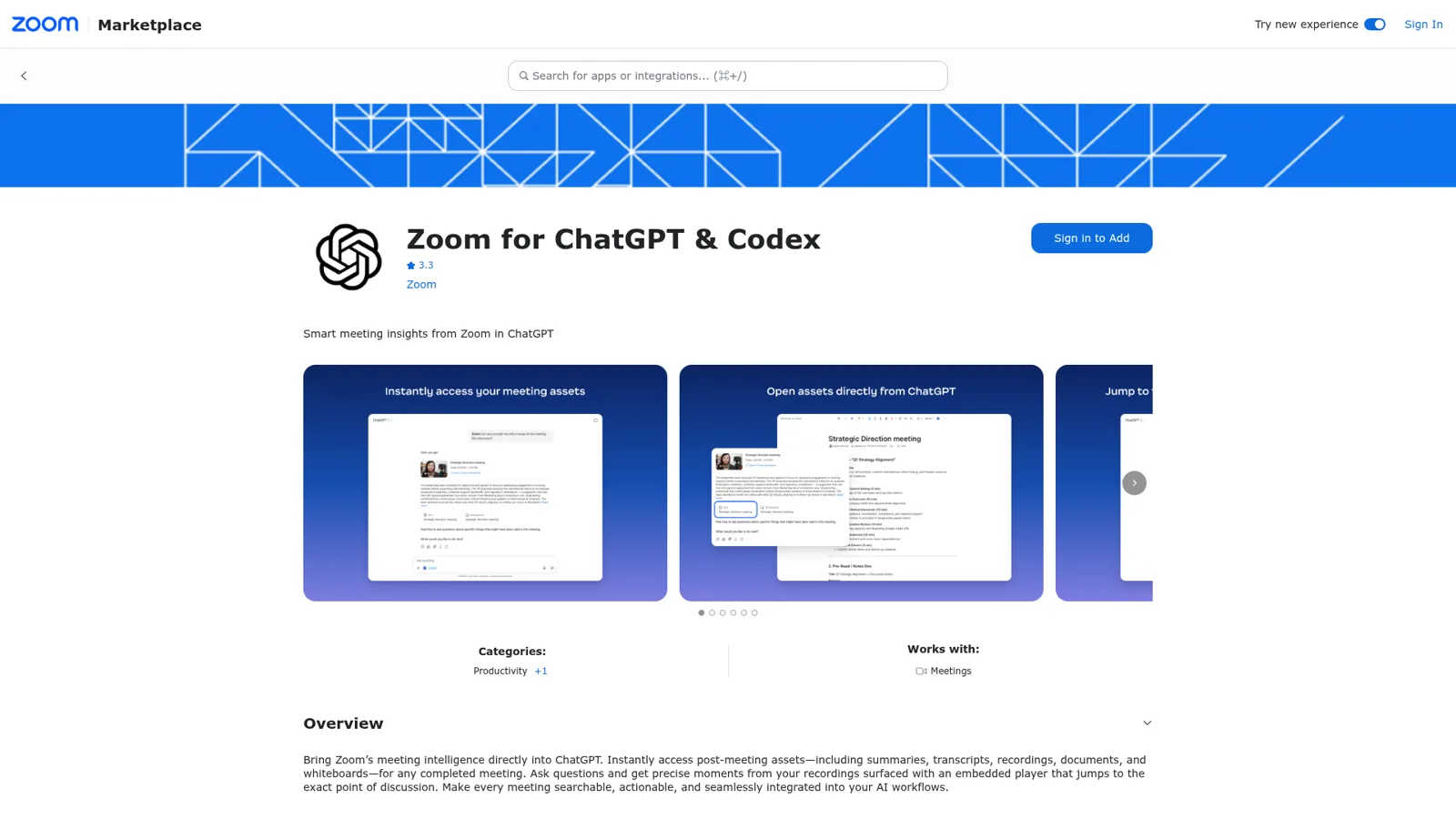
You'll see it under a few names. In the Zoom App Marketplace it's Zoom for ChatGPT & Codex, rated 3.3 at the time of writing. Zoom's own support article still calls it an app. ChatGPT now calls these plugins.
A fair share of people searching "zoom chatgpt" just want to paste a transcript into ChatGPT and get a summary. That still works on any plan. The plugin is better because ChatGPT finds the meeting for you, cites it, and can open the recording at the right second.
How do I connect Zoom to ChatGPT?
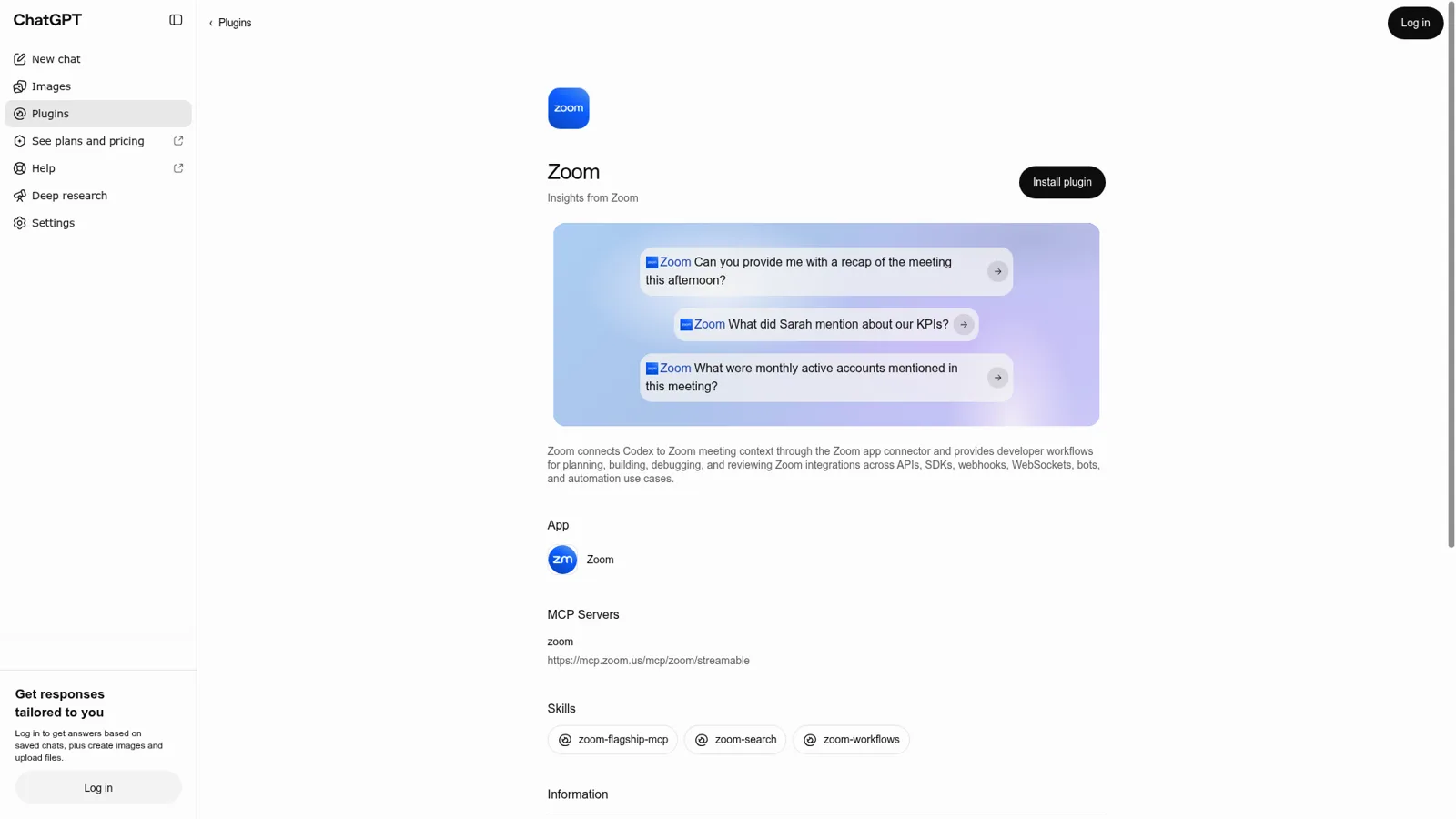
You install the Zoom plugin from ChatGPT's Plugins directory and approve it in Zoom. Zoom's current steps, which work on web, desktop and mobile:
- Select Plugins in the ChatGPT sidebar.
- Search for Zoom and open it.
- Select Install plugin, then Connect.
- Sign in to Zoom. If the Zoom App Marketplace prompts you, select Add, review the permissions, and select Allow.
One thing that trips people up: older guides, including Zoom's own support article dated September 17, say to go to Settings > Apps & Connectors. Zoom's developer page now says those steps "are out of date, because Zoom is now in the Plugins directory." OpenAI's connected apps guide agrees, pointing to Settings > Plugins.
Once it's in, mention it with @Zoom or type /Zoom in a prompt, as in "@Zoom, can you provide a recap of the meeting from this afternoon?" In Codex, install it from the Plugins directory in the ChatGPT desktop app or run /plugins in the Codex CLI. Zoom notes plugins aren't available in the Codex IDE extension.
Two approvals can stand in the way. If you see Request instead of Add, a Zoom admin has to approve the app. And on a ChatGPT workspace, admins choose which apps are enabled; OpenAI says that "In ChatGPT Business, many apps are enabled by default", and Zoom adds that workspace admins can turn individual Zoom actions off, which then show as Disabled by admin.
What can you ask ChatGPT about a Zoom meeting?
You can ask for recaps, quotes, moments and action items from any meeting you can access. These prompts come straight from Zoom's and OpenAI's own pages:
| Prompt | What you get |
|---|---|
| "Can you provide a recap of the 'Q4 budget meeting' this afternoon?" | A summary plus linked meeting assets: transcript, recording, docs |
| "What did Sarah mention about our KPIs?" | A summary from the transcript; if several meetings match, ChatGPT asks which |
| "Show me where John mentioned potential blockers during the 'Project Alpha meeting'." | An embedded player positioned at that moment, if you can access the cloud recording |
| "What were monthly active accounts mentioned in this meeting?" | The figure, pulled from the transcript |
| "Create a list of action items from the 'Q1 Strategy Alignment meeting' yesterday morning." | ChatGPT confirms, then creates a Zoom Canvas doc when you click Create |
Beyond meetings, the plugin can search Zoom Chat, phone calls, docs, whiteboards and calendar events, read My Notes (Zoom's personal AI notes, which also work on Microsoft Teams, Google Meet, Webex and in-person meetings), and create, update or cancel meetings. Zoom says "ChatGPT asks before using write actions." The Ask tool, which gives one cited answer across Zoom and other connected apps, needs a ZoomMate license.
What does the Zoom ChatGPT integration need, and what does it cost?
Zoom doesn't charge for the plugin itself. What you pay for is the Zoom seat and the ChatGPT plan around it.
| Piece | Requirement | Price (vendor list) |
|---|---|---|
| Zoom seat | Licensed user on Workplace Pro, Pro Plus, Business, Business Plus, Enterprise, Enterprise Plus or Enterprise Bundle (Zoom KB) | Pro $14.16, Business $18.33 per user per month, billed annually (Zoom pricing) |
| Zoom AI settings | Meeting summary or Smart Recording on; video features need cloud recording with Smart Recording | Included in those plans |
| Ask tool (optional) | ZoomMate or Custom AI Companion license | ZoomMate $16.67 per user per month billed annually (Zoom pricing) |
| ChatGPT | "A ChatGPT account", per Zoom; OpenAI says app availability depends on "your ChatGPT plan, region, workspace, role, model" | Plus $20 a month (ChatGPT pricing); Business $25 per user per month, or $20 billed annually (ChatGPT Business) |
Zoom's scope list shows exactly what the plugin reads: your meeting list and past instances, meeting assets, meeting search, cloud recordings and their content, plus write access to import Canvas docs. Zoom says the tokens are "user-level only" and stored encrypted. For the full menu of plans, see my ChatGPT pricing guide and Zoom pricing breakdown.
OpenAI's own recipe: turn meetings into follow-ups
OpenAI publishes a ready-made use case for exactly this, called Turn meetings into follow-ups. It's worth reading even if you never copy it, because it shows how OpenAI expects people to use Zoom inside ChatGPT: pull the transcript and AI Companion summary, then draft a customer email, an account plan in Google Docs, a CRM update and a Slack message, all for review.
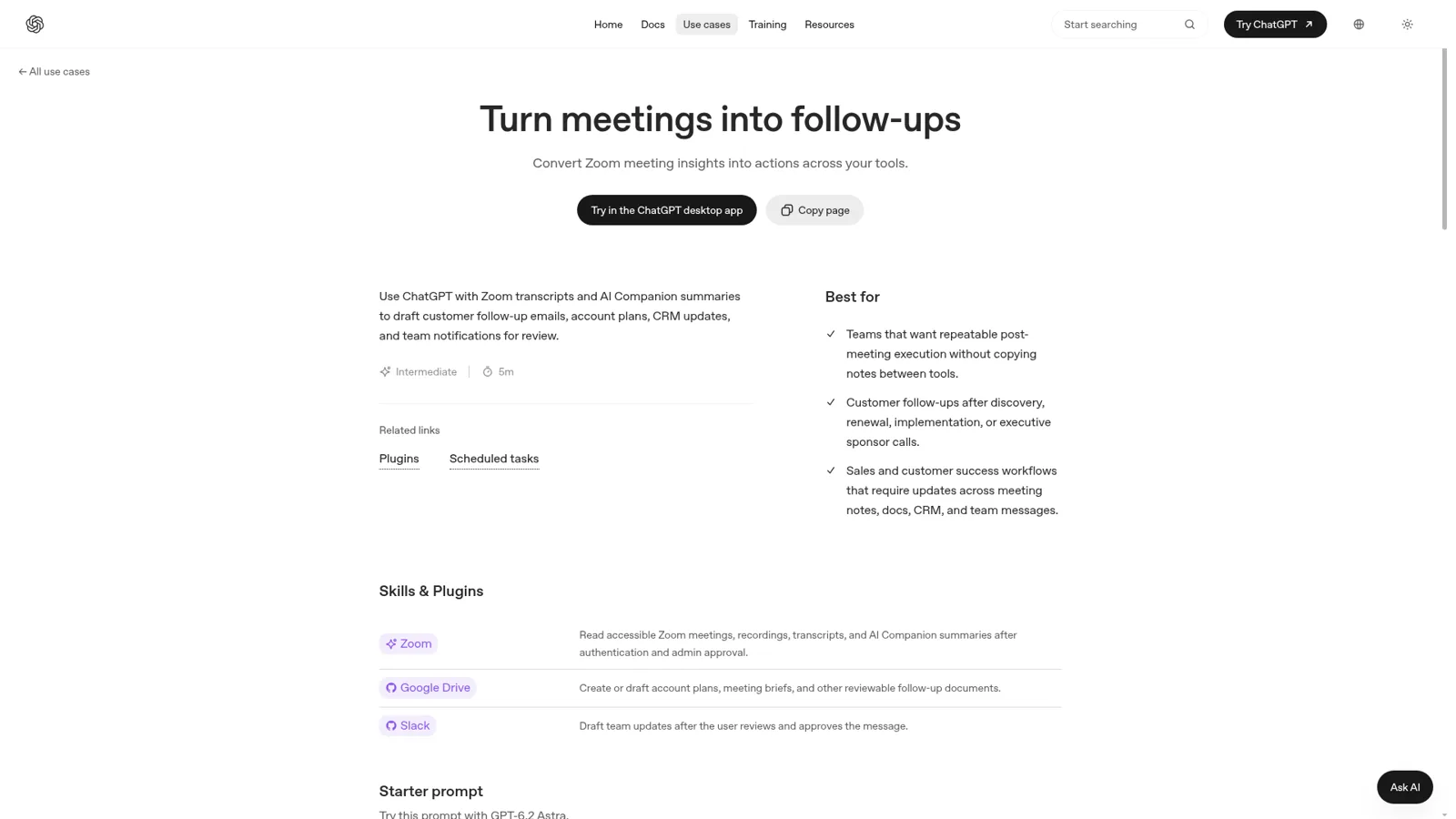
Two lines in OpenAI's starter prompt are the interesting part. One tells ChatGPT to "keep internal-only details out of the customer draft." The other: "Do not send emails, post Slack messages, create docs, update CRM records, assign owners, or expose private data until I review and approve each action." The page also suggests a scheduled task after each weekly Zoom call that compares the new transcript against the prior three and only updates you "when there is a meaningful change, a missing transcript, or a decision I need to make."
That's a sensible workflow, and it says a lot about the shape of the tool. The guardrails live in a prompt one person typed, and the scheduled task runs for that one person. If you're curious how far ChatGPT's scheduled work goes, I've written about ChatGPT agents and ChatGPT Work.
Where do people get stuck with Zoom in ChatGPT?
Three problems come up again and again on the vendors' own forums.
Workspace agents can't always see Zoom. On OpenAI's developer forum, a ChatGPT Business user posted this on November 16:
"I’m using ChatGPT Business and have been running into an issue where apps I can use in regular ChatGPT, including Zoom and QuickBooks, don’t appear when I try to add them to my Workspace Agents."
Their goal is the one most teams have: "I want an agent to work with meeting transcripts directly rather than having to manually pass that information along." The post links to an earlier thread where one person's issue was resolved and others described continuing problems.
Transcripts that exist in Zoom but not in the assistant. Zoom's MCP server only reaches what Zoom's AI captured, and users on Zoom's developer forum report transcripts going missing when a meeting had a summary but no cloud recording. That thread is about the Claude connector, which uses the same server, so it's worth testing a few un-recorded meetings in ChatGPT before you rely on it.
My Notes is the odd one out. Developers have been asking how to reach My Notes transcripts outside Zoom's own apps:
"Ultimately what I’m trying to do is quite simple: for any given user who has auth’d in my app, I want to be able to fetch the same summaries and transcripts that the Zoom app itself shows the user."
The same poster later found the content was reachable through MCP, which is what the ChatGPT plugin uses, so this one is more of a developer problem than a plugin problem.
Do you need ChatGPT if you already pay for ZoomMate?
Maybe not, if your team works inside Zoom all day. Zoom moved the old AI Companion features (meeting summaries, transcription, chat compose) into Zoom Workplace and sells ZoomMate as the agentic layer that drafts follow-up emails, updates Salesforce and builds decks, from $20 a user a month with 2,200 AI credits. Zoom says on its own blog that its AI combines "our proprietary models with leading third-party LLMs from providers like OpenAI."
Zoom's built-in summaries have long been the default to beat. A Hacker News commenter put it this way to a note-taker startup in 2024:
"How do you compete with the built-in Zoom AI companion Meeting Summary? It works very well, but it's not even about that."

So the honest split is by where you work. If you live in ChatGPT, the plugin brings Zoom to you. If you live in Zoom, ZoomMate is already there, and if you're still picking a note-taker, start with my meeting notes apps roundup. My Zoom AI review covers Zoom's side in more depth, and the sibling post on the Zoom Claude connector covers Anthropic's.
The call is over. Whose job is the rest?
Picture a renewal call with a customer. Four people were on it. Afterwards: the CRM needs the new risk, legal needs to hear about the changed term, the customer is promised a recap, and the account manager's boss will ask in Teams on Friday, "did Acme push back on price?" The ChatGPT plugin can draft every one of those, for the person who opens ChatGPT and asks. It doesn't send the recap if nobody asks, and the boss's question lands in a Teams channel ChatGPT isn't sitting in (more on AI in Microsoft Teams here).
The second problem is subtler. The same transcript holds the customer's words and your team's side comments. OpenAI's own prompt asks you to tell ChatGPT to keep internal details out of the customer draft, every time. For a team, that rule belongs in a setting, not in each person's memory.
That's the job eesel does. It's one AI teammate for the whole team: it sits in Slack, Microsoft Teams and email, connects to Zoom among 3,000+ apps, looks things up and takes actions there, and each action is set to On, Ask first or Off. What it does changes with who is talking:
| Who asks | Example | What eesel does |
|---|---|---|
| A teammate, in Teams | "Did Acme push back on price?" | Answers from the meeting with where it came from |
| The account owner you named | "Log the new risk and send Acme the recap" | Updates the CRM; the email to Acme is on Ask first, so it shows the exact email with Approve and Deny |
| A partner in a shared Slack channel | "What did they say about the discount?" | Meeting notes are Team only, so it doesn't share them |
| The customer, by email | "Can you send me the notes?" | Sends only the recap you approved, never the internal transcript |
The On, Ask first and Off settings, approval cards in the Slack thread a run started from, and Team only files and actions are documented on eesel's actions and approvals page. Your team means your Team page plus full members of your connected Slack and your Microsoft Teams or Google Workspace users; only editors approve. The settings for specific named people, verified customers and anonymous visitors work the same way, layered on top.

It also works when nobody asks. Automations start work on a schedule, on an event in a connected app, or from a webhook, so a Monday digest of last week's client calls can land in #account-team. Tell it once "always list owners and due dates" and memory keeps it.
The output goes where the work lives: HubSpot, a Google Doc or a Google Drive folder.
Teams usually split jobs across agents. Cactus Club Cafe, a restaurant group, runs two eesel agents: one works internal IT requests, the other audits the daily finance extract. A meeting follow-up agent next to your existing one is the same idea. For more internal use cases, see eesel's internal operations page.
ChatGPT + Zoom vs eesel at a glance
| ChatGPT with the Zoom plugin | eesel | |
|---|---|---|
| Shared across the team | Each person connects their own Zoom account; workspace agents are OpenAI's shared option | One teammate everyone talks to |
| Who it answers | The person in the ChatGPT chat | Anyone in your Slack, Teams, email and other connected channels |
| What decides what it may do | Your app permissions (Always ask, Allow read actions, Allow low-risk actions) and workspace admin settings | Per action On, Ask first or Off, changing with who is asking |
| Keeps internal notes from outsiders | You ask it to, in the prompt | Team only setting on files and actions |
| Runs after every call unprompted | Scheduled tasks you set up for yourself | Automations on schedules, app events and webhooks for the team |
| Price | ChatGPT plan plus Zoom Workplace Pro from $14.16 a user a month | From $299 a month for 500 credits, unlimited seats (pricing) |
ChatGPT's controls are real. OpenAI's connected apps guide lists the permission options above, admins decide which apps a workspace can use, and workspace agents default write actions to "Always ask." What they follow is the person using ChatGPT, or the agent's own settings, rather than who the request is for. My ChatGPT for teams guide goes through the Business plan in more detail.
Can you keep ChatGPT and add eesel?
Yes, and for most teams that's the right answer: ChatGPT for your own prep and digging, a teammate for the shared follow-ups. eesel's apps for ChatGPT are being listed in ChatGPT's app directory, and Codex can set eesel up through the CLI today. If you're comparing broader options, my roundup of best AI teammates and the ChatGPT vs Claude comparison are good next reads.
Try eesel as your team's meeting follow-up teammate
If the Zoom plugin has shown you how much lives in your transcripts, eesel puts that to work for the whole team. Connect Zoom with Slack or Teams, mark meeting notes Team only, put customer emails on Ask first, and let it post the Monday digest. The trial is 7 days, 100 credits and no card, and Teammate plans start at $299 a month with unlimited seats.
