

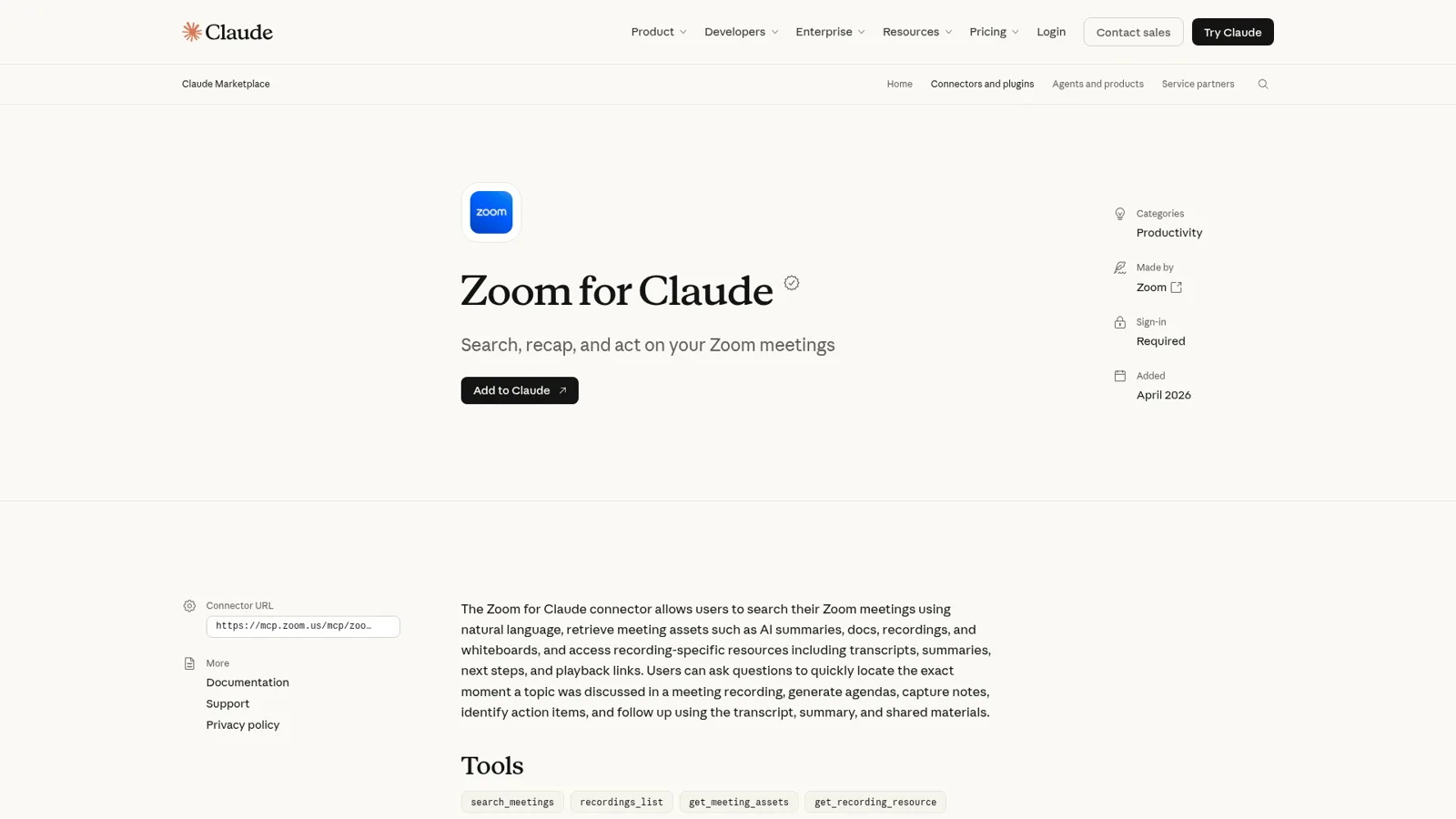
The Zoom Claude connector is a Zoom-built integration, listed as Zoom for Claude in Claude's directory, that lets Claude find your Zoom meetings and pull in their transcripts, AI summaries, recordings and notes, then answer "what did we decide?" with citations. You add it from Claude's connector directory, sign in to Zoom, and it works in Claude on the web, desktop and mobile, plus Claude Code and Cowork. On the Zoom side you need a paid Workplace plan (Pro at $14.16 a user a month, billed annually, is the cheapest) and meeting summary or Smart Recording switched on for the meetings you want to search.
It's a very good way for one person to stop rewatching recordings. It also has one rule that shapes everything else: Claude only reaches meetings you hosted or were shared on, and it works for whoever is typing. The decisions from a Zoom call belong to the team, and the follow-ups are the part nobody owns.
That's the gap eesel fills. It's an AI teammate that sits in your team's Slack or Teams, connects to Zoom alongside the rest of your tools, and answers "what did we decide on Tuesday?" for anyone who asks, with what it does alone, what it asks first and what it never does set by who is asking. If you'd rather not click through a setup, you can have Claude Code set eesel up with the eesel CLI: it connects your apps, writes the instructions and asks test questions so you can check the answers first.
I've spent years building eesel, deciding what an AI may do inside a team's own tools on its own, what waits for a person, and what it must never hand to someone outside the company. Meeting notes sit right on that last line. The connector is good; the question is whose assistant it is.
What is the Zoom connector for Claude?
The Zoom connector for Claude is an MCP integration that Zoom builds and maintains, which connects Claude to the Zoom MCP server at mcp.zoom.us using your own Zoom sign-in. Zoom's developer docs describe it plainly: it "lets you find any Zoom meeting and bring its transcript, summary, recording, and notes into Claude, then ask what was decided."
Zoom announced it on April 9, 2026, alongside a Zoom plugin for Claude Code. Zoom's CTO, X.D. Huang, framed the bet in the announcement: "AI becomes far more useful when it can access real-world context and act on it." MCP is the open standard Claude uses to reach outside tools; I explain it in MCP apps and Claude Code MCP tools.
Here's what the connector can do, grouped the way it matters in practice: read or write.
| What you ask for | What Claude does | Read or write |
|---|---|---|
| "Find last week's pricing meeting" | Searches meetings by topic, attendees or date and pulls the transcript, AI summary, next steps and recording | Read |
| "What did we decide, and who owns the follow-ups?" | One answer with citations, across one meeting or many | Read |
| "Play where the budget came up" | Opens an embedded player at that moment in a cloud recording | Read |
| "Pull my notes from today's 1:1" | Reads My Notes, including notes from Microsoft Teams, Google Meet, Webex and in-person meetings | Read |
| "Search Zoom Chat for the launch thread" | Searches chat, phone calls and voicemail, docs, whiteboards and calendar events | Read |
| "Turn the action items into a doc and share it" | Creates a Zoom Canvas doc and adds collaborators | Write |
| "Move Thursday's sync to 3pm" | Creates, updates or cancels meetings; in-meeting controls when you host | Write |
The listing shows 24 tools, from search_meetings to meeting_delete. Two limits from the Zoom MCP server reference are worth knowing: creating and updating meetings is capped at 100 requests per day, and a Canvas doc made from Markdown tops out at 100 KB.
How do you add Zoom to Claude?
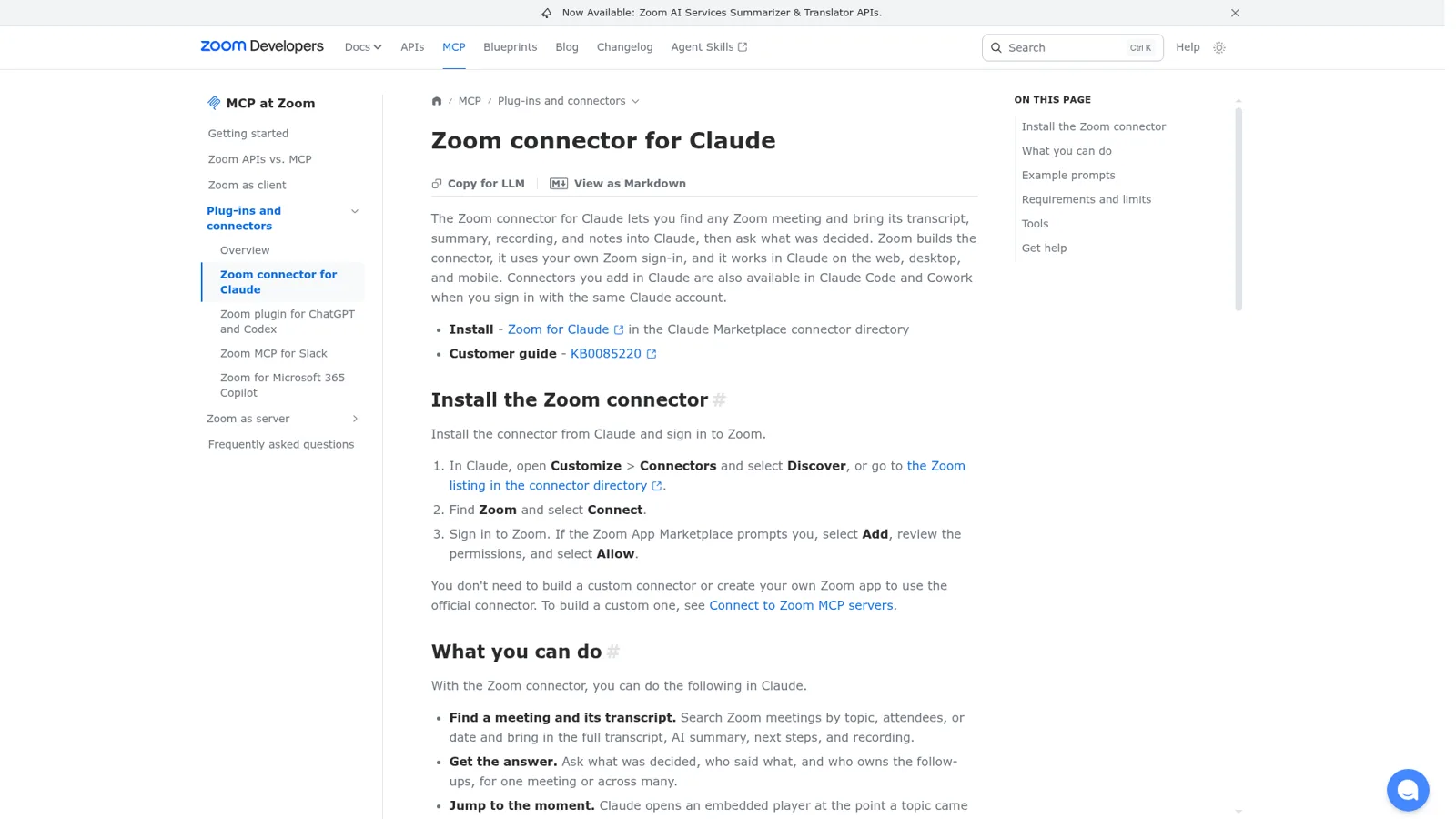
You add it from Claude's connector directory in three steps, and you don't need to build a custom connector or a Zoom app. Zoom's customer guide and developer page agree on the flow:
- In Claude, open Customize > Connectors, select Discover (or browse connectors), and search for Zoom.
- Select Connect. You're sent to the Zoom for Claude page in the Zoom App Marketplace.
- Select Add, review the permissions, select Allow, then finish the authorization back in Claude.
In a chat, check the Zoom toggle under + > Connectors. The same connection follows your Claude account into Claude Code and Cowork.
Two people may need to say yes first. A Zoom account owner or admin may need to approve the app. On the Claude side, Anthropic's connectors guide says that on Team and Enterprise plans "an Owner or Primary Owner needs to enable them for the organization", and each person still signs in individually. If you're rolling Claude out to a team, my Claude for teams guide covers that admin side.
What do you need on the Zoom side, and what does it cost?
You need a licensed user on a paid Zoom Workplace plan and Zoom's own meeting AI switched on. Zoom's customer guide lists Workplace Pro, Pro Plus, Business, Business Plus, Enterprise, Enterprise Plus or Enterprise Bundle, plus at least one of Smart Recording or Meeting summary enabled. The connector reads what Zoom's AI already produced; if Zoom never summarized or transcribed the call, there's very little for Claude to find.
| You need | Cost (vendor list price) | Why |
|---|---|---|
| Zoom Workplace Pro | $14.16 per user per month, billed annually (Zoom pricing) | Cheapest plan the connector supports |
| Zoom Workplace Business | $18.33 per user per month, billed annually (Zoom pricing) | Larger teams; also supported |
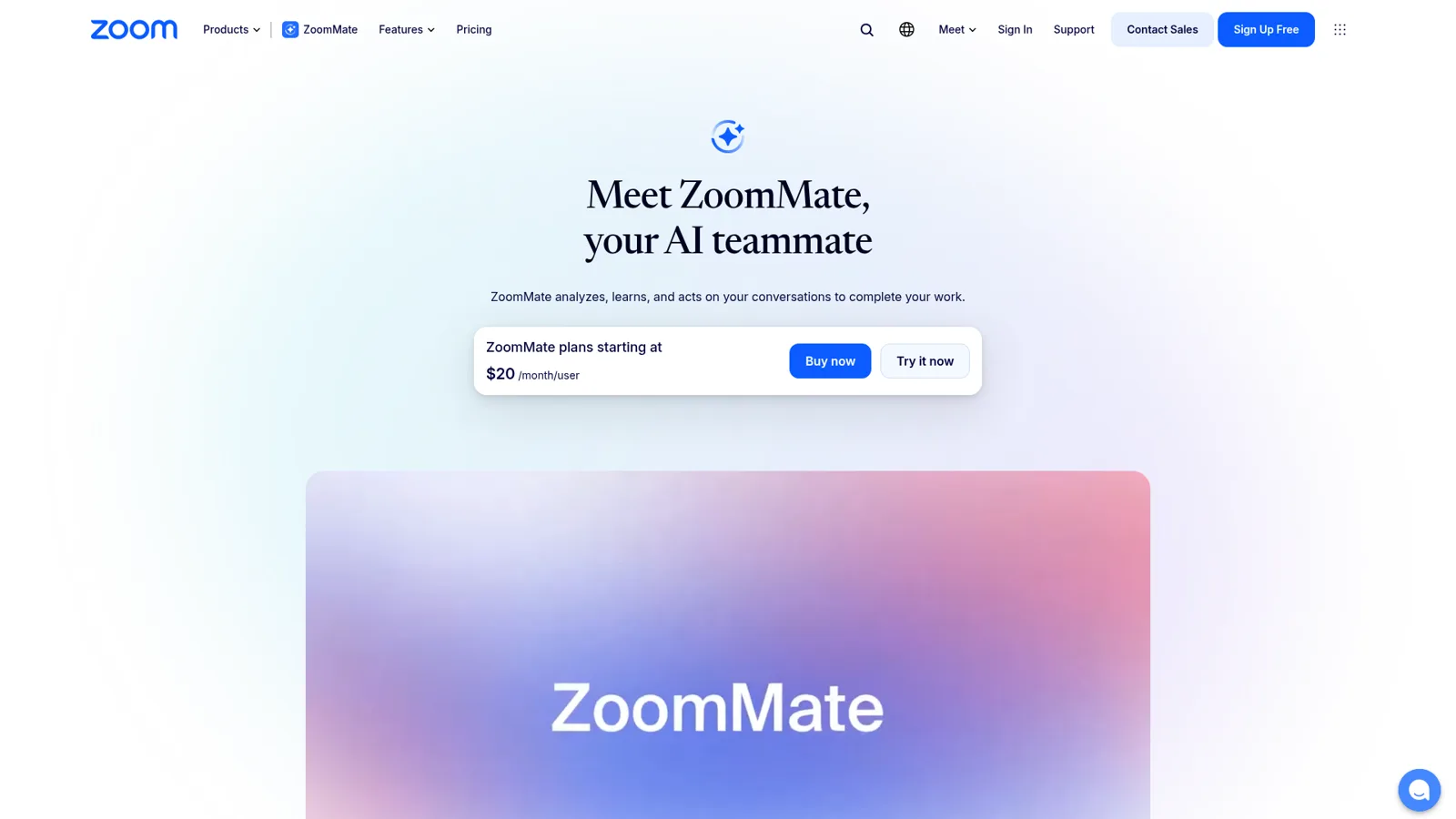
| ZoomMate (optional) | $16.67 per user per month billed annually, or $20 monthly, with 2,200 AI credits (ZoomMate) | Only for the Ask tool, which answers across Zoom and connected apps |
| A Claude account | Free works for directory connectors; Pro is $17 a month billed annually or $20 monthly; Team Standard is $20 a seat billed annually or $25 monthly (Claude pricing) | Anthropic says web connectors "are available for all users" |
So the minimum for one person is a Zoom Pro seat and any Claude account. Full price lists are in my Zoom pricing breakdown and Claude pricing guide.
Which meetings can Claude actually see?
Claude can see a meeting only when Zoom's AI captured it and you either hosted it or were given access by the host. The connector docs put it this way: "You can access meetings you hosted or that the host shared with you, and notes you created or that were shared with you." Video features, like jumping to a moment, also need cloud recording with Smart Recording.
That's the right rule for privacy, and it's also the rule that decides how useful this is for a team. If your manager hosted the planning call and didn't share the assets, your Claude can't read it, even though you were in the room. My Notes, your own AI notes from Zoom, Teams, Meet, Webex or in person, are always yours to read.
What do users run into with the Zoom connector?
The most common complaint on Zoom's own developer forum is that transcripts exist in Zoom but the connector can't reach them, usually because the meeting wasn't cloud-recorded. A thread titled Zoom MCP Connector for Claude opened the day after launch and is still the best record of it. The first poster could download the transcript file from Zoom's web portal and the API, but Claude said there was no recording, so no transcript. Others followed:
"We’re piloting the MCP for Claude integration across our organization and this is blocking wider adoption [...] we have 50+ meetings/month and can’t reasonably cloud-record all of them just to enable Claude access."
"The “hand the assistant my Zoom transcripts and let it summarize / answer questions” flow that’s the obvious value prop of this connector is currently impossible end-to-end on an AI-Companion-only account"
Rob's post lists three symptoms: empty My Notes content, meeting search returning nothing for meetings that exist, and empty chat search. In August another user reported a schema error before transcript text came back, and Zoom staff asked for steps to reproduce it. The thread doesn't say which are fixed, so if your team doesn't cloud-record by default, test the connector on a few real meetings before you plan around it.
It's still a big step up from the old way. Back in 2023, one Hacker News commenter described the manual version of this workflow:
"One of the more useful things I do manually asking these lines is post long zoom transcripts into Claude and have it summarize it and answer follow up questions. I wish Zoom had it built in."

Who controls what Claude may do in Zoom?
Claude has real controls here, at three levels. Per connector, owners on Team and Enterprise can set each tool to Always allow, Needs approval or Blocked for the whole organization, for example letting Claude read meetings while blocking meeting_delete (connectors guide). Per role, Enterprise custom roles can narrow that further by group. And per person, Claude asks before write tools run unless you've chosen Always allow.
On the Zoom side, the connector can only reach what your Zoom account can reach, and a Zoom admin can require approval before anyone installs it.
These controls follow the person using Claude and their role, which is the right shape for a personal assistant. They don't change with who the request is for, because there's only one person in the conversation.
Should you use Claude Meetings or ZoomMate instead?
Neither replaces the connector for Zoom calls, but both are worth knowing about. Anthropic's own note-taker, Claude Meetings, is in beta on Team and Enterprise plans and joins Google Meet calls as a visible participant. Its help page only covers Google Meet, so for Zoom calls the connector is Anthropic's route today. I covered the Meet side in my Claude Meetings post.
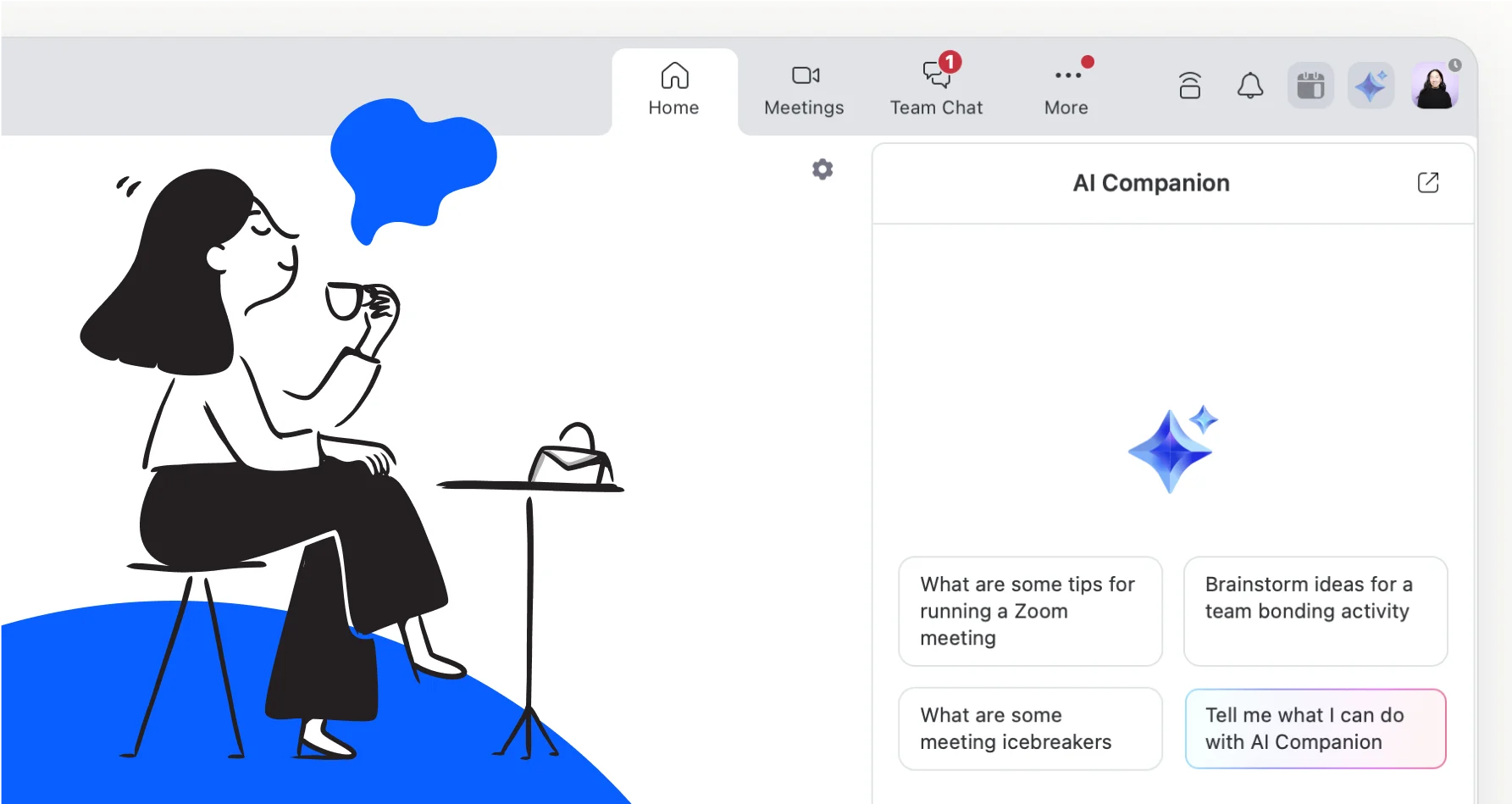
ZoomMate is Zoom's own answer. Zoom folded the old AI Companion features (meeting summaries, transcription, chat compose) into Workplace itself, and ZoomMate is the paid agentic layer on top that writes the follow-up email, updates Salesforce and builds the deck.
A fun detail: Zoom's AI whitepaper says its federated approach uses Zoom-hosted models alongside Anthropic, OpenAI and Google Gemini models. So the real question is where you work. If your day lives in Zoom, ZoomMate is the shorter path; if it lives in Claude, the connector brings Zoom to you. My Zoom AI review goes deeper on Zoom's side, and there's a Slack and Zoom AI guide if your team's questions happen in Slack.
Where does the connector stop?
It stops at the end of your own conversation. The connector is excellent at "help me understand this meeting". Meetings, though, mostly create work for other people, and that work is where things slip:
- The follow-ups nobody owns. Three people heard "someone should send the revised quote". Nobody's Claude is going to send it unless that person remembers to ask.
- "What did we decide?" from someone who wasn't there. The designer who skipped the call asks in Slack on Thursday. Their Claude can't see a meeting they didn't host and weren't shared on.
- The digest nobody writes. A Friday summary of every decision from the week's client calls is a scheduled job for the team, not a chat one person remembers to start.
- The guest in the shared channel. A contractor asks what the client said about budget. The answer is in the transcript, and it shouldn't be handed over just because they asked nicely.
None of that is a flaw. The connector is a personal assistant, and these are team jobs. I've covered Anthropic's shared option, Claude Tag, and Claude for work separately.
How does eesel handle Zoom meetings for a team?
eesel is an AI teammate the whole team shares. It sits in your Slack or Microsoft Teams, connects to Zoom alongside your other tools (it connects to 3,000+ apps), looks things up and takes actions there, and you set each of those actions to On, Ask first or Off.
What changes is who it works for. Claude works for whoever is typing; eesel works for the company, in front of anyone who talks to it, and what it may do depends on who is talking: a teammate, specific people you name, a verified customer or an anonymous visitor. In Zoom terms:
- A teammate asks in Slack "what did we decide about the launch date?" It answers from the meeting, cites where, and offers to draft the follow-up.
- The project lead asks it to send the action items to the client. You've set outbound email to Ask first, so it shows the exact email with Approve and Deny, as a card in that Slack thread.
- A contractor in a shared channel asks what the client said about budget. Meeting notes are set to Team only, so it never hands them over.
- A visitor in your website chat asks anything at all. Your meeting notes are simply not on the table.
The On, Ask first and Off settings, approval cards and Team only are documented on eesel's actions and approvals page. "Your team" means the people on your Team page plus full members of your connected Slack and your Microsoft Teams or Google Workspace users. Only editors can approve, and you choose which members or channels get the requests. You can even say it in chat: "look things up on your own, but ask me before emailing a client."
It also doesn't wait to be asked. Automations start work from a schedule, an event in a connected app or a webhook, so the Friday digest of the week's decisions can arrive in #leadership or by email without anyone opening a chat. Cape Coffee Beans runs exactly this kind of habit on its own tools: 160 scheduled checks in a month, on weekday and Saturday mornings, emailing the founder a short list of what slipped.

Corrections stick through memory, so "always put owners and dates on action items" only needs saying once.
Follow-ups land where the work lives: a Google Doc, a Notion page or an Asana task.
Claude with Zoom vs eesel, side by side
| Claude + Zoom connector | eesel | |
|---|---|---|
| Who it works for | The person typing, through their own Zoom sign-in | The team, as a shared teammate |
| Which meetings it sees | Ones you hosted or were shared on, plus your My Notes | What the team's connection reaches |
| Who can ask it | You, in Claude, Claude Code or Cowork | Anyone in your Slack, Teams, email and other channels you connect |
| What decides what it may do | Your Claude role and tool settings (Always allow, Needs approval, Blocked) | Per action On, Ask first or Off, changing with who is asking; Team only for meeting notes |
| Works without anyone at a keyboard | No, a person starts each chat | Yes, schedules, app events and webhooks |
| Where it answers | Claude | Slack, Teams, email, Google Chat and more |
| Cost | Any Claude plan plus Zoom Workplace Pro from $14.16 a user a month | From $299 a month for 500 credits, unlimited seats (pricing) |
Can you use Claude and eesel together?
Yes, and I'd recommend it: Claude and the Zoom connector for your own prep, a teammate for the shared work. Your eesel workspace is itself an MCP server, so you can add eesel to Claude as a custom connector at https://oracle.eesel.app/mcp and ask "what did eesel do today?" or "have eesel draft the follow-up for the Acme call" from any Claude chat. Editors can change things, viewers get the read side, and anything on Ask first still asks.
If you're comparing other team-shaped options, my best AI teammates roundup covers the field. And if part of your team lives in ChatGPT, the sibling post on the Zoom ChatGPT integration walks through Zoom's plugin there.
Try eesel as your team's Zoom teammate
If the connector has you hooked on asking "what did we decide?", eesel lets the whole team ask it, in Slack or Teams, and does the follow-ups too. Connect Zoom with your other tools, set client emails to Ask first and meeting notes to Team only, and let it send the first Friday digest. The free trial runs 7 days with 100 credits and no card, and the Teammate plan starts at $299 a month with unlimited seats.
