


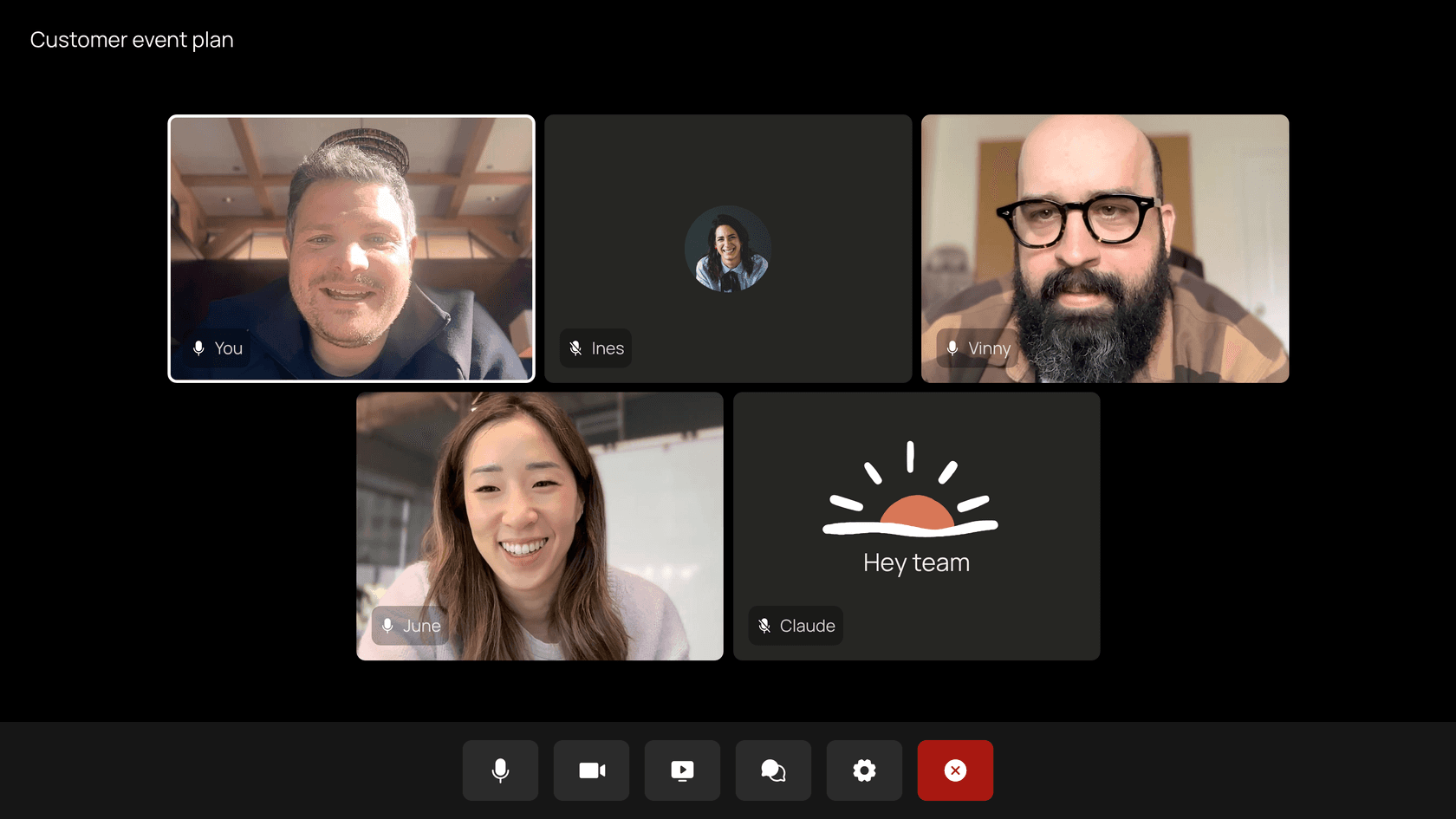
Claude Meetings is Anthropic's beta that puts Claude into your Google Meet calls as a visible participant: you say "Claude" and it answers in the chat, builds a doc or whiteboard while you talk, and leaves notes, action items and a transcript on a meeting page. It's on Team and Enterprise plans only, and the notes are free during the beta. The real decision isn't price, it's the admin defaults: on Enterprise it's off, and it stays out of any call with an outside guest unless you allow it. So treat it as an internal planning tool first, not your customer-call recorder.
If those meetings keep ending with support action items, eesel's AI helpdesk teammate is the one that does them inside your helpdesk, and an AI coding agent can load the agreed policies into it through the eesel CLI, then test answers before anything goes live.
What is Claude Meetings?
Claude Meetings is a feature, announced on November 10, 2026, that lets Claude "join your video calls as a visible participant, follow the conversation and start on work during the meeting," in Anthropic's words. It started rolling out in beta on Team and Enterprise plans on November 12, per the Claude release notes.
I build AI agents for a living at eesel, so the first thing I checked was the mechanism, not the demo. The shift here is that Claude isn't a passive recorder. It shows up as its own tile, it listens for its name, and it can act mid-call: answer a question, start a doc, look something up in your connected tools. The notes are almost a side effect.
It launched in the same week as Claude Whiteboards and Claude Sheets, and that's not a coincidence. Meetings is the room where those artifacts get made with the whole team watching. If you've been following Anthropic's push into workplace tools with Claude Docs and Claude Slides, this is the piece that ties them to the place where decisions actually happen.
How does Claude Meetings work?
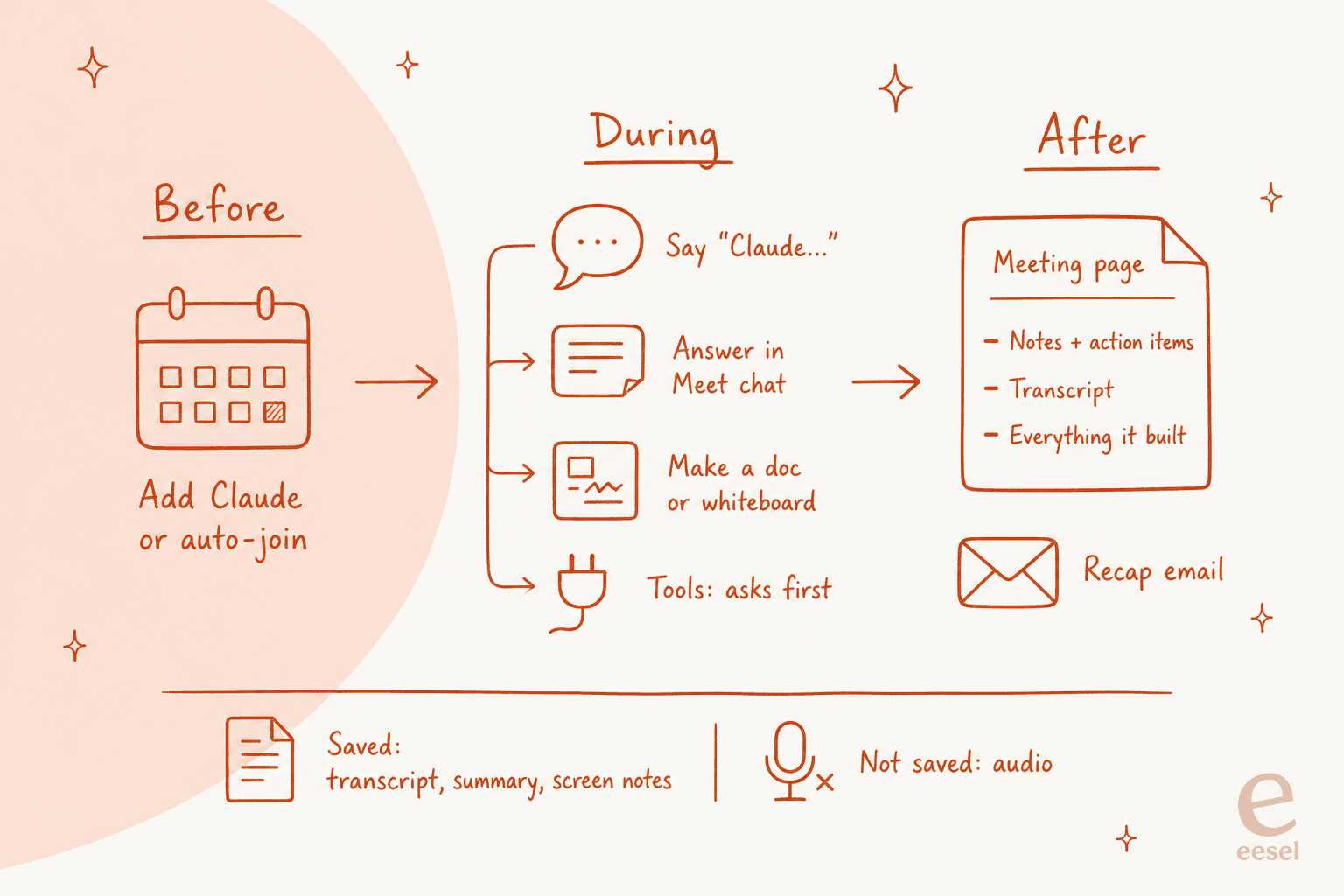
Claude Meetings works in three stages: you add Claude from your calendar, it participates during the call, and everything lands on a meeting page in claude.ai afterward. Here's what each stage looks like, straight from the help center article.
Before the call: add Claude or turn on auto-join
You go to Meetings in Claude, connect your Google Calendar, pick a meeting and click "Add Claude." An owner has to enable Google Calendar for the organization first, so that's step zero for most teams.
Auto-join lives under Settings, Capabilities, Meetings. You can add Claude to all your meetings or all of them except one-on-ones. One detail I like: owners can't set auto-join for you. It's a personal choice, which matters when the thing joining is an AI that writes down what you said.
Claude usually gets in without asking. If the host has to admit it and declines, Claude doesn't retry that call unless someone adds it again.
During the call: talk to it, or ask it to build
You say "Claude" and then the question, or you type it in the Meet chat. By default it answers in writing in the Meet chat, not out loud. That's a sensible default for a bot in a room full of people talking over each other.
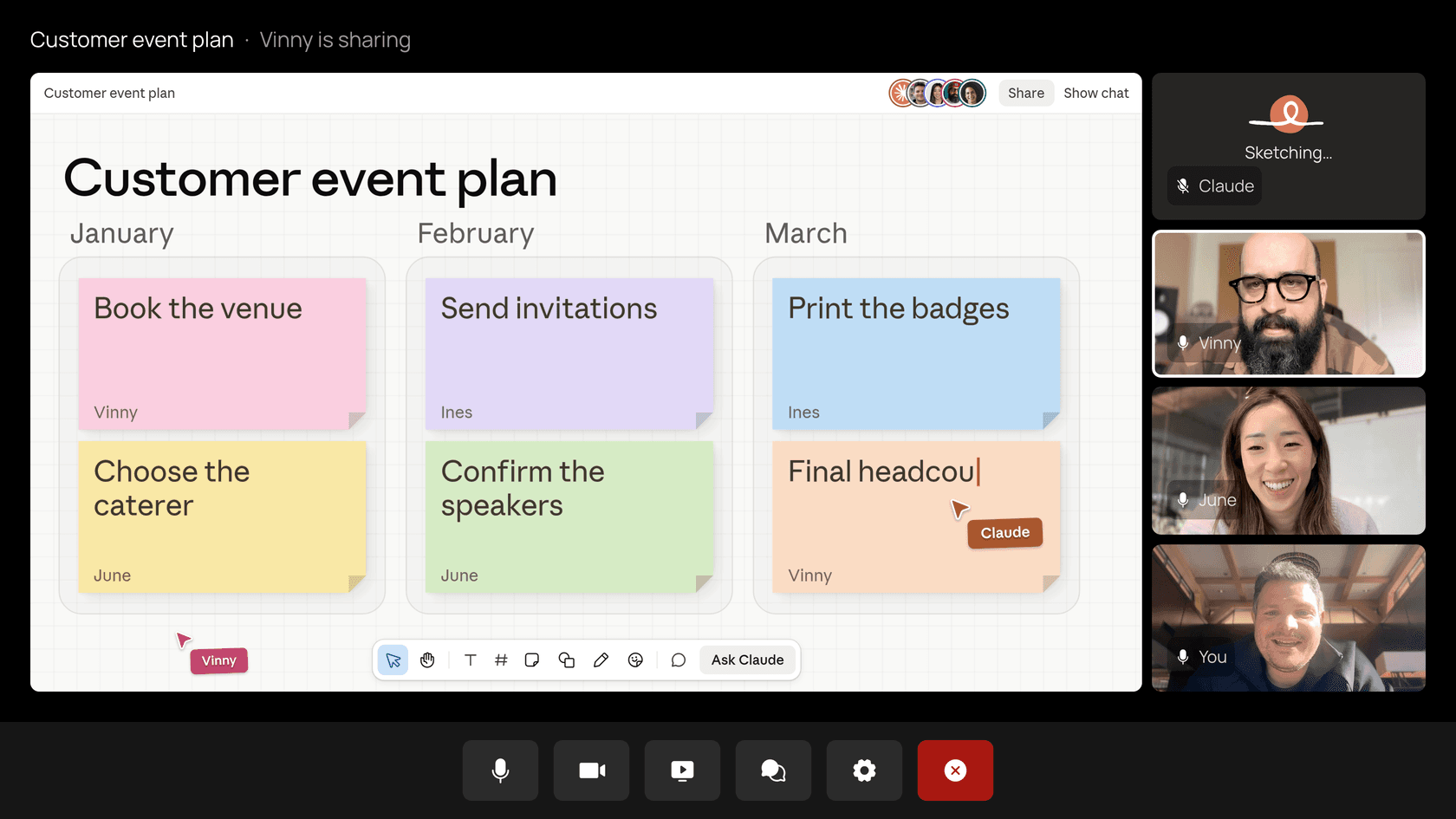
The bigger move is building. "Claude, make a doc" or "Claude, make a whiteboard" creates an artifact attached to the meeting page, and teammates on the invite can edit it while the call keeps going. Anthropic's own example is a team planning a customer event: Claude starts a plan doc, pulls last year's event cost when asked, and moves the timeline onto a whiteboard.
A few mechanics worth knowing before your first call:
- Its tile shows its state. The Claude tile is live and shows what it's doing ("Sketching..." in the screenshot above).
- You can pause it. Ask it to stop listening, or use the meeting page. Resuming is from the meeting page only.
- It has a time limit. Claude can stay for up to eight hours and warns you before it leaves.
- The Meet chat is public. Anything Claude posts there is visible to everyone on the call. The chat on the Claude meeting page is internal to your organization.
Connected tools: it asks first
Claude can use your connected tools during the call, like sending a Slack message. It uses each person's tools with that person's permission. It asks the first time, and a yes applies going forward. For now, when someone asks out loud, Claude asks each time to confirm who's speaking.
That last rule is the right call. Voice is easy to misattribute in a busy meeting, and "Claude, email the client the new price" should never run on someone else's account because their mic picked it up. If you want the plumbing behind this, my post on MCP for customer support walks through how connectors hand tools to a model.
Hacker News readers flagged the same risk the moment it launched:
"It's going to be very tempting to give tool access to these agents because that is the main way they become useful, but the security model of that is challenging."

After the call: the meeting page
When the call ends, the meeting page holds the notes (a summary plus action items), the transcript and everything Claude built. Colleagues from your organization who were on the invite get a recap email with a link. They can see the notes and edit what Claude made, and you can share the page with others inside the organization.
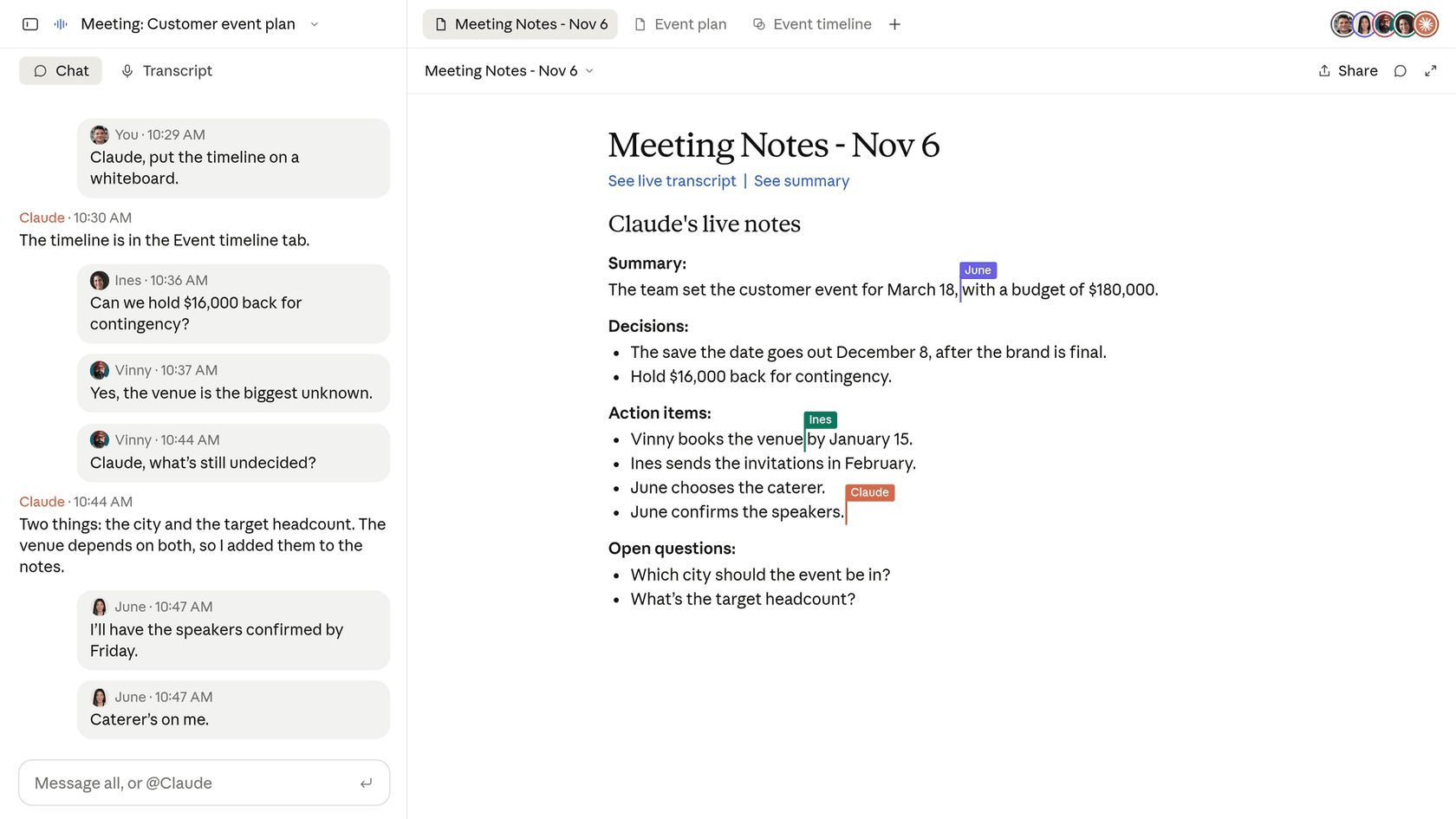
The calendar in Meetings shows past and upcoming calls, and later, in a regular chat, you can ask Claude about past meetings you have access to. That's where this starts to feel different from a transcript archive. Your meetings become context Claude can reason over, the same way Claude's memory builds on old chats.
Who can use Claude Meetings?
Claude Meetings is available on Team and Enterprise plans in Claude and Claude Desktop, and nowhere else. Here are the defaults side by side, from the help center:
| Setting | Team plan default | Enterprise plan default |
|---|---|---|
| Claude Meetings | On for everyone | Off until an owner turns it on |
| Turning it on for part of the org | Not applicable | Custom roles |
| Calls with outside guests | Allowed | Internal meetings only |
| Who manages it | Owners and Primary Owners | Owners, Primary Owners, custom role with Owner access |
| Members' connectors in meetings | Admin setting | Admin setting |
| Video platform | Google Meet only | Google Meet only |
Owners find all of this in Organization settings, Products, Claude Meetings (beta). On Enterprise, the custom roles can carry two separate capabilities: Claude Meetings, and Meetings with external guests.
Three groups can't use it during the beta at all: organizations with zero data retention (ZDR), HIPAA-ready configuration, or customer-managed encryption keys (CMEK). If you're in healthcare or a regulated industry and you've set up Claude that way on purpose, Meetings simply won't appear yet.
And if you're on Free, Pro or Max, you don't get it. The Claude Pro pricing tiers don't include it, even though they include Sheets.
What happens when someone from outside joins?
This is the setting that decides whether Claude Meetings is useful for you, and it's easy to miss. By default, Claude stays out of calls when someone from outside your organization is invited, and leaves if an outsider joins partway through, including another company's notetaker bot.
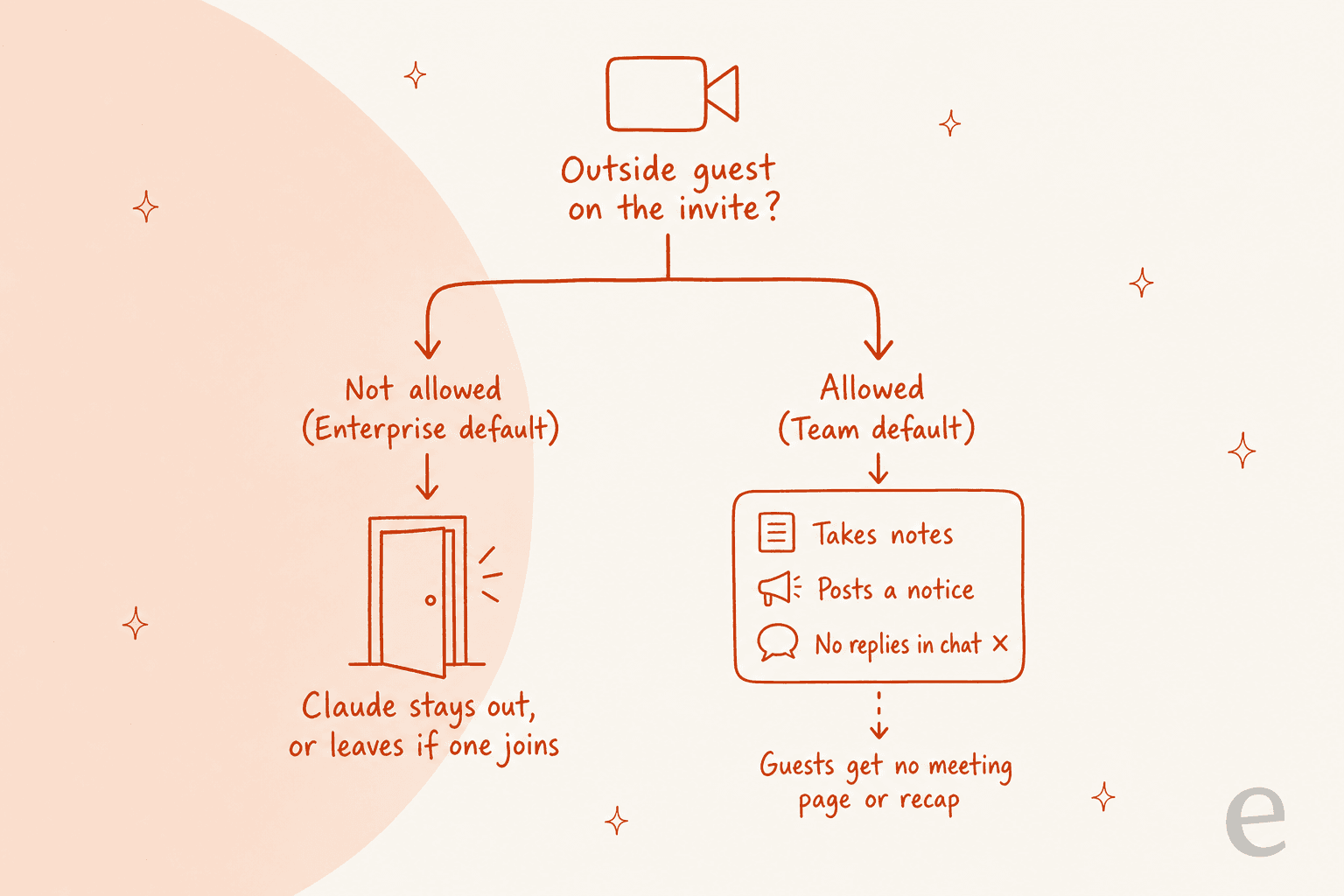
When an owner allows outside guests, Claude changes how it behaves on those calls:
- It listens and takes notes, and posts its notice in the call's chat.
- It doesn't reply in the call's chat.
- What guests say goes into the notes and transcript.
- Live docs, whiteboards and the chat stay on the meeting page, and guests don't get that page or the recap email.
Each person also has their own "Meetings with external guests" setting. So even on a Team plan where it's allowed, someone who doesn't want Claude on their sales calls can switch it off for themselves.
My read: on Enterprise, Claude Meetings ships as an internal planning tool. That's the honest scope. If your team's most important meetings are with customers, prospects or partners, plan on changing the default (and having the consent conversation) before you get much out of it.
The consent question is the one people raised first:
"I wonder what happens if someone on the call says "I do not consent to being recorded by AI". Probably nothing."
Anthropic's answer is procedural rather than technical: Claude appears as a participant, posts a notice, saves a transcript, summary and screen descriptions but not audio, and asks you to make sure everyone is okay with being transcribed before you add it or turn on auto-join. That's on you, not the bot.
How much does Claude Meetings cost?
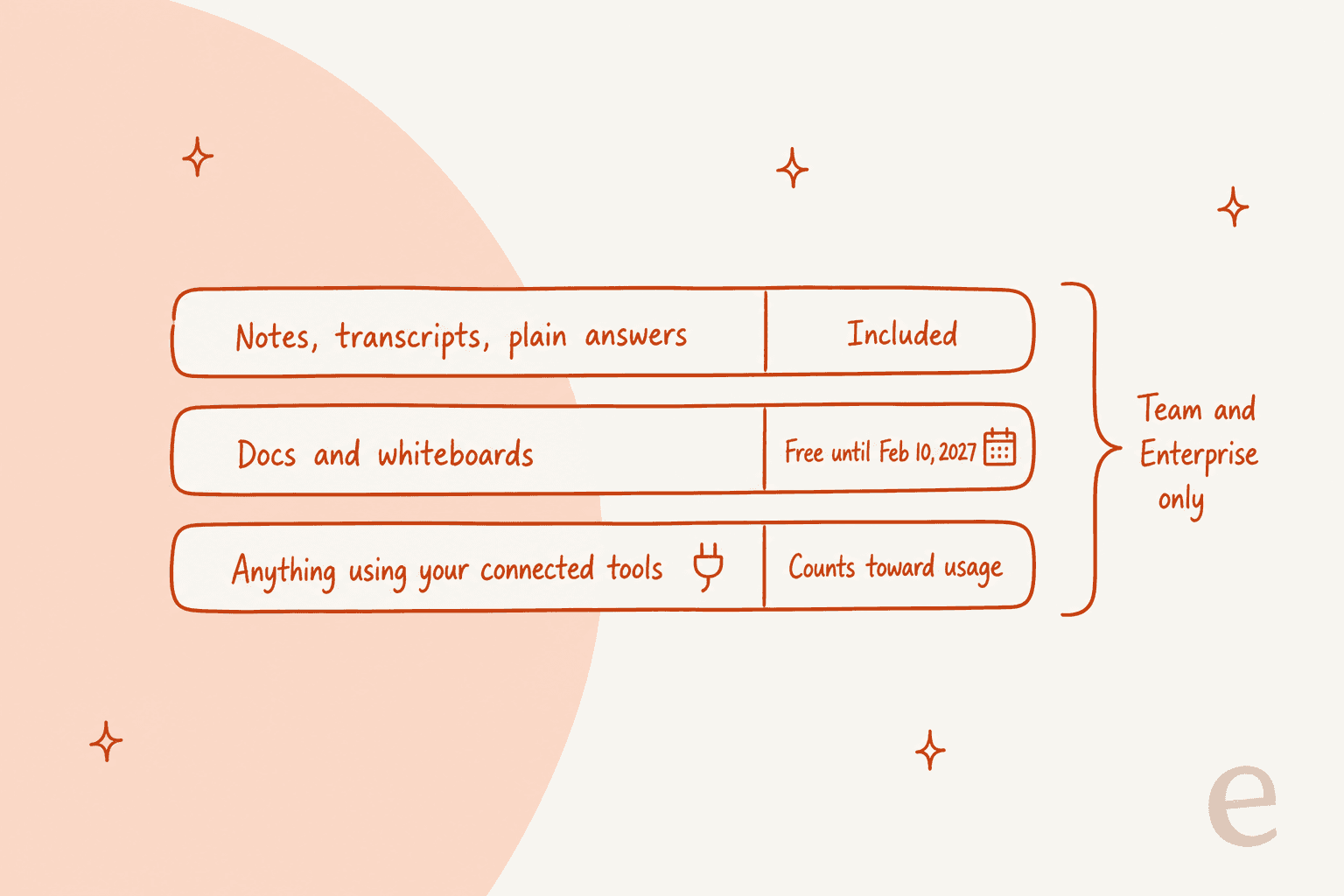
Claude Meetings has no separate price. You pay for the Team or Enterprise plan, and what's free inside the feature depends on what Claude is doing, per the announcement and the help center.
Here's what the plans themselves cost on the Claude pricing page:
| Plan | Price | Seat terms | Claude Meetings |
|---|---|---|---|
| Free | $0 | Individual | Not included |
| Pro | $17/month billed annually, $20 monthly | Individual | Not included |
| Max | From $100/month | Individual | Not included |
| Team, standard seat | $20/seat/month billed annually, $25 monthly | Teams of 2 to 150 | Included, on by default |
| Team, premium seat | $100/seat/month billed annually, $125 monthly | 5x more usage than standard | Included, on by default |
| Enterprise | $20/seat/month billed annually plus usage at API rates | 20 seat minimum | Included, owner turns it on |
The one line to watch is connected tools. Using your connected tools counts toward your own usage and can lead to charges for your organization. On Enterprise, where usage bills at API rates, a meeting where Claude pulls data from three tools is not the same cost as one where it only takes notes. The free docs and whiteboards window also closes on February 10, 2027, so budget for that now rather than in February.
For the full plan picture, my Claude pricing guide breaks down every tier, and the Claude Cowork pricing post covers how agent work eats into usage limits.
Is Claude Meetings a replacement for your AI note taker?
For internal Google Meet calls, mostly yes, and it does more than take notes. For everything else, not yet. Here's how I'd split it:
| Your situation | Claude Meetings today? | Why |
|---|---|---|
| Internal planning on Google Meet | Yes | Notes are free in the beta and it builds the plan during the call |
| Calls on Zoom or Microsoft Teams | No | Google Meet only at launch |
| Sales or customer calls on Enterprise | Not by default | Outside guests are off until an owner allows them |
| Regulated org with ZDR, HIPAA-ready setup or CMEK | No | Excluded during the beta |
| You need the transcript in your CRM or call tool | Partly | Partner hand-off is announced, not live |
That last row matters. Anthropic says it's working with Gong, Attention, Granola, Fireflies.ai, Otter and Plaud so "you'll soon be able to send a meeting's transcript to the tools your team already uses." Soon is doing a lot of work in that sentence. If you rely on Gong for sales coaching or an Otter workflow today, keep it running.
"Surprised otter and others are partnering. This looks like a shot across the bow for them."
If you're shopping for a note taker in the meantime, my Otter alternatives, Fireflies review and meeting notes app posts cover the field.
Slack users can also compare it with Slack AI huddle notes, which does a similar job inside huddles.
One honest caveat on the social side. A participant that talks back is a different thing from a silent recorder, and not everyone likes it:
"I'm okay with calls being recorded or AI transcripts. But this feels wrong because it's an actual participant. I don't want people to start talking to Claude in the middle of a call"
That's worth a two-minute team conversation before you switch on auto-join for everyone.
What does a meeting decide that a meeting can't do?
Here's the part I care about from the support side. Claude Meetings is very good at turning talk into a plan: decisions, owners, a doc, a timeline. It's a planning teammate. It isn't the teammate that then sits in your helpdesk at 2am answering the tickets the meeting was about.
At eesel I see this split every week. A support lead runs a call, the team agrees on new refund wording or when to hand a chat to a person, and someone has to make that real in the queue. Textla, which makes SMS marketing software, keeps one corrections doc where the team writes down what to say differently, and eesel re-learns from it. That's the exact shape of a meeting's action items: a written decision that changes how customers get answered.
SamCart runs one eesel agent on Freshdesk tickets and another on its website chat, answering from 280 help center articles on a plan built for 8,000 interactions a month. Nobody on that team needs a bot in their planning call to keep those first replies going. They need the decisions from the call to land in the agent.
So the two tools fit together. Claude Meetings captures what you decided; an AI teammate in the helpdesk carries it out. If you want Claude itself closer to the queue, my guides on connecting Claude to your helpdesk and Claude for Freshdesk show what works and what still needs a helpdesk-native agent.
For the bigger picture, see my posts on AI teammates and the best AI teammates.
Should your team turn on Claude Meetings?
Yes, if you're on Team or Enterprise, you plan on Google Meet, and most of your meetings are internal. The notes are free, the docs and whiteboards are free until February 10, 2027, and the live-building is a real step past a transcript. Start with one recurring planning meeting rather than auto-join for everyone, and watch how often it reaches into connected tools.
Wait if your calls are on Zoom or Teams, your important meetings involve customers, or your Claude org runs ZDR, HIPAA-ready or CMEK. None of those are permanent blockers, but they're all true in November 2026.
If you're weighing Claude against other suites for this kind of work, my Claude vs Copilot, Claude vs Gemini and Claude collaboration tools posts lay out where each one stands.
For Anthropic's agent that handles longer desktop tasks, my Claude Cowork review is the place to start.
Try eesel for the work that comes out of the meeting
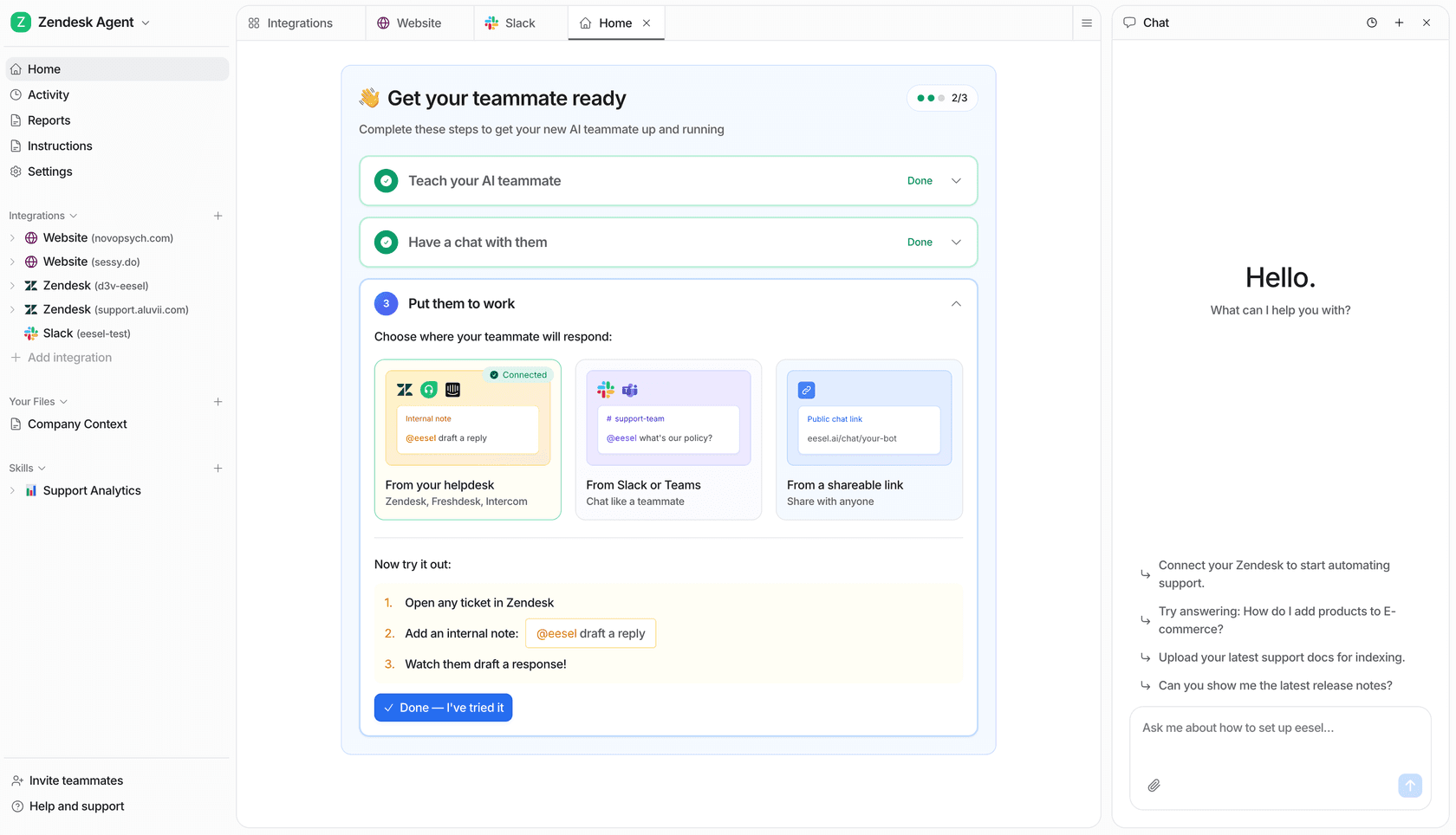
When your Claude meeting page ends with a list of support action items, eesel's AI helpdesk teammate is the one that does them. It plugs into Zendesk, Freshdesk, HubSpot and other helpdesks, learns from your past tickets and help center, and gets tested against historical tickets before it answers a real customer. Change the policy in the meeting, update the agent the same afternoon.
If the meeting was a content plan instead, eesel's AI blog writer is the other teammate on the roster. Check eesel pricing, or try eesel free.