


Disclosure: This article is published by eesel AI, a competitor of Atlassian. We encourage you to read Atlassian's own materials for their perspective.
So, Atlassian is going all-in on artificial intelligence. They're weaving their new AI suite, Atlassian Intelligence, and an AI teammate called Rovo right into the fabric of tools like Jira, Confluence, and Jira Service Management. The promise is a big one: transform how your team works by automating tasks, finding information faster, and generally speeding everything up.
But what is Atlassian AI, really? How does it work, what's the investment, and how can you make it work for your team? This guide will unpack its main features, the pricing structure, and the unique considerations that come with a platform-native tool. We'll also explore how a flexible, specialized AI platform might complement your customer service and IT support setup.
What is Atlassian AI?
Let's clear one thing up: Atlassian AI isn't a single product you buy off the shelf. It's a collection of AI-powered features built directly into their cloud platform. The engine behind it is Atlassian Intelligence, which uses a mix of OpenAI's models and Atlassian's own "Teamwork Graph", a model that understands how your team's projects, goals, and knowledge are all connected. The flashiest new addition is Rovo, which Atlassian is pitching as your new AI teammate.
Rovo is built to help you find, understand, and act on information scattered across your Atlassian tools and other connected apps. It's made up of a few key parts:
-
Rovo Search: Lets you use normal, everyday language to find information in Confluence, Jira, and other places you've connected.
-
Rovo Chat: A conversational chatbot where you can ask questions, get quick summaries, and even generate new content.
-
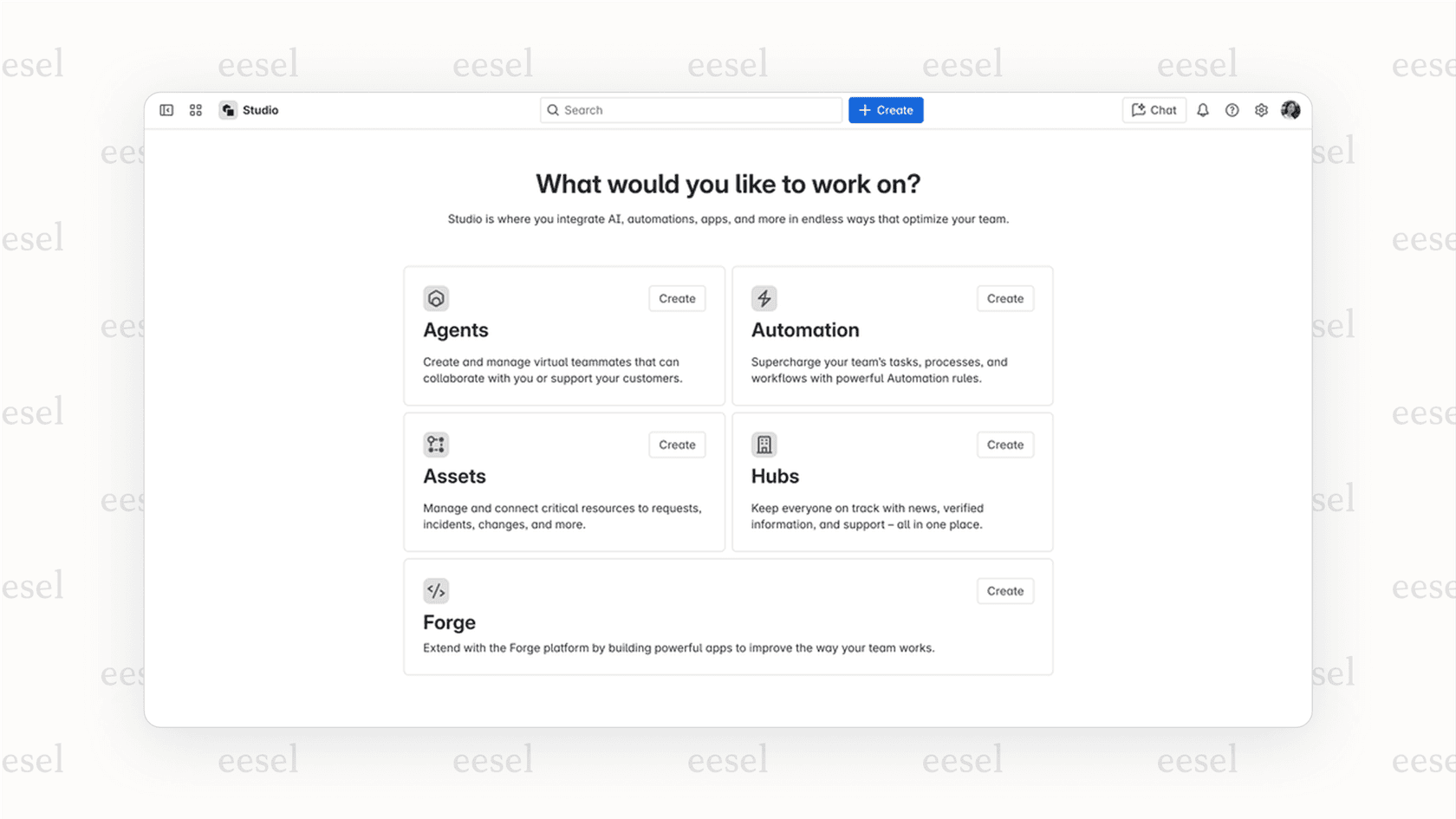
Rovo Agents: These are pre-built or custom AI agents that can handle repetitive tasks, like sorting service tickets or summarizing release notes.
-
Rovo Studio: A low-code/no-code builder that lets you create your own custom Rovo Agents for your team's specific ways of working.
Basically, Atlassian's strategy is to bake AI into the tools your team already has open all day, making it a fundamental part of their ecosystem.
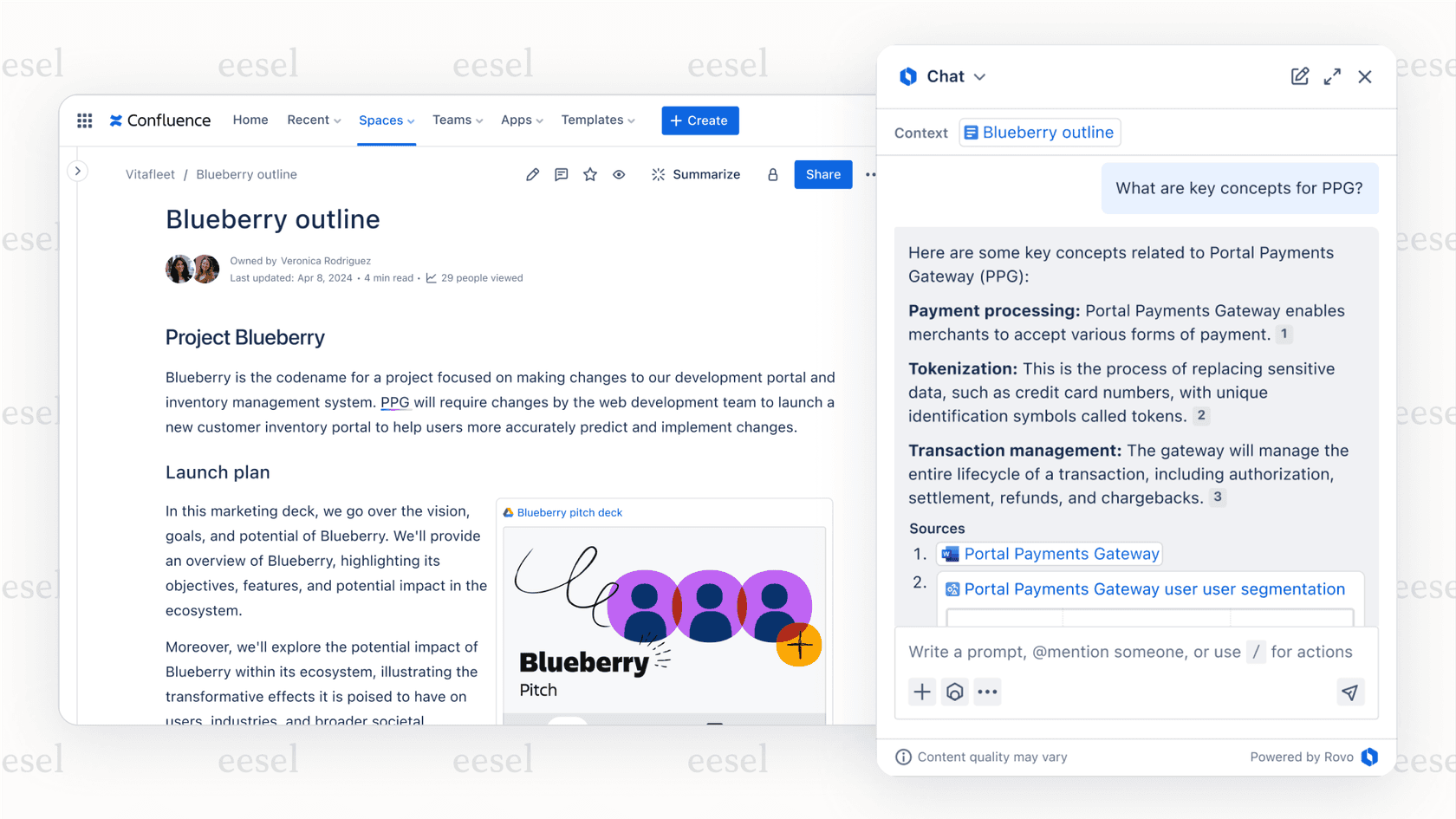
Key features of Atlassian AI across the platform
So what can this AI actually do? Let's look at the key features across Atlassian's main products to see how it might change day-to-day work.
Key features of Atlassian AI in Jira Service Management (JSM)
For IT and support teams using JSM, Atlassian AI adds a few features meant to more efficient delivery:
-
A virtual service agent: This is an AI-powered chatbot that lives in Slack and Microsoft Teams. It can answer common questions by pulling information from your Confluence knowledge base.
-
AI-powered summaries and sentiment analysis: Your agents can get instant summaries of long, complicated ticket histories and see a customer's sentiment at a glance to help them prioritize.
-
Smarter ticket sorting: The AI can suggest the right request type for new tickets and even group similar incidents together to help your team resolve them faster.
These features are a great asset for teams living and breathing JSM. To get the most out of these automation capabilities, it's beneficial to have your team's most important information centralized within Confluence. If your knowledge is currently in Google Docs, old tickets, or other internal wikis, you may find that consolidating that data into the Atlassian ecosystem unlocks the full potential of these AI tools.
The role of Atlassian AI in Confluence and Jira
For everyone else using Atlassian for collaboration and project management, the AI acts more like a personal productivity assistant:
-
Content generation: You can draft pages, write summaries, or quickly change the tone of your writing right inside Confluence.
-
Natural language search: Instead of wrestling with Jira Query Language (JQL), you can just type what you're looking for in plain English to find the issues you need.
-
Task automation: You can have Jira automatically create a list of subtasks from a main issue, which can save time.
Understanding Rovo agents and the benefits of custom Atlassian AI builds
This is where Atlassian's AI starts to get really interesting. Rovo Agents let you automate more complex, multi-step workflows. While Atlassian gives you a few pre-built agents to start with (like one for triaging service requests), the real power comes from Rovo Studio, which lets you build your own.
Building your own agents is a powerful way to tailor the experience to your team. While it can take some focused time to get the triggers, actions, and knowledge sources exactly right, it allows for a highly customized automation experience. For teams looking for a simple, out-of-the-box setup, there are also complementary tools that can help bridge the gap while you build out your Atlassian AI maturity.
Considerations for Atlassian AI as a platform-native tool
The deep integration into the Atlassian ecosystem is one of its greatest strengths, making it a natural choice for teams already using the platform. Here are a few things to keep in mind to ensure you get the best results.
Optimizing within the Atlassian ecosystem
Atlassian AI is exceptionally smart because it understands the connections between your Jira issues, Confluence pages, and code commits through the "Teamwork Graph." To get the most value, it's best to ensure your primary knowledge base is well-maintained within Confluence.
While you can connect external tools, the AI is primarily designed to shine within the Atlassian world. This provides a unified experience for teams that have standardized their documentation. If you have knowledge in Google Docs, Notion, or Slack, you can use a complementary tool like eesel AI to connect all those external sources to your Jira setup instantly without a full migration.
Understanding plan tiers
Atlassian offers its AI features across various cloud plans to suit different team sizes and needs. All paid plans include Rovo, with credit allocations of 25 credits per user per month on Standard, 70 on Premium, and 150 on Enterprise. The more advanced features like the Virtual Service Agent and AIOps tools are included in the Premium and Enterprise tiers.
By opting for a Premium or Enterprise plan, your entire organization gains access to a robust suite of tools that go beyond just AI, including advanced roadmaps and increased storage. For teams that want to focus specifically on support AI without a full tier upgrade, specialized options can provide a targeted alternative.
Ensuring high-quality performance
When letting an AI talk to customers, accuracy is key. Atlassian allows you to implement these features and refine them as your team uses them. This real-time evolution helps the system learn from your specific environment.
For teams that prefer a simulation-heavy approach, you might also consider tools like eesel AI which include a simulation mode. This allows you to test responses against thousands of past tickets in a safe environment before going live, serving as a great companion to your existing Atlassian setup.

Atlassian AI pricing explained
Atlassian AI features are bundled into the existing Jira, Confluence, and JSM cloud plans, making it easy to manage your subscription. As of April 2026, Rovo is automatically enabled for all paid accounts, with credit allocations that vary by tier.
Here's a quick breakdown of who gets what:
| Feature tier | Standard plan | Premium plan | Enterprise plan |
|---|---|---|---|
| Basic AI features | Yes | Yes | Yes |
| Rovo Search | Yes | Yes | Yes |
| Rovo Chat & Agents | Yes (25 credits/user/month) | Yes (70 credits/user/month) | Yes (150 credits/user/month) |
| JSM Virtual Agent | No | Yes | Yes |
| AI Incident Management | No | Yes | Yes |
The Premium and Enterprise plans provide the most comprehensive access to these automation features, including the Virtual Service Agent and higher Rovo credit allocations. This ensures that as your company grows, you have access to the full power of the Atlassian ecosystem.
A complementary solution to Atlassian AI: A flexible, specialized AI platform
If your company runs on the Atlassian stack, Atlassian AI is an excellent fit, offering a convenient way to add AI productivity within a familiar environment.
For teams that have knowledge spread across many different platforms, a specialized tool can act as a great companion. eesel AI is an AI platform designed to work alongside customer service, ITSM, and internal support. It integrates smoothly with your existing tools, including Jira Service Management, Zendesk, Confluence, Google Docs, and Slack.
Here's why it's a helpful option for many support teams:
-
Quick setup: With one-click integrations, you can have a complementary AI agent running in a single afternoon.
-
Connect all your knowledge: eesel AI can learn from your past tickets and external docs simultaneously, bringing more context into your Jira environment.
-
Safe testing: Use the simulation mode to test AI performance on historical data before deployment.
-
Usage-based pricing: Flexible plans allow you to pay based on how much you use the AI, providing a predictable cost for specific support needs.
Is Atlassian AI the right choice for your team's reality?
Atlassian AI and Rovo represent a significant step forward in workplace productivity. For teams that are standardized on Atlassian's cloud platform, it offers a seamless way to boost efficiency in a reliable, enterprise-grade setting.
While Jira remains the gold standard for project management and service delivery, choosing how to implement AI depends on your specific needs. Whether you go all-in on Atlassian's native tools or use a specialized companion like eesel AI, you'll be well-equipped for the future of work.
Ready to see what a flexible AI agent can do for your team? Try eesel AI and see how it works alongside your Atlassian knowledge.
Frequently asked questions
What exactly is Atlassian AI, and what does it include?
Atlassian AI is a suite of AI-powered features deeply integrated into Atlassian's cloud platform, not a standalone product. It includes Atlassian Intelligence, which uses OpenAI models and Atlassian's Teamwork Graph, and Rovo, an AI teammate with Search, Chat, and Agent capabilities.
How does Atlassian AI handle information from tools outside of the Atlassian ecosystem?
While Atlassian AI is optimized for the Atlassian ecosystem through the "Teamwork Graph," Rovo connectors let you link 30+ external tools including Google Drive, Slack, and GitHub. It works best when your core project and team data are centralized within Atlassian.
What are the main features of Atlassian AI for teams using Jira Service Management?
For JSM teams, Atlassian AI offers a virtual service agent for common questions, AI-powered summaries and sentiment analysis for tickets, and smarter ticket sorting. These features are highly effective when used with knowledge stored within Confluence.
Are there any additional costs associated with accessing the full features of Atlassian AI?
Rovo is included in all paid plans with credit allocations of 25 (Standard), 70 (Premium), or 150 (Enterprise) per user per month. The Virtual Service Agent and advanced AIOps tools require Premium or Enterprise. Overage billing for Rovo credits is not currently active.
What is the primary difference between Atlassian AI and a specialized AI platform like eesel AI?
Atlassian AI is a powerful platform-native solution that excels within its own ecosystem. Specialized platforms like eesel AI act as a complementary option for teams with diverse knowledge sources, offering quick setup and granular testing capabilities that work alongside your existing tools.