Yes, Klaviyo has an official ChatGPT integration: the Klaviyo app for ChatGPT, which you connect from ChatGPT's Apps section, call with @Klaviyo, and use to see campaign and flow performance as tables and cards, get next-step advice, draft campaigns, create flows, lists and segments, and send campaigns after you confirm. Only a Klaviyo Owner, Admin or Manager can connect it, and it runs on the same Klaviyo MCP server that powers the Claude connector.
It's a great fit for the person who runs Klaviyo and wants answers on their phone between meetings. It's a weaker fit for the questions a marketing team actually trades all week, because the app answers whoever is signed in to ChatGPT. The founder asking "did the VIP drop beat last year?" in Slack, the CX lead checking whether a customer is still on the SMS list, the agency asking for this week's numbers: each needs their own ChatGPT account and their own manager-level Klaviyo login.
That's where eesel comes in. It's an AI teammate that connects to Klaviyo once and works for the whole team in Slack, Teams and email, and what it may do changes with who is asking: the marketing lead can have it create a draft campaign, everyone else gets read-only answers, nothing goes to customers without a person's approval, and profile data is never handed to a website visitor. If you build with Codex, the eesel CLI lets it connect your apps, upload your brand and offer docs, and ask test questions before anyone else sees an answer.
I've spent a long time on one question at eesel: when an AI can act inside a company's tools, what may it do alone, what waits for a yes, and what must it never show a customer? Klaviyo makes that question very concrete, since one wrong click there reaches your whole list.
What does the Klaviyo ChatGPT app do?
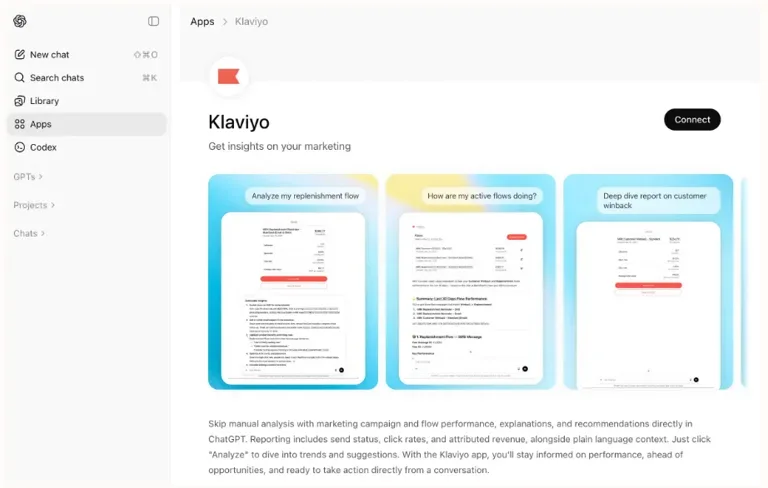
The Klaviyo ChatGPT app shows your Klaviyo performance inside ChatGPT and takes actions there when you allow it. Klaviyo's launch post describes it as "a new way for marketers to access, understand, and act on their Klaviyo data directly inside a conversational AI environment," and co-CEO Andrew Bialecki said it "lays the foundation for deeper capabilities," starting with campaign creation.
What sets it apart from a plain MCP connection is the interface. Ask about campaigns and you get an interactive table, not a wall of text. Per Klaviyo's help article:
- Campaign tables show sends and deliveries, open and click rates, attributed revenue for a conversion metric like Placed Order, and status (sending, sent, scheduled).
- Detail cards open when you select a row: delivery rate, conversion value or rate, average order value and revenue per recipient.
- Analyze campaign and Analyze trends buttons ask ChatGPT for a summary and next steps on one campaign or the whole table.
- Flow tables work the same way, with Analyze flow and a message-by-message breakdown on request.
Under the hood it's the same MCP server pattern as any connector. Beyond the built-in views, "you can use natural language to request MCP-supported tasks, even when the ChatGPT app does not include a specialized UI for that task," like "Draft a new email campaign using last week's offer." Those requests return results in the conversation.
Because ChatGPT runs on your phone, Klaviyo points out that this "effectively unlocks mobile access to key Klaviyo insights for the first time." For a marketer checking a Black Friday send from the train, that alone is worth the setup.
How do you connect Klaviyo to ChatGPT?
You connect Klaviyo to ChatGPT in four steps, then call it by name. From Klaviyo's help article:
- Open a ChatGPT interface where apps are supported.
- In the sidebar, browse apps and select Klaviyo.
- Sign in to Klaviyo, confirm the account, review the permissions and select Allow.
- Start a new conversation, type @, pick Klaviyo, and ask something like "how did my campaigns perform this week?"
There's a second route for people with more than one Klaviyo account. Klaviyo's developer docs describe turning on Developer mode under Settings > Apps > Advanced settings, then creating one app per account pointing at https://mcp.klaviyo.com/mcp with OAuth. On the OpenAI side, full MCP support with write actions is listed for ChatGPT Business and Enterprise/Edu on the web, and in a Business workspace "Only admins and owners can create and publish plugins for custom MCP servers" (OpenAI Help Center).
| Klaviyo app | Developer-mode custom app | |
|---|---|---|
| Accounts per connection | One | One per app, as many apps as you need |
| Interface | Tables, detail cards, Analyze buttons | Text results in the conversation |
| Setup | A few clicks from Apps | Paste the server URL, choose OAuth, approve |
| Who sets it up | Any user with apps, plus a Klaviyo Owner, Admin or Manager | On Business, a ChatGPT admin or owner |
| Best for | A brand's own marketer | Agencies and multi-brand groups |
Either way, OpenAI's own rule applies: "ChatGPT may ask for approval before reading information or completing an action" (Connected apps).
Before you let ChatGPT send a campaign
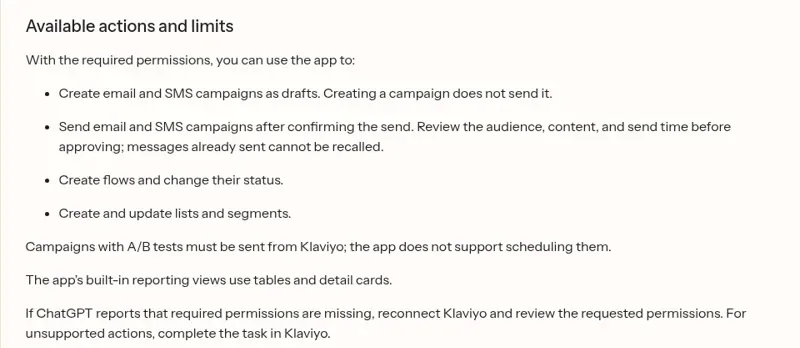
The Klaviyo ChatGPT app can send real email and SMS, so read its limits before your first "go ahead." Klaviyo lists them in plain terms:
Here's what I'd keep in mind, in order of how much each could hurt:
- A send can't be taken back. Klaviyo says to "verify the audience, content, and send time, because sent messages cannot be recalled." Creating a campaign only saves a draft, which is the safe default.
- The permissions are broad. The app asks for 29 OAuth scopes, almost all "read and write", from campaigns and profiles to coupons and data privacy, per Klaviyo's ChatGPT FAQ. "A permission does not mean every action on that type of data is available in ChatGPT," but it's still a lot to approve in one click.
- Profile data leaves Klaviyo. The app can read "email addresses, phone numbers, and custom profile properties." Klaviyo's advice is blunt: "Do not store highly sensitive information in custom profile properties."
- Training depends on your plan. The same FAQ says OpenAI doesn't train on Enterprise, Team or Education data, while on Plus or Pro "OpenAI may use your interactions and connector data to train its models" unless you opt out.
- Some sends stay in Klaviyo. "Campaigns with A/B tests must be sent from Klaviyo; the app does not support scheduling them."
- Tables cap at 20 rows. Ask for a specific campaign, flow or date range when you have more.
The underlying MCP server has also grown up quickly. In April, a marketer on Klaviyo's forum asked for template tools:
"I can't seem to figure out how to get email templates related to an email campaign via MCP server tools. Claude and Chat GPT say it's not possible via the MCP server."
Klaviyo's community team "heard back from the MCP team that they are already working on this request," and the tools list now includes list_email_templates, update_email_template and clone_email_template. A December 2025 thread asking for flow-level numbers said the server "still seems a little behind on the capability scale" (cameronrose, Klaviyo Community); get_flow_report and get_flow_message are on the list today. If an older thread says the app can't do something, check the tools page before you believe it.
What does it cost?
The Klaviyo app is free to add. Klaviyo's MCP launch post says the server is "available to all Klaviyo customers," so the cost is your ChatGPT plan plus your Klaviyo plan:
| Plan | Price (checked 17 Nov 2026) | Worth knowing for Klaviyo |
|---|---|---|
| ChatGPT Free | $0 | Apps availability depends on plan and interface (ChatGPT pricing) |
| ChatGPT Plus | $20/month | Klaviyo data may be used for training unless you opt out |
| ChatGPT Pro | From $100/month | Same training default as Plus |
| ChatGPT Business, Standard seat | $25/user/month, or $20 billed annually | No training on your data; admins control apps (OpenAI) |
| Klaviyo Email | From $20/month | 500 active profiles, 5,000 emails (Klaviyo pricing) |
| Klaviyo Marketing | From $25/month | $1 for the first month on eligible accounts right now |
If more than one person needs the app with training off, that points to ChatGPT Business, at two seats minimum. My apps in ChatGPT pricing guide covers the rest.
Klaviyo's own AI: Composer and Customer Agent
Before you wire ChatGPT into Klaviyo, know that Klaviyo has its own AI inside the product, branded K:AI. The Klaviyo AI page describes two agents: Composer, which you tell "what you're trying to achieve, and it'll build the audience, draft the content, and map out the send strategy," and Customer Agent, which answers shoppers and can "find the order, check the status, and send an update automatically."
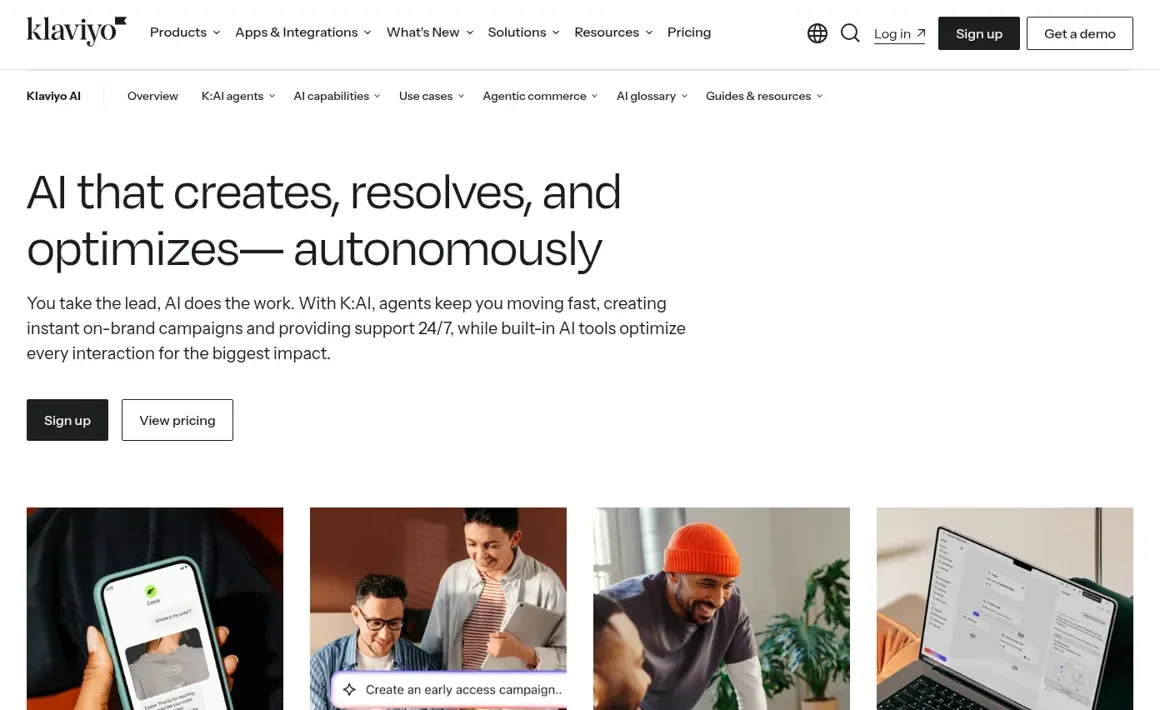
Klaviyo's free plan includes "$10 of Composer usage per month" and "Customer Agent with 10 resolutions per month." I'd reach for Composer when you want the AI inside Klaviyo's editor, and the ChatGPT app when you already think in ChatGPT and want Klaviyo data there. My Klaviyo AI review goes deeper on both.
When the questions come from the whole team
The Klaviyo ChatGPT app is built for one person at a time. OpenAI does have a team product: workspace agents on Business and Enterprise can connect to apps and custom MCP servers, live in Slack, run on a schedule, and set write actions to "Always ask" by default (OpenAI Help Center). That's a real option for a Monday report in a Slack channel, and I cover the Slack side in ChatGPT in Slack.
What those controls follow is the agent and its builder: its connections and approval settings are set once per agent, and they don't change with who in the channel is asking. They also aren't built to answer your customers in your own channels.
eesel is built for exactly that mix. It's a general AI teammate that works in the apps your team already uses, takes requests from anyone who talks to it there, and does the work inside those tools. Klaviyo is one of the 3,000+ apps it connects to: connect it once, and it looks things up and takes actions in Klaviyo, with each action set to On, Ask first or Off. Pick a person to see how the same question lands:
"Can you set up the VIP early-access email for Thursday?" Who's asking?
The marketing lead, in Slack
eesel builds the campaign in Klaviyo as a draft with the VIP segment attached, then posts an Approve and Deny card in the thread for the send. Nothing reaches a customer until she taps Approve.
A designer, in Microsoft Teams
Read-only. eesel shares last year's VIP results and the best-performing subject lines, and says the draft itself is the marketing lead's call.
A verified customer, by email
eesel can tell a customer about their own record if you allow it, such as whether they're subscribed. It never shares campaign plans or anyone else's data.
An anonymous visitor, in the website chat
No Klaviyo profile data at all. The visitor gets your public offer and a signup link.
You set those rules by saying them ("anyone can ask for numbers, only Maya can create campaigns, ask me before anything sends") or per action in the dashboard. Ask first shows the exact action with Approve and Deny in the dashboard, as a card in the Slack thread the run started from, or by email, and only editors approve. The per-person and per-audience settings for named people, verified customers and anonymous visitors are live, and actions tagged Team only never run for anyone outside your team.
The Friday digest nobody has to ask for
eesel's automations start work on a schedule, on an event in a connected app, or from a webhook. A Friday 4pm job can post the week's campaign revenue, the best and worst flow, and anything with a falling click rate into #marketing or a Microsoft Teams channel. Tell it once to "always compare against the same week last year," and memory keeps that for every digest after.
Agencies get the most out of this. Amagency runs four brands through one eesel agent, which works out the brand before it reads that brand's rules, and each weekday at 9am Sydney time it reviews the workspace and emails a note to the team. Swap the helpdesk for four Klaviyo accounts and you have a per-client Monday report the account managers never have to request. More stories like it are on the customers page.

Klaviyo ChatGPT app or eesel?
They answer different questions, so here's how I'd split them.
| Klaviyo app for ChatGPT | eesel with Klaviyo | |
|---|---|---|
| Who it answers | The ChatGPT user who connected it | Anyone your rules allow, from one connection |
| Who can connect it | A Klaviyo Owner, Admin or Manager | Set up once by your team |
| Who approves a send | The same person, in the chat | Editors you choose, by Slack card, dashboard or email |
| Multiple Klaviyo accounts | One app per account in developer mode | Connect each account and say which one per request |
| Runs on a schedule | Through ChatGPT scheduled tasks or a workspace agent | Built-in schedules, app events and webhooks |
| Customer-facing | Not designed for it | Verified customers and visitors get their own rules |
| Cost | Included with ChatGPT and Klaviyo plans | From $299/month for 500 credits, unlimited seats (pricing) |
eesel has a free 7-day trial with 100 credits and no card, and unlimited agents and seats on every plan.
Can you keep ChatGPT and add eesel?
Yes. Keep the Klaviyo app for your own analysis and the quick phone check, and give the team a teammate for the shared asks. eesel's own apps for ChatGPT are being listed in ChatGPT's app directory, so you'll be able to ask "what did eesel post to #marketing today?" from a ChatGPT conversation, with editors able to change things and viewers on the read side. Until then, the Claude connector or the CLI's eesel chat gets you there, and Codex can set the whole thing up from a repo.
For the Anthropic side of the same question, read my Klaviyo Claude connector guide.
For the broader setup, see ChatGPT for e-commerce, ChatGPT at work, and my roundup of AI marketing automation tools.
My take
- Install the Klaviyo ChatGPT app if you run Klaviyo yourself and like ChatGPT. It's one of the more useful AI tools for email marketing right now. The reporting cards are the nicest Klaviyo view I've seen outside Klaviyo, and the mobile access is a real perk. Use a Business plan if customer data is involved.
- Use developer mode if you're an agency or multi-brand group, one app per account.
- Try Composer if you'd rather keep AI inside Klaviyo's editor.
- Add eesel, one of the best AI teammates for this job, when Klaviyo questions come from the whole team and from customers, when the weekly report should arrive without a prompt, or when sending has to wait for the right person's yes. It also pairs with eesel's e-commerce agent and Shopify integration on the store side.
Try eesel as your team's Klaviyo teammate
The Klaviyo ChatGPT app is a strong tool for the person who owns Klaviyo. eesel brings the same numbers to everyone else, in Slack, Teams and email, with drafts for the people who should draft and approvals before anything sends.