Yes, Mailchimp has an official ChatGPT integration: Intuit's Mailchimp app (listed in ChatGPT's directory as the Intuit Mailchimp plugin), which turns a plain-language goal into a multichannel campaign plan built from your Mailchimp history, then drafts campaigns you export to Mailchimp. It plans and prepares. It doesn't send, and Mailchimp says there's no extra cost to use it.
Think of it as a strategist that lives in one person's ChatGPT. That's great for the marketer who owns the account. It's a weaker fit for the questions a marketing team actually trades, like the founder asking "how did Tuesday's newsletter do?" in Slack, or the sales lead wanting this month's best-performing campaign, because each of them needs their own ChatGPT and their own Mailchimp access to ask.
eesel is the team version. It's an AI teammate that connects to Mailchimp once and answers the whole team in Slack, Teams and email, and what it may do depends on who is asking: marketers get numbers and drafts, a send waits for the marketing lead's approval, and subscriber data never goes to a visitor in your website chat. If you use Codex or Claude Code, the eesel CLI lets it connect Mailchimp, load your brand guide and past campaign briefs, and ask test questions before your team sees an answer.
I've spent years at eesel working on one question: when an AI acts inside a company's own tools, what may it do on its own, what waits for a yes, and what must it never show a customer? Email marketing is where that question bites hardest, because one send reaches your whole list.
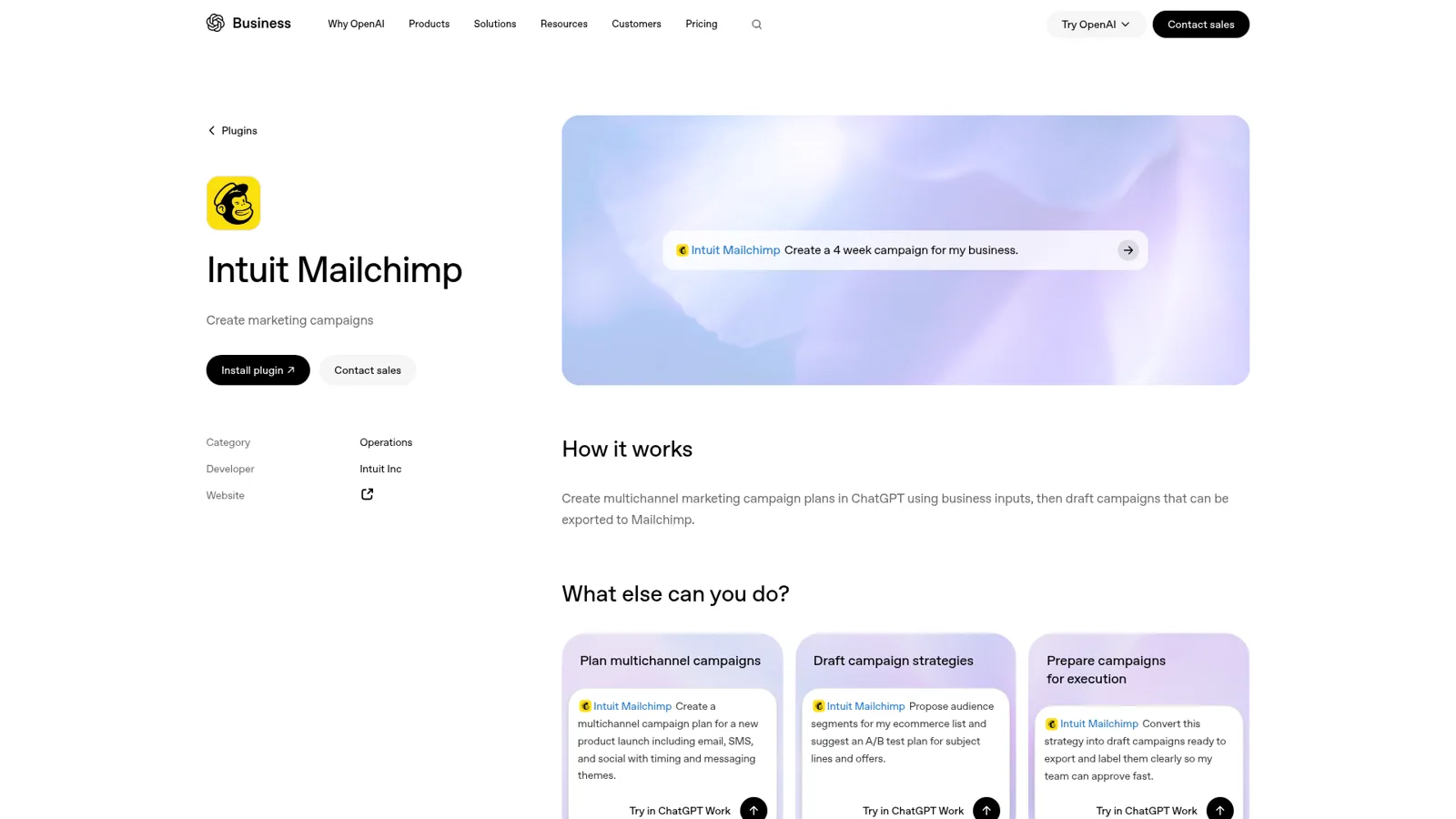
What does the Mailchimp app in ChatGPT actually do?
The Mailchimp app in ChatGPT builds campaign strategy. Mailchimp's own ChatGPT guide calls it "a personal AI CMO" and describes the output for a prompt like "I need a post-holiday retention plan for lapsed buyers":
- Channel recommendations, a mix of email, SMS and social for the goal.
- Timing, with specific send days and times "based on when your audience (or your industry's audience) is most likely to engage."
- Audience targeting, as "conceptual audience segments" such as "high-value lapsed buyers."
- Content direction, with outlines, messaging angles and copy starting points per campaign.
Where it gets its numbers depends on who you are. If you connect a Mailchimp account, "the app pulls from your actual campaign history," looking at what you sent and how it performed. If you're new, it asks a few questions, predicts your industry and applies Mailchimp's "proprietary aggregate data, drawn from millions of campaigns across thousands of industries." That second path is unusual. Most ChatGPT apps are useless until you have data in the tool, and this one gives a brand-new sender a plan on day one.
OpenAI's plugin listing sums up the end of the flow: "Create multichannel marketing campaign plans in ChatGPT using business inputs, then draft campaigns that can be exported to Mailchimp." The plugin ships two skills, explain-campaign-performance and plan-my-next-campaign, and one of OpenAI's example prompts reads "Convert this strategy into draft campaigns ready to export and label them clearly so my team can approve fast." That last phrase is telling. The approval still happens with people, in Mailchimp.
Mailchimp's VP of Product framed where this is heading when she launched Mailchimp's in-product agent:
"Analytics AI lays the foundation for a fully agentic experience where Mailchimp plans, builds, and executes campaigns autonomously based on what's working for your business."
Today, though, the ChatGPT app is the planning half of that sentence.
How do you add Mailchimp to ChatGPT?
You add it from ChatGPT's plugin directory in a minute or two. ChatGPT now calls these plugins (bundles of connected apps and skills), so if an older guide says "Apps," it's the same place. Per OpenAI's plugins help article:
- Open Plugins in the ChatGPT sidebar and search for Mailchimp (the listing is "Intuit Mailchimp").
- Select it, review the included app, and choose Install plugin.
- Connect your Mailchimp account when prompted, or skip that and start as a new user.
- In a chat, type @ and pick Intuit Mailchimp, or just describe the campaign you need, since "ChatGPT automatically uses your installed plugins when they're relevant."
Then ask for a plan, push back ("make this email only," "move the launch a week"), and ask it to prepare the drafts. Mailchimp's guide says you can "iterate within the same conversation until your strategy is where you want it." My how-to on installing plugins covers the screens in more detail.
Who can use it?
Availability has moved fast, and Mailchimp's own pages don't all agree, so here's the trail:
| Source | What it says |
|---|---|
| Intuit launch post (early 2026) | Live "for all logged-in ChatGPT Free, Plus and Pro accounts," web and mobile, in the US |
| Mailchimp newsroom, 28 May 2026 | "Now available in Claude and ChatGPT for users in the US, Canada, UK, and Australia" |
| Mailchimp's ChatGPT guide | "No additional cost" and "you don't need to be on a specific plan" |
| Mailchimp AI tools FAQ | Connectors for ChatGPT, Claude, Perplexity, Codex and Google Workspace "are also available on Standard and Premium plans, subject to plan and eligibility requirements" |
My read: anyone in those four countries can try the planner, and the parts that read your own account are aimed at Standard and Premium. On a ChatGPT Business or Enterprise workspace, OpenAI adds that "availability depends on the plugin, your plan, and workspace settings," and an admin may need to turn it on.
What it doesn't do (yet)
The Mailchimp ChatGPT app is a planner, so a few things live elsewhere. None of this is a knock on it. It's just useful to know before you promise your boss "ChatGPT runs our email now."
- It doesn't send or schedule. Drafts are exported to Mailchimp, and you review, schedule and send there.
- It doesn't hand ChatGPT your list. Mailchimp says connecting "simply allows the app to read your campaign performance so it can give you better recommendations." Segments in the plan are "conceptual," which you then build in Mailchimp.
- There's no developer MCP for your account. Mailchimp's developer MCP server "searches documentation, not your Mailchimp account." To act on an account you call the Marketing API yourself.
- Region matters. Outside the US, Canada, the UK and Australia, you won't see it yet.
On data, Mailchimp is clear: it "has a dedicated agreement with OpenAI, ensuring that customer data is not used to train their models."
Mailchimp's guide also hints at what's coming: "As the app evolves, expect deeper integration with your Mailchimp account, more granular audience mapping, and expanded content generation capabilities." The Claude version already exposes more editing tools (see below), so I'd expect the ChatGPT side to catch up.
Mailchimp's own AI: Intuit Assist and Analytics AI
Before you route everything through ChatGPT, know that Mailchimp has two AI features inside the product, and for some jobs they're the better tool.
Intuit Assist is the generative layer in the editor: "Write with AI," send-time and send-day optimization, and pre-built flows with AI-written emails. Mailchimp's plan comparison says it's in beta "for certain users with Premium, Standard and Legacy plans in select countries in English only," at no additional cost for now.
Analytics AI is a chat box on your Mailchimp dashboard that answers performance questions. Mailchimp's help article lists starters like "Which automations are driving the most revenue?" and says each answer includes a "How it was calculated" section with the date range and data sources.
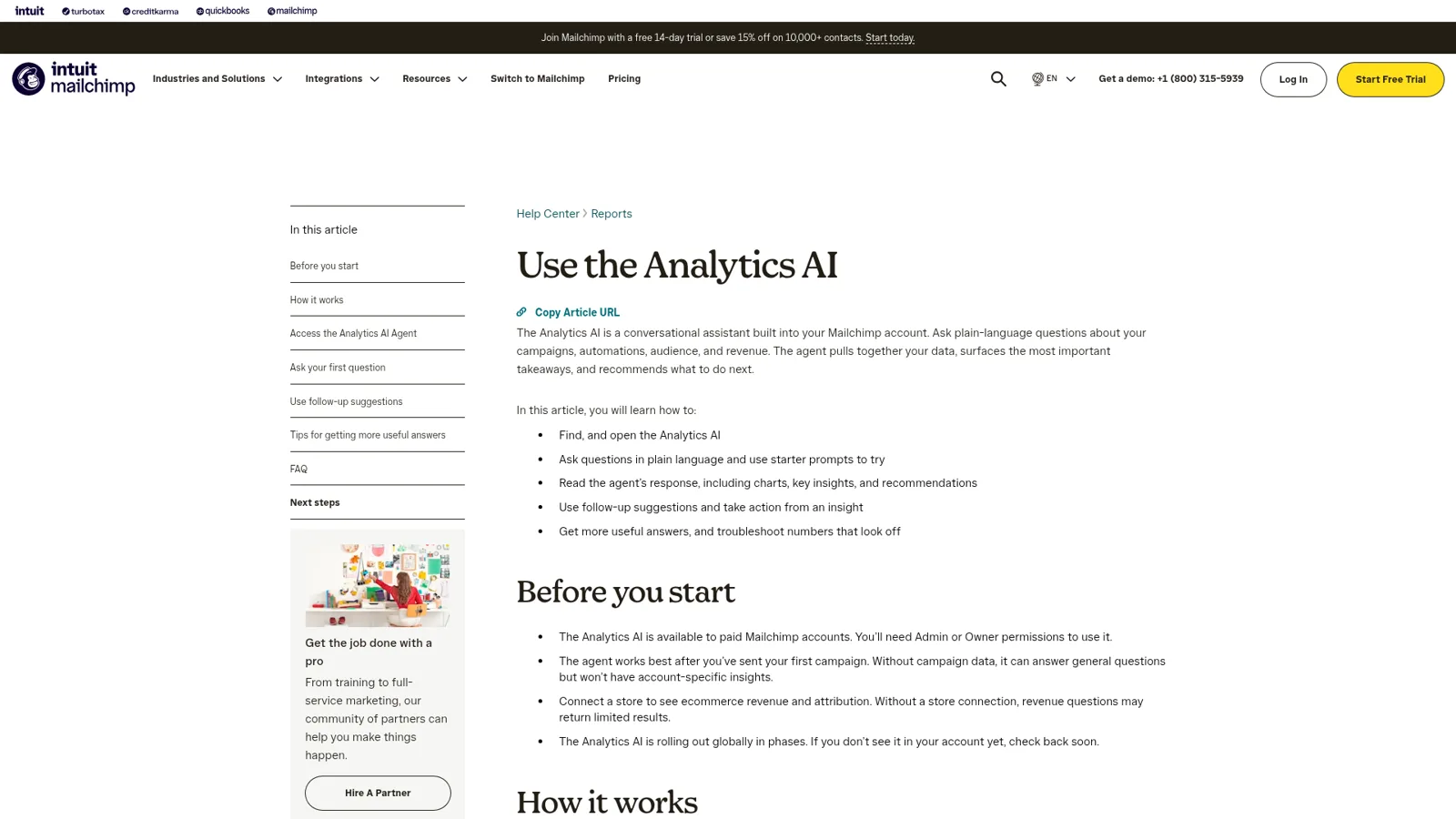
Two lines in that article matter for teams. It's for "paid Mailchimp accounts" and "you'll need Admin or Owner permissions to use it." And "no segment, campaign, or change is created until you confirm." A customer in Mailchimp's launch put it simply:
"Instead of spending over an hour manually processing reports, we can instantly access what we need through an intuitive, interactive search."
Here's how I'd pick between the three:
| Job | Best fit | Why |
|---|---|---|
| Plan next month's campaigns from a goal | ChatGPT app | Built for strategy and multichannel plans |
| Write or polish an email in the editor | Intuit Assist | It's already in the editor |
| "Which flow made the most money?" | Analytics AI | Reads your account, shows its working |
| A whole team asking about campaigns in Slack | Neither of the above | Each needs a seat and the right Mailchimp role |
The Claude route, briefly
If your team uses Claude, the same Intuit app is in Claude's directory as Intuit Mailchimp. Its tool list is longer than the ChatGPT skills, including edit-campaign, apply-theme, generate-image and save-to-mailchimp, and the listing promises "ready-to-use layouts, not just the text." Mailchimp's Claude guide says that with an active account, "Claude connects directly to your data." For the wider comparison between the two assistants, see my ChatGPT vs Claude breakdown.
What does it cost?
The app itself is free per Mailchimp, so your cost is ChatGPT plus Mailchimp:
| Plan | Price (checked 17 Nov 2026) | Worth knowing |
|---|---|---|
| ChatGPT Free | $0 | Included in the US launch (ChatGPT pricing) |
| ChatGPT Plus | $20/month | Personal plan, one user |
| ChatGPT Business | $25/user/month, or $20 billed annually | 2-seat minimum; admins control plugins (OpenAI) |
| Mailchimp Free | $0 | 250 contacts, 1 seat (Mailchimp plans) |
| Mailchimp Essentials | From $13/month | 3 seats |
| Mailchimp Standard | From $20/month | 5 seats; Analytics AI and assistant connectors |
| Mailchimp Premium | From $350/month (10,000 contacts) | Unlimited seats, Enterprise SSO |
Seats are the quiet constraint here. Standard gives you five Mailchimp users, and every person who wants answers from the ChatGPT app needs a ChatGPT plan too. My guides to ChatGPT pricing and apps in ChatGPT pricing go deeper.
When email marketing is a team job
A Mailchimp account touches more people than the one who runs it. The founder wants to know if the launch email worked. Sales wants the last newsletter to forward to a prospect. Support wants to know whether a customer unsubscribed. The designer wants last quarter's best subject lines. None of them should need a Mailchimp Admin role to ask.
OpenAI does have a team answer. Workspace agents on Business and Enterprise connect to apps, run on schedules, live in Slack, and set write actions to "Always ask" by default (OpenAI Help Center). In a ChatGPT chat, you can also set each app to "Always ask," "Allow read actions" or "Allow low-risk actions" (app permissions). Those are real controls. They follow the person using ChatGPT, or they're set once per agent by its builder, and they don't change with who in the channel is asking. They're also not built to talk to your customers in your own channels.
That's the gap eesel fills. It's a general AI teammate that works in the apps your team already uses, takes requests from anyone who talks to it there, and does the work inside those tools. Mailchimp is one of the 3,000+ apps it connects to: connect it once, and it looks things up and takes actions in Mailchimp, with each action set to On, Ask first or Off.
The difference is that the rules follow the person asking:
| Who's asking | Where | What eesel does in Mailchimp |
|---|---|---|
| Marketing lead | Slack | Answers, prepares the draft, and the send waits on her Approve |
| Anyone on the team | Slack, Teams, email | Campaign numbers and past emails, read only |
| A named contractor | Shared Slack channel | Only what you've opened to that person |
| Verified customer | Their own subscription status, if you allow it | |
| Anonymous visitor | Website chat | Your public newsletter signup, never subscriber data |
You set this by saying it ("anyone can ask for numbers, only Priya can create campaigns, ask me before anything sends") or per action in the dashboard. Ask first shows the exact action with Approve and Deny in the dashboard, as a card in the Slack thread the run started from, or by email, and only editors can approve. The per-person and per-audience settings for named people, verified customers and anonymous visitors are live, and actions marked Team only never run for anyone outside your team. Roles (owner, editor, viewer) are on the account docs.

The Monday campaign digest
The team questions repeat, so the best answer is the one nobody has to ask for. eesel's automations start work on a schedule, on an event in a connected app, or from a webhook. A Monday 9am job can post last week's opens, clicks and unsubscribes by campaign, flag anything that landed below its usual open rate, and suggest one thing to test this week, straight into #marketing or a Microsoft Teams channel. Correct it once ("always compare against the four-week average, not last week") and memory keeps that for every digest after.
That rhythm already runs for real teams. At Cape Coffee Beans, eesel ran 160 scheduled checks in a month, on weekday and Saturday mornings, and emailed the founder a short list of what had slipped, with two agents doing different jobs. Point the same habit at Mailchimp and the founder gets the email results without opening a dashboard. More examples are on the customers page.

Mailchimp ChatGPT app or eesel?
They do different jobs, and plenty of teams will use both.
| Mailchimp app in ChatGPT | eesel with Mailchimp | |
|---|---|---|
| Best at | Planning a campaign from a goal | Answering and acting for the whole team |
| Who it works for | The person signed in to ChatGPT | Anyone your rules allow, from one connection |
| Sends email | No, drafts export to Mailchimp | Only with the approval you set |
| Where it answers | ChatGPT on web and mobile | Slack, Teams, Google Chat, email, your website |
| Runs on a schedule | Through ChatGPT tasks or a workspace agent | Built-in schedules, app events and webhooks |
| Customer-facing | Not designed for it | Verified customers and visitors get their own rules |
| Cost | Free app; ChatGPT and Mailchimp plans apply | From $299/month for 500 credits, unlimited seats (pricing) |
eesel has a free 7-day trial with 100 credits and no card, and every plan has unlimited agents and seats.
Can you keep ChatGPT and add eesel?
Yes, and I'd recommend it. Keep the Mailchimp app for your own campaign planning, where it's strong. Give the team eesel for the shared questions, the digest and anything that should wait for a yes. eesel's own apps for ChatGPT are being listed in ChatGPT's app directory, so you'll be able to ask "what did eesel post to #marketing this morning?" without leaving ChatGPT. Today you can add your eesel workspace to Claude as a custom connector, where editors can change things, viewers get the read side, and approvals still apply.
If you're comparing marketing stacks, the Klaviyo ChatGPT integration works quite differently (it can send), and Intuit's sibling app is covered in my QuickBooks ChatGPT integration guide. For CRM-side work, see the Pipedrive ChatGPT integration.
My take
- Install the Mailchimp ChatGPT app if you plan campaigns yourself. The plan-from-a-goal flow is good, and new senders get industry benchmarks without any history. It belongs on any list of AI tools for email marketing.
- Use Analytics AI for "what made money?" questions, since it reads your account and shows how it calculated each number.
- Add eesel, one of the best AI teammates for this, when Mailchimp questions come from the whole team, when the weekly numbers should arrive without a prompt, or when sending has to wait for the right person. It pairs with eesel's Shopify integration if your list is built on store data, and my roundup of AI marketing automation tools covers the wider field.
Try eesel as your team's Mailchimp teammate
The Mailchimp ChatGPT app gives the person who runs email a sharp strategist. eesel brings Mailchimp answers to everyone else, in Slack, Microsoft Teams and email, with drafts for the people who should draft and approvals before anything reaches your list.